Inspiration
Navigating Jira with filters and queries can slow teams down. We wanted a faster, more natural way to interact with issues by simply talking to Jira and getting instant, AI-driven insights.
What it does
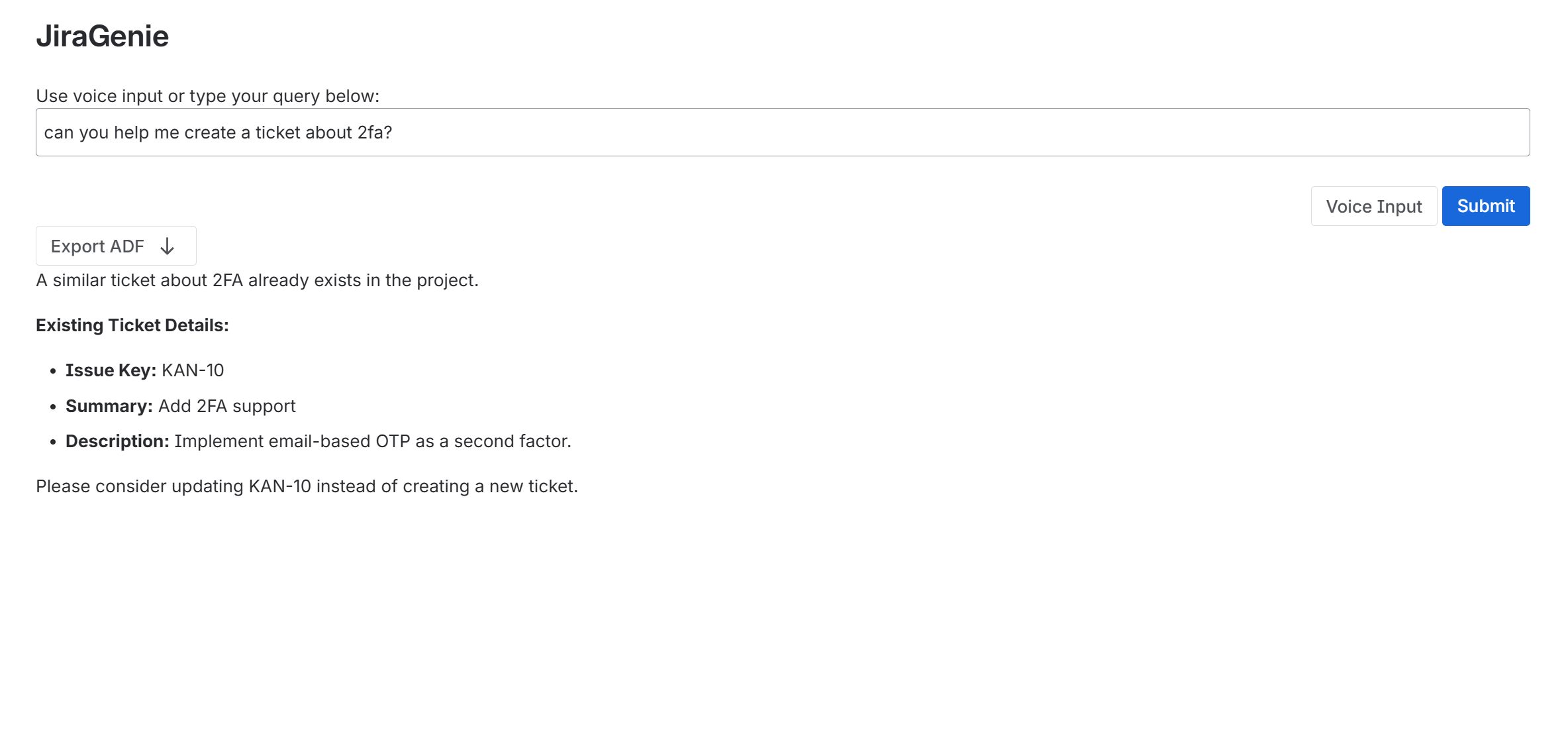
JiraGenie lets users ask questions about Jira issues using text or voice. It understands natural language and provides AI-generated summaries, and insights all directly inside Jira.
How we built it
We built JiraGenie on Atlassian Forge using the Forge UI Kit for the frontend and Google Gemini for AI-powered understanding. ElevenLabs handles real-time speech-to-text transcription for voice input. The backend uses Forge resolvers to securely fetch Jira issue data and pass it to Gemini for analysis.
Challenges we ran into
- Integrating ElevenLabs’ real-time transcription with Forge’s limited UI event model
- Rendering dynamic AI responses within the constraints of Forge UI Kit
- Managing secure communication between Jira, Gemini, and ElevenLabs APIs
Accomplishments that we're proud of
- Created a fully voice-enabled Jira assistant inside Forge
- Seamless AI integration with Gemini for contextual analysis
- Reliable transcription pipeline using ElevenLabs’ streaming API
What we learned
We learned how to push the boundaries of Forge UI Kit with external API integrations and real-time updates. We also gained experience building multimodal (voice + text) AI tools with strong security practices.
What's next for JiraGenie
- Add multilingual voice support and richer conversation memory
- Expand AI summaries into visual charts and metrics
- Integrate with Confluence for cross-platform project insights
- UI overhaul to a custom UI to allow for audio(tts) playback.


Log in or sign up for Devpost to join the conversation.