-
-
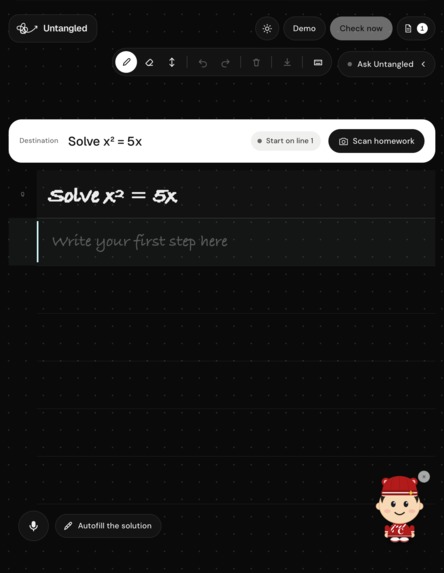
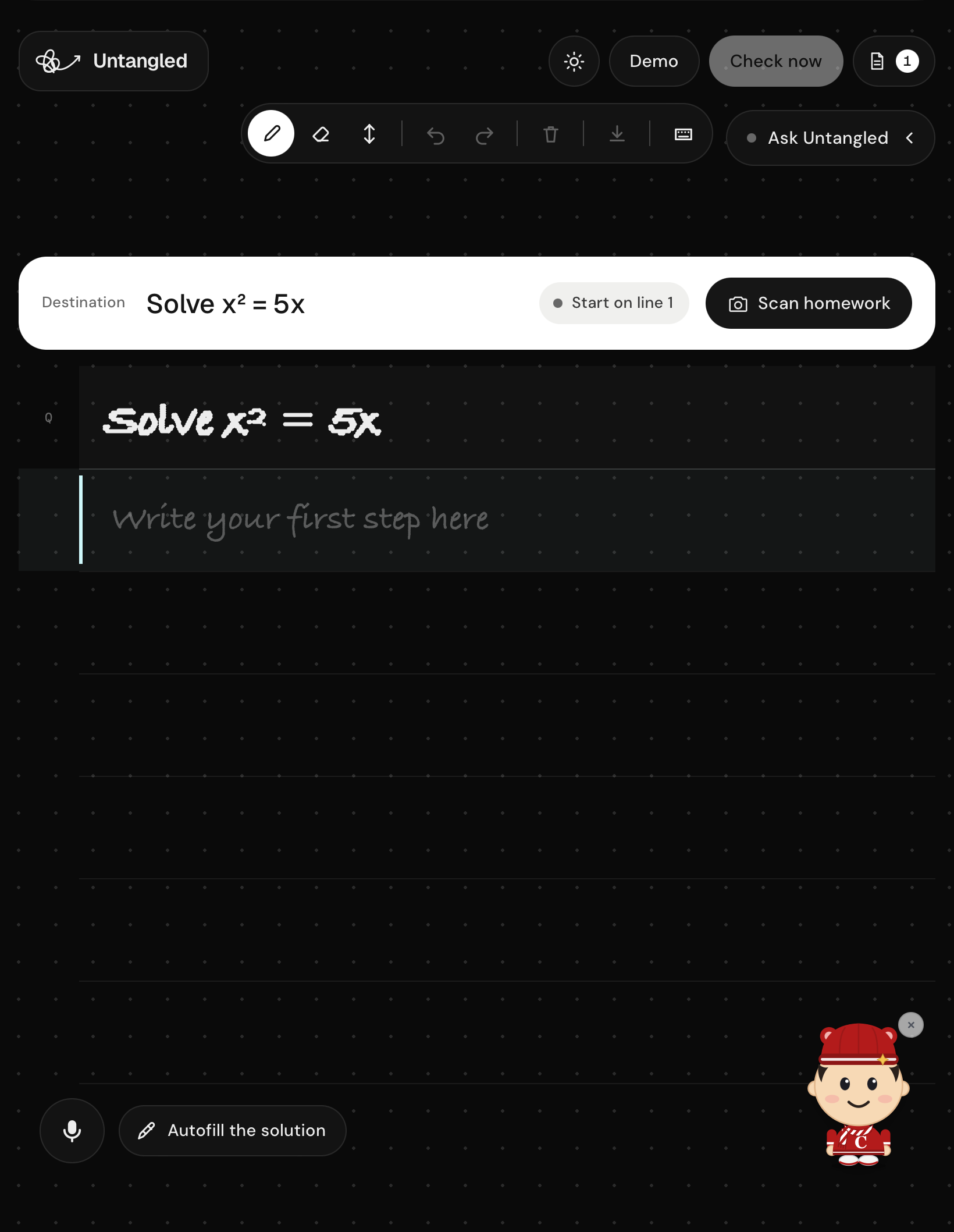
Home Screen with an example problem
-
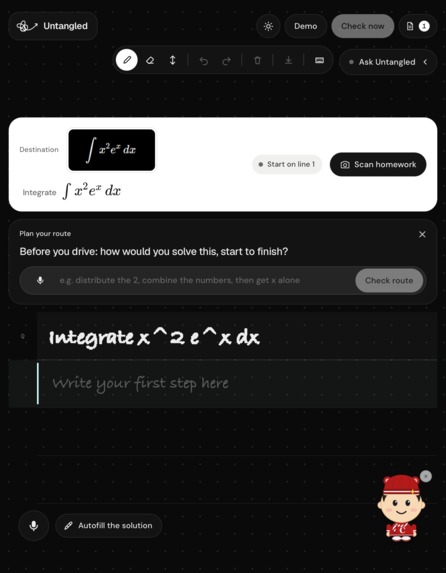
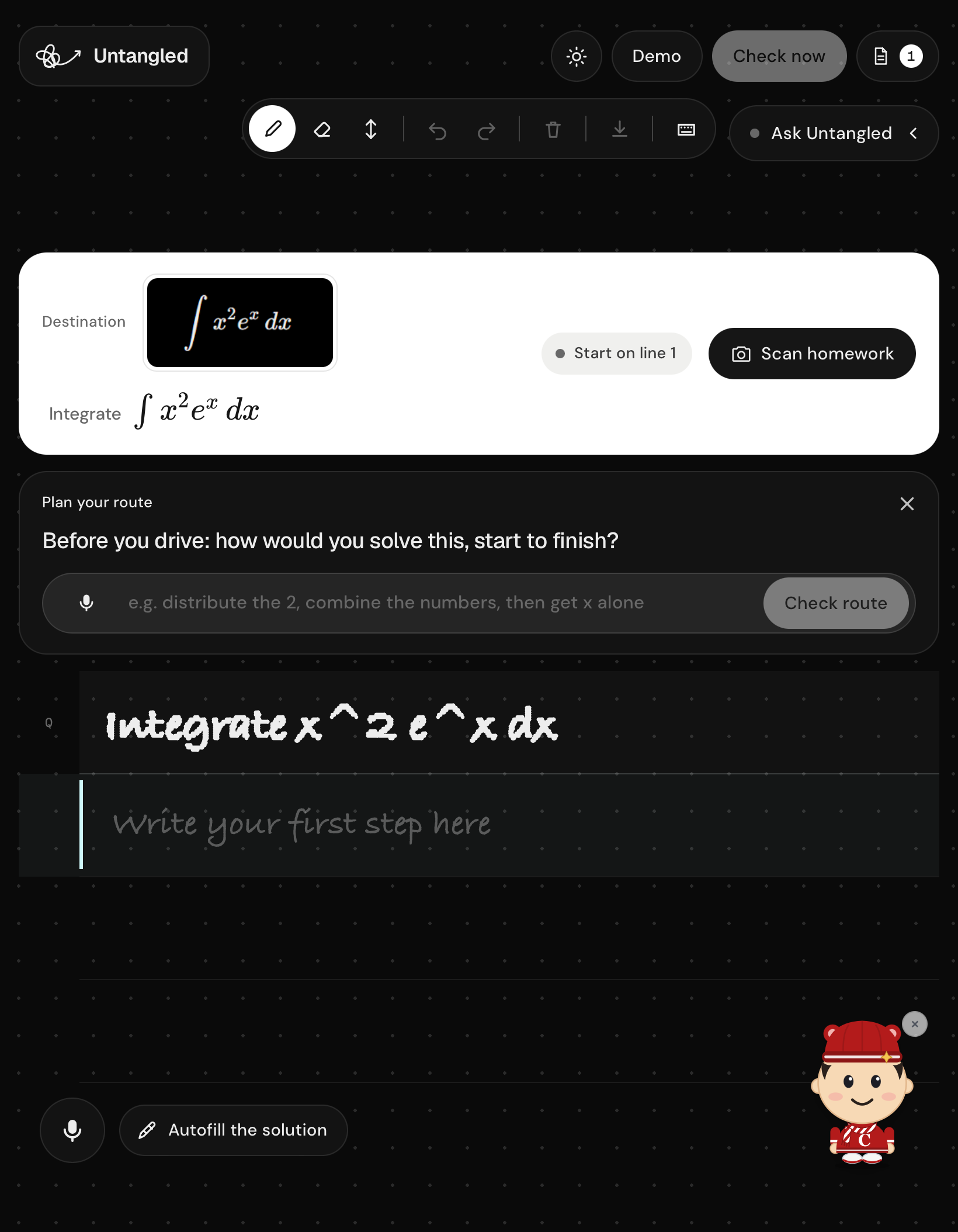
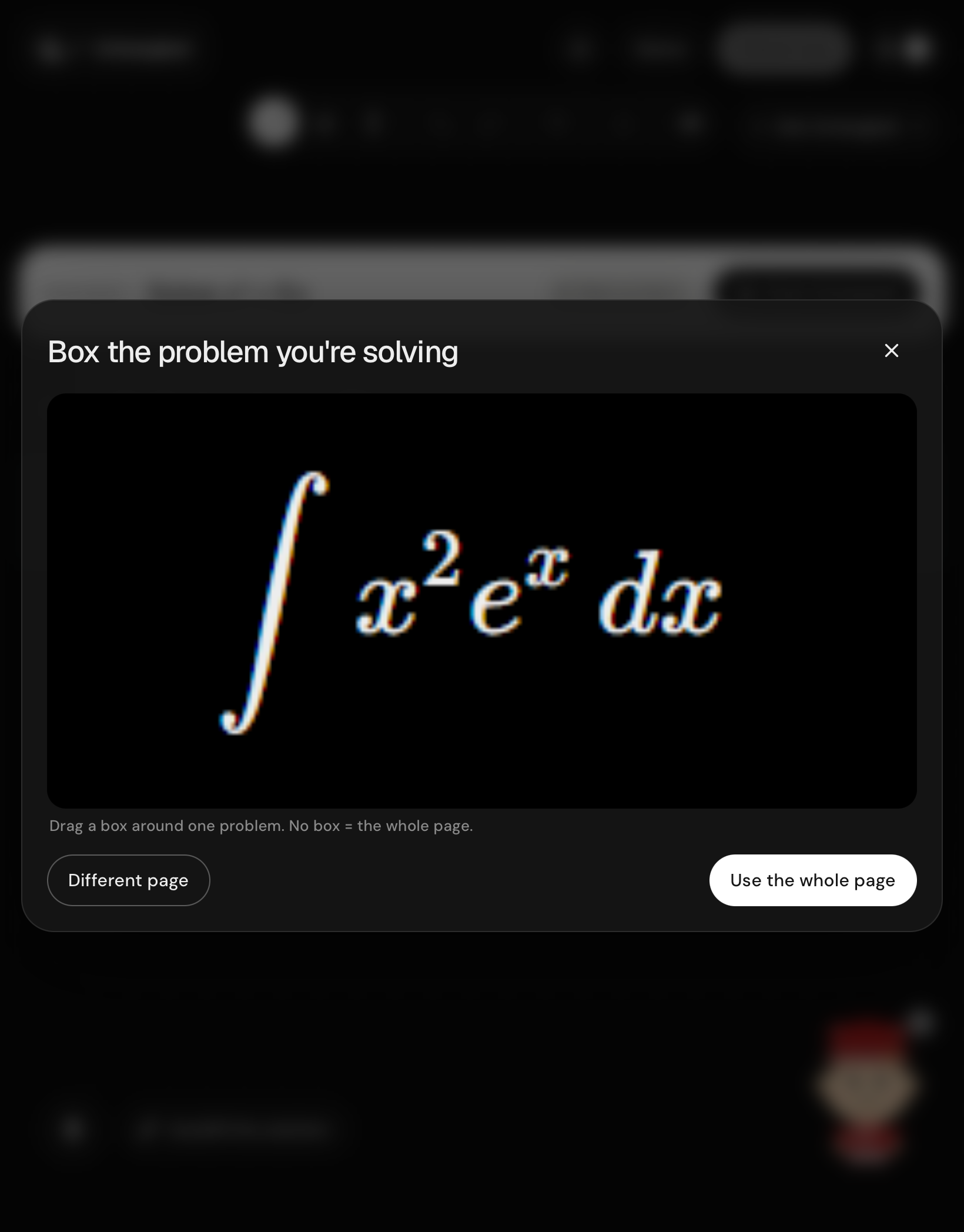
Uploaded a custom question and identify it
-
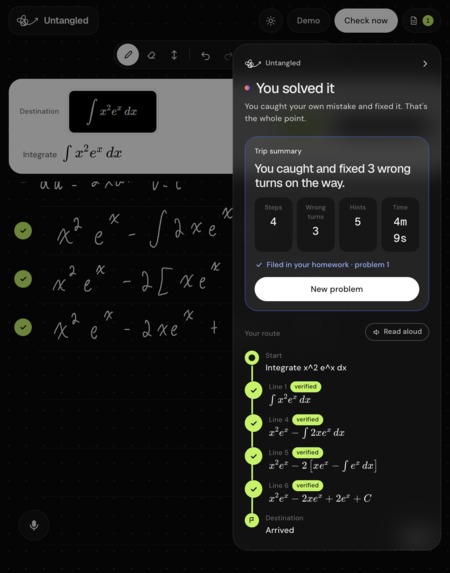
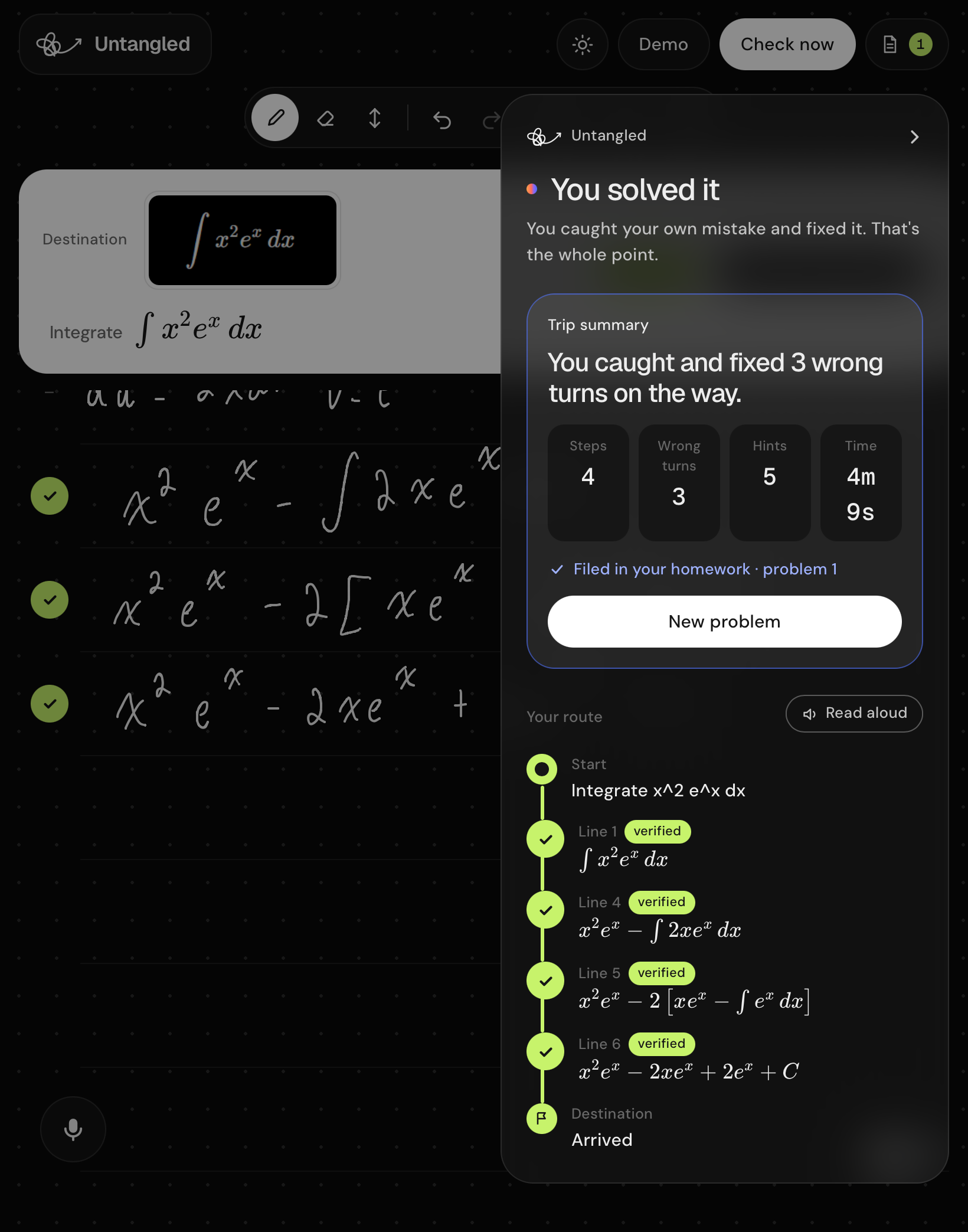
Completed problem screen once you get the correct answer
-
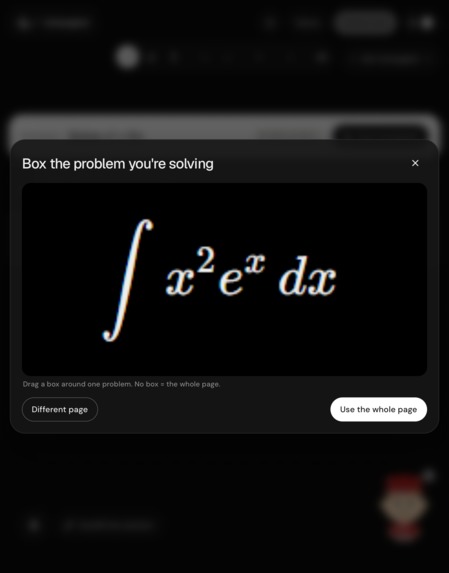
Uploading a question from your textbook
-
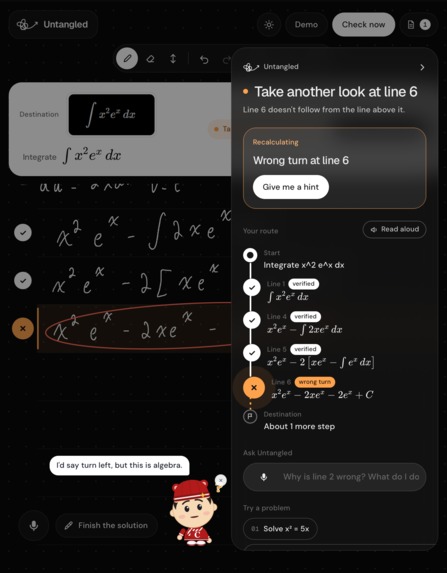
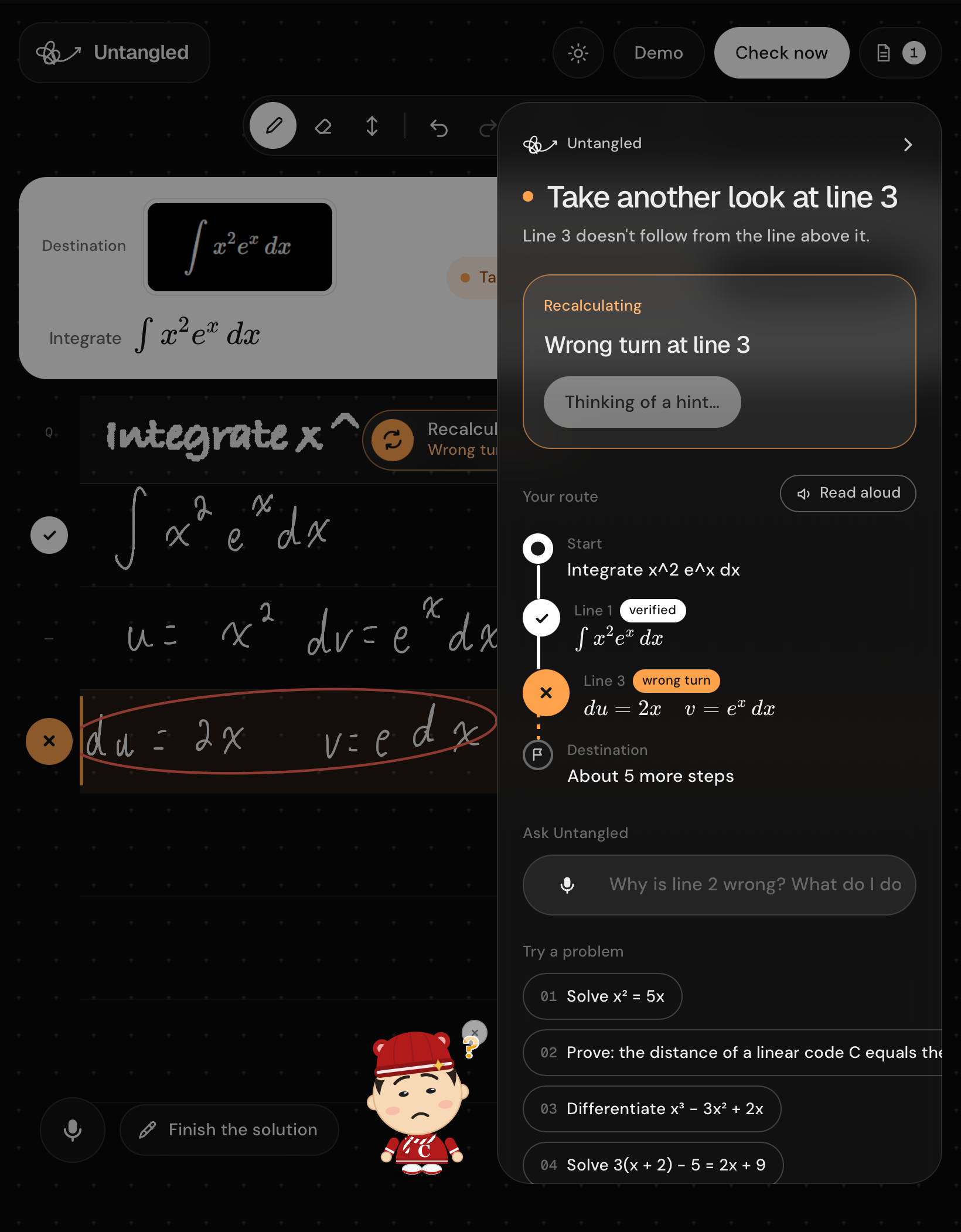
Annotated the Whiteboard to show you where the error is
-
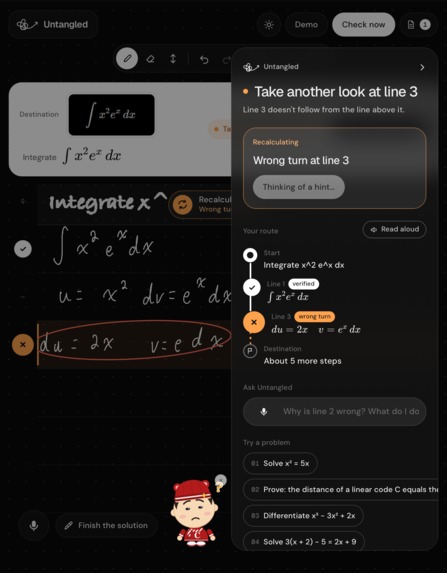
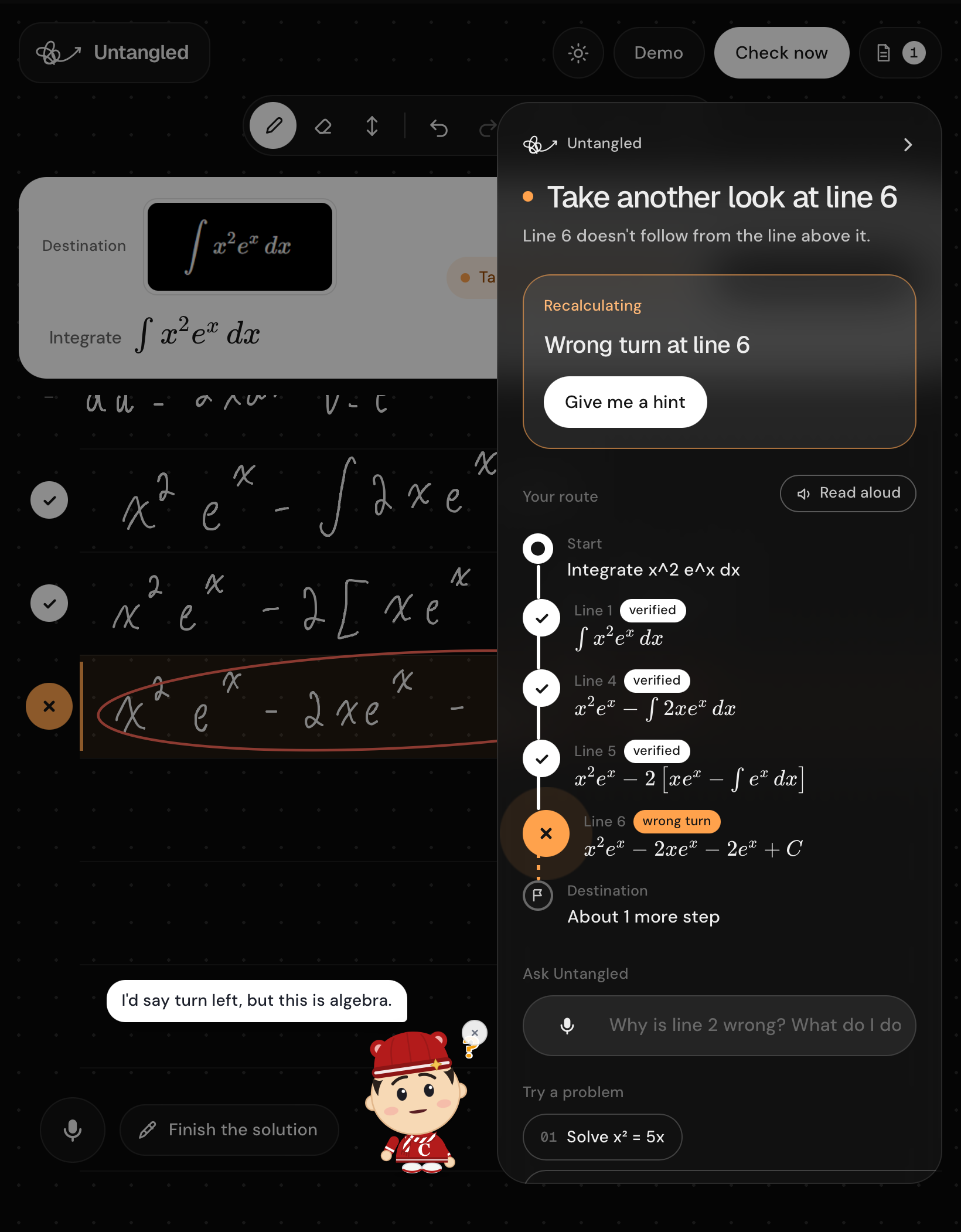
Automatically found an error and pointed it out
Untangled
A personalized AI tutor that works alongside you as you solve math. Untangled watches your whiteboard, catches mistakes as they happen, annotates the step that went off track, and guides you toward understanding instead of jumping straight to the answer.
Built for Cornell Hacks 2026 around the theme of Navigation.
About
Most AI study tools make learning a back-and-forth chat: ask a question, get a response, and repeat. Others reveal a complete solution all at once. Untangled takes a more hands-on approach. It follows your work on a digital whiteboard and acts like a teacher beside you, offering timely feedback while you remain in control of solving the problem.
Inspiration
We wanted an AI tutor that could interact with a student's actual problem-solving process. A teacher does more than give the answer: they notice where a student took a wrong turn, point to the relevant line, and offer just enough guidance to help the student continue. We set out to bring that experience to a whiteboard app, with a friendly mascot that encourages students and is ready to answer questions.
What it does
- Follows your work in real time. Write with a mouse, finger, or stylus. Untangled checks a newly completed line quickly and checks again after a pause, so feedback can arrive while you are still working.
- Marks the first wrong turn. The route panel points to the line where reasoning first went off track; later lines that carry the same mistake forward are not repeatedly flagged.
- Guides instead of giving away the solution. Ask for a hint to get a ladder of guidance, from a nudge to a more direct explanation. Ask Untangled a question by typing or using the microphone; its response uses the current board context and stays concise.
- Checks math with symbolic tools. SymPy verifies supported steps when it can. When a step cannot be decided symbolically, the app can use an AI judgment and label it accordingly.
- Scans homework. Import a photo or PDF, select a problem, and use it as the destination for your work. A worksheet can be turned into a sequence of problems.
- Speaks feedback aloud. The GPS-inspired voice stays quiet while you work, then calls out a missed turn or lets you know when you are back on route. Browser speech synthesis works by default; an optional ElevenLabs key enables a neural voice.
- Supports different ways of working. Type a step, use the demo to present an example, review a trip summary, or choose from six interface and guidance languages.
How we built it
Untangled separates reading the board from checking the mathematics:
- The React whiteboard groups strokes into lines and sends a labeled snapshot when a line is completed or the student pauses.
- A vision-capable language model reads the handwriting and returns structured math representations for each line.
- The FastAPI backend passes supported steps to SymPy, which checks equivalence and common errors such as lost solutions or a reversed inequality. Symbolic checks run in worker processes with a time limit.
- The backend combines the reading and check results. When a line needs help, a separate model request creates graduated hints and a short spoken nudge.
- The frontend places status markers beside the relevant lines, updates the route panel, and applies a voice policy so feedback is timely without interrupting every step.
The frontend is built with React 19, TypeScript, and Vite, with perfect-freehand for ink geometry, KaTeX for math rendering, and PDF.js for PDF import. The backend uses Python 3.11+, FastAPI, Pydantic, and SymPy. Claude is the default language-model provider; Gemini and Grok are also supported. Provider keys stay in the backend. See backend/.env.example for configuration.
For stylus users, the canvas reads pen pressure and filters broad touch contacts to reduce palm marks. The project also includes a separate handwriting-model training effort: we built a companion application and collected thousands of handwritten characters. The live app's board-reading flow currently sends board snapshots to a vision model; the handwriting-model training work is a distinct part of the project.
Challenges we ran into
- Creating handwriting training data. We needed a practical way to collect varied examples, so we made a separate application and handwrote thousands of characters for model training.
- Making a whiteboard feel natural. Drawing, erasing, undoing, typed work, stylus pressure, palm rejection, and smaller screens all needed to work together without getting in the student's way.
- Keeping feedback fast. Full-board checks can be expensive and slow, so we designed checkpoints around line completion and pauses, and kept hint generation separate from the initial check.
- Reducing hallucinations. A language model can misread handwriting or make a confident math mistake. We use structured transcription and rely on SymPy for symbolic verification where possible, while making AI-only judgments visible as such.
- Coordinating a broad product. The project brought together model work, backend orchestration, a drawing interface, speech, and a coherent tutoring experience under hackathon time constraints.
Accomplishments we are proud of
- Built an interactive tutor that responds to a student's working, not just a prompt typed into chat.
- Designed feedback around the first incorrect step and a progressive hint ladder that preserves the student's role in solving.
- Combined vision-model handwriting transcription with symbolic math checking and clear labeling when verification is uncertain.
- Delivered a complete whiteboard workflow with homework scanning, voice feedback, typed steps, language options, and tablet-friendly palm handling.
- Created a companion workflow and a large handwritten character set for training a handwriting model.
What we learned
We learned how much work sits between a model demo and a useful learning tool. Training a model requires thoughtful data collection; real-time tutoring requires balancing latency with careful checking; and whiteboard UI/UX depends on small interaction details such as palm detection, line grouping, and how feedback appears. We also learned to divide responsibilities between an LLM that can interpret messy input and deterministic tools that can verify math, and to coordinate that work across a team.
What's next
We want to expand Untangled to more advanced mathematics, including multivariable calculus, partial differential equations, linear algebra, and proofs. We also see a path into physics and chemistry, where students could receive the same step-by-step guidance while working through problems in those subjects.
Run it yourself
You will need Python 3.11+, uv, and Node.js 20+. You also need an API key for a supported language-model provider. Claude is the default; Gemini and Grok are optional providers.
- Create
backend/.envfrombackend/.env.exampleand add a provider key, such asANTHROPIC_API_KEY. To use Gemini or Grok instead, add the matching key and setNORTHSTAR_PROVIDERas documented in the example file. - Create
frontend/.envfromfrontend/.env.example. LeaveVITE_BACKEND_IPunset for local development. - In one terminal, start the API:
   cd backend
   uv sync
   uv run uvicorn main:app --host 127.0.0.1 --port 8000 --reload
- In another terminal, start the frontend:
   cd frontend
   npm ci
   npm run dev
- Open the local URL printed by Vite, usually http://localhost:5173.
To use a phone or tablet on the same Wi-Fi, see IPAD.md for LAN setup and device notes. The microphone feature may require HTTPS on iOS. Never commit API keys.
Project layout
| Path | Purpose |
|---|---|
frontend/src/board/ |
Whiteboard drawing, stroke geometry, and palm handling |
frontend/src/useTutor.ts |
Checkpoint timing, API requests, and voice behavior |
frontend/src/RoutePanel.tsx |
Route status and hint display |
backend/main.py |
FastAPI routes and orchestration |
backend/tutor.py |
Language-model provider calls for reading and tutoring |
backend/verify.py |
SymPy-based math verification |
backend/tts.py |
Optional ElevenLabs speech synthesis |
For tests and additional development notes, see the repository's AGENTS.md and backend test suite.
Built With
- claude
- gemini
- grok
- javascript
- node.js
- ocr
- python
- react


Log in or sign up for Devpost to join the conversation.