-
-
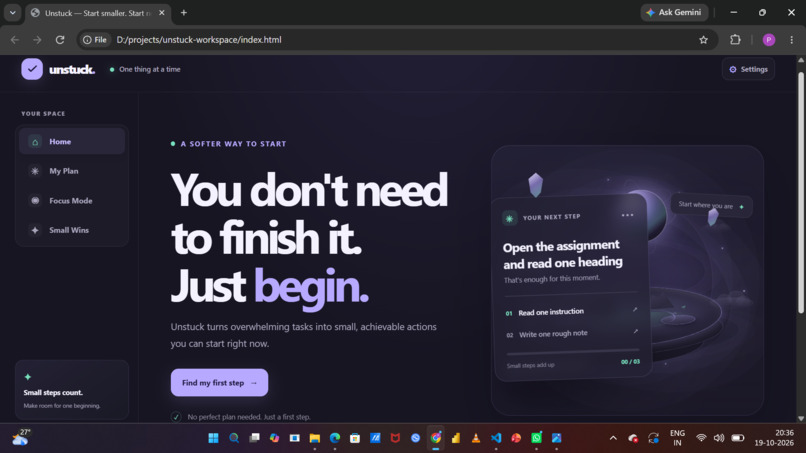
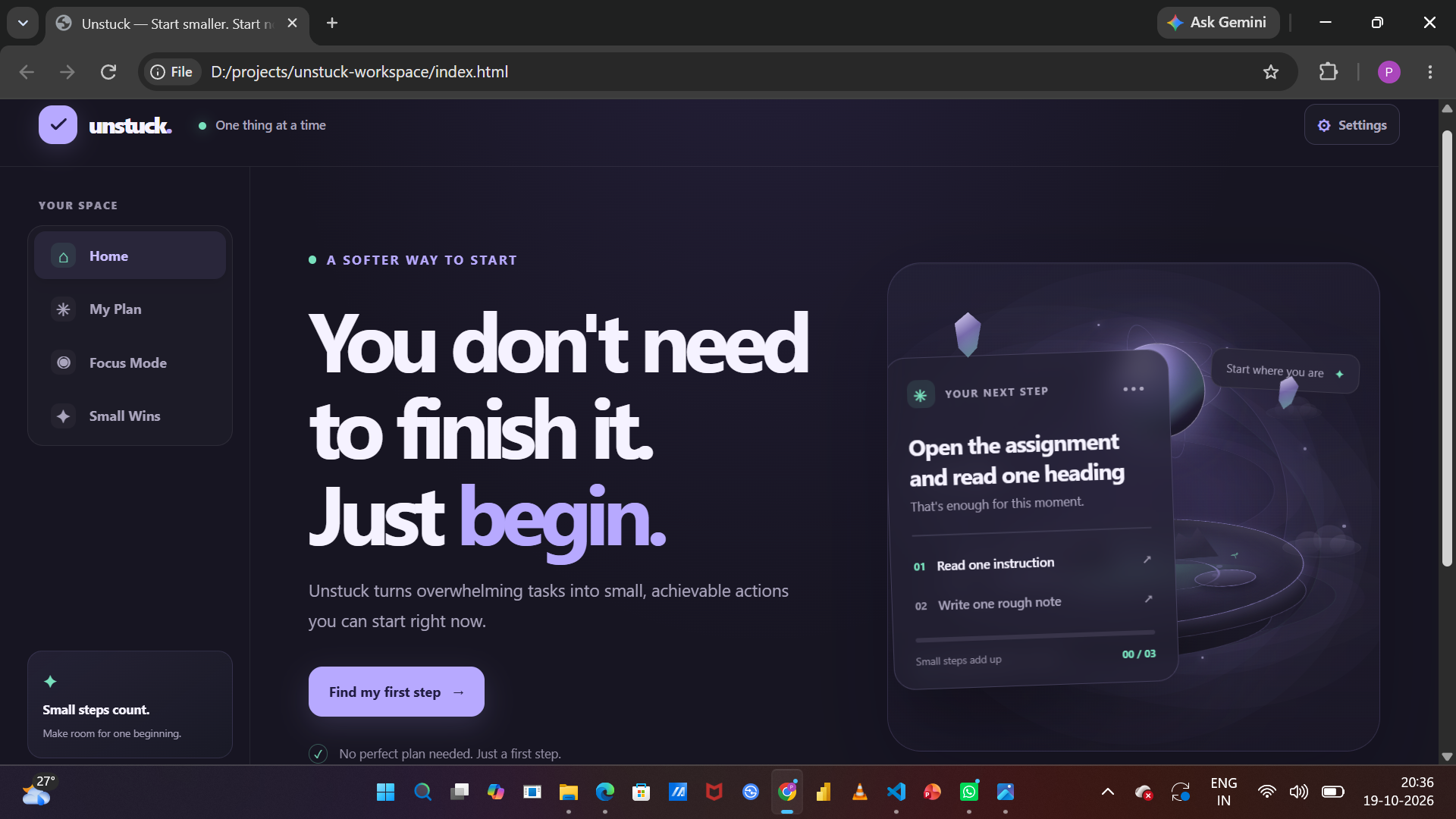
Unstuck’s home screen introduces a calmer way to begin overwhelming tasks, with a simple interface focused on taking one small step.
-
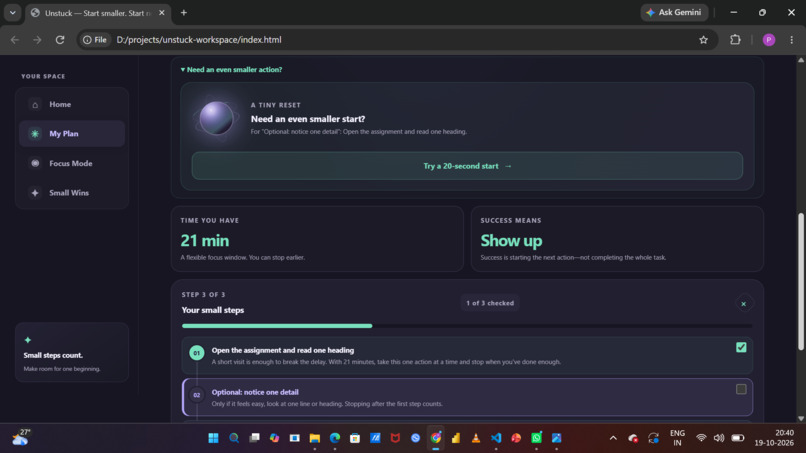
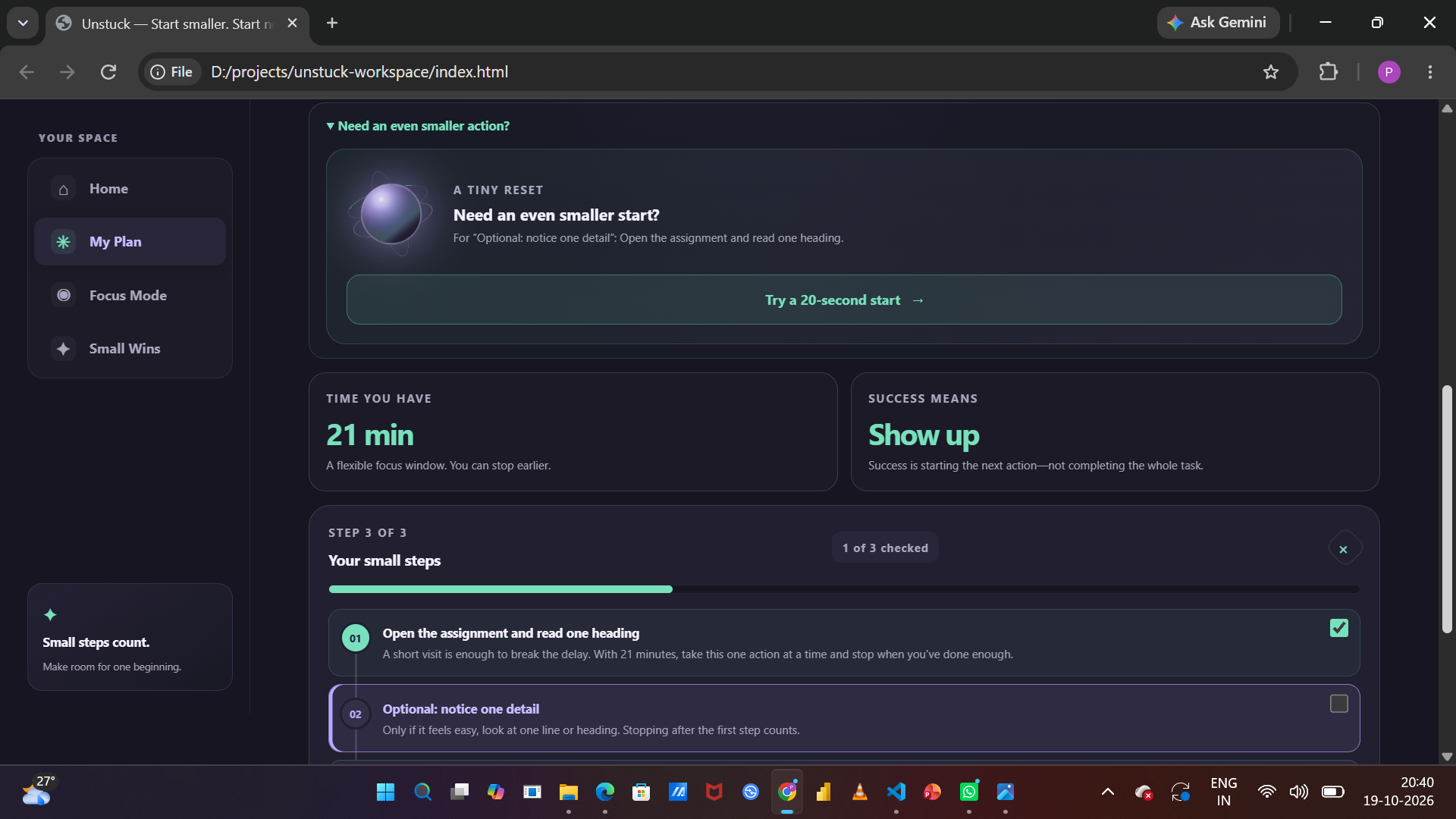
Unstuck breaks a task into one approachable first action and three manageable steps, with checkboxes and a reminder that starting counts.
-
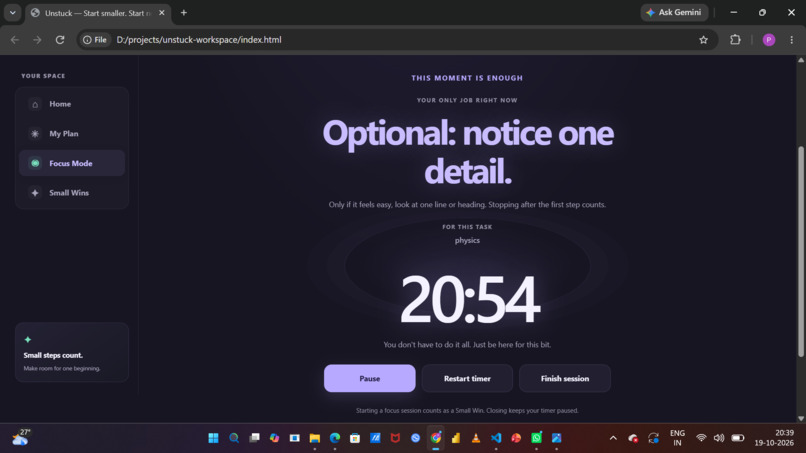
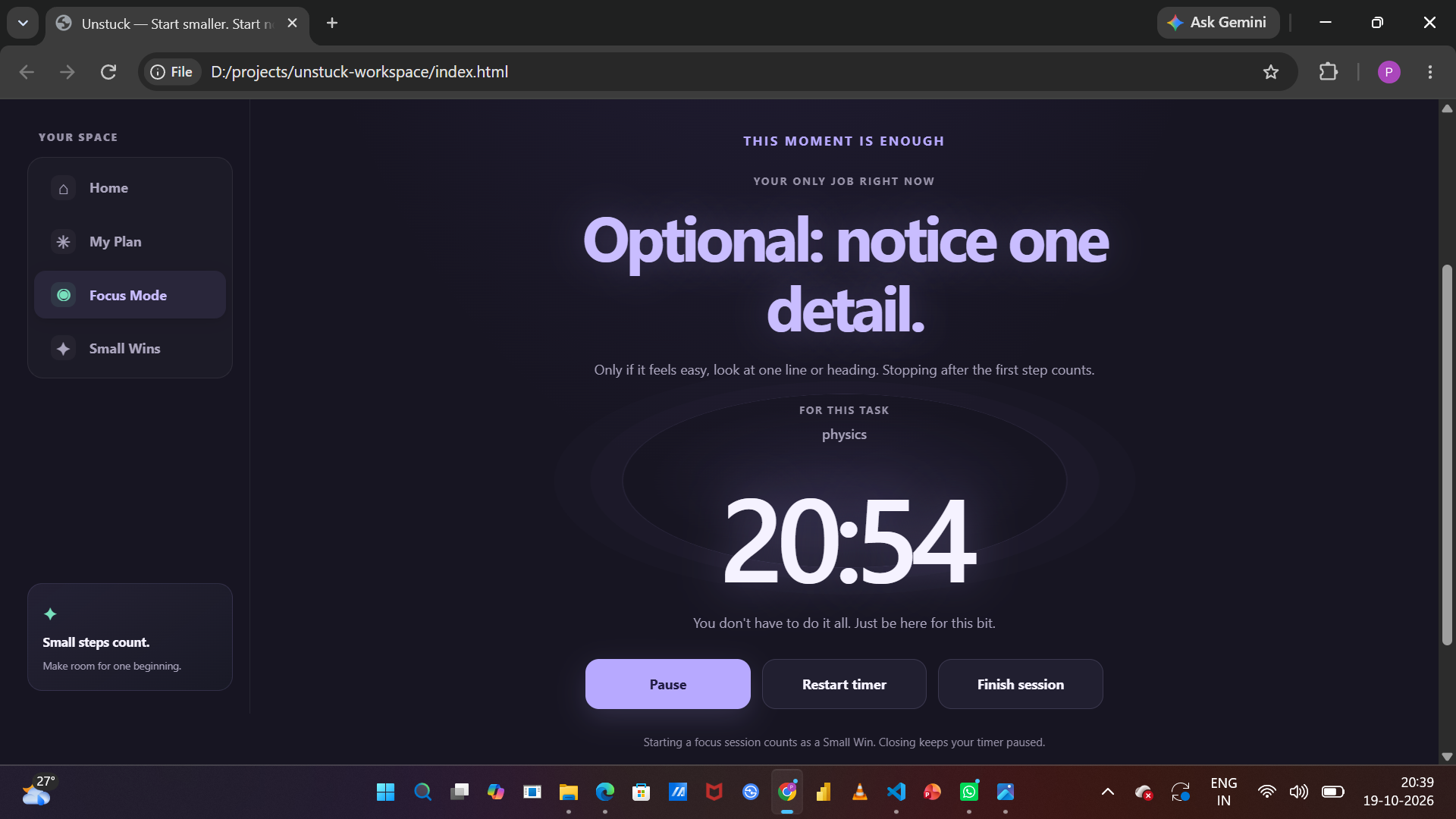
A short, flexible focus session helps users give their task some attention, with controls to pause, resume, or close the timer.
-
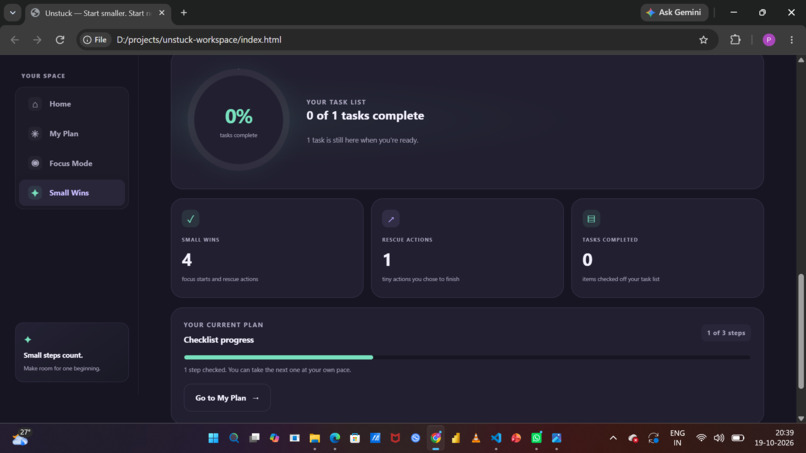
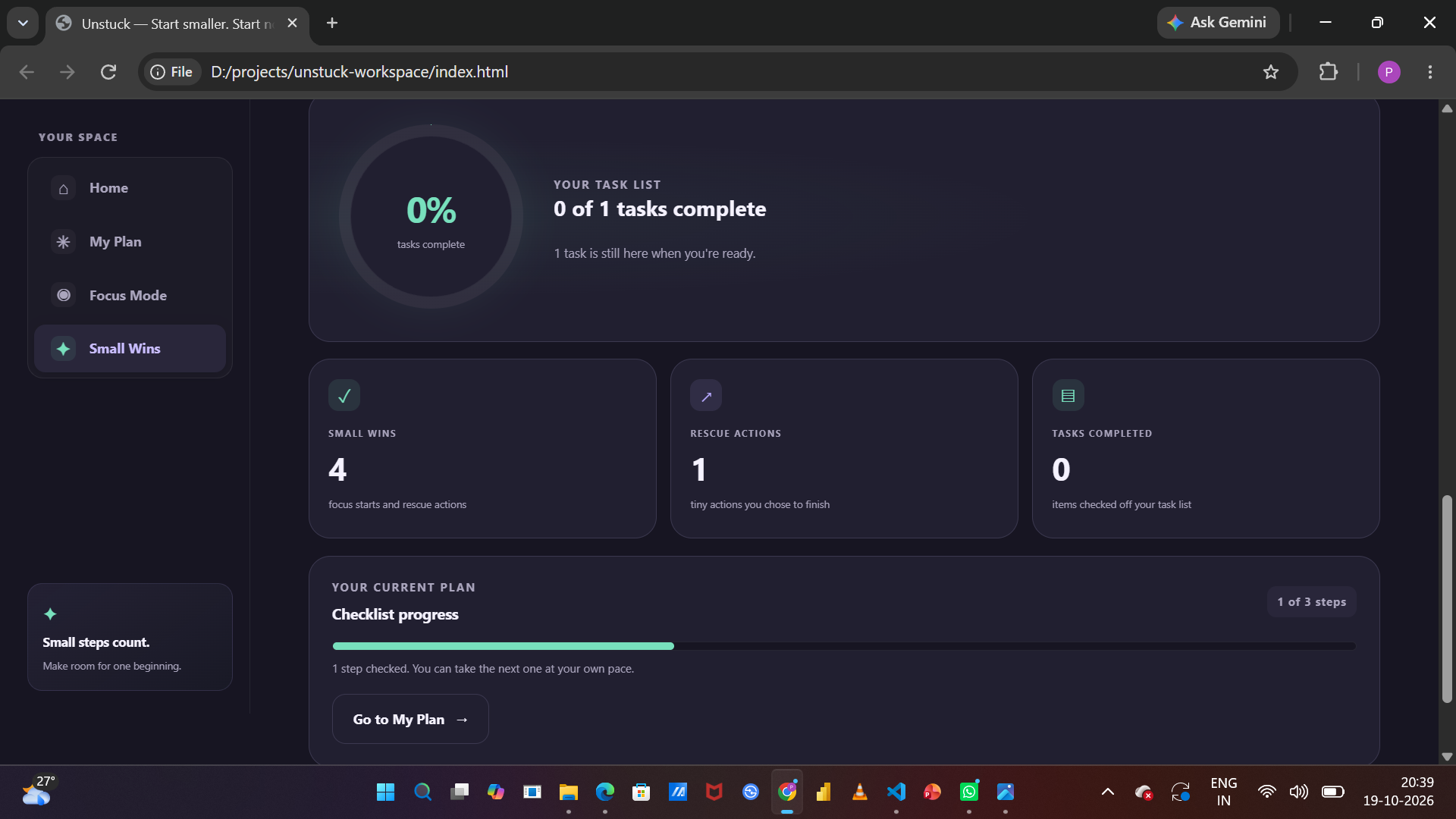
The small-wins section reinforces that starting is meaningful progress, without streaks or pressure to finish everything.
Inspiration
Starting a task can sometimes feel harder than doing the task itself. When assignments, coding projects, or research feel overwhelming, even deciding where to begin can become a barrier. I wanted to build something that makes starting feel simpler, without adding another complicated productivity system.
That idea became Unstuck — Start Smaller, Start Now.
What it does
Unstuck is a lightweight, interactive workspace that turns an overwhelming task into a manageable first action.
Users can:
- Choose a task category and describe what they need to do.
- Set the time they have available.
- Select their current energy level.
- Generate a tiny first step and a three-step plan.
- Start a focus session with a timer and pause or resume it.
- Check off steps and copy their plan for later.
The goal is to make the next action clear and approachable rather than demanding that users finish everything at once.
How I built it
I built Unstuck as a web-based prototype using HTML, CSS, and JavaScript. HTML structures the interface, CSS creates the visual design and responsive layouts, and JavaScript handles task planning, energy-based adjustments, step generation, and timer interactions.
I focused on creating a calm interface with a purple-and-mint color palette, clear sections, and simple controls. The prototype runs in the browser without requiring an account or a backend server.
Challenges and learning
One challenge was designing an experience that feels useful without overwhelming users with too many features. I had to think carefully about how to turn a broad task into a small, concrete action and how to adapt that action to different energy levels.
Building this project helped me practise connecting interface design with interactive JavaScript behavior. It also reinforced an important design principle: a useful productivity tool does not always need to push people to do more. Sometimes it should make the next step easier to begin.
What's next
Future improvements could include more personalized task suggestions, saved plans across sessions, and additional accessibility and usability testing.
Unstuck is a prototype, but its central idea is simple: you don't need to finish everything right now. You just need a next step you can begin.
Built With
- css
- html
- javascript
- productivity
- userinterface
- webdesign

Log in or sign up for Devpost to join the conversation.