-
-
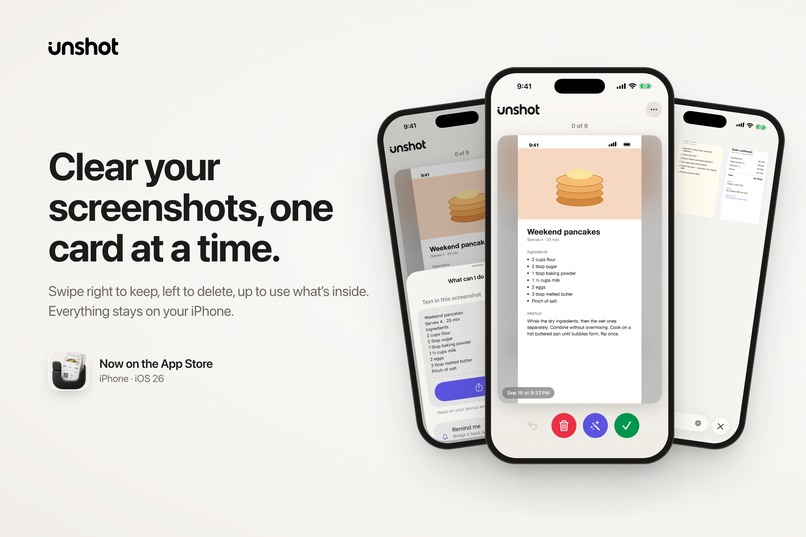
Clear your screenshots
-
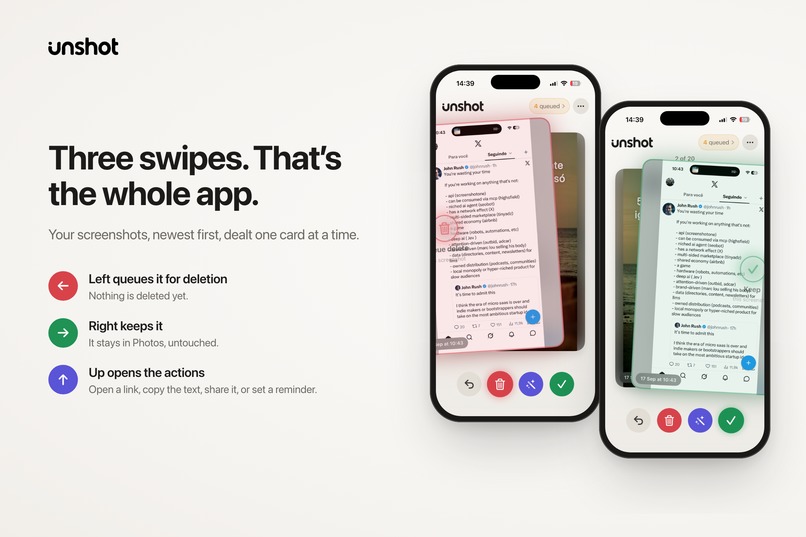
Swipe to Decide
-
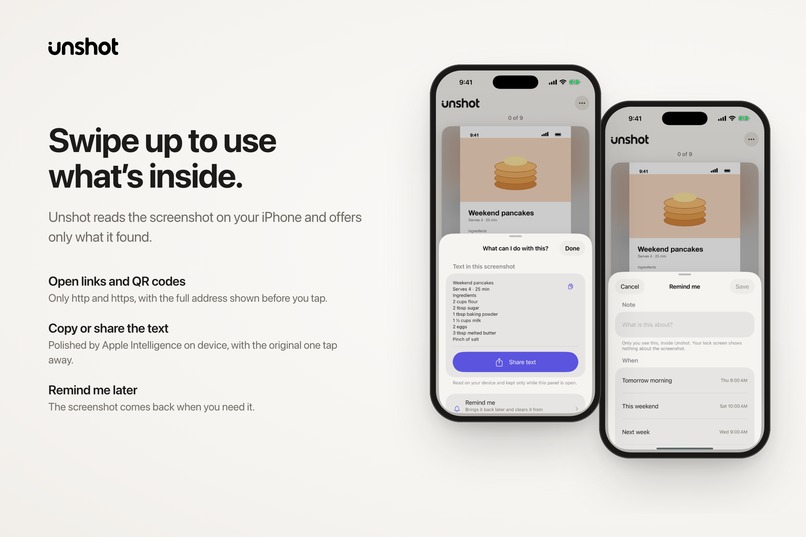
Turn into actions
-
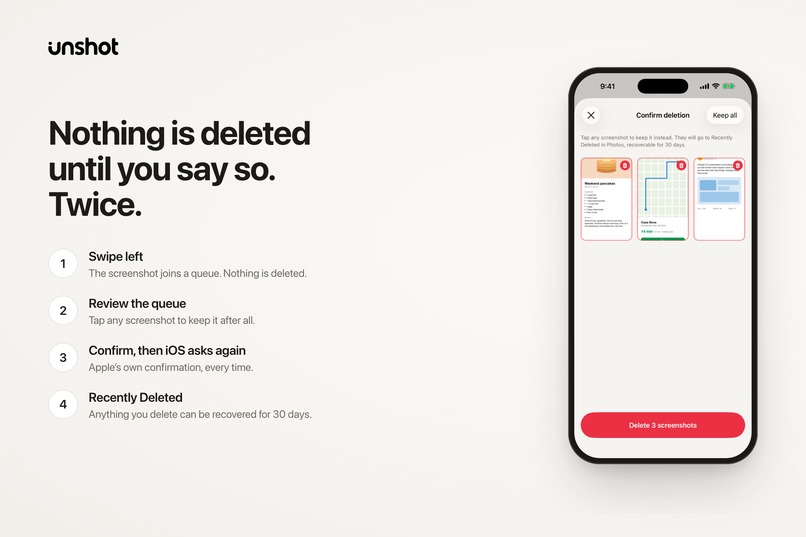
Safe Deletion
-
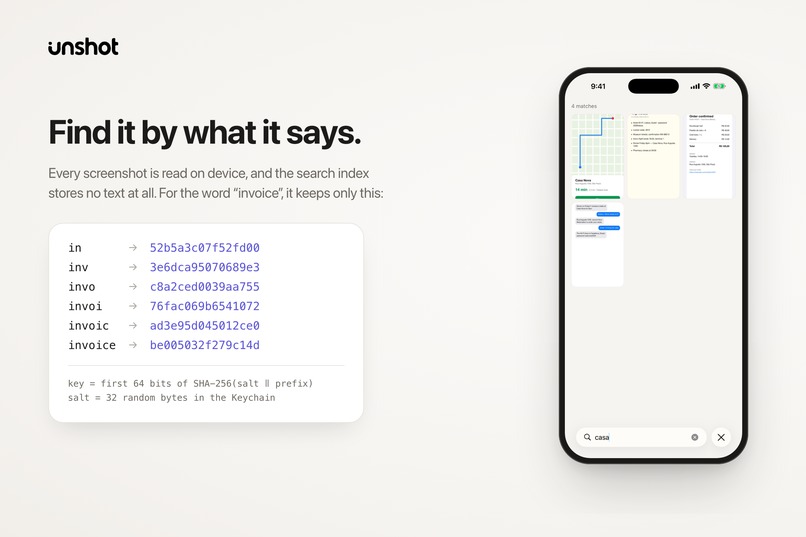
Private search
-
App Icon
-
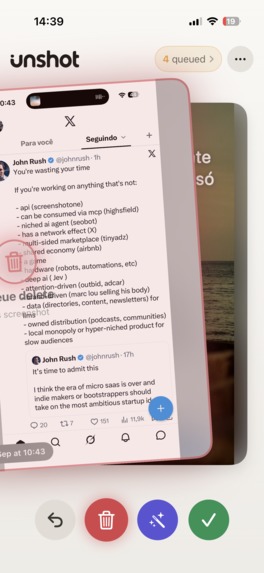
Discard
-
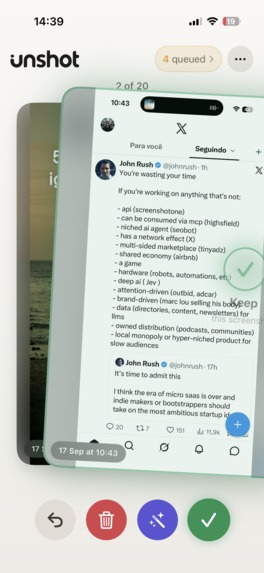
Keep
-
Perform Action
Inspiration
Screenshots are how I save things: a boarding pass, a Wi-Fi password, a recipe, a link someone sent, an order number I needed once. They're the fastest way to keep something, and then they bury the photos I actually care about. Cleaning them up meant scrolling a grid and selecting in bulk, which is exactly when you delete the one you still needed.
I wanted the opposite: one screenshot at a time, a decision in a second, and a way to pull out what's inside before letting it go.
What it does
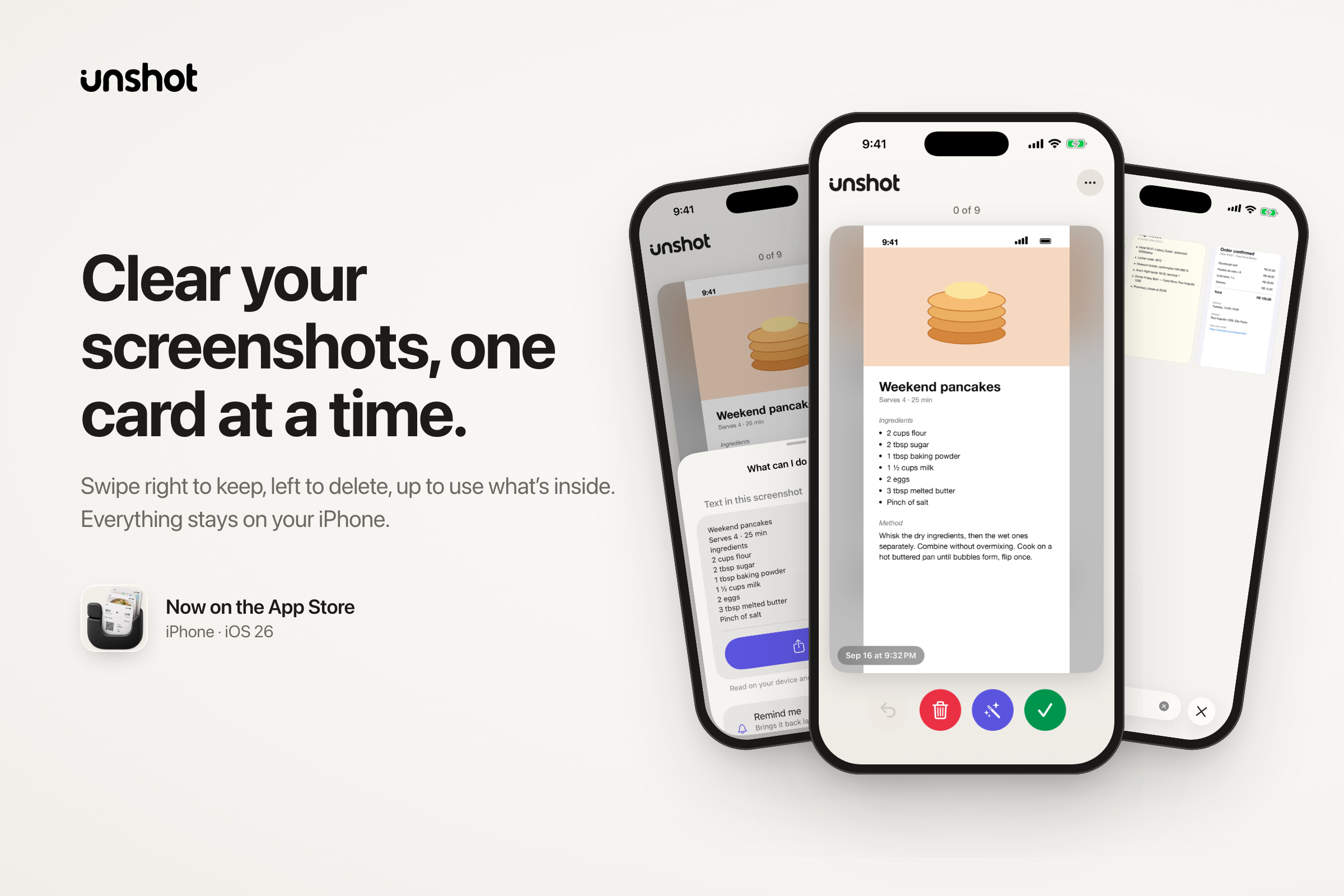
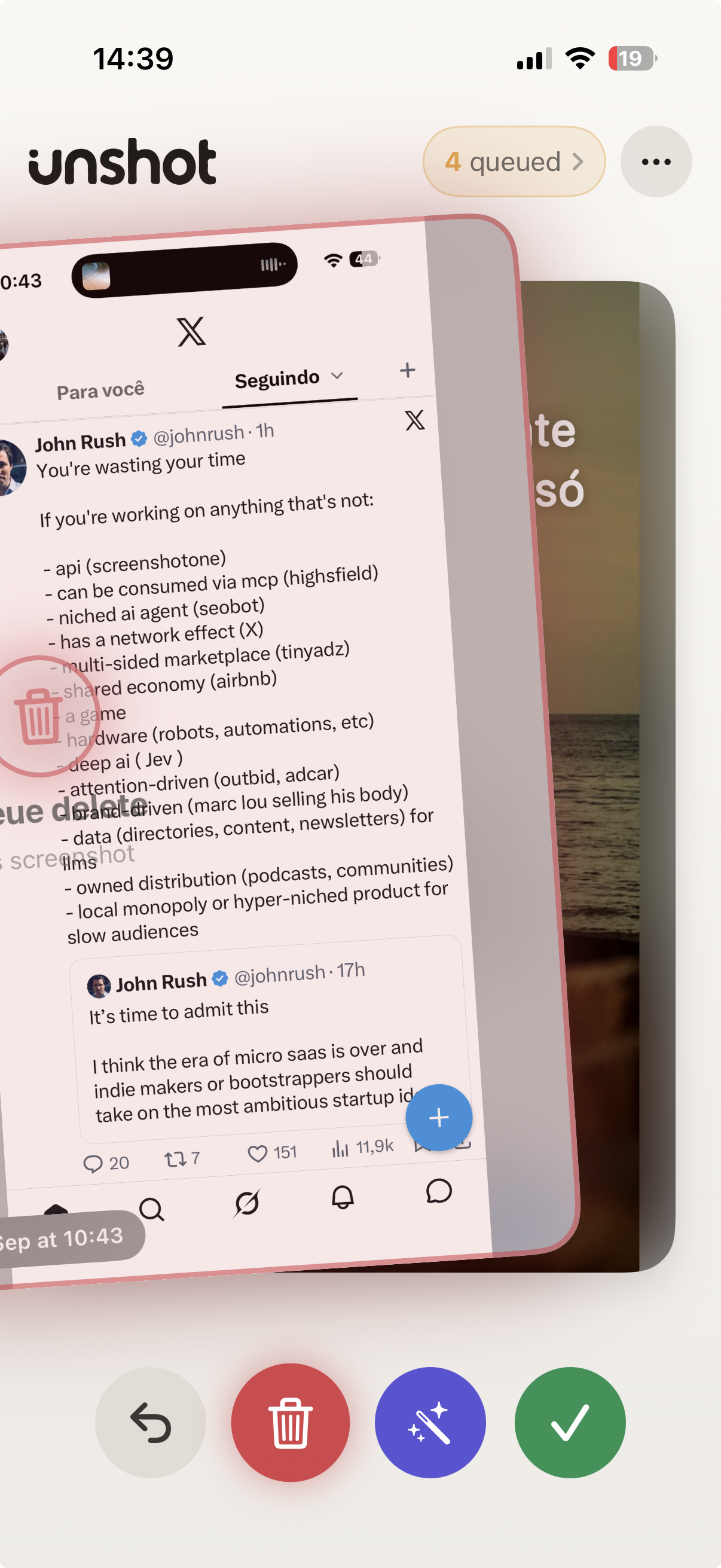
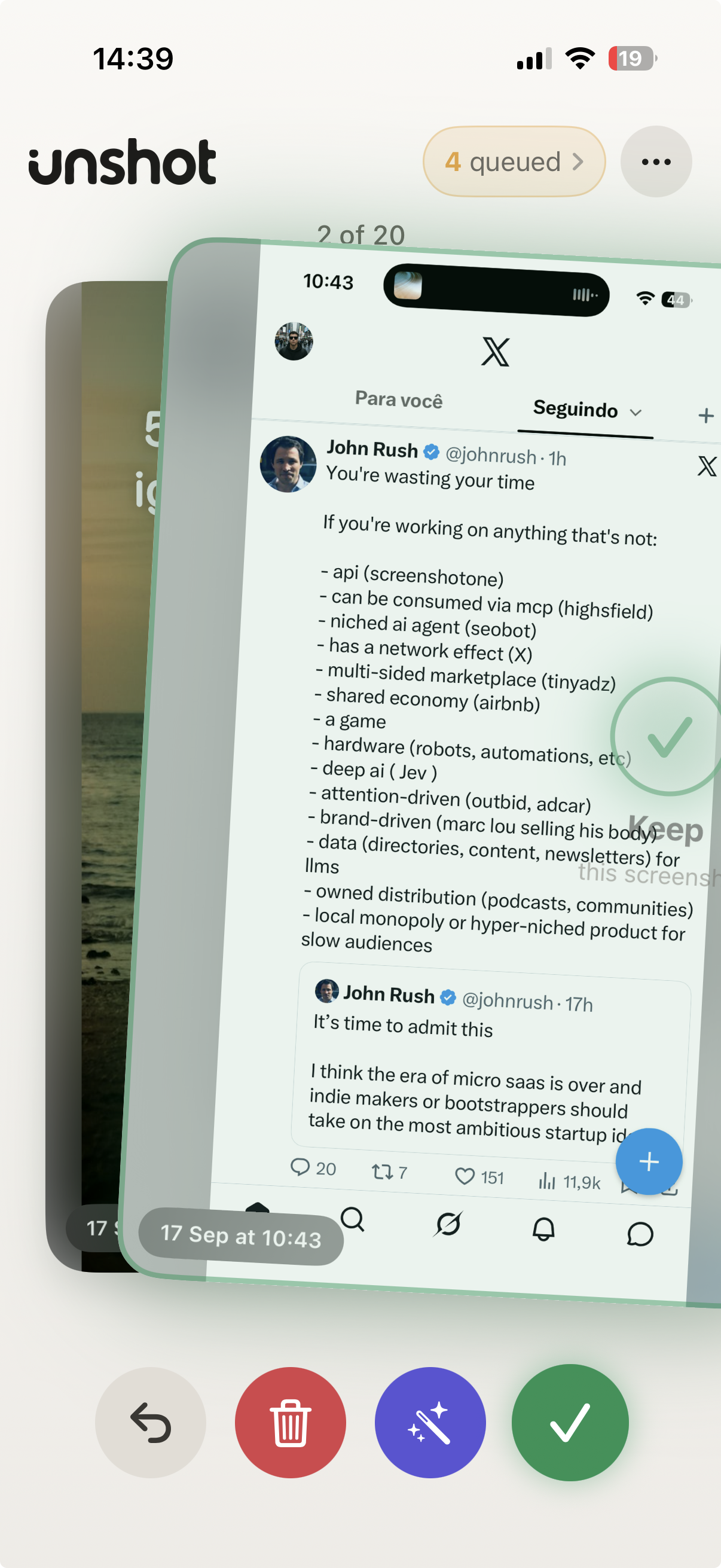
Unshot deals your screenshots like cards, inspired by Tinder's swipe mechanics.
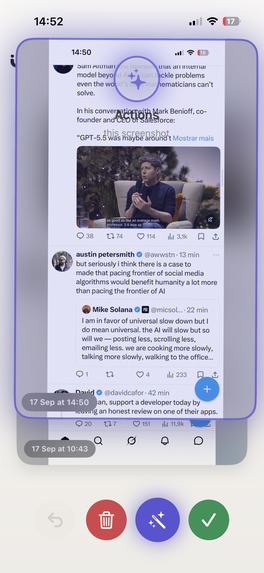
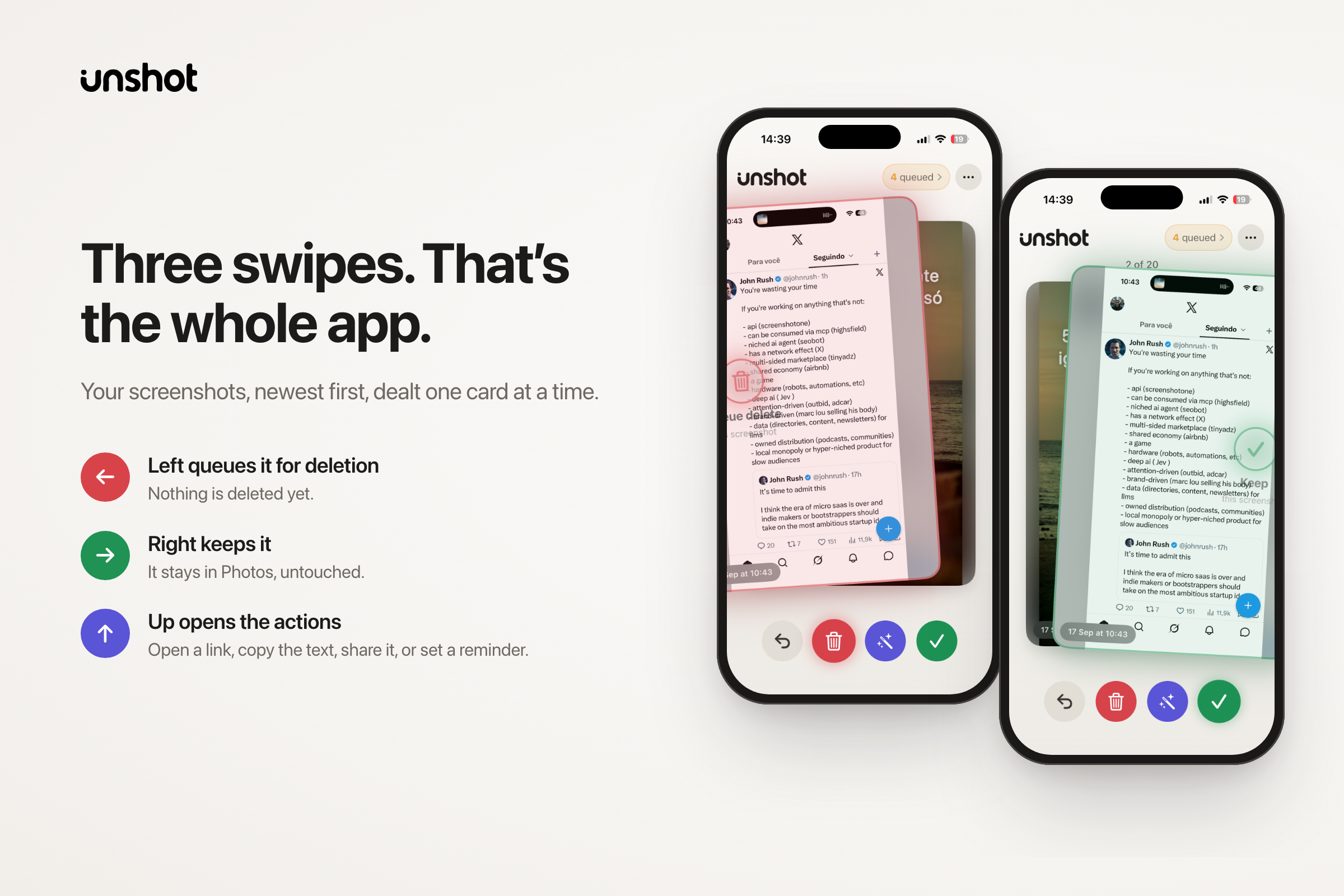
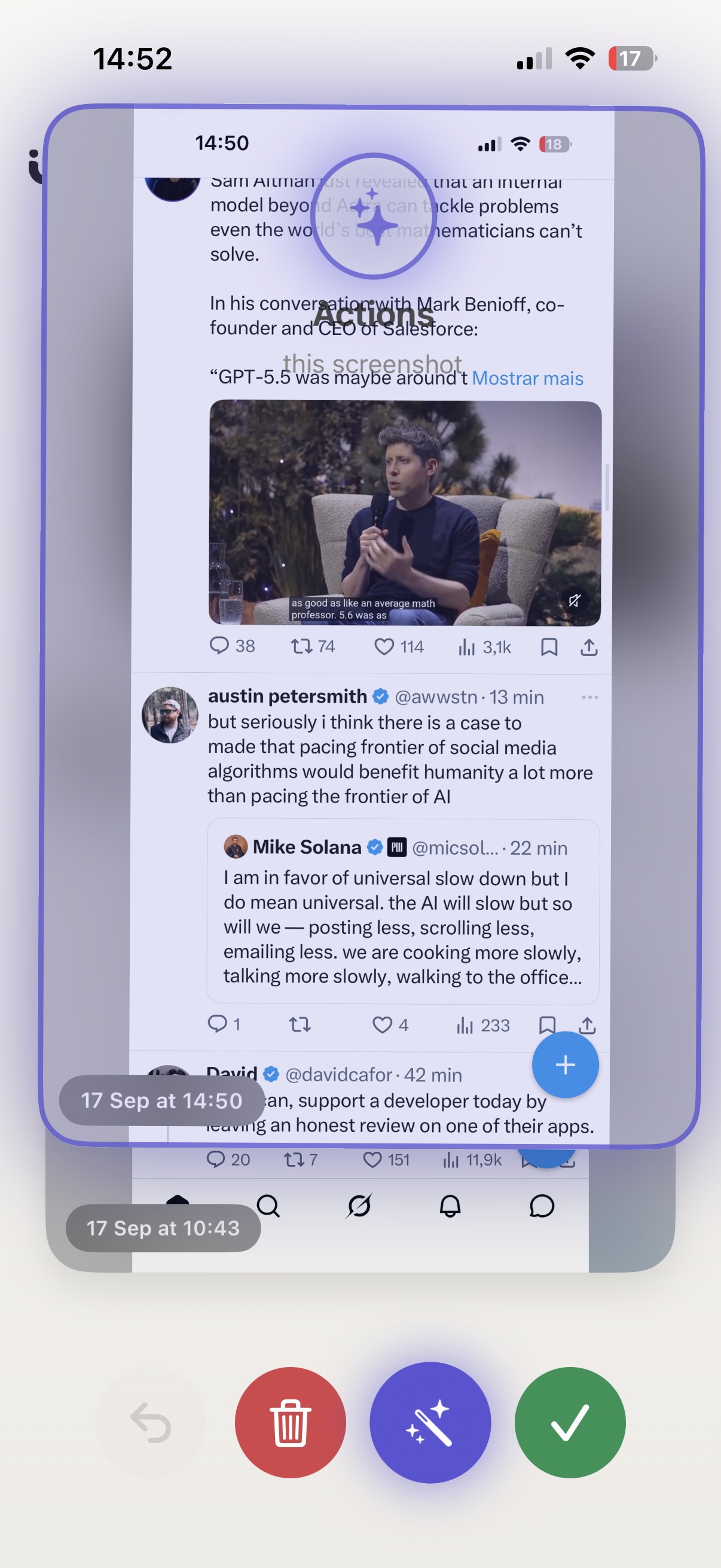
- Swipe right to keep, left to queue for deletion, up to see what's inside.
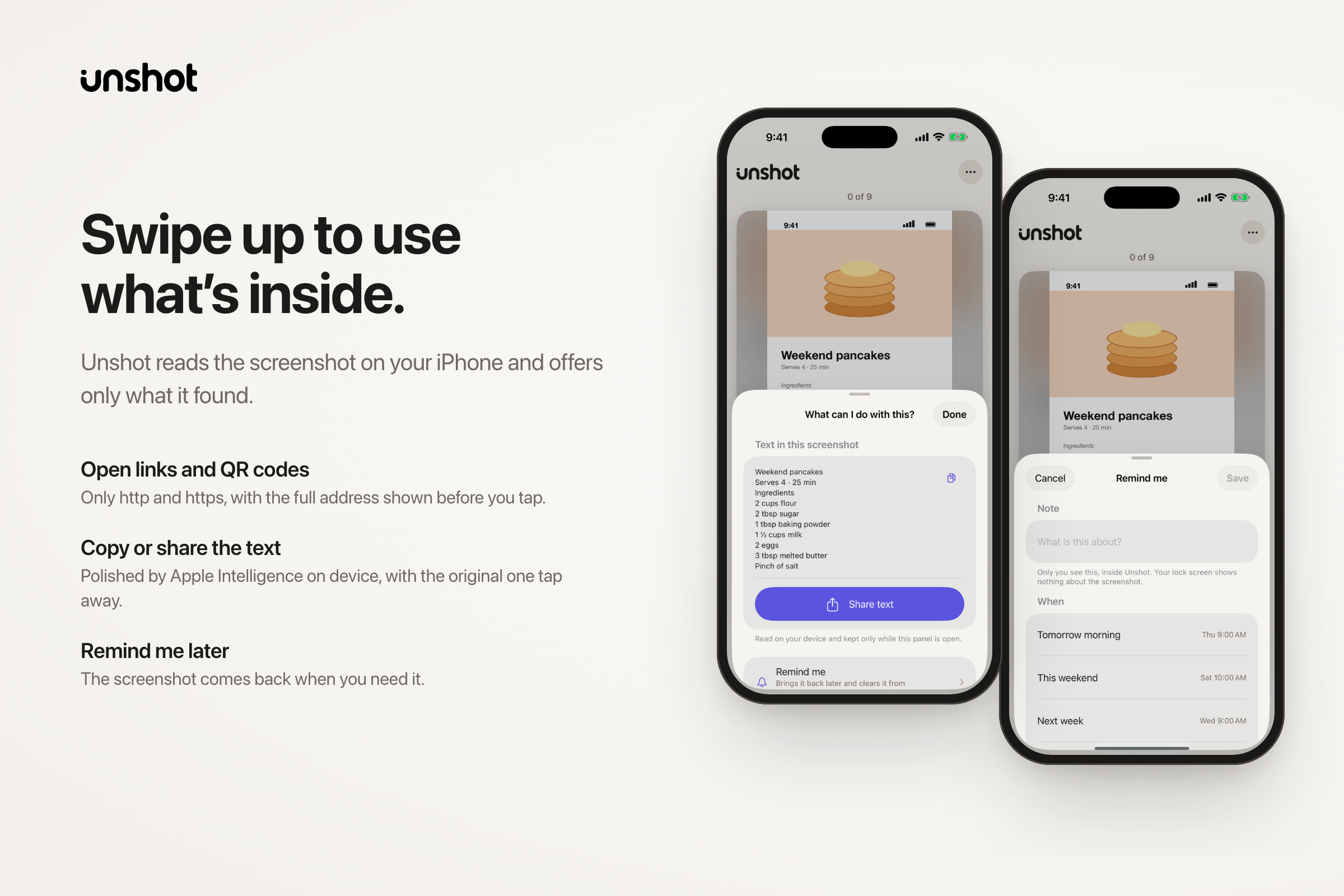
- Swipe up reads the screenshot on the iPhone: links and QR codes you can open, text you can copy or share, or a reminder so the screenshot comes back when you need it. On iPhones with Apple Intelligence, the text is cleaned up for reading, with the original one tap away.
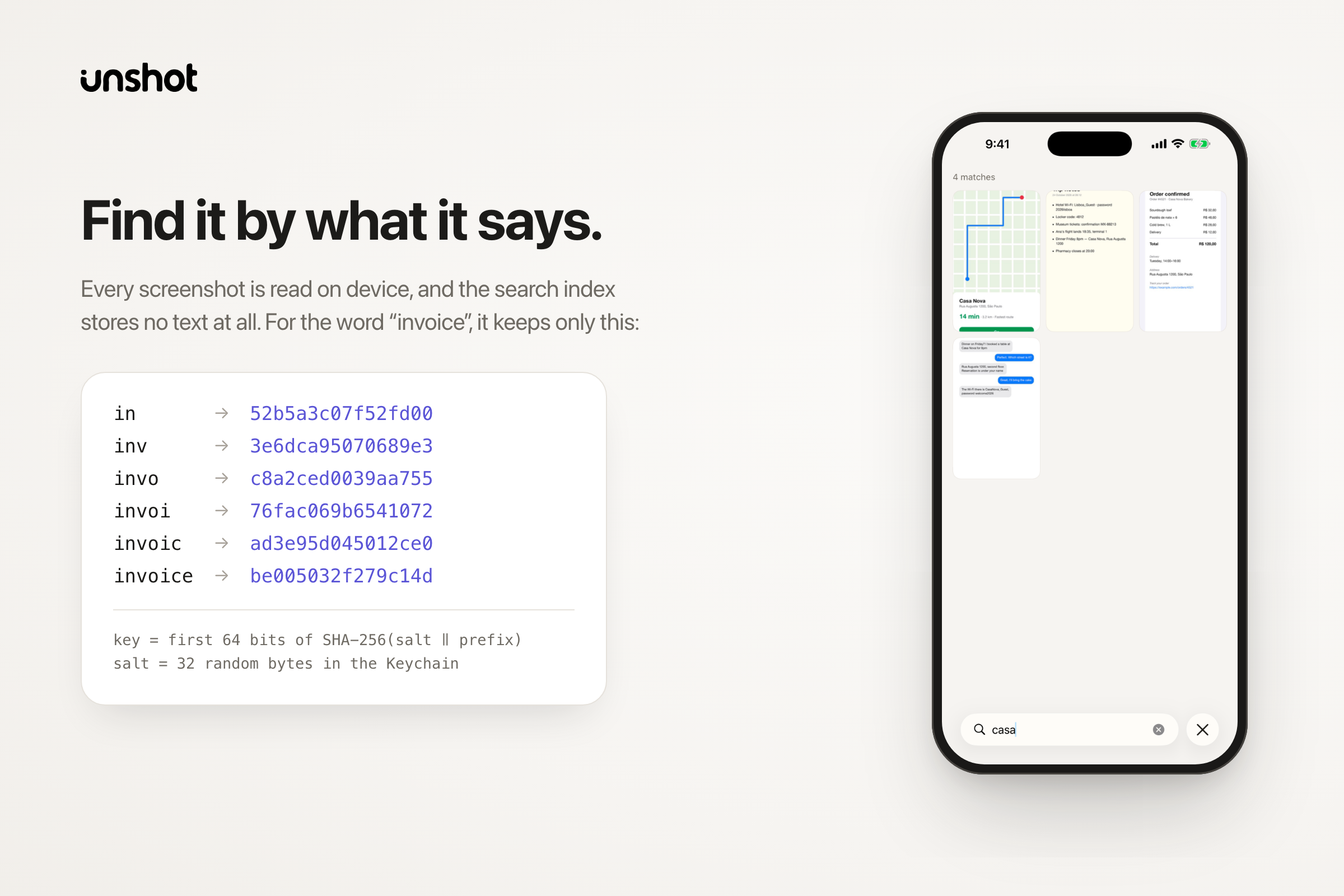
- Search finds any screenshot by the text inside it: a code, a name, an address.
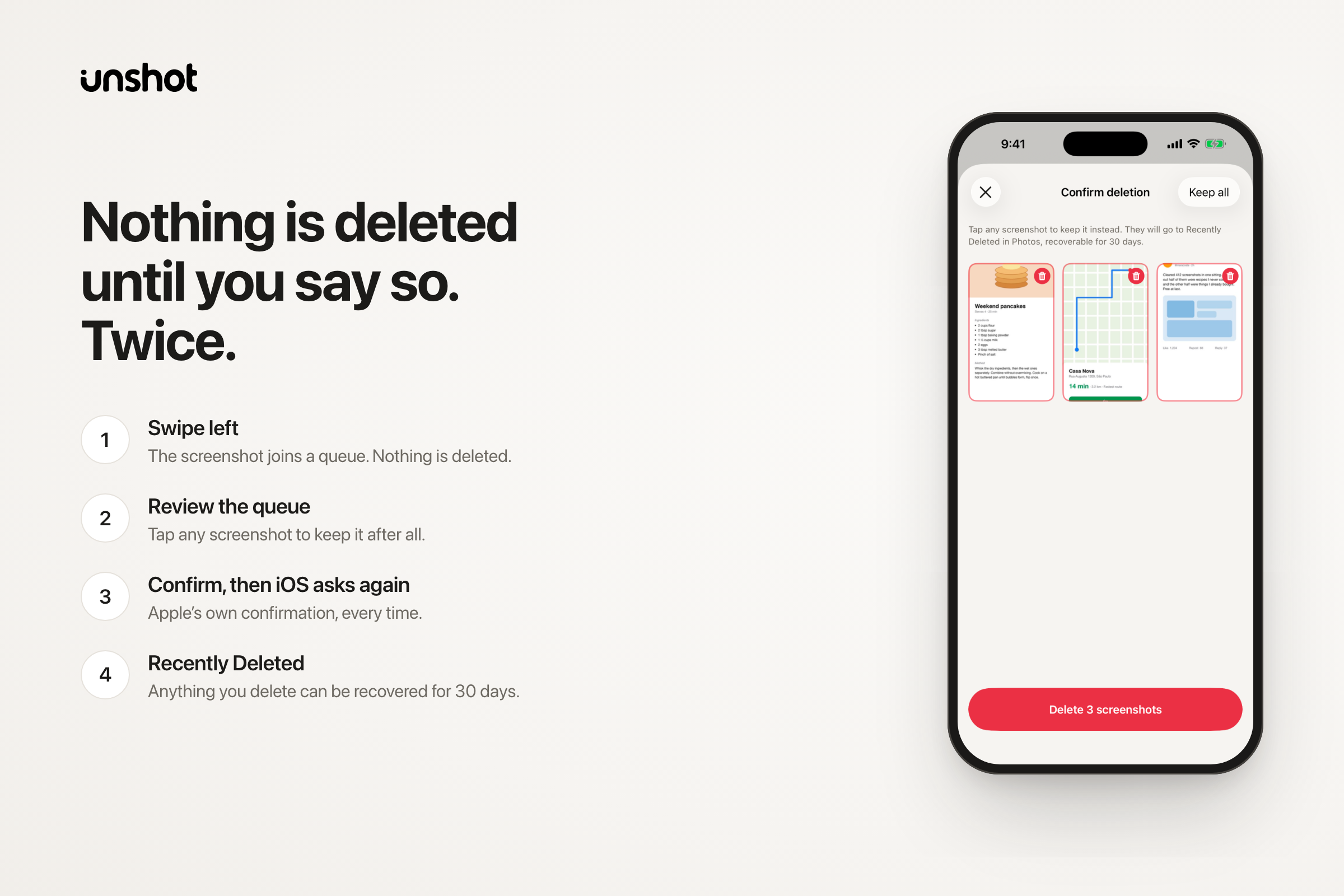
- Nothing is deleted until you say so. Twice. Swiping left only queues. You review the queue and confirm, iOS asks once more, and everything lands in Recently Deleted for 30 days.
No account, no uploads, no server. Everything stays on the iPhone.
How we built it
Native iOS 26 in Swift 6 and SwiftUI. RevenueCat is the only third-party dependency.
- PhotoKit finds screenshots by the
photoScreenshotsubtype. SwiftData keeps a small review ledger (asset ID and state) and never an image or a word of text. - Vision runs OCR and QR detection.
NSDataDetectorfinds links, and every link has to pass a strict allowlist (http and https only, nothing "repaired") before it's offered. Links open in an in-app browser that enforces the same rules. - Foundation Models tidies the OCR text on device, with a 4-second budget. A result is accepted only if it keeps the content: every link, every number attached to a word, at least 70% of the distinct words, and a length between 0.35× and 1.6× the original. Anything else falls back to the raw text.
- Private search. The index stores no text. Each word prefix of 2 to 12 characters becomes a salted hash:
$$k = \text{first 64 bits of } \mathrm{SHA256}(s \,|\, p)$$
where $s$ is a 32-byte per-device salt kept in the Keychain and $p$ is the prefix. Typing "inv" finds "invoice" without the word ever being written to disk.
- UserNotifications powers reminders on wall-clock time (9 am is 9 am wherever you wake up). They're DST-aware.
- RevenueCat handles monetization: a remote paywall (weekly, yearly with a 3-day free trial, lifetime),
customerInfoStreamfor renewals, expiries and refunds, and a restore that reports what reallying to restore, or failed).
Challenges we ran into
- A crash on every swipe.
BUG IN CLIENT OF LIBDISPATCHon SwiftUI's render thread, from two causes. First,MainActor.assumeIsolatedinside PhotoKit result handlers: a swipe cancels the image request, and the cancelled handler arrives off the main thread. Second, Swift 6's default main-actor isolation made design-system constants main-actor-only while SwiftUI read them during rendering. The fix was to hop to the main actor explicitly and mark pure valuesnonisolated. - A counter that drifted. "10 of 20" became "11 of 21" on every swipe, because the queue kept refilling from beyond the batch. Now the batch is a fixed set of IDs, and progress is derived from that set instead of tracked by hand.
- An empty batch on a full library. Fetching the newest $N$ screenshots and filtering out decided ones shrinks toward zero as you review. The window now widens, $w_0 = 60,\ w_{n+1} = \min(2w_n,\ 2000)$, until it holds a full batch. It reads metadata only and decodes no images.
- Making Apple Intelligence useful without letting it lie. My first acceptance rule rejected any result that dropped a digit, so the status-bar clock ("9:41") sank almost every result. The fix was to guard content, not characters.
DragGesturehas no cancel callback. Backgrounding the app mid-swipe froze the card halfway. It now resets whenever the scene leaves the active state.
Accomplishments that we're proud of
- From idea to the App Store in 11 days. First commit on Sep 14, first upload on Sep 17, live on Sep 25.
- Smart, and nothing leaves the phone. OCR, QR codes, link detection, Apple Intelligence polish and full-text search all run on the iPhone. There's no account and no server, and the search index can't be turned back into words.
- A cleaner you can trust with your photos. No single gesture deletes anything. A left swipe only queues, the queue needs your confirmation, iOS asks again, and Recently Deleted keeps everything for 30 days. Unshot reports only the deletions Photos actually confirmed.
- Accessible from day one. VoiceOver labels and a rotor for the deletion queue, a cross-fade in place of every spring under Reduce Motion, and onboarding that reflows at the largest text sizes.
What we learned
- On-device frameworks (Vision, Foundation Models, CryptoKit) are strong enough to build a smart app with no backend at all, and then privacy is a feature you can state plainly.
- Treat model output as untrusted: give it a timeout, check it against the input, and always keep a fallback.
- Letting the RevenueCat dashboard decide which paywall people see, hard or soft, means I can test how to charge without shipping a new build or waiting for App Review.
- Deletion deserves more care than any other feature: staged, reversible, confirmed twice, and reported only as far as Photos actually confirmed.
What's next for Unshot: Screenshot Cleaner
- Find the winning paywall. The hard and soft paywalls are already switchable per offering, so the next step is a RevenueCat Experiment between them, then keeping whichever turns more trials into paying users.
- Paid growth, measured properly. Meta Ads attribution through RevenueCat's Meta Conversions API integration, with RevenueCat as the only thing that reports purchases, and nothing from a screenshot ever in an event.
- Portuguese, then more languages. Unshot already reads English and Portuguese text. Next is localizing the app and its App Store listing, starting with Portuguese, and then adding OCR languages.
- Smart batches. Use the on-device model to group screenshots by what they are (tickets, receipts, links, chats) so you can clear a whole kind at once, without anything leaving the iPhone.

Log in or sign up for Devpost to join the conversation.