-
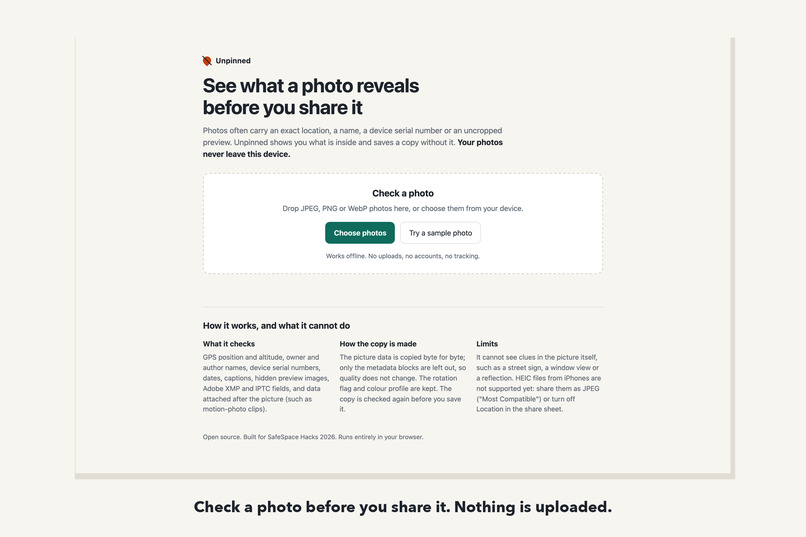
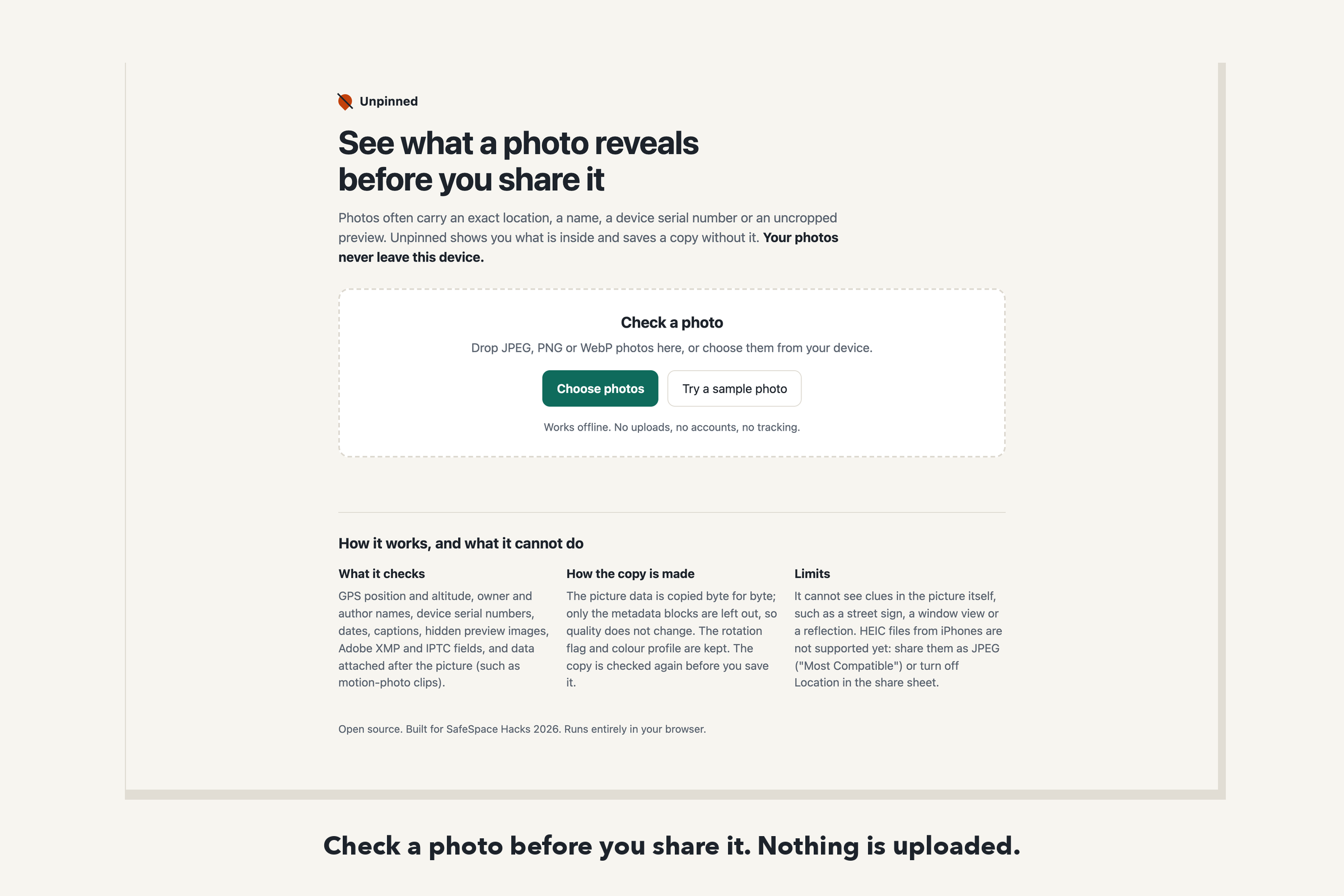
Check a photo before you share it. Nothing is uploaded; the page cannot make network requests.
-
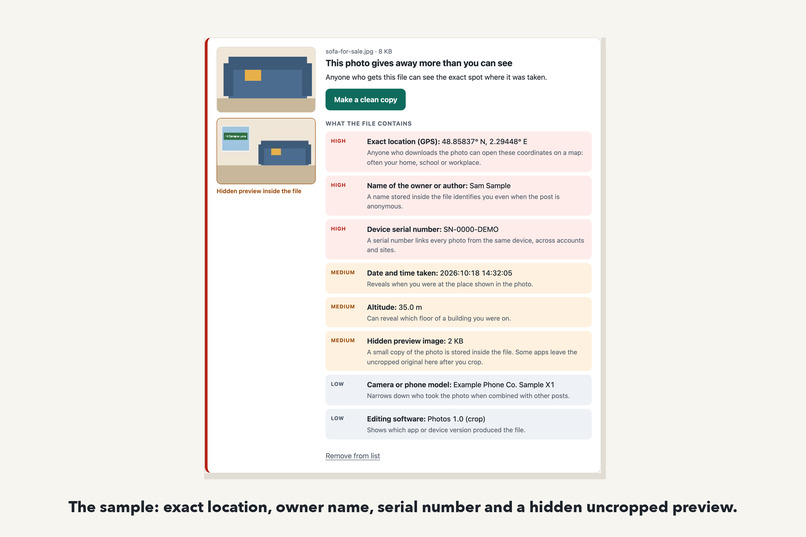
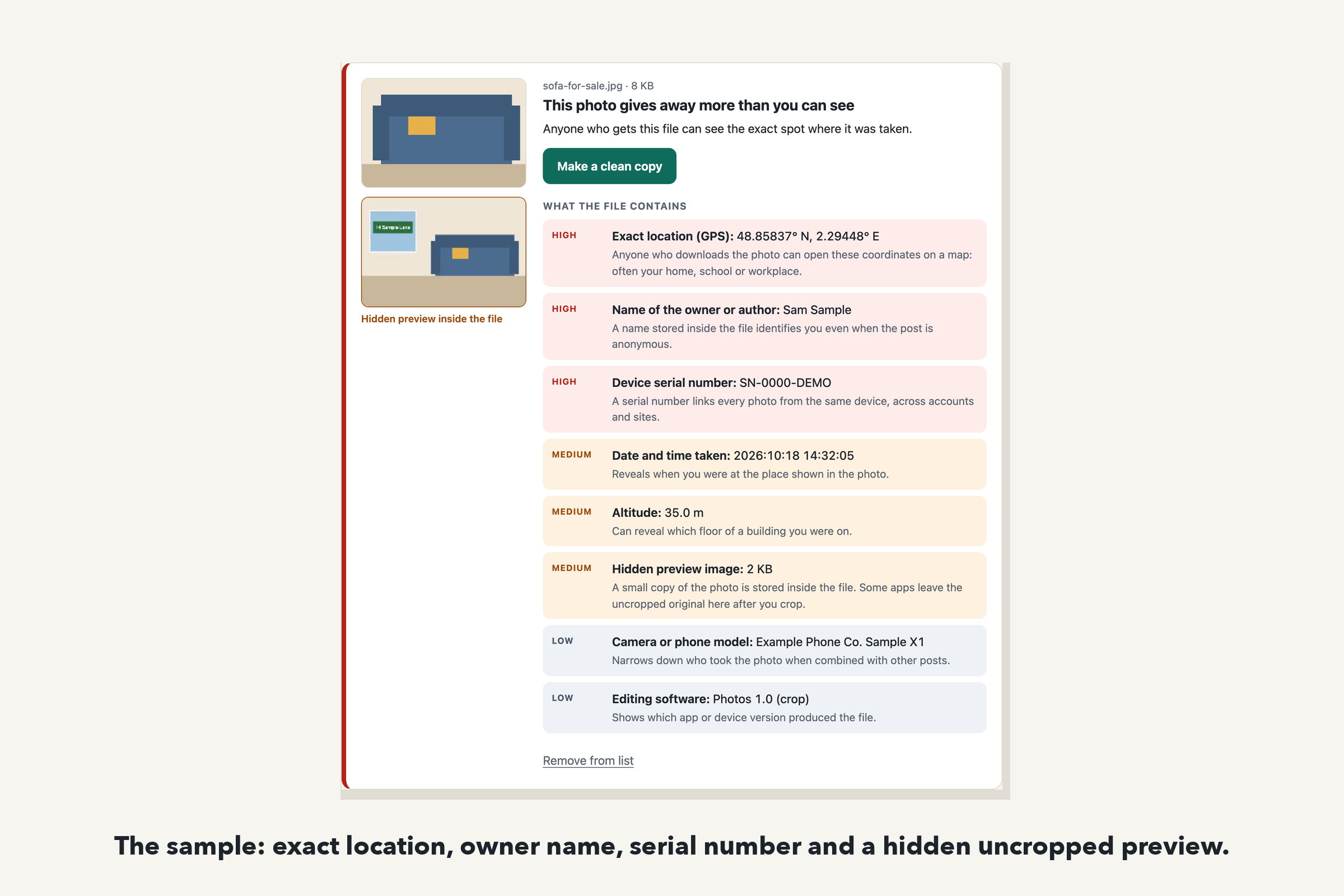
The sample: an exact location, owner name, serial number and a hidden uncropped preview of the room.
-
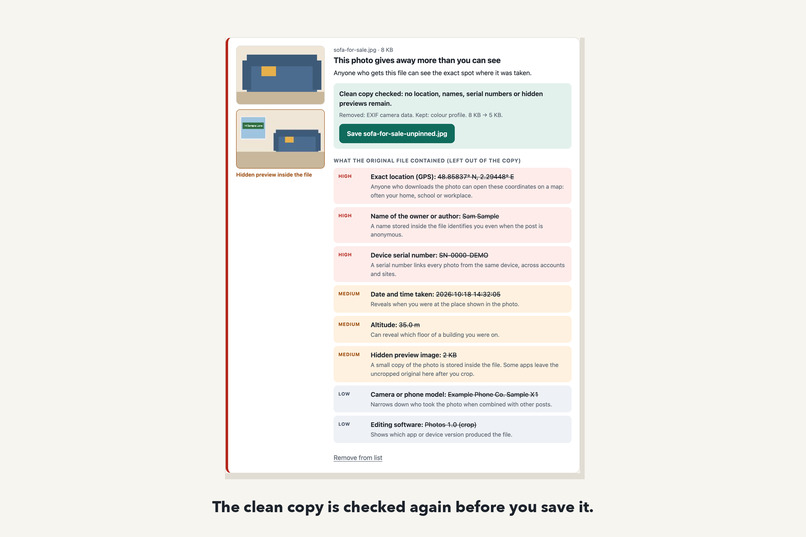
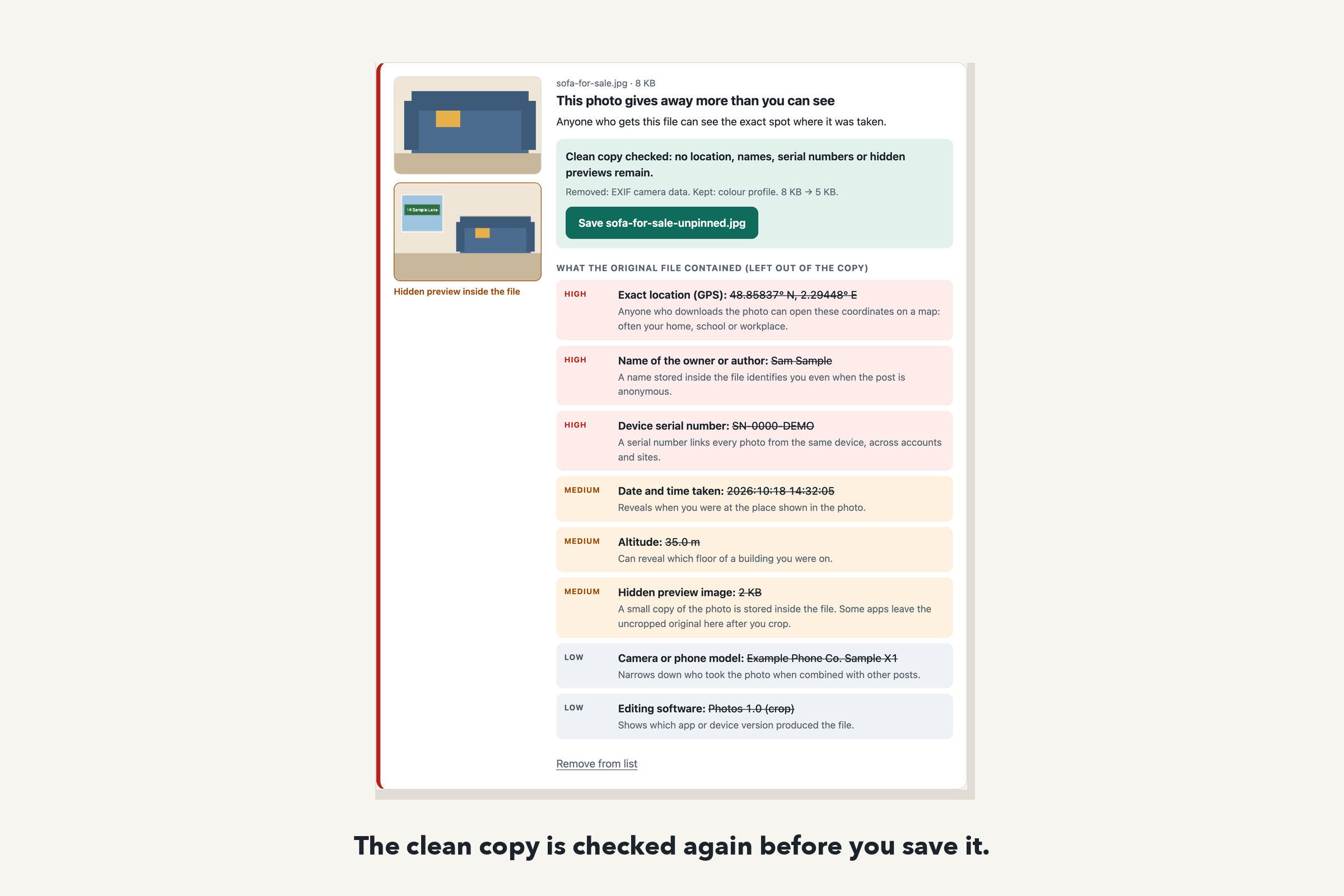
The clean copy is re-checked before saving: no location, names, serials or hidden previews remain.
-
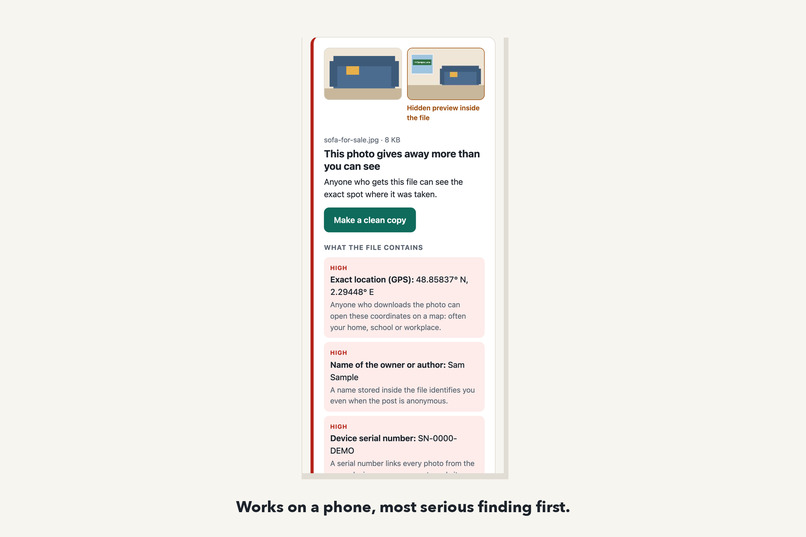
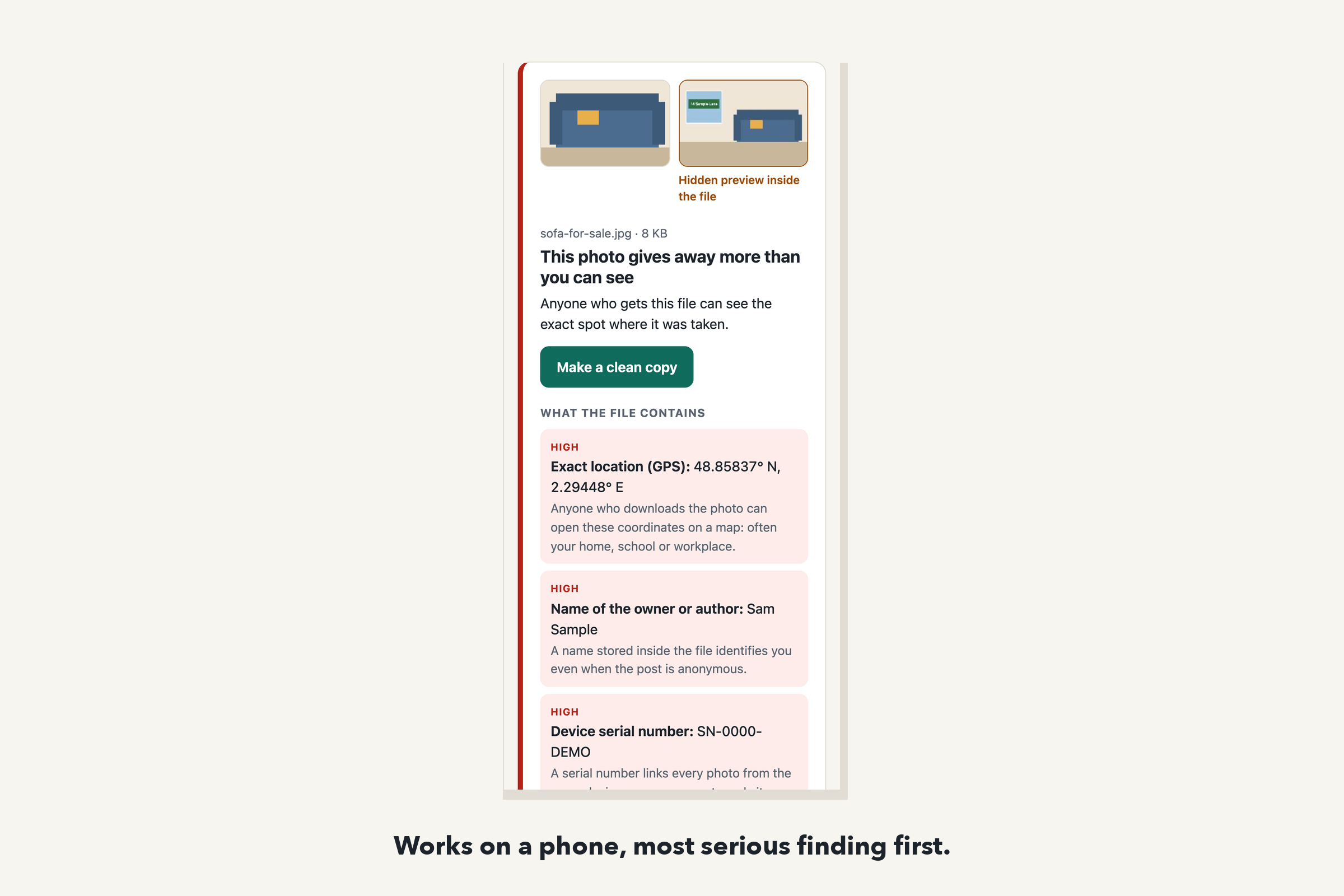
Works on a phone, with the most serious finding listed first.
Inspiration
A photo file carries more than the picture. Phones write the GPS position, the time, the device model and sometimes a serial number into every shot, along with a small preview image. Some editors keep the uncropped original in that preview after you crop. Big social networks usually strip this data, but many everyday paths do not: a photo sent as a file in a chat app, an email attachment, a marketplace listing, a forum post or a cloud link. A picture of a sofa for sale can tell a stranger which house it is in.
Who it helps
People who share photos outside the big platforms: someone selling furniture online, a parent posting in a school group, a person who has moved away from an abusive partner and must not reveal a new address. None of them should need to know what EXIF is.
What it does
- Check. Drop JPEG, PNG or WebP photos, or press Try a sample photo. Unpinned lists what the file reveals, most serious first, each with one sentence on why it matters: exact location (GPS, altitude, XMP and IPTC place fields), owner or author names, device serial numbers, date and time, captions, hidden preview images (shown next to your photo) and data attached after the picture, such as a motion-photo clip.
- Clean. Make a clean copy rebuilds the file without those blocks. The compressed picture data is copied byte for byte, so quality does not change; the rotation flag and colour profile are kept so the photo still looks right.
- Verify. The copy is analysed again before you save it. The page says what was removed, what was kept and whether anything remains.
One safer outcome, from the sample: the sofa photo is cropped to the sofa, yet the file holds an exact location, the owner's name, a serial number, the time it was taken, and a hidden preview of the whole room, including the window and street sign that the crop cut out. The clean copy shows the same sofa and nothing else; the re-check finds no location, names, serials or previews.
One limitation: Unpinned cannot see clues in the picture itself, such as a house number, a street sign in the frame or a school uniform. It says so on the page. HEIC photos from iPhones are not read yet; the page explains how to share them as JPEG or with Location turned off.
How we built it
A single static page (React, TypeScript, Vite). The metadata reader and cleaner are about 600 lines of dependency-free TypeScript that walk the file structure directly: JPEG marker segments (EXIF/TIFF directories including GPS and the thumbnail directory, XMP, Photoshop/IPTC, comments, multi-picture data, the true end of the image), PNG chunks (eXIf, tEXt, iTXt, zTXt, tIME) and WebP chunks (EXIF, XMP, with the VP8X flags and RIFF size fixed). The sample photo is drawn on a canvas and given synthetic metadata by the app's own EXIF writer.
Privacy by construction: there is no server and no upload. The deployed page carries a Content Security Policy with connect-src 'none', so the browser itself blocks any network request from it. It works offline once loaded.
How we checked it
- 8 unit tests on synthetic photos whose metadata was written by exiftool, an independent implementation. They confirm that every item is found, that the clean copy contains none of them, that the picture bytes are identical, and that exiftool itself finds no location, names or serials in the clean copy.
- 2 browser tests on the production build: the sample flow end to end, an automated accessibility scan with axe (no violations), no console errors, no network requests, and no horizontal scrolling at phone width.
Challenges
Finding the real end of a JPEG: scan data can contain bytes that look like markers, and a thumbnail inside the EXIF block has its own start-of-scan. Keeping orientation: removing the whole EXIF block would turn some phone photos sideways, so the cleaner writes back a minimal EXIF block holding only the rotation flag.
What we learned
A crop that looks safe on screen can still ship the full original inside the file, in the hidden preview. That is easy to miss without a tool that shows it.
What's next
HEIC support, a batch "clean all" download, and a short in-page checklist for clues that metadata tools cannot catch.
Try it
- Live demo: https://hyunsikparker.github.io/unpinned/
- Video walkthrough (1 min 4 s, captions and transcript): https://hyunsikparker.github.io/unpinned/demo.html. It is recorded with the made-up sample photo; the narration is a synthetic voice.
- Source: https://github.com/HyunsikParker/unpinned (MIT). Run locally with
npm installandnpm run dev; tests withnpm testandnpm run test:e2e.
Credits and disclosure
- Built during SafeSpace Hacks 2026 (from October 22, 2026); no pre-existing project code.
- AI assistance: built with Claude (Anthropic), an AI coding assistant, which wrote the code, the tests and this text.
- Libraries: React, Vite, TypeScript; Vitest, Testing Library, Playwright and axe-core for tests. exiftool and Pillow only create the test files.
- The sample photo and all its values are synthetic (the location is the Eiffel Tower, not anyone's home).
Built With
- axe-core
- github
- playwright
- react
- typescript
- vite
- vitest

Log in or sign up for Devpost to join the conversation.