-
-
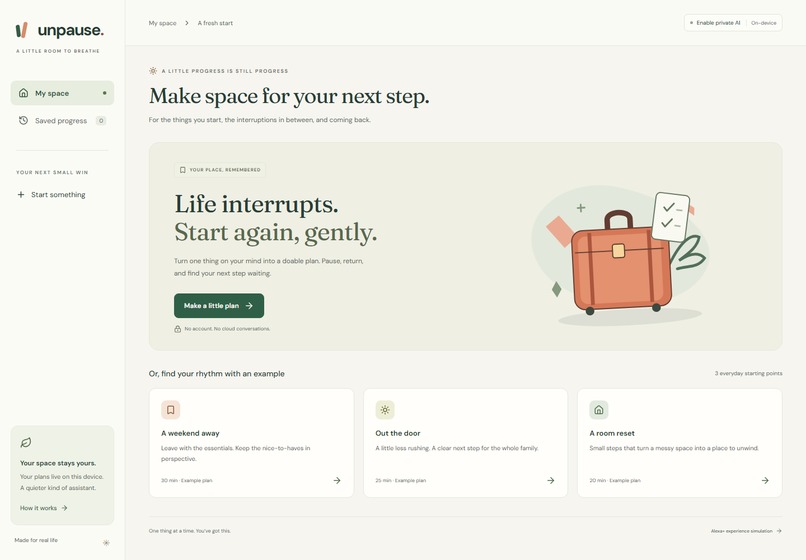
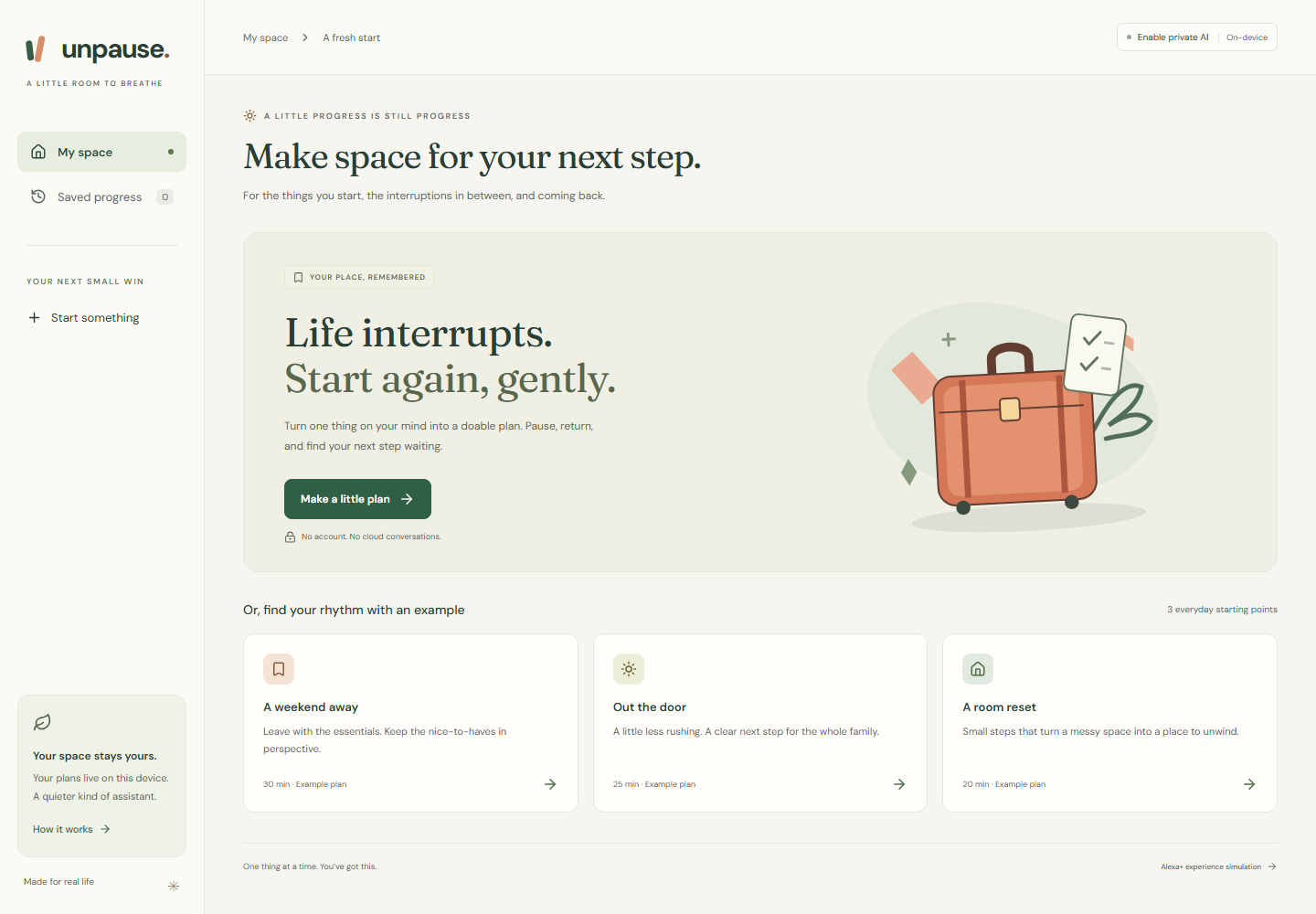
A calm starting point: create a private AI plan or explore clearly labeled everyday examples.
-

Responsive example workspace. Local AI requires compatible desktop WebGPU hardware; examples work immediately.
-
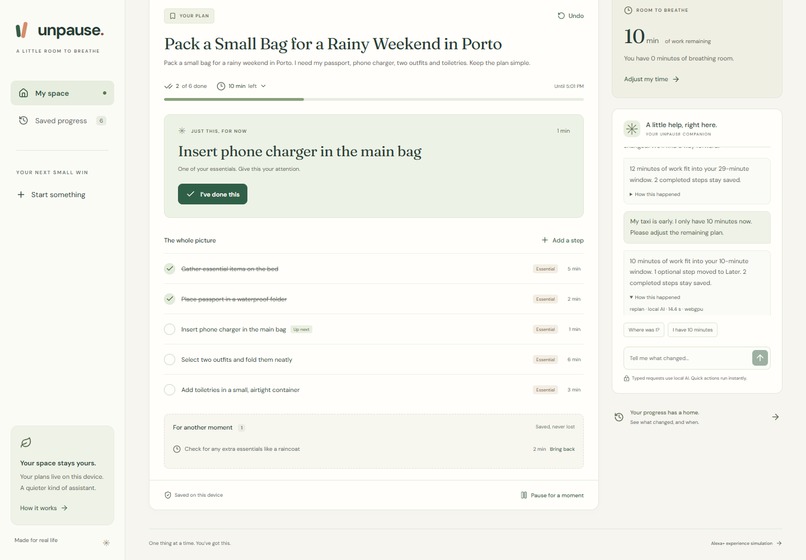
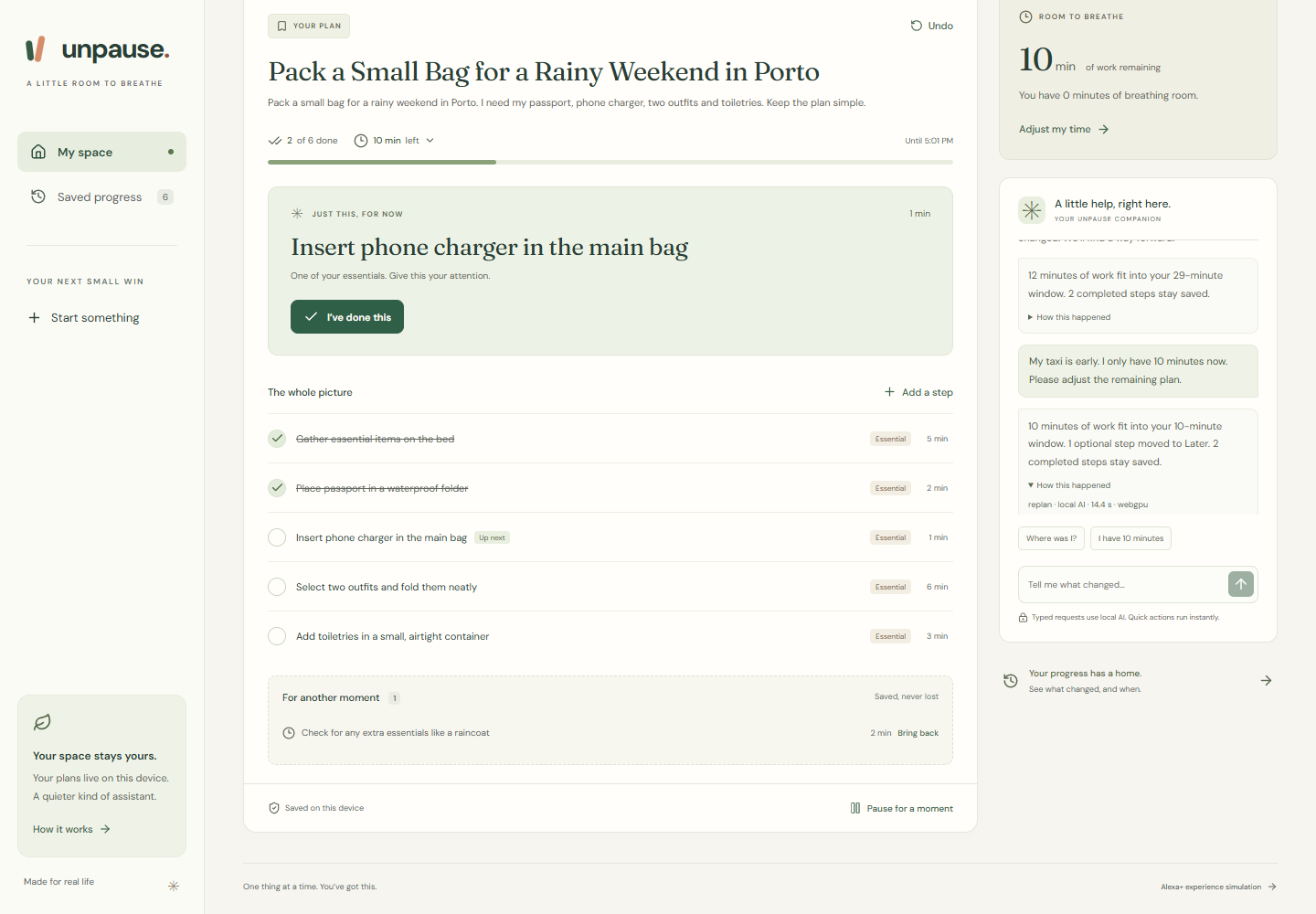
Real typed replan: two completed steps remain saved and one optional step moves to Later.
-
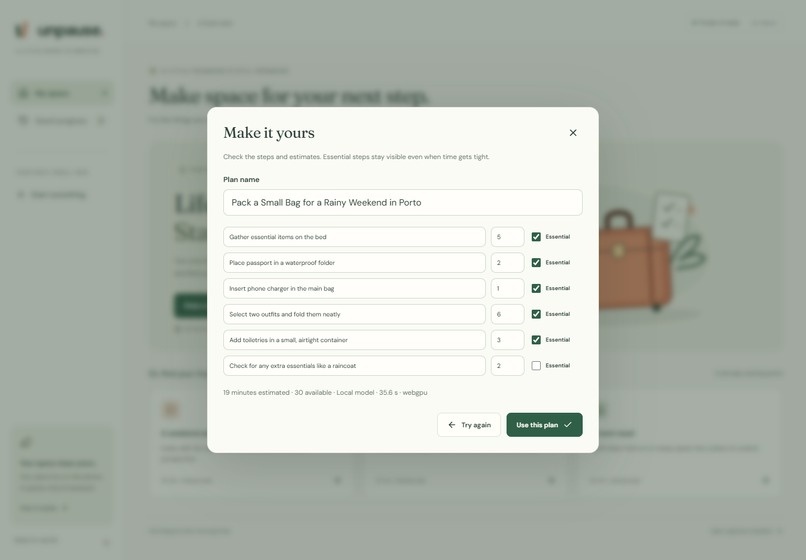
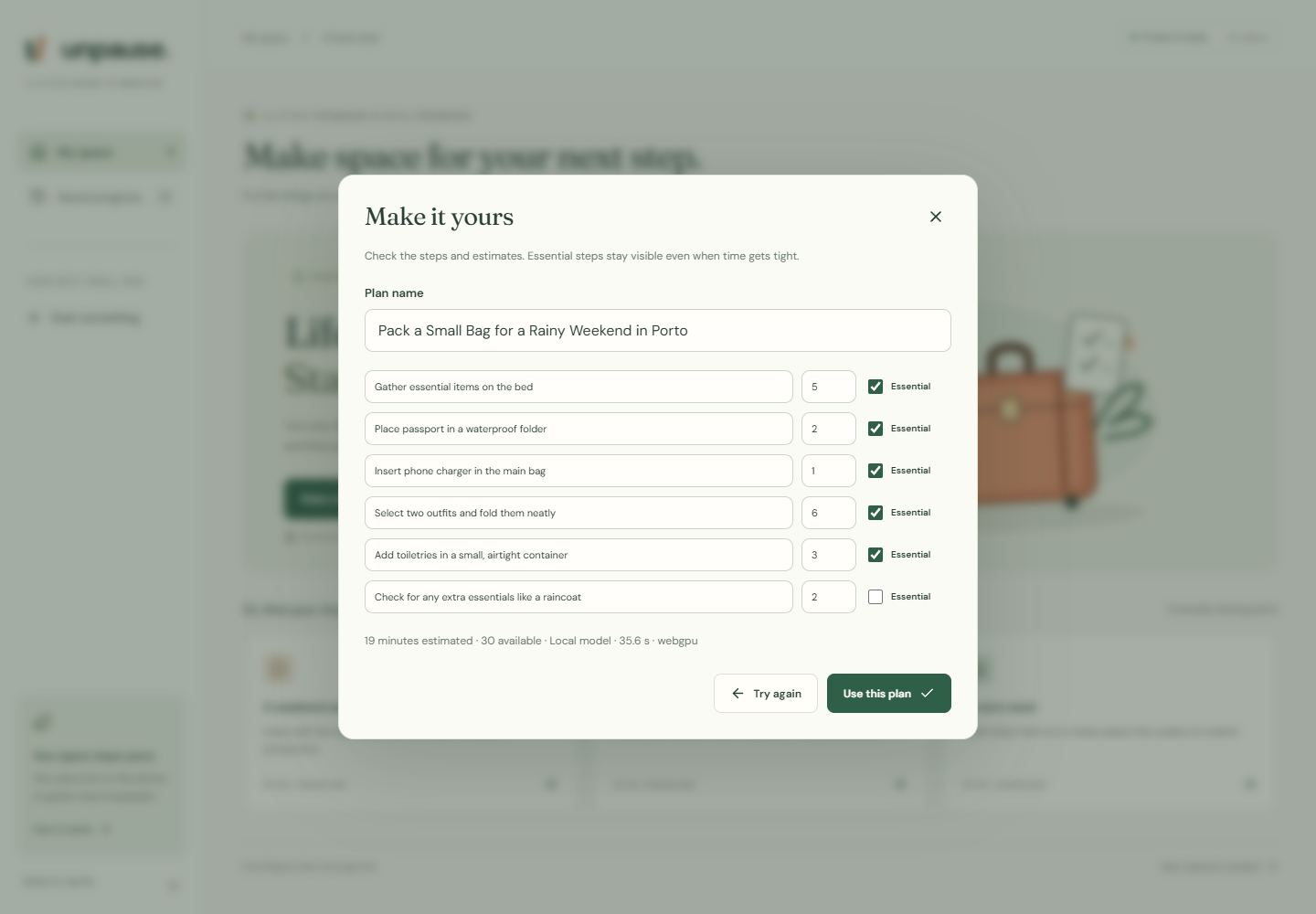
Actual Qwen3-4B output: review and edit steps, estimates and essentials before accepting the plan.

Inspiration
You pack two things, answer the door, and return to an earlier taxi arrival. What is actually done, what still matters, and what can wait? Unpause is built around that interruption. Its most useful response is a reliable next step grounded in progress already made.
What it does
Describe an everyday task and review a short AI-generated plan. Confirm steps as you finish them. Pause, close the page, and return: your confirmed progress and original deadline remain. When your time changes, type a request and Unpause reorganizes the unfinished work. Essential steps stay visible; optional work moves to Later. If the essentials do not fit, Unpause says so. Undo and a change history make every change inspectable and recoverable.
This is an independent Alexa+ experience simulation in a web application, submitted through the alternate simulation path. There is no live Alexa connection. Custom plans and typed requests use actual local model inference; clearly labeled examples and instant controls use application logic.
How we built it
React and TypeScript provide the interface. Qwen3-4B runs through WebLLM in a dedicated browser worker. JSON schema constrains generation; Zod and additional semantic checks validate the result. A deterministic scheduler reads saved progress, retains essential prerequisite chains, chooses optional work that fits, and records the change. Only a user action can mark physical work done.
The application stores one workspace, undo snapshots and history in the browser. It is a static site with no inference API, cloud database or login. OpenAI Codex assisted research, implementation, design, browser testing and presentation. The complete source, tests, setup instructions and MIT license are public.
Challenges we ran into
Initial local-model configurations failed with memory errors or produced poor plans. We tested multiple configurations and moved to a WebLLM worker with schema-constrained output. The selected 4B model worked on our test GPU, but its first download is large and its estimates still need review. We also fixed keyboard focus-return and text-contrast issues discovered through accessibility tests.
Local inference removes a hosted API dependency but transfers download, storage and hardware requirements to the browser. The app explains those requirements, offers cancellation, and provides labeled examples for immediate exploration.
Accomplishments
The same completed steps survive interruption, reload, reduced time and undo. The English demo shows a real generated packing plan and a real typed replan, with download/generation waits explicitly omitted.
We also tested a fresh request on the public deployment: prepare a bag for sketching in the park. The model generated seven steps in 21.3 seconds after loading. Two test confirmations survived pause and reload. A typed early-ride request for 10 minutes preserved both confirmations, deferred one optional step, and accurately reported 11 minutes of essential work against the 10-minute budget. Undo restored the previous plan. This is one hardware-specific observation, not a universal speed claim.
Nine domain tests and seven browser tests passed. Automated accessibility checks passed on the landing and active-plan screens. Tests, real-model receipts and limitations are documented in the repository.
What we learned
The language model should interpret a request; saved state and arithmetic should establish what actually happened. Visible consequences, explicit human confirmation and reversible changes make an assistant easier to trust.
What is next
Test the interruption flow with real users, measure whether it reduces time spent reconstructing context, and evaluate broader hardware support. A future live Alexa connection would require its own integration work. This submission does not claim measured productivity gains or user adoption.
Try it
Open Unpause | Source, MIT license and setup
For immediate exploration, choose the labeled "A weekend away" example, confirm two steps, pause, reload and return. Reduce the time and inspect Later, the shortage explanation and history, then undo.
For real AI, use recent desktop Chrome or Edge with a compatible WebGPU GPU. First use downloads about 2.3 GB; a regular browser window with sufficient storage is needed. Choose "New plan", enter a fresh everyday task, review its estimates, and type "I only have 10 minutes now" after confirming some progress. Tested on Windows with an NVIDIA RTX 3060 Ti.
Development disclosure, tool feedback and reproducible friction log | Evaluation evidence
Built With
- codex
- qwen3
- react
- typescript
- webgpu
- webllm

Log in or sign up for Devpost to join the conversation.