-
Dealing with different situations
-
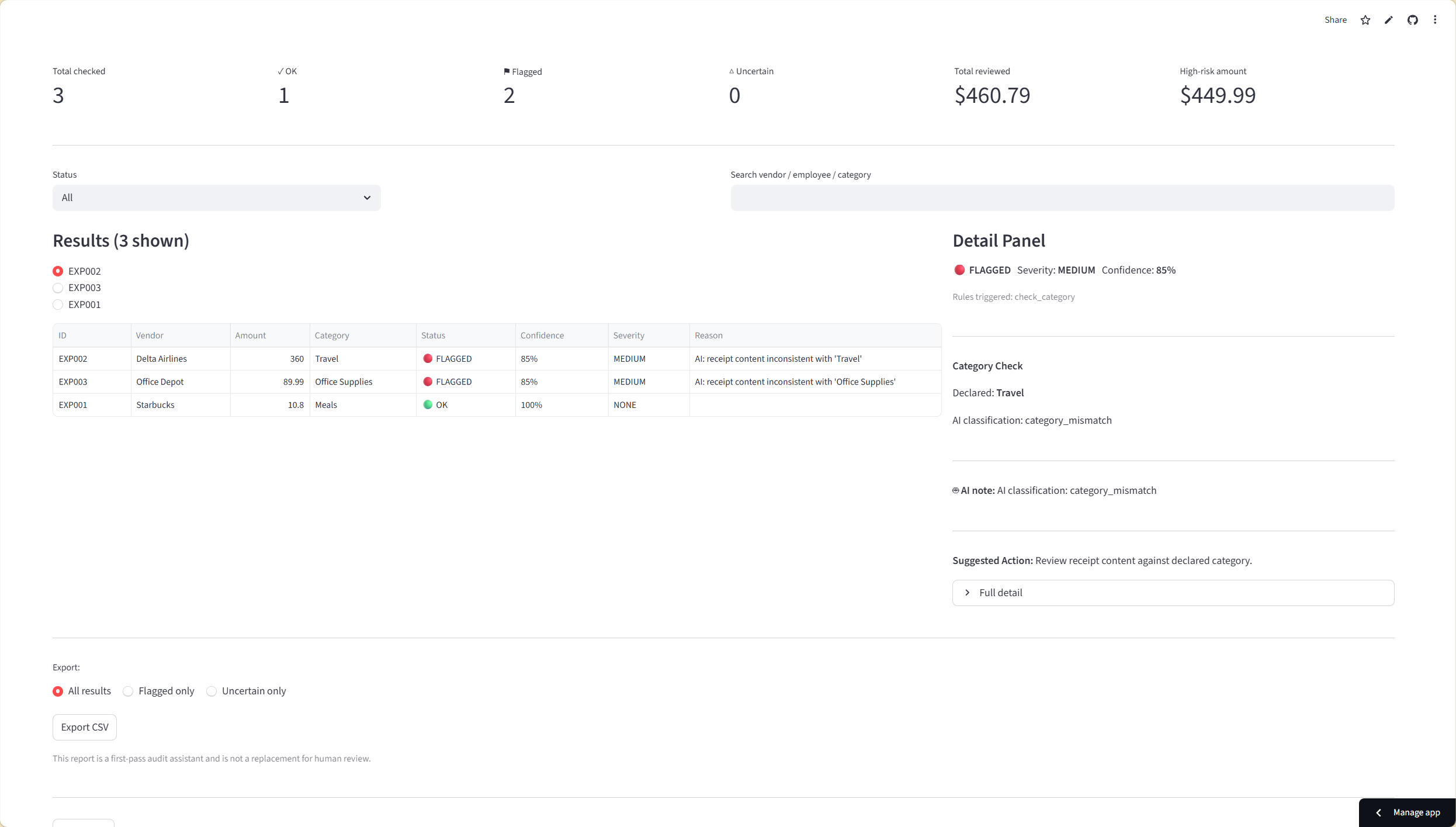
Clear catagory checks and explanations
-
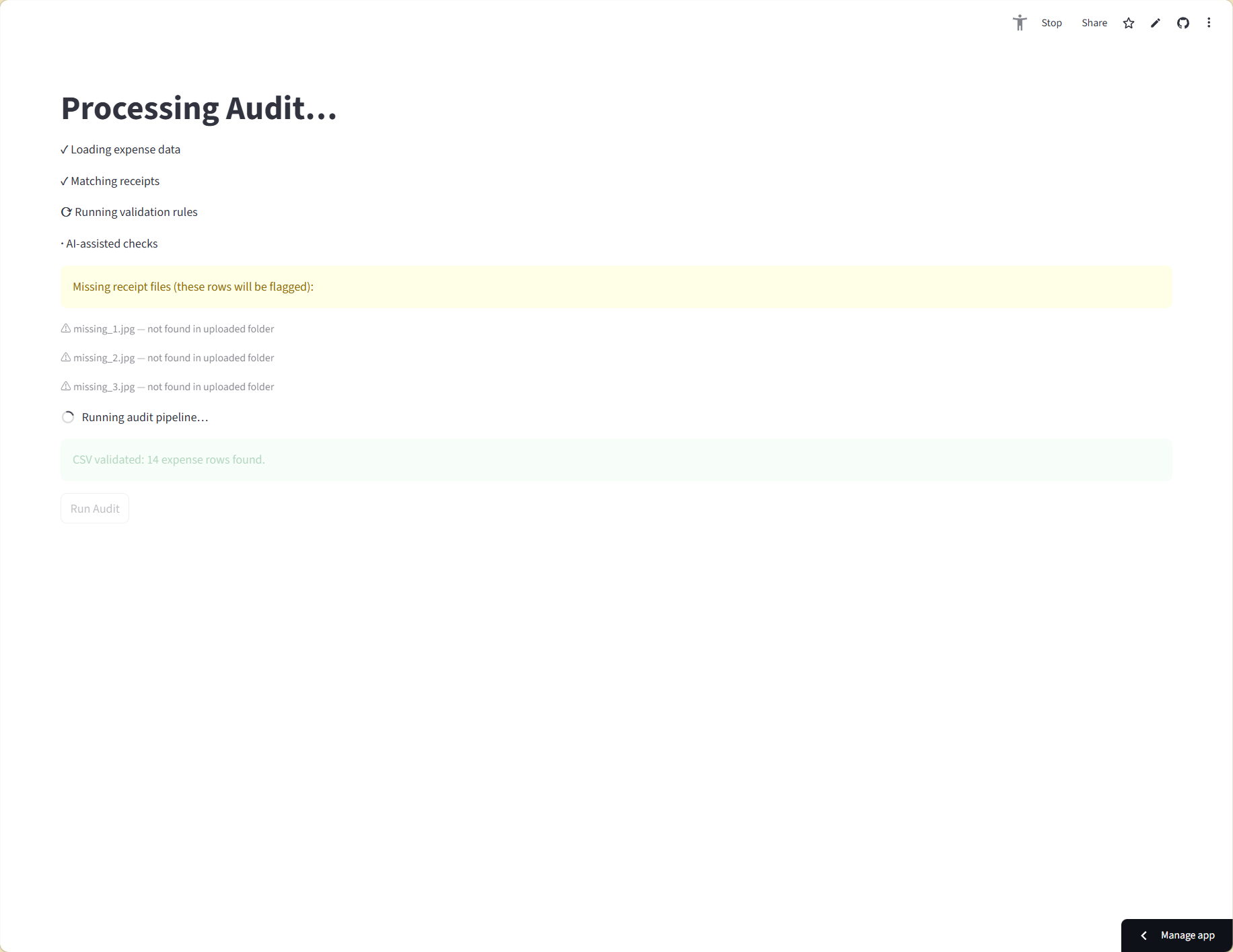
Processing
-
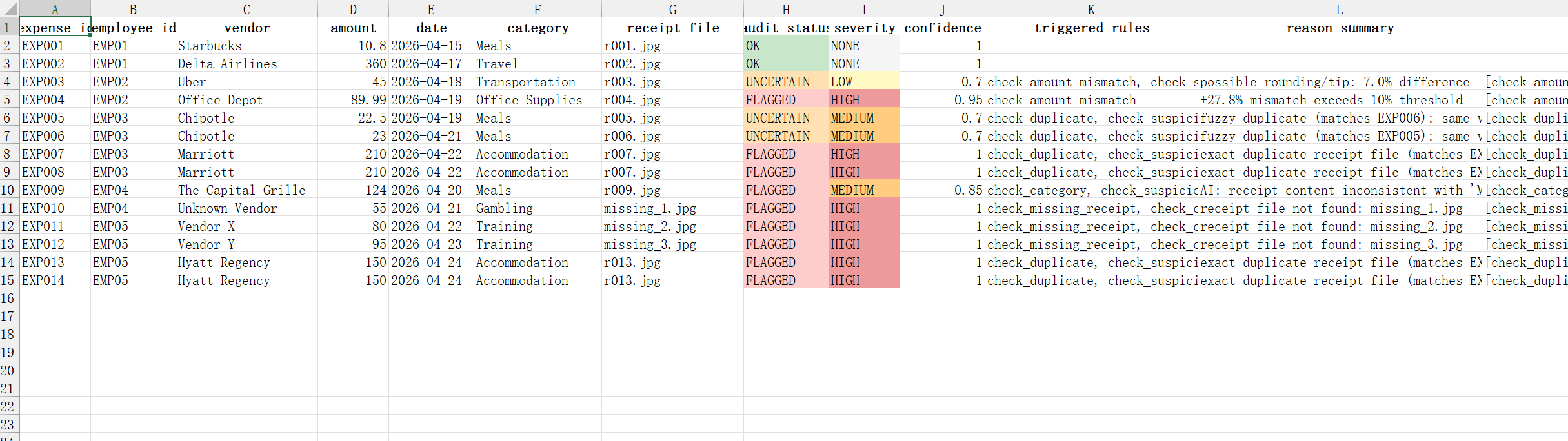
Use the structured audit data for further work
Inspiration
Enterprise audit tools like AppZen can scan 100% of expenses — but they produce opaque verdicts. Auditors can't see why something was flagged, so they can't act on it confidently. On the other end, open-source tools like TaxHacker handle OCR extraction but stop there — no validation, no audit logic. The gap between those two is exactly where NexAudit lives: a system that covers every expense and explains every decision.
PwC's $100M investment in generative AI for auditing confirmed the market is real. We wanted to prove that explainability and 100% coverage aren't mutually exclusive — and that a small team could build it in a weekend.
What It Does
NexAudit runs a full three-layer audit pipeline on uploaded expense data:
- OCR extraction — receipt images are processed by Tesseract to extract vendor, amount, and date. Low-confidence reads surface an inline recovery flow: accept as uncertain, edit the fields, or replace the image.
- Deterministic rule engine — five rules run on every expense row:
- Amount mismatch (flags differences > 10% against receipt)
- Duplicate detection (exact and fuzzy matching across the dataset)
- Missing receipt (flags entries with no uploaded image)
- Invalid category (checks against a configurable approved category list)
- Suspicious patterns (aggregates flags per employee to detect systematic misuse)
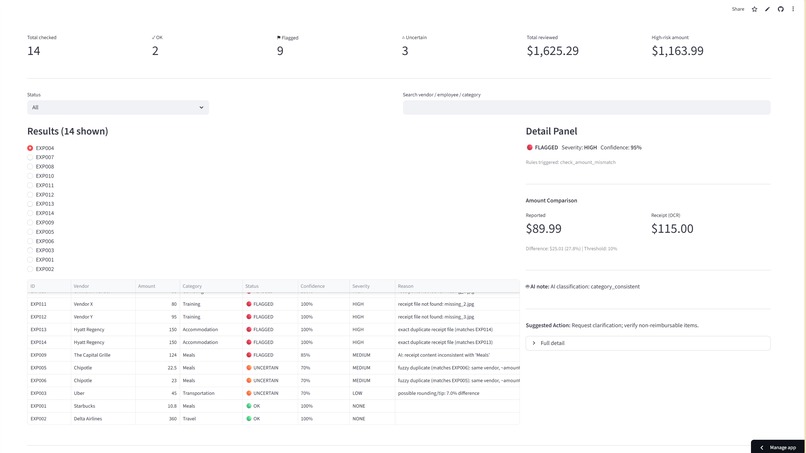
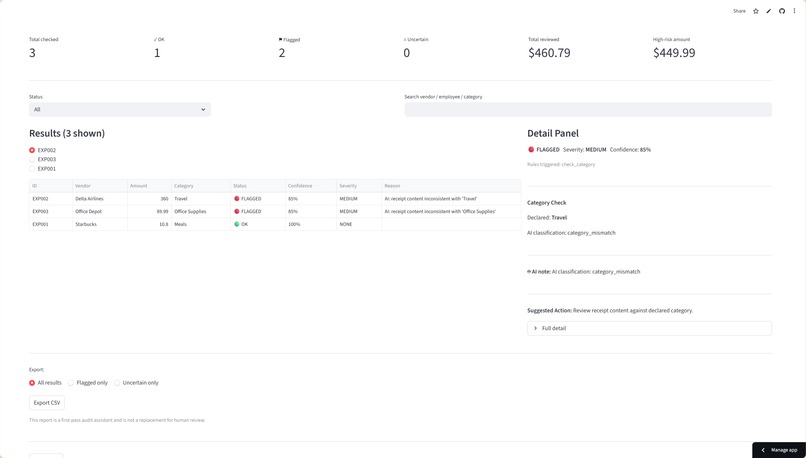
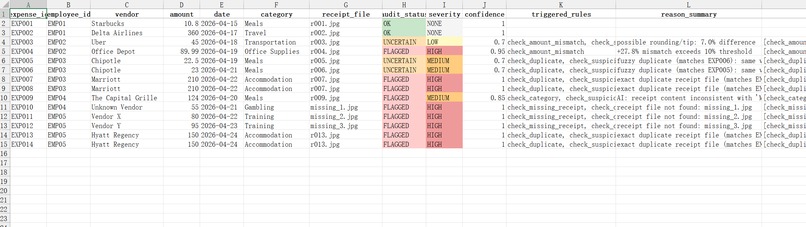
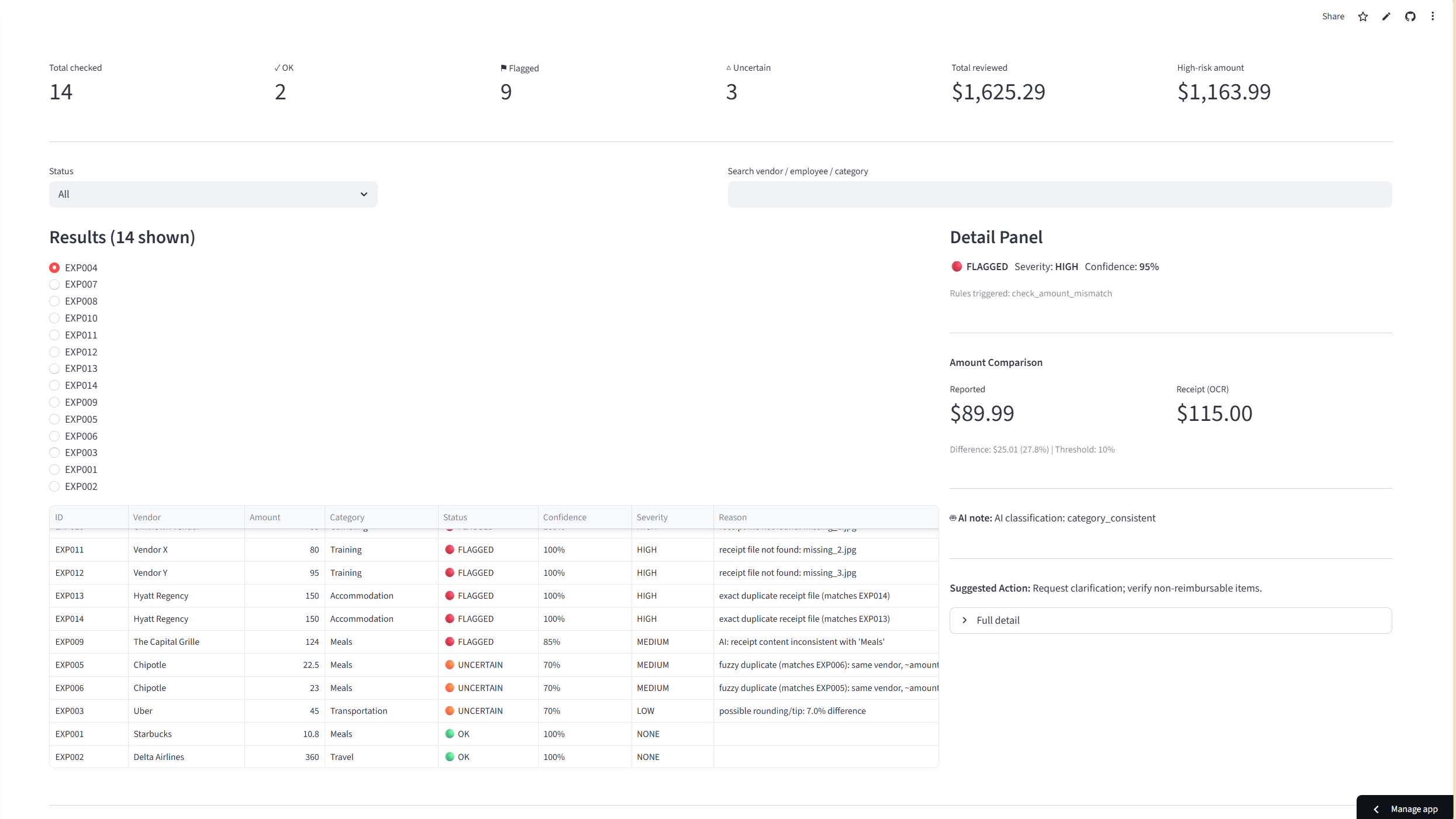
- Controlled AI layer — Groq's Llama 3.3 70B handles ambiguous category cases only, returning one of three structured values: category_consistent, category_unclear, or category_mismatch. AI output informs the rule engine — it never determines the final verdict directly. Results appear in a dashboard with a summary bar, filter/sort controls, a color-coded results table (FLAGGED → red,UNCERTAIN → orange, OK → green), and a right-side detail panel that shows rule-specific data comparisons —amounts side by side, duplicate entries compared field-by-field, pattern descriptions with related entry IDs. Every flagged entry comes with a suggested next action. Results export to CSV with all 19 original and audit fields included.
How We Built It
We used a spec-driven development process: scope document, full PRD with acceptance criteria, technical spec with data models and architecture diagrams, and a sequenced build checklist — all before writing any code.
The architecture is a pure Python pipeline: parser.py validates the CSV on upload, matcher.py links receipt filenames to uploaded images, ocr.py extracts structured fields via pytesseract, rules.py runs all five audit checks, ai.py classifies ambiguous categories via Groq, and orchestrator.py assembles everything into AuditResult objects that drive the Streamlit UI.
One deliberate tradeoff: we dropped FastAPI in favor of pure Streamlit. Streamlit Community Cloud runs a single process — FastAPI would have required a second free-tier host with 10–30 second cold starts, which is a real problem when judges are clicking a live URL. Clean module separation (engine/, models/, ui/) delivered the same structural clarity without the deployment complexity.
Challenges We Ran Into
Receipt-to-CSV matching. We initially assumed users would "just upload a folder" — but the system needs to know which image maps to which expense row. We settled on a receipt_file column in the CSV: explicit, reliable, and auditor-friendly. It also supports multiple receipts per expense without ambiguity.
OCR recovery UX in Streamlit. Streamlit reruns the entire script on every interaction, which makes mid-pipeline pausing for low-confidence receipts genuinely tricky. The spec flagged this as the highest-risk UI interaction before we started building.
Severity calibration. We didn't want severity based on dollar amount — a $10 exact duplicate is more suspicious than a $200 tip discrepancy. We grounded the severity model in AppZen's framework (and PCAOB / ACCA audit standards): HIGH for clear fraud signals, MEDIUM for policy ambiguity, LOW for data quality issues.
Accomplishments We're Proud Of
- A five-rule deterministic engine that produces fully explainable, verifiable audit findings — no black box
- The detail panel: every flagged entry shows a rule-specific data comparison (amounts side by side, duplicates compared field-by-field, pattern descriptions with related entry IDs)
- The AI layer is genuinely constrained — it returns one word, that word maps to a status via the rule engine, and the audit trail always shows whether AI was involved (ai_assisted field in the export)
- A complete, deployable app built in a weekend using a structured spec-driven process — scope, requirements, architecture, plan, then code
What We Learned
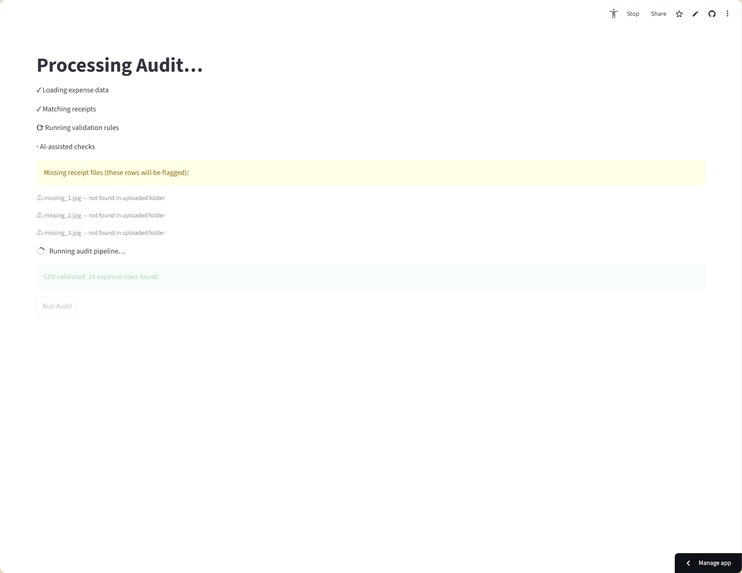
Planning before building is not overhead — it's leverage. Writing acceptance criteria forced us to answer questions we hadn't thought of: what happens when a receipt file is missing during processing? (Audit finding, not system failure.) What does "all clear" look like? (A prominent state, not just an empty table.) Those decisions would have been chaos to make mid-build.
We also learned that AI is most useful when it's constrained. Giving Llama 3.3 70B a one-word output format and mapping that output through the rule engine — rather than asking the AI to decide directly — made the system auditable and trustworthy in a way that freeform AI output never could be.
What's Next for NexAudit
- Visual receipt-mapping interface — auto-match receipts to CSV rows with drag-and-drop correction, for users who haven't pre-organized their data
- Graphical rule configuration — let auditors define thresholds and add rules without editing JSON
- PDF export — formatted audit reports for formal reporting contexts
- Auditor annotations — the ability to add notes to flagged entries before exporting
- Accounting software integrations — QuickBooks, SAP, and similar platforms


Log in or sign up for Devpost to join the conversation.