-
-
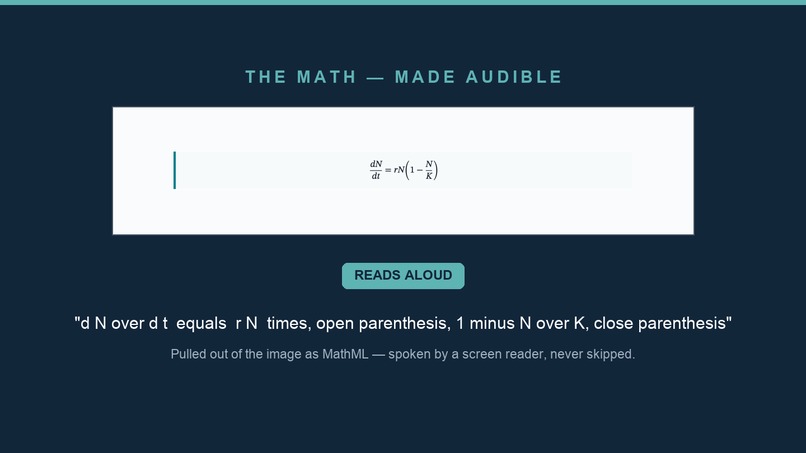
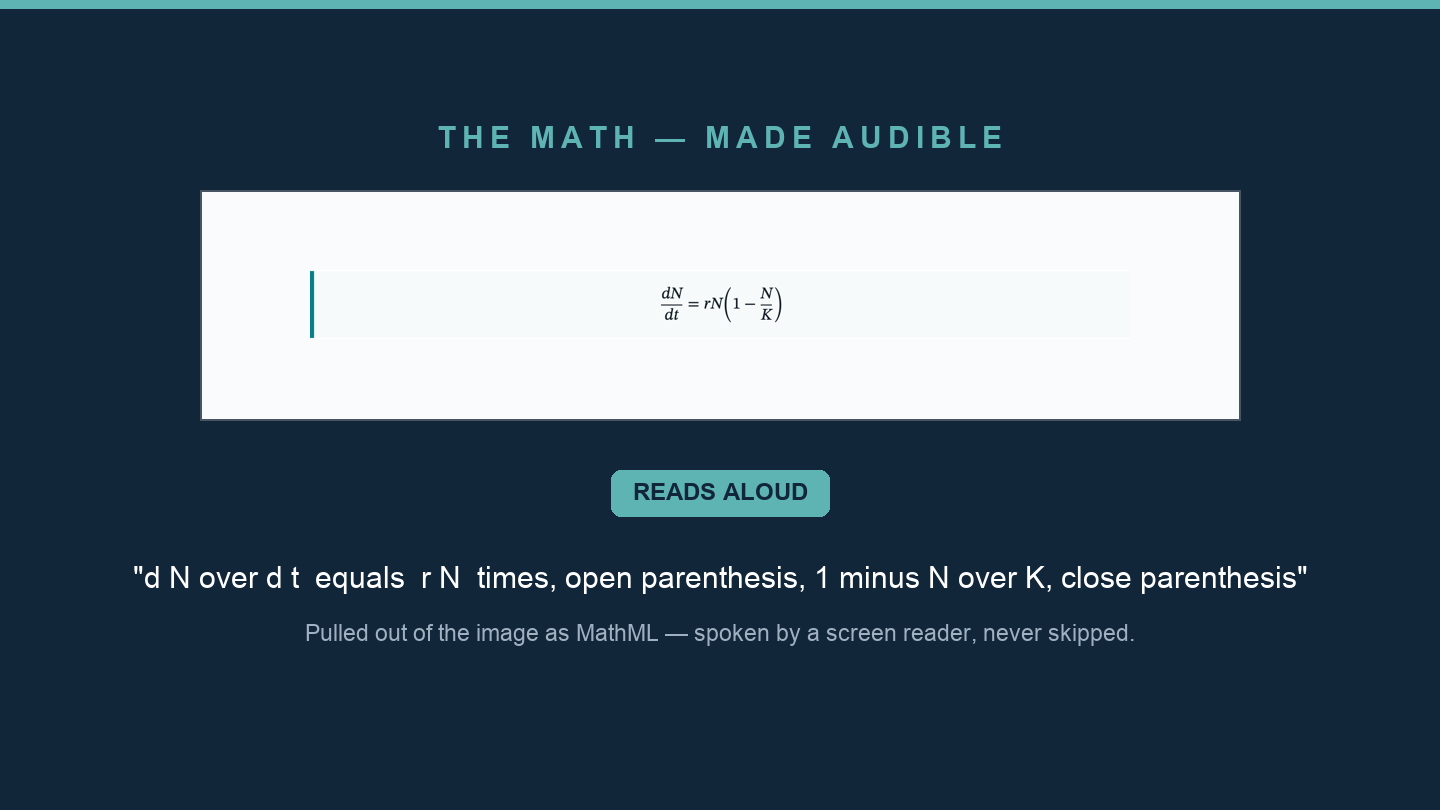
Math, made audible: pulled out of the image as MathML and spoken correctly by a screen reader.
-
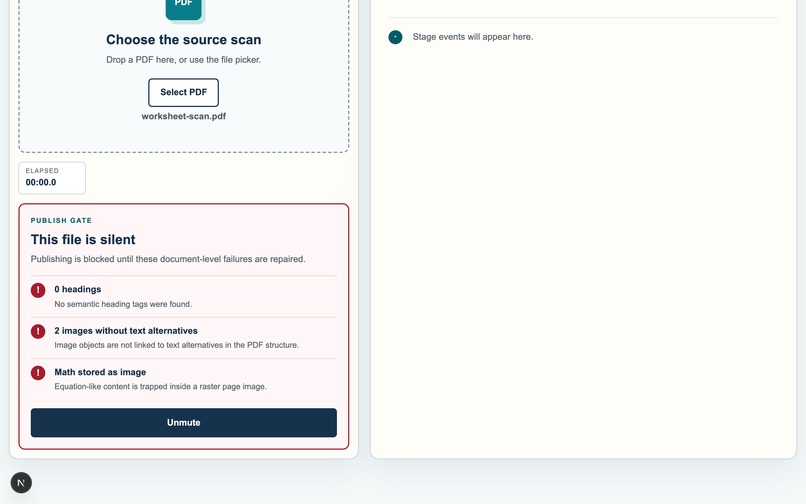
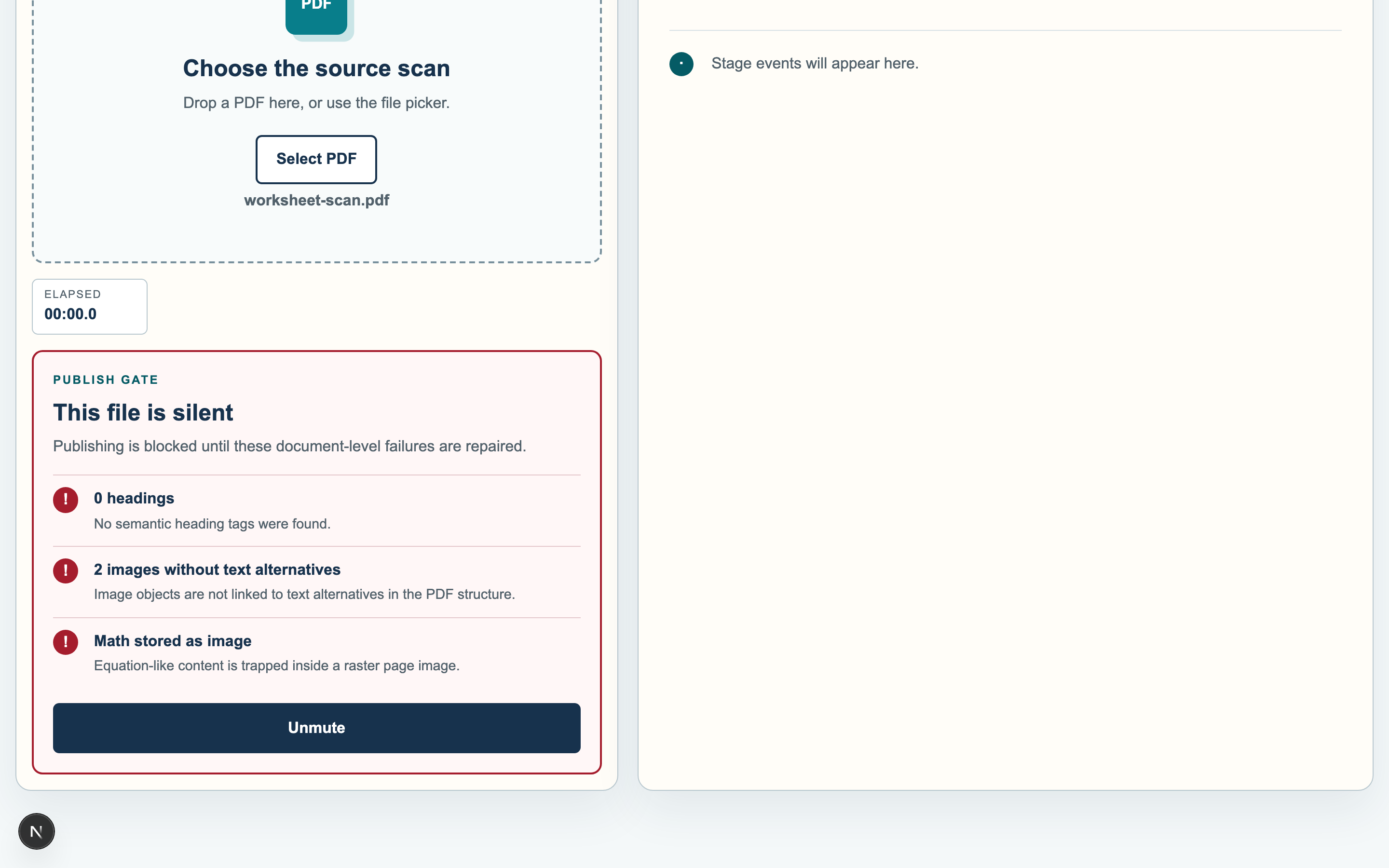
It doesn't pretend: 'This file is silent,' and exactly why — no headings, undescribed images, math trapped as pixels
-
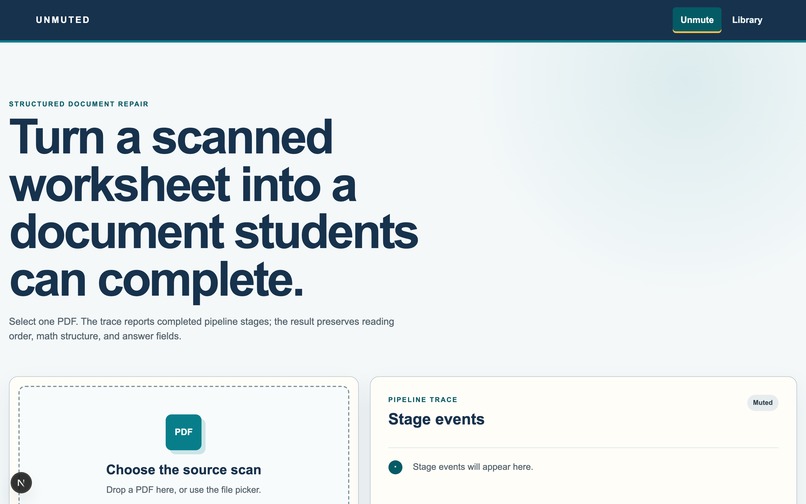
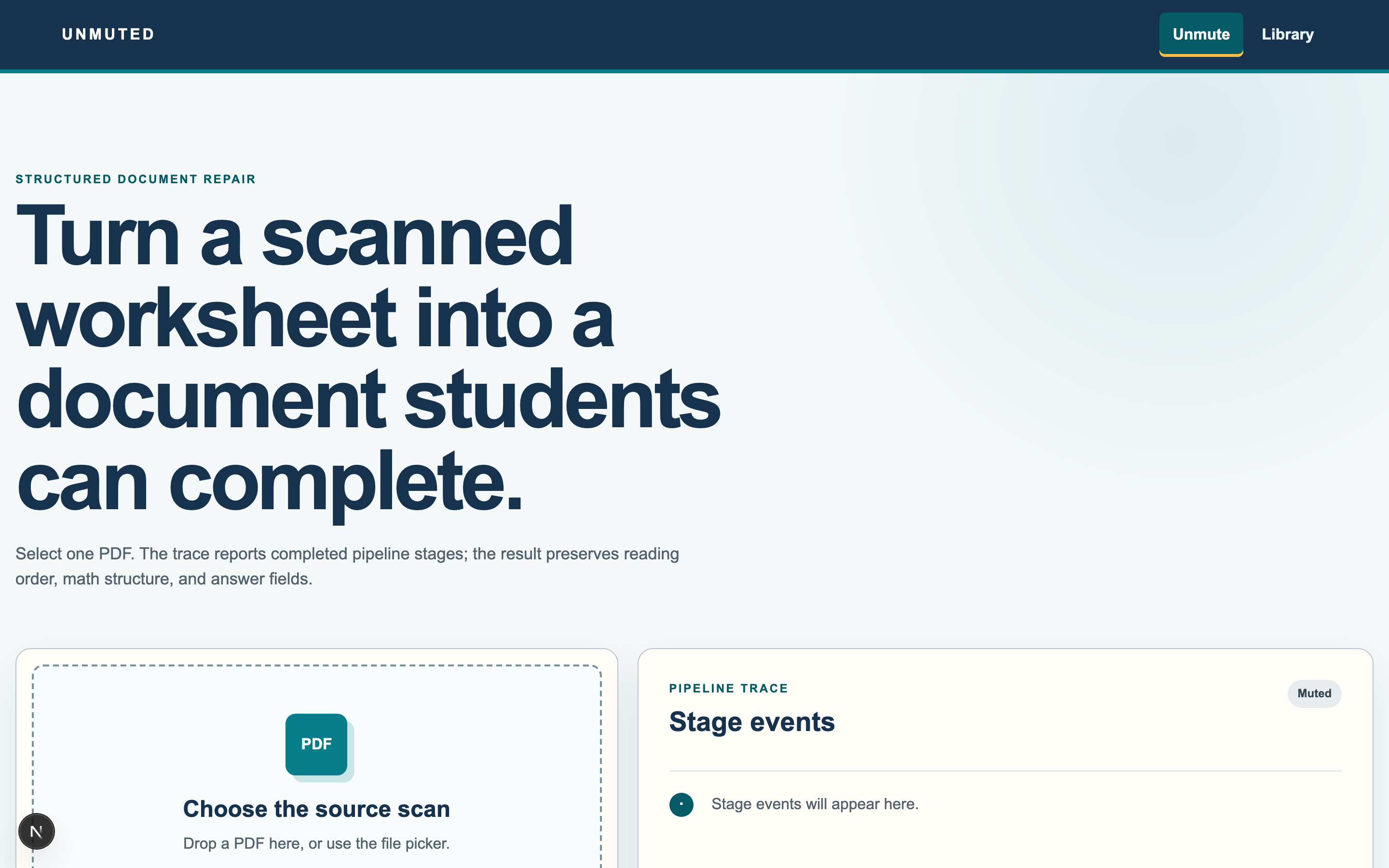
Unmuted — turn a scanned document into one any student can use.
-
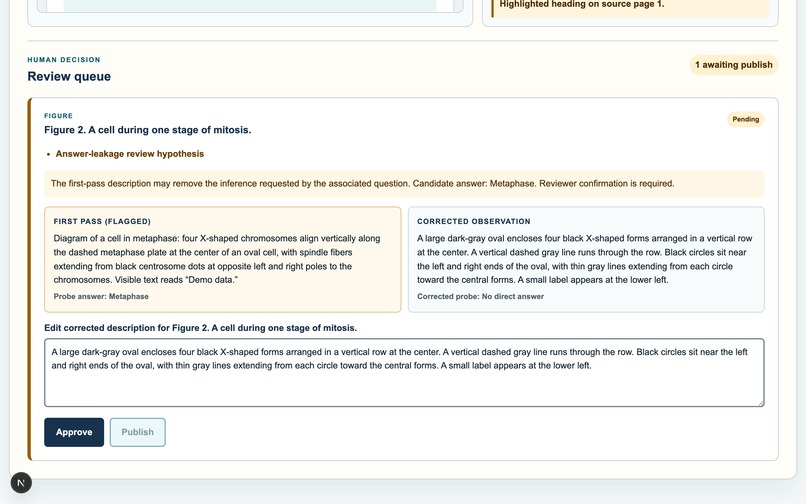
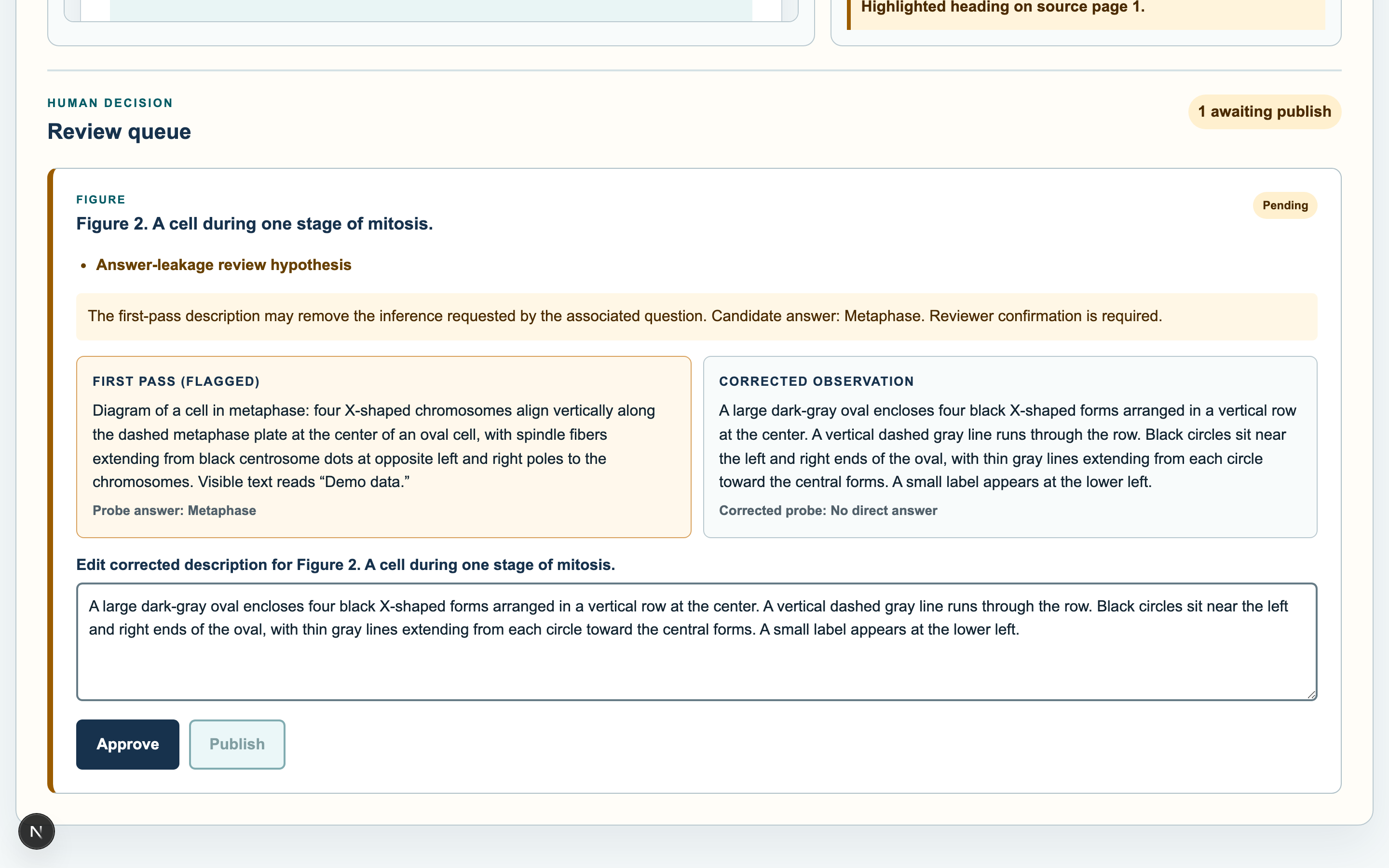
'Accessible. Invalid.' — an independent check catches a description that gives away the answer, and rewrites it. A human verifies
-
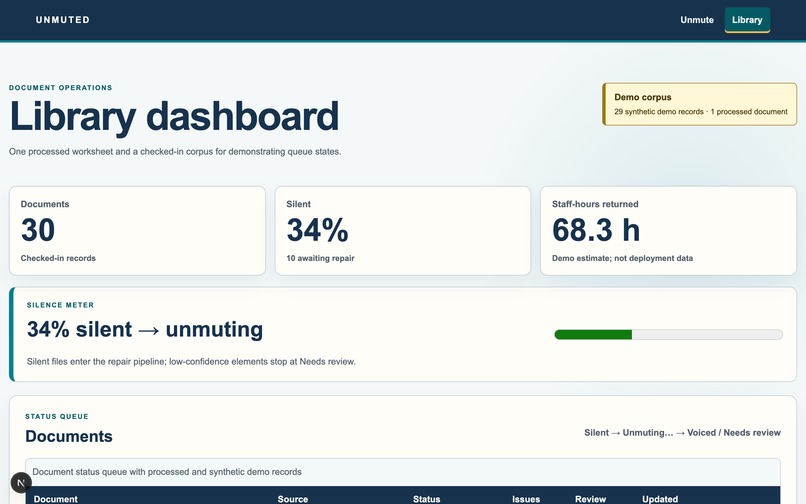
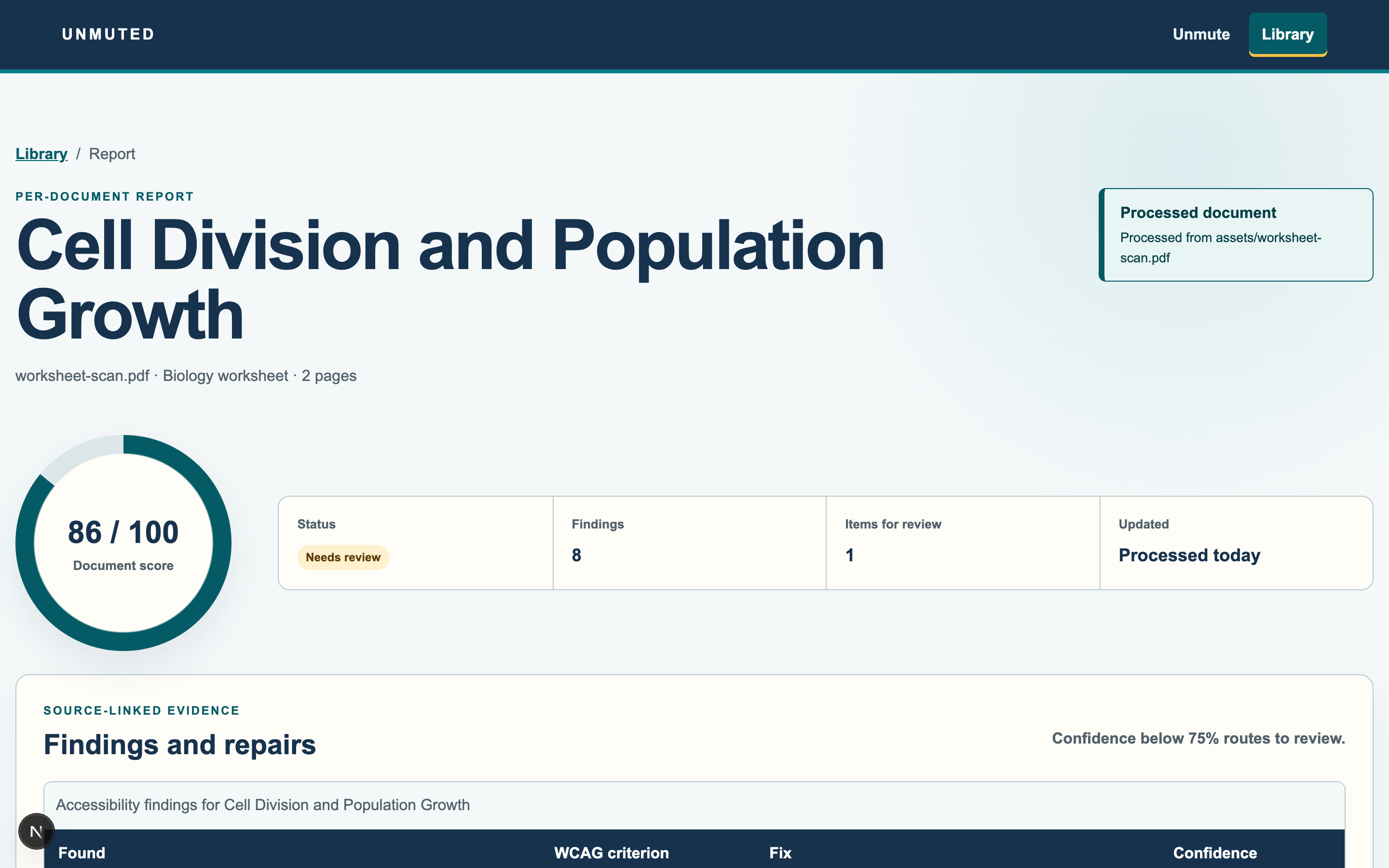
Per-document report — every issue, the rule it maps to, the fix, and a confidence score.
-
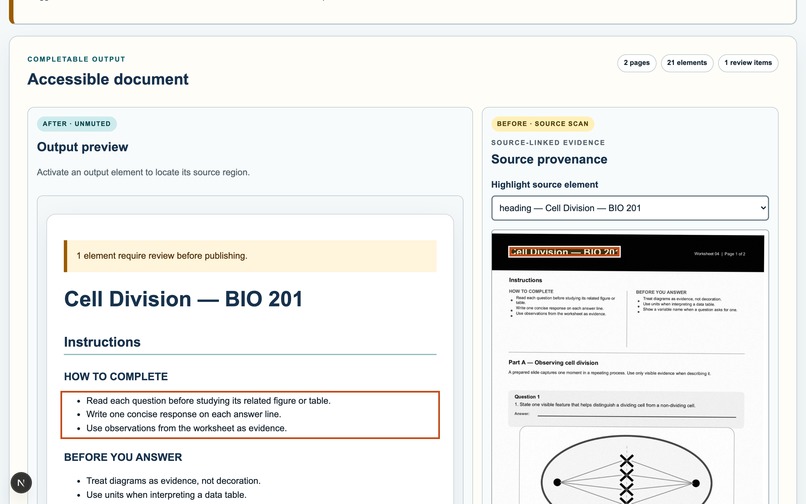
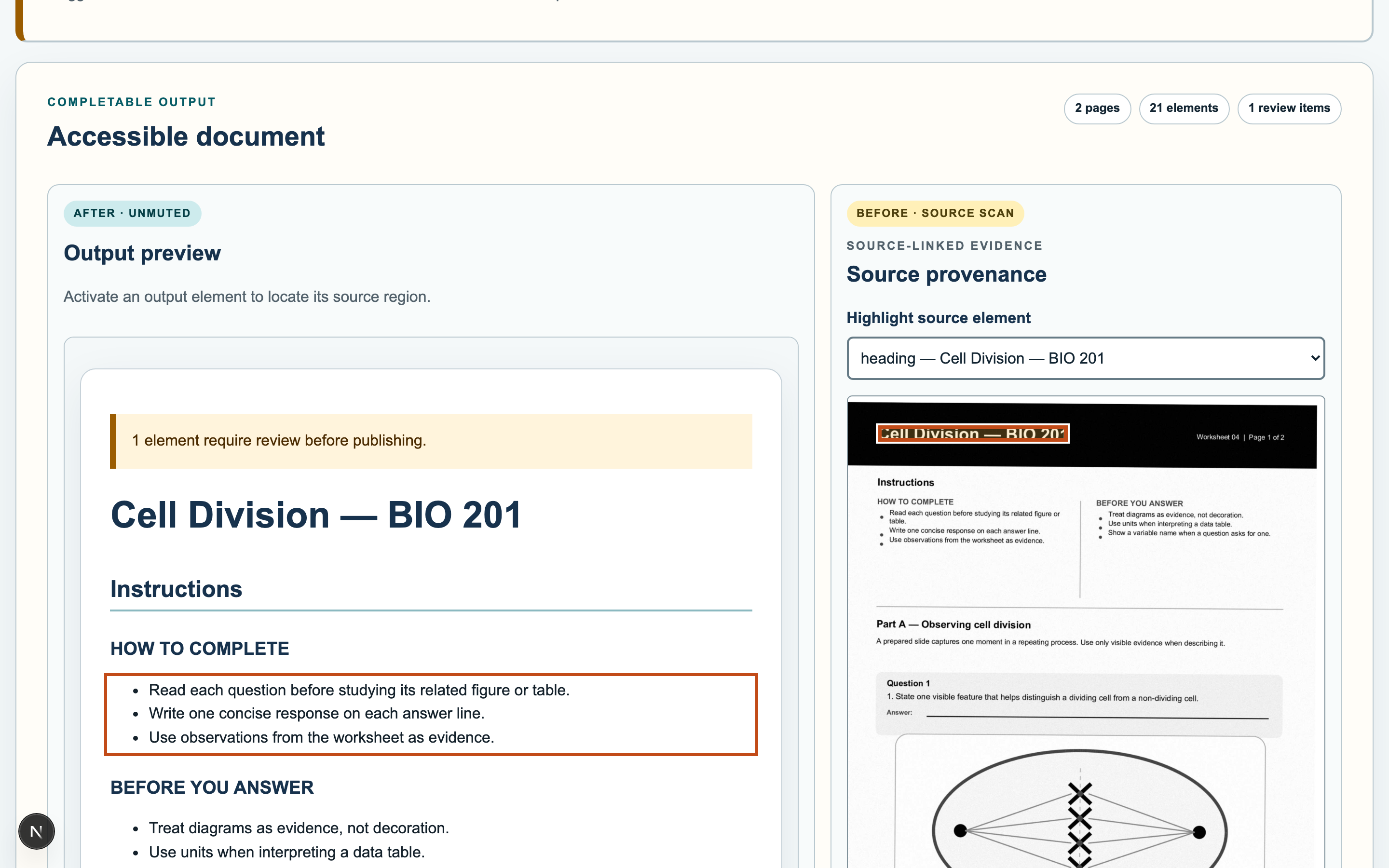
The rebuilt document, with every element traceable back to its source region on the scan.
-
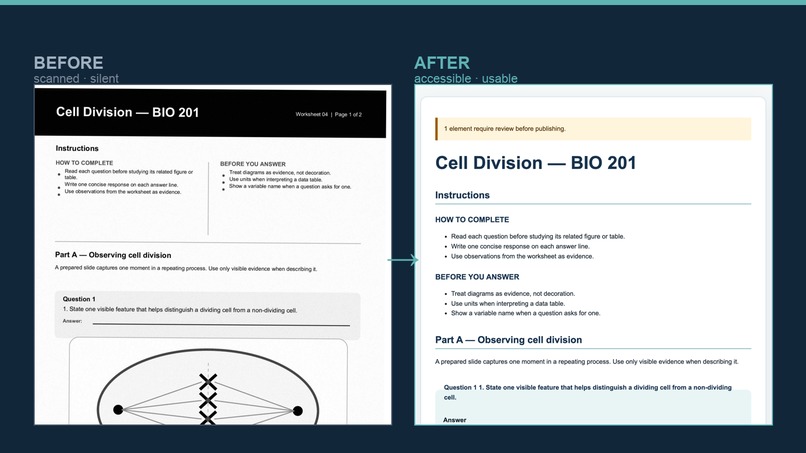
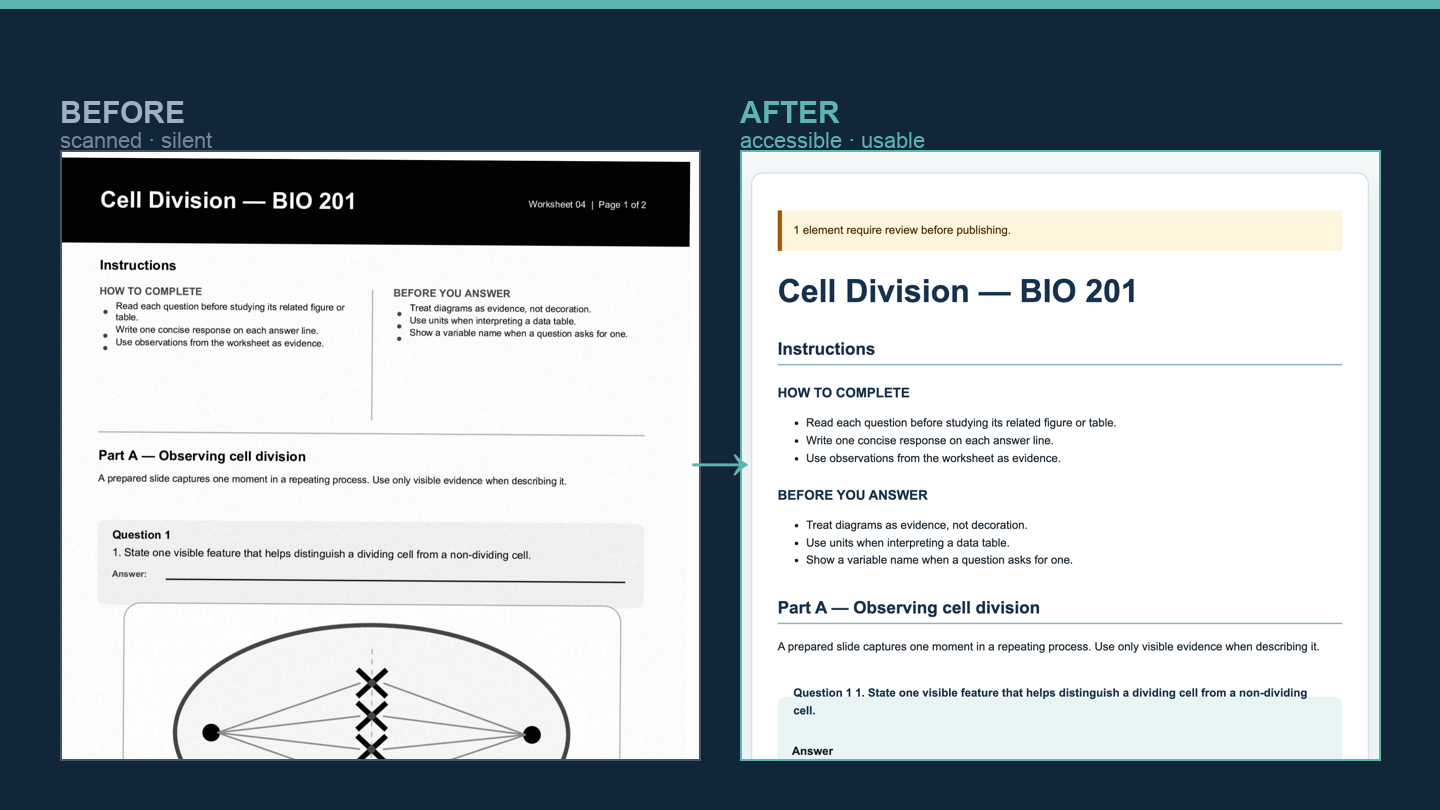
Before → After: a silent scanned page becomes an accessible, usable document.
-
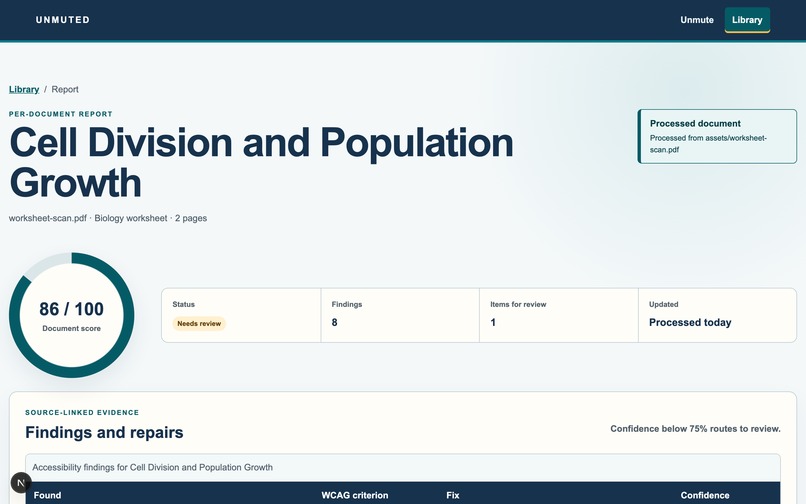
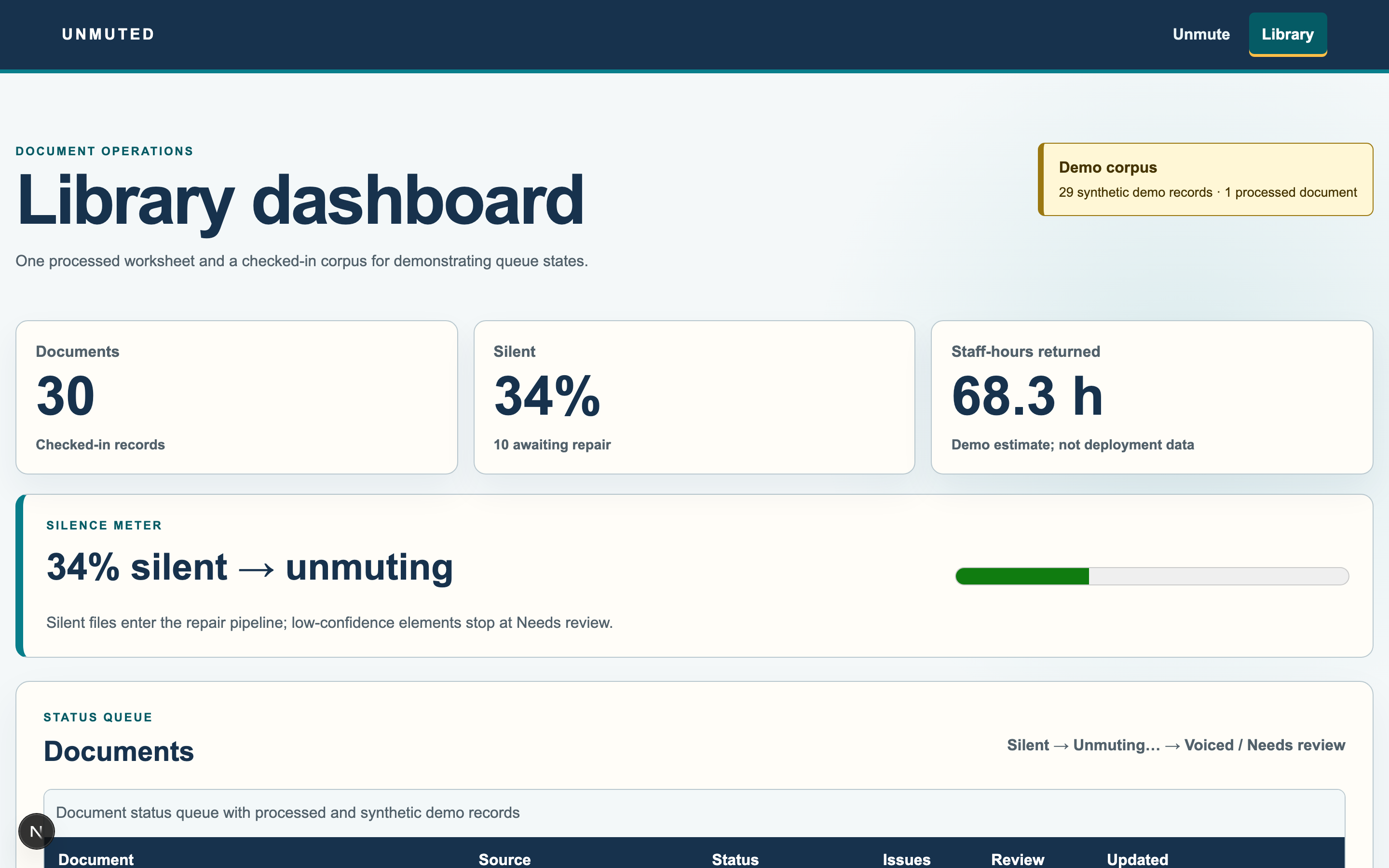
At scale: every document gets a status and an audit trail (demo data labeled on screen).
The moment that started it
It's midnight. Tomorrow's assignment is a worksheet a teacher scanned years ago. If you can see it, it's fine. If you use a screen reader, the file opens and says almost nothing, "graphic… graphic… blank… image_4032.jpg." A whole page of biology, silent.
We've largely solved readable screen readers, text-to-speech, OCR. What we haven't solved is usable: a student still has to move through the page in order, understand a diagram, hear the math, and actually answer. And it's not one bad worksheet, it's the handouts, the slides, the scanned chapters. Most of what school hands out was never built to be heard.
What Unmuted does
Point Unmuted at a scanned document and it first tells you the truth, this file is silent, and here's exactly why (no headings, images with no text alternative, math trapped as pixels). One click, and it rebuilds the document: real structure and reading order, described figures, reconstructed answer fields, and math re-expressed so a screen reader speaks it correctly. Every fix links back to the exact region it came from on the original scan, carries a confidence score, and nothing publishes until a human approves.
The idea I'm proudest of: "Accessible. Invalid."
When a figure sits next to a question, a fluent description can quietly hand over the answer. Our demo worksheet asks students to identify the phase of mitosis in Figure 2, and the first AI description said "a cell in metaphase, chromosomes aligned at the equator." Accessible? Yes. It also answers the question for them. A mechanical accessibility checker sees "alt text present" and passes it. The assignment is quietly destroyed.
So Unmuted runs an independent answer-leakage check: a second agent that sees only the question and the candidate description, never the image, never an answer key, and tries to answer. If it can, the description leaks, and Unmuted rewrites it at observation level ("four X-shaped forms aligned along a dashed center line…") so the student can reason to the answer instead of being handed it. No other document-remediation tool checks this, because it only shows up when you understand both accessibility and assessment.
How I built it, in four days, with Codex + GPT-5.6
A structured pipeline, not one prompt:
- Extract —
PyMuPDFrasterizes each page; GPT-5.6 vision returns typed elements (headings, tables, figures, equations, questions, answer blanks) with bounding boxes and confidence. - Reconstruct — reading-order inference → semantic HTML with real heading levels, table headers, and labeled form fields.
- Math — an equation like $\frac{dN}{dt} = rN\left(1 - \frac{N}{K}\right)$ is pulled out of the raster page, re-expressed as MathML, and given a spoken form: "d N over d t equals r N times, open parenthesis, 1 minus N over K, close parenthesis."
- Describe + verify — construct-aware figure descriptions, the leakage probe, confidence-based routing, and a review-to-publish gate.
- Front end — Next.js/React, with the workspace, library dashboard, and per-document audit report.
Codex did the bulk of the implementation across day-gated milestones (Day 1: the load-bearing pipeline; Day 2: the leakage agent; Day 3: the gate and dashboards). I set the scope, chose the construct-validity constraint, and owned verification. Fittingly, the app is built by Codex, the reasoning is GPT-5.6, and even the demo narration is GPT 4o, end to end.
What I learned
- Accessible in one browser ≠ accessible. My verification harness passed native MathML in headless Chromium, but then failed the instant I listened in Safari with VoiceOver, which ignores
aria-labelon a<math>element and reads the raw characters. The fix was arole="img"wrapper with the spoken string as its name. The lesson: verify in the environment your users actually use, and by ear — not just in the tool that's convenient. I made the harness run both Chromium and WebKit after that. - Accessible isn't the same as valid. Making content reachable and preserving what it's meant to teach are two different problems and AI is fluent enough to violate the second while satisfying the first.
- An accessibility tool has to be accessible itself. The UI is keyboard-operable with visible focus and semantic markup, dogfooding the promise.
Challenges
- Spoken math from a scan took four iterations: MathJax stripped the accessible tree → native MathML → a Speech-Rule-Engine label → the
role="img"wrapper that finally read correctly in VoiceOver. - Avoiding circularity in the leakage check: if the model that wrote the description also judged it, the test is theater. The probe is deliberately blind (question + text only) and framed as a review hypothesis, with a human signing off.
- Non-determinism: vision descriptions vary run to run, so the harness asserts on required-element invariants, not exact output.
- Staying honest: no "automated compliance" claims (that language is radioactive in this space for good reason). Everything is confidence-scored, human-reviewed, and traceable. Deaf/hard-of-hearing needs are captioning, a different problem, so they're explicitly out of scope.

Log in or sign up for Devpost to join the conversation.