-
-
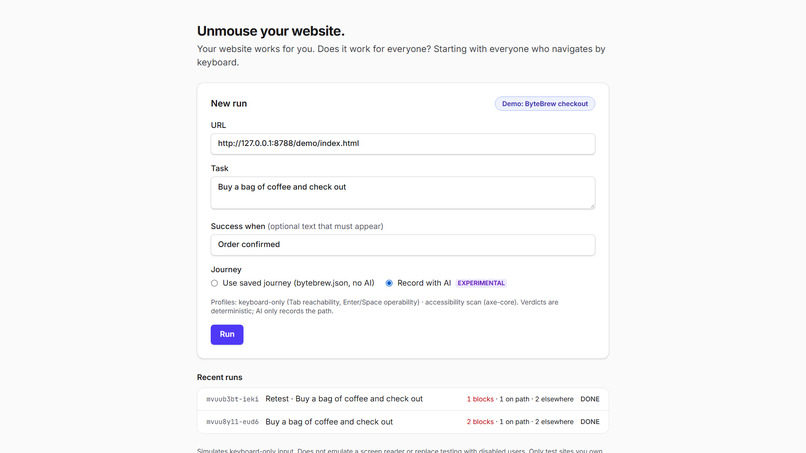
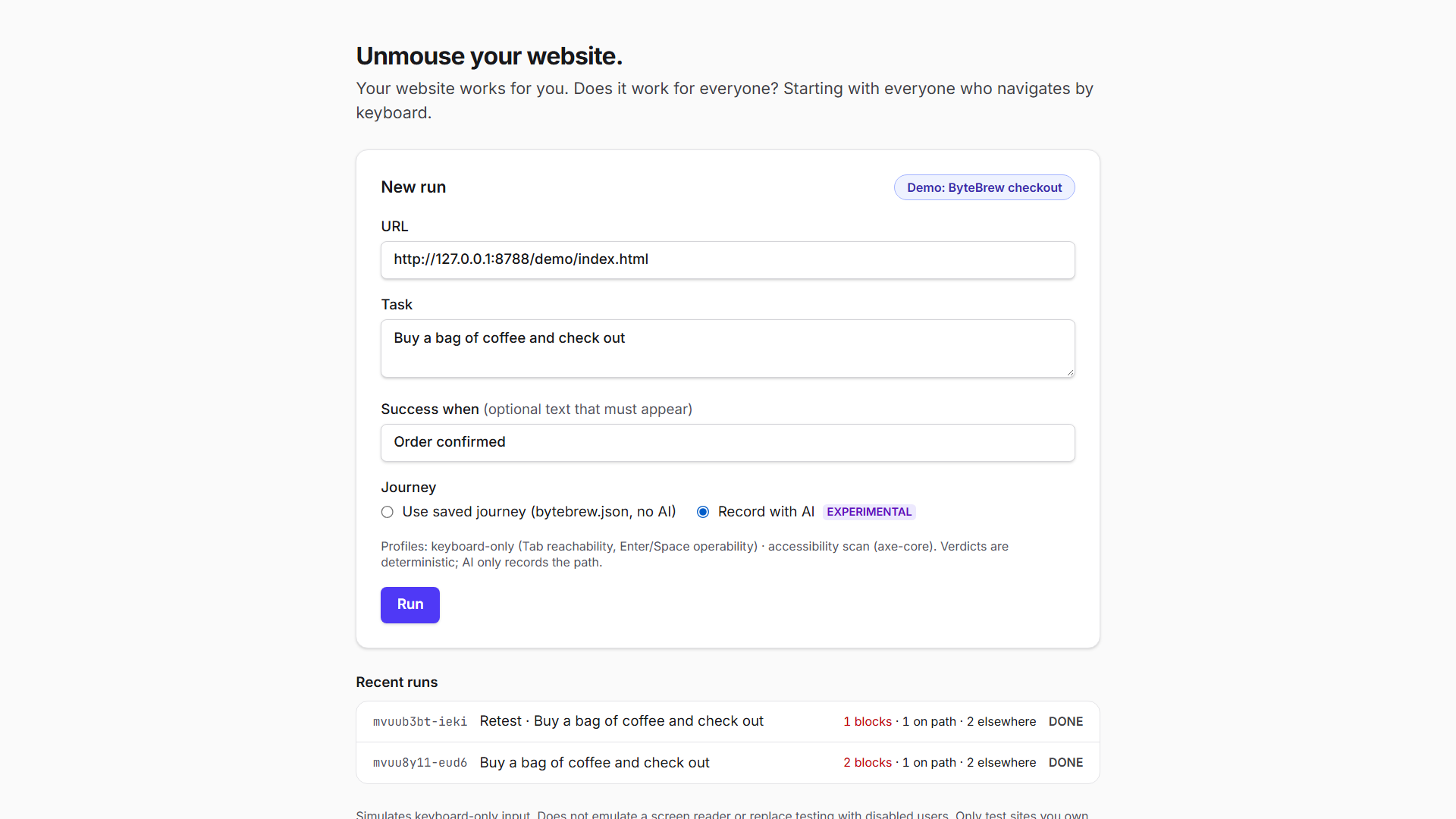
Start a run with a URL and a plain-English task. AI records the path once, and verdicts stay deterministic.
-
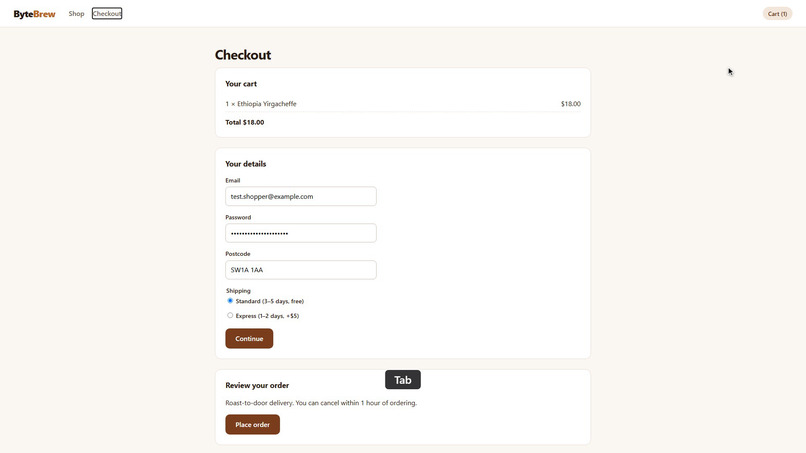
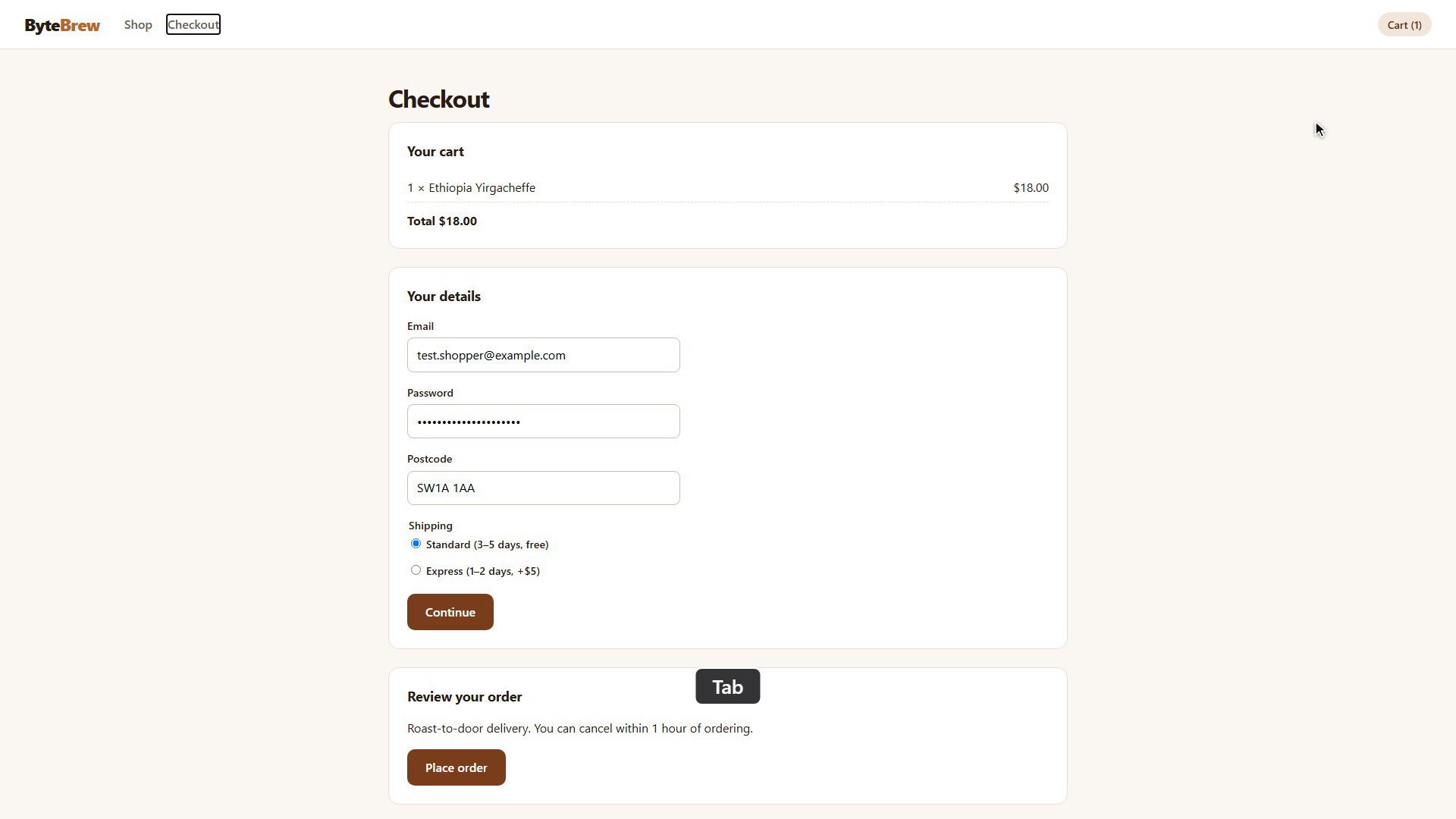
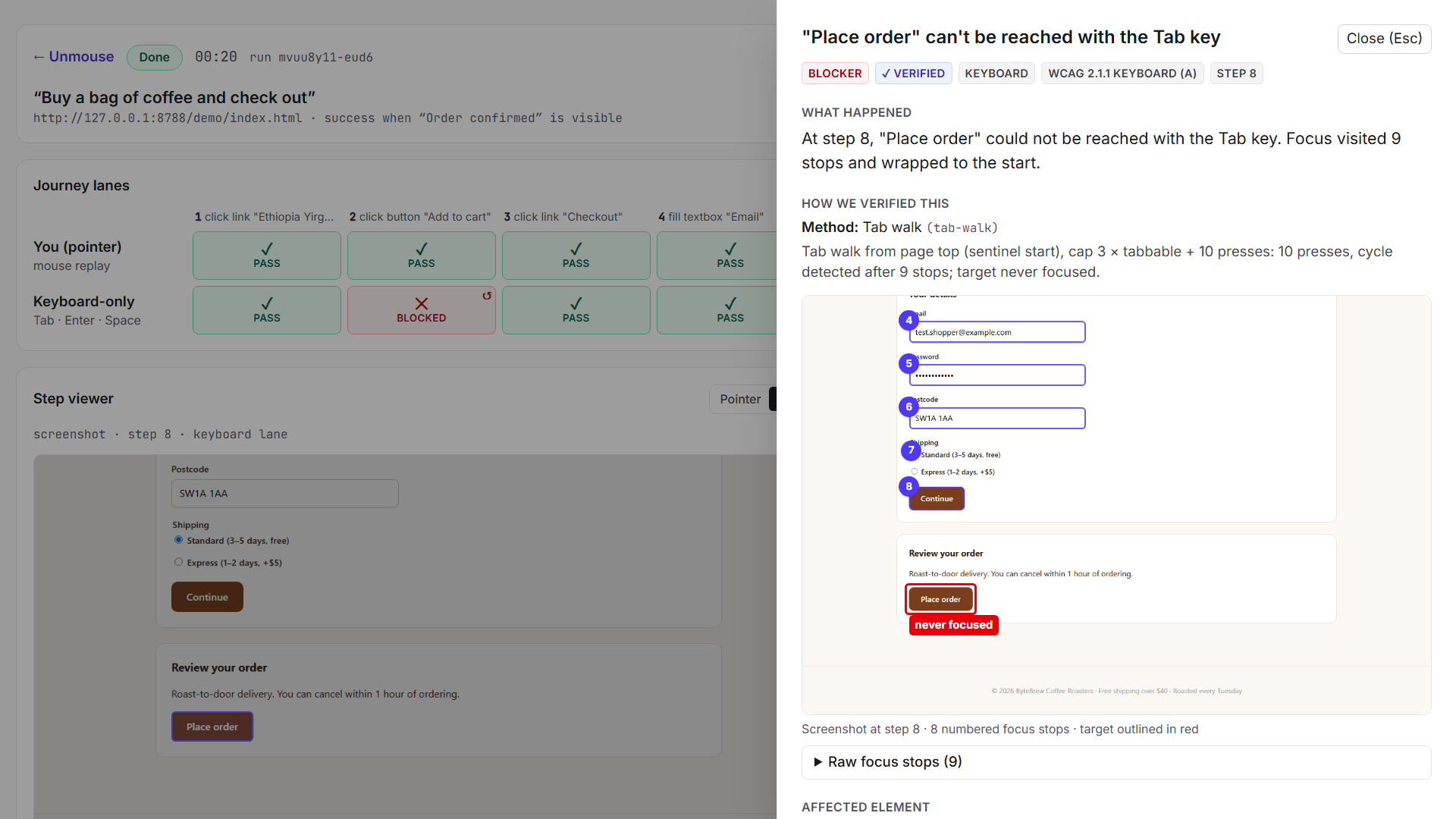
The problem: Tab cycles through every field and wraps back to the top. "Place order" is never reached.
-
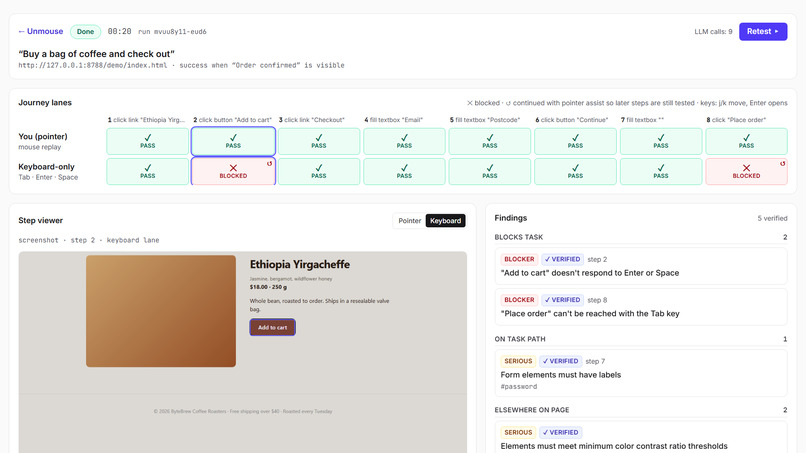
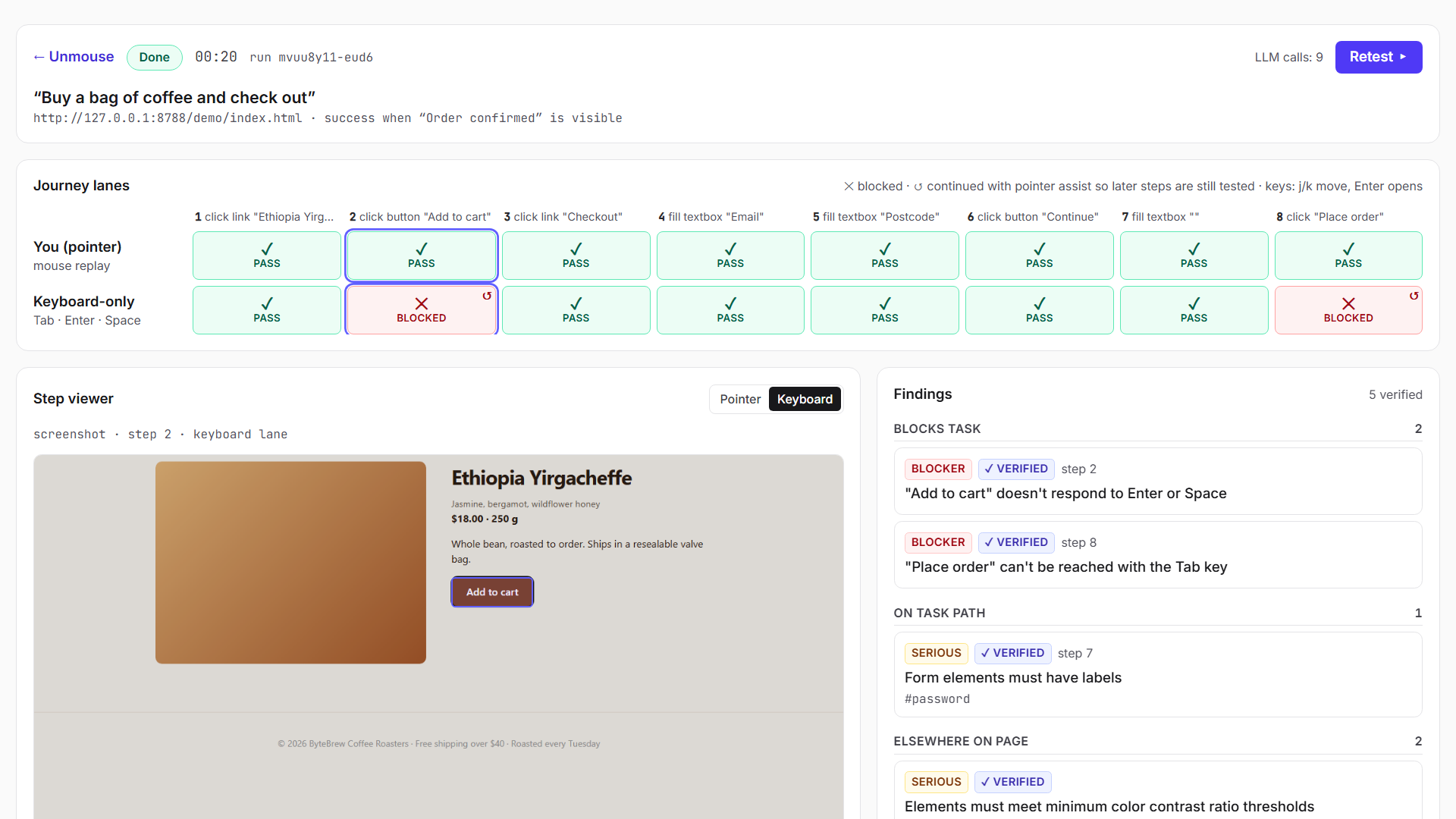
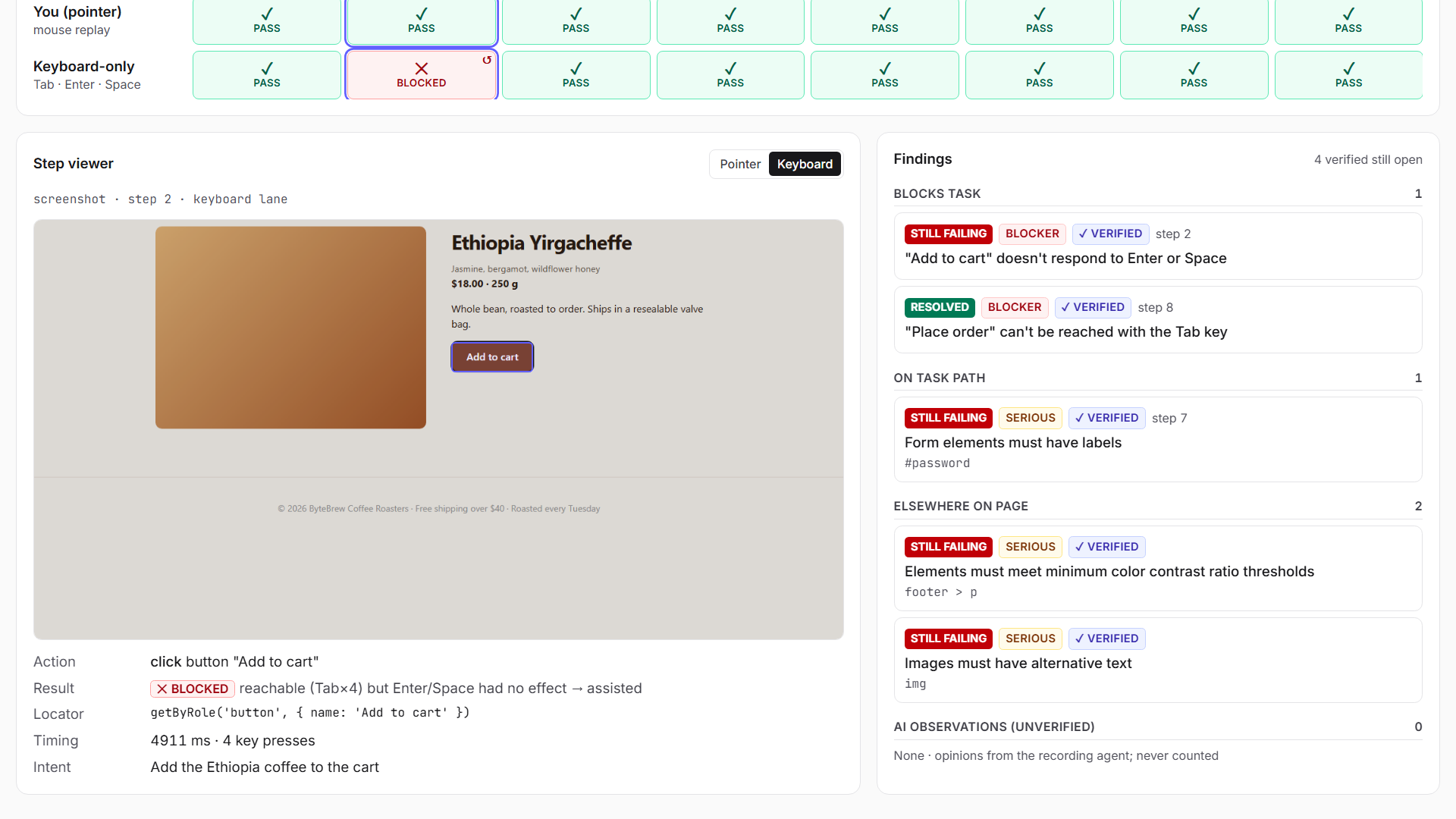
Results: 2 verified keyboard blockers, with findings ranked by whether they block the task.
-
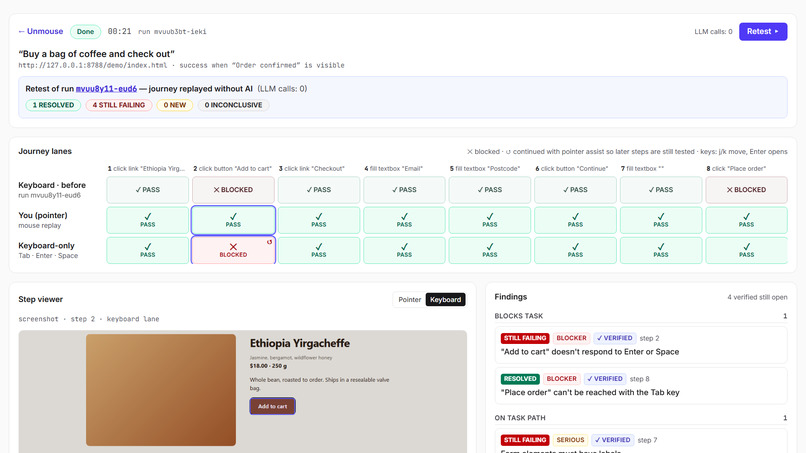
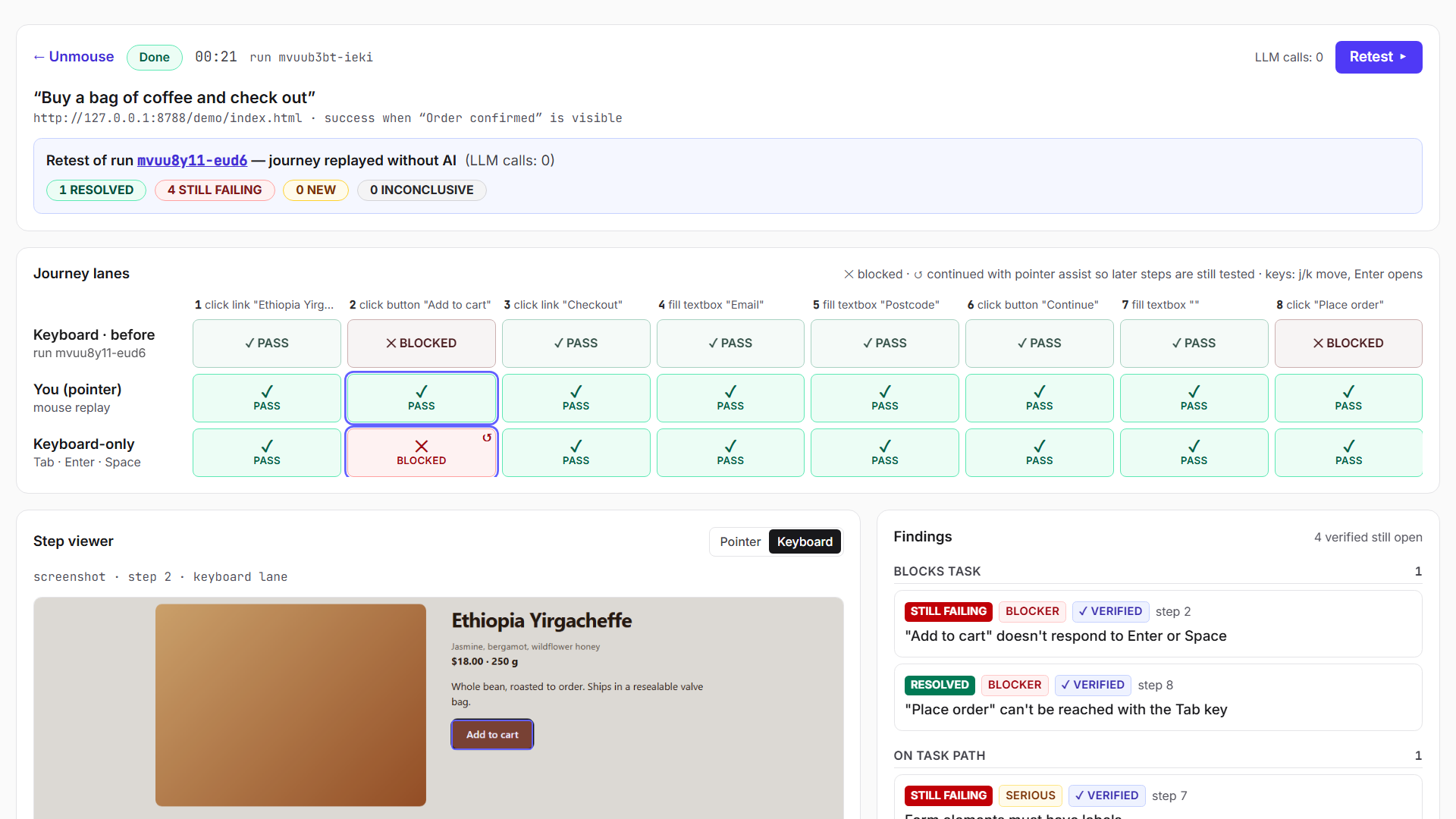
Retest after a one-line fix: same journey, 0 LLM calls. The keyboard lane before and after, side by side.
-
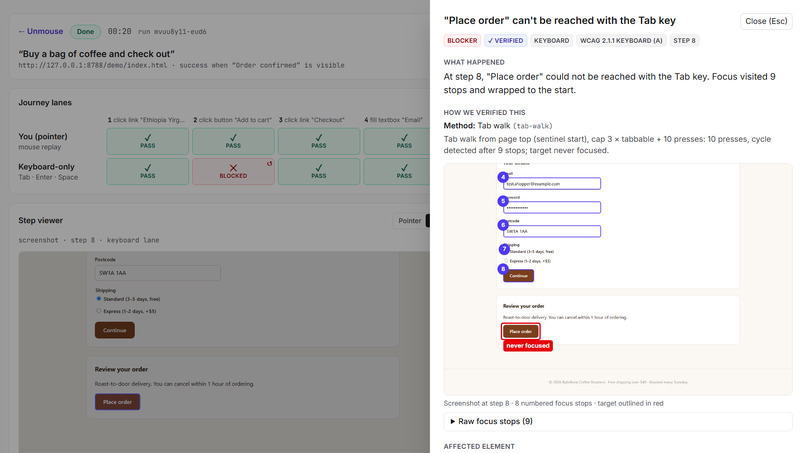
Evidence, not opinion: numbered focus stops show "Place order" was never focused.
-
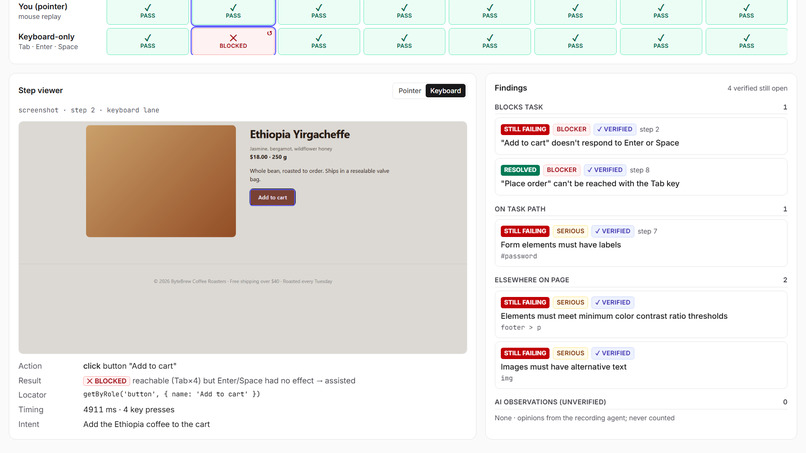
Verified: "Place order" is RESOLVED, while "Add to cart" is honestly reported as still failing.
-
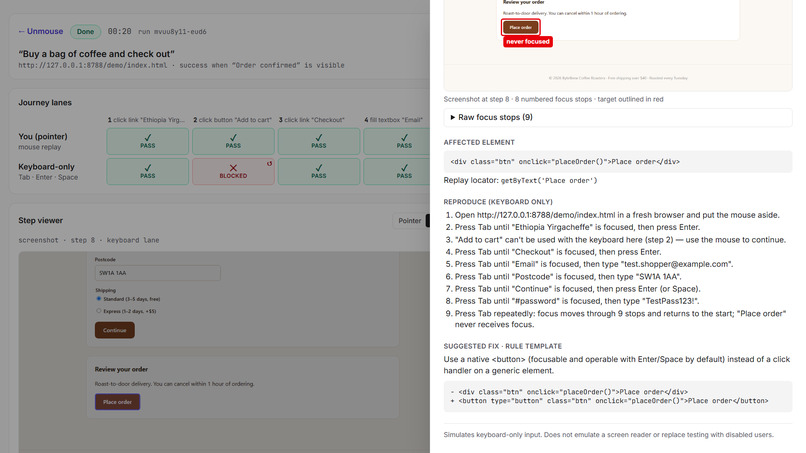
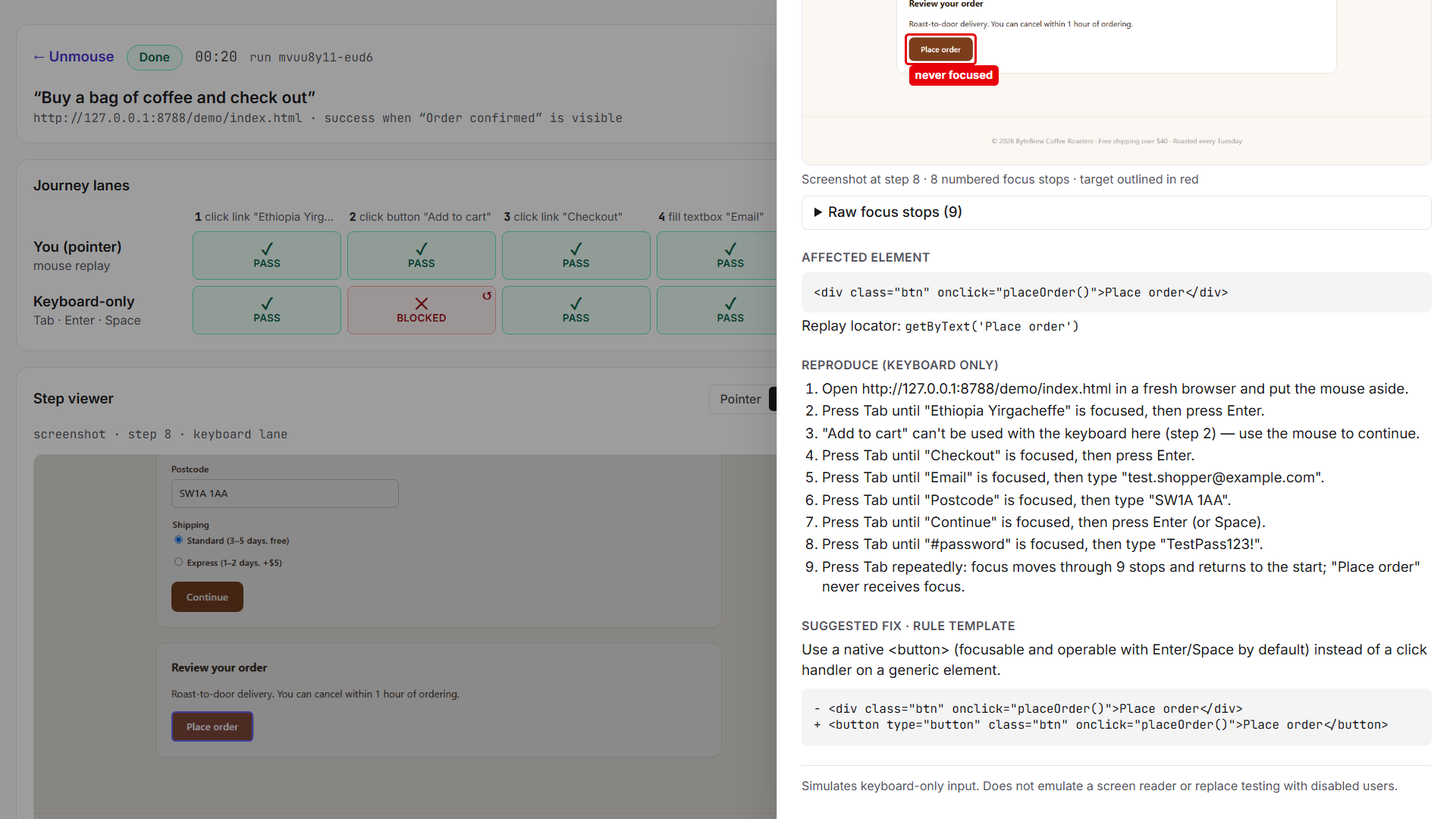
The cause (a <div> with a click handler), keyboard-only reproduction steps and a suggested fix.
-
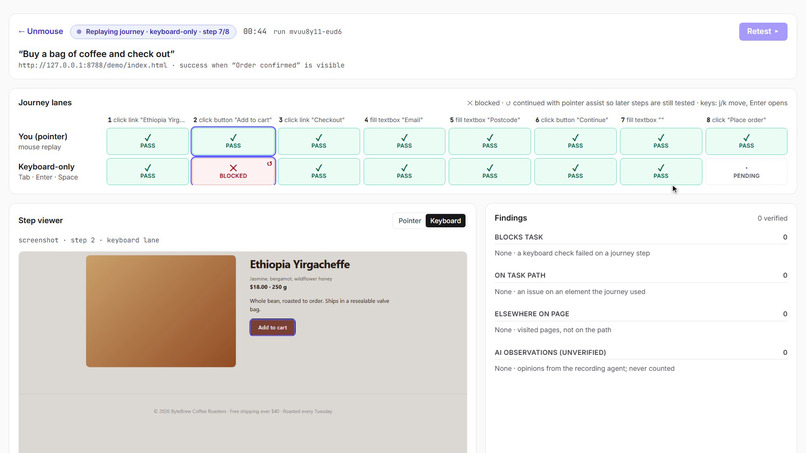
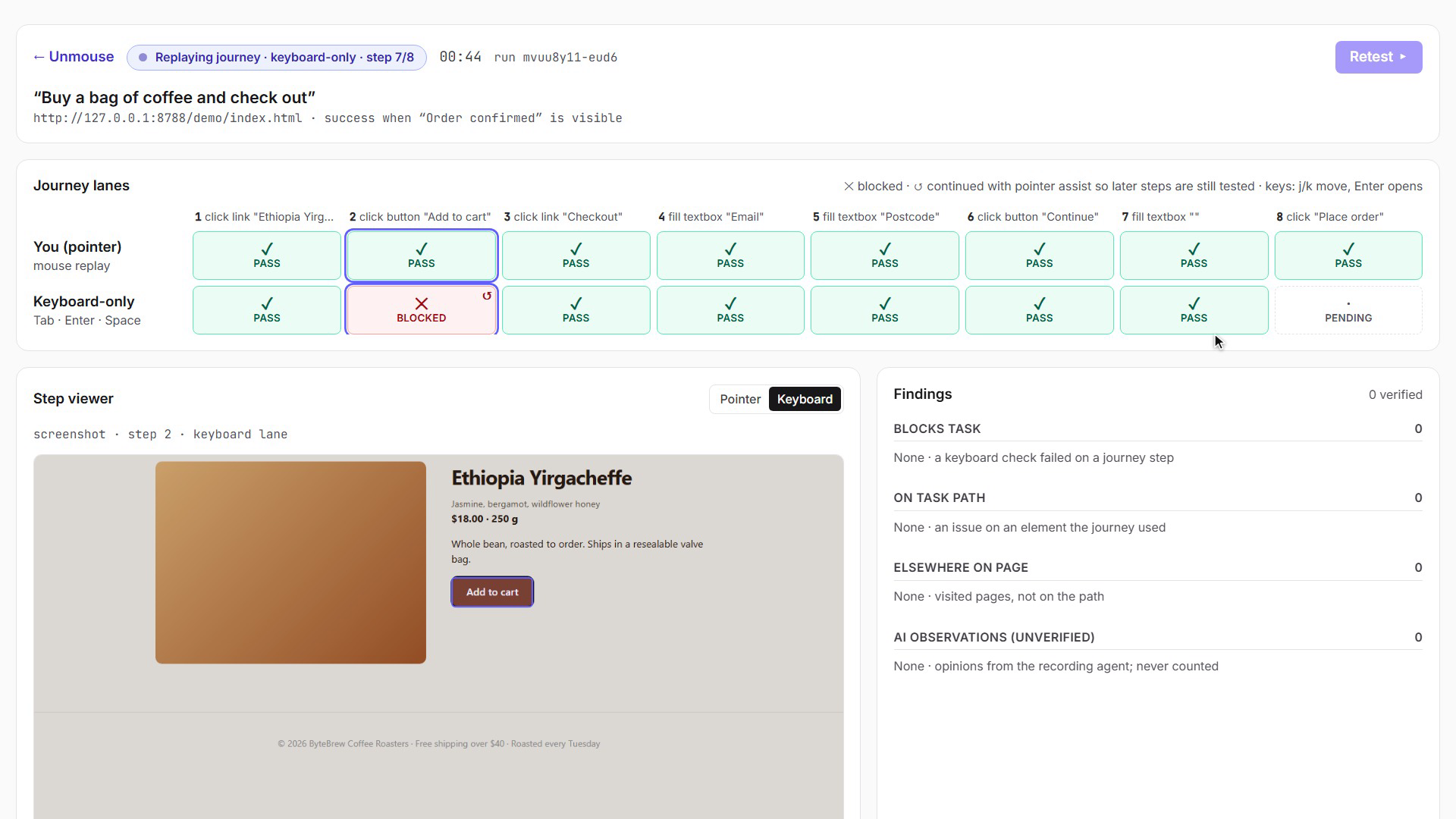
Live run: the same journey replayed with the mouse, then keyboard-only. "Add to cart" is blocked.
Inspiration
A checkout can work perfectly with a mouse and still be impossible without one. A
with a click handler looks like a button, but Tab skips it and Enter does nothing. People who navigate by keyboard (motor disabilities, screen-reader users, power users) hit a dead end, and the site owner never finds out. Page scanners check how a page looks at one moment. They don't press keys or follow a task. Manual keyboard testing catches these bugs, but it's tedious and almost never repeated after a fix.What it does
Give Unmouse a URL and a task in plain English, such as "Buy a bag of coffee and check out."
- Record: an AI agent finds the path once. Its only job is navigation; it never decides what passes.
- Mirror: Unmouse replays the same journey twice in real Chromium: once with the mouse, to learn what each step should do, then keyboard-only, with real Tab, Enter and Space presses.
- Verify: at every step it checks whether the control can be reached with Tab and whether it works with the keys. axe-core also scans every page state.
- Explain: each finding comes with evidence: numbered focus stops, the affected element, keyboard-only reproduction steps and a suggested fix.
- Retest: after you fix the code, it replays the same journey with zero AI calls and marks each finding resolved, still failing, new or inconclusive.
How we built it
- Engine: TypeScript + Playwright. It runs a pointer lane and a keyboard lane in separate, fresh browsers. Its keyboard checks are a Tab walk with cycle detection and an Enter/Space test that compares the result with the mouse lane.
- Journeys: saved as durable locators plus the expected effect of each step, never as fragile element refs, so they still work after a fix.
- Accessibility scanning: axe-core runs on each page state, and its results are scoped to "blocks task", "on task path" or "elsewhere".
- AI recorder: Claude Haiku through an OpenAI-compatible client. It reads Playwright's accessibility snapshot, makes one validated action at a time and checks each step's effect.
- App: Hono API with live streaming of run events, plus a React + Tailwind UI with journey lanes, an evidence drawer and a before/after retest view.
- Testing: ByteBrew, a demo store we built with 5 planted defects, and an evaluation harness.
Challenges we ran into
- Keeping the AI out of the verdict. LLM judgments aren't reproducible, so we made every pass/fail deterministic and labelled AI notes "unverified, never counted."
- Never giving a false "resolved". If a fix changes the page so much that a step can't be found, the retest says inconclusive, never resolved.
- Tricky widgets. Radio groups and menus use arrow keys, not Tab, so they get their own handling, and unclear cases are reported as inconclusive rather than blocked.
- A race in our live view: the server announced "done" before saving the run, so the page showed stale results. We traced it and fixed it at the source.
Accomplishments that we're proud of
- On our seeded store, axe-core alone found 3 of 5 defects and missed both checkout blockers. Unmouse found all 5, in 5 out of 5 runs.
- After a single fix, the retest flipped exactly that finding to RESOLVED, again in 5 out of 5 runs.
- 0 false findings on correctly built controls, and identical results on repeated runs.
- Every finding is reproducible: evidence, steps and a fix, not just an opinion.
What we learned
- Accessibility bugs that block a task live in journeys, not single pages.
- AI is most useful for exploring a site; verdicts should be deterministic.
- "Inconclusive" is a valid, honest result. False confidence is worse than no answer.
What's next for Unmouse
- A focus-visible check (a pixel diff of each focus ring).
- Keyboard-trap and zoom/reflow checks.
- A CI mode that reruns saved journeys on every pull request and fails the build if a keyboard blocker returns.
- Testing on real production sites beyond our demo store.

Log in or sign up for Devpost to join the conversation.