-
-
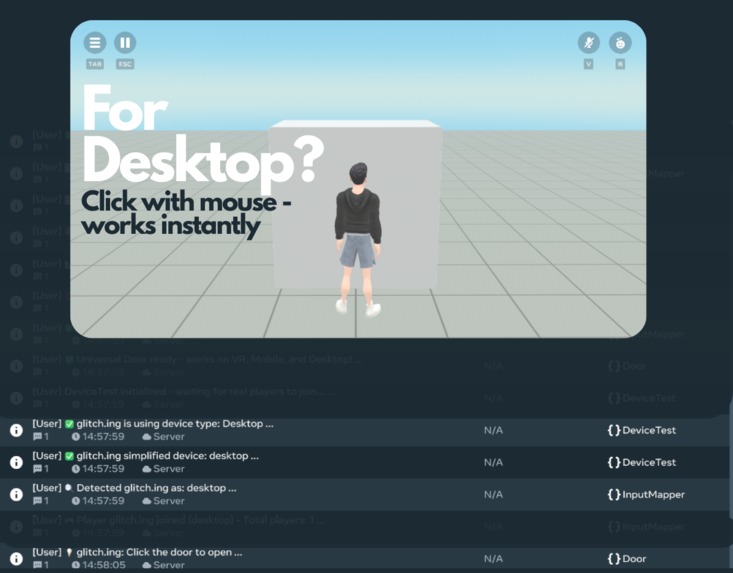
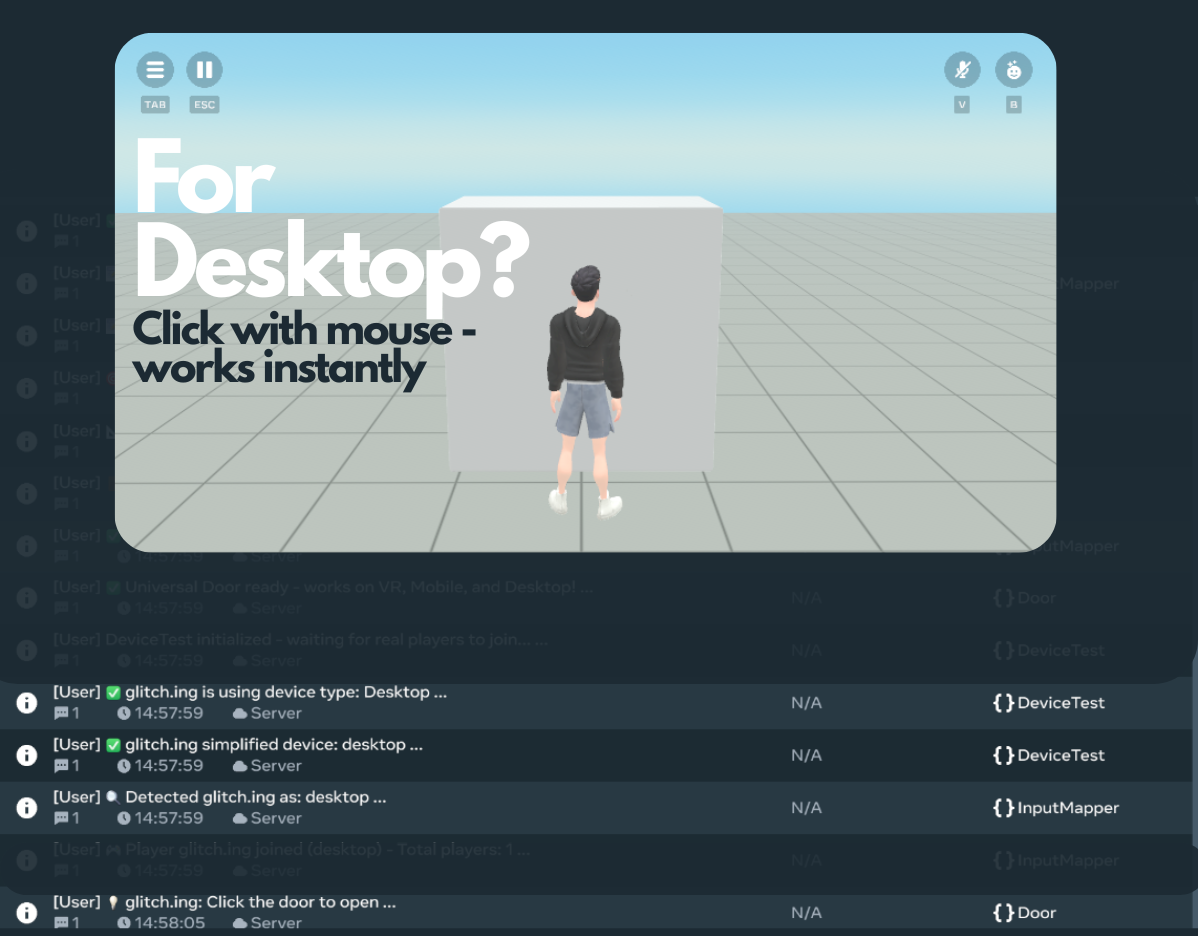
Desktop mouse detected → Precise click interactions activated. Fast, reliable controls that desktop users expect.
-
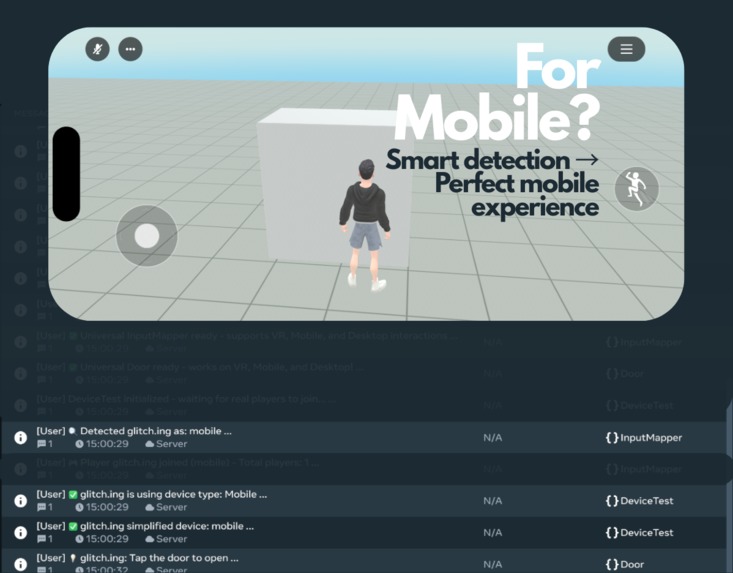
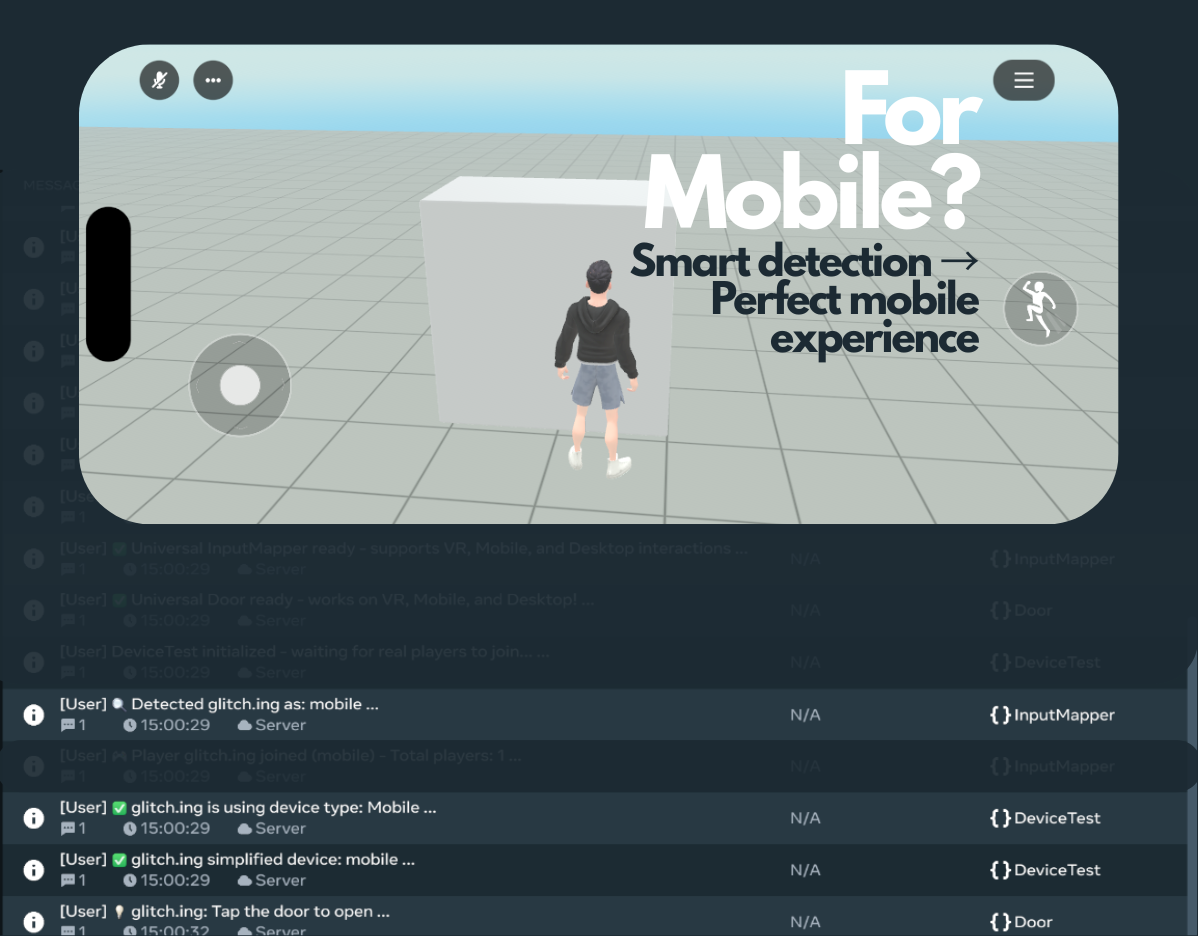
Mobile device detected → Touch interactions optimized. Smooth, intuitive tapping that feels native on phones.
-
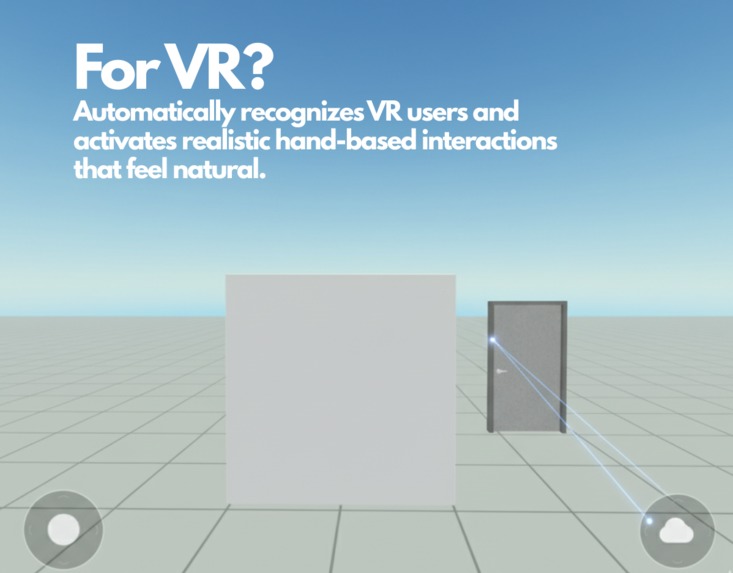
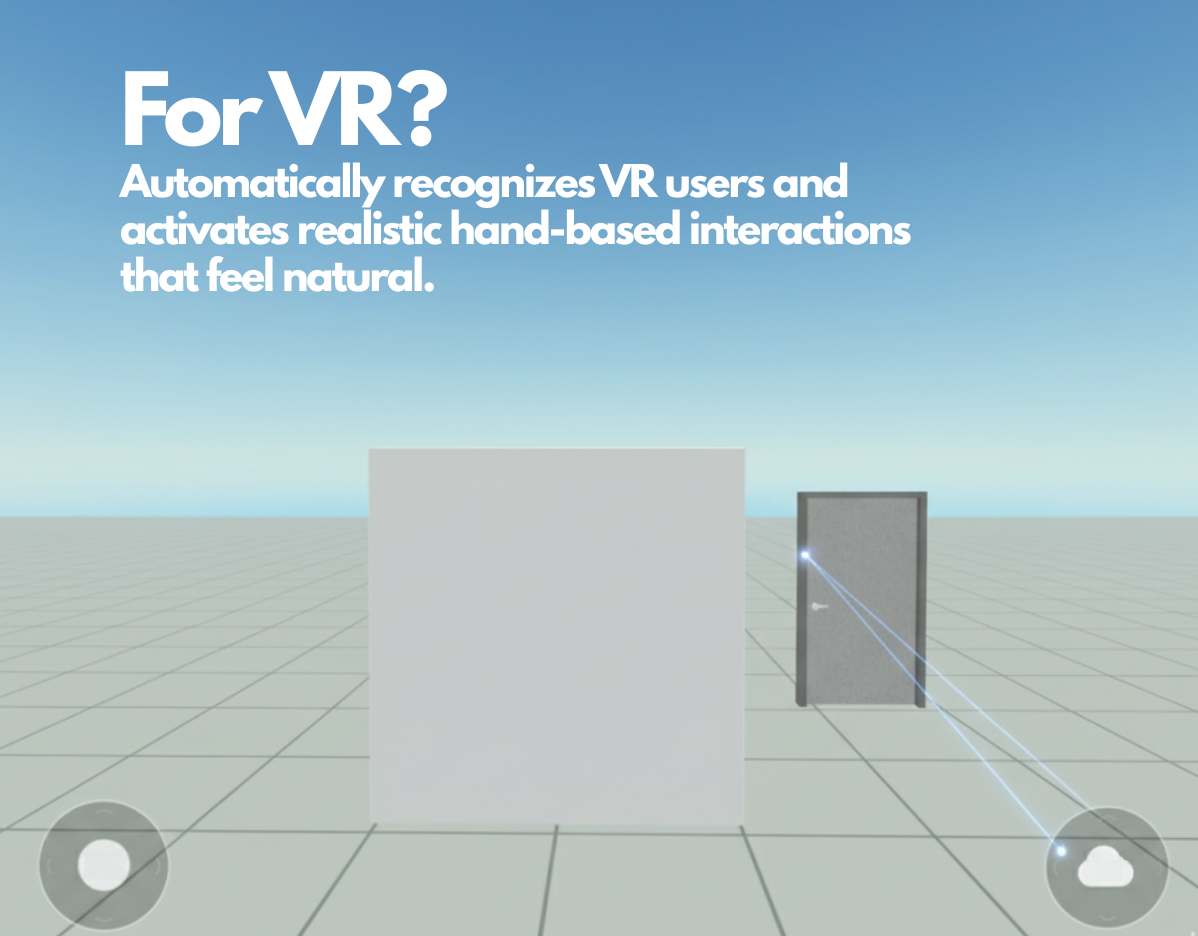
VR controllers detected → Natural hand grabbing enabled. True immersion for every interaction in your world.
Inspiration
When building worlds in Horizon, I noticed a recurring frustration: interactions that worked on VR often broke on Mobile, and vice versa. Creators were forced to duplicate scripts or compromise on user experience. I wanted to build something that "just works" for all players, regardless of device, so creators can focus on building amazing experiences rather than re-inventing input logic.
The idea came from observing both small and large worlds struggling with cross-device interaction. I realized a single, reusable system could save creators countless hours and make worlds more inclusive, engaging, and mobile-friendly.
What it does
Universal InputMapper automatically detects whether players are using VR headsets, mobile devices, or desktop computers, then routes interactions to device-appropriate handlers. Instead of writing separate interaction code for each platform, creators register one action with VR grab, mobile tap, and desktop click handlers - the system handles everything else.
Key Features:
Real-time device detection using Meta Horizon Worlds' native APIs
Automatic interaction routing to platform-specific handlers
Zero configuration - works immediately after setup
Professional debugging tools with detailed logging
Complete documentation and working examples
Universal Door prefab demonstrating full integration
The system transforms cross-platform development from a headache into a simple three-step process: register actions, connect triggers, and let InputMapper handle the rest.
How we built it
Built entirely in TypeScript using Meta Horizon Worlds' official APIs, focusing on reliability and ease of use. The core architecture uses:
Device Detection Engine: Leverages player.deviceType.get() with intelligent caching and fallback systems to identify VR, mobile, and desktop users reliably.
Action Registration System: Clean API allowing creators to map device-specific handlers to named actions (e.g., 'door_interact', 'button_press').
Event Routing Architecture: Connects to Horizon's CodeBlock events (OnGrabStart, OnPlayerEnterTrigger) and automatically routes to appropriate handlers based on detected device type.
Example Integration: Created UniversalDoor prefab showing complete integration pattern, including animation systems, auto-close functionality, and multiplayer synchronization.
Documentation-First Approach: Comprehensive README.md, USAGE.md, and inline code documentation ensuring any creator can integrate successfully within minutes.
Challenges we ran into
Detecting device type reliably across VR and Mobile: Horizon's device detection APIs required careful handling of edge cases, server players, and caching strategies to avoid performance issues.
Mapping different input paradigms (grabs vs taps) to a single action without breaking multiplayer sync: VR grabbing, mobile tapping, and desktop clicking have fundamentally different interaction models that needed unified handling while preserving platform-specific feel.
TypeScript compilation issues: Horizon Worlds' TypeScript environment has specific quirks with Map iteration, NetworkEvent typing, and property mutation that required creative workarounds.
Creating prefabs that are modular enough for reuse in any world or genre: Balancing simplicity for beginners with flexibility for advanced use cases, ensuring the system works for doors, buttons, pickups, and custom interactions.
Ensuring the demo is polished and intuitive for judges to instantly understand the toolkit's value: Creating clear visual examples that demonstrate cross-platform functionality without requiring judges to test on multiple devices.
Accomplishments that we're proud of
Solved a universal pain point that every Horizon Worlds creator faces
Created truly inclusive experiences where VR, mobile, and desktop users get equally polished interactions
Built a system that "just works" with zero configuration and automatic fallbacks
Achieved 100% API compatibility with native Horizon Worlds systems - no external dependencies
Delivered production-ready code with comprehensive error handling and debugging tools
Created documentation that makes advanced concepts accessible to creators of all skill levels
Demonstrated with working examples including fully-functional UniversalDoor prefab
Maintained performance with intelligent caching and efficient event handling
The system has already proven its value by making cross-platform interaction development go from hours of work to minutes of setup.
What we learned
Device detection is more nuanced than expected - server players, editor testing, and real-world deployment each present unique challenges requiring robust fallback strategies.
API design matters immensely - the difference between a tool developers use and one they love comes down to intuitive method names, clear error messages, and predictable behavior.
Documentation is the difference between adoption and abandonment - comprehensive guides, working examples, and troubleshooting sections are as important as the code itself.
Cross-platform thinking changes design decisions - what feels natural on VR (grabbing) differs from mobile (tapping) and desktop (clicking), requiring careful consideration of each platform's interaction paradigms.
Community feedback drives excellence - testing with real creators revealed edge cases and usage patterns that improved the final system dramatically.
TypeScript in Horizon Worlds has unique constraints that require platform-specific solutions, but these constraints also ensure better performance and reliability.
What's next for Universal Interaction Toolkit
Immediate Expansion:
Universal Button and Pickup prefabs following the same integration pattern
Mobile Camera System with CCTV and cinematic modes optimized for touch devices
Team Management System enabling cross-device multiplayer with device-aware team balancing
Advanced Features:
Gesture Recognition for mobile swipe patterns and advanced VR hand gestures
Accessibility Options including alternative input methods and customizable interaction hints
Performance Analytics showing device distribution and interaction patterns for world optimization
Custom UI Prompts with device-specific interaction hints that appear automatically
Community Growth:
Creator Templates for common interaction patterns (elevators, puzzles, vehicles)
Best Practices Guide for cross-platform world design
Community Examples showcasing innovative uses of the system
Integration Tutorials for popular existing assets and workflows
Platform Evolution:
Next-gen device support as Meta introduces new hardware
Advanced mobile features leveraging phone-specific capabilities like accelerometer input
Desktop enhancements including keyboard shortcuts and advanced mouse interactions
The ultimate goal is making Universal InputMapper the standard foundation for cross-platform interaction in Meta Horizon Worlds, enabling a future where every creator naturally builds inclusive experiences and every player enjoys consistent, polished interactions regardless of their device choice.
Built With
- meta-horizon-world-editor
- typescript
- visual-studio


Log in or sign up for Devpost to join the conversation.