-
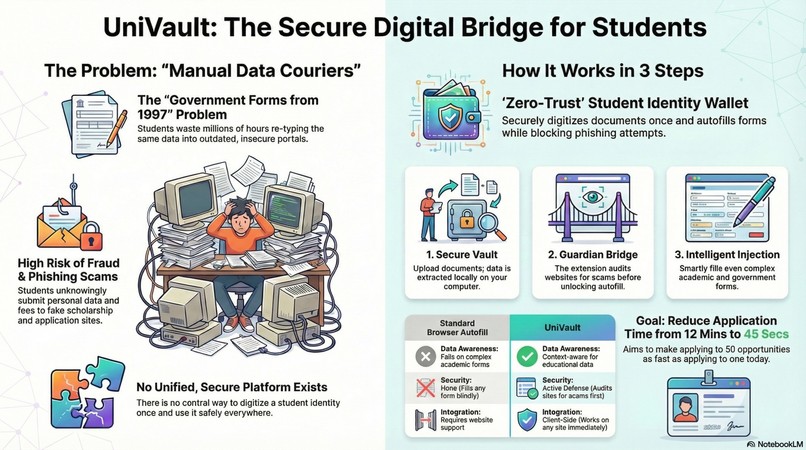
The Infographic
-
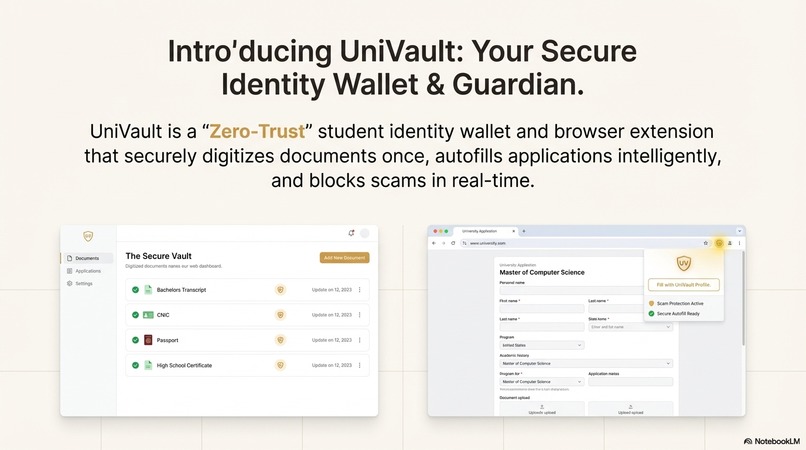
UI Mockup
-
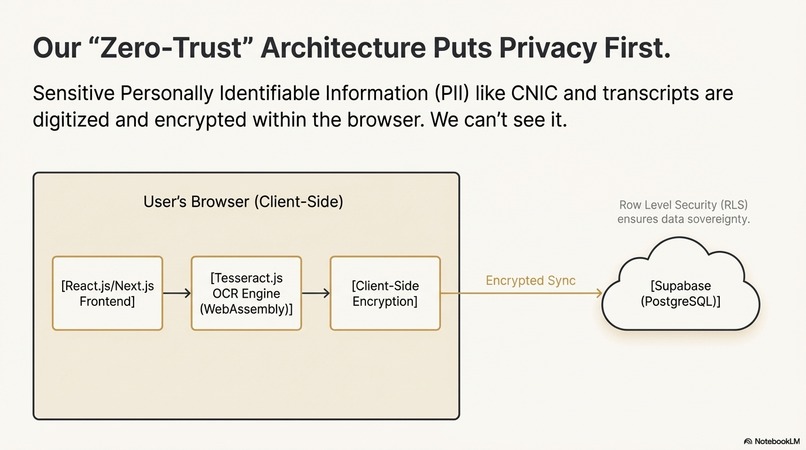
Architecture Diagram
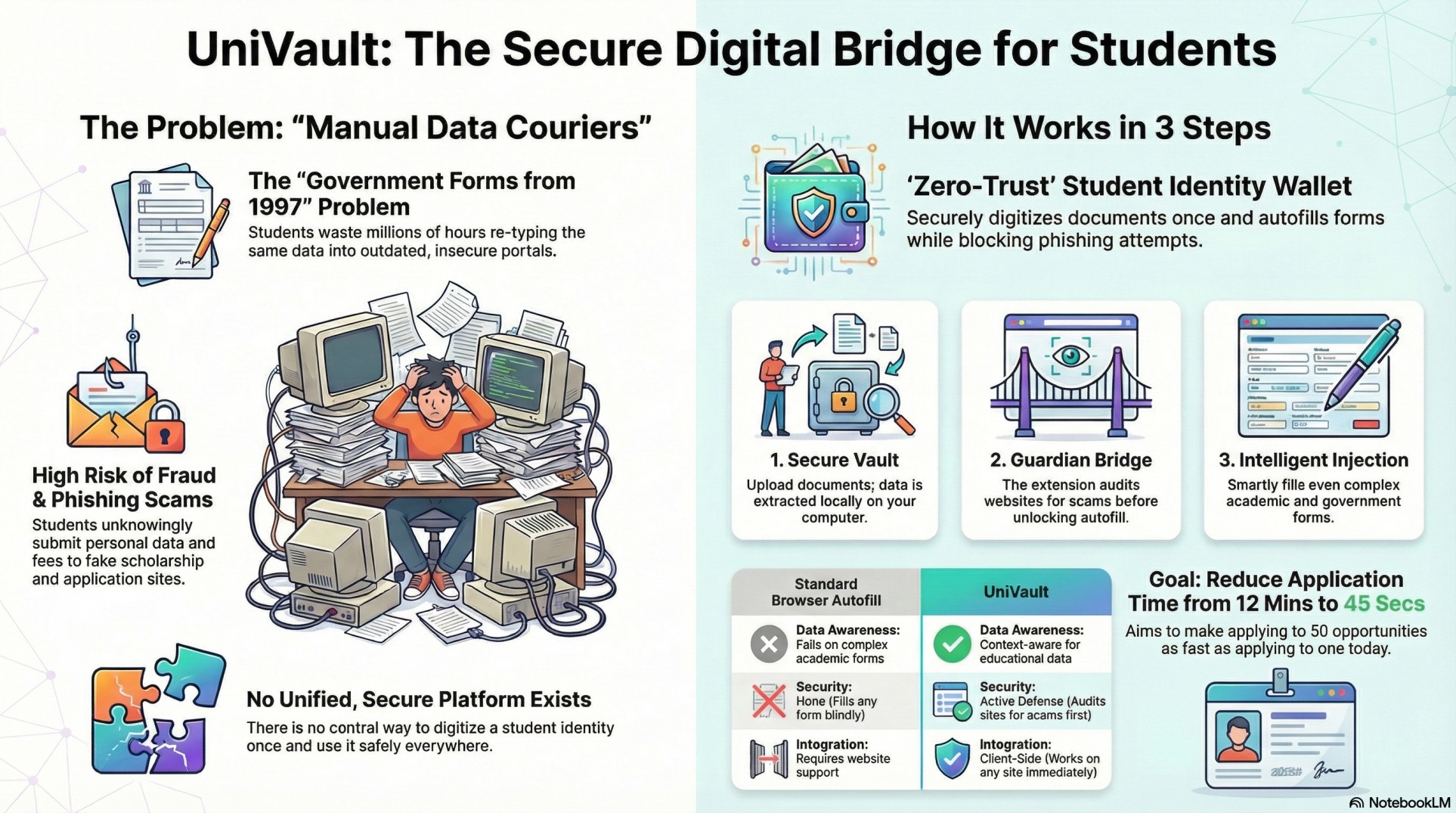
Inspiration: "The 1997 Problem" As a Computer Science student in Pakistan, I realized I was acting as a "manual data courier." Every time I applied for a scholarship, internship, or university seat, I was forced to re-type the exact same sensitive information (CNIC, grades, father s name) into dozens of fragmented, user-hostile portals that look like they haven't been updated since 1997. It wasn't just annoying it was dangerous. In the urge to apply, many students unknowingly submit personal data to fake scholarship sites and phishing scams that look identical to real portals. I realized there was no unified platform that allows a student to digitize their identity once and safely "inject" it into any application form while actively filtering out scams. That's why I built UniVault.
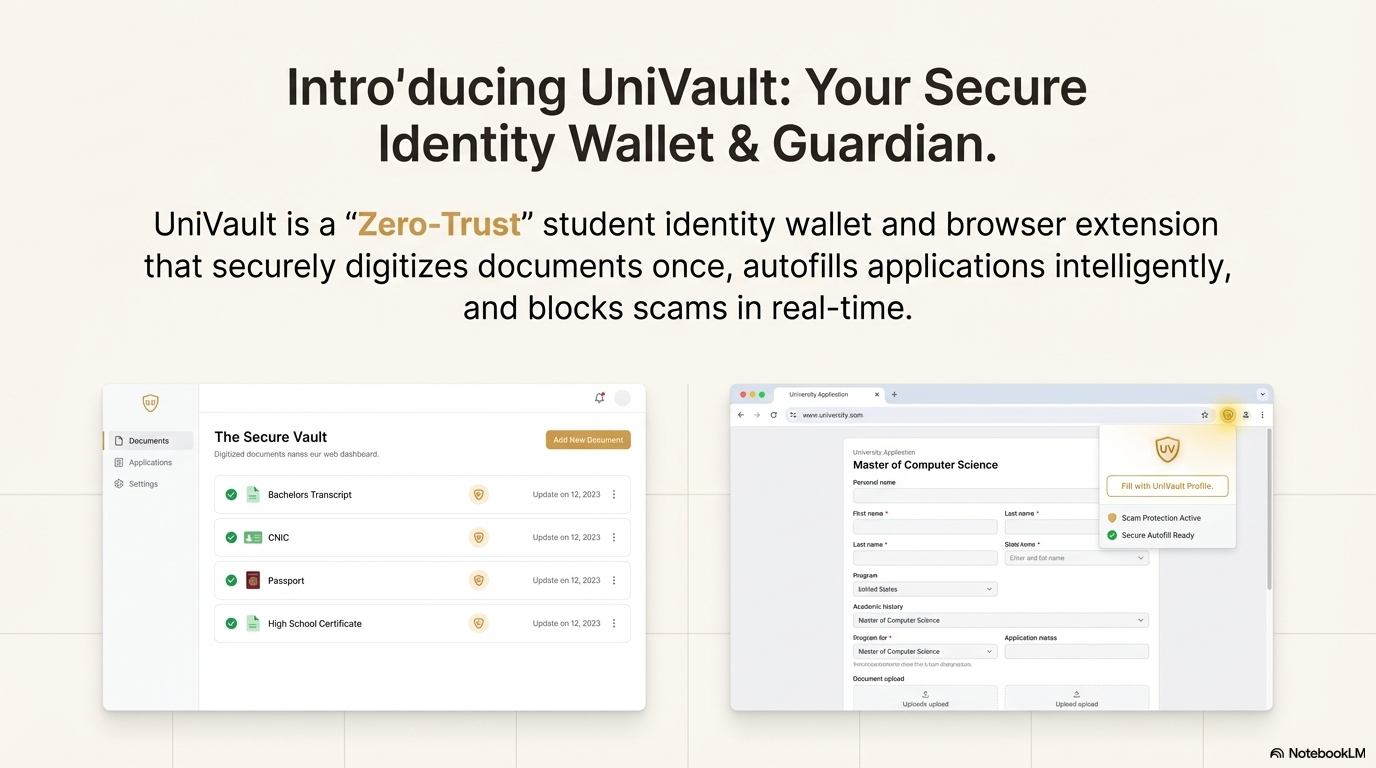
What it does UniVault is a "Zero-Trust" student identity wallet and browser extension that securely digitizes documents once, autofills applications intelligently, and blocks scams in real-time. It solves two massive problems at once: Efficiency and Safety.
The Secure Vault: A web dashboard where students upload transcripts and IDs. Our local-first OCR engine extracts the data (Grades, Name, Address) and encrypts it into a portable "Student Identity JSON."
The Guardian Bridge: A smart browser extension that detects when a user is on an application page. It audits the website for scam signals (domain age, hidden fees) before unlocking the autofill feature.
Intelligent Form Injection: Unlike basic autofill, UniVault uses DOM-level analysis to map complex fields (e.g., distinguishing "Obtained Marks" from "Total Marks") on outdated government portals. The Goal: Reduce the "Time-to-Apply" for a standard 4-page government admission form from 12 minutes to under 45 seconds.
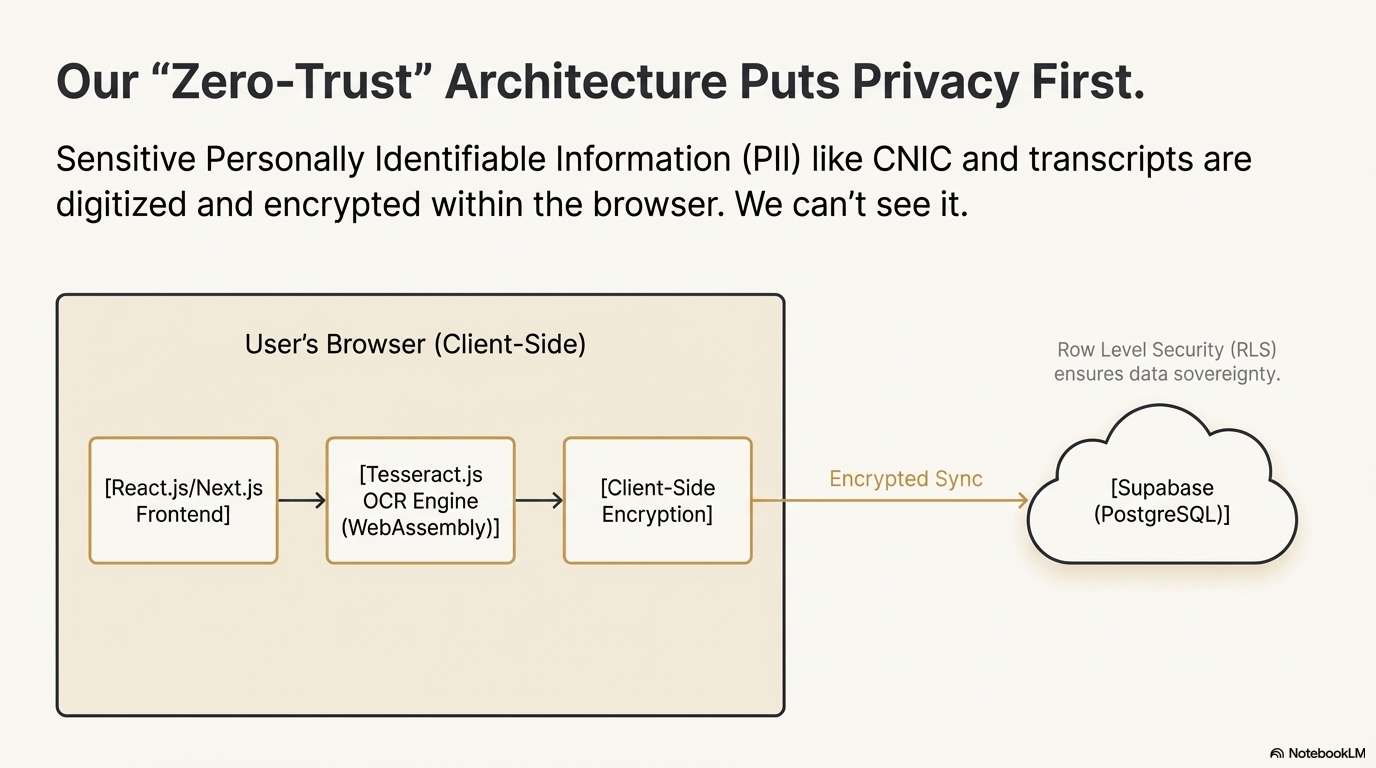
How we built it We prioritized user privacy above everything else. We built a Local-First architecture:
Frontend: Will Built with React.js and Next.js for a responsive Web Dashboard and Browser Extension interface.
OCR Engine: We used Tesseract.js (WebAssembly) to perform text extraction locally in the browser. This ensures sensitive PII (CNIC, Transcripts) is digitized without raw images ever leaving the user's computer.
Backend: We utilized Supabase (PostgreSQL) for syncing encrypted user preferences, using Row Level Security (RLS) to ensure data sovereignty.
Encryption: We implemented Client-Side Encryption so that data is encrypted in the browser before it is ever synced.
Challenges we ran into Evolving Forms: One of the biggest challenges was that government portals often change their HTML field names (e.g., "Father's Name" vs. "S/O"). Hard-coded IDs kept breaking. We solved this by implementing Fuzzy Logic Matching to detect fields based on context rather than just ID.
Privacy Concerns: Convincing students to trust a new platform with their data is hard. We had to design a strict "Zero-Trust" architecture where even we (the UniVault developers) cannot access a student's grades or CNIC number.
Accomplishments that we're proud of Verified Market Gap: Using deep search tools (Perplexity), we scientifically verified that while competitors exist (like Paradym or Trinsic), none offer active, client-side protection for students against scams.
The "Bridge" Logic: Successfully designing an architecture where the browser extension can read data from the secure vault without exposing it to the open web.
Context-Aware Autofill: Creating a logic that is smarter than standard browser autofill, capable of understanding education-specific data like "Semester 5 GPA."
What we learned We learned that the biggest barrier to student opportunity isn't a lack of talent, but friction. By analyzing the market, we discovered that building "Permissionless" tools (Client-Side) is faster and more scalable than waiting for universities to integrate APIs. We also learned the importance of "Active Defense" it is not enough to just fill forms; we must audit the destination to protect vulnerable students from financial loss.
What's next for UniVault We have a clear 3-week roadmap to move from idea to pilot:
Week 1: Build the "Vault" web dashboard to upload and OCR the first transcript using Tesseract.js.
Week 2: Build the Browser Extension to detect input fields on a target URL and inject the OCR'd text from the JSON.
Week 3: Implement the "Scam Shield" logic, checking domain registration dates via Whois API to warn users about high-risk sites.
Built With
- css3
- git
- html5
- javascript
- next.js
- postgresql
- react
- supabase
- tesseract.js
- webassembly

Log in or sign up for Devpost to join the conversation.