-
-
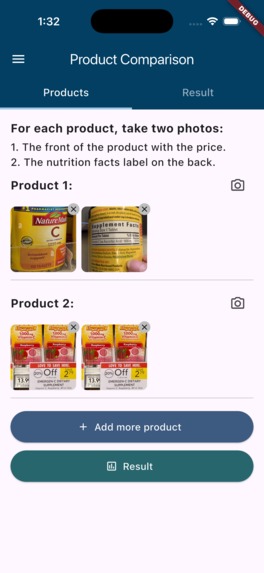
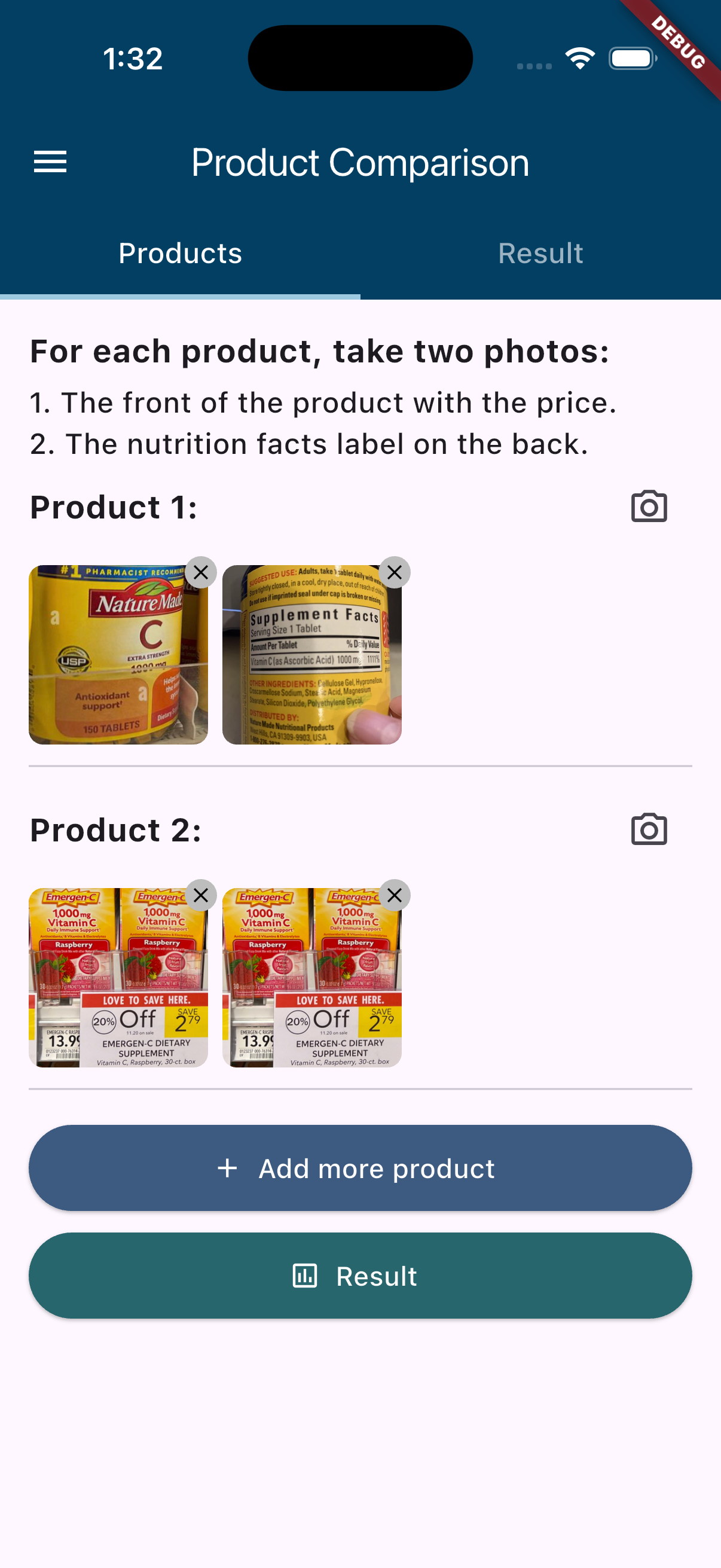
Product comparison page
-
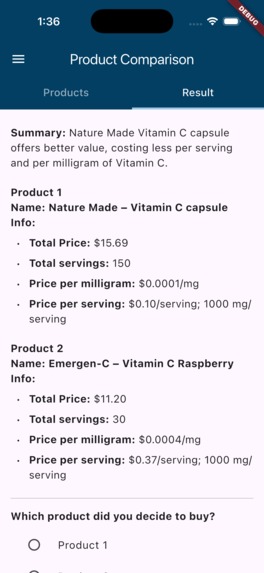
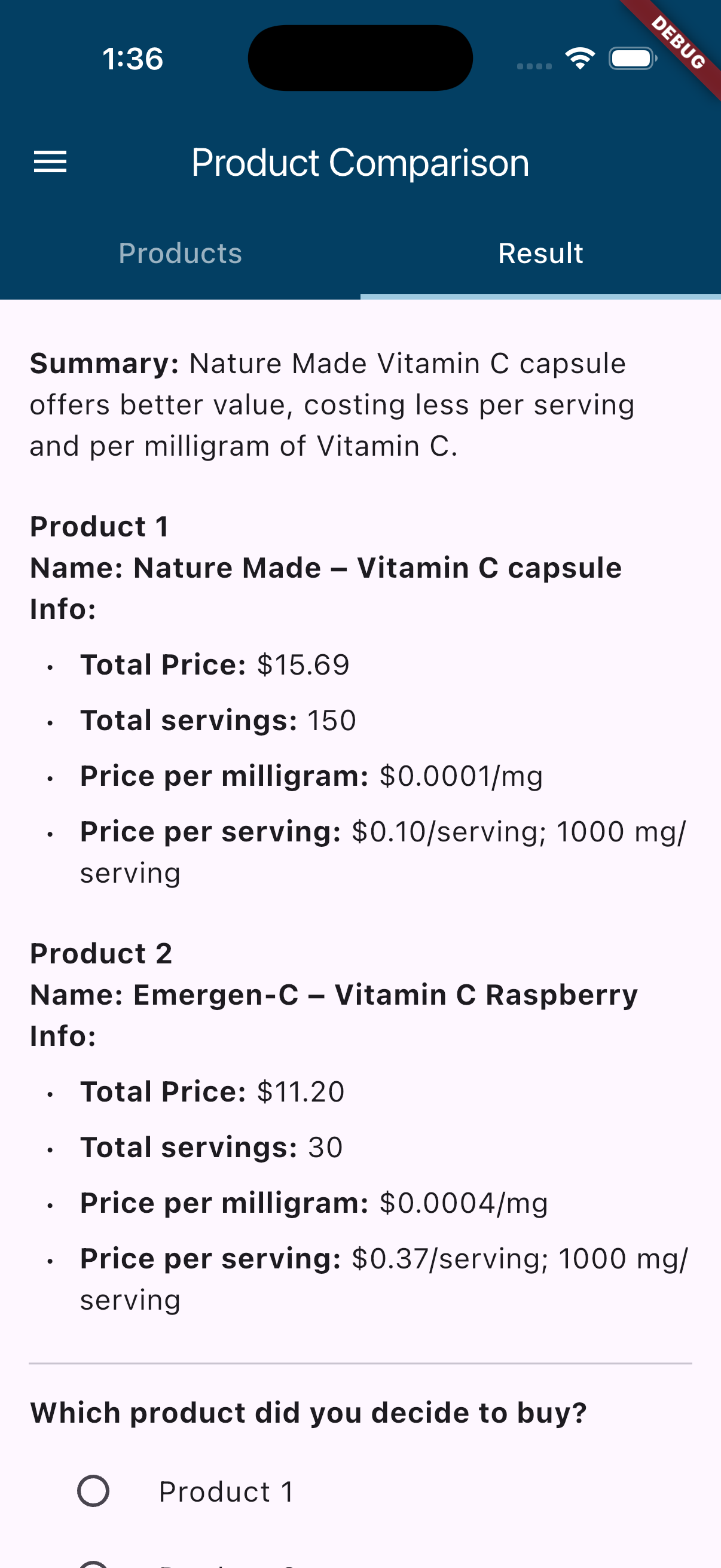
Result page
-
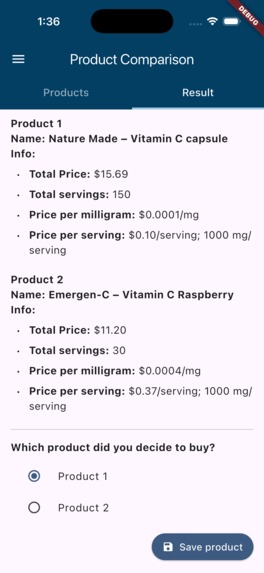
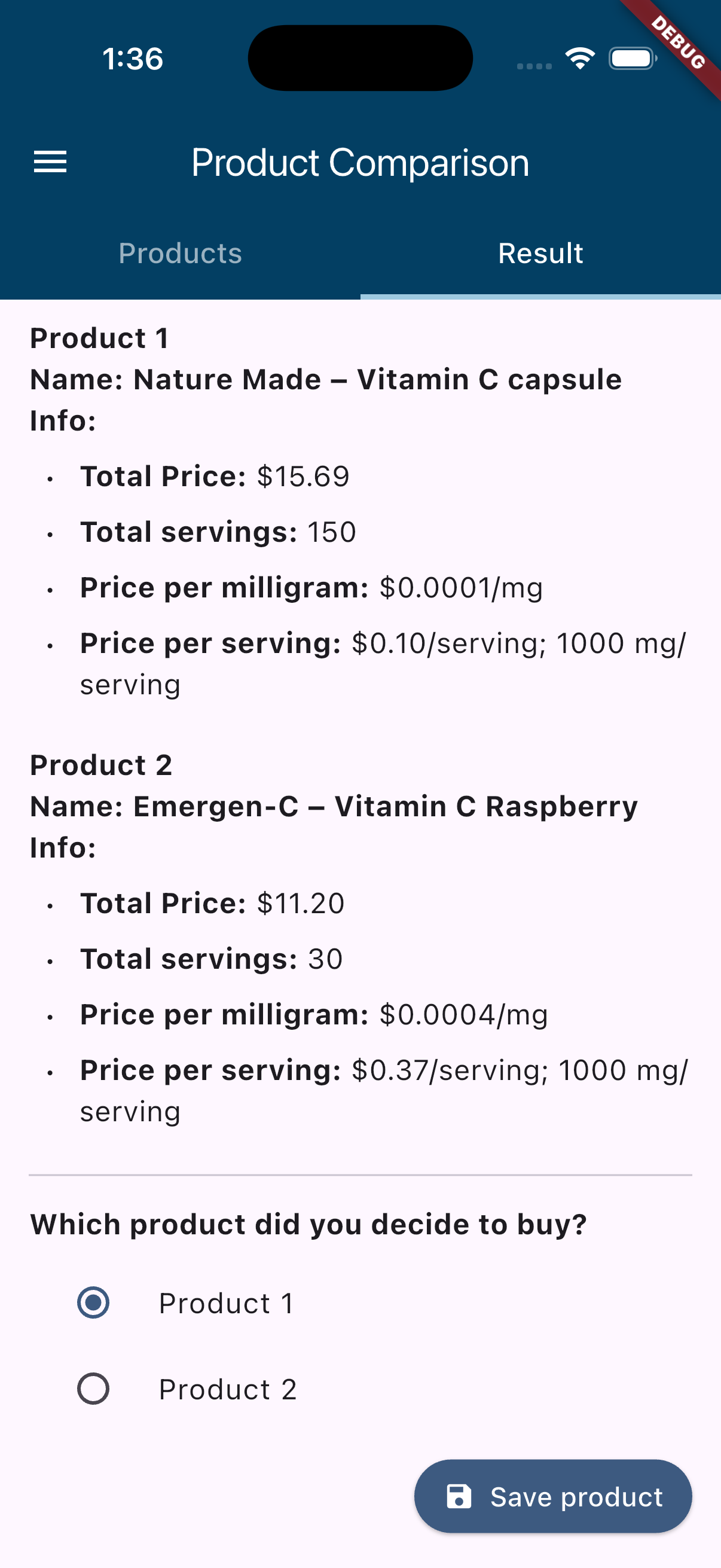
Result with save button page
-

Side menu bar
-
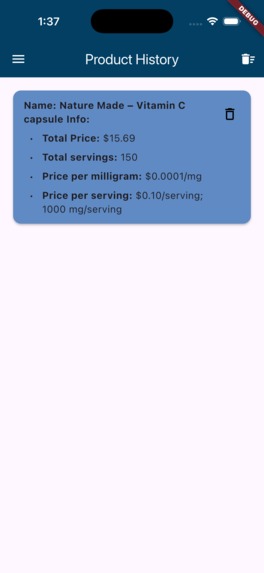
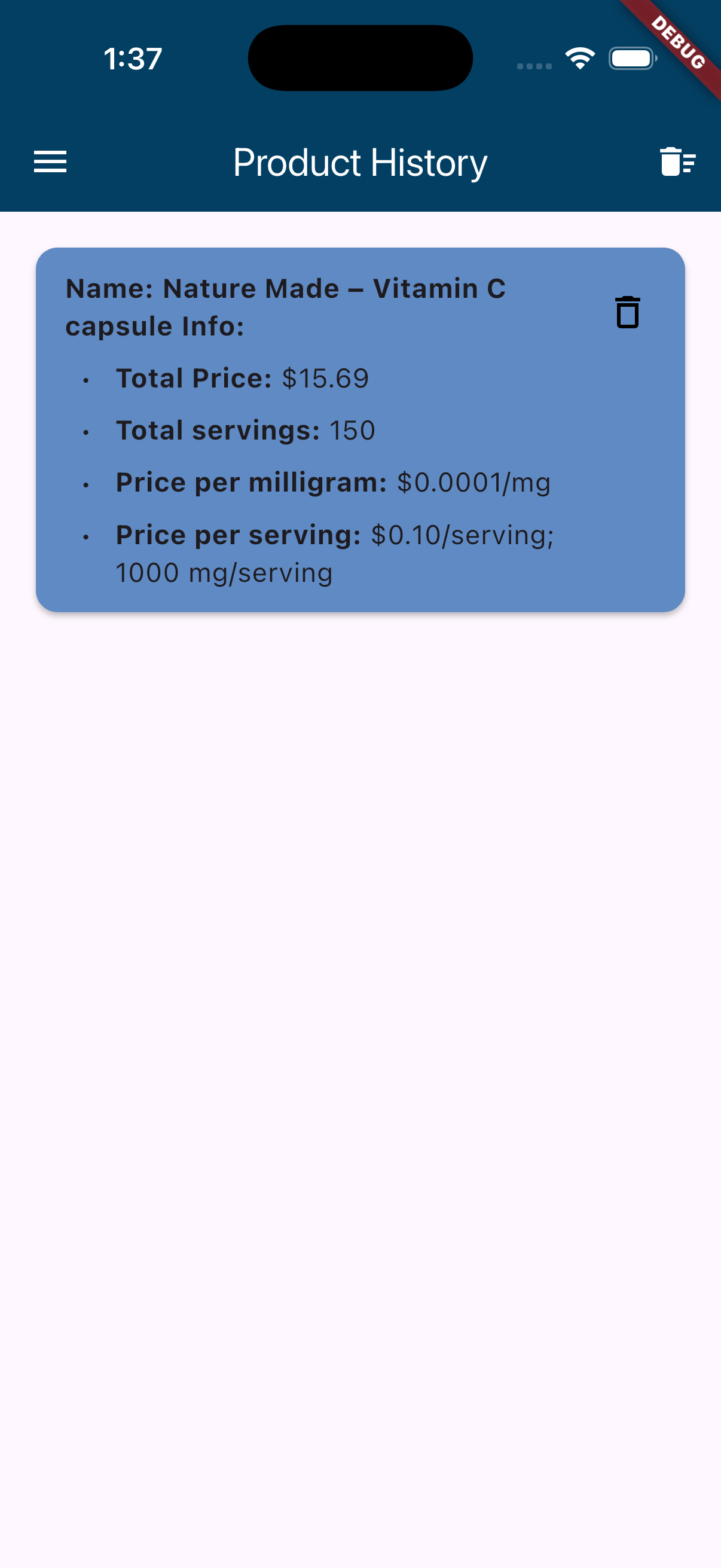
Product history page

UnitWise: Scan the label. See the value.
From label to decision—UnitWise is a mobile app designed to make grocery and supplement shopping smarter and simpler. By combining OCR with AI reasoning, it analyzes product labels and prices, then calculates unit prices (per serving, per mg, or per volume) and recommend the best value option so you never overpay.
Inspiration
Standing in a supermarket, especially the supplement aisle, and trying to compare prices is surprisingly hard. “$15.69 for 150 tablets” vs “$22.49 for 100 caplets + BOGO?” Which is actually cheaper per serving or per mg? UnitWise was born to make that decision obvious in seconds—especially for students on a budget and anyone who wants transparent, apples-to-apples comparisons.
What it does
- Add 2 photos per product (front label + price tag and nutrition facts label).
- Supports up to 3 products per session; products can be added or removed dynamically.
- Uses OCR to read brand, count/size, dosage, and prices.
- Detects supplements vs groceries automatically:
- Supplements: computes total servings, mg per serving, $ per serving, $ per mg.
- Groceries: computes $ per volume using the label’s own units.
- Returns a concise JSON Markdown format with an indexed list (summary, product1, ...).
- The app renders Markdown text and display result.
- Users can select the product they decide to buy and save it to a persistent Product History, accessible anytime.
How we built it
- Frontend: Flutter (Dart).
- API: Firebase Functions, deployed to Cloud Run via Firebase.
- OCR: Google Cloud Vision Documents AI.
- Reasoning: Gemini 2.5 Flash API with a tightly scoped prompt and a JSON schema.
- Output: Summary suggesting the best value option along with summary information of each product.
- Resilience: JSON recovery from noisy LLM output, error display (e.g., HTTP 503), and graceful fallback to text mode.
Challenges
- iOS simulator target & platform toolchains (destination mismatch, iOS platform components).
- HTTP 503/500 when uploads didn’t match expected field names or during cold starts.
- OCR edge cases: low-contrast photos return sparse text; we learned to prompt Gemini with grouped text (“TEXT FOR PRODUCT n”).
- LLM JSON drift: older SDKs didn’t support
response_mime_type; we added version-tolerant generation configs and a fallback JSON extractor to avoidJSONDecodeError. - Brand/keyword extraction: making names human-readable (e.g., same brand but “chewable” vs “capsule”).
- History deduplication: preventing identical decisions from being stored multiple times despite formatting differences.
Accomplishments we’re proud of
- An end-to-end pipeline from camera → OCR → AI reasoning → JSON → Markdown rendering → clear UI → product decision storage.
- Deterministic, short outputs that are actually useful at the shelf.
- Frontend UX that feels natural: simple tabs, clear results, and minimal friction.
- Product History with persistent local storage for long-term value.
What we learned
- Productionizing LLMs ≠ prompt only: enforce schemas, validate, and always have fallbacks.
- Cloud Vision works great—but lighting and framing matter; guiding users improves accuracy.
- Small UX details (e.g., “Total servings” math) build trust.
- Frontend resilience is critical: even when backend fails or outputs malformed JSON, users should see understandable feedback.
What’s next
- Barcode/UPC + retailer APIs to fetch live prices.
- History & favorites; notify when a better deal appears.
- On-device OCR fallback for spotty networks.
- Dark mode for accessibility.
- More visual summaries (charts, color-coded comparisons).
- Multi-language support.
Built With
- dart
- firebase
- flutter
- google-cloud
- llm
- ocr
- python
- vertexai


Log in or sign up for Devpost to join the conversation.