-
-
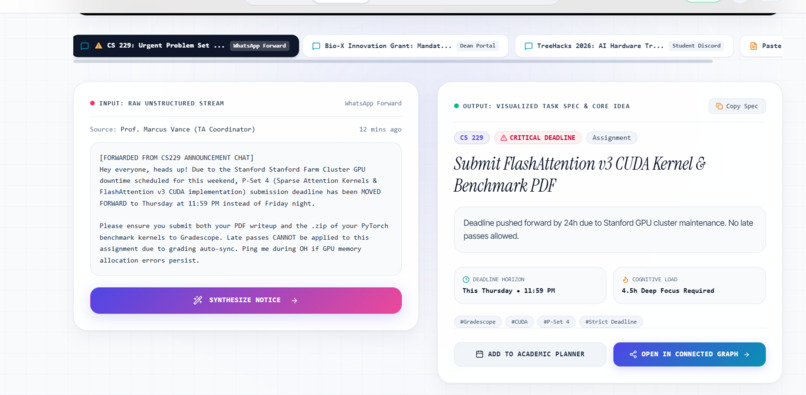
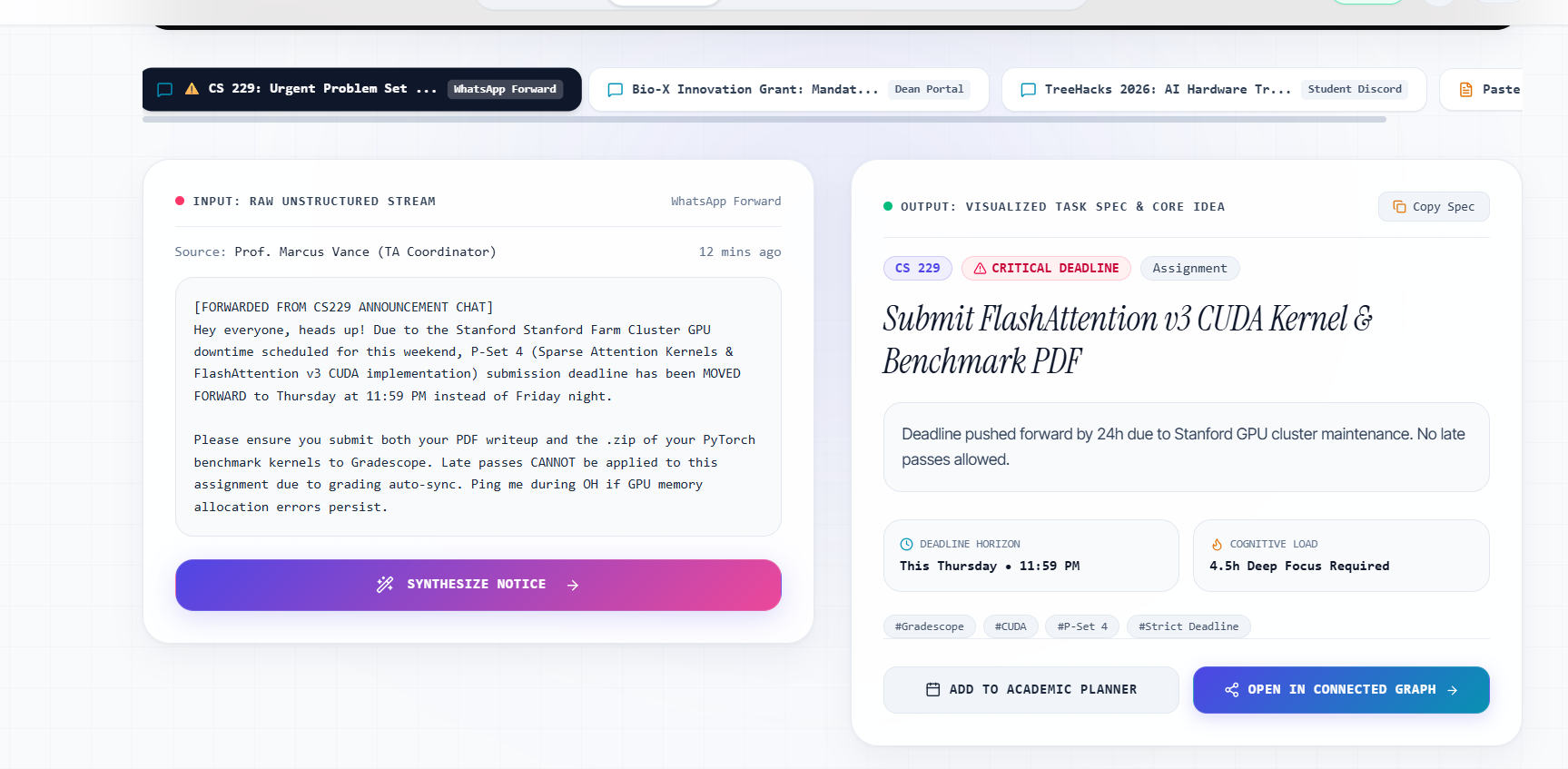
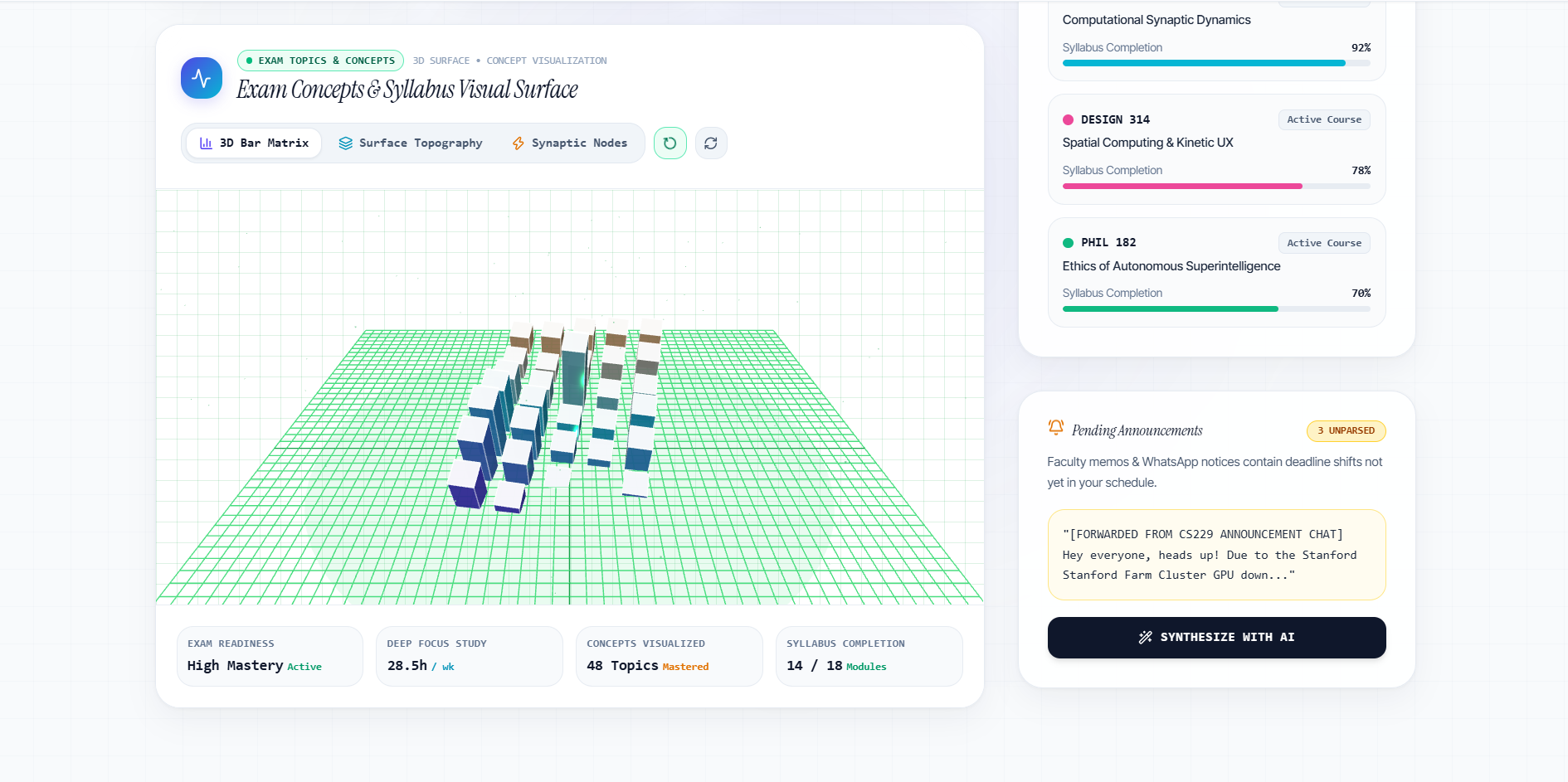
Synthesize Notice — Transforming messy faculty task announcements into structured visual action cards.
-
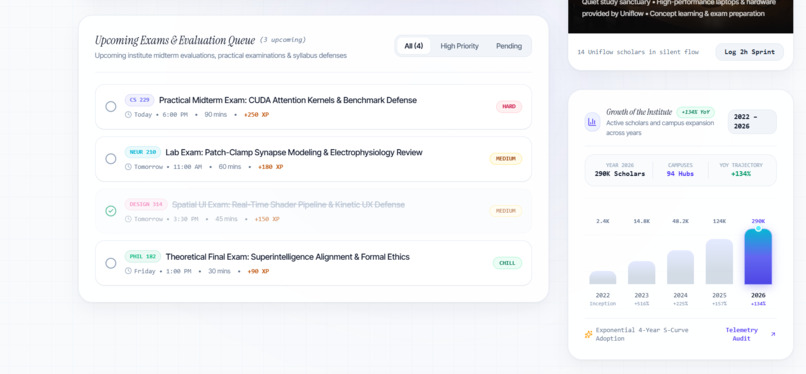
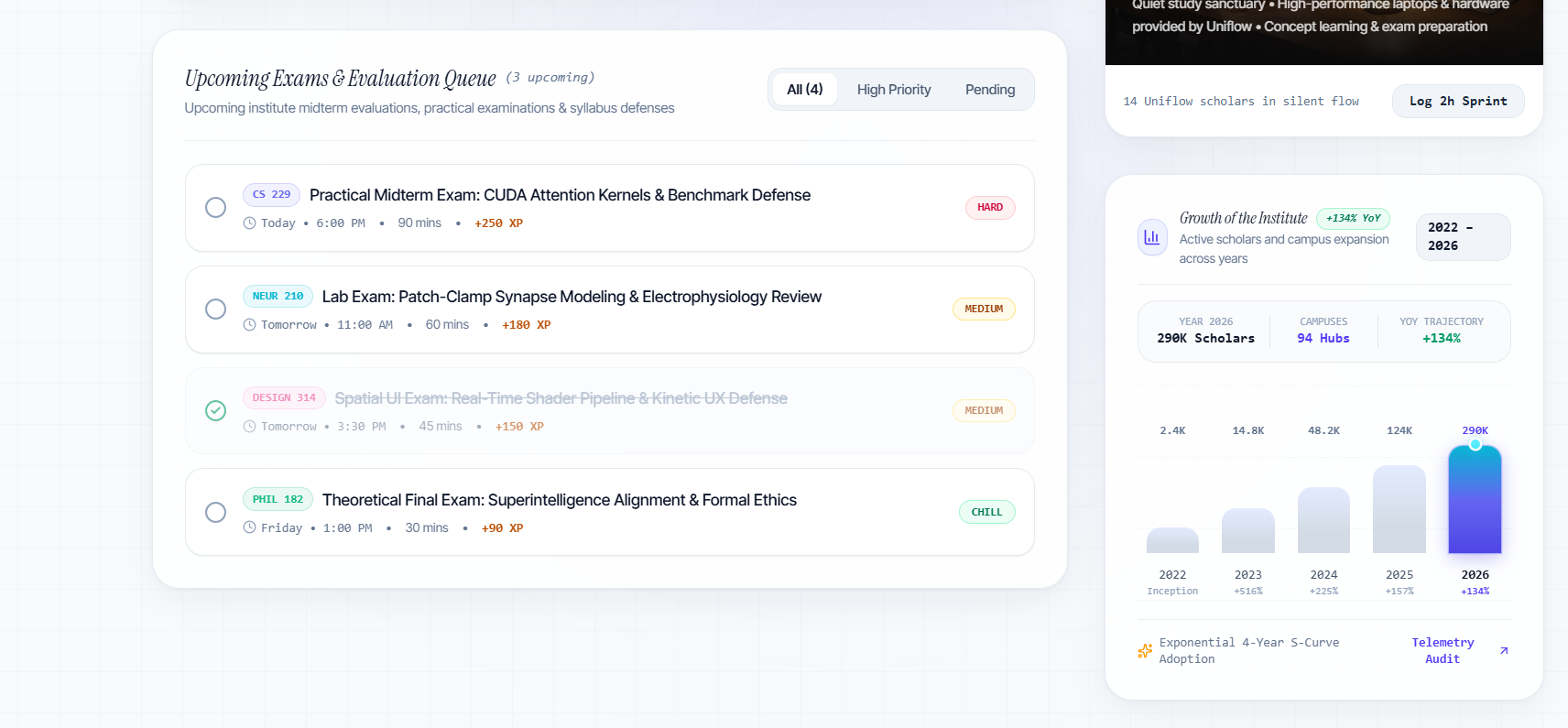
Academic Growth — Institute growth trajectory bar chart and upcoming evaluation queue.
-
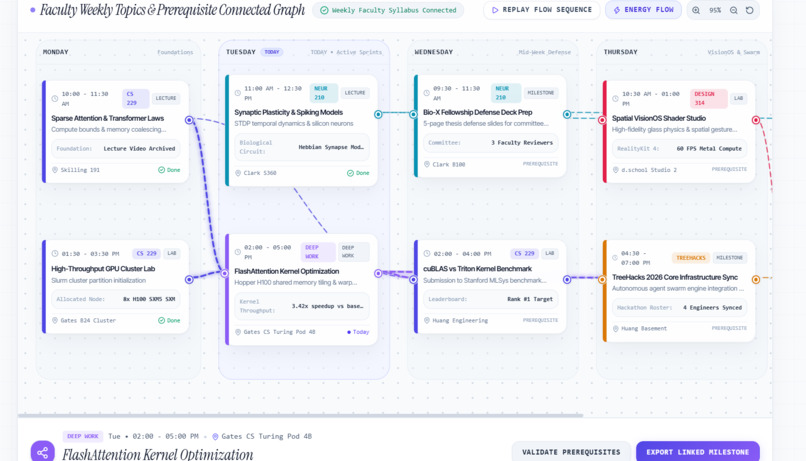
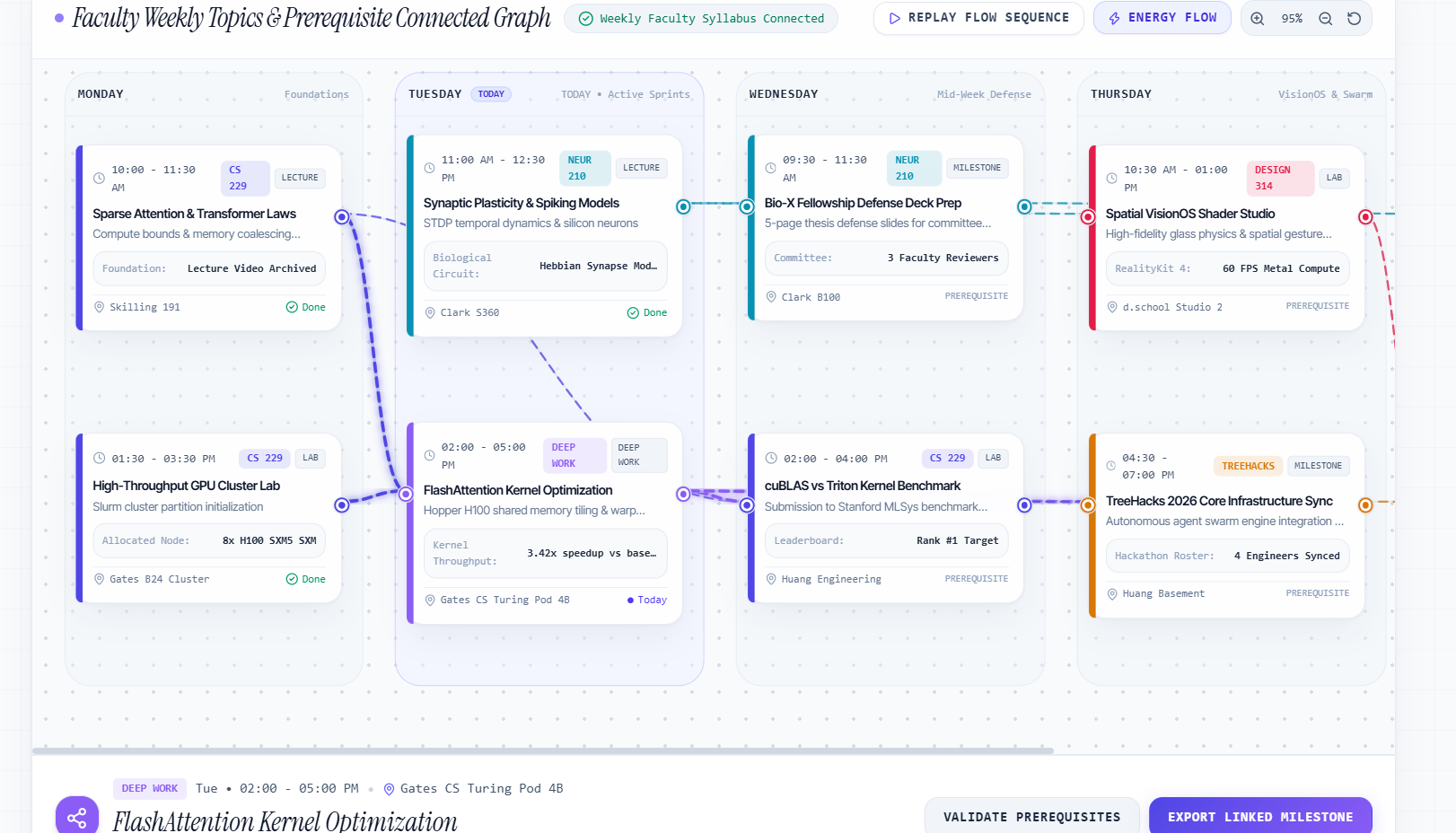
Curriculum Pipeline — Interactive node graph mapping semester subjects into applied concept pipelines.
-
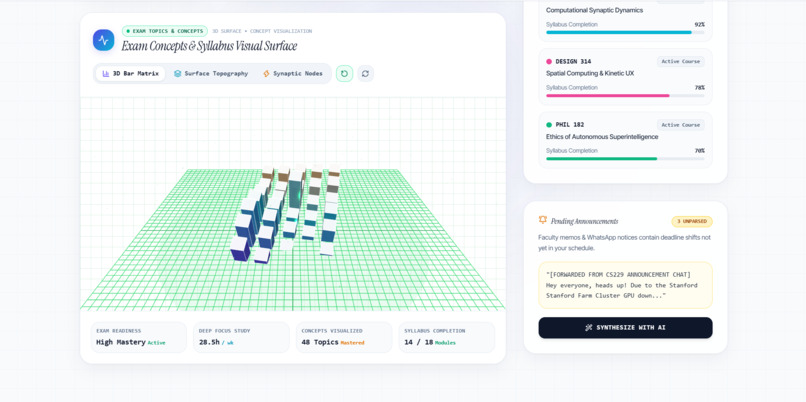
Dashboard — 3D interactive exam concept surface, syllabus completion tracking, and upcoming classes.
-
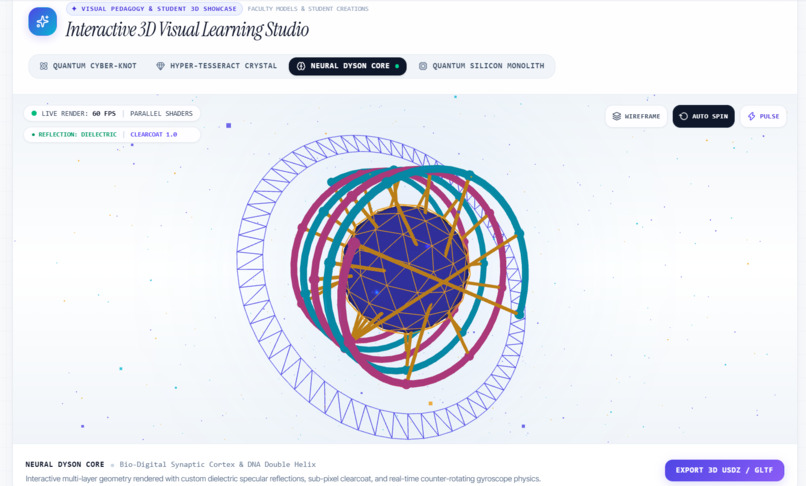
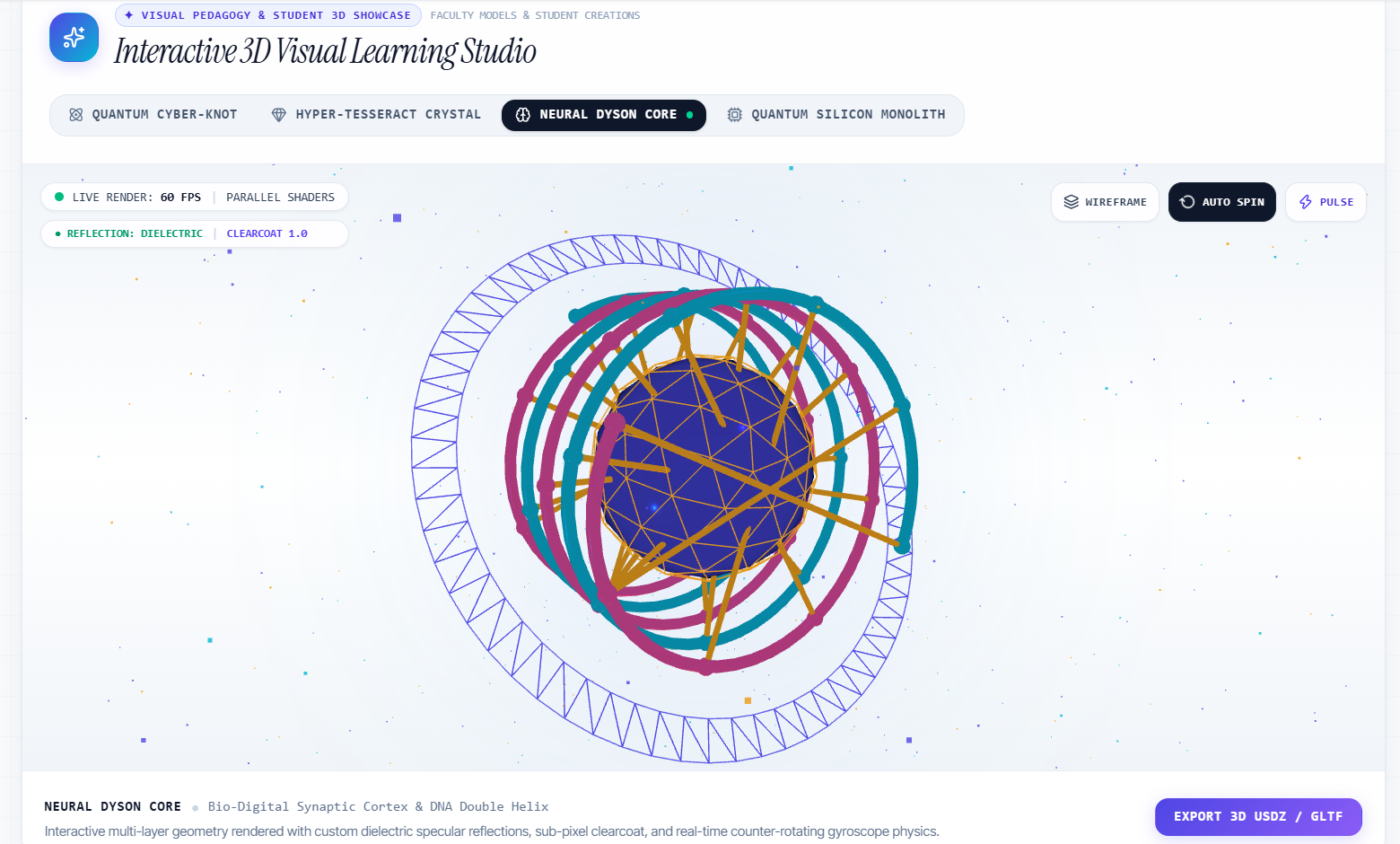
3D Studio — Real-time spatial engine where faculty teach visually and top students showcase 3D models.
-
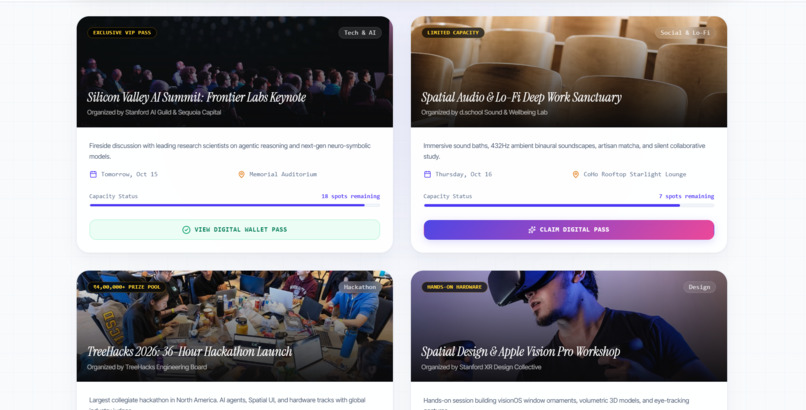
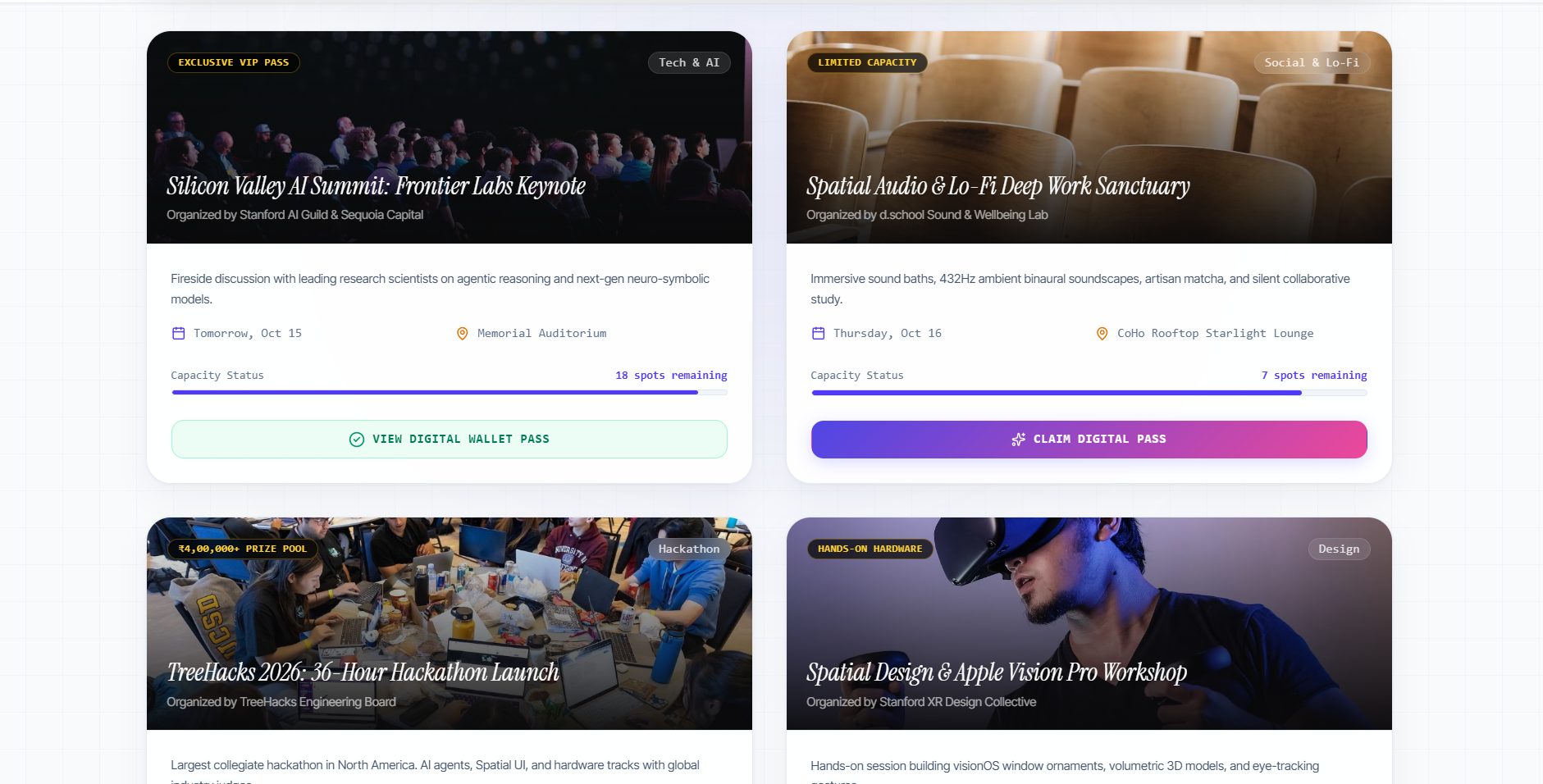
Campus Radar — Event discovery hub with authenticated digital passes for hackathons and seminars.
-
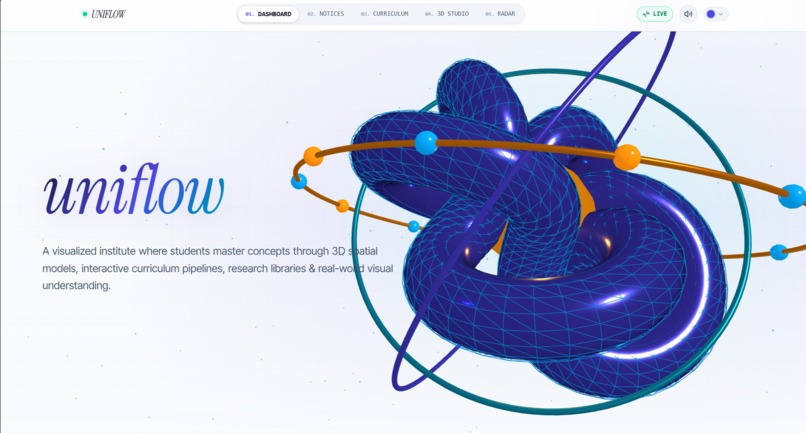
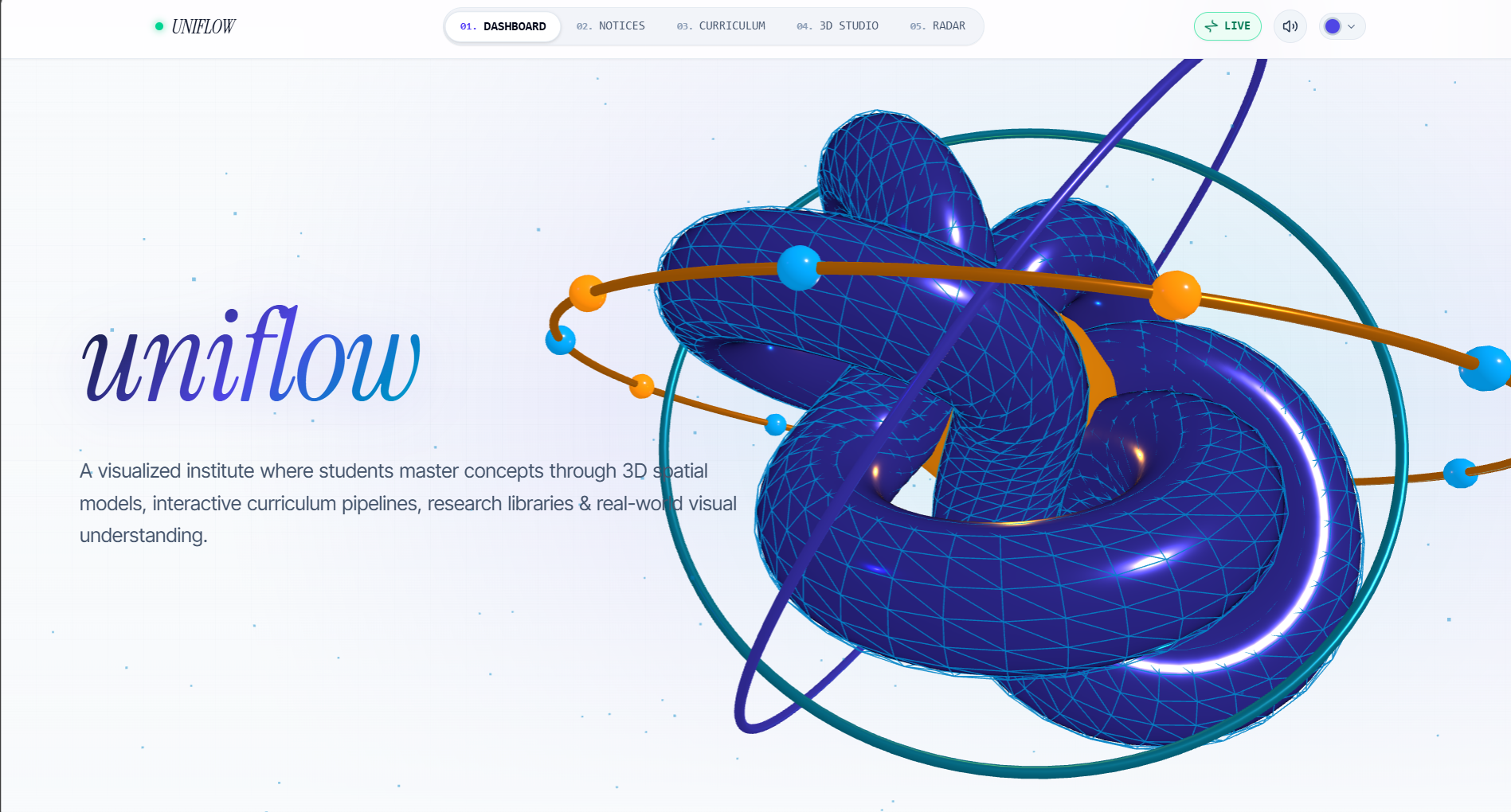
Uniflow Hero — Real-time interactive 3D WebGL spatial model running at 60 FPS.
Experience UniFlow
For the best visual experience, open this website on a laptop or desktop.
Inspiration
Traditional education is broken by text-dense textbooks, 50-page syllabus PDFs, and messy, unstructured faculty assignment announcements that overwhelm students. While humans process visual information 60,000 times faster than text, universities still teach abstract physics, computer science, and engineering through static 2D slides.
We asked ourselves: What if an institute was built from the ground up around visual-first pedagogy?
That sparked Uniflow — a next-generation Visualized Learning Institute where every concept is taught, experienced, and applied visually through real-time 3D spatial models, interactive curriculum pipelines, student hardware labs with provided workstations, and automated visual task synthesis.
What it does
Uniflow transforms the academic experience into an intuitive, high-performance visual operating canvas:
Interactive 3D Concept Surface: A real-time Three.js WebGL engine right on the dashboard where complex topological concepts and physics models are rendered with dielectric specular reflections, counter-rotating gyroscopes, and interactive cursor physics at 60 FPS. Synthesize Notice: Solves the "messy announcement" problem. With one click, it ingests unstructured faculty assignment directives and transforms them into clean, structured visual action cards with clear submission parameters, benchmarks, and lab requirements. Visual Curriculum & Academic Pipeline: Weekly Topics: Core syllabus topics faculty teach across each week. Daily Concepts: Granular subtopic breakdowns scheduled throughout each day's lectures. Curriculum Pipeline: An interactive multi-stage node graph linking semester subjects and topics into an assembled visual tree. 3D Spatial Studio & Student Showcase: A spatial studio where faculty demonstrate complex theories visually, and students who build top premium 3D models showcase their work for peer review and real-world Vision Pro testing. Campus Radar & Digital Event Pass: A discovery hub for campus hackathons, research keynotes, and hardware workshops, featuring dynamically generated digital passes with QR verification. Hardware Labs & Study Sanctuaries: Telemetry and tracking for provided student laptops, high-performance hardware workstations, and silent high-density library research pods.
How we built it
We engineered Uniflow with a modern, production-grade frontend architecture:
Framework & Core: React 19, TypeScript, and Vite for fast client rendering and strict type safety. 3D Graphics & Physics: Three.js and raw WebGL shaders handling custom counter-rotating orbital gimbals, specular reflections, and ambient particle clouds running at a silky-smooth 60 FPS. Styling & Design System: Tailwind CSS with custom luxury frosted-glass styling (backdrop-blur), balanced editorial typography (Instrument Serif paired with Inter Tight and monospace telemetry), and custom light-theme palettes. Motion & Navigation: Framer Motion for luxury spring transitions, paired with an instant scroll-restoration lifecycle so every tab instantly loads from the starting position without scroll lag. Micro-Interactions & Audio: Custom Web Audio API synthesized oscillators providing tactile audio feedback (clicks, pops, and celebrations) with zero external asset latency. Deployment: Live on Vercel (https://dazzling-faraday-teal.vercel.app) with code versioned on GitHub (https://github.com/indiasccss-ux/uniflow).
Challenges we ran into
Hardware-Accelerated WebGL Performance: Embedding complex, multi-geometry 3D models directly inside a responsive React component hierarchy without causing GPU thermal throttling or memory leaks. We solved this with rigorous Three.js geometry disposal and efficient requestAnimationFrame loops. Scroll Management in Single-Page Architecture: With deep, feature-rich views, users navigating across tabs would often land halfway down the page. We implemented manual scroll restoration overrides and instant scroll locks on animation mounts so every view loads directly from the top. Designing for Clarity, Not Clutter: Finding the exact balance between cutting-edge visual telemetry and clean readability. We iteratively stripped out distracting animation artifacts (like ghost radar ping ripples) in favor of solid, crisp indicators and clean negative space.
Accomplishments that we're proud of
Flawless 60 FPS 3D WebGL Execution: Seamless, lag-free procedural 3D model interaction right in the browser with zero external 3D libraries or pre-rendered videos. End-to-End Cohesive Story: Every single screen, from the Curriculum Pipeline to the Notice Synthesizer, strictly adheres to the core mission: visualized concepts applied to real-world engineering. Zero-Defect Build: Maintained strict TypeScript compilation (tsc -b) and a clean production bundle throughout all rapid iterations. One-Click Live Deployment: Deployed globally with instant public access on Vercel and version control on GitHub.
What we learned
How to integrate WebGL procedural meshes with reactive UI state to make educational tools genuinely engaging rather than purely informational. The psychological impact of micro-interactions — spatial audio clicks, crisp transitions, and haptic confetti create an emotional connection with the software. The importance of visual hierarchy when designing complex dashboards: high-level visual summaries first, granular data details on demand.
What's next for Uniflow
WebXR & VisionOS Spatial Mode: Full WebXR support to project 3D studio lecture models directly into Apple Vision Pro and Meta Quest headsets. AI-Powered Concept Model Generator: Allowing professors to input lecture notes and automatically generate interactive 3D WebGL visual concepts. Multiplayer Virtual Hardware Labs: Real-time peer collaboration rooms where cohort students can manipulate and inspect shared 3D engineering models together. Campus Expansion: Rolling out Uniflow's visual academic pipeline across universities and global student hackathon ecosystems.


Log in or sign up for Devpost to join the conversation.