🧠 ungithub
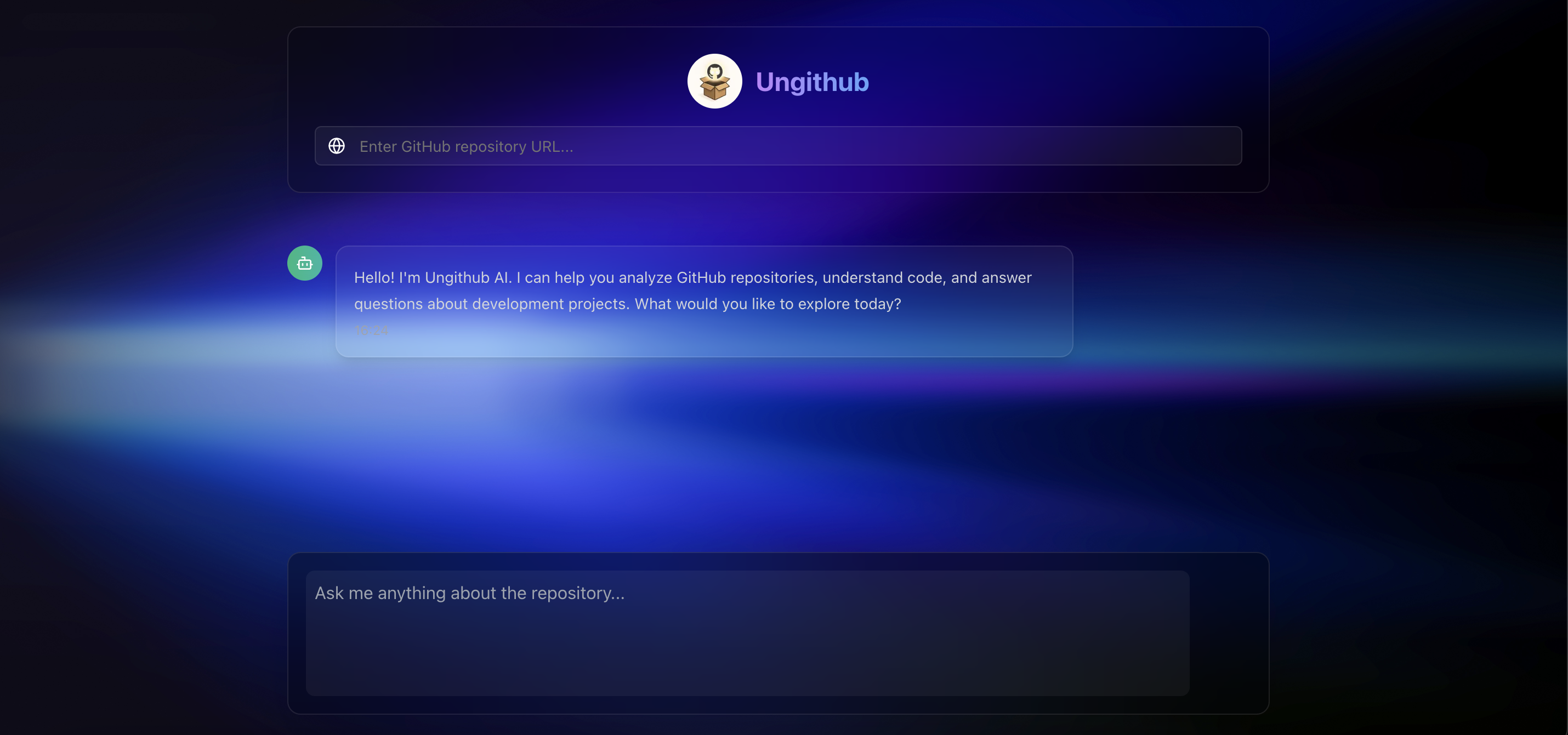
AI-powered codebase insight explorer - <!-- just replace github.com with ungithub.com (DOMAIN CURRENTLY NOT PURCHASED) --> Go to ungithub.vercel.app, to unlock instant, smart analysis of any public repository.
Example:
🔗https://github.com/jayanth920/t2s-s2t
becomes
🔍https://ungithub.vercel.app/jayanth920/t2s-s2t
- Indexing takes just a few seconds to minutes depending on the repository size and backend startup. Once indexed, answers are delivered instantly.
🚀 What is ungithub?
ungithub helps you deeply understand any open-source project with the help of AI. Whether you're onboarding to a new codebase or just exploring, simply paste a GitHub URL <!-- (or replace github with ungithub) (CURRENTLY DOMAIN NOT PURCHASED, GO TO THE Website) -->to paste repo url and get:
- 🔍 Auto-summarized repo insights
- 🧠 AI-generated explanations of files, folders, and logic
- 🧩 Embedding-based search across the entire repo
- 📎 Ask questions about the code like ChatGPT - but repo-specific
Youtube Video
🛠️ Tech Stack
| Layer | Tech |
|---|---|
| Backend | Python, FastAPI |
| AI & Embedding | OpenAI / Gemini, LangChain, SentenceTransformers |
| Database | MongoDB Atlas (Vector Search) |
| Frontend (optional) | Next.js, Tailwind CSS |
| Hosting | Vercel (frontend), Render/Fly.io (backend) |
| Repo Cloning | GitHub API / git |
🧰 Features (Phase-wise)
✅ Phase 1: Project Setup & Planning
- [x] Create a new GitHub repo (public, with a clear README)
- [x] Initialize backend folder structure (Python/FastAPI or Node.js)
- [x] Initialize frontend folder structure (Next.js, optional)
- [x] Add .gitignore, LICENSE, basic README
- [x] Set up MongoDB Atlas cluster with Vector Search enabled
- [x] Set up OpenAI or Gemini API key access
✅ Phase 2: Repository Cloning & Parsing
- [x] Create CLI or backend script to clone a public GitHub repo using GitPython or subprocess
- [x] Recursively scan cloned repo for
.js,.ts,.py,.java,.go, etc. files - [x] Filter out
node_modules,.git,__pycache__,build, etc. - [x] For each file:
- [x] Read file content
- [x] Store file path and language
- [x] Split into code chunks (use LangChain TextSplitter or custom logic)
- [x] Associate each chunk with metadata (filepath, repo name, lang, etc.)
- [x] Save chunks locally in JSONL or memory for now
✅ Phase 3: Embeddings + MongoDB Vector Search Integration
- [x] Choose embedding model (OpenAI, HuggingFace, Gemini)
- [x] Generate embeddings for each code chunk
- [x] Connect to MongoDB Atlas (Python:
pymongo+pymongo.vector_search) - [x] Create schema:
- [x] Fields: content, filepath, language, embedding (vector), repo name, etc.
- [x] Insert chunk docs into MongoDB collection
- [x] Create vector index on the embedding field
- [x] Test vector search: query for “auth middleware” or “database connection”
✅ Phase 4: AI Search + Summary Endpoint
- [x] Create FastAPI or Express route:
POST /query - [x] Input: natural language question + repo ID
- [x] Perform vector search using MongoDB Atlas
- [x] Return top-k chunks as context
- [x] Pass context + query to LLM to generate a summary/answer
- [x] Return final answer with citations (file paths)
- [x] Test endpoint with: “How is login handled?”, “Where is JWT used?”
✅ Phase 5: Optional Frontend
- [x] Scaffold a basic Next.js frontend
- [x] Build form: Enter GitHub URL → triggers backend clone & index
- [x] Build query input: Ask a question about the code
- [x] Display AI result with file references
- [x] List extracted endpoints, env vars, tech stack
- [x] Add loading states and error handling
- [x] Deploy frontend to Vercel (or keep CLI-only)
✅ Phase 6: Polish, Test, and Submit
- [x] Write clean README with install/setup/run instructions
- [x] Add screenshots or Loom demo
- [x] Record 3-min demo video (host on YouTube/Vimeo)
- [x] Host backend (e.g., Render, Railway, Google Cloud Run)
- [x] Host frontend (e.g., Vercel)
- [x] Add project + repo URLs to Devpost
- [x] Submit before June 17 @ 4:00 PM CDT
📦 Local Development
Backend (FastAPI)
cd backend
python -m venv venv
source venv/bin/activate  # or .\venv\Scripts\activate on Windows
pip install -r requirements.txt
uvicorn main:app --reload
🌐 Frontend (Next.js)
cd frontend
npm install
npm run dev
🌍 Deployment
- Frontend: Vercel ungithub.vercel.app
- Backend: Render
- Database: MongoDB Atlas with Vector Search enabled
🧠 Inspiration
Most devs struggle with onboarding into large codebases. We want to make codebases self-explanatory - like a smart dev mentor embedded into the repo itself.
🤝 Contributing
PRs are welcome! Feel free to fork this repo and open issues for bugs or features.
📄 License
🙌 Built For
AI in Action Hackathon (Google x MongoDB x GitLab)

Log in or sign up for Devpost to join the conversation.