Inspiration
Fraud review is usually trapped between noisy rules and dense tables. We wanted to build something a real trust-and-safety reviewer could use immediately: fast, explainable, visual, and focused on confident decisions instead of raw model output.
What it does
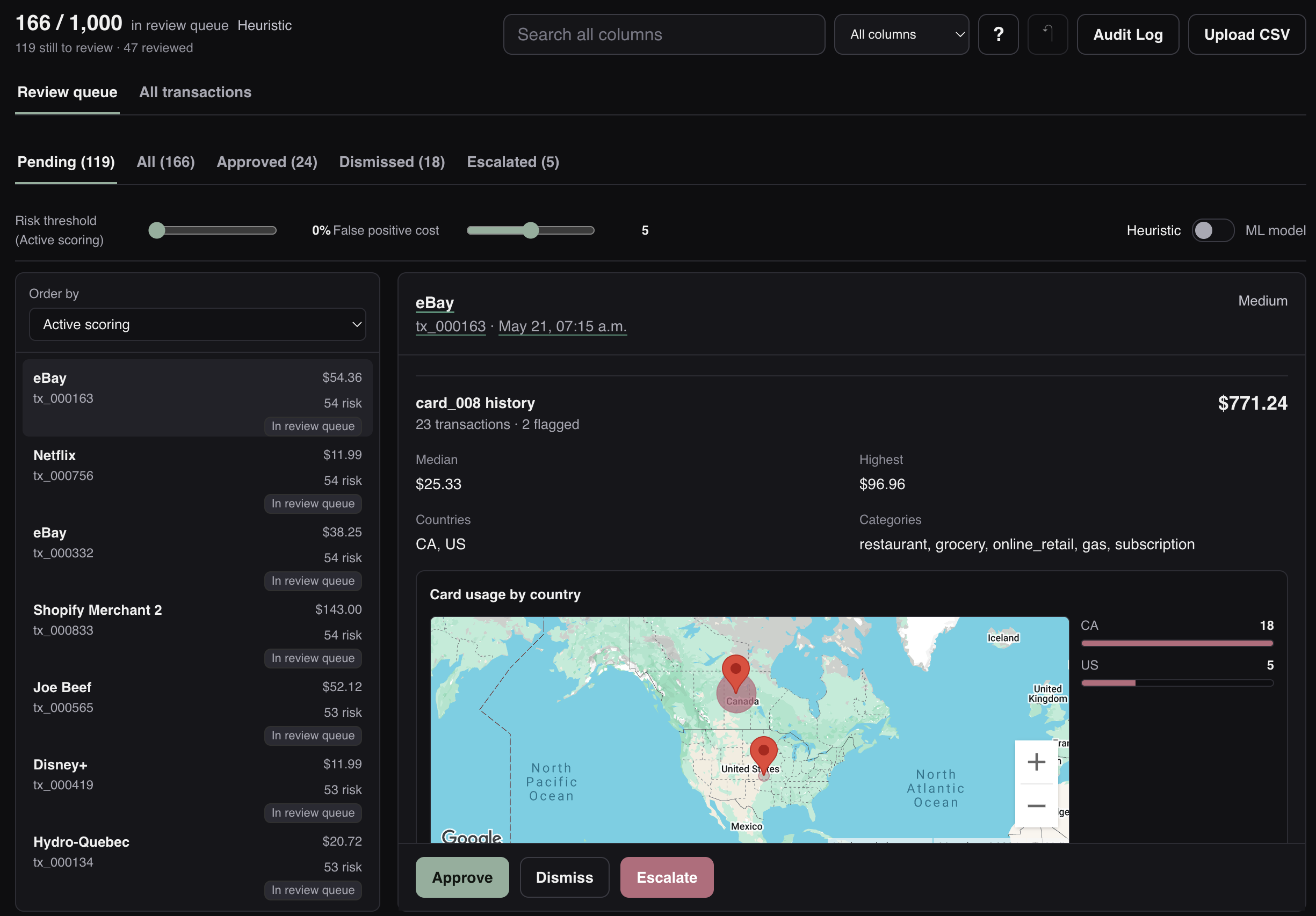
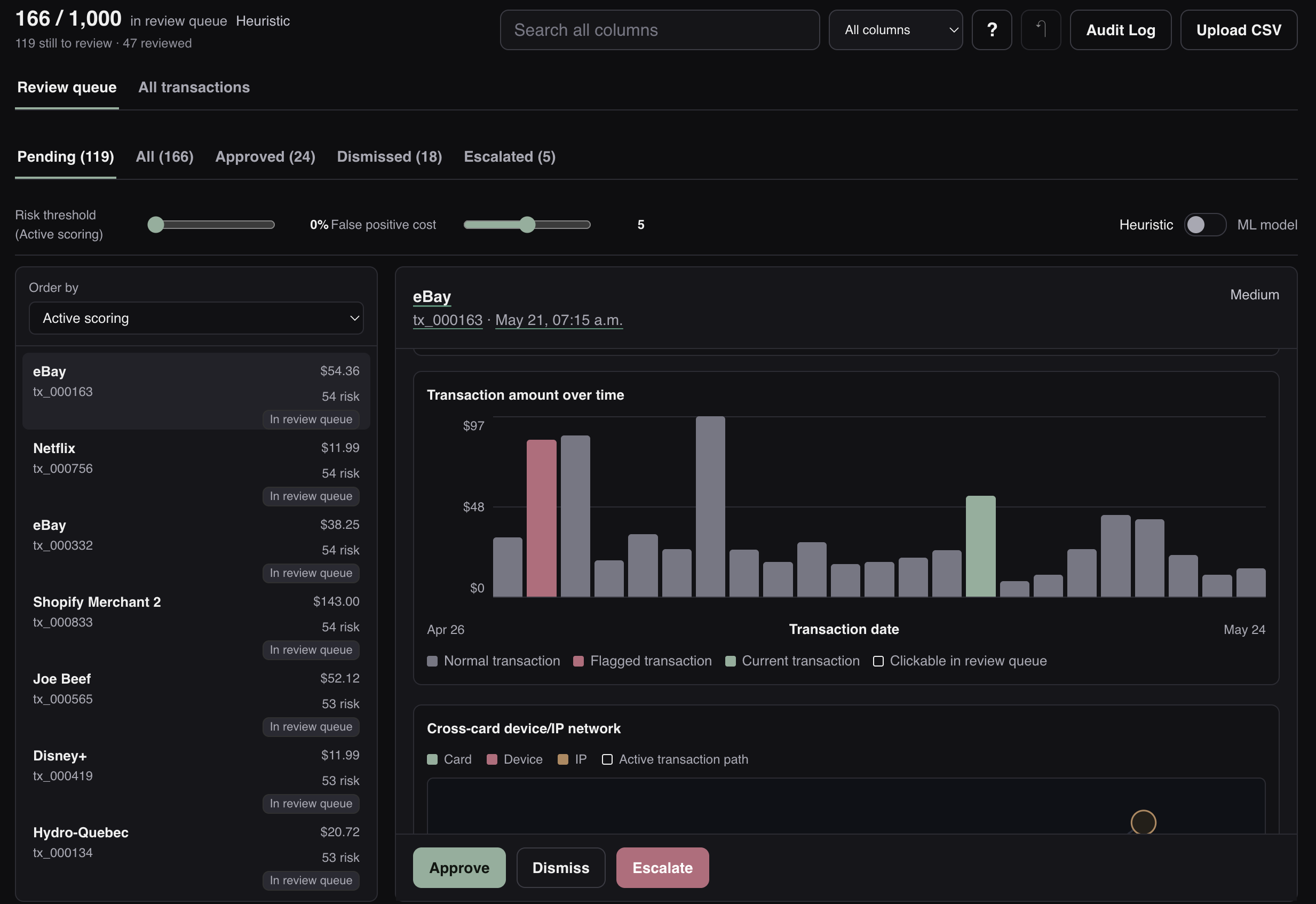
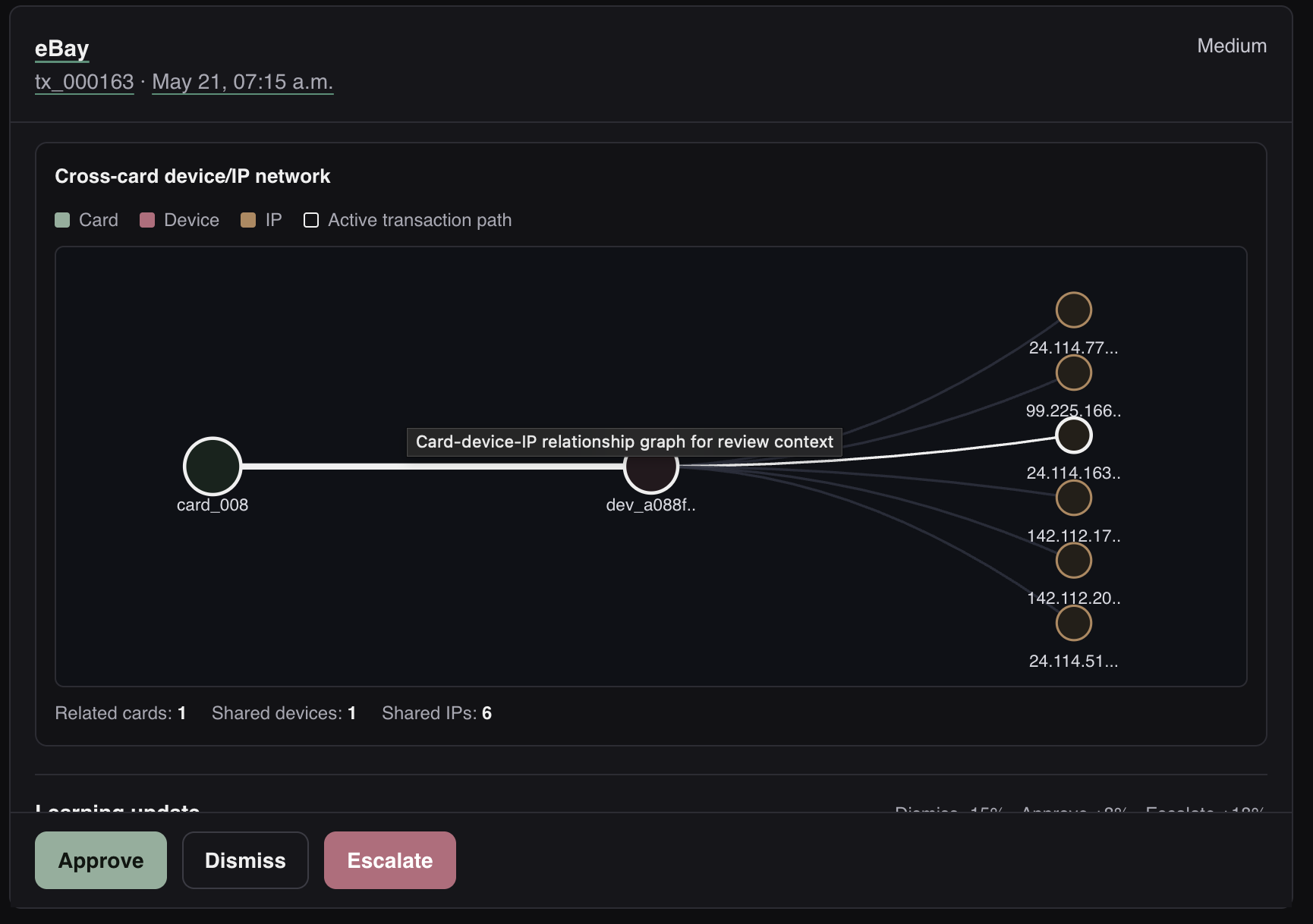
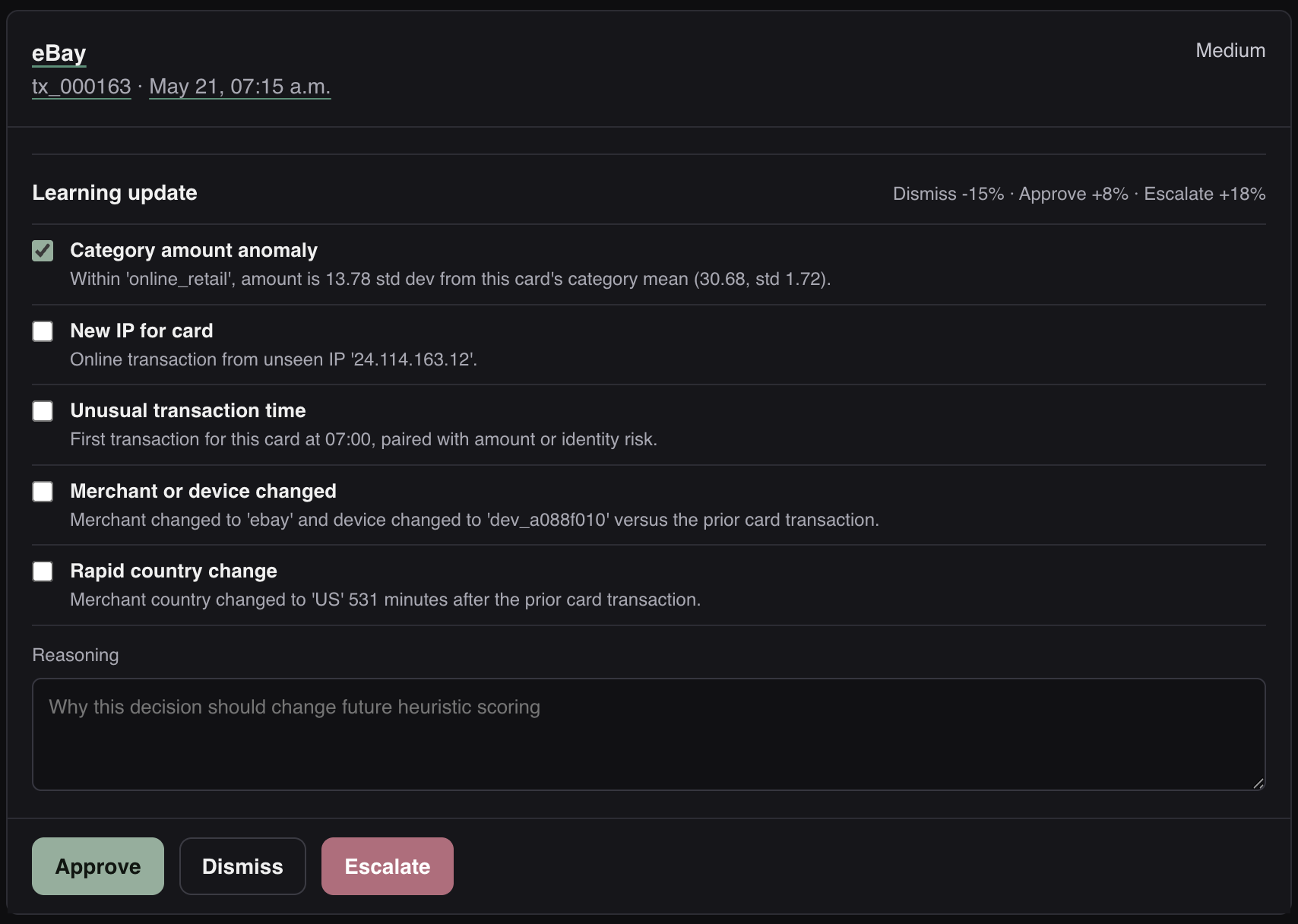
Unfraudify ingests the transaction CSV, scores every transaction for fraud risk, and explains each flag with human-readable reasons. Reviewers get a keyboard-driven queue to approve, dismiss, or escalate cases, with card history charts, country usage maps, and an interactive card-device-IP network graph to reveal suspicious cross-card patterns.
How we built it
We built a FastAPI backend that computes per-card baselines, amount anomalies, new device/IP/category/country signals, merchant bursts, and shared device/IP behavior across cards. The React/Vite frontend turns those signals into a review workflow with search, filters, undo, audit history, CSV export, and contextual visualizations.
Challenges we ran into
The hardest part was balancing precision and recall without over-flagging normal edge cases. Another challenge was making fraud explanations useful to a non-technical reviewer, especially when the strongest signal came from cross-card behavior rather than a single transaction.
Accomplishments that we're proud of
We’re proud that this is more than a suspicious transaction table. It has an actual review flow, clear explanations, keyboard triage, persistent review decisions, exportable results, and multiple visual tools: transaction history bars, Google Maps country overlays, and a relationship graph for shared devices and IPs.
What we learned
We learned that fraud detection is only half the product. The reviewer experience matters just as much: a good score needs context, a clear reason, and a fast path to action. We also saw how important cross-card aggregation is, because some fraud patterns are invisible when each card is analyzed alone.
What's next for Unfraudify
Next, we’d calibrate thresholds against labeled outcomes, persist review sessions in a database, add reviewer notes and bulk actions, expand automated tests, and explore a feedback loop where reviewer decisions tune the queue in real time.

Log in or sign up for Devpost to join the conversation.