Inspiration
Reading papers and lecture slides is hard. They aren't engaging, and they're often hard to understand. With AI you can easily feed a paper to an LLM, but LLMs struggle to explain it well, because their main way of communicating is text: you get a wall of summary instead of an explanation. The best explanations we've had came from a good lecturer at a whiteboard. They build the idea up piece by piece, point at the exact line in the source, and stop the moment you look confused. We wanted that experience for any document, on demand.
What it does
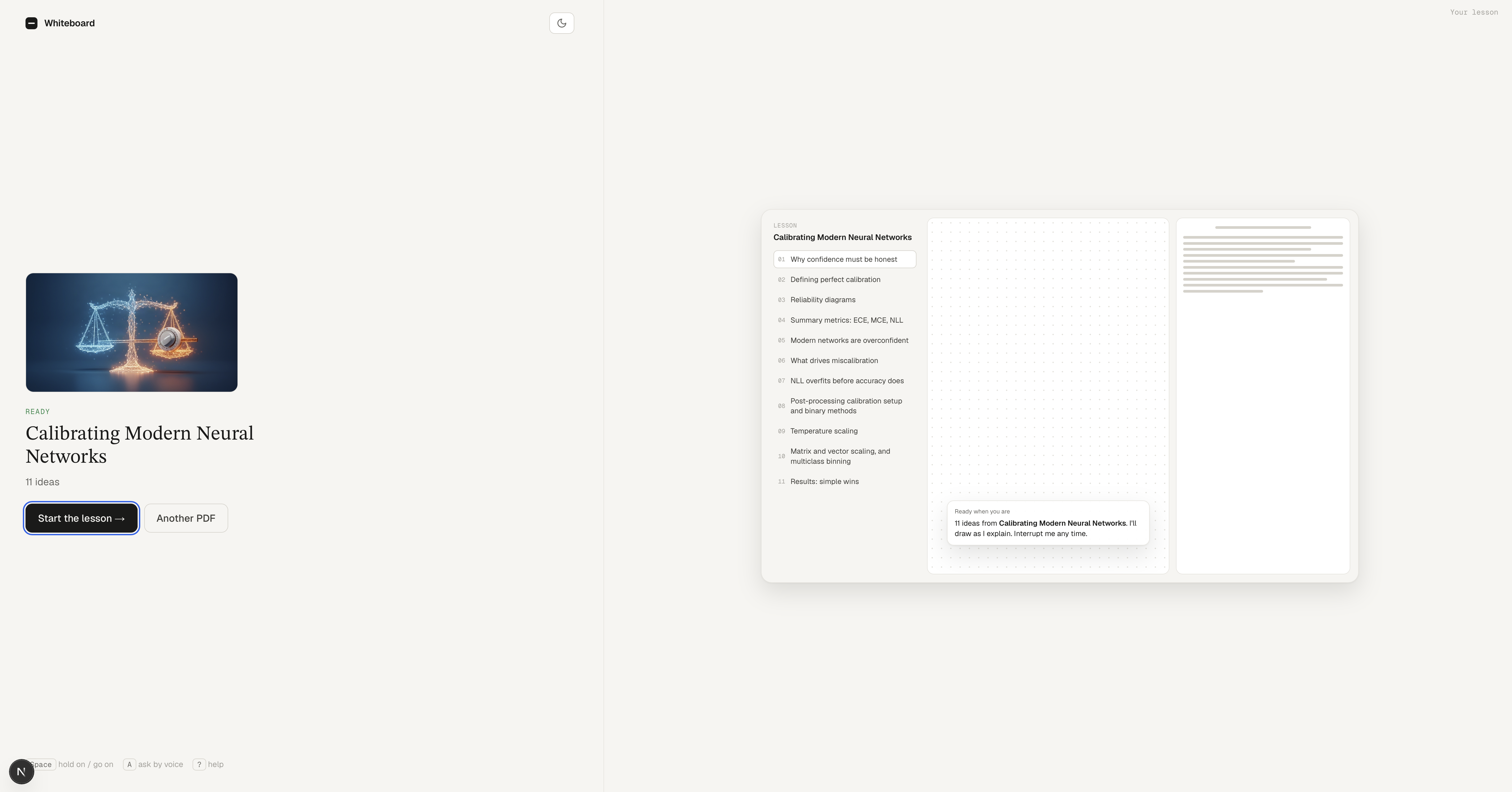
Unfolded turns any long PDF (a research paper, a report, lecture notes, a book chapter) into a live lesson taught on a whiteboard.
- Upload a PDF and get a lesson plan in about 20 seconds. The document is broken into a sequence of ideas, and the first one starts playing shortly after.
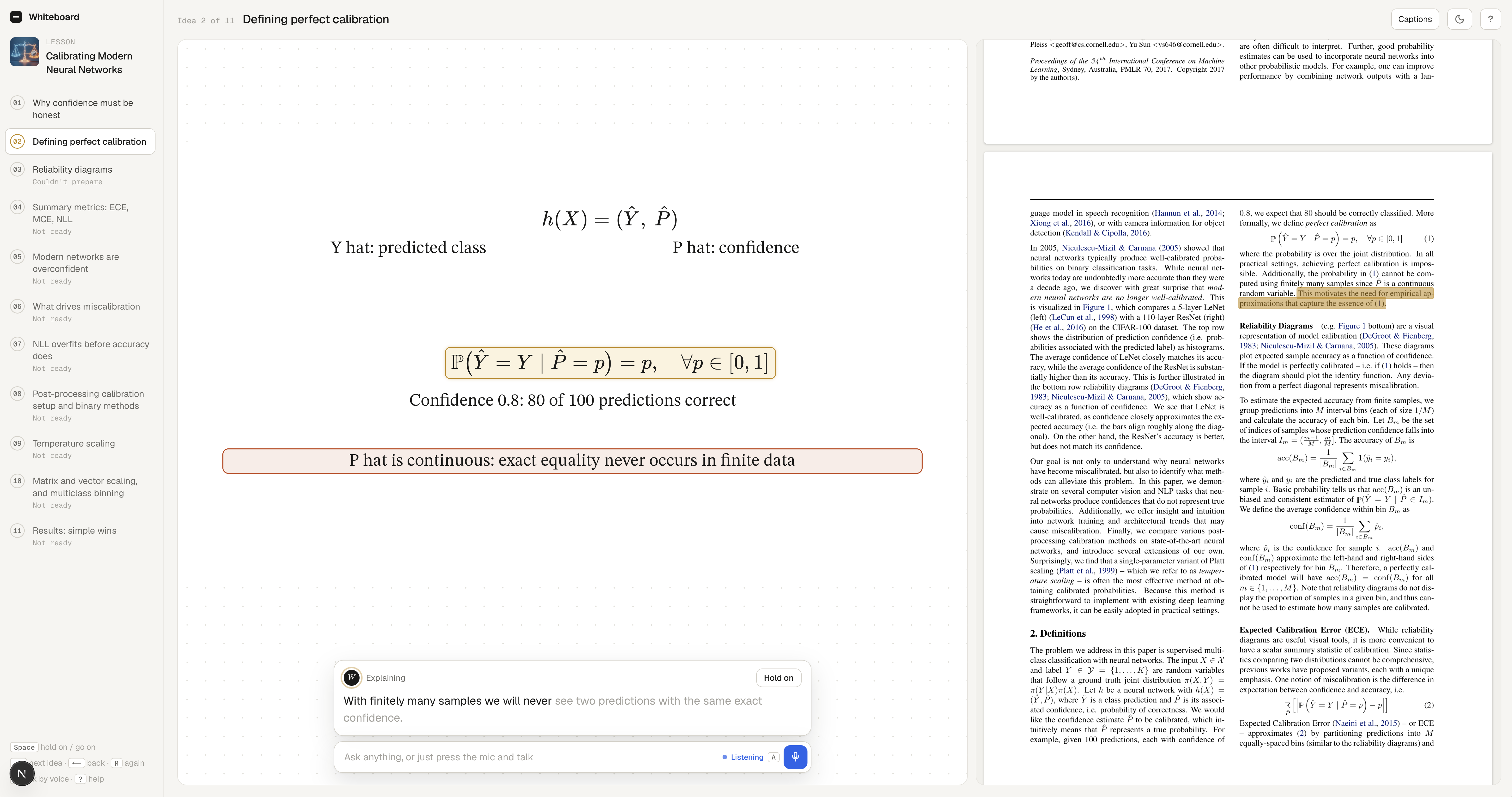
- A voice tutor teaches each step on a whiteboard. As it narrates, it draws formulas, matrices, arrows, plots and heatmaps, timed to the exact words it's saying.
- The document sits beside the board. When the tutor quotes the document, it highlights that exact sentence, and whichever pane is in focus grows.
- You can interrupt anytime. The mic is always on: just start talking and the tutor stops and listens. Ask a question and it answers out loud, sketching a diagram on the board if you ask it to show you. You can also steer by voice: "carry on", "go back", "go to step 3".
- Select any passage and ask about it. Highlight a sentence in the document and click "Ask about this".
- The lesson adapts to you. If you asked about something, the next step is regenerated to address your question before you get there.
- Try it yourself. Some steps include interactive widgets, such as a plot with sliders or a softmax heatmap with a temperature control, so you can feel how a parameter behaves.
- A recap at the end lists what you covered, the questions you asked and the steps that adapted for you, with one-click replay.
It works on desktop and phone, in light and dark mode.
How we built it
- Frontend: Next.js and TypeScript. The whiteboard is our own SVG renderer, with KaTeX for formulas and custom components for matrices, arrows, plots and heatmaps. The document viewer is built on pdf.js.
- Lesson generation: Claude reads the document and writes a plan, then generates each step as structured data, not pixels: narration with cue markers, board objects with coordinates, and actions tied to the cues ("show this matrix when the narrator says rows"). A shared zod schema validates every step, and the exact errors go back to Claude for a retry. Quotes from the document are checked against the PDF text before they're used.
- Voice and timing: ElevenLabs reads the narration and returns per-character timestamps, which we map onto the cue markers. The board is then a pure function of time: sceneAt(t) computes exactly what's on the board at any moment. That makes pausing, seeking, replaying and "go back" stay perfectly in sync with the voice.
- Live Q&A: an ElevenLabs conversational agent with client tools. It can pause, resume and jump between steps, highlight a passage in the document, and request a drawn answer. Drawn answers come from a separate Claude call that lays out a sketch, voiced while Claude is still writing it.
- Cover art: each lesson gets a cover from fal (flux-2), with a strict time budget so it never delays the lesson.
- Process: two developers, each running a team of parallel AI coding agents, coordinated through a shared message board and a shared contract package, with CI on every merge.
Challenges we ran into
- Getting the drawing in sync with the voice. Narration and visuals are generated separately, so we had to align cue words to audio timestamps precisely. Making the board a pure function of the audio clock solved replay, seeking and interruptions in one go.
- Structured-output limits. The model's output grammar couldn't hold every object type we wanted, so heatmaps, plots and widgets travel as embedded JSON strings that are validated separately. Rules the grammar couldn't enforce, such as a maximum matrix row length, had to come back as precise, field-level errors so the retry actually fixed them.
- Honest highlighting on unfamiliar documents. At first the tutor quoted well-known papers from memory and paraphrased everything else, so the highlight failed. We now give the agent the step's verified quotes word for word and require it to quote only from that list.
- Interruptions that feel natural. An always-on mic means the tutor can hear itself, and a reply that arrives late can look like you interrupting. We tuned barge-in so your voice always wins, but the tutor's own speech after a command doesn't count as you.
- Latency. Drawn answers first took 19 to 33 seconds. Fixing validation retries, laying sketches out in fixed slots and streaming the voice while the drawing is generated brought the median down to 8.4 seconds.
Accomplishments that we're proud of
- It feels like being taught, not like reading a summary: you can interrupt it mid-sentence and it actually changes course.
- Every quote the tutor highlights is verified against the real PDF. It doesn't make up passages.
- Lessons adapt to the questions you ask, so two people get two different lessons from the same document.
- We shipped an end-to-end product overnight with two parallel teams of agents, through two full QA passes and a demo rehearsal, fixing every bug found within the hour.
What we learned
- LLMs explain far better when they're asked to produce a structured visual plan than when they're asked to write prose.
- Having a single source of truth for time, the audio clock, makes a complex interactive player simple to reason about.
- Voice UX is mostly about timing: when to stop, when to listen, and when to stay quiet.
- Strict shared contracts and clear file ownership are what let many agents build in parallel without stepping on each other.
What's next for Unfolded
- Richer drawn answers, including plots and graphs when you ask "show me".
- More interactive widgets, and quick check-in questions to test your understanding.
- Multi-document lessons, such as a lecture's slides plus its paper, and other languages.
- Saved progress and spaced review of the ideas you struggled with.
- Sharing a lesson with classmates, and tools for teachers to tweak a generated lesson.
Built With
- claude
- css
- elevenlabs
- fal.ai
- flux
- katex
- nextjs
- node.js
- pdf.js
- playwright
- react
- svg
- typescript
- vitest
- zod

