-
-
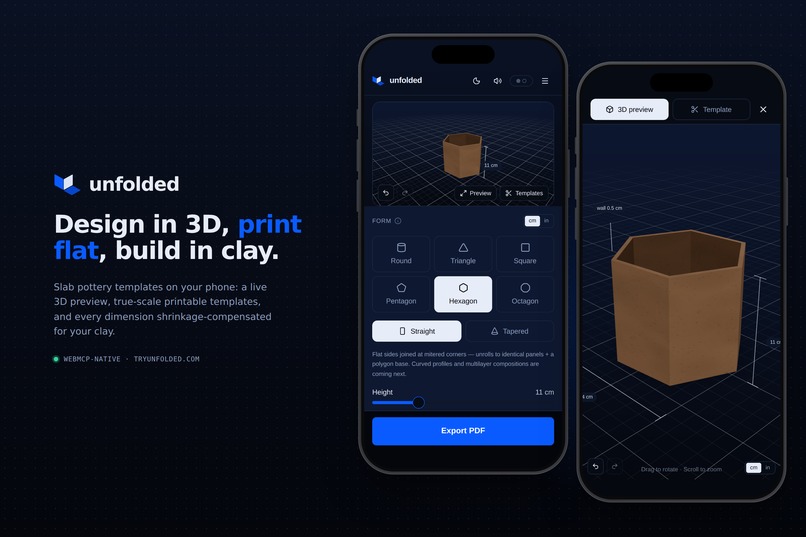
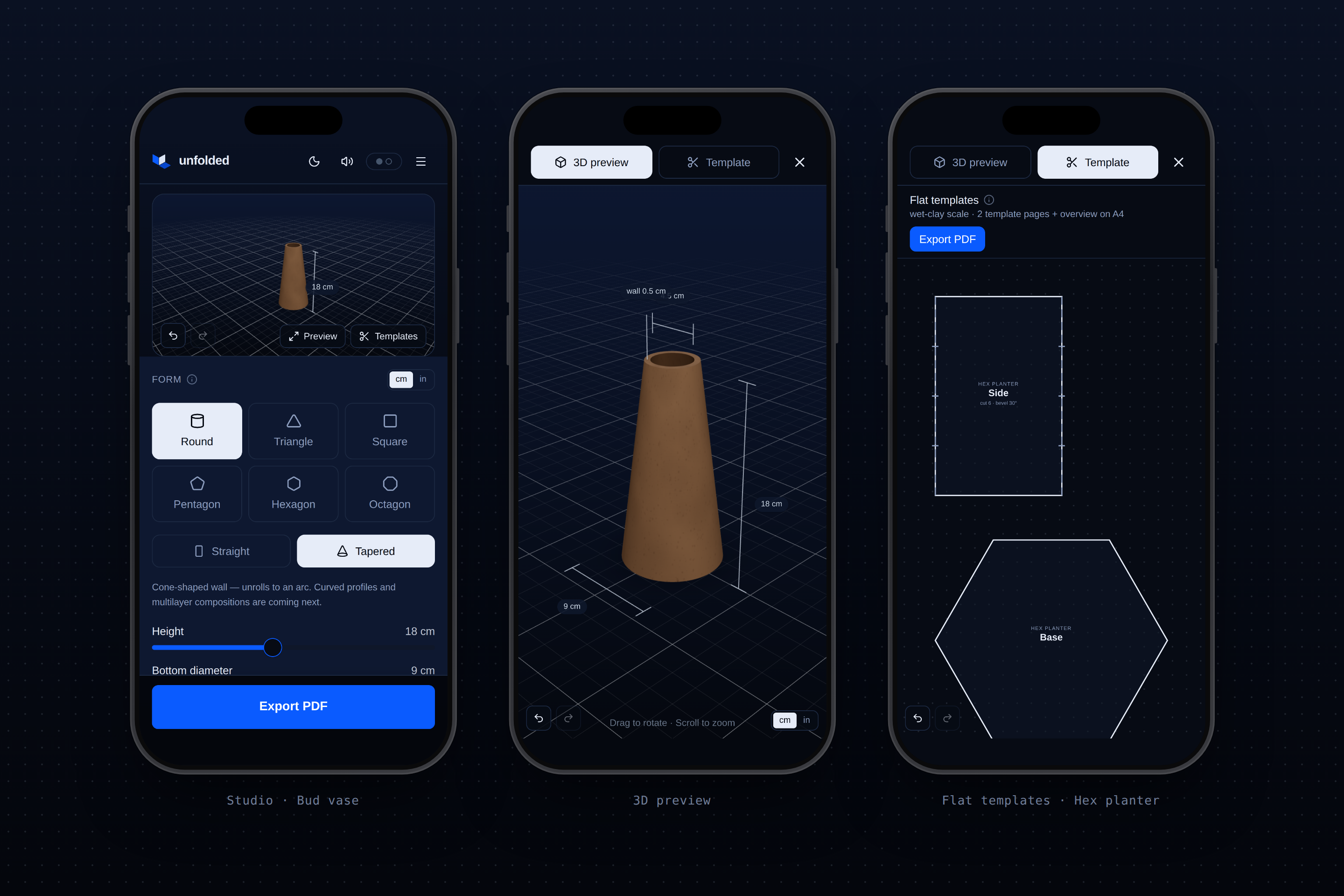
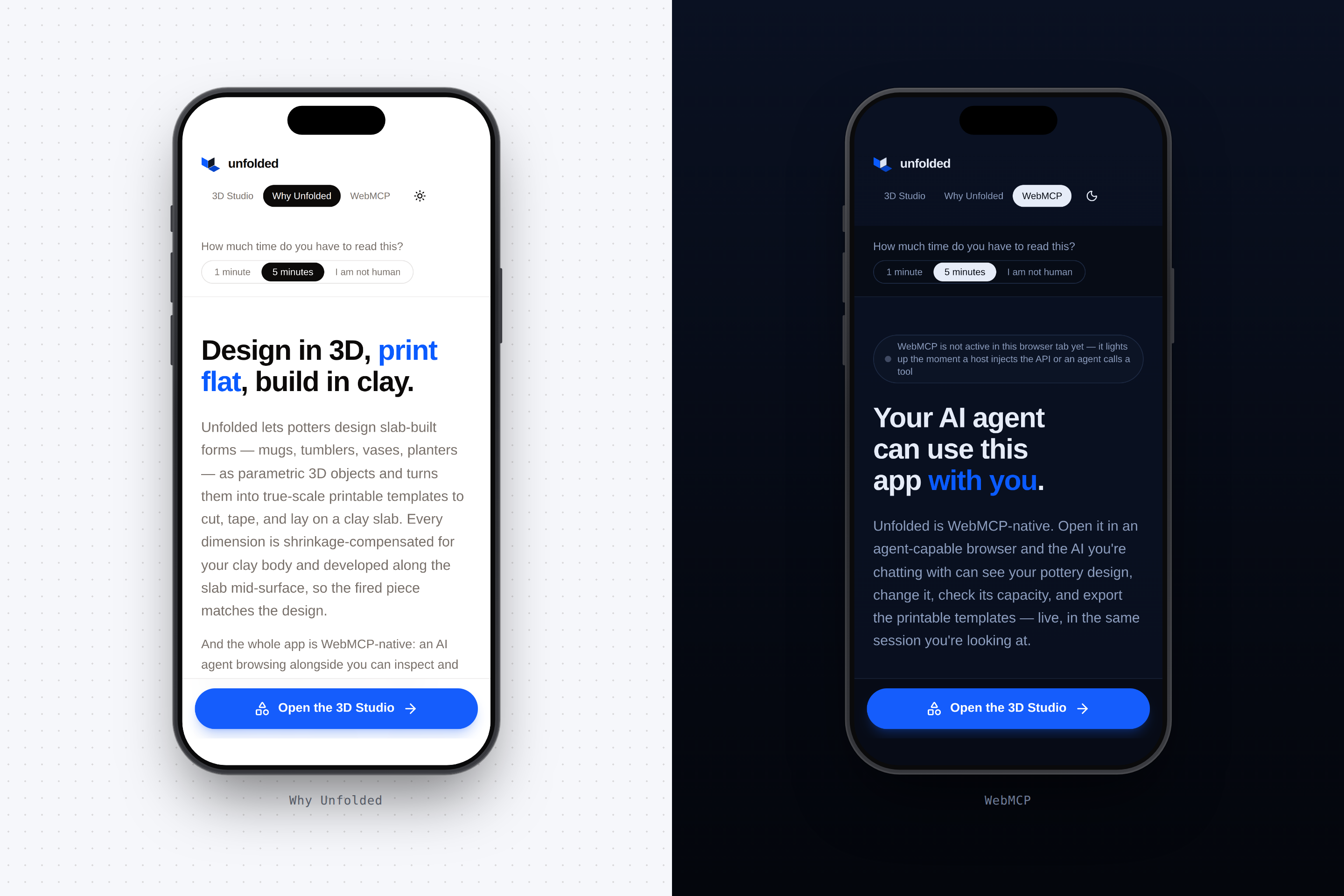
Mobile screens ( Dark mode )
-
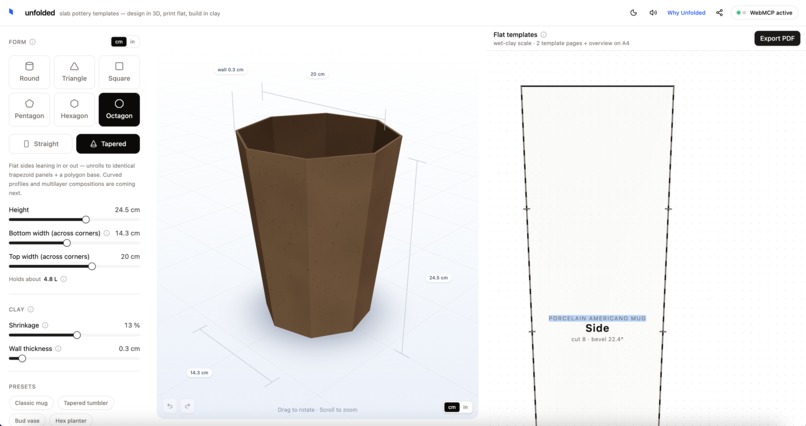
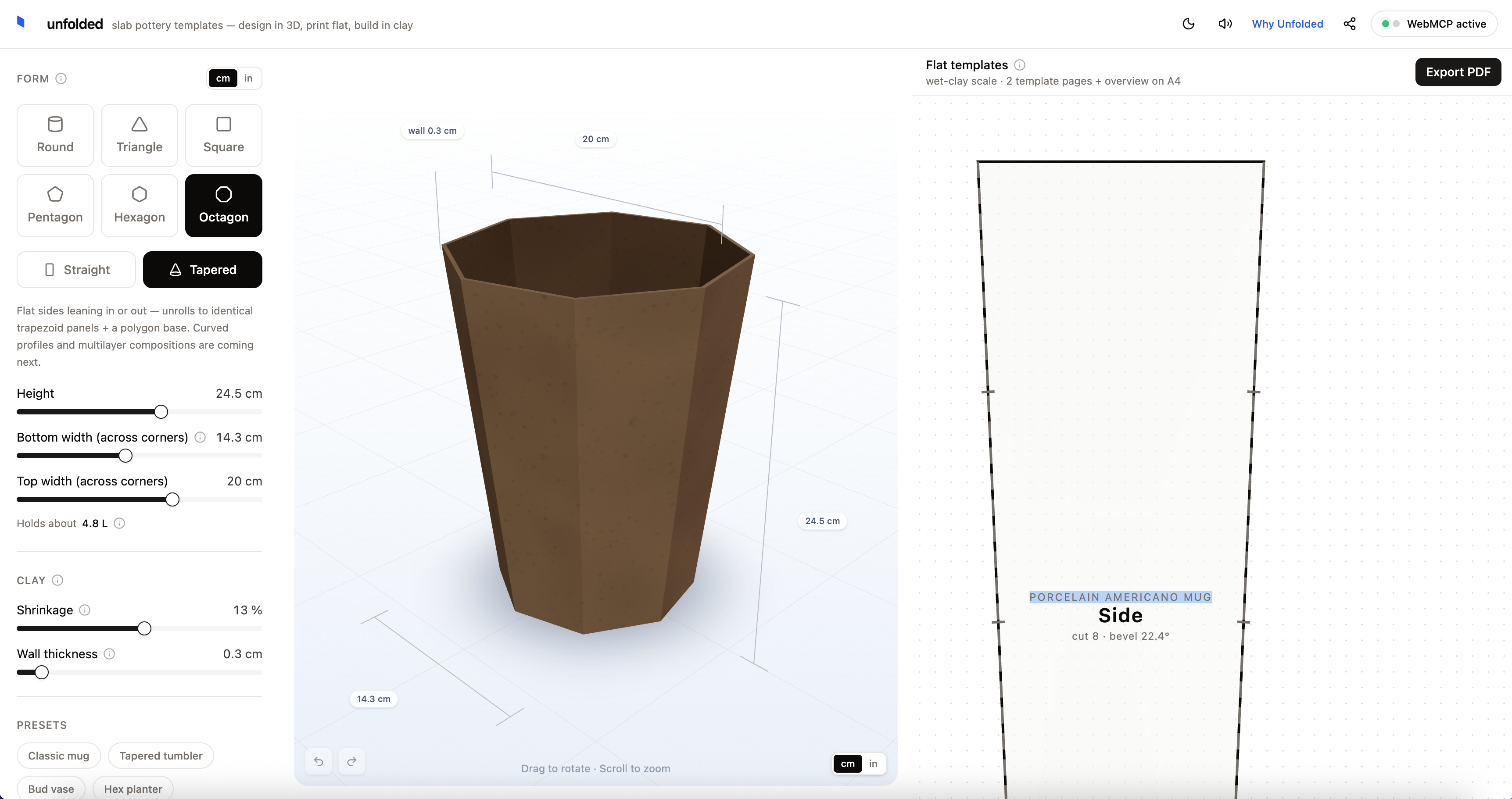
Light mode ( Desktop )
-
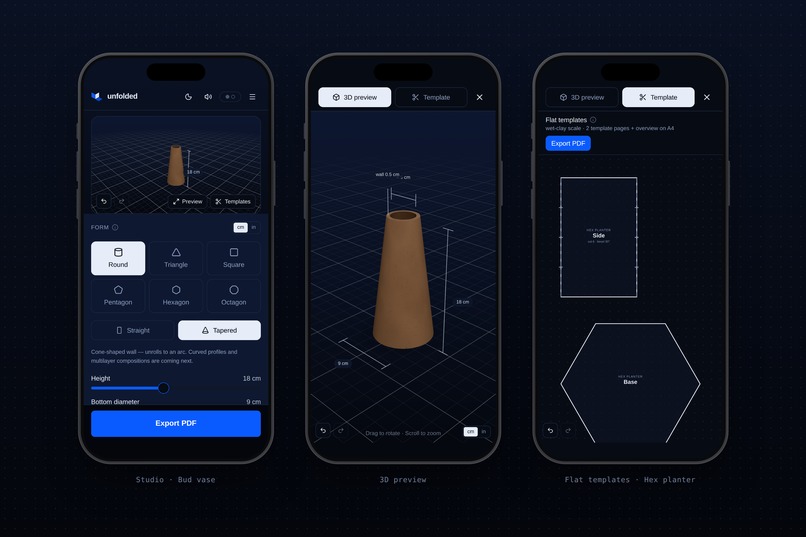
Dark mode (Desktop)
-
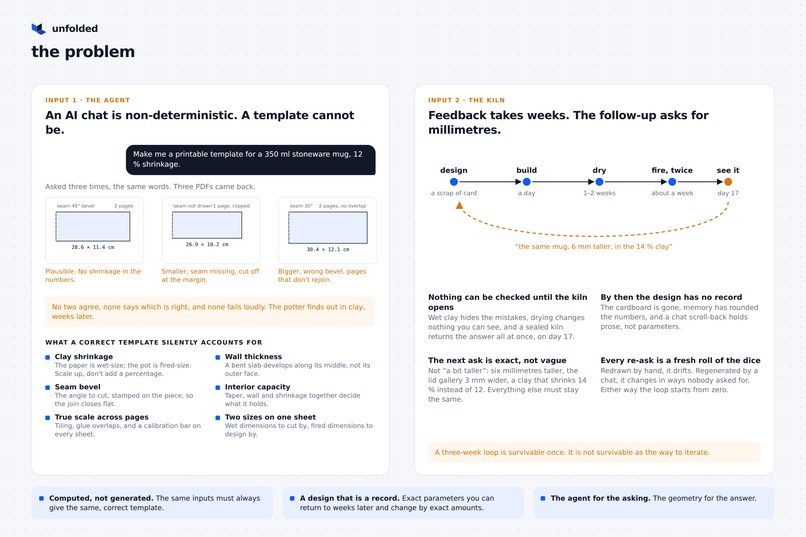
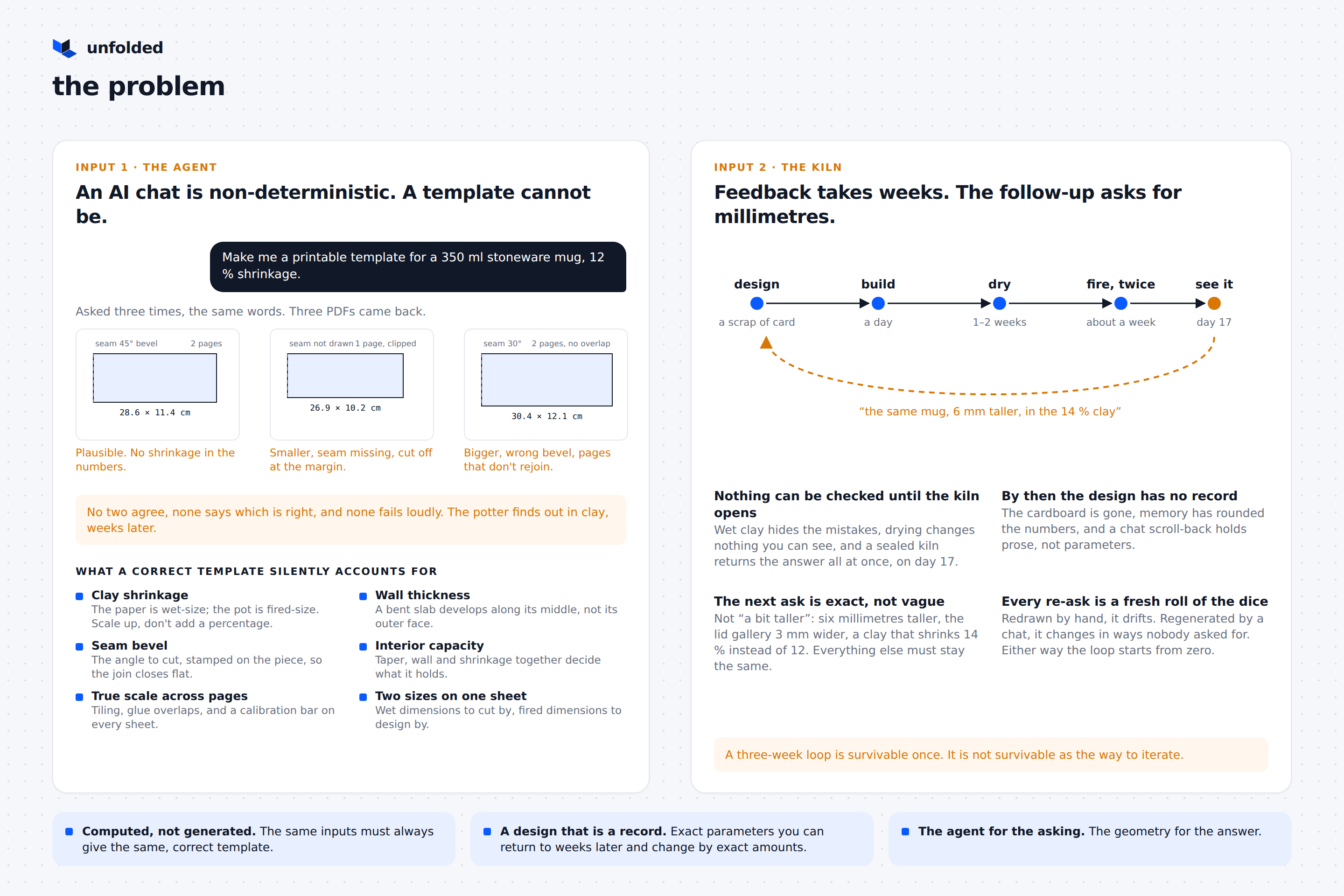
The problem we are solving
-
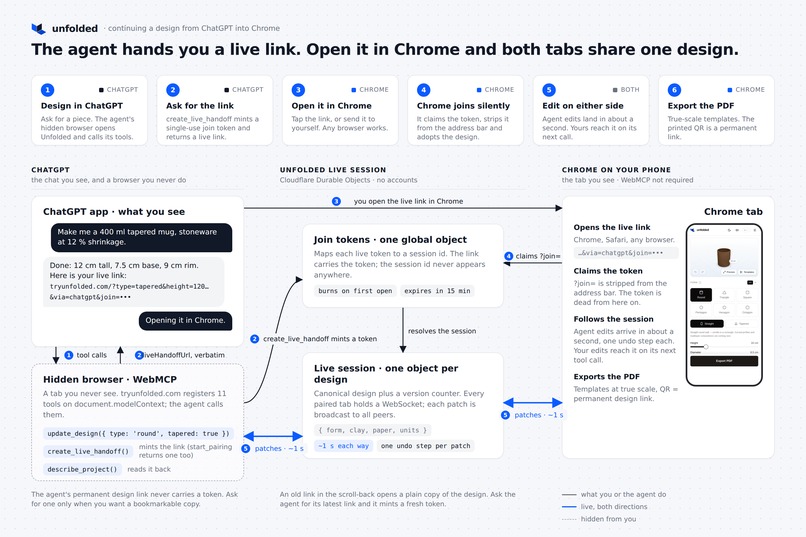
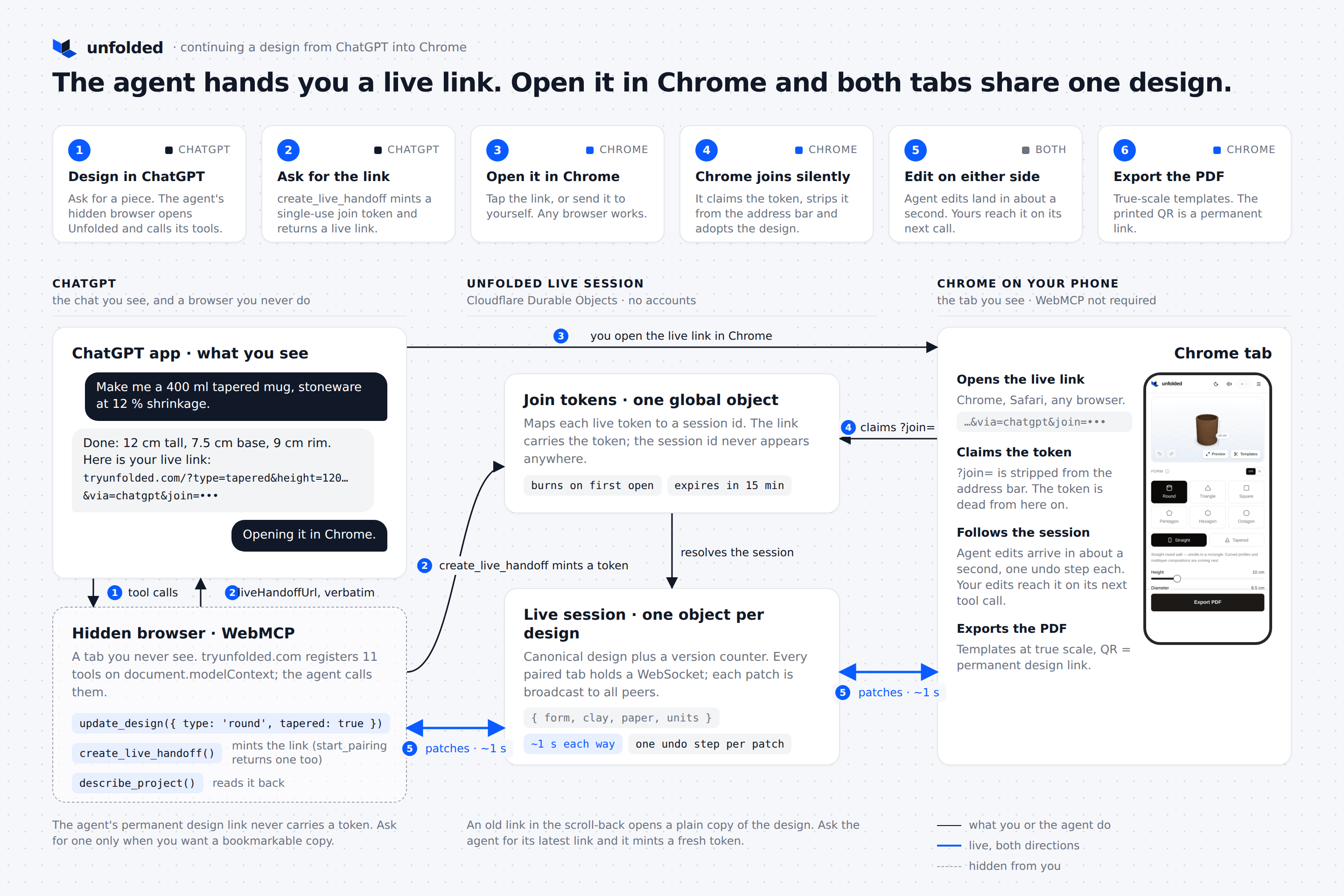
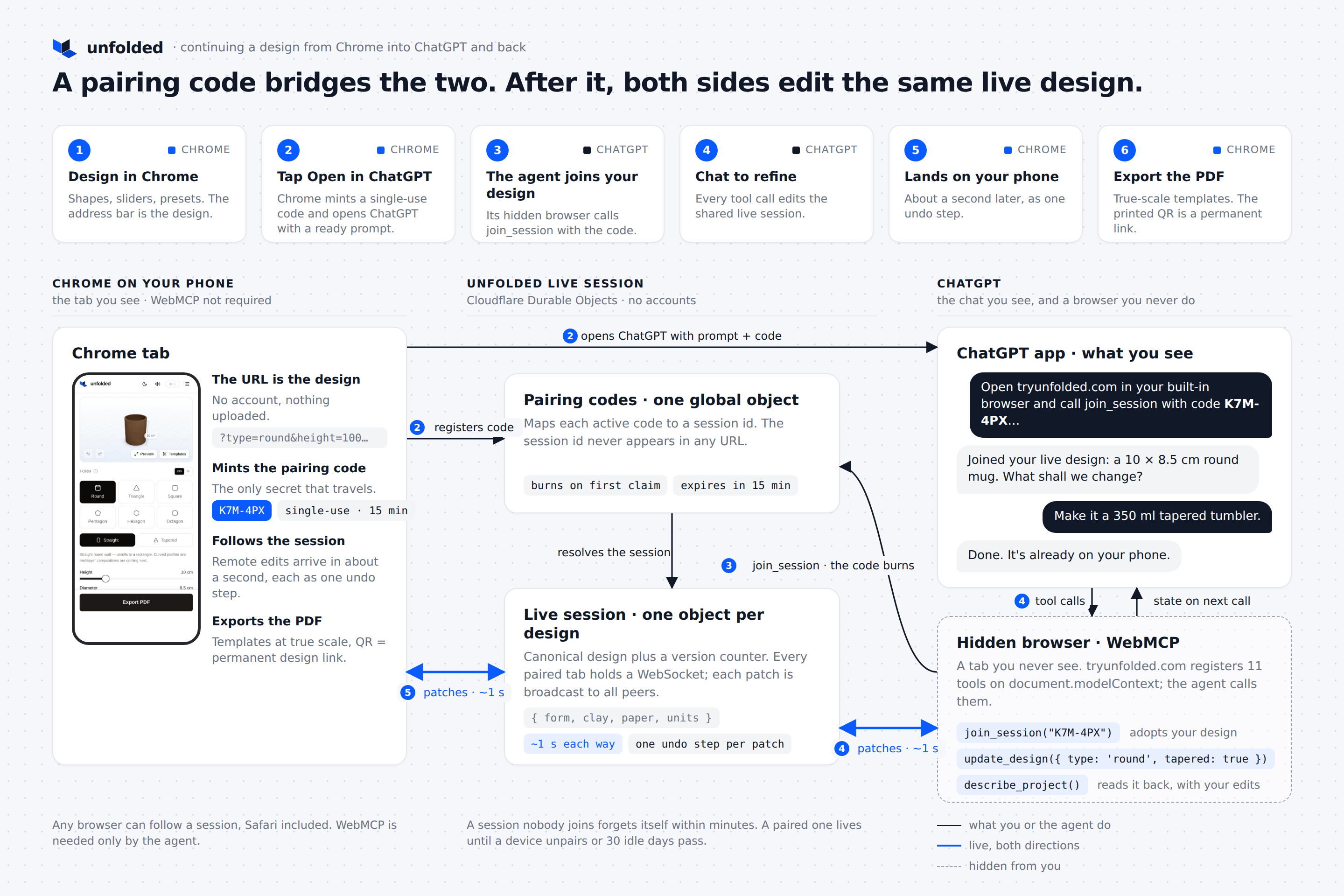
Design initiated by Chat-GPT
-
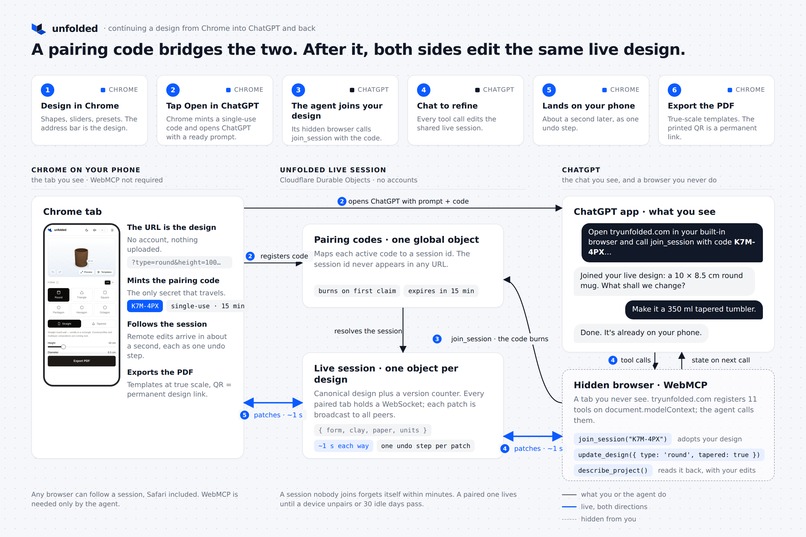
Design initiated by Chrome tab
-
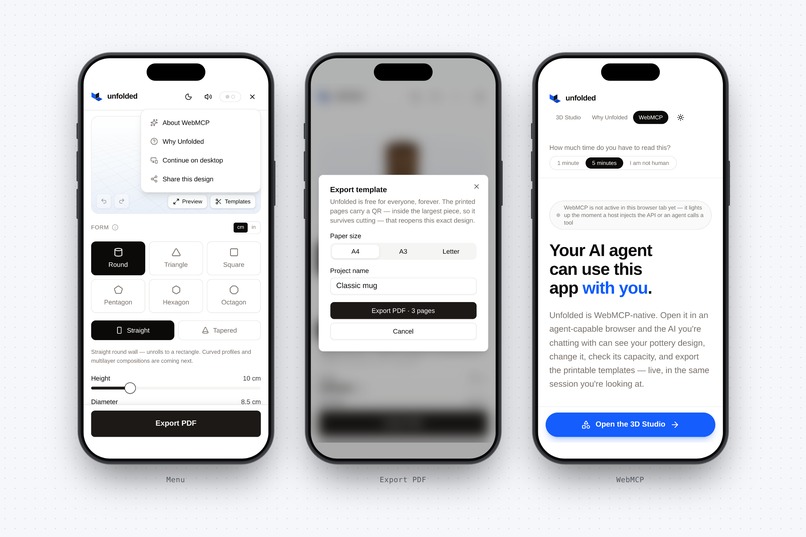
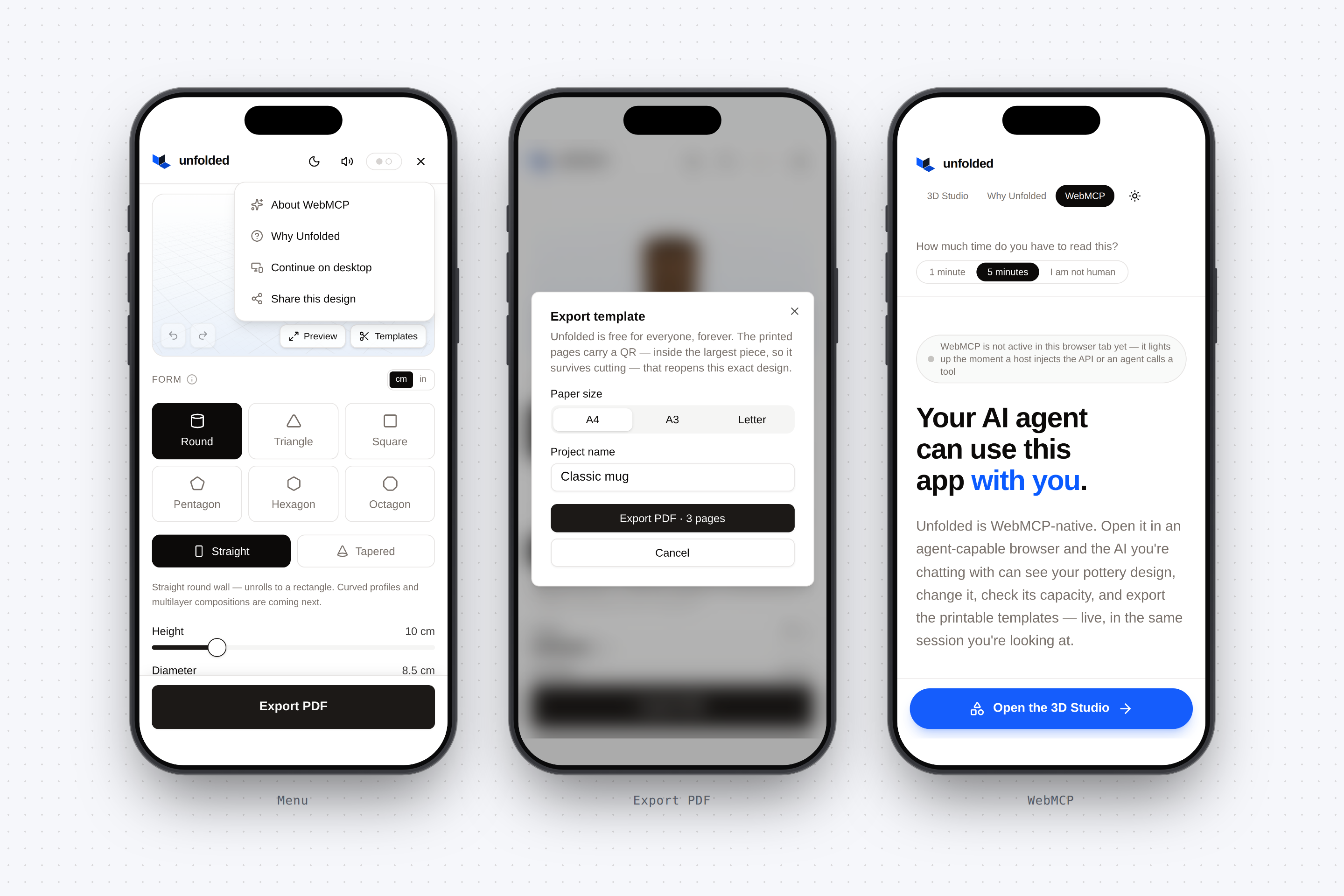
more mobile screens ( light mode )
-
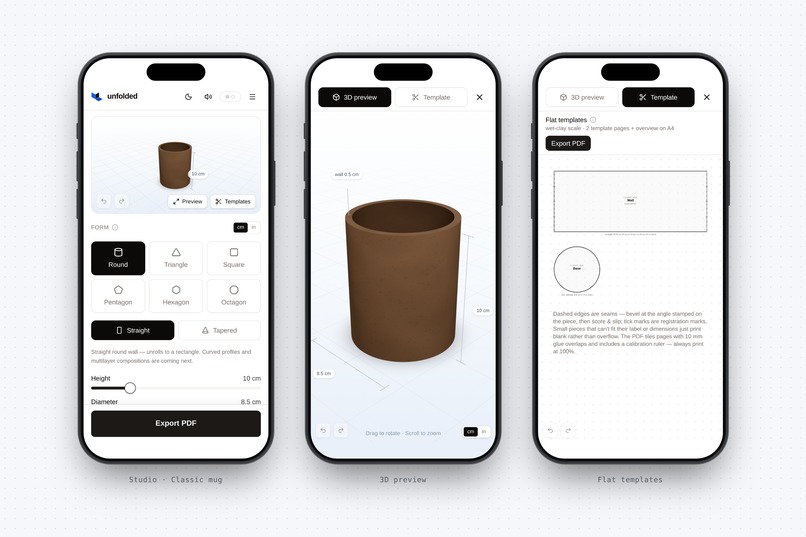
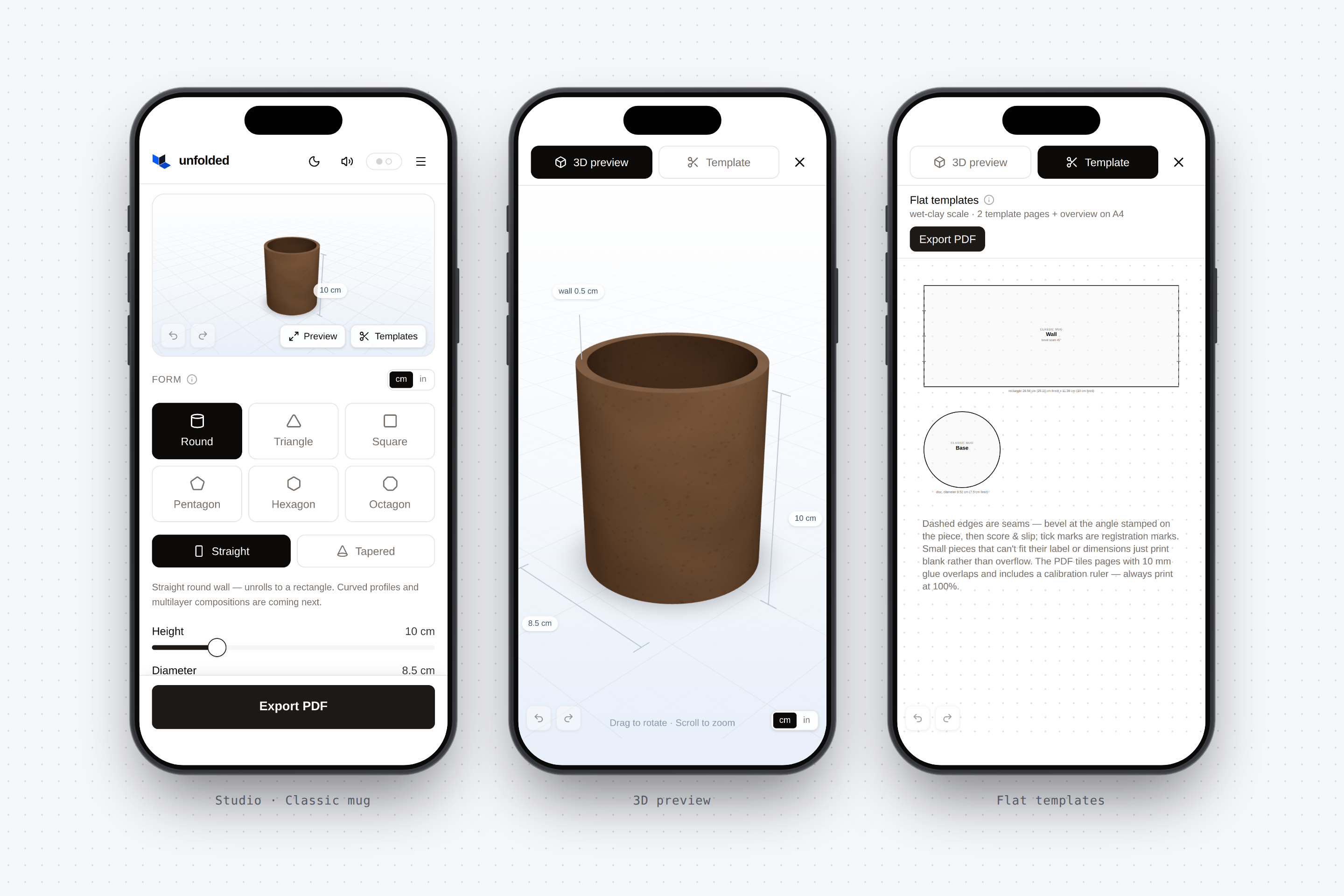
mobile screens ( light mode )
-
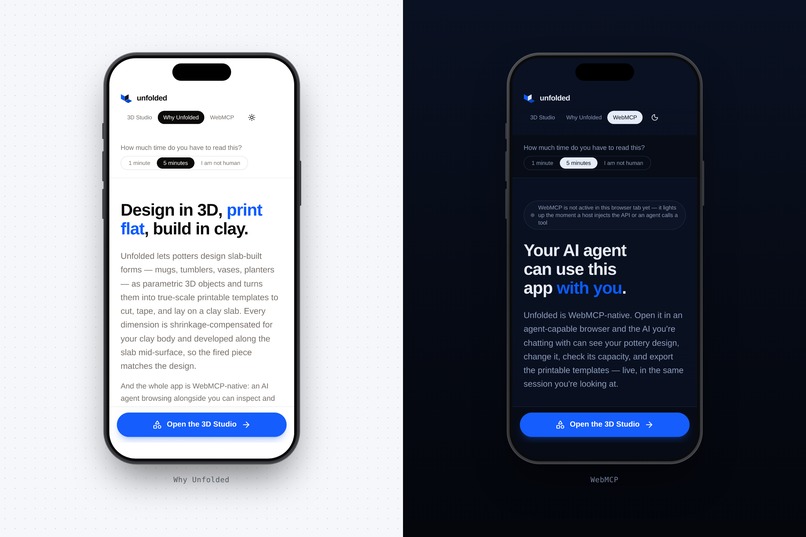
Light / Dark mode
-
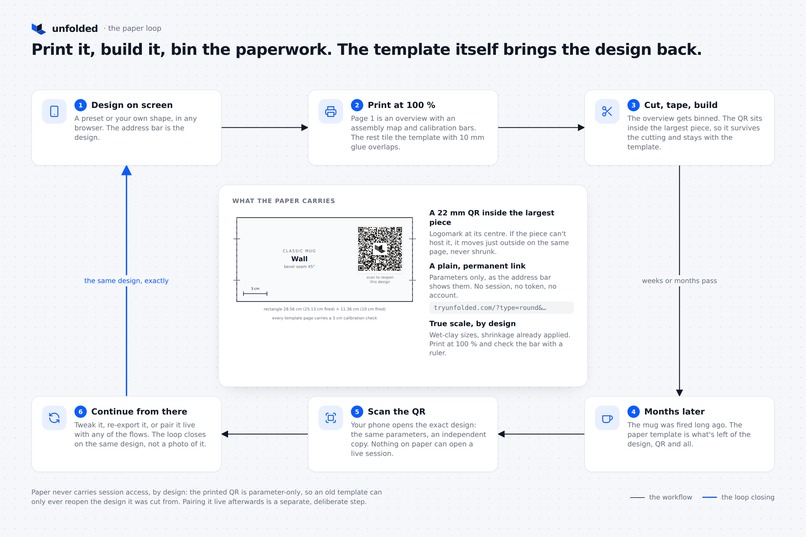
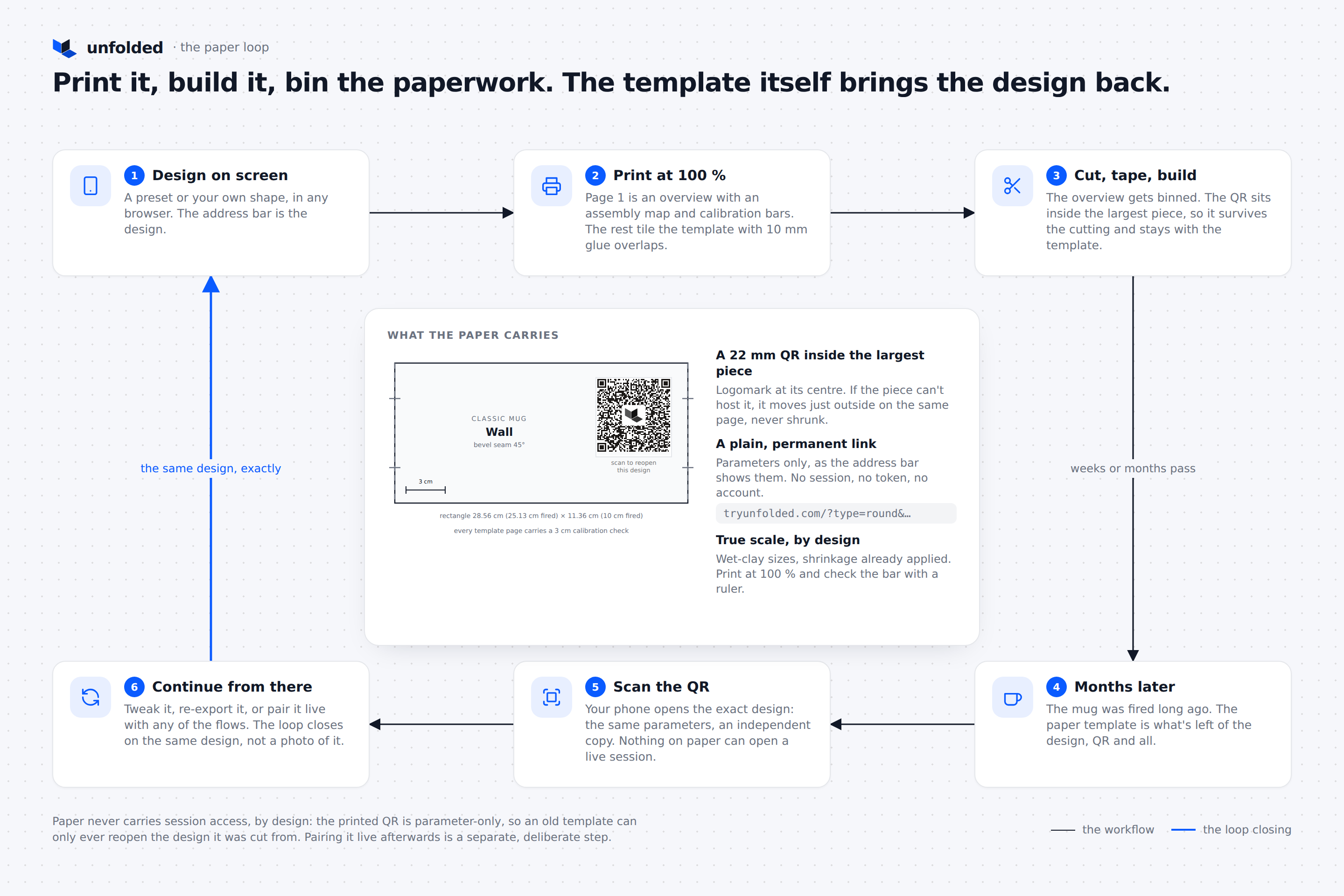
From a printed template back to a design
-
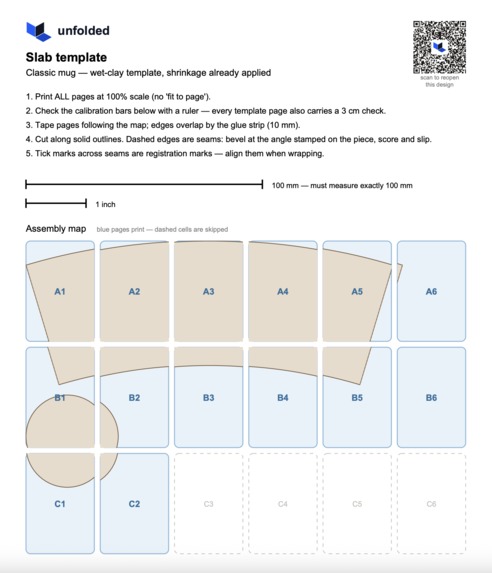
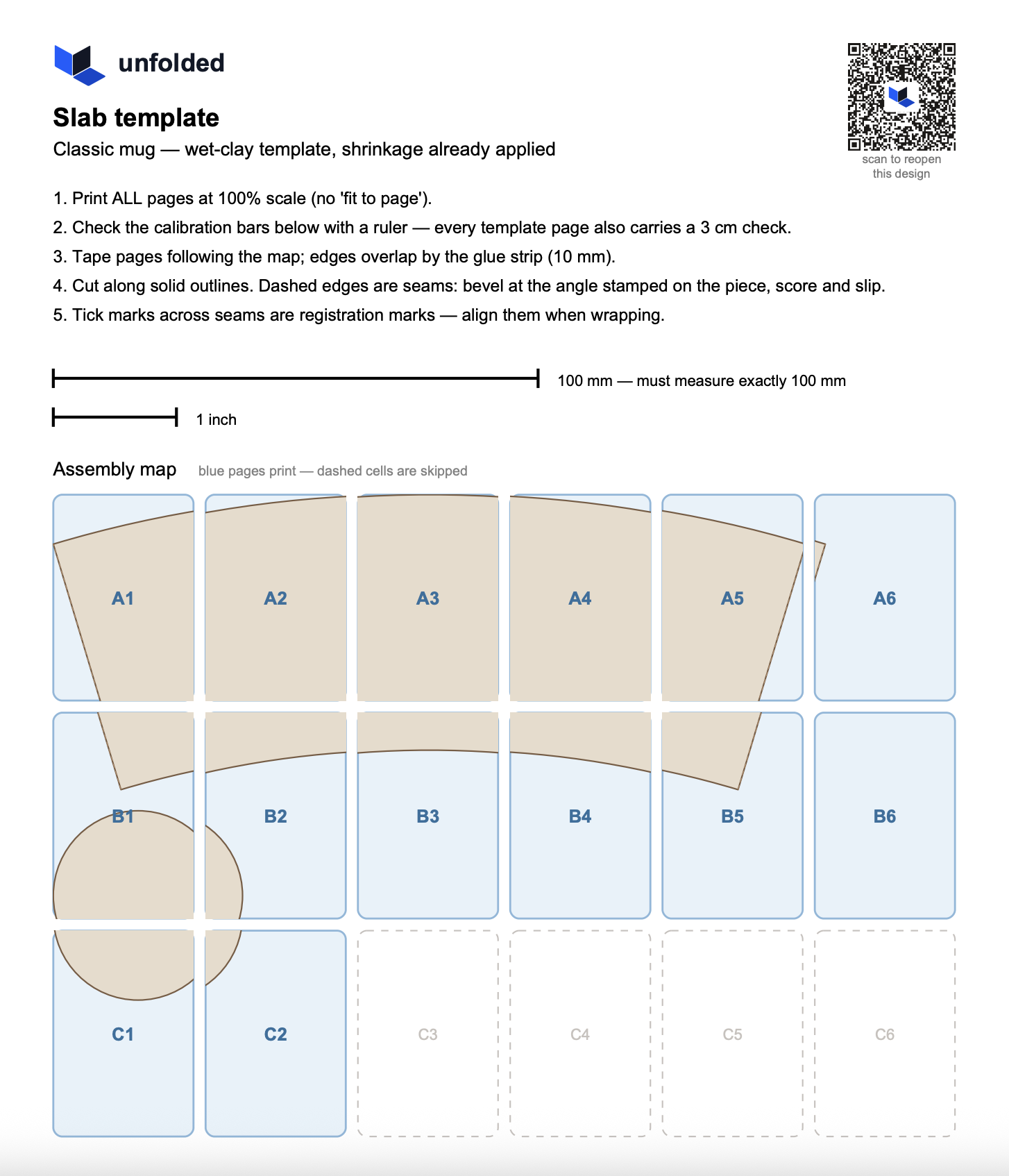
The exported printable PDF template ( multi page )
-
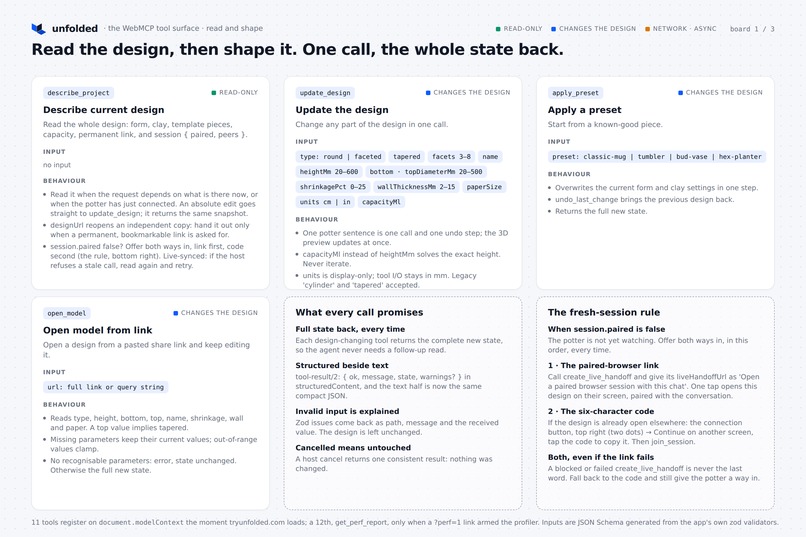
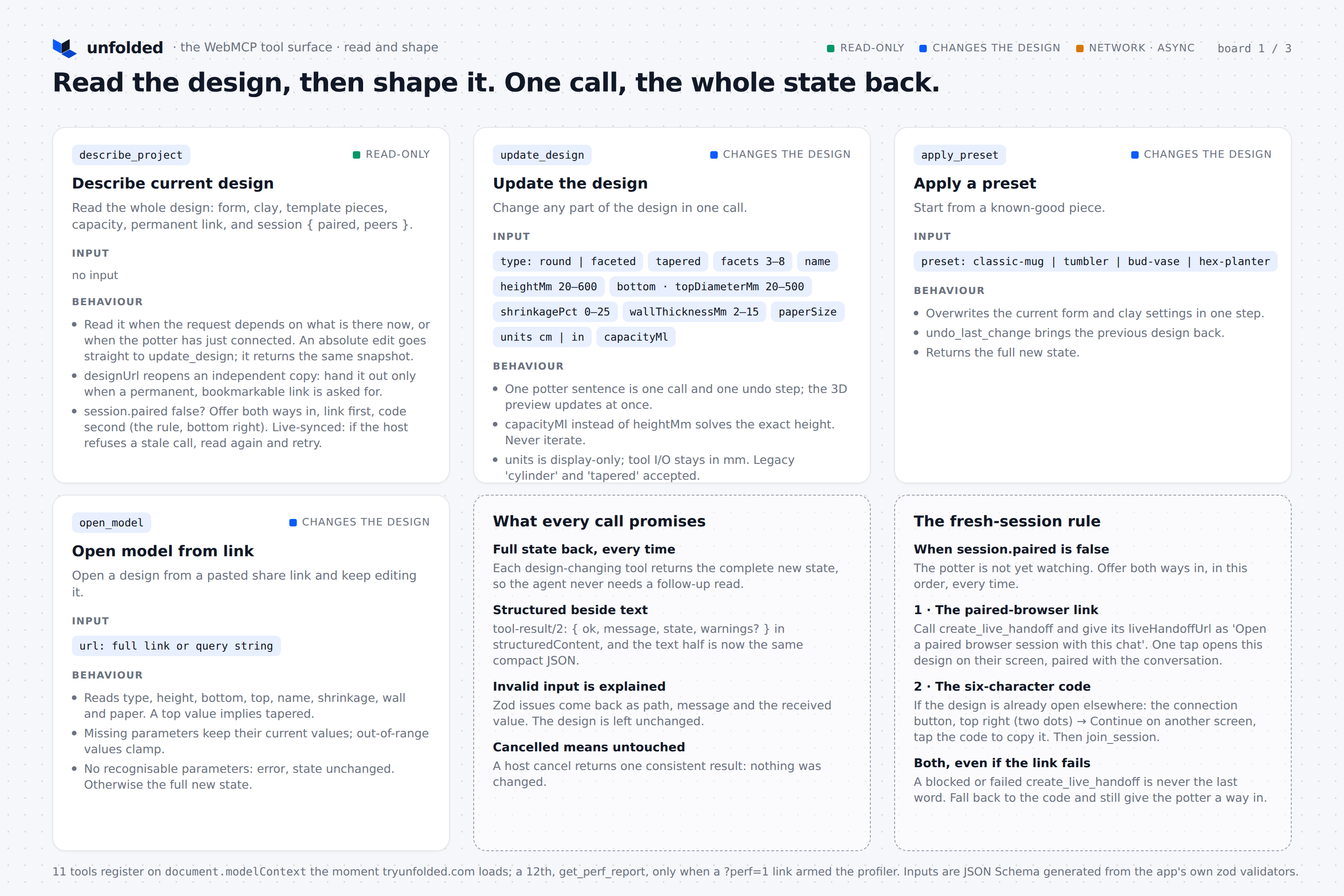
webMCP tools available ( 1 of 3 )
-
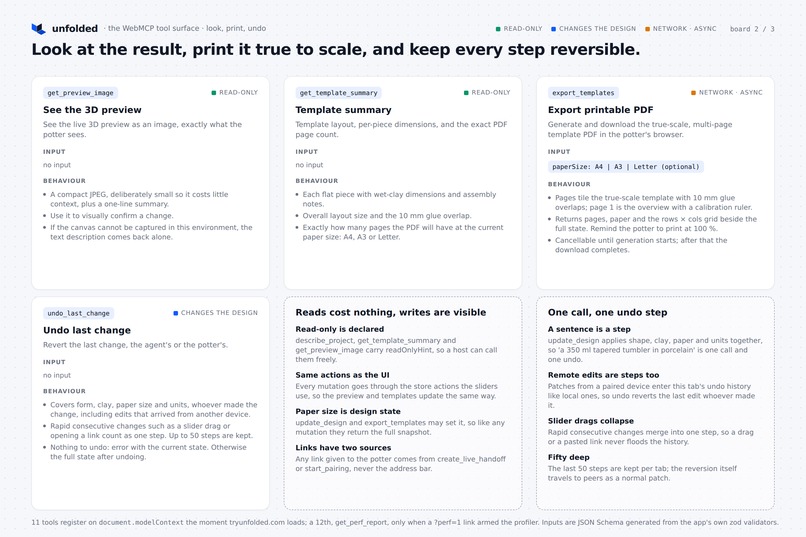
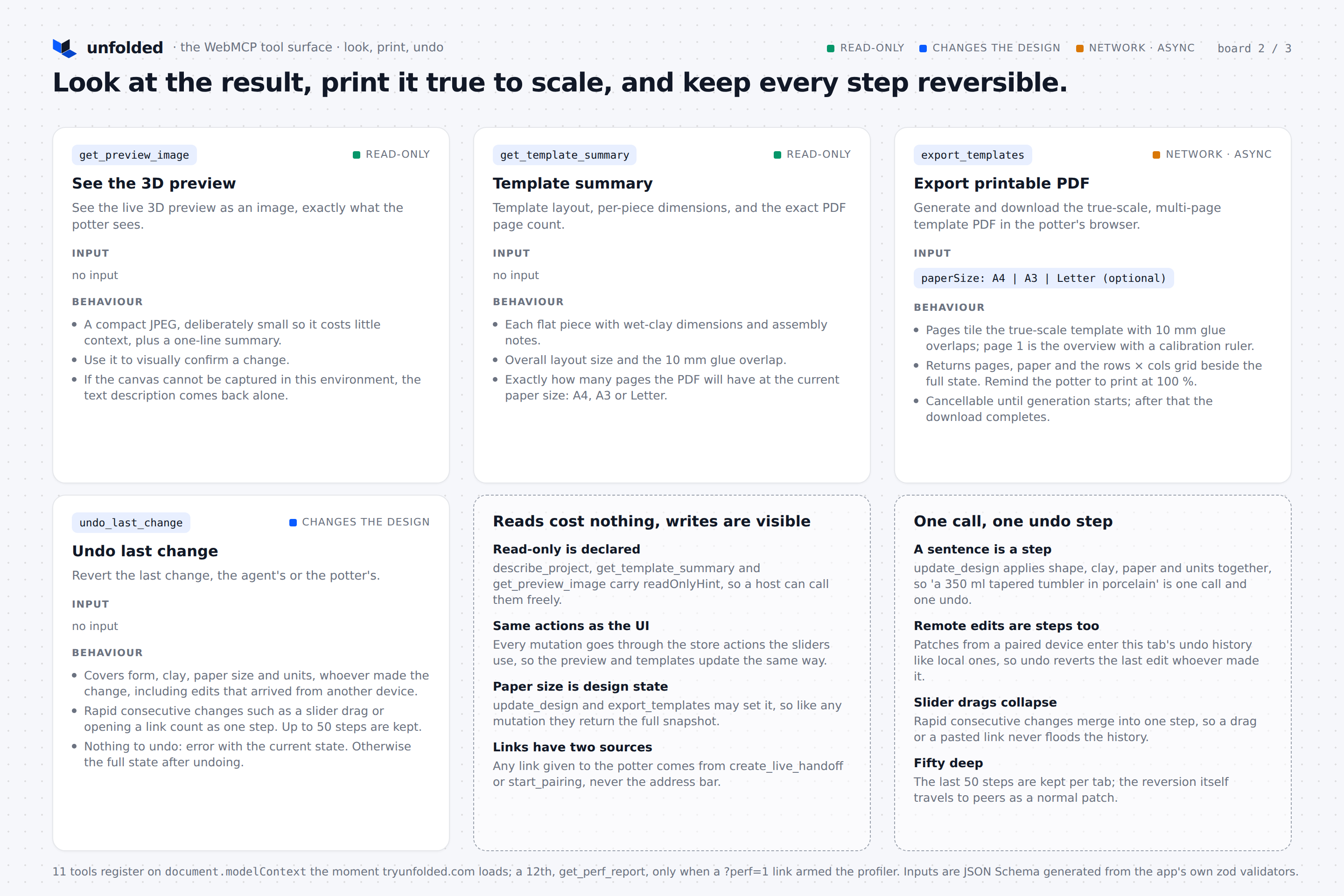
webMCP tools available ( 2 of 3 )
-
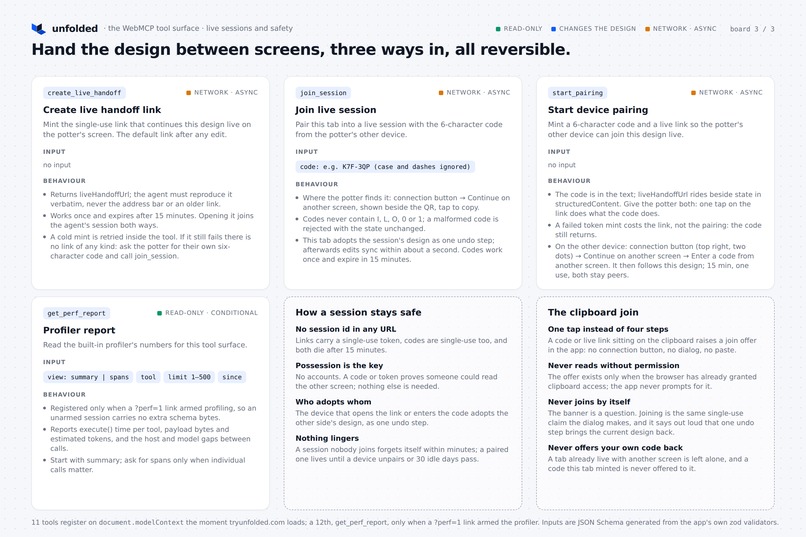
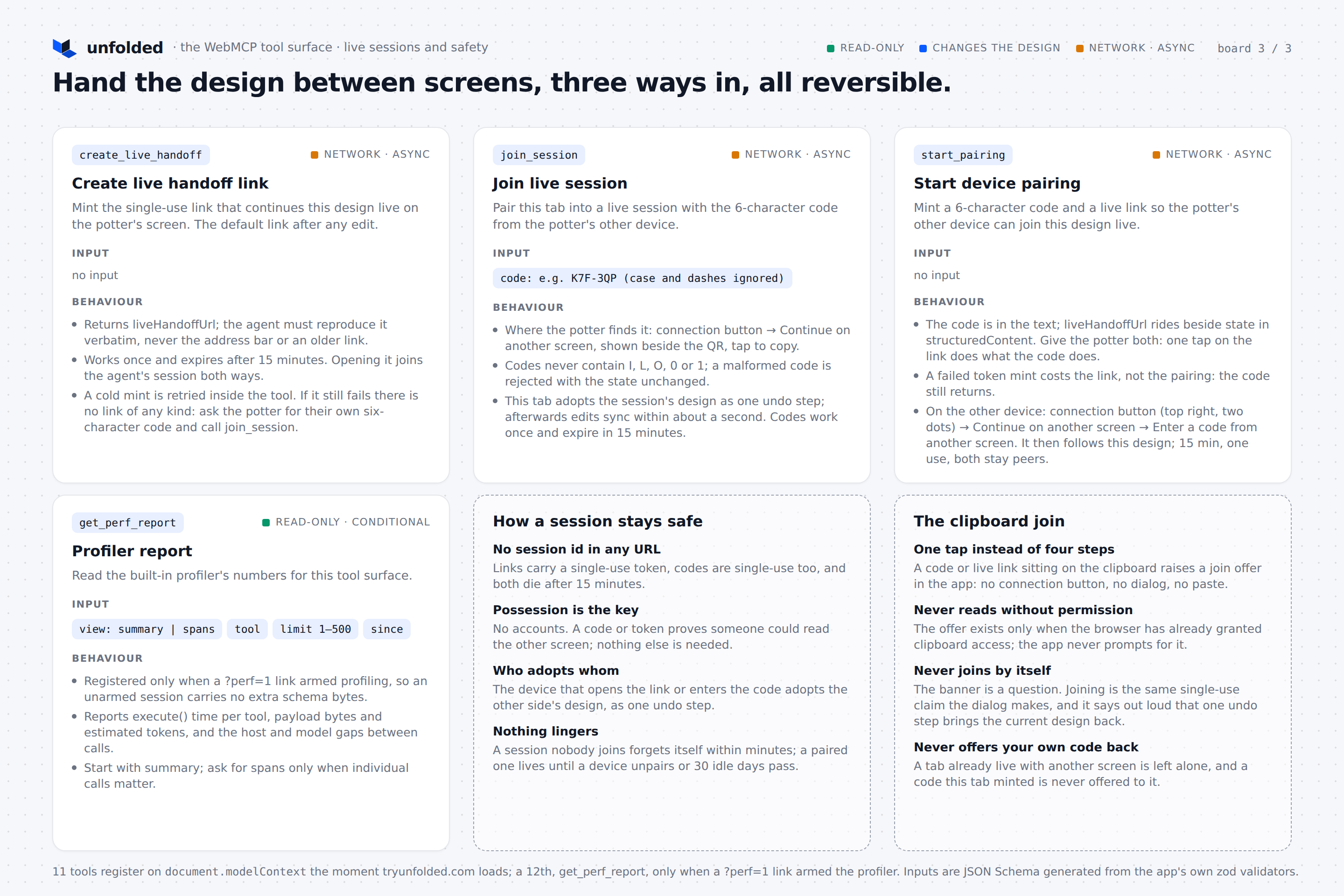
webMCP tools available ( 3 of 3 )
-
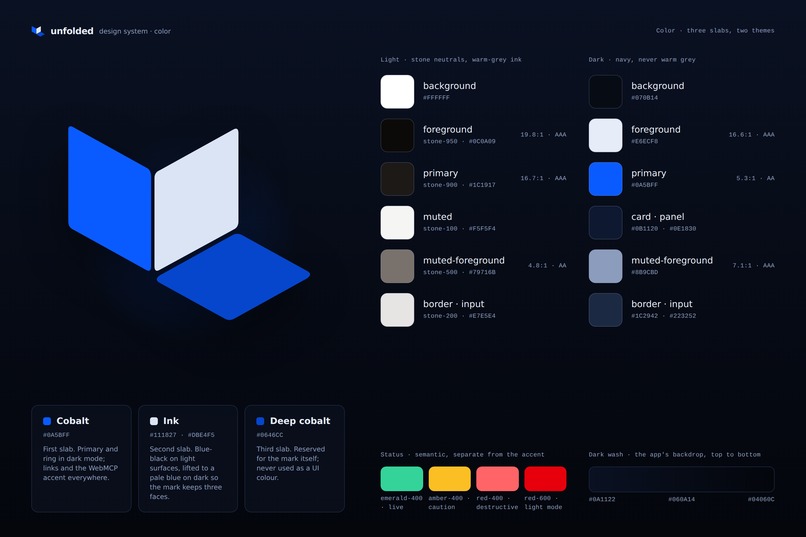
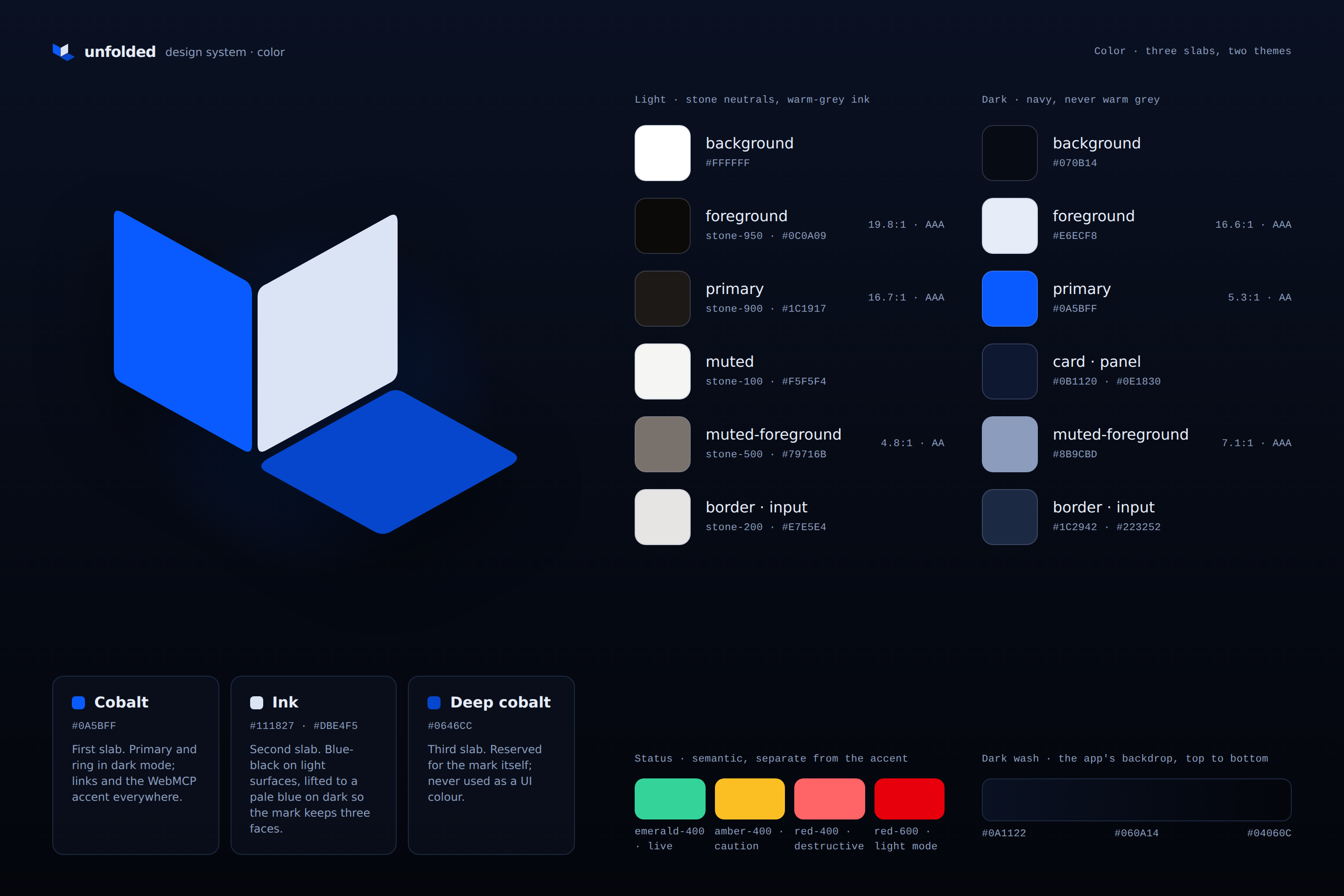
Design system ( Dark mode )
Inspiration
I've been cutting pottery templates out of cereal boxes for years now. AI chats are great at generating shapes and make complex changes with unusual requirements, but their non deterministic output produce unexpected and misaligned PDFs, especially during the discovery phase of a new piece where the requirements constantly changes. The problem is, the potter notice the failure only after hours of building in the studio.
Try for yourself to generate with any AI agent a multipage template for a simple mug, same prompt in 3 separate sessions. The result is always different, most of the time fail silently where it matters the most.
I have created Unfolded to move the template generation part of the workflow away from the AI chat into a more deterministic output I can control. The output is a multi page PDF template that always work is always true to the 3D shape you have built.
The idea is to retain AI for complexity, difficult math calculations and things that are practically impossible to do in a deterministic UI. When is connected to unfolded, you can ask AI things like:
- Keep the same vessel style but change the volume to 500ml
- Prepare a template inspired by this photo, for a porcelain vase with thin walls
- This container should hold a large americano comfortably
- 10 bowls like this should be stackable and only 1cm of each one should be visible when stacked
What Unfolded does
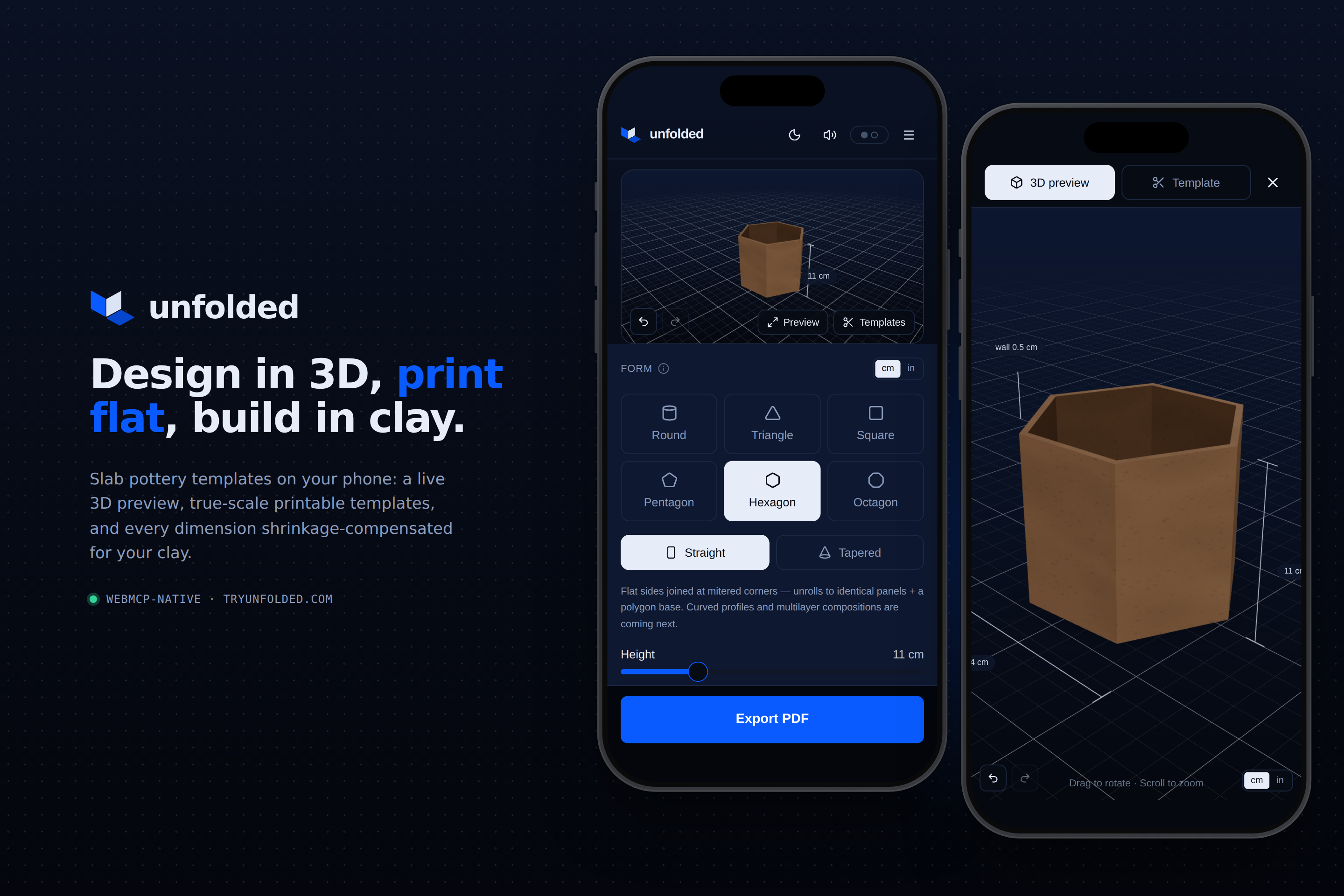
Unfolded is a parametric 3D builder that helps with both the template generation and the decision of what to make. It's a shared 3D workspace where a potter and an AI agent shape a vessel together: the potter keeps the creative decisions, the agent inspects and revises the live design through WebMCP, and Unfolded guarantees the geometry: clay shrinkage, clay type wall thickness, mid-surface-developed. It was thought from the ground up with the potter workflow in mind and its strenght is how flexibly it is and can adapt to many unexpected use case and workflow without letting you down. Most problems related to pottery known how, PDF generations and cross browsers workflow are automagically prevented under the hood without anyone noticing.
My favourite features ( try them in the app, especially on mobile )
I've worked a lot at the UX flow for the cross-device handshake. The potter can also design and work with agents on non webMCP capable browsers. One tap on Open in ChatGPT hands off into the ChatGPT app with a prompt that already carries a single-use pairing code; Chat-GPT hidden browser joins the potter's live session over WebSockets. From then on every agent edit appears in the browser within about a second, every browser edit is visible to the agent on its next tool call, and every change ( human or agent ) is a shared undo step. Undo/redo work for both humand and AI changes, no matter what device pushed them.
The handover works both ways ( or even 3 ways! ): The agent reads the current design, changes the form, sees the same 3D preview the potter sees — and solves problems that are genuinely hard at the workbench. "Make it hold exactly 350 ml but keep the proportions" --> one sentence for an agent, an afternoon of guesswork by hand.
The generated PDF is really well thought ( if I say so myself! ): True-scale printable templates and a calibration ruler on every sheet, QR code to reproduce the design in the browser even after it was printed, seam allowance to glue the template together. This is fully designed around the potter's workflow.
The app registers 13 typed WebMCP tools on
document.modelContextthe moment it loads. The reasons there are so many tools is that I got a little carried away about performance measurament of webMCP. I even made a npm package called MCP-profiler to measure everything from the tools speed to the agent harness time. Most of the slowness in my app ( 30seconds to connect the tools at times ) is unsurprisely caused by my 3D model and the whole context I am passing over with each tool. Something I will definitely look into after the hackathon.
How I built it
React, TypeScript, Three.js, React Three Fiber, Zustand, Zod, Tailwind CSS, and shadcn/ui, with jsPDF generating the true-scale multi-page templates. Live cross-device sync runs on a Cloudflare Worker with a per-session Durable Object; pairing invitations are single-use and short-lived, so no URL ever carries a durable capability.
The interface and the WebMCP tools share the same Zustand store and Zod schemas, so human and agent edits stay synchronized by construction. Everything sits behind a test gate (geometry, schemas, sync protocol), end-to-end suites running real Chromium against the production bundle and two deeper suites that spin up a local Worker to exercise the pairing protocol with two real browsers.
Along the way I published webmcp-profiler , also sitting in this repo, an npm package that benchmarks every tool's execution time and payload size. Profiling my own app with it caught a ~20% trim in tool-definition metadata that every conversation was paying for.
Challenges and lessons
The geometric challenge: complex curved surfaces cannot be flattened without distortion, so for the demo I focused on symmetrical, faceted forms built from planar slabs, where the unroll is exact, not approximate. But my ambitions are higher for this tool and I already have a full plan for complex shapes and things that were not really possible until now.
The UX challenge was one I haven't seen discussed anywhere: when ChatGPT drives a WebMCP page, it does so in a built in, hidden browser. Solving the two-way conversation between that invisible tab and the browser the user actually looks at — live sessions, one-tap pairing prompts, agent share links carrying single-use join tokens — became the heart of the project. Here is a page with a nice breakdown of the different user flow the user can face (I have done this for myself, but could be helpful for someone judging the project): User Flows mapped out
I am not satisfied with the solution I have found for the pairing, In the future my goal is to merge the link with token, pairing, webMCP concept into a single binary flag. The user does not need to know about webMCP at all, it should simply copy a prompt on his agent to start building from anywhere.
The bigger lesson is that WebMCP shines with a clear division of labour: the agent is brilliant at intent and connected constraints, the app owns the deterministic math, and the human keeps the creative decisions. The agent chooses the parameters; the geometry is always right.
What's next
Better UX. Curved profiles, more construction types and layers, performance optimisation of webMCP and assembly guidance. Maybe a login, and reusable studio presets and lids and matching sets, where the shrinkage math matters most.
Built With
- radix
- react
- react-three-fiber
- shadcn
- tailwind-css
- three.js
- typescript
- webmcp
- webmcp-profiler
- zod
- zustand
Log in or sign up for Devpost to join the conversation.