-
-
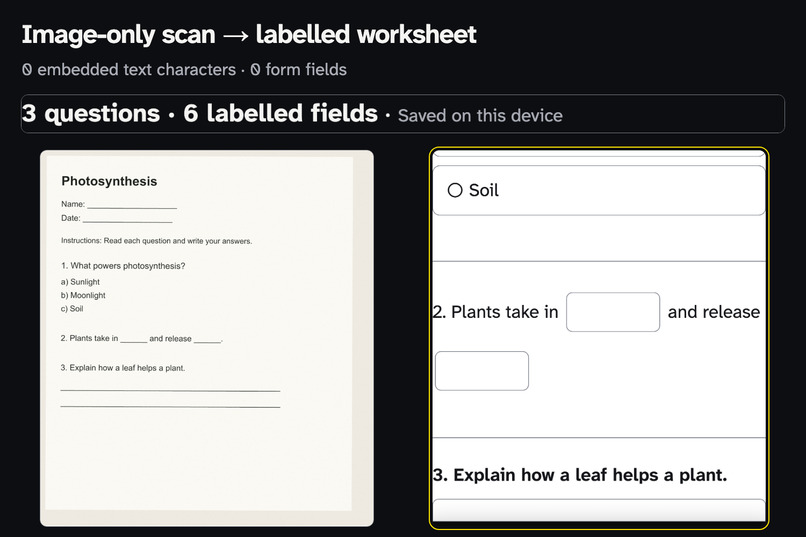
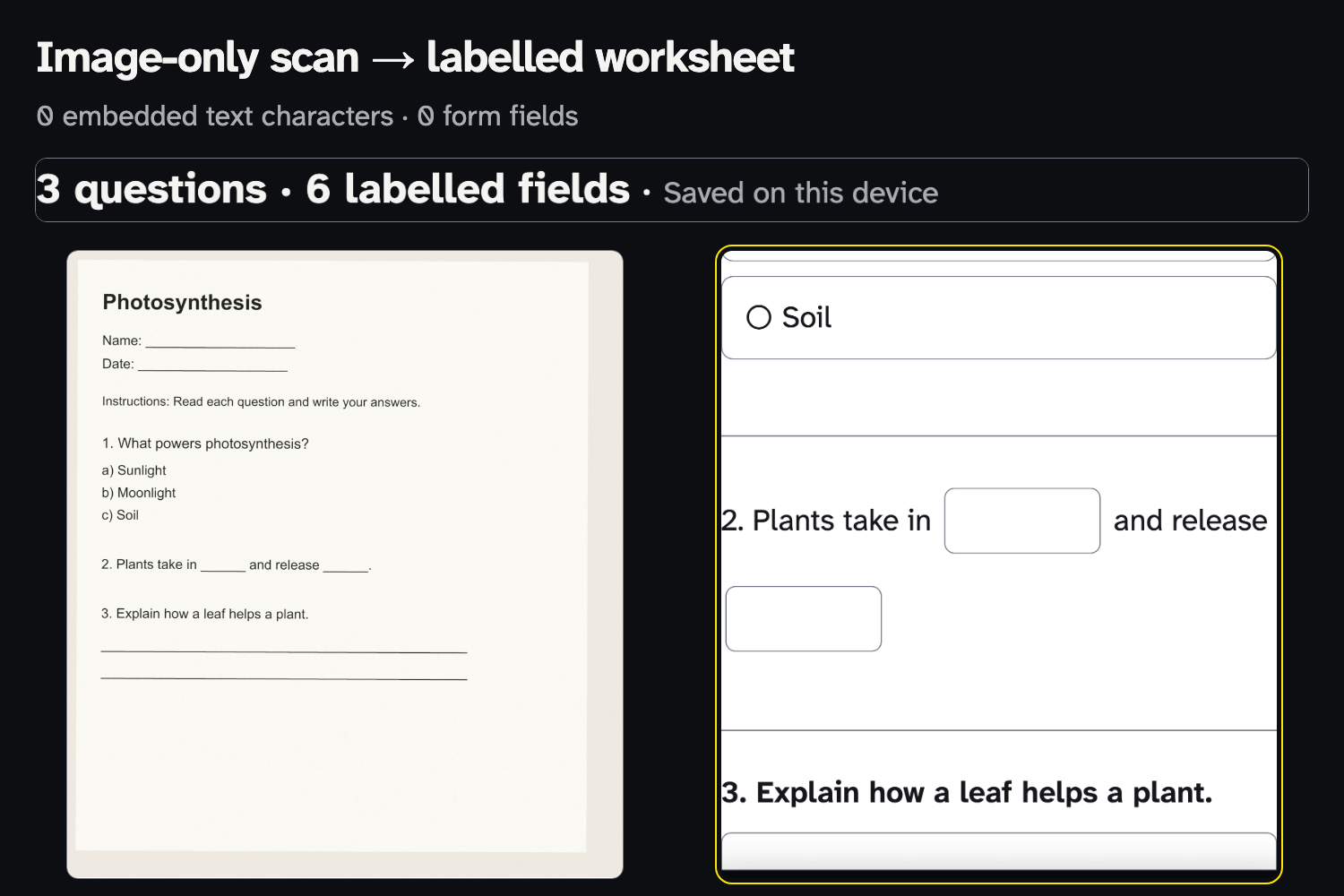
One synthetic science worksheet: no embedded text or answer fields before; three questions and six labelled fields after.
-
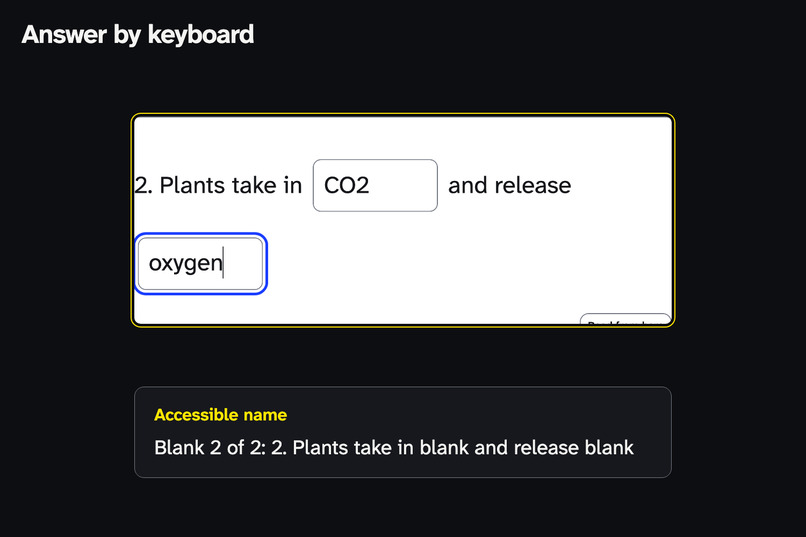
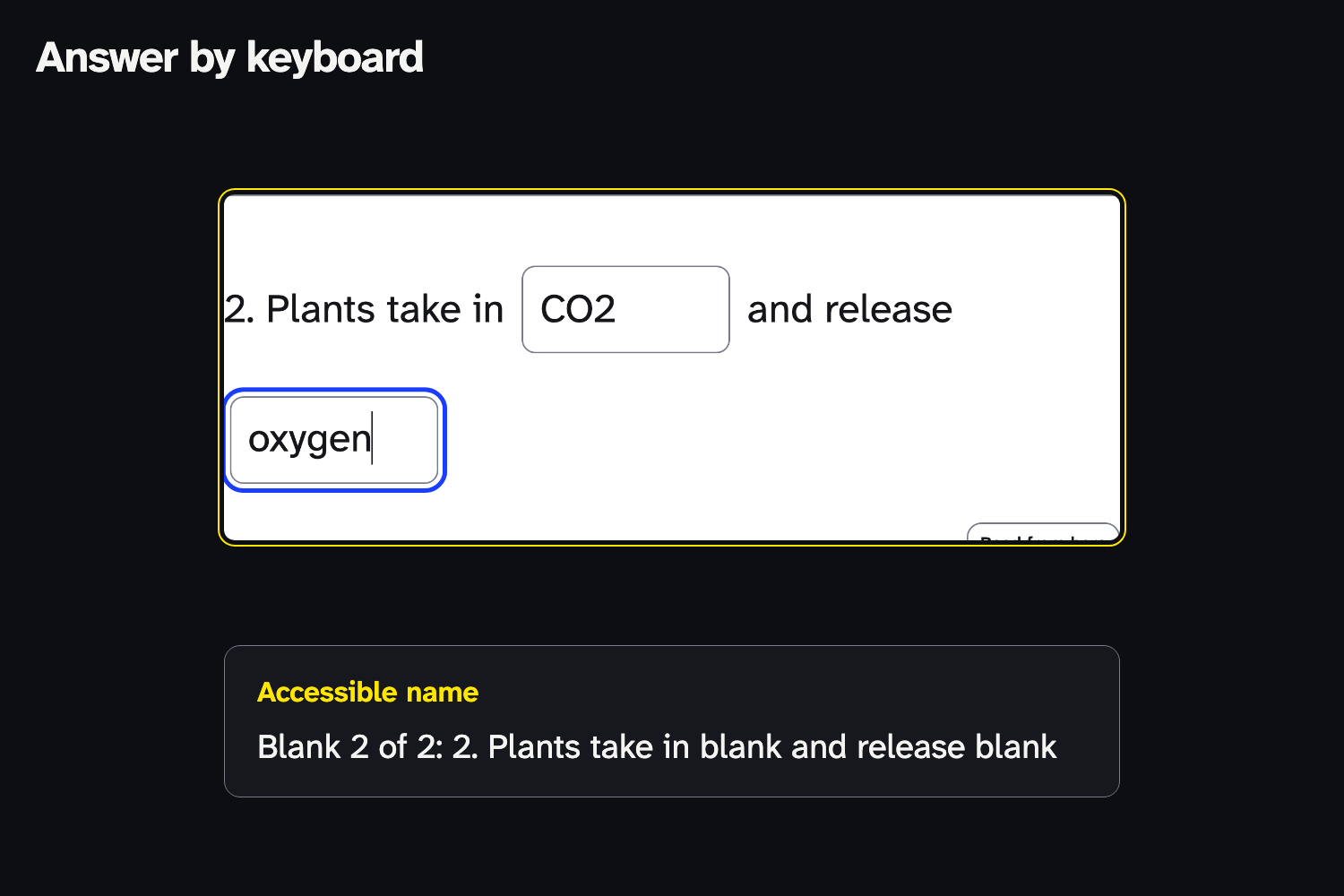
Answer by keyboard. Each blank's accessible name gives its question and its place within the question.
-
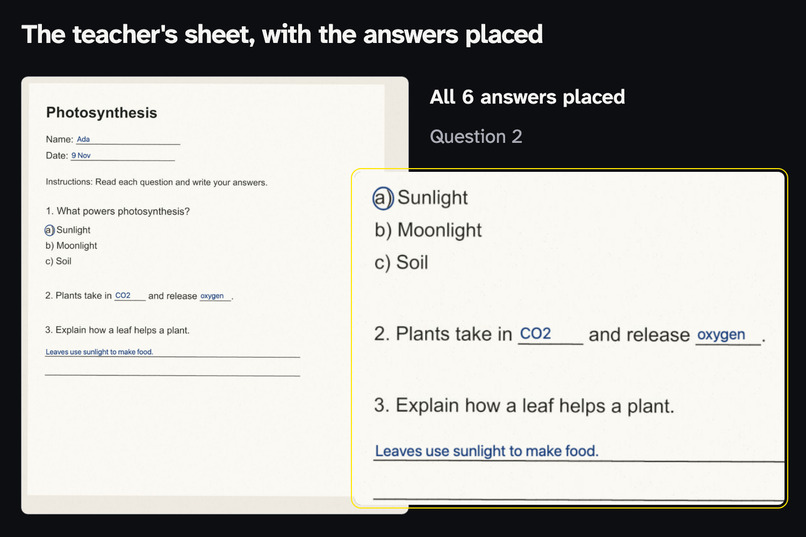
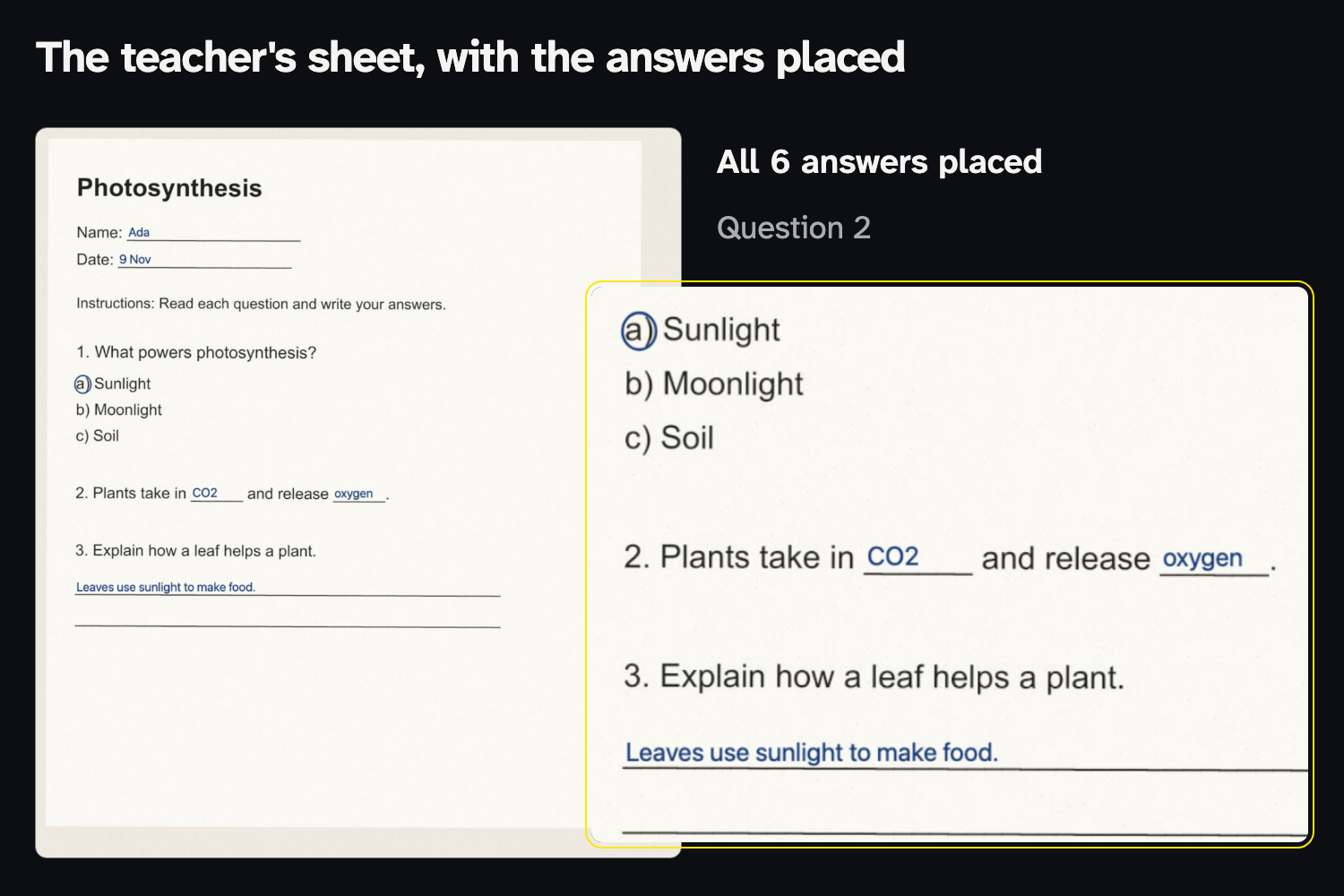
The teacher's original worksheet with the answers placed: the downloaded PDF, opened after export.
-
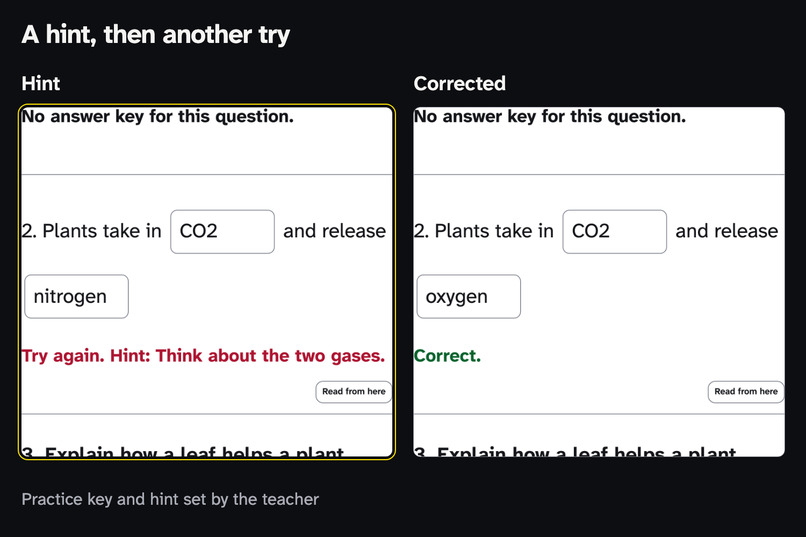
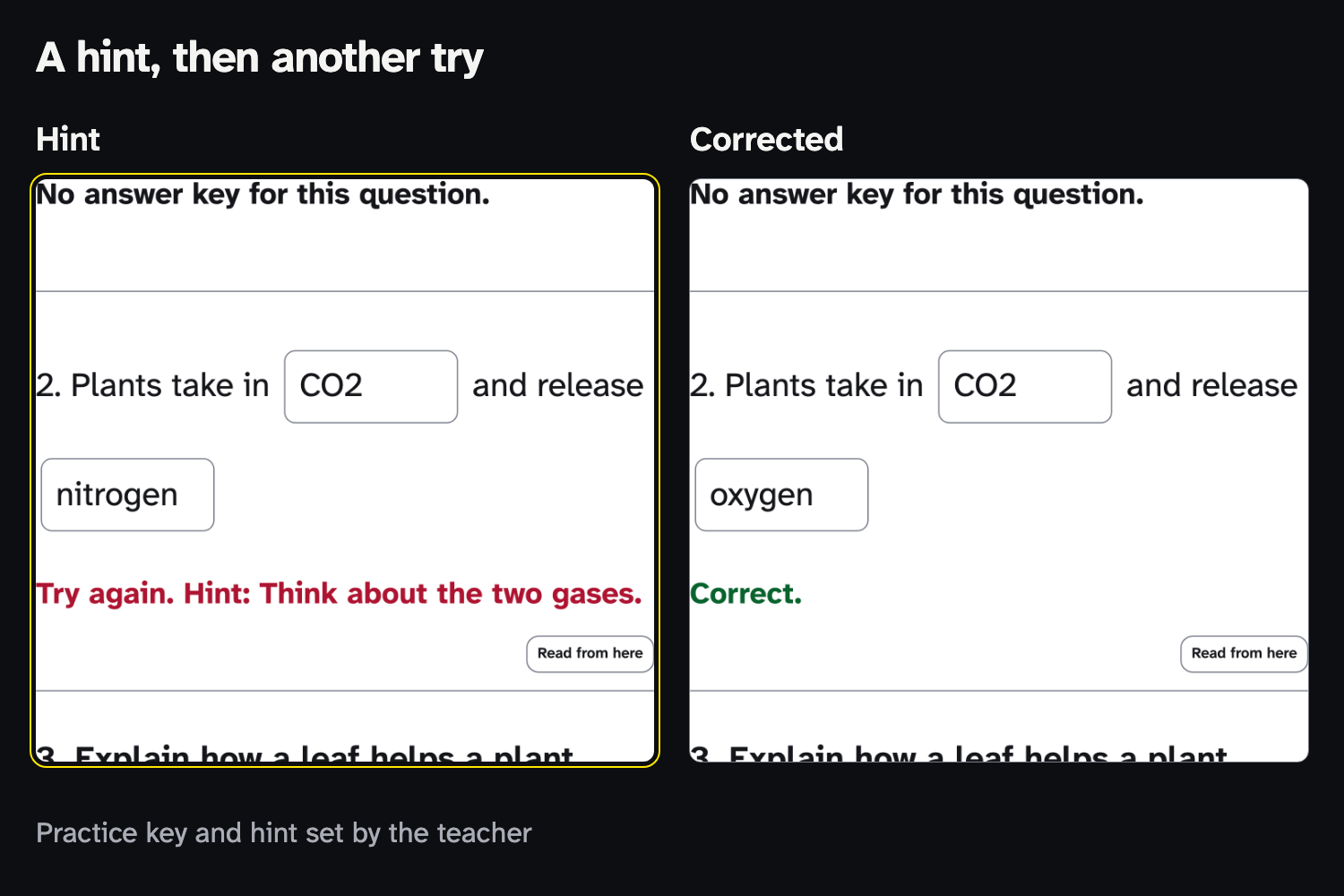
With a practice key and hint from the teacher, the student revises. Retry keeps the answers and focuses the blank to fix.
-
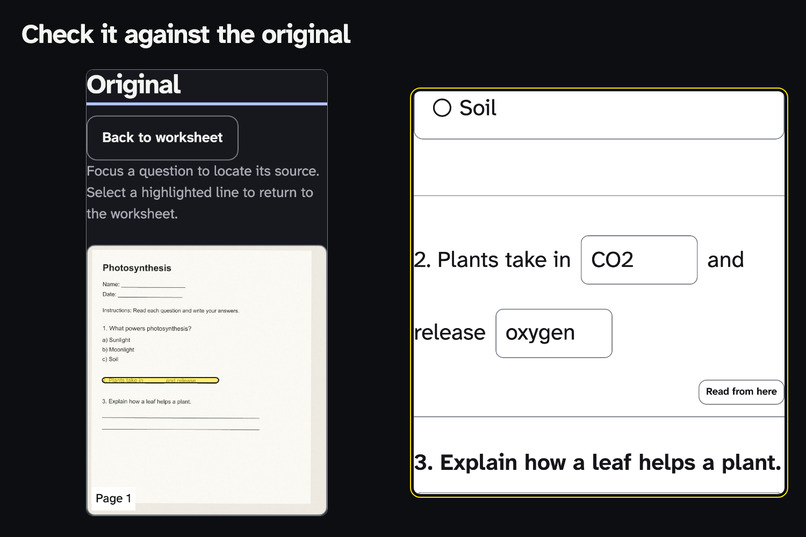
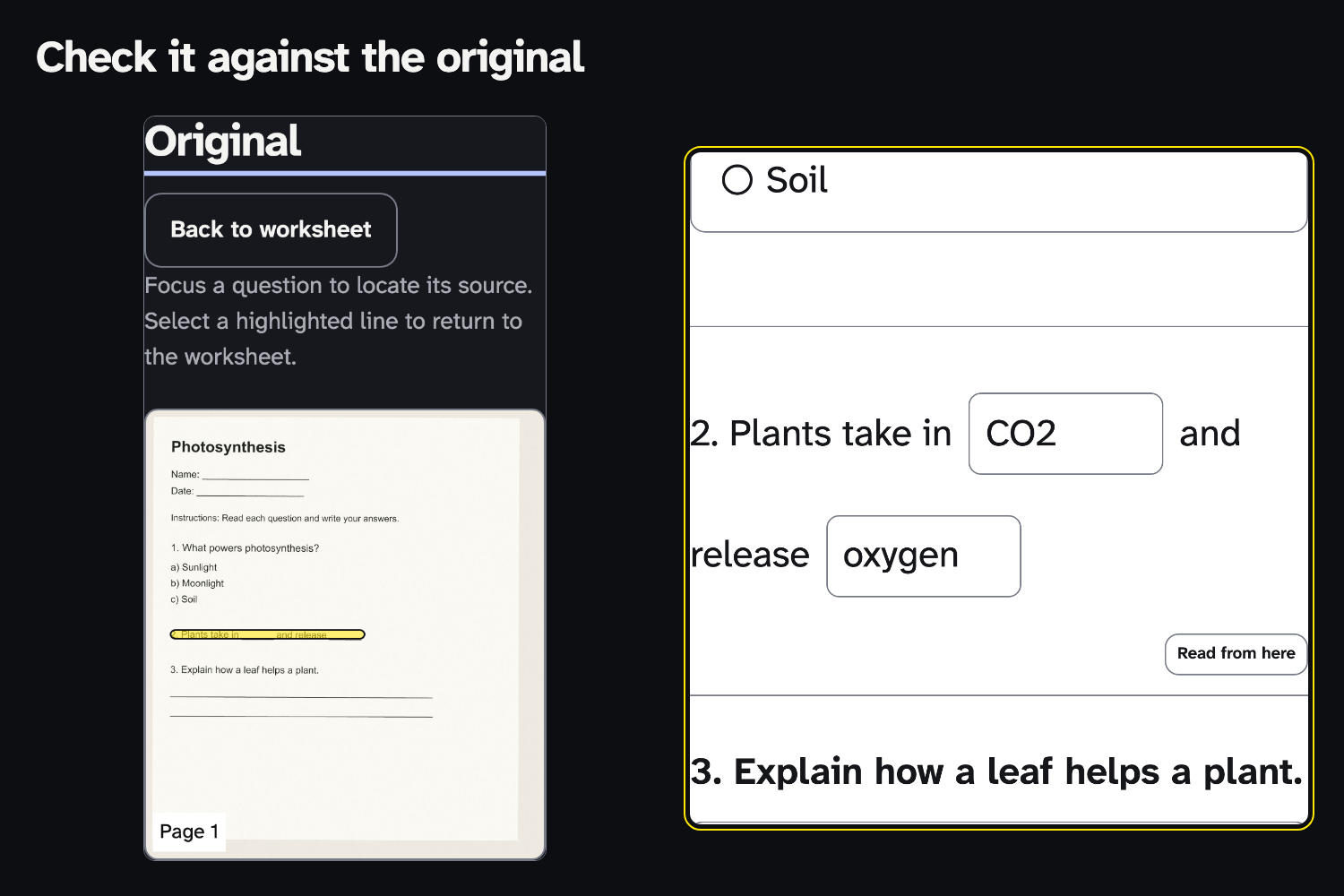
Check recognised text against the original: the focused question lights up its source lines.
-
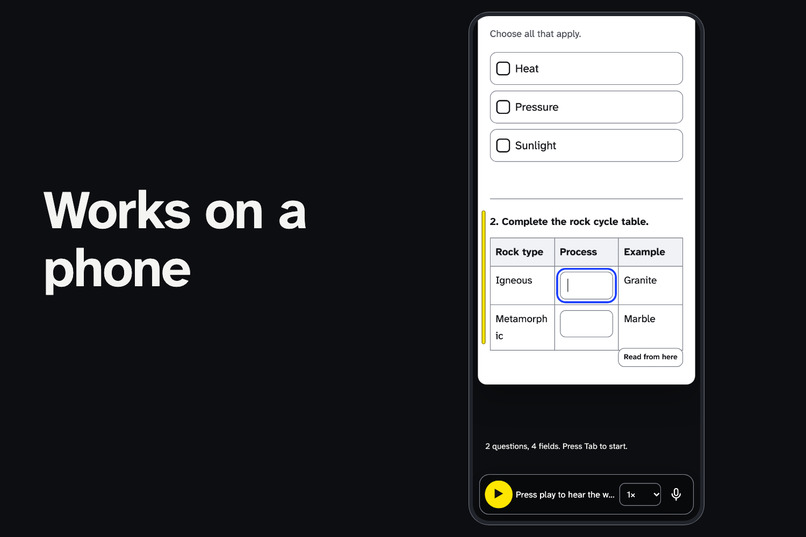
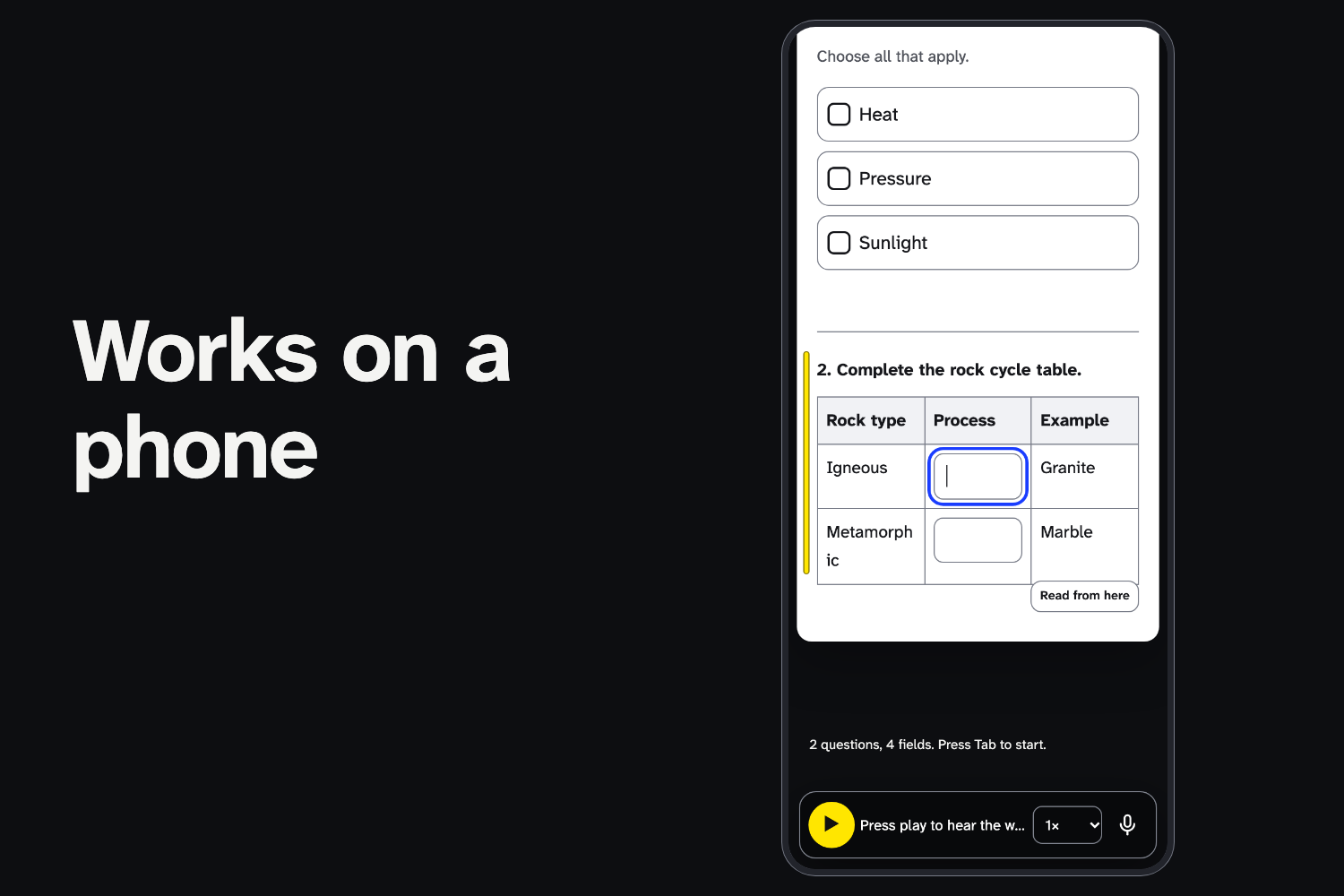
On a 360 px phone the worksheet keeps its labelled answer fields and a compact reader.
Try it: https://yy5652-hash.github.io/unflatten/ (no account, no personal details)
Code: https://github.com/yy5652-hash/unflatten (MIT) · tested build: commit 581e736
Demo film (2 min): https://youtu.be/5ED1KgzbCmo
The barrier
A student receives a science worksheet as an image-only scan: the words are visible, but the file has no embedded text and no answer fields. Unflatten turns supported printed worksheets into web pages with labelled controls, so the student can read the questions, answer by keyboard and hand back the same assignment. In the included Photosynthesis example, conversion produces three questions and six labelled fields. Processing happens in the browser, and the result can always be checked against the original.
An image-only worksheet can lack embedded text, reading structure and answer controls. Even when OCR extracts the words, a blind, low-vision or dyslexic student may still have no practical way to move between the questions and complete the exercise by keyboard. So the student waits for someone to convert the sheet, and the class moves on. Unflatten focuses on that immediate task: make a supported worksheet readable and answerable without an account or school integration, then return the completed work.
Try it in 60 seconds
- Press Try a scanned worksheet — 30 seconds.
- Press Tab into question 2 and fill both blanks with the keyboard alone.
- Open Original: question 2's source lines light up.
- Hand in → Teacher — original-layout PDF: download it and your answers are on the sheet the teacher handed out.
- After Ready offline appears, turn off your connection, reload and convert another sample.
Read, answer, check, return
Read. Read aloud with word highlighting, page colours, spacing and a reading ruler.
Answer. Native radios, checkboxes, blanks, short answers, tables and matching rows, each with a label that names its place, such as "Blank 1 of 2: Plants take in blank and release blank." Answers are saved on the device and survive a reload.
Check. The original page sits beside the worksheet; focus a question and its source lines light up. Lines below 80% OCR confidence are marked "This line may have been misread", on screen and for screen readers.
Practise. The learning task stays the same: read the question, produce an answer and return the work. With an answer key and hint from the teacher, the student can press Check answers, read the hint, and Retry: the answers already entered stay, and focus moves to the blank that needs revision.
Return. Choose who it is for. A teacher gets the original page as a PDF with the answers drawn in place, and a count of what was placed; anything without a reliable position goes on a labelled extra page. A screen-reader user gets structured HTML.
For teachers. Prepare lesson walks through uncertain lines and undescribed figures, then makes a Practice copy (self-check keys) or an Assignment copy (keys and correctness data removed from the student data itself). Shared school computers get a temporary mode.
Also: Word, EPUB 3, uncontracted braille (.brf) and OCR in eight languages, described in the README.
Before and after (measured by the app on these files)
| Sample (synthetic) | Before | After |
|---|---|---|
| Photosynthesis, image-only scan | 0 embedded text characters, 0 form fields | 3 questions, 6 labelled fields |
| Rock Cycle Review, image-only scan | 0 embedded text characters, 0 form fields | A table, checkboxes and a word bank |
| The Water Cycle, two-column PDF | Text with no headings or tags, 0 form fields | Column by column, 4 questions, 7 labelled fields |
On a synthetic perspective-and-shadow photo, page correction increases detected questions from 1 to 3 — one controlled example, not an accuracy estimate.
How it works
PDF.js reads text and positions. Pages without usable text are cropped to the sheet, flattened, freed of shadows, turned upright if needed and recognised by Tesseract in WebAssembly, on the device.
The interesting part is the blanks. OCR reads a run of underscores as nothing or as noise, so a plain OCR pipeline deletes exactly what makes a worksheet a worksheet. Unflatten finds blanks as ink — long, thin dark lines in the page image, including skewed ones — and puts them back into the sentence. Checkbox outlines and ruled tables are found the same way. Because each keeps its position on the page, typed answers can go back on the paper.
Worksheet conversion and exports run on your device. Unflatten has no upload endpoint, accounts or analytics. Compact links keep the worksheet in the URL fragment, which is not sent to the web server; anyone who receives a link can read it. Optional voice typing may use the browser's speech service, and says so before you enable it.
How it was checked
Last full run on 19 November 2026, on the deployed build (commit 581e736), macOS, Node 24, Playwright 1.64 with Chromium and WebKit (the engine behind Safari):
npm test: 103 unit and OCR tests passed, 0 failed.npm run e2e: 165 browser tests passed, 0 failed: Chromium at desktop (1280 × 900) and phone (360 × 800) sizes, and WebKit at desktop size.
They cover real OCR on the scanned samples, keyboard-only completion (in WebKit with Option+Tab, as Safari users press it) with the expected accessible name on every field, answers surviving a reload, practice hint and Retry, conversion with the network off and no third-party requests, zero axe-core violations on the tested screens in all six page colours and on exported files, a teacher PDF where every answer on the sheet is at least 9 pt (anything else goes on a labelled extra page), Assignment copies with no keys in the raw file, and the teacher and student file round-trips. Commands and the full list are in the README.
Built during the event, and credits
I built the application interface, the reconstruction logic and the student and teacher workflows during the event, from 1 November 2026, using the credited open-source components: PDF.js and Tesseract.js with tessdata_fast models (Apache-2.0), Atkinson Hyperlegible Next and Mono via Fontsource (OFL-1.1), WordNet data (Princeton licence) and the libraries in THIRD_PARTY.md. Development used AI coding assistance from OpenAI Codex and Claude Code, directed and reviewed by me. Optional runtime features use Chrome's on-device AI where available. All sample worksheets are original and synthetic, with no real learner data.
Demo film music: Chopin, Prelude Op. 28 No. 17, Musopen recording via Wikimedia Commons (https://commons.wikimedia.org/wiki/File:Prelude_Op._28_no._17.mp3), CC0 1.0.
What still needs work
- Handwriting, full math notation, and merged or borderless tables.
- Describing diagrams, which still needs a person.
- Braille contractions: output is uncontracted UEB Grade 1.
- Sessions with screen-reader users and testing on older phones.
Built With
- axe-core
- chrome-built-in-ai
- indexeddb
- pdf-lib
- pdf.js
- playwright
- service-worker
- tesseract.js
- typescript
- vite
- web-speech-api
- webassembly
- wordnet
