-
-
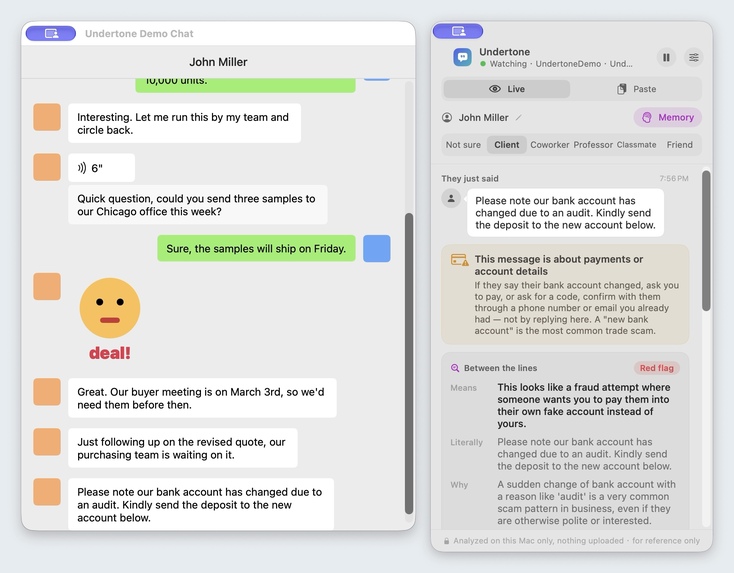
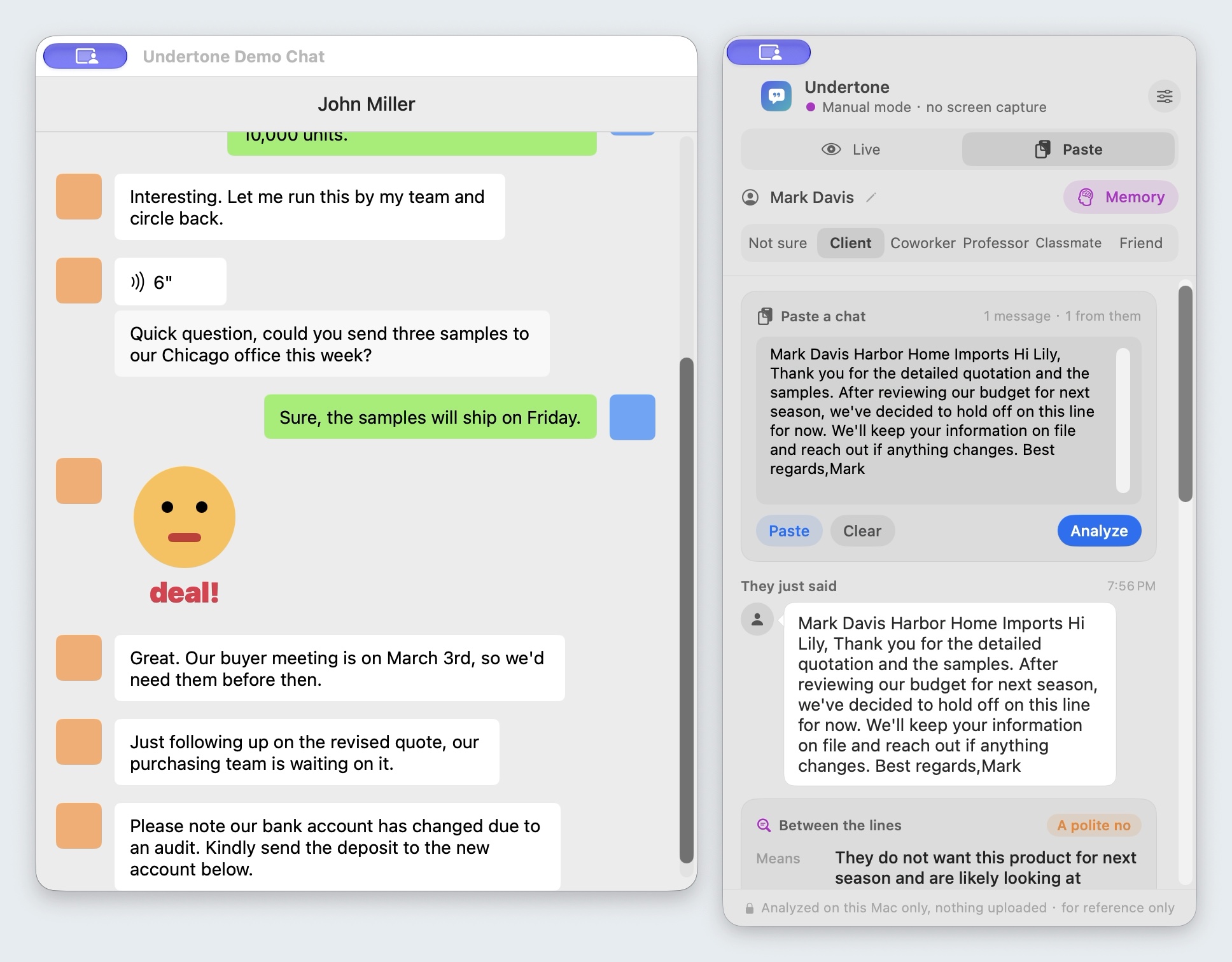
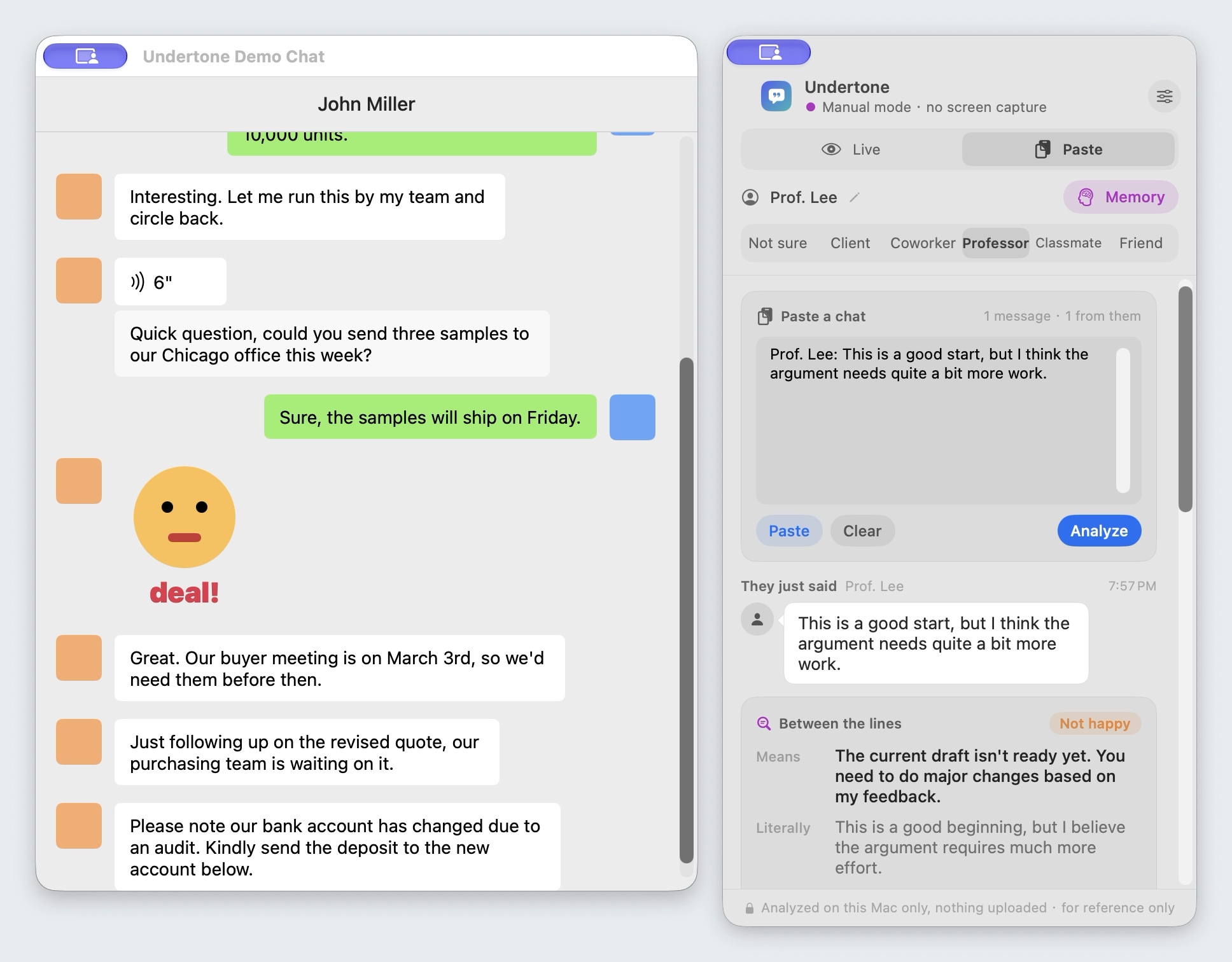
"Our bank account has changed due to an audit": red flag, confirm through a contact you already had.
-
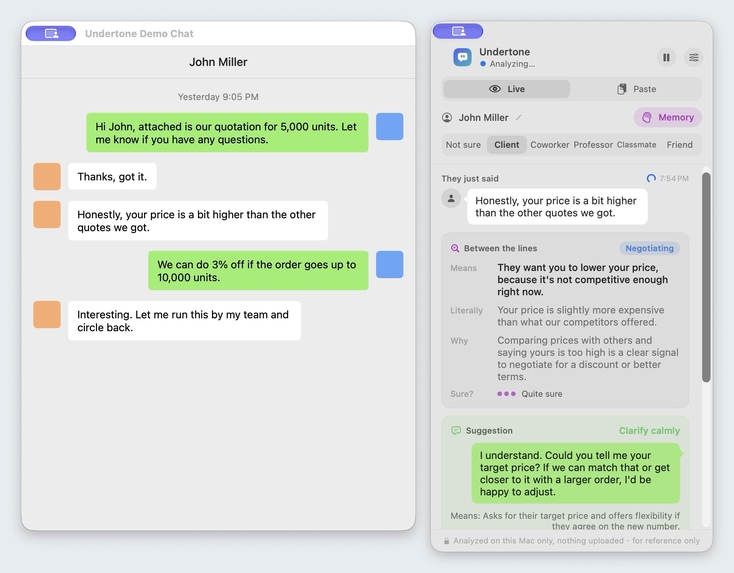
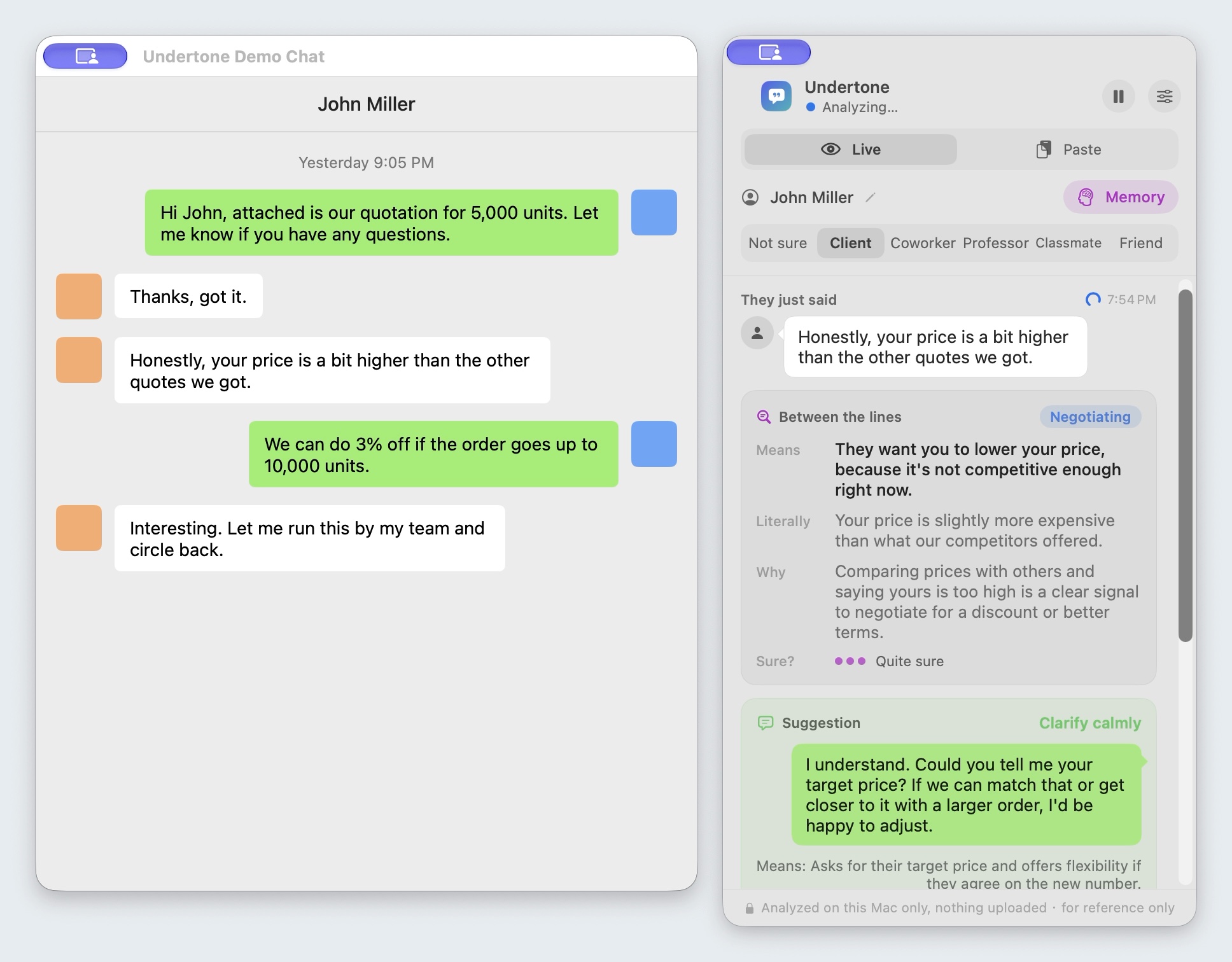
A buyer pushes on price: Undertone reads it as negotiating and suggests asking for his target price.
-
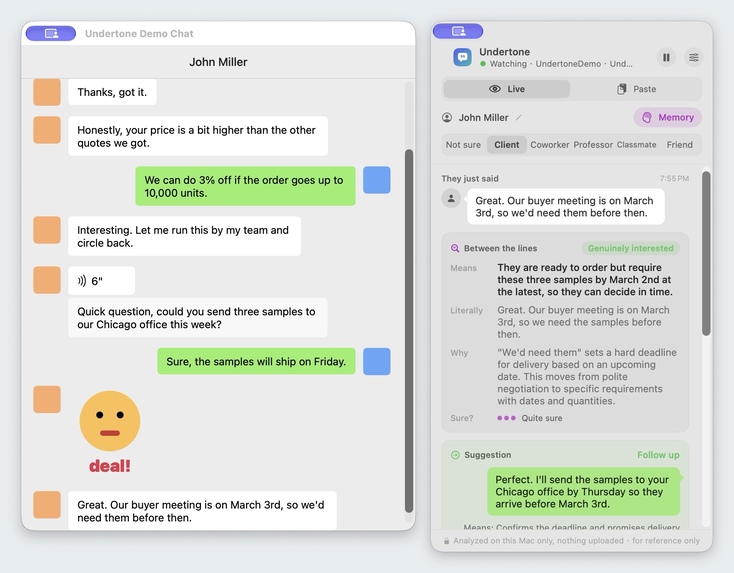
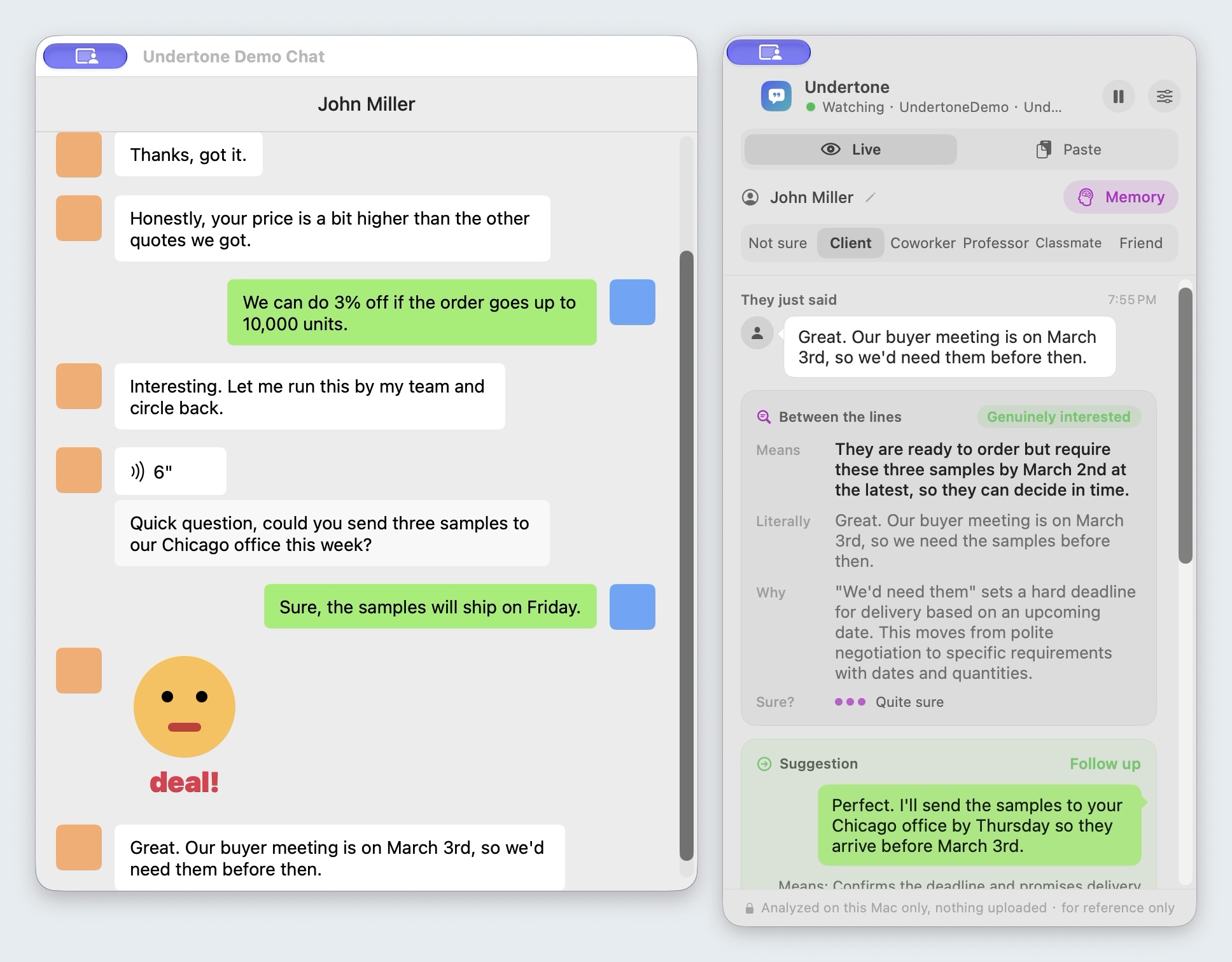
A real deadline ("we'd need them before March 3rd") reads as genuinely interested.
-
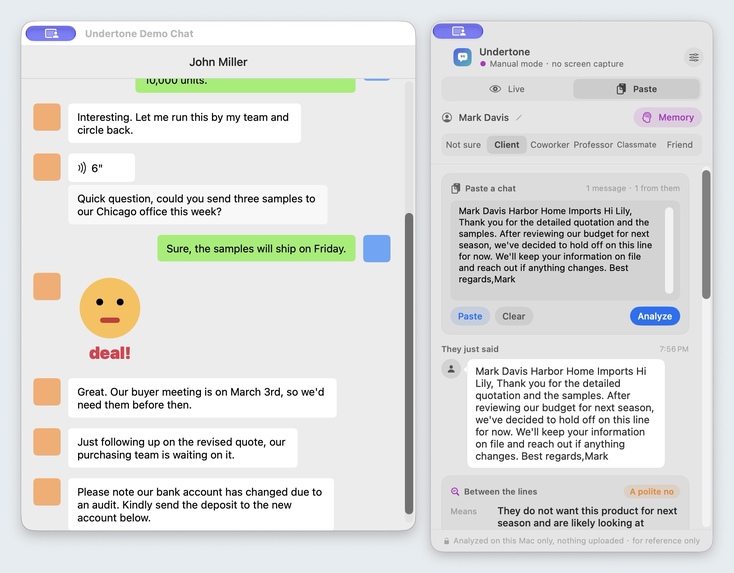
Email screenshots work too: "we've decided to hold off on this line for now" is a polite no.
-
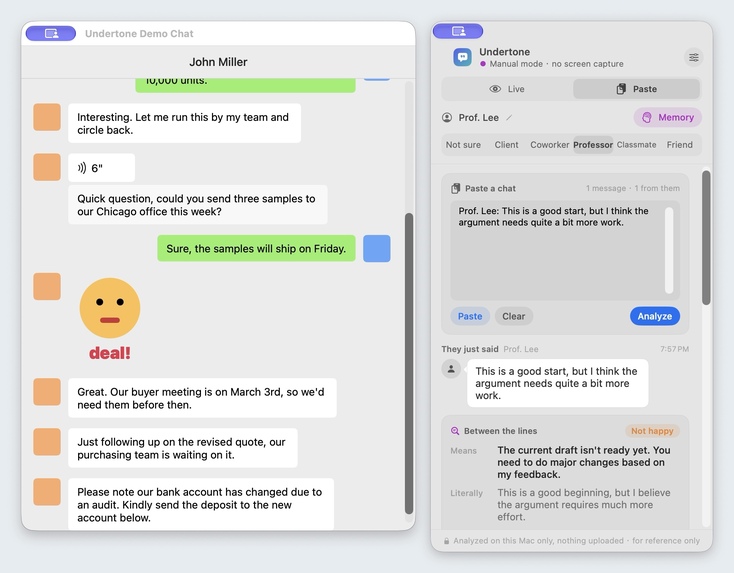
From a professor: "a good start, but the argument needs quite a bit more work" reads as not happy.

Inspiration
Hundreds of millions of people study, work and do business in English as a second language. A supplier in Ningbo sells to a buyer in Chicago; an international student emails a professor; a new hire reads a manager's feedback. The words are easy. The subtext isn't.
- "We'll review it internally and get back to you" after a quote usually means you're being compared with other suppliers.
- "That's an interesting idea, let's keep it in mind" at work is usually a polite no.
- "Per my last email" means "I already told you."
- "Our bank account has changed due to an audit" is the most common payment fraud in foreign trade.
Misreading these costs deals, grades and money, and translation tools don't help: the translation is correct, but the meaning is lost.
What it does
Undertone is a floating panel on macOS. Point it at a chat window, paste an email, or drop in a screenshot. For each new English message it shows:
- the reading: one of 11 types — means what it says, just being polite, a polite no, not decided yet, waiting on you, not happy, genuinely interested, negotiating, sarcastic, joking, red flag;
- why a native speaker would say it that way in this setting;
- what they actually mean, and how sure it is;
- a natural English reply you can copy.
The relationship matters (the same sentence from a client and from a friend means different things), so you pick it: client, coworker, professor, classmate, friend.
Check before you send reviews your own reply: how it will land (too blunt, too apologetic, too casual, unclear, grammar issues) and a more natural version.
Scam and crisis nets. A keyword net catches payment scams (changed bank account, verification codes, upfront fees) even when the model misses them, and tells you to confirm through a contact you already had. A second net watches for crisis language and shows support resources.
Explanations are in plain English, or in Chinese for Chinese speakers. Everything runs on a local Qwen 3.5 4B model through Ollama by default: no chat leaves the Mac, which matters for business conversations. Undertone only reads the screen; it never hooks into a messaging app or sends anything.
How I built it
- Swift / SwiftUI app. ScreenCaptureKit captures only the chosen chat window; Apple Vision OCR reads it, and a pixel-level layout detector finds bubbles, avatars and stickers so it can tell their messages (left) from yours (right). Paste mode and screenshots use the same pipeline.
- The model: a system prompt with an ordered decision checklist and 15 worked examples covering trade, workplace, campus, friends, hard negatives, a scam and a crisis message, answering in JSON. The model explains the convention and the real meaning first and picks the label last. A repair step fixes the unescaped quotes small models put inside JSON strings.
- Evaluation: hand-written English test sets with the expected reading and the signals that must and must not be raised, run through the app's own code path (
Undertone --eval). A 324-message labelled pool is used for prompt tuning, and a fresh held-out set was written after all tuning. - Fine-tuning experiment: QLoRA on Qwen3.5-4B-Base with MLX on a 24 GB M4 Pro, comparing supervised labels against self-training (the prompted model answers each message three times and only unanimous answers are kept: 87% correct, no human labels).
Results
Prompted qwen3.5:4b running locally, reading accuracy:
| Set | Chinese explanations | English explanations |
|---|---|---|
| Fresh held-out set (never used for tuning) | 32/39 (82%) | 30/39 (77%) |
| Development set (used while tuning) | 34/40 (85%) | 38/40 (95%) |
| Check before you send (verdict) | 23/26 (88%) | 24/26 (92%) |
The fine-tuned models matched the prompted model on the development set and ran about 30% faster, but on the fresh held-out set they scored 62–66% against 79% and missed more scam signals. So the app keeps the prompted model as the default and offers the fine-tuned one only as an experimental Fast mode. The full write-up, including the failures, is in train/RESULTS.md.
Challenges I ran into
- Small models read everything literally. A blunt "don't over-interpret" rule made the model call polite filler and soft refusals "means what it says". Replacing it with an ordered checklist took the 324-message pool from 67% to 75%.
- Fine-tuning looked better than it was. It matched the prompted model on sets I had already looked at, and lost clearly on new messages. Writing a fresh held-out set was the most useful hour of the week.
- Training Qwen3.5 on a Mac. Its Gated DeltaNet layers fall back to a per-token Python loop when training, so step time scales with the number of trained layers. I reported it upstream (ml-explore/mlx-lm#1956). Running training and inference at the same time also froze the Mac, so GPU jobs now run strictly one at a time.
Accomplishments that I'm proud of
- A working, downloadable app (v0.2.0 DMG) that runs entirely on a laptop.
- Honest numbers: every figure comes from a set and a script in the repo, including the experiment that didn't work.
- The scam card: the changed-bank-account message is caught by both the model and the keyword net.
What I learned
A good instruct model with good examples beat a few hundred hand-written training messages. And the hardest part of "AI that understands people" isn't the model: it's deciding what counts as right and measuring it on data you haven't seen.
What's next
- More real (anonymized) messages from people who trade and study in English, to grow the test sets.
- A notarized build, and a share extension so phone screenshots go straight to the Mac.
- More explanation languages, starting with Spanish and Vietnamese.
Built on earlier work
Undertone builds on an earlier open-source project of mine, started in September 2026: the screen capture, OCR and chat-bubble detection layer comes from it. Everything else was built during ForgeHacks (Oct 3–10): the cross-cultural reading and its prompts, the English explanations, Check before you send, screenshot reading, the scam card, the evaluation sets, the fine-tuning experiment, and the v0.1.0 and v0.2.0 releases. I built it with Claude Code as my coding assistant.

Log in or sign up for Devpost to join the conversation.