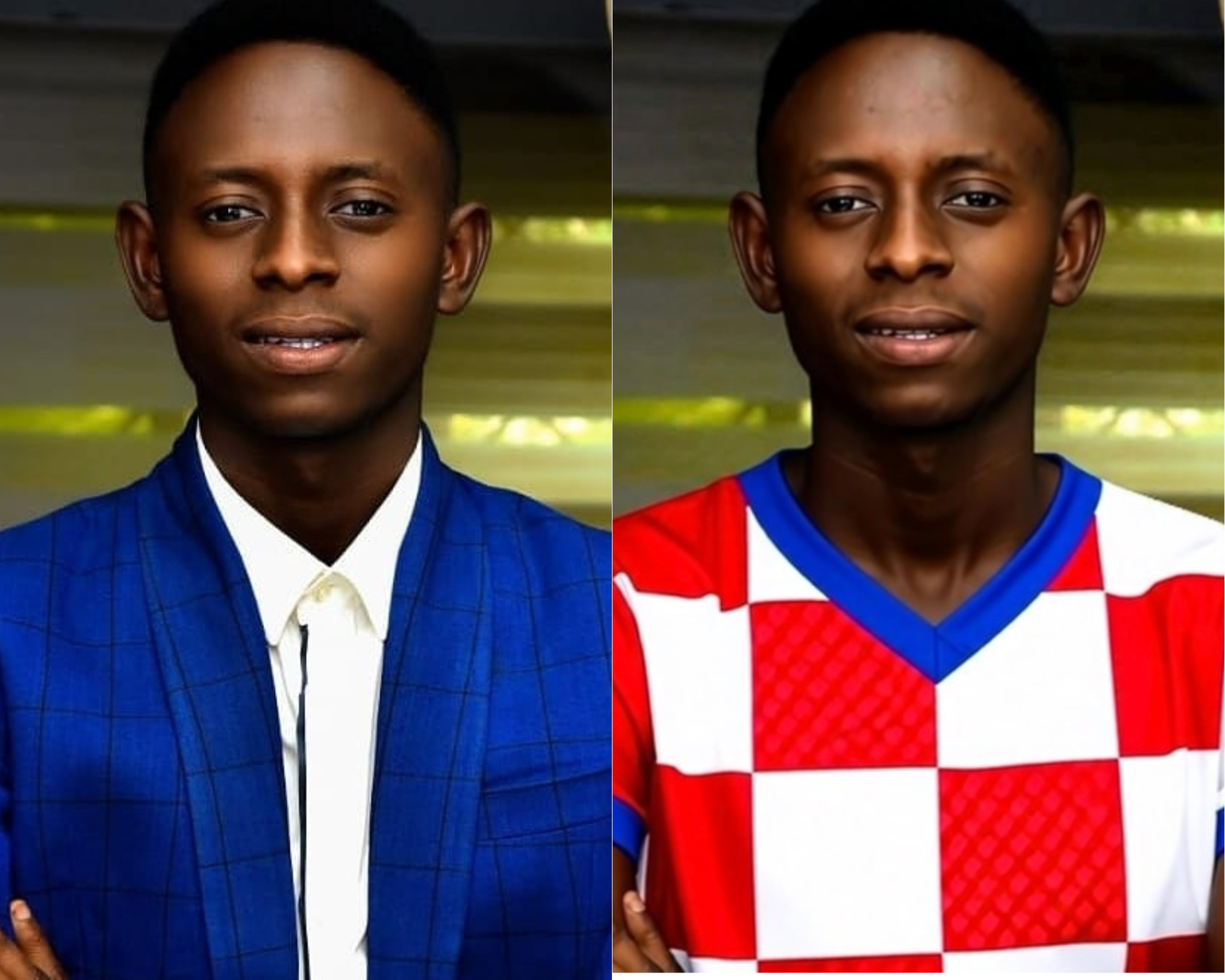
I was looking at a photo of myself in a royal blue suit and realised I had no idea whether it suited me. Nobody does. People buy clothes on instinct, or pay a stylist a few hundred pounds for a colour analysis session that comes down to one person's trained eye.
Two things struck me about the YouCam API. The Facial Color Tones analyzer returns exact hex values for skin, hair, eyes, eyebrows and lips, the raw inputs a stylist works from, but measured rather than judged. And Apparel VTO can put a garment on you.
Between those two sits the actual question: which garment? That gap is where the product is. Tone analysis alone gives you numbers with no action. Try-on alone shows you clothes with no reason to pick them. Connected, they answer something people genuinely can't answer for themselves.
What it does Upload a selfie. Undertone measures four axes:
Undertone : warm or cool, from the CIELAB hue angle Depth: how light or deep, from L* Contrast: the lightness gap between skin and hair Chrom: how vivid or muted the natural colouring is
Those place you in a seasonal palette. Every garment in the catalogue is then scored by its CIEDE2000 distance to the nearest palette colour, and every verdict shows its working:
Glitter Glam Gown #ecddce 91.1 excellent Almost exactly your Cream (ΔE 4)
Croatia #da0617 76.2 excellent Almost exactly your Rust (ΔE 10)
- Cloud Ruffle #e4e4e4 36.6 clashes ΔE 12 from an avoid-tone
- France #08369a 16.5 poor Closest is Deep bark, ΔE 35
Then you try on the ones that scored well and see whether the maths was right.
In my case it ranked royal blue last — the colour I was wearing in the photo that prompted the whole thing.
How I built it Python throughout. FastAPI backend, single-page frontend, no build step.
YouCam Facial Colour Tones for the raw colour measurements YouCam Apparel VTO (cloth-v3) for try-on colour.py: sRGB → CIELAB conversion, seasonal classification, palettes. Standard library only. match.py: CIEDE2000 implemented from the CIE specification. Standard library only. catalogue.py: builds a colour-matchable catalogue from YouCam's own garment templates by extracting the dominant garment colour from thumbnails.
The two colour-science modules have no third-party dependencies or YouCam coupling they work with any hex input.
Deployed on Render. There's a demo mode that serves a cached profile and disables try-on, so the entire interface can be built and reviewed without incurring API units.
Challenges I ran into My undertone detection was biased against deep skin. The obvious approach is to threshold the CIELAB a* and b* values. But those magnitudes scale with lightness, so thresholds tuned on mid-light skin collapse toward zero on deep skin — the reading returns "neutral" not because the undertone is ambiguous but because the sample is darker. My own face scored +0.04, effectively a shrug.
The fix was to use the hue angle, atan2(b*, a*), which measures the direction of the colour rather than its magnitude and is therefore lightness-invariant. The same face then read "warm, 61°", and deep skin with black hair classified at 0.94 confidence instead of 0.54.
On an API whose stated purpose includes working across ethnicities, shipping an analysis layer calibrated only for light skin would have undercut the whole thing.
The API returned a confident wrong answer. On a passport photo it reported hair_color: #FAF0BE, labelled "Blonde" — pale cream, on deep brown skin. It was sampling the white backdrop. That fed a fictitious skin-to-hair contrast of ΔL* 62 and pushed the classification into the wrong season.
Rather than trust the detector, Undertone now validates it: if hair comes back very light and desaturated, it says so in the interface and falls back to eyebrow colour, which tracks hair depth and sits inside the face region where the background can't reach. Stated confidence drops accordingly. Contrast went from a fictitious 62 to a real 4.5.
Automatic garment colour extraction produced a beautiful lie. My first version cropped a fixed band from each thumbnail and took the dominant colour. Every garment scored "excellent" — because the crop was landing on the models' skin, and warm skin tones match a warm palette. A matcher that flatters every input is broken, and "everything scored excellent" was the tell.
I tried learning each model's skin from the face band and subtracting it, which helped, but garment layouts vary too much for one fixed crop. I stopped there: 20 garments is a ten-minute hand-label, real retail integrations read colour from product metadata anyway, and the extractor stays in the repo as the path to scale with its limitation documented.
template_id is documented but rejected. The AI Clothes guide lists ref_file_id, ref_file_url or template_id as garment sources. Both cloth and cloth-v3 reject any payload carrying template_id, and the error points somewhere else entirely: InvalidParameters: missing required properties (["src_file_url"]), a oneOf failure listing every branch it didn't match. The workaround is to use the template's thumbnail URL as ref_file_url.
Accomplishments I'm proud of The colour analysis works across the tonal range rather than on light skin alone, and I can show the before-and-after numbers that prove it.
Every recommendation is falsifiable. There's no "this suits you" without a ΔE attached, which means a user can disagree with the system on specific grounds rather than vibes.
The system tells you when it doesn't trust its own input. That was the hardest thing to be disciplined about — it's tempting to hide a bad reading and show a clean result.
The whole thing cost single-digit API units to build, because everything except the measurements themselves runs on cached data.
What I learned Perceptual colour distance is not optional. Euclidean RGB treats a 20-point shift in dark navy as equal to 20 points in bright yellow; the eye does not. CIEDE2000 exists precisely because "how different do these look" is not "how far apart are these numbers".
A metric that flatters every input is broken. Twice during this build I got results that looked great and meant nothing. Both times the tell was the same: no discrimination. Everything scoring well is a bug report.
And validating your inputs matters more than polishing your outputs. The most useful thing in the interface is the warning box that admits a measurement was unreliable.
What's next The twelve-season model rather than four, which refines chroma and depth within each season Read garment colour from product metadata, so it works against a real retail catalogue rather than 20 hand-labelled items Add YouCam Skin Analysis on the raw_score axis to track skin condition over time. The docs are explicit that ui_score is adjusted upward because "consumers generally prefer positive evaluations" — which makes it useless for measuring change, and most integrations will reach for it by default Save profiles so returning users skip straight to the catalogue
Built With
- ciede2000
- cielab
- colour-science
- fastapi
- httpx
- perfectcorp
- pillow
- python
- uvicorn
- youcam-api

