-
-
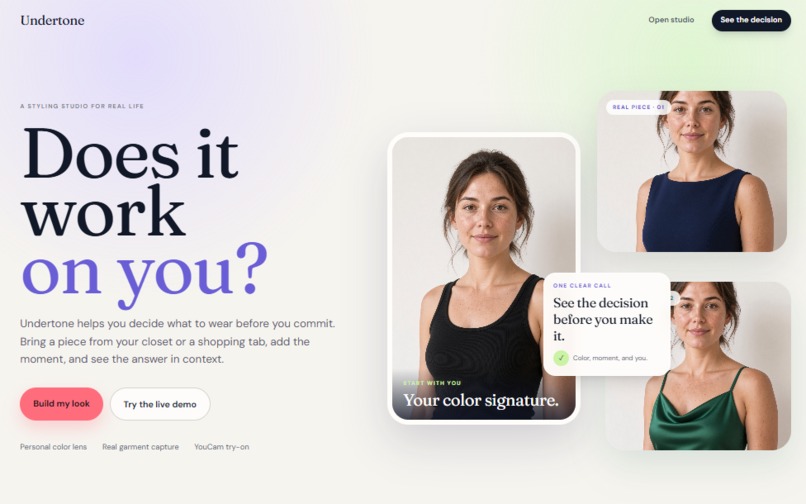
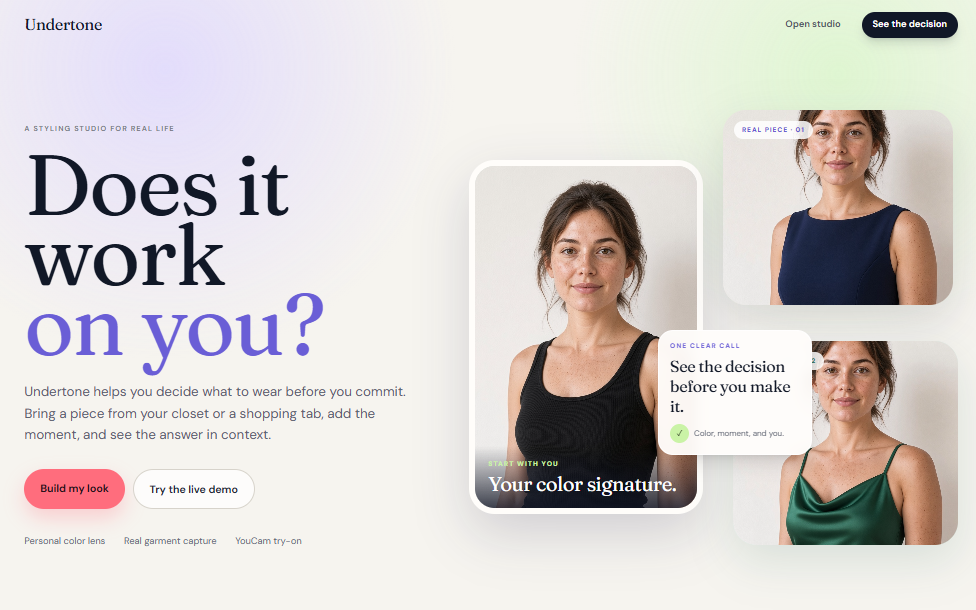
Landing Page
-
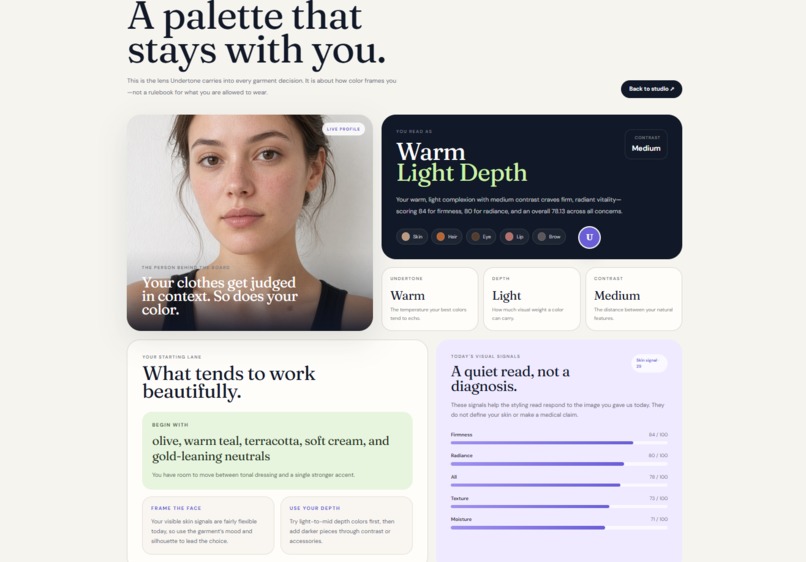
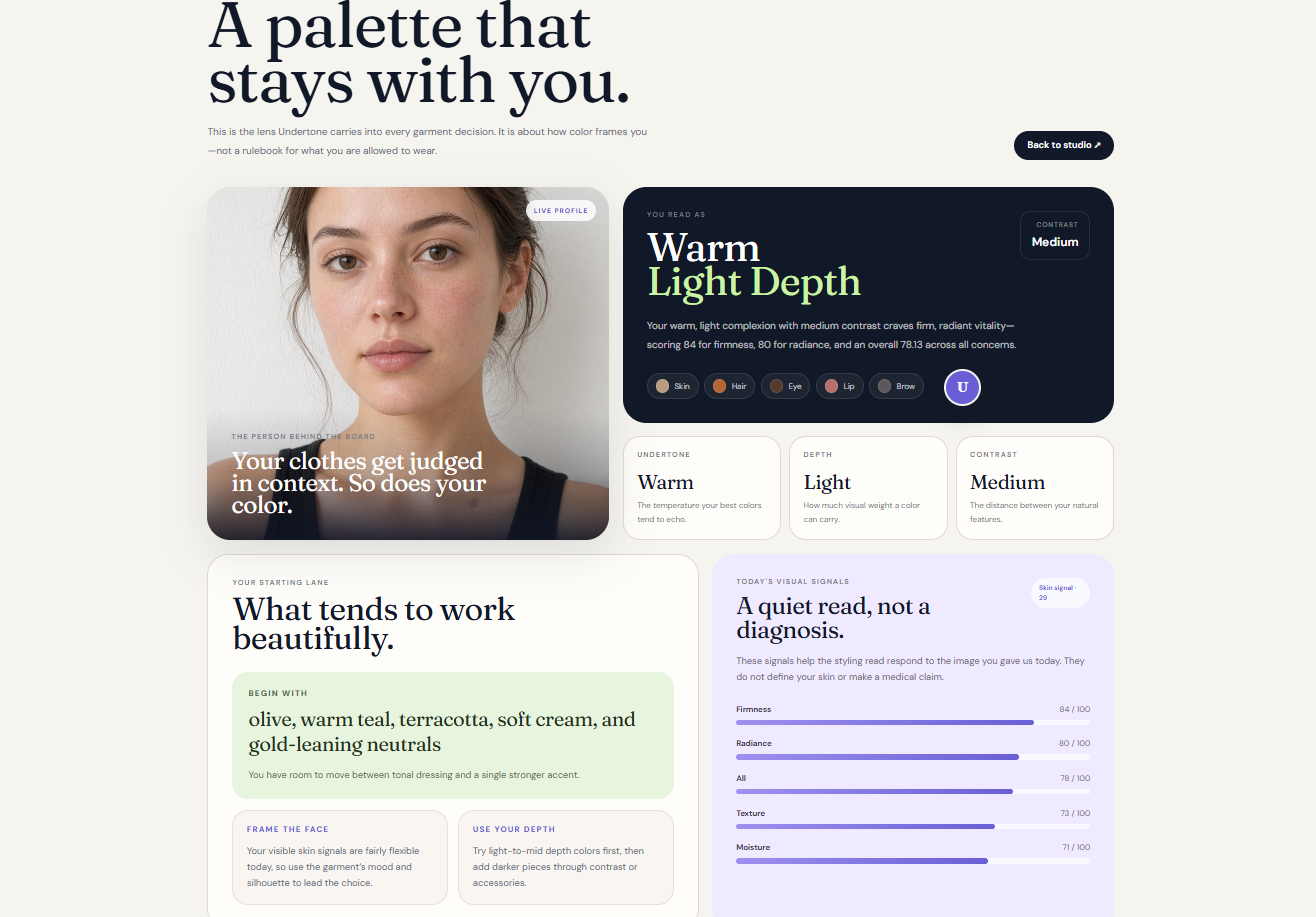
User profile
-
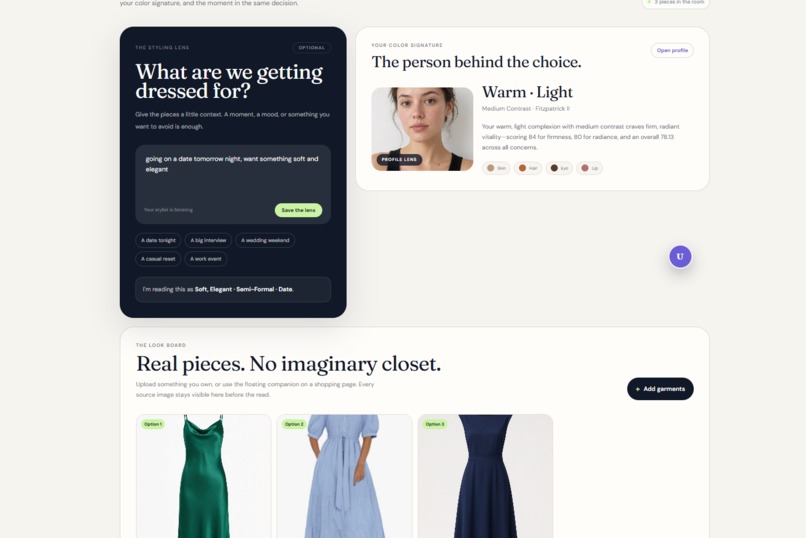
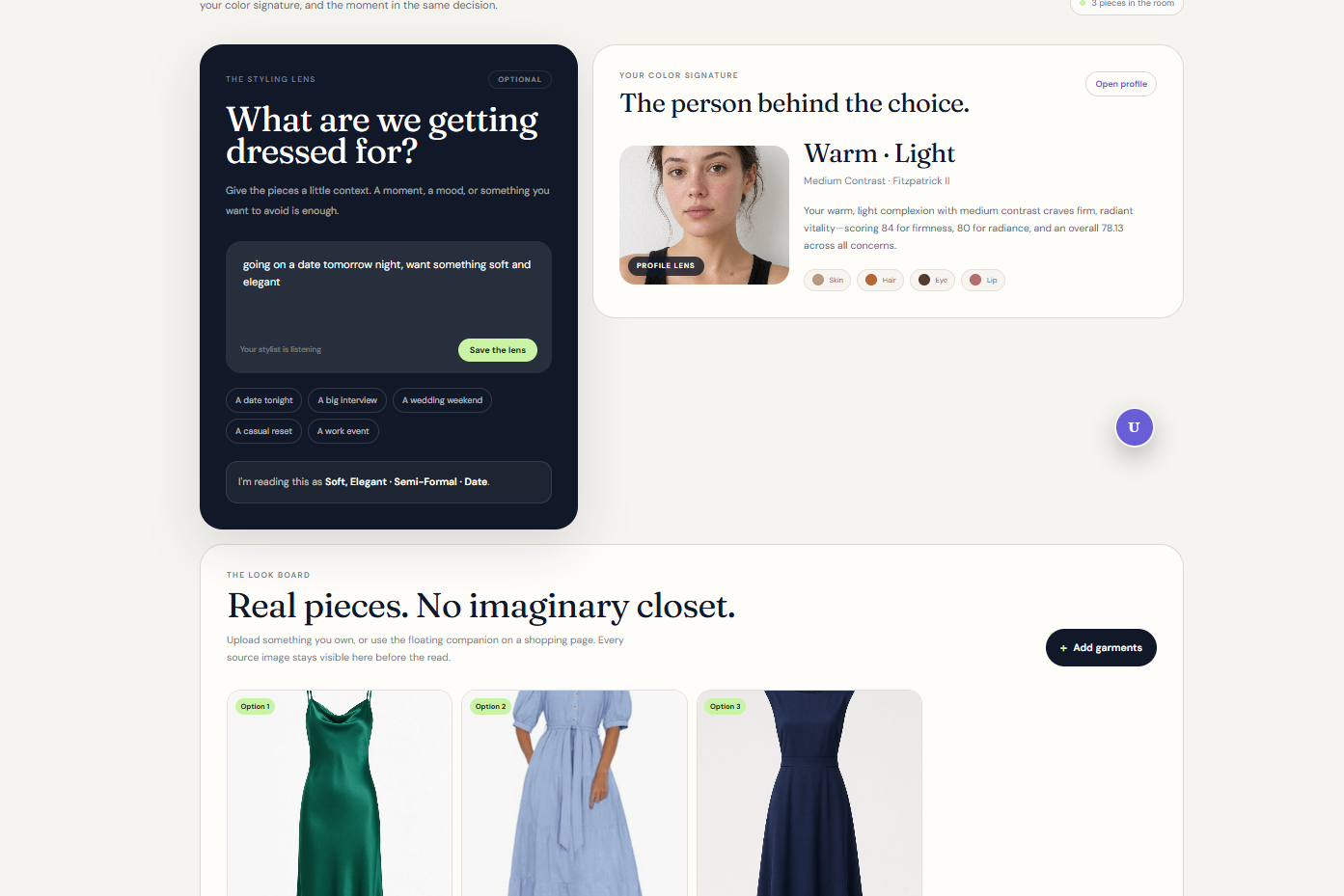
Styling-studio : U pick the garments write the moments it is for (e.g. dating at night , weeding etc) , kick in the comparisions
-
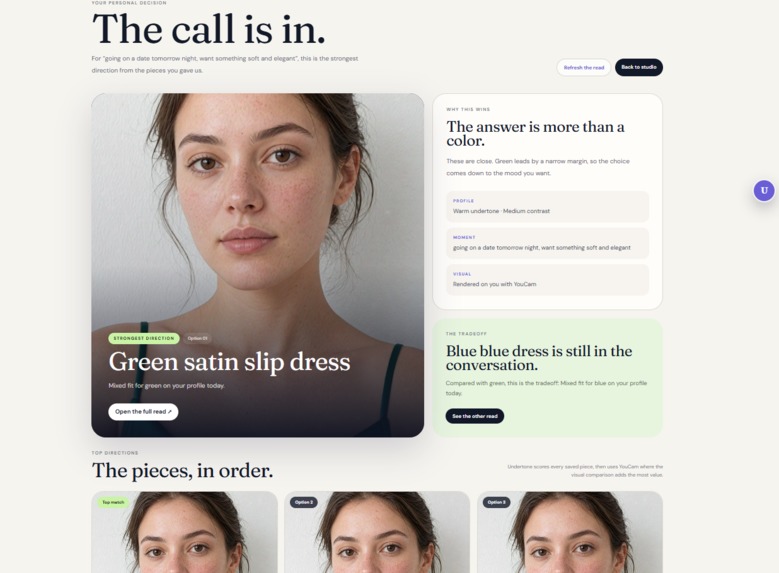
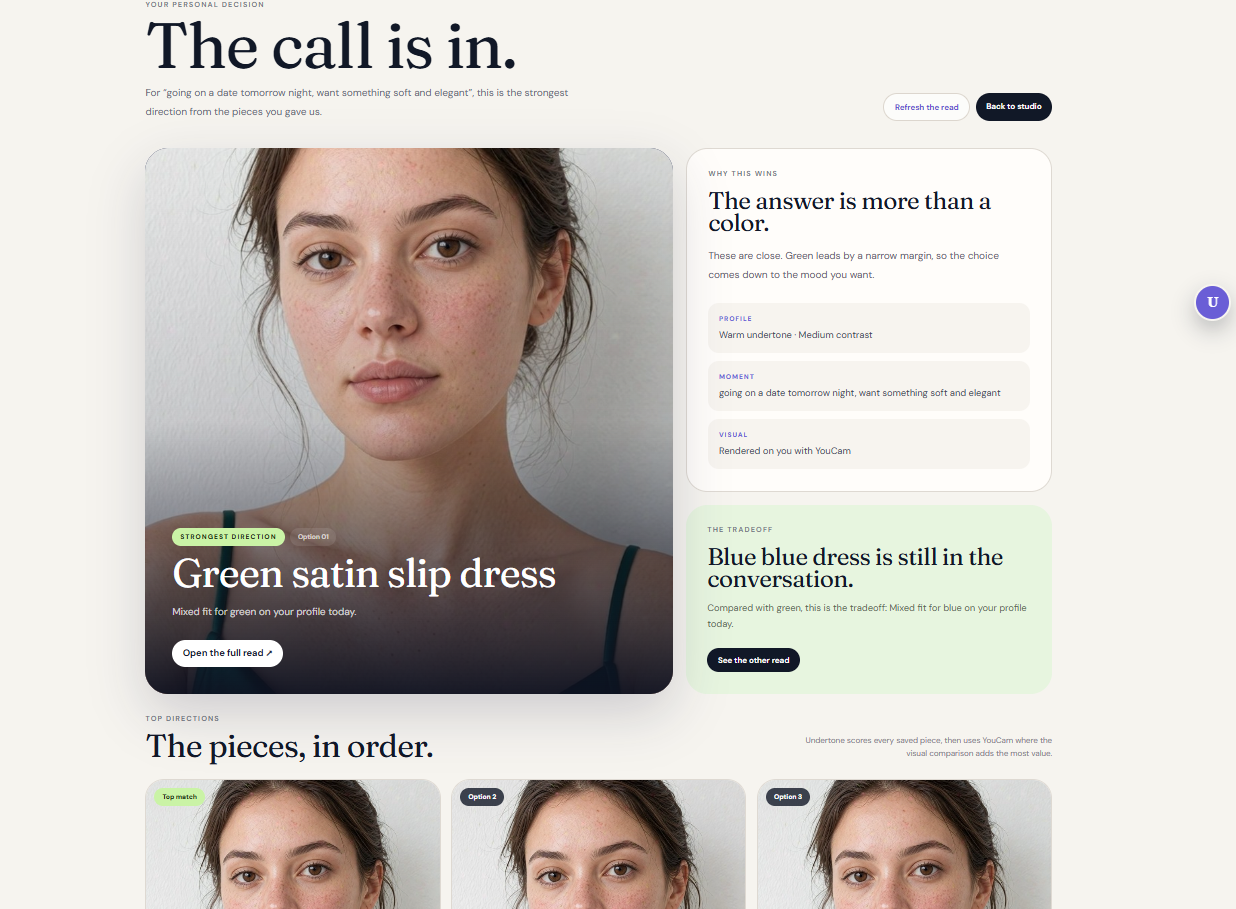
Personalized Comparision picks you the best fit with the data backed behind it
Inspiration
Choosing clothes online is still surprisingly uncertain. Product pages usually tell you what a garment is called, but not whether its color, contrast, or overall direction will actually work with you.
We wanted to explore a more useful kind of styling tool: one that starts with the person, understands the context, and gives a visible reason for its recommendation. Undertone was built around a simple question:
Does this garment work for me, for this moment, before I buy or wear it?
The goal was not to build another fashion chatbot. We wanted to connect skin-aware analysis, real garments, virtual try-on, and explainable recommendations into one practical decision flow.
What it does
Undertone starts with a selfie and uses YouCam’s skin and color analysis capabilities to create a personal color profile. It considers signals such as undertone, depth, contrast, and skin-related visual cues.
From there, a user can:
- Upload garments from their own wardrobe.
- Capture a garment directly from a shopping page using the Chrome companion.
- Crop the garment from the page and send it to the active styling session.
- Add an optional moment such as a date night, wedding, work event, or casual day.
- Compare the strongest garment directions through YouCam Apparel virtual try-on.
Every candidate is first processed through a bounded scoring pipeline. Deterministic color extraction and styling rules rank the garments, while a vision-language model helps verify what the garment actually looks like instead of blindly trusting the background or a product title.
Only the strongest candidates continue to virtual try-on, keeping the experience focused and avoiding unnecessary processing. The final result includes the strongest direction, tradeoffs, visual evidence, and an optional deeper explanation.
How we built it
The frontend is a Next.js application with a deliberately editorial interface divided into a landing page, styling studio, color profile, and latest decision views.
The backend is a FastAPI service responsible for sessions, media handling, profile analysis, candidate garments, ranking, and virtual try-on orchestration.
YouCam is the central visual intelligence layer. We use it for skin analysis, color-related profile signals, Fitzpatrick classification, and apparel virtual try-on.
The styling pipeline combines:
- YouCam profile signals.
- Optional user intent and moment context.
- Local garment color and harmony extraction.
- Vision-language verification of garment images.
- Deterministic ranking and tradeoff calculation.
- Structured language generation for concise explanations.
- Top-K selection before YouCam Apparel VTO.
The language and vision steps use provider fallbacks so the system can continue operating when one model provider is unavailable. The model is not treated as the source of garment pixels or the final scoring authority. It explains and enriches the evidence produced by the rest of the pipeline.
We also built a locally loadable Manifest V3 Chrome companion. It adds a floating control to retail pages, lets the user crop a garment, and transfers that image into the active Undertone session without requiring a hosted extension or store installation.
For persistence, the application can use Supabase, while local JSON and disk storage provide a practical fallback for development and the hackathon demo.
Challenges we ran into
The hardest part was not displaying a recommendation. It was making the recommendation trustworthy.
Garment images from retail pages often contain white backgrounds, models, shadows, product photography, and unrelated page content. A basic color extractor can easily mistake the background for the garment. We added a separate visual verification step and constrained the model to identify the garment itself before language or ranking is generated.
We also had to decide where intelligence should live. Letting a language model invent scores or color descriptions made the result feel unreliable. We separated deterministic scoring from model-generated explanation so the system could remain consistent while still sounding natural.
The browser companion introduced another set of challenges. Cropping, transferring state between a retail page and the styling studio, preserving the active session, and surviving extension reloads all needed to work together. The final flow lets a user capture a garment in the context where they found it and continue the decision inside Undertone.
Finally, a large amount of effort went into making the product understandable. The system has several technical layers, but the user should see a calm styling decision rather than a technical report. We iterated heavily on the loading states, result hierarchy, profile view, evidence overlays, session navigation, and visual try-on presentation.
Accomplishments that we're proud of
We are proud that Undertone became a complete, working loop rather than an isolated API demonstration:
- A selfie becomes a reusable personal color profile.
- Garments can come from either a wardrobe upload or a real shopping page.
- The Chrome companion transfers cropped garments into the correct session.
- Candidates are ranked before expensive virtual try-on work.
- YouCam Apparel VTO turns the recommendation into visible evidence.
- The result explains both why a garment works and what tradeoff it has.
- The profile and decision surfaces remain useful even when the user skips a specific occasion.
- The system has a local fallback path for storage and model availability, making the demo more resilient.
The most important accomplishment is that the user can see the reasoning and the visual result in the same flow. Undertone is not only saying “this is better”; it is showing the garment, the person, the context, and the evidence behind the decision.
What we learned
We learned that multimodal systems need clear boundaries. A vision-language model is valuable for understanding what is actually present in an image, but it should not automatically become the scoring engine. Combining visual verification with deterministic rules produced a more reliable result.
We also learned that structured output matters as much as model selection. Prompts, JSON contracts, fallback behavior, text sanitation, and graceful degradation were necessary to prevent model output from leaking into the interface or becoming vague fashion commentary.
Most importantly, we learned that the quality of an AI product is judged through its interaction design. A technically correct result can still feel weak if the user cannot understand what to do next. The browser capture flow, the profile reveal, the loading states, the ranked results, and the try-on evidence all needed to feel like one coherent product.
What's next for Undertone
The next major direction is turning Undertone from a decision tool into a longer-term personal styling companion.
Future versions could recommend an ideal outfit direction from a moment alone, suggest complementary garments around something the user already likes, connect recommendations to similar products, and learn from the user’s own choices over time.
We would also expand persistent wardrobe management, retailer integrations, feedback-based personalization, account-level privacy controls, and stronger garment-category support. The long-term goal is to make skin-aware styling useful both when someone is shopping and when they are deciding what to wear from the clothes they already own.
For this project, the core foundation is now in place: a person-specific profile, real-world garment capture, explainable ranking, and visual proof through virtual try-on.

Log in or sign up for Devpost to join the conversation.