-
-
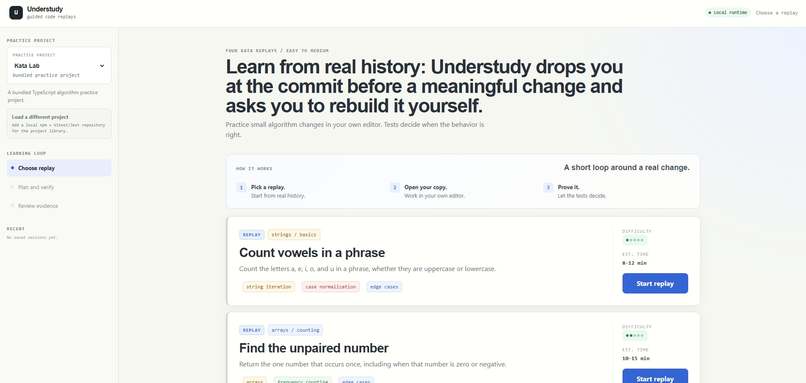
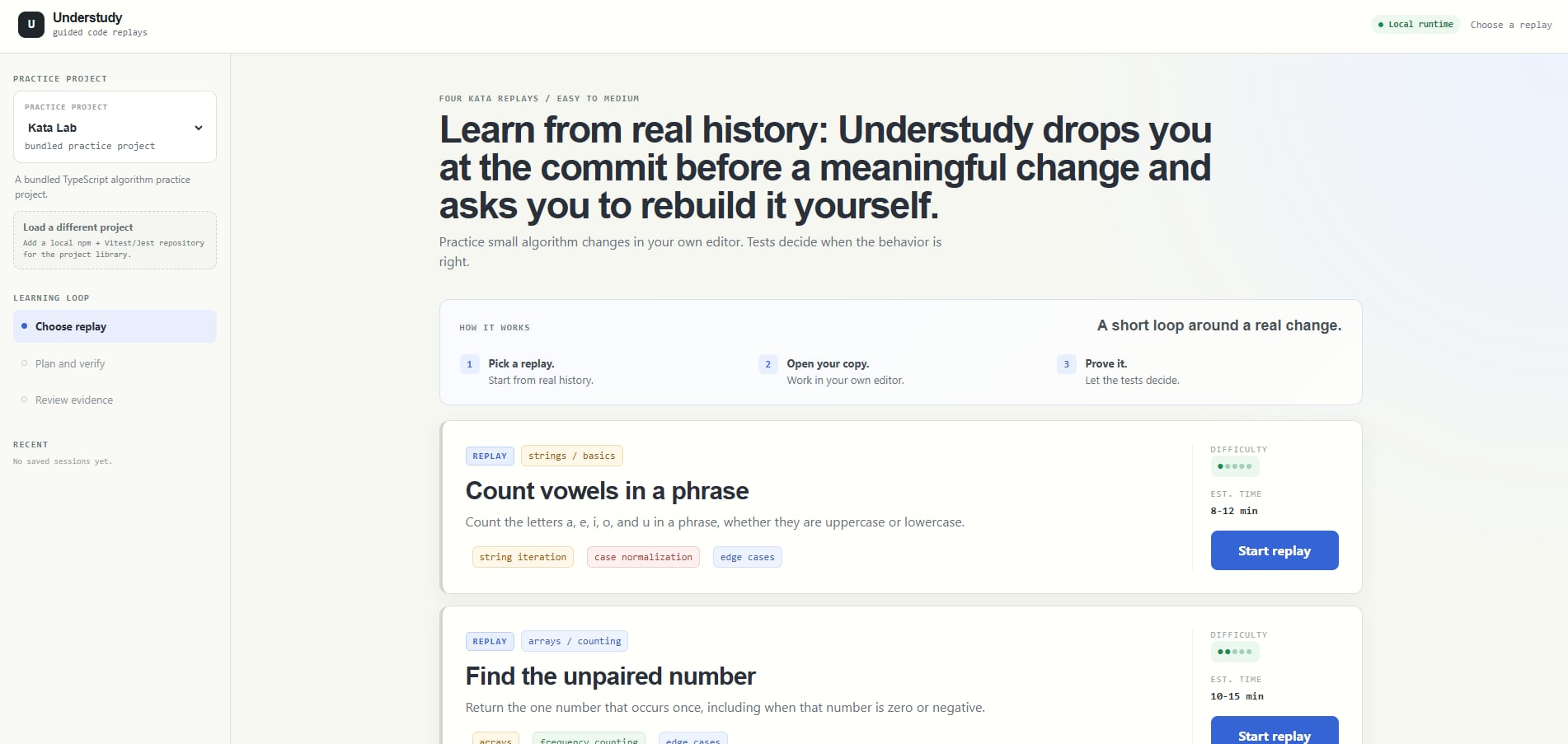
Project and task lists
-
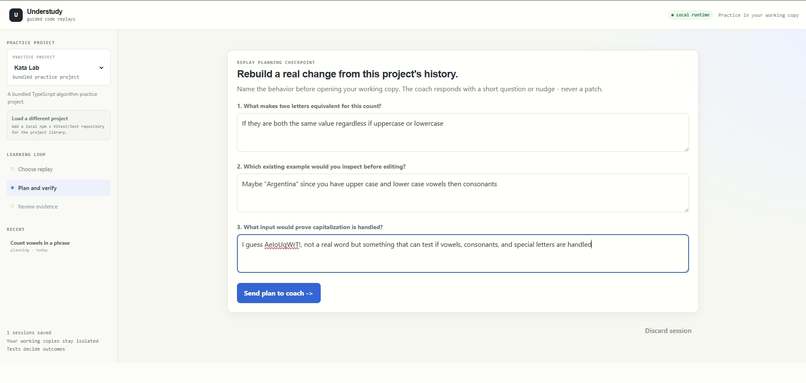
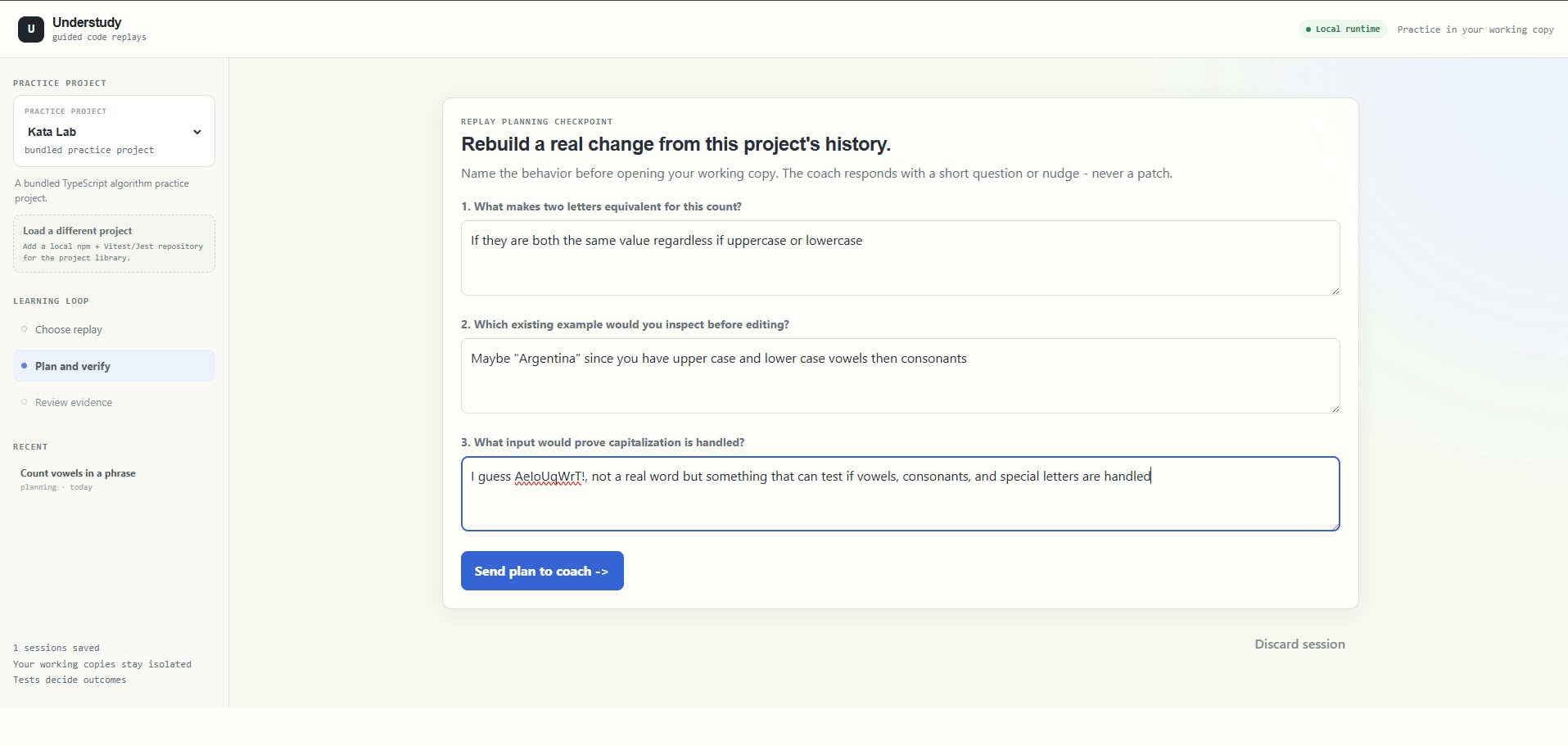
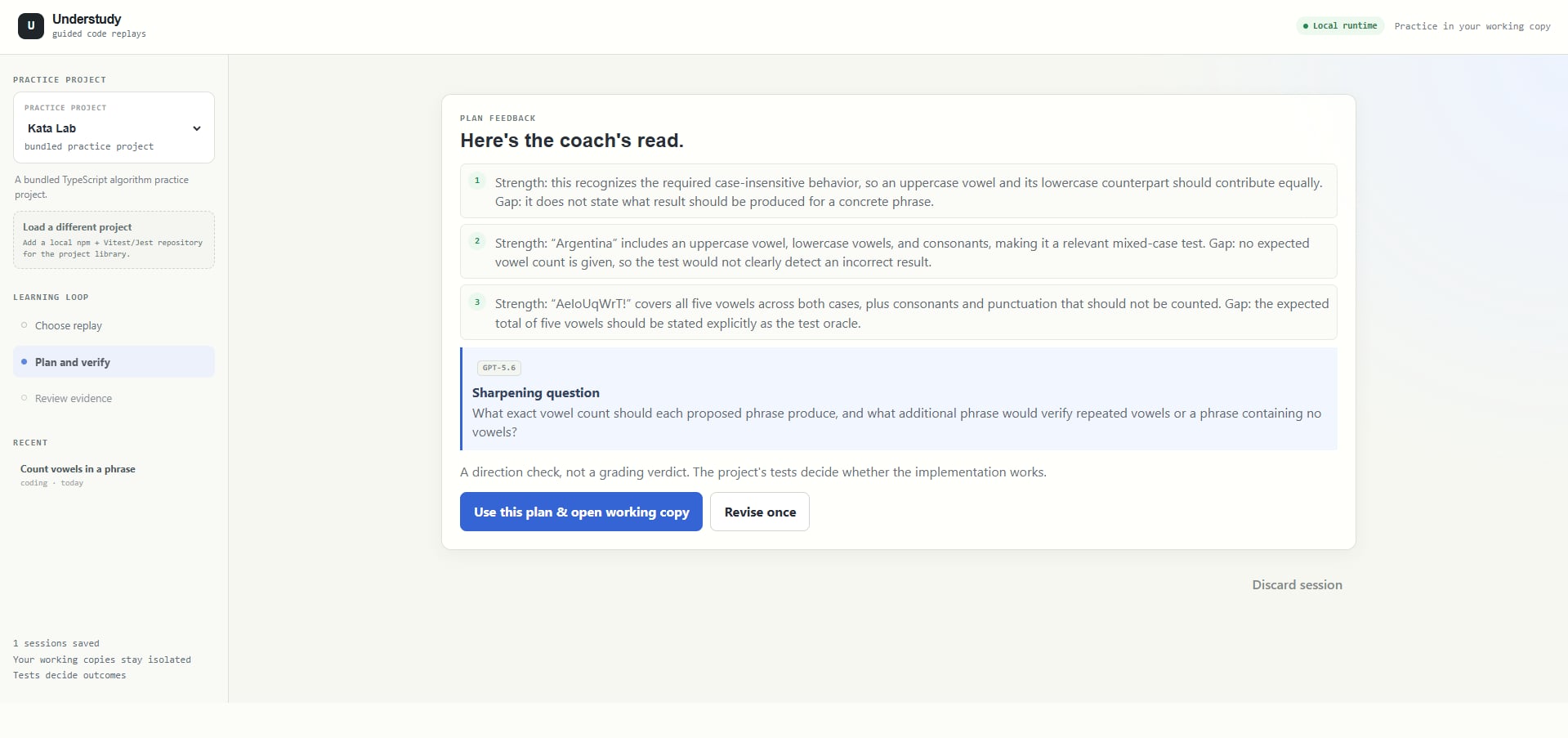
Planning questions
-
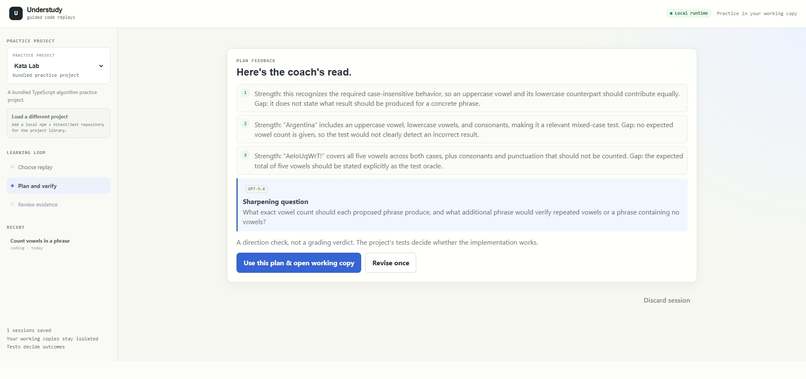
Confirm and feedback on questions
-
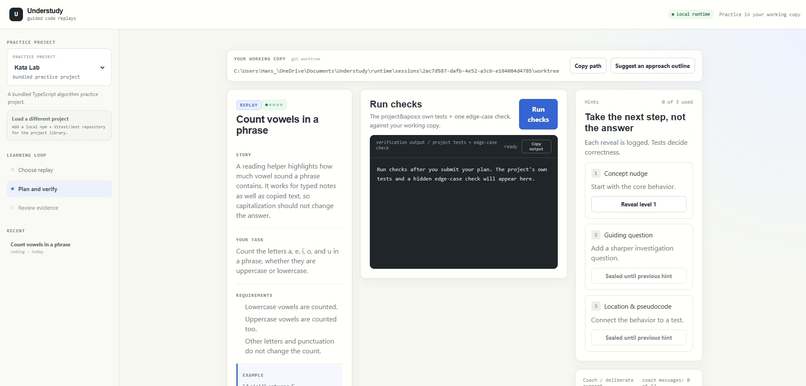
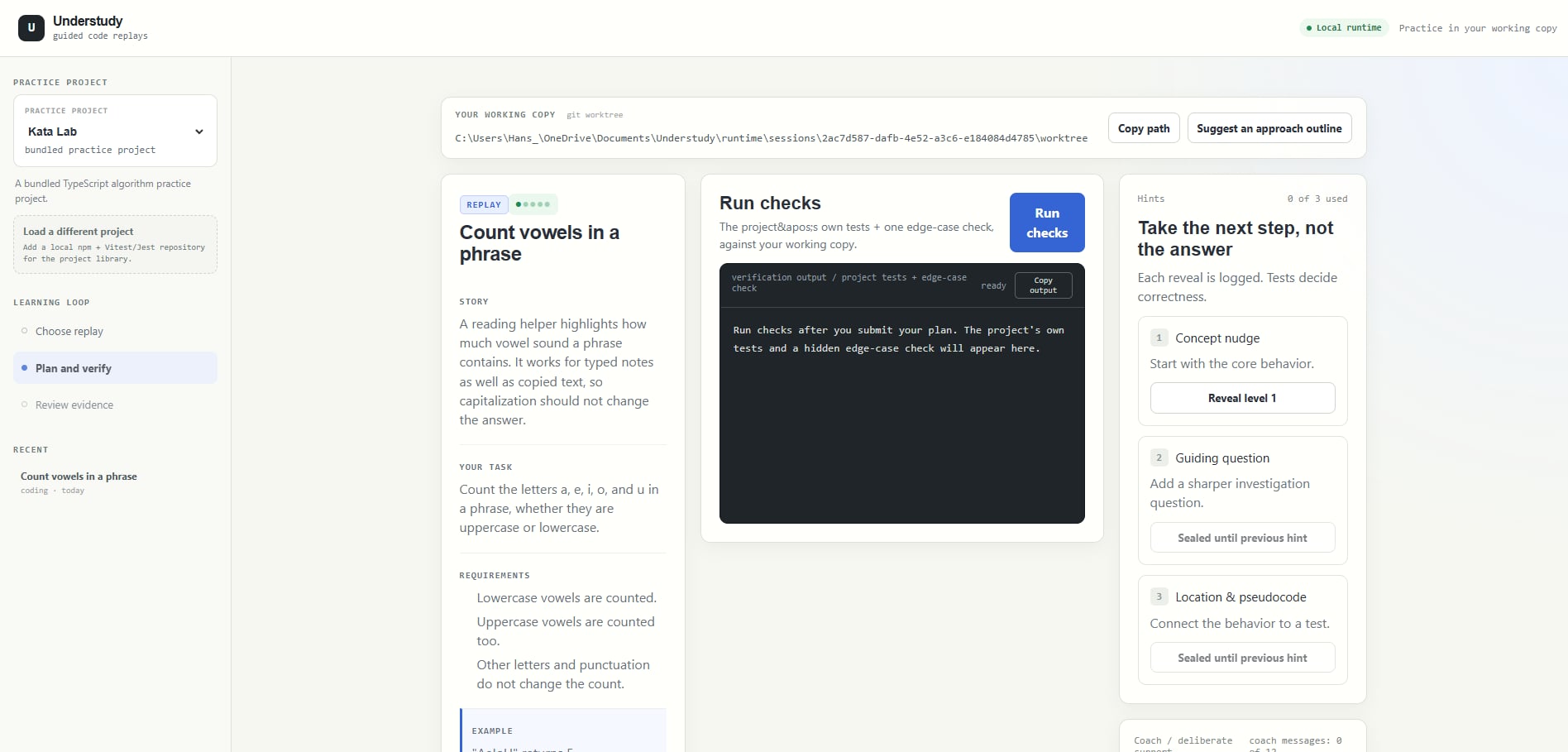
Whole summary for task and AI hints and chats to verify
-
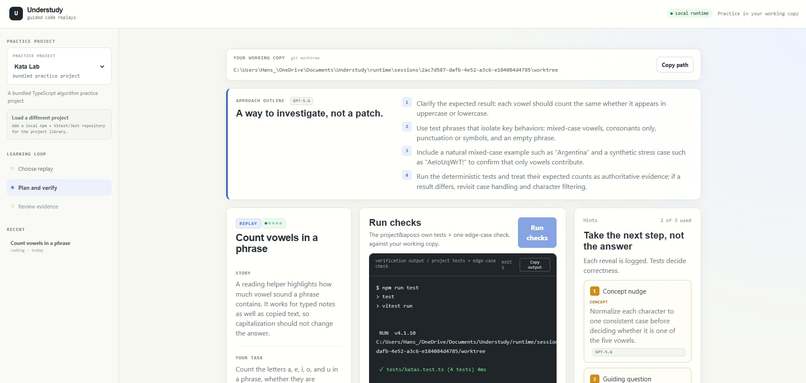
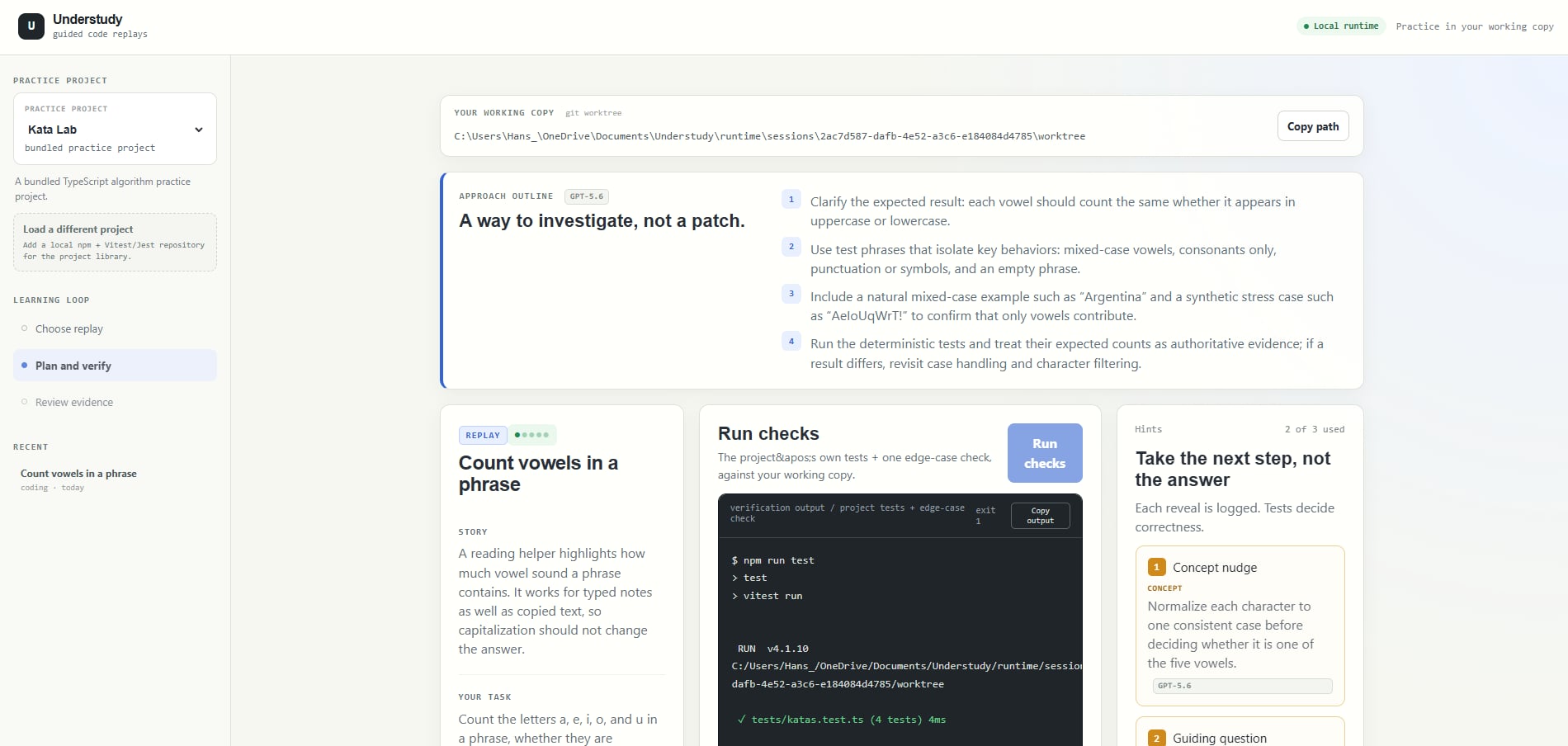
Toggled AI results like plans and hints
-
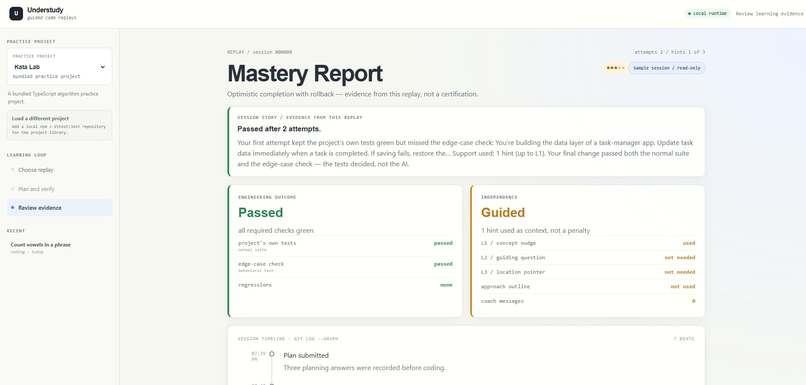
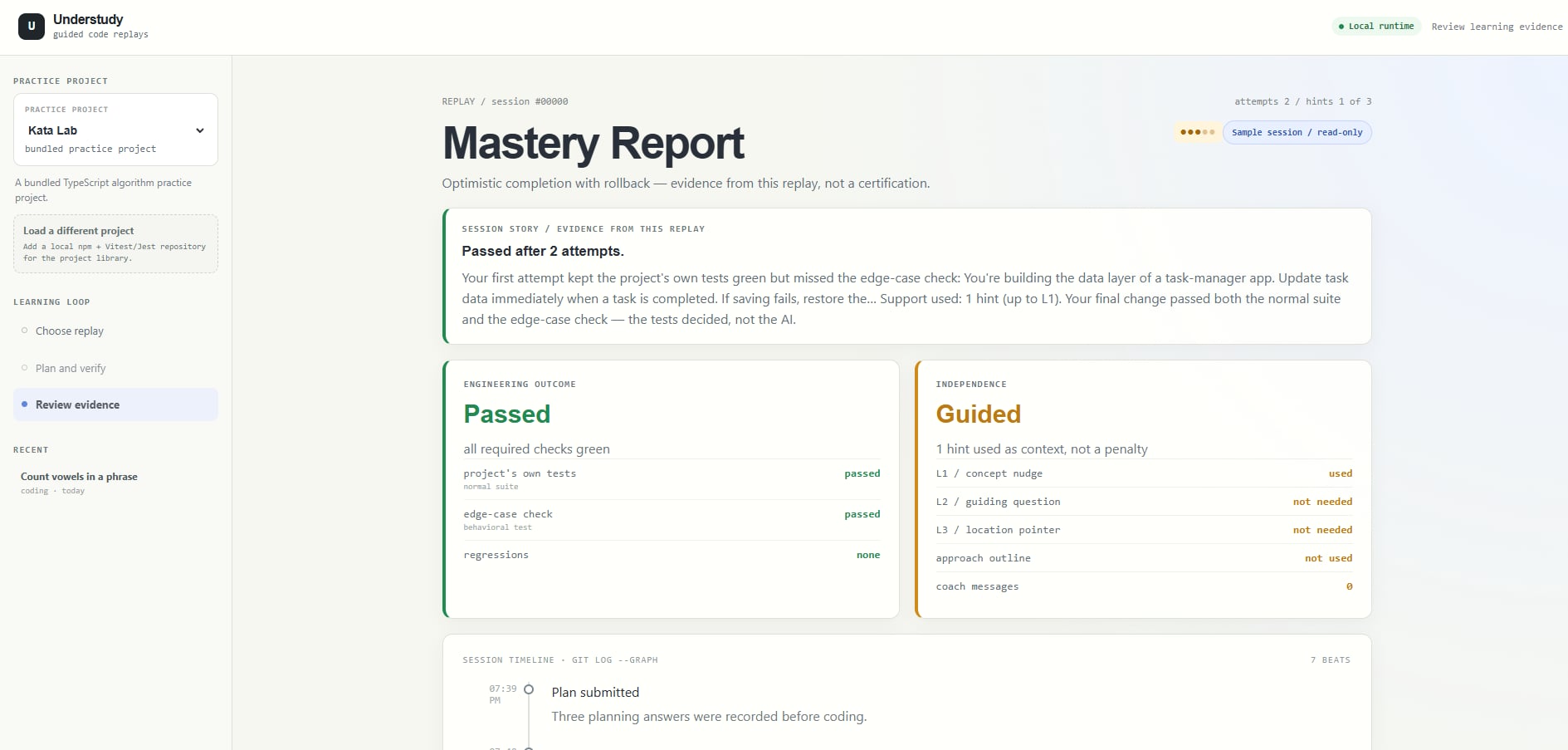
Mastery report of the task finished
Inspiration
AI coding tools are very good at generating patches. But getting a patch is not the same as understanding why the change works.
I wanted to build something that helps developers practice the reasoning behind real software changes: understanding existing behavior, spotting edge cases, reading tests, and proving that an implementation works.
That idea became Understudy.
The name comes from theater. An understudy studies an actor’s role so they can step in and perform it when needed. Understudy applies the same idea to software: developers study real code changes so they can understand and reproduce them themselves.
Understudy starts learners at the commit before a meaningful change was introduced. They then rebuild that change in their own editor while the app provides planning prompts, tests, hints, coaching, and a final report.
The goal is not for AI to write the solution. The goal is for the learner to become more capable of solving the problem independently.
How it works
A learner can choose the built-in task-manager project or link a compatible local Git repository.
For a linked project, Understudy looks through recent commits and identifies changes that may be suitable for practice, especially commits that add tests. It can then draft a learner-friendly task from the commit history.
The learner can review and edit the task before starting. Understudy creates an isolated working copy from the commit before the change. The learner opens that copy in Cursor, VS Code, or another editor and implements the task themselves.
When they return to Understudy, the app runs the project’s tests and an edge-case check. A normal test suite may pass while the edge-case check fails. That is intentional: it shows the learner what their first implementation missed.
The learner can use a limited hint ladder or ask the in-session coach for help. After all checks pass, they explain their reasoning in their own words. The final Mastery Report shows their attempts, hints, coaching, test results, timeline, and Git diff.
The original reference implementation stays hidden until the learner completes the exercise. At that point, Understudy reveals the reference change so the learner can compare approaches.
Why this approach
Most coding exercises start with an artificial prompt. Real development is different. Developers work with existing code, history, constraints, tests, and behavior that must not break.
Understudy uses Git history as the source of practice. This makes the exercises feel closer to real development work:
- understand an existing codebase
- identify what a change is supposed to do
- preserve existing behavior
- handle failure paths
- use tests as evidence
- explain technical decisions
The tests decide whether the solution works. AI only provides guidance.
What I built
Understudy is a local Next.js application built with React, TypeScript, Node.js, Git worktrees, npm, Vitest, Zod, and the OpenAI API.
The app includes a built-in task-manager practice project, support for linking compatible local repositories, Git commit browsing, AI-drafted practice tasks, editable task descriptions, isolated working copies, test verification, progressive hints, limited coaching, and evidence-based reports.
It runs locally, so the learner’s project and worktree remain on their own machine. No account or cloud workspace is required.
How AI is used
GPT-5.6 is used as a coach, not as a code generator.
It helps with planning feedback, high-level approaches, hints, test-failure explanations, task descriptions, and reflections. It can ask questions and help the learner interpret evidence, but it is not supposed to write the learner’s patch.
Before the exercise is complete, the reference patch and learner source code are kept outside the coaching context. Deterministic tests remain authoritative, and authored fallback coaching is available when no API key is configured.
What I learned
The biggest lesson was that an educational developer tool needs to explain the learning experience clearly, not just expose its technical features.
Learners need to know:
- which project they are working on
- what behavior they are trying to change
- where their editable copy is located
- how to use their editor with the app
- what the tests are proving
- why a failing edge-case test is useful
I also learned that AI needs boundaries in an educational product. Unlimited answers can make a tool feel helpful while removing the need to think. Understudy treats coaching and hints as deliberate support rather than a replacement for reasoning.
Challenges
Some of the hardest problems were creating safe isolated Git worktrees, supporting different operating systems, running another repository’s tests locally, identifying replayable commits, and keeping the reference implementation hidden until the learner had completed the exercise.
It was also challenging to make AI coaching useful without allowing it to become an answer machine.
What's next
I would like to add more visual projects, screenshots and before-and-after examples for UI-focused tasks, more language and package-manager support, a dedicated challenge-authoring workflow, stronger editor integrations, and more validated task variations.
Understudy is currently a local learning lab, but the long-term goal is to make it a reusable practice environment for real repositories.
Built With
- ai
- education
- gpt-5.6
- next.js
- node.js
- openai
- typescript
- vitest
- zod