-
-
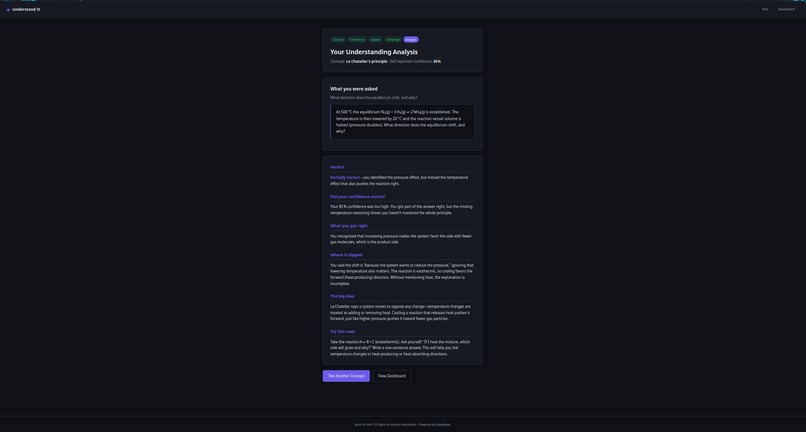
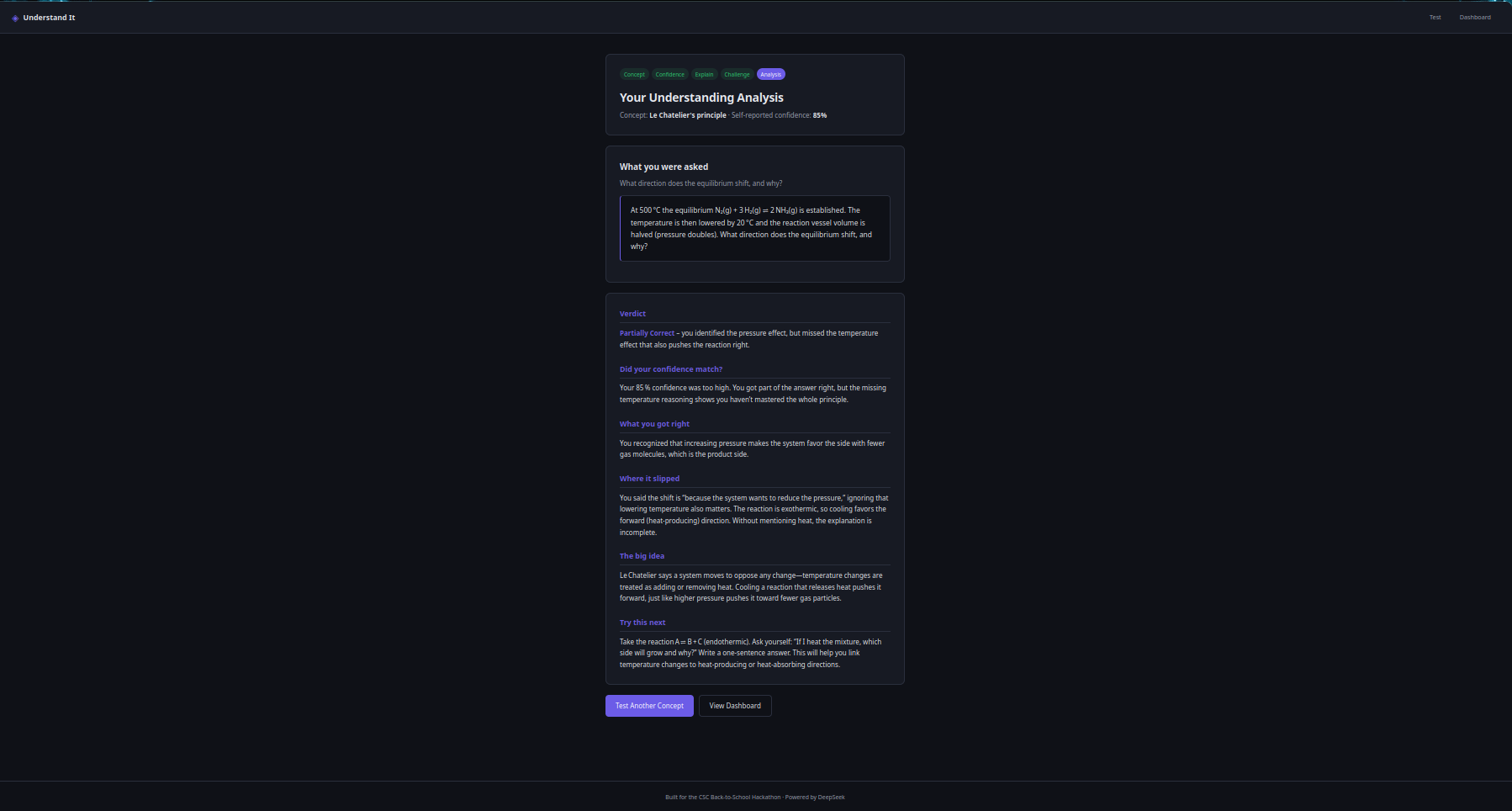
Le Chatelier's principle (85% confident, missed the temperature effect)
-
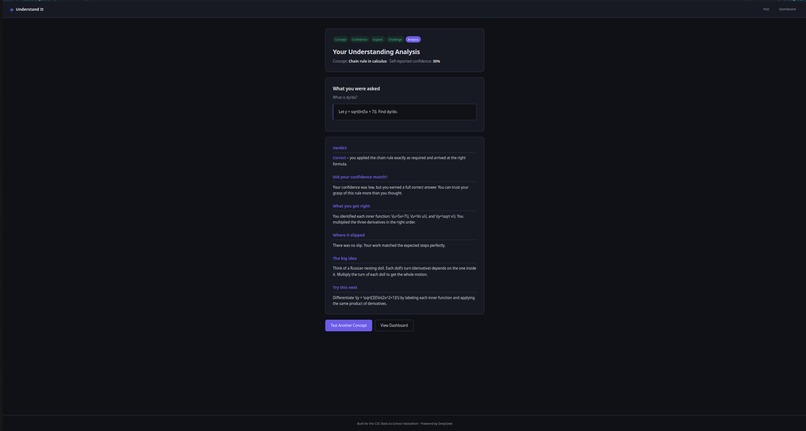
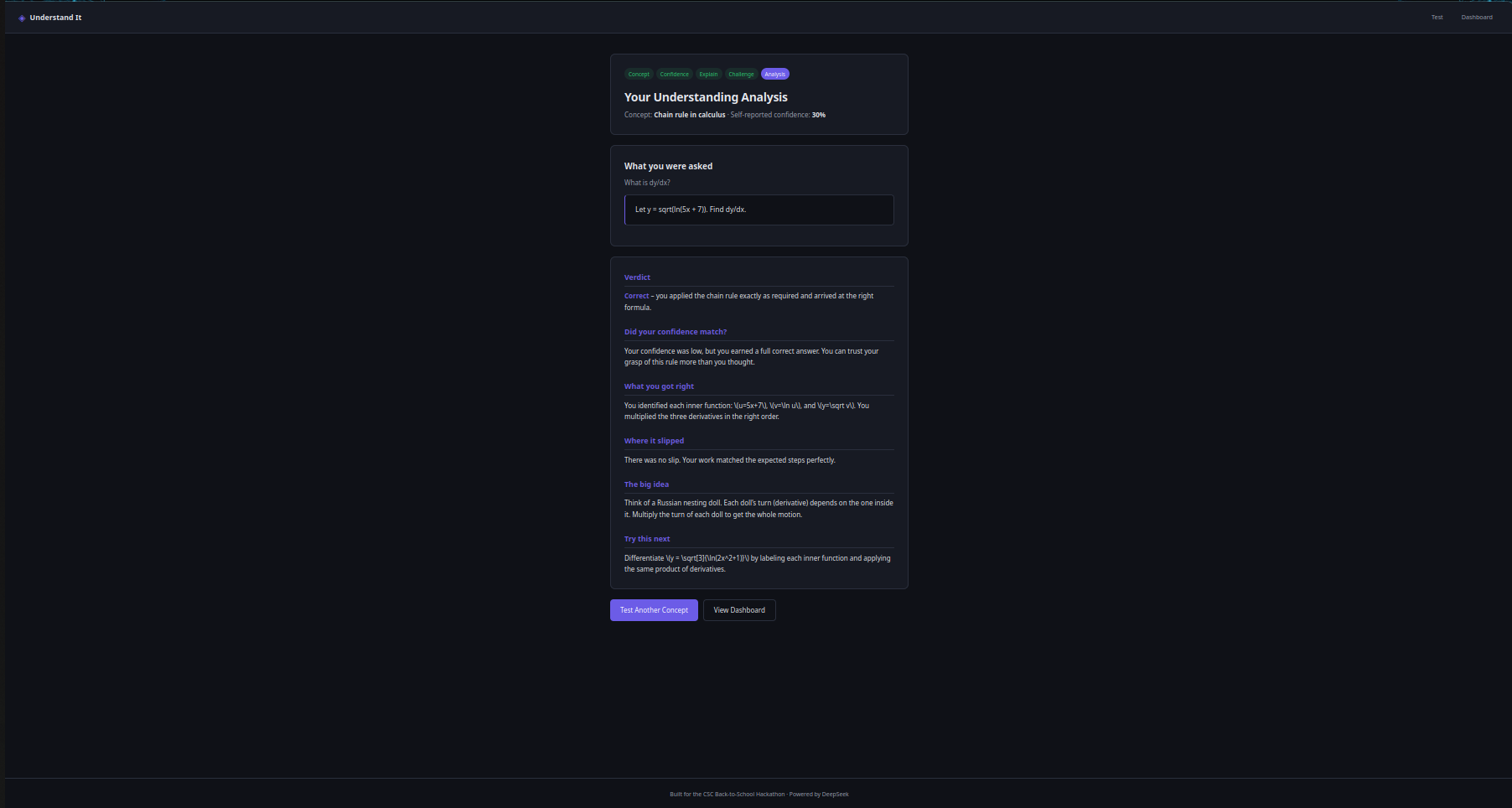
Chain rule (30% confident, perfectly correct)
-
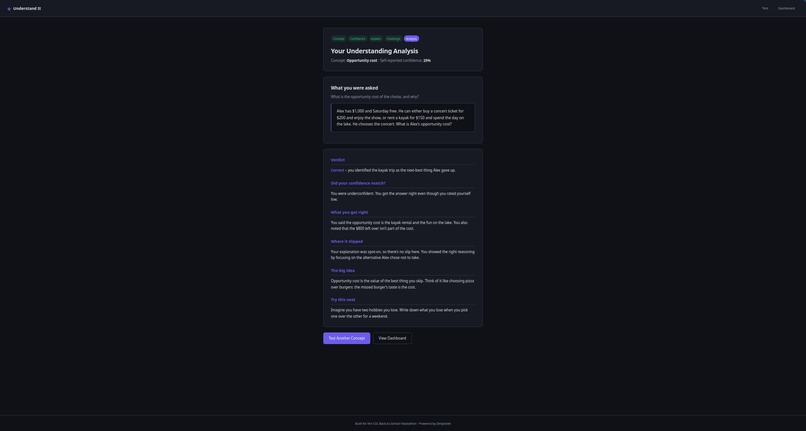
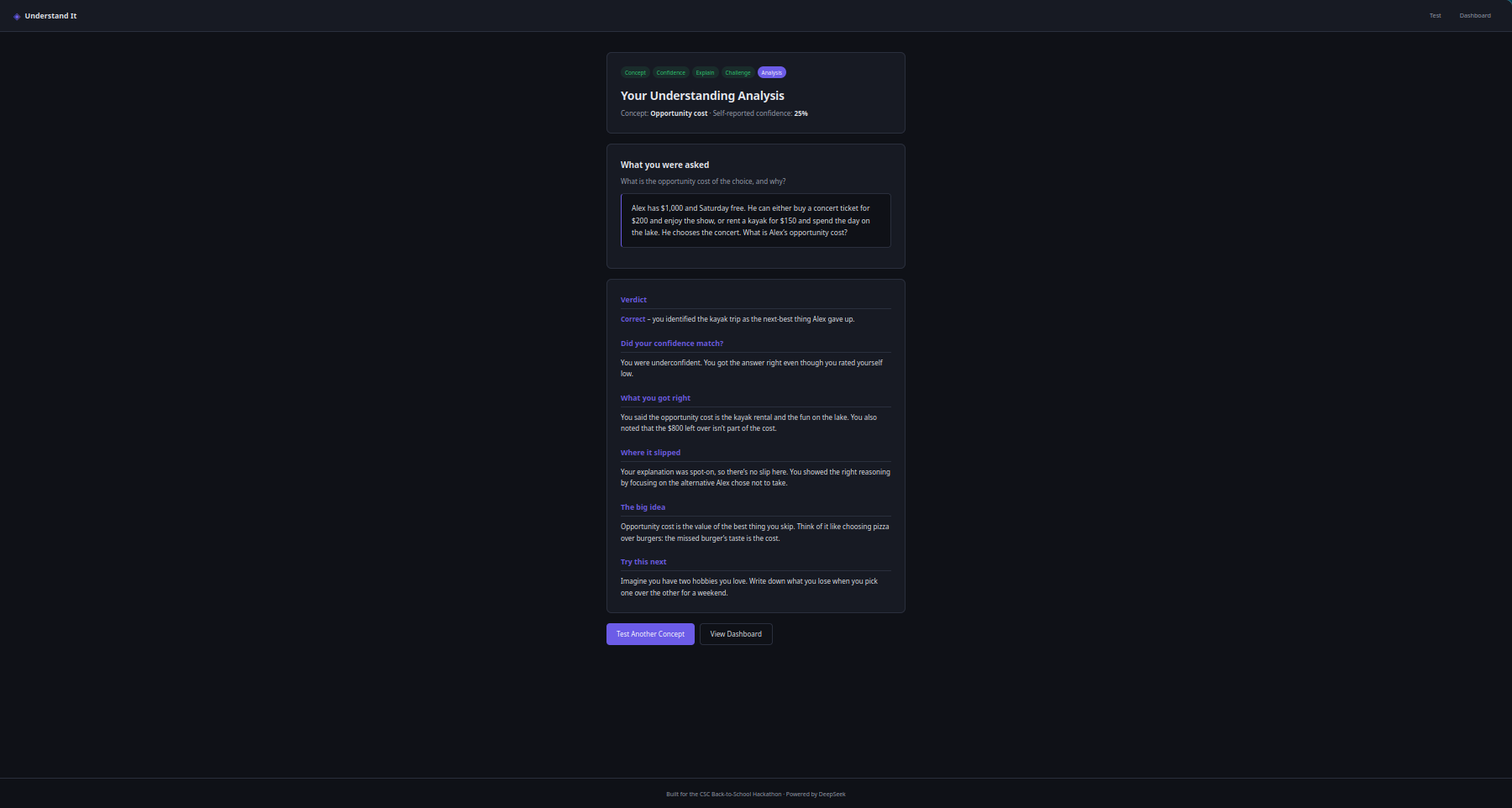
Opportunity cost (25% confident, correct)
-
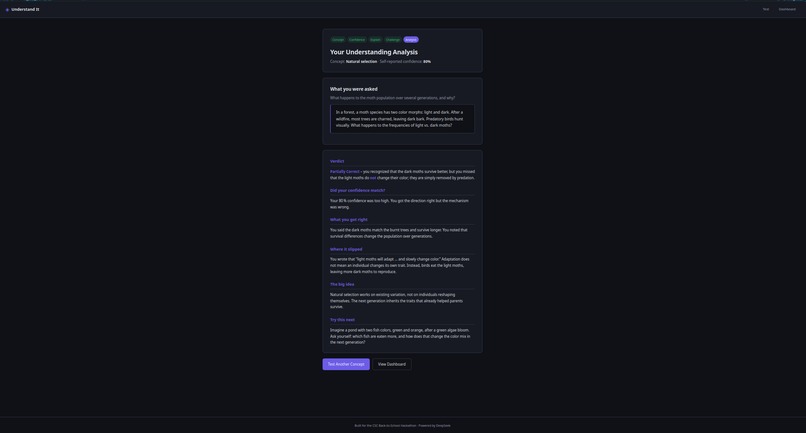
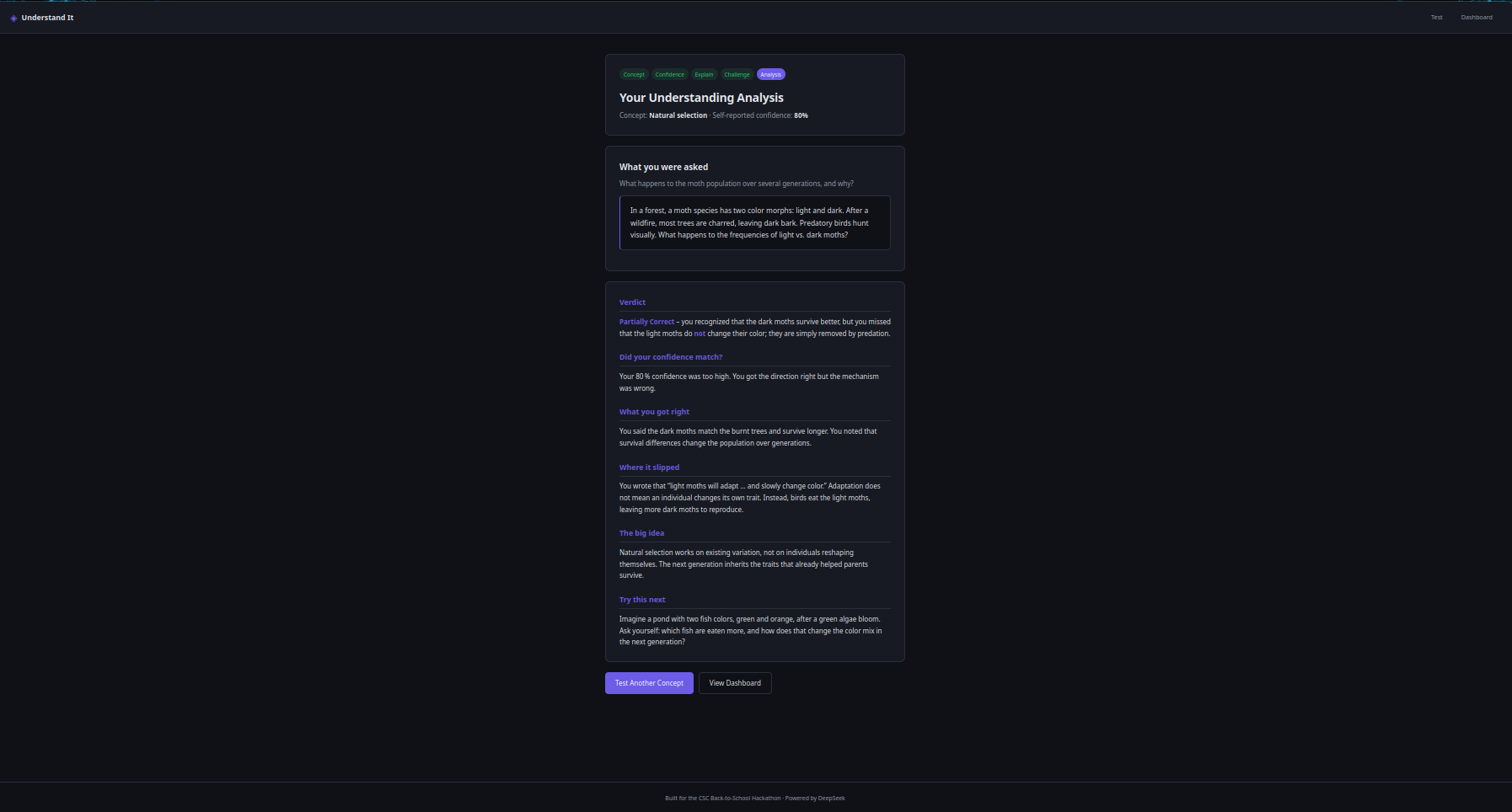
Natural selection (80% confident, wrote "individuals adapt")
Inspiration
I was working through some Go algorithm problems a while back — anagram detection, that kind of thing. I solved them, felt good about it, moved on. A week later I sat down to rewrite one from memory and I couldn't. Not "it took me a minute." I genuinely couldn't reconstruct the logic I had written myself.
That bugged me for a while. I had understood it when I wrote it. Or at least, that's what it felt like. But a week of distance proved I'd mostly just followed a pattern that felt right in the moment.
I built Understand It for that exact problem. Not just for me, and not just for coding. I realized the same thing happens with chemistry, biology, history — any subject where you can read something, feel like you get it, and then get wrecked by a test. The feeling of understanding and the reality of understanding are two different things, and nothing in school really tests the difference until it's too late.
What it does
Understand It asks you to do three things:
- Type in a concept you think you understand.
- Rate how confident you feel about it, 0-100.
- Explain it in your own words and then apply it to a scenario you haven't seen before.
Then it tells you whether your confidence was earned. Not just whether you got the answer right — whether the confidence you had going in matched the understanding you actually showed.
That's the part I care about. Most study tools just grade you. This one tells you something about how well you know yourself.
How we built it
The frontend is just HTML, CSS, and JavaScript. No React, no build tools, nothing fancy. I wanted it to load instantly and stay simple.
The backend is written in Go. It handles the API calls and keeps everything fast.
For the AI I used Groq's openai/gpt-oss-120b model. It gets called twice per attempt: once to generate a challenge based on whatever concept you typed in, and once to analyze your answer against it. The full round trip is usually under 5 seconds.
I used Deepseek and ChatGPT while building this — mostly for debugging Go errors and figuring out why my fetch requests weren't working.
The idea, the design, and the code were mine. I can explain how any part of it works.
Challenges we ran into
Making the AI's feedback actually readable. The first few versions gave technically correct answers that were full of jargon. It was the kind of thing that would make a student close the tab. I rewrote the analysis prompt until the output started sounding like something a patient tutor would say, not like a textbook.
The other hard part was getting the two AI calls to work together. The challenge generation and the analysis have to be linked — if the challenge drifts too far from the concept, the analysis doesn't mean anything. I had to design both prompts so they feed into each other properly.
Accomplishments that we're proud of
The thing I'm most proud of is that the calibration idea actually works. When I first thought of it, I wasn't sure if comparing "how confident you felt" to "how well you did" would produce anything useful. But when I tested it, the outputs were genuinely revealing — like the case where someone crushed a calculus question and rated themselves 30% confident. The tool caught that. That felt good.
Second thing: getting the two AI calls to actually play nice with each other. Generating a challenge and then analyzing the answer to that challenge sounds simple until you try to do it. The first few versions had the challenge generator drifting off-topic, and then the analysis was worthless because it was grading an answer to a question nobody asked. Getting them aligned took way longer than I expected, but once it clicked, the whole thing started feeling like a real product instead of a demo.
Third: making the AI's feedback sound human. The earliest version wrote like a Wikipedia article. I still have some of the old outputs saved and they make me cringe. The current version reads like a patient tutor, which is what I always wanted it to feel like.
What we learned
The biggest lesson was that prompts are the product. I thought the hard part would be the code, the fetch requests, the API wiring. It wasn't. The hard part was getting the AI to say the right thing in the right way. You can have the cleanest architecture in the world and it doesn't matter if the analysis it produces is unreadable. Most of my late-stage work went into prompt refinement, not features.
I also learned that you don't need a complex tech stack to build something that feels polished. No React. No build pipeline. No database. Just HTML, CSS, JavaScript, and a small Go server. Every time I was tempted to add a framework or a new dependency, I asked myself if it would actually make the product better for the student using it. Most of the time the answer was no.
The last thing, and this surprised me, is how much I underestimated how different students would use it. I built it thinking about overconfident students, the ones who feel ready but aren't. But testing it made me realize underconfidence is just as common and just as damaging. Someone who actually knows the material but doesn't trust themselves will waste hours re-studying things they already understand. The tool catches both patterns now, and that feels like a real insight, not just a feature.
What's next for Understand It
The biggest thing missing is progress over time. Right now every attempt is standalone, you test a concept, get feedback, and move on. What I want is a dashboard that tracks your calibration over weeks. Are you getting more accurate about what you know? Are you still overestimating yourself in chemistry but fine in math? That long-term view is where the tool gets really useful.
After that, I want to add a way for students to revisit the gaps the AI identifies. Right now the "try this next" suggestion is just text. It should turn into a mini-lesson or a follow-up challenge that targets the specific thing you missed.
For teachers, I want a simple mode where they can assign a concept to a class and see a heatmap of where understanding breaks down. That would be genuinely useful — a teacher gets a real diagnostic before the test instead of after.
Longer term, a mobile app makes sense. The whole flow is 60 seconds. It should fit on a phone.
But honestly, the immediate next step is just getting more students to use it and seeing what breaks. Everything else depends on that.


Log in or sign up for Devpost to join the conversation.