-
undercooked as hell
-
Inspiration
Our group already knew each other pretty well. More importantly, we play Overcooked together a lot online, so when we started thinking about a Hack the North project, making a real-life version felt like a natural idea.
Then we heard about what Solana and Hack the North had put together, especially the Hacker Badges on Instagram. They had NFC, motion sensors, LEDs, screens, and radio capabilities. At other hackathons, badges are usually something you wear, scan, and forget about. These badges felt like actual hardware we could build on. We loved that!
We wanted to take Overcooked out of the screen and put it into a real room. Players would have to move around, communicate, physically interact with stations, and coordinate with each other.
That became HTN26: a physical, cooperative cooking game that turns a classroom into an Overcooked-style kitchen.
What it does
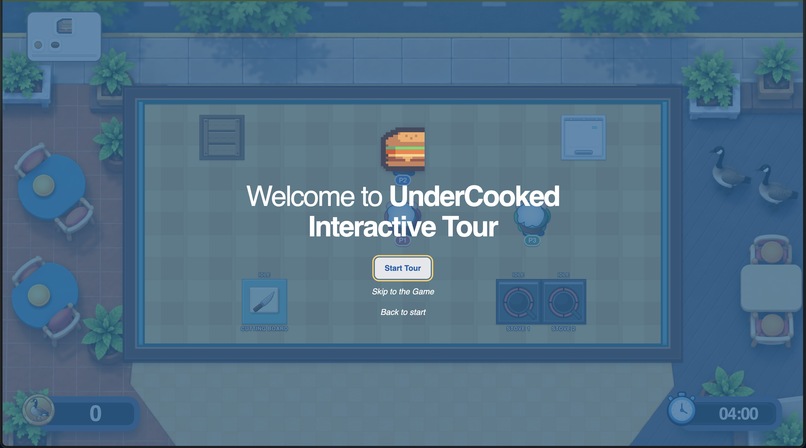
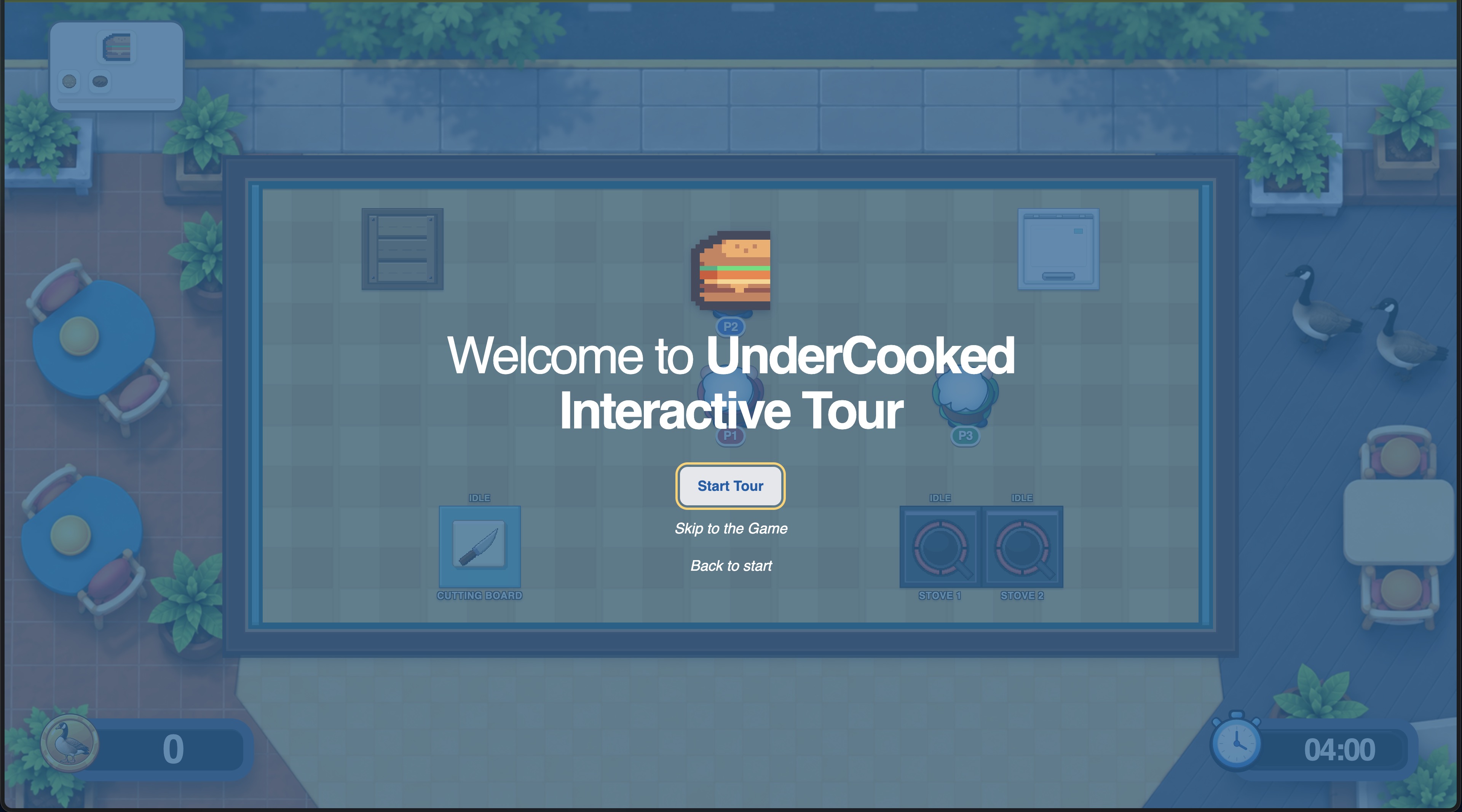
HTN26 is a cooperative burger-cooking game controlled by Hack the North badges.
At the beginning of a round, someone takes three to five photos of the classroom using a phone. The photos are uploaded to a laptop server, where the OpenAI API generates a playable room layout. The layout identifies the available space and places four required stations:
- Pantry
- Fridge
- Cutting board
- Stove
The interface then shows players where to place the physical NFC zones.
The round uses three player badges and one stationary host badge. Players collect ingredients, chop food, cook meat, assemble burgers, transfer items between each other, and submit orders using NFC scans, buttons, motion, shaking, and badge-to-badge interactions.
The burger level includes:
- Buns
- Meat
- Cheese
- Lettuce
- Several burger variations
The game runs for approximately four minutes. Orders appear with patience timers, so teams have to split up the work and communicate quickly.
Cooking is time-sensitive:
- Meat cooks for 15 seconds.
- It stays safely cooked for 2 seconds.
- A warning period lasts 3 seconds.
- After that, the meat burns and has to be discarded.
A correct burger earns gold and tips. Incorrect submissions and expired orders create penalties and you can lose WatCoins (oh no....!)
How we built it
The project has four main pieces:
- A laptop server that owns the shared game state.
- A browser interface for setup and gameplay.
- A host badge connected to the laptop.
- Three player badges used by the chefs.
The laptop server manages the room layout, orders, timers, inventories, chopping, cooking, burger validation, scores, gold, tips, and penalties.
The browser displays that state. It does not independently decide whether a burger is correct or create its own timer. That kept the gameplay consistent between the physical badges, the server, and the screen.
OpenAI API integration
We used the OpenAI Responses API to turn classroom photos into game layouts.
The model receives all of the room photos together and is asked to:
- Reconcile different views of the same classroom.
- Avoid counting the same furniture multiple times.
- Identify the front of the room.
- Find the usable open floor.
- Create a normalized top-down map.
- Place exactly one pantry, fridge, cutting board, and stove.
The server validates the generated layout before it reaches the game. It checks the geometry, removes unexpected fields, prevents duplicate objects, verifies station references, and makes sure the stations remain inside the room.
The AI handles the messy visual interpretation. The game server handles the rules.
If image processing is unavailable, the game can fall back to a deterministic room layout so the burger level still works.
Badge gameplay
The badges are the physical controllers for the game.
Players use different NFC stations and button combinations to interact with the kitchen:
- Pantry plus right button: pick up a bun.
- Pantry plus left button: pick up lettuce.
- Fridge plus right button: pick up cheese.
- Fridge plus left button: pick up meat.
- Cutting board plus a held button: chop ingredients.
- Stove plus a left or right selection: cook or collect meat.
- Button plus shake: drop an item.
- Plate plus a coordinated shake: submit an order.
Players can tap badges together to transfer ingredients or exchange plates. The rules prevent duplicate ingredients from appearing on a plate.
The host badge starts and ends the round and forwards events to the laptop server. The server then updates the shared game state and sends it to the browser.
That means the badges feel immediate and physical, while the laptop keeps the overall game consistent.
Native badge work
Our first Lua implementation ran into the badge’s memory limits during gameplay. We ended up building a native extension that preserved the factory firmware while adding the Overcooked application.
The native work included:
- A native badge application.
- NFC and motion interactions.
- Local ingredient and plate state.
- Custom radio packets.
- Host and player roles.
- Generated ingredient icons.
- Radio retries and duplicate suppression.
- Rollback support for the original badge profile.
- Hardware boot, soak, and transmission testing.
The badge became much more than a button. It could understand ingredients, plates, chopping, cooking, transfers, submissions, and player identity while giving the player immediate feedback through its display and LEDs.
How Codex helped us build it
Codex was part of our development process throughout the project.
It helped us turn a large, constantly changing idea into clearer boundaries between the laptop server, UI, badges, gameplay engine, and future embedded components. It also helped us:
- Design the shared game-state contract.
- Implement the OpenAI room-layout flow.
- Validate structured model output.
- Build tests for cooking, chopping, plates, orders, rewards, and submissions.
- Debug serial communication and duplicate events.
- Investigate the badge memory limitations.
- Design the native badge protocol.
- Refine the onboarding and gameplay interface.
- Keep the physical interactions aligned with the server-side game rules.
The biggest benefit was being able to move quickly without losing track of the system as it grew. We were constantly changing the game, the badge protocol, and the UI at the same time, so having Codex help us trace those changes through the codebase was extremely useful.
Challenges
Turning photos into a playable room
Classroom photos are messy. Furniture appears from different angles, objects can be partially hidden, and photos are not always taken from the same height or direction.
We handled this by using a normalized coordinate system and validating every generated layout before displaying it.
Making movement part of the game
We did not want motion to be a gimmick. Players need to walk between stations, scan NFC tags, transfer items, shake their badges, and coordinate their submissions.
That makes the game more fun, but it also means every interaction has to be understandable while several people are moving around and talking at once.
Working within badge constraints
The badges do not provide arbitrary Wi-Fi, HTTP, or unrestricted Bluetooth access. Radio payloads are also tightly limited.
We had to work with the NFC, motion, display, LED, radio, and USB serial APIs that were actually available. The native extension became necessary when the Lua version could not reliably fit the full game within the badge’s memory limits.
Keeping several devices synchronized
The project includes three player badges, one host badge, a laptop server, a browser interface, and the physical room itself.
We needed clear rules for who owned each piece of information. The badges capture physical player intent, while the laptop server keeps track of the shared orders, score, inventory, and round state.
What we learned
We learned that AI is most useful when it has a specific job.
For HTN26, the OpenAI API is good at interpreting an unfamiliar physical space from photos. It gives us a way to personalize the level without manually measuring every classroom.
The actual game rules still need to be predictable. Cooking times, plate contents, submissions, rewards, and penalties all have to behave the same way every time.
We also learned about:
- Event-driven server architecture.
- Serial and radio protocols.
- Retry and duplicate suppression.
- Embedded memory constraints.
- Native firmware extensions.
- Physical multiplayer design.
- Designing game interactions without a keyboard or traditional controller.
The biggest lesson was that physical games need very explicit rules. Small questions matter: How do two players transfer a plate? What happens when meat burns? When exactly does a group submission count? What gets reset when the round ends?
Those details are easy to ignore in a normal prototype. They become unavoidable when real people are standing in a room trying to play.
Best Badge Hack
The Hacker Badges were the heart of the project.
We loved that they were not just event badges. That made it possible to turn a familiar online game into a physical cooperative experience.
Our badges can:
- Read NFC station tags.
- Identify ingredients.
- Track held items and plates.
- Chop ingredients through timed interactions.
- Control two logical stoves.
- Detect shaking.
- Coordinate simultaneous submissions.
- Transfer items between players.
- Display local game state.
- Communicate through a custom radio protocol.
- Forward events through a stationary host badge to the laptop server.
Instead of sitting in one place pressing keys, players have to move around the classroom, physically coordinate, and use their badges as chef tools.
That was the part we were most excited about. The badge was not an accessory to the project. It was the controller, the communication device, and part of the game itself.
QNX and embedded direction
We also designed an embedded path for the project.
The portable game engine separates platform-specific functionality behind adapters for time, serial communication, camera input, inference, worker tracking, and state publication.
We also developed an optional difficulty sidecar concept. It receives four normalized gameplay signals:
- Active order pressure.
- Recent failure rate.
- Busy stove pressure.
- Round elapsed time.
It returns one recommendation: easy, normal, or hectic. The laptop can use that recommendation to influence future order selection, while the sidecar remains separate from the authoritative game state.
Accomplishments
- Built a cooperative physical cooking game using three player badges and one host badge.
- Used the OpenAI API to generate playable room layouts from classroom photos.
- Created a deterministic fallback layout for offline play.
- Implemented chopping, cooking, burger assembly, order timers, scoring, tips, and penalties.
- Built NFC, motion, plate-transfer, and simultaneous-shake mechanics.
- Designed a compact sequence-based badge radio protocol.
- Built a native badge application after identifying Lua memory limitations.
- Verified badge boot, BLE initialization, hardware transmission, and a 180-second soak.
- Added automated tests for the server, UI, gameplay rules, and protocols.
- Designed an embedded-ready architecture for future deployment.
What’s next
We would like to keep building out HTN26 by:
- Supporting more classroom layouts and larger physical spaces.
- Adding more recipes and kitchen stations.
- Improving live player tracking.
- Adding richer physical feedback through lights and displays.
- Supporting multiple rounds and tournament modes.
- Letting teams create their own recipes and kitchen layouts.


Log in or sign up for Devpost to join the conversation.