INSTRUCTIONS: download the whole file as a zip, then extract it and run the .exe file
Inspiration
Calculus is fun, and math is easier learned by seeing it in action.
What it does
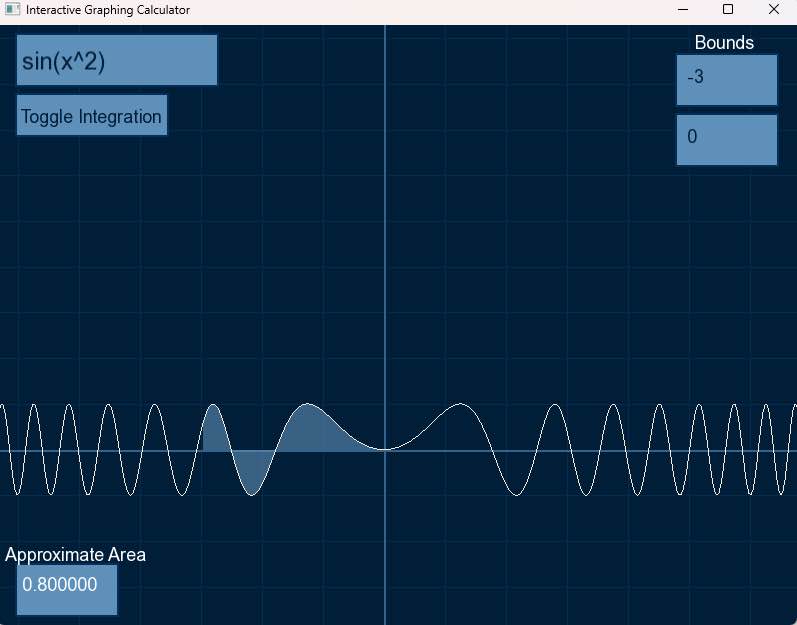
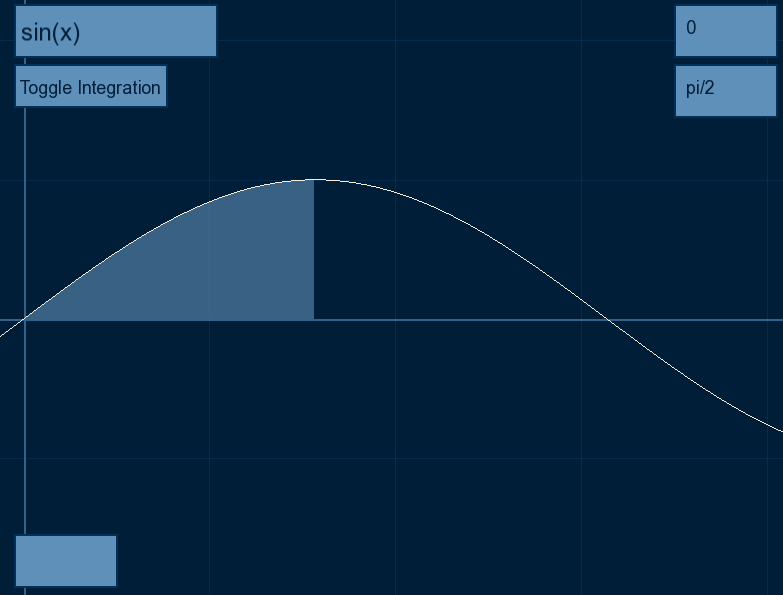
Graph functions and shading area under the curve based on user inputted bounds.
How we built it
C++, SFML, and brain damag—power
Challenges we ran into
Graphing the curve in an optimized way. In the beginning we plotted thousands of points to simulate a graph, but that was too heavy especially because the graph was regraphed whenever you dragged or scrolled. We solved this by plotting vertices instead of points, which were connected by small lines.
We also had trouble shading the area under the curve, but were able to do it with SFML’s built in trianglesplit class, allowing us to create shapes simply by adding the vertices of the graph and the x axis.
All of this was made possible by surprisingly complex algebra. There is so much that goes into every functionality of the program. We had to redraw the grid, graph, and axis everytime the mouse was dragged, and making zooming functionality was a pain. Surprisingly, the easiest part was actually calculating the numerical value of the integral.
Towards the end we realized that we hadn’t planned much of the project and the code was very messy. We only made a textbox class in the end in a rush because there were multiple text boxes on the screen and if you typed in one, the text would show in all of them.
Accomplishments that we're proud of
Making an optimized graphing algorithm and functioning dragging and scrolling.
What we learned
How to use SFML, how to math (we had good prerequisites :p)
What's next for Under the Wave
Better UI, more modular programming, multiple graphs at once, maybe even be a non web alternative to desmos one day if we are ambitious enough. Who knows?
Built With
- c++
- sfml


Log in or sign up for Devpost to join the conversation.