-
-
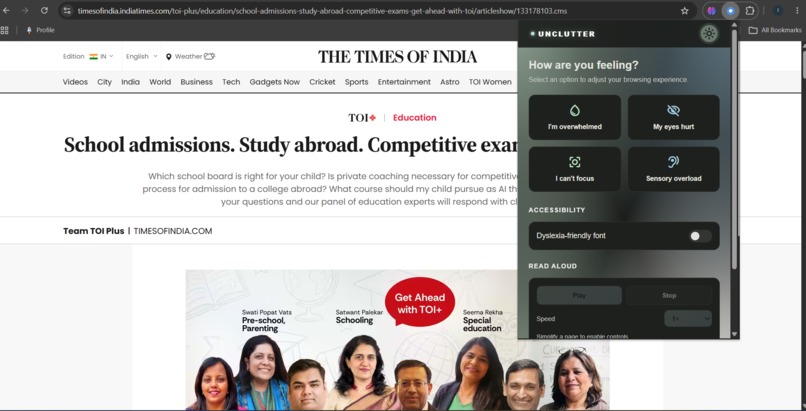
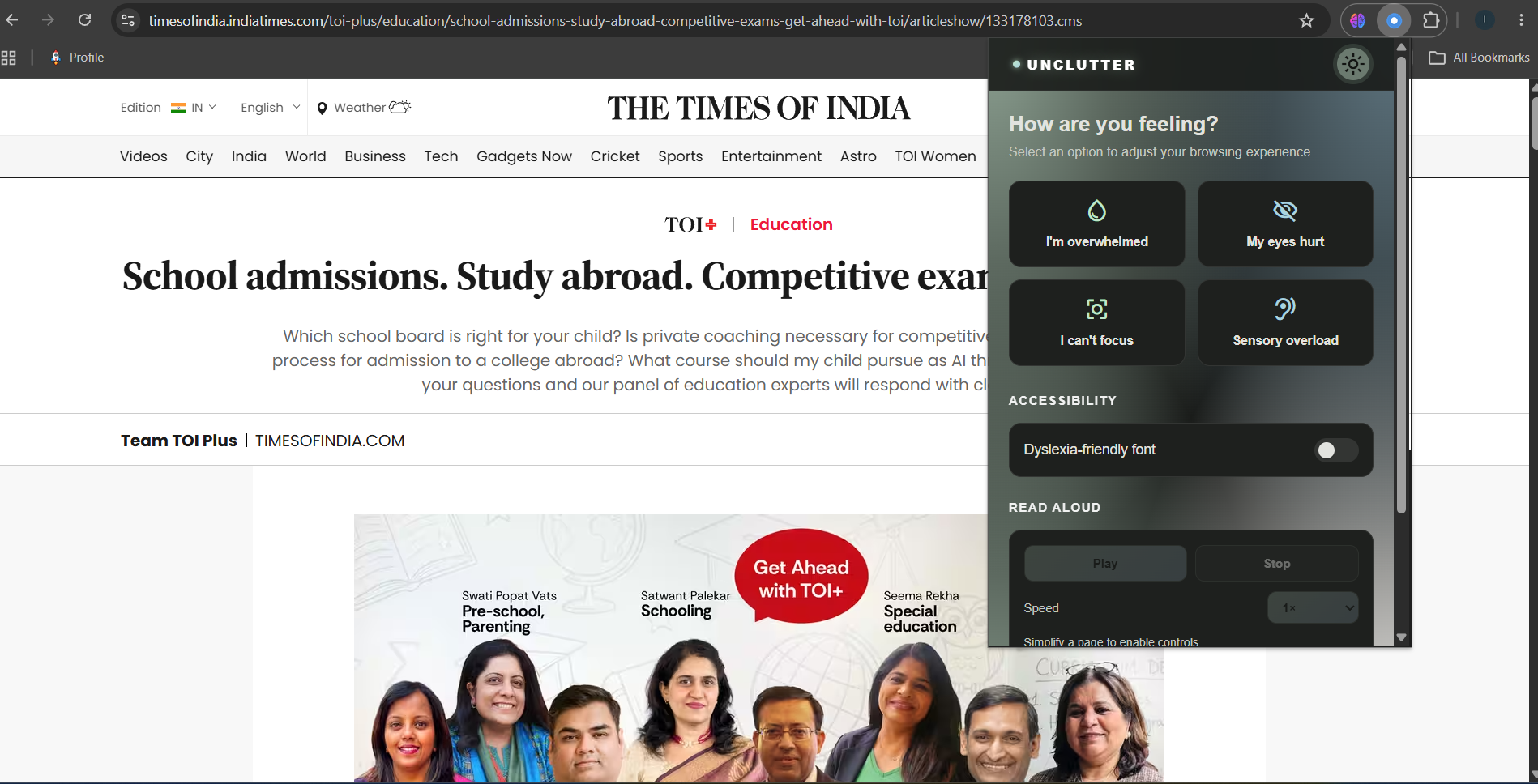
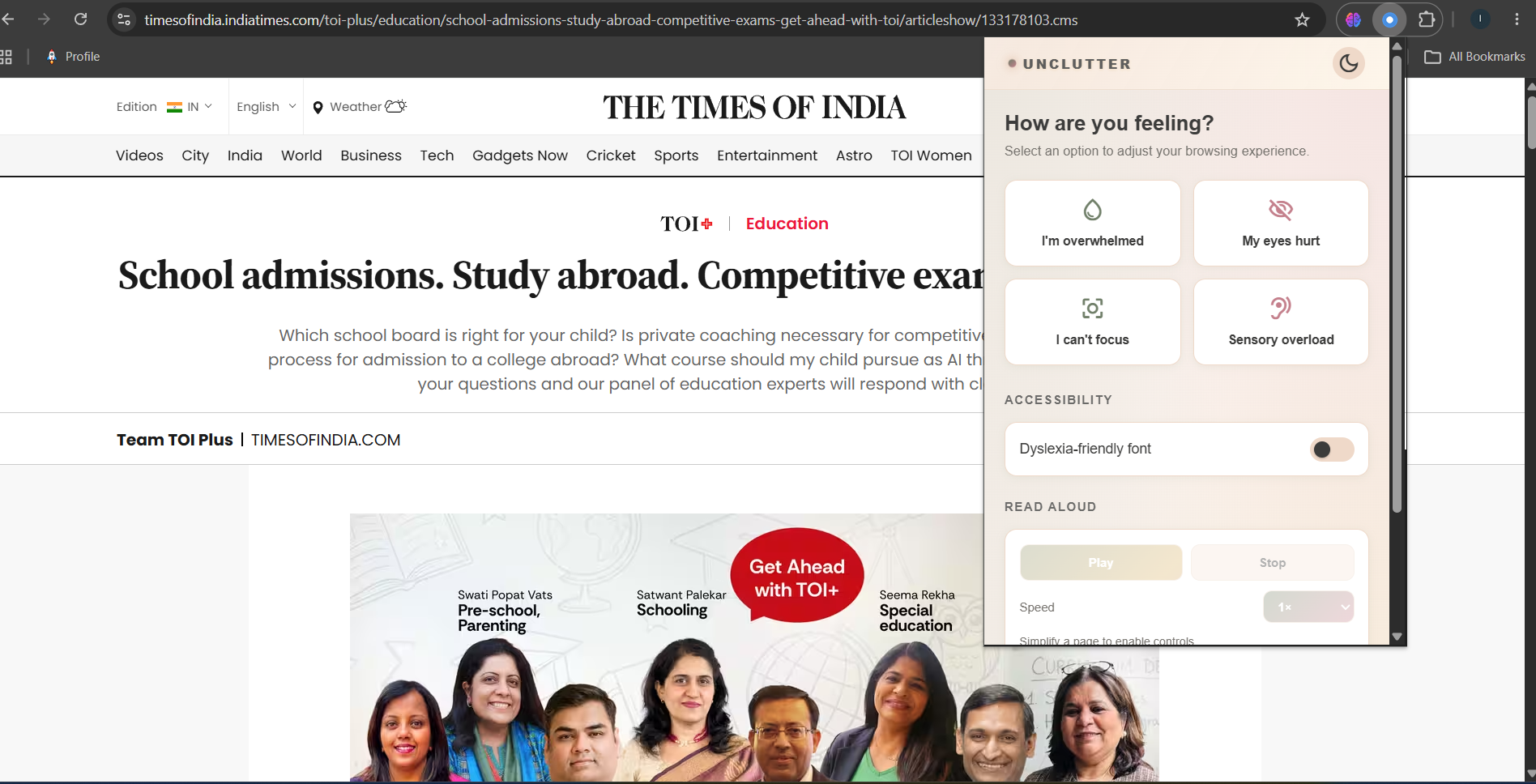
The extenssion pop up page on IndiasToday web page
-

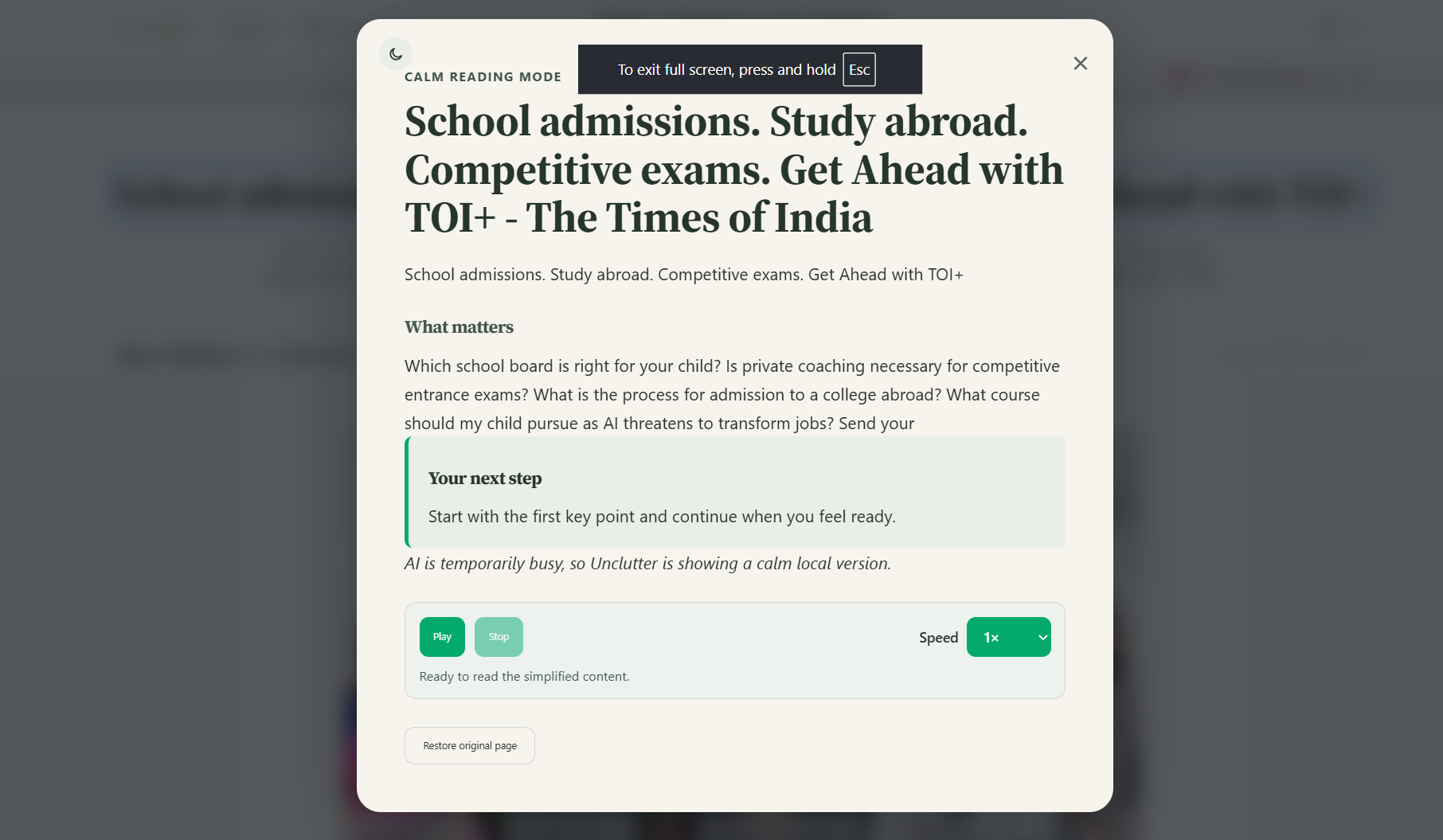
This is when the user clicks on "I'm overwhelmed" button in the dark mode
-

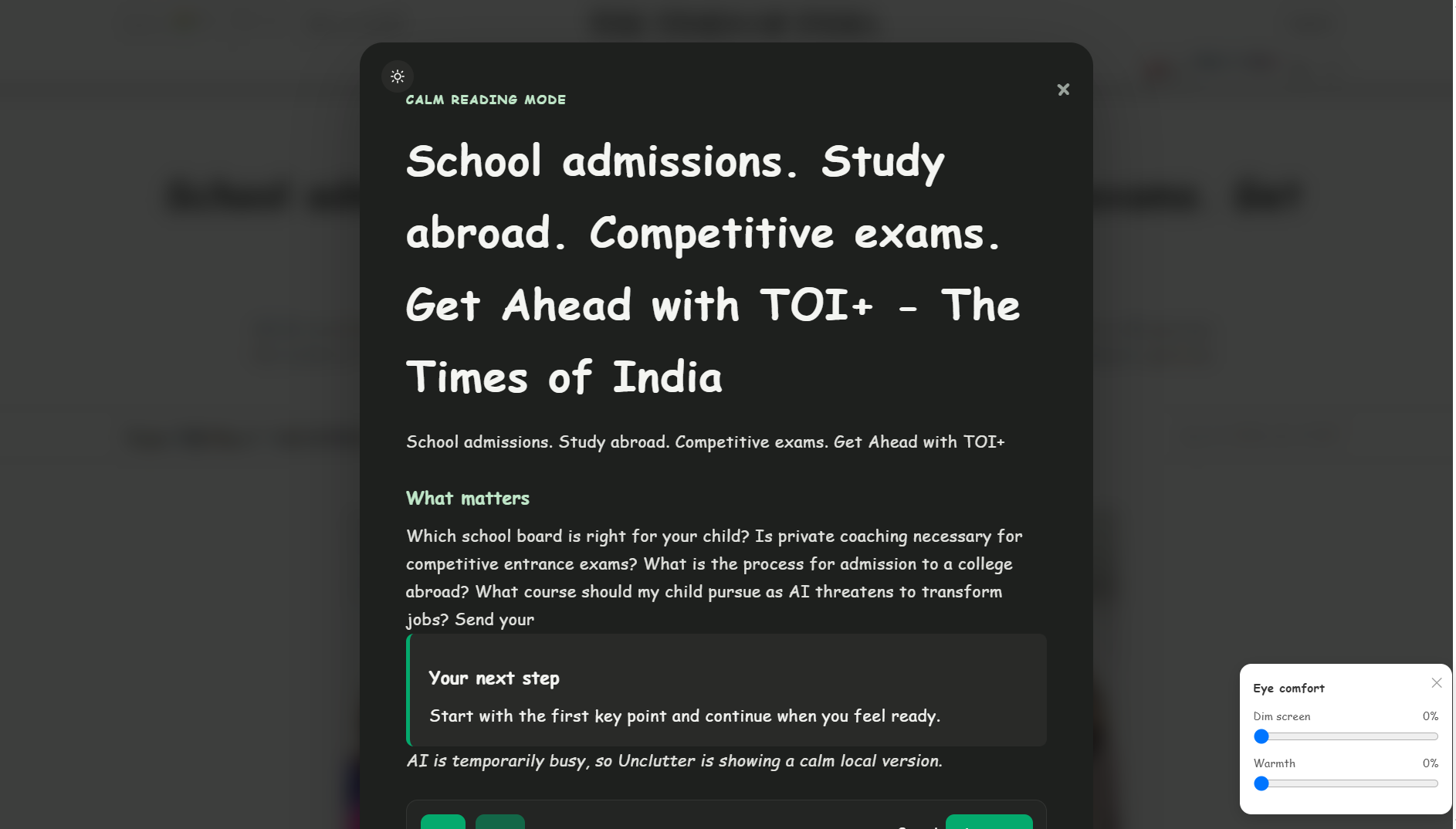
This AI summarized pop up appears when the user clicks on "My eyes hurt in dark theme"
-
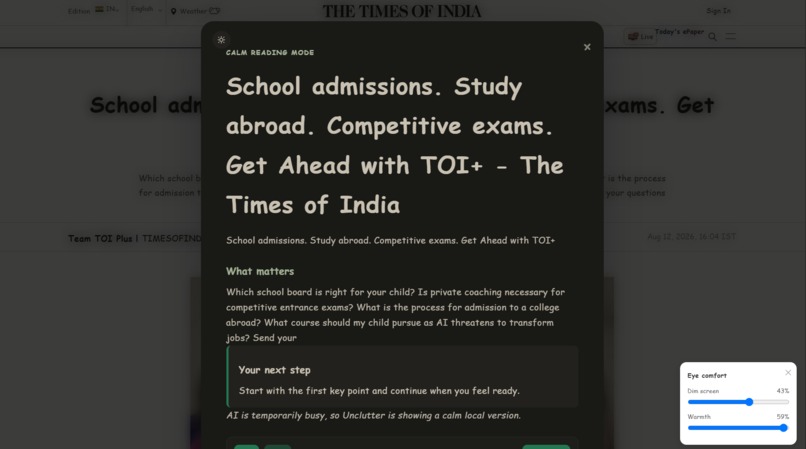
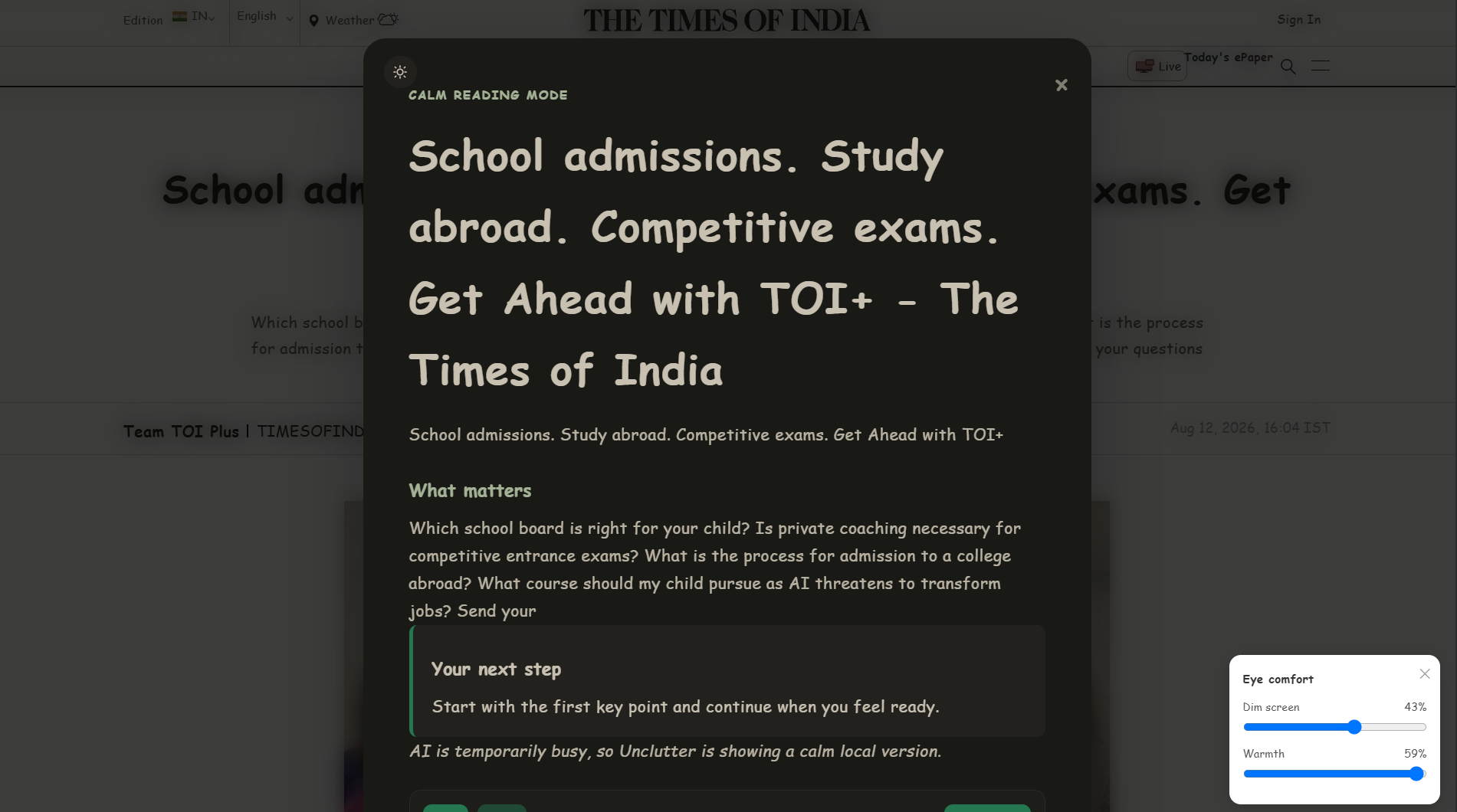
Here the eye comfort theme changes are applied, that is when user clicks on "my eyes hurt"
-
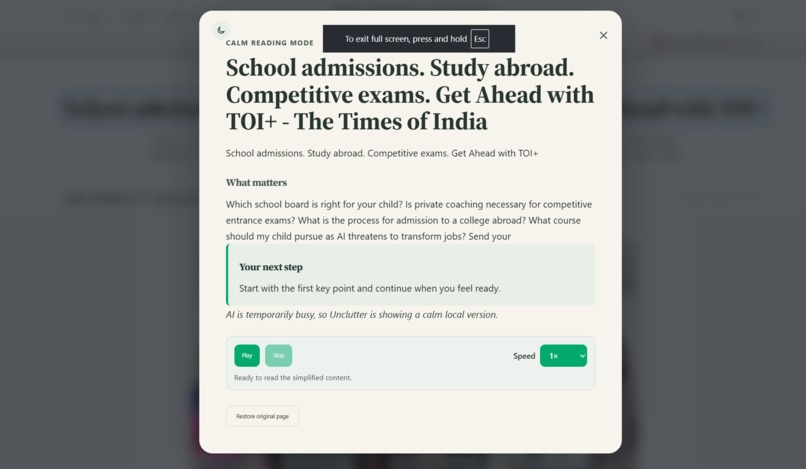
This appears when the user clicks on the,"I can't focus" on light theme mode which can be converted to dark mode later
-
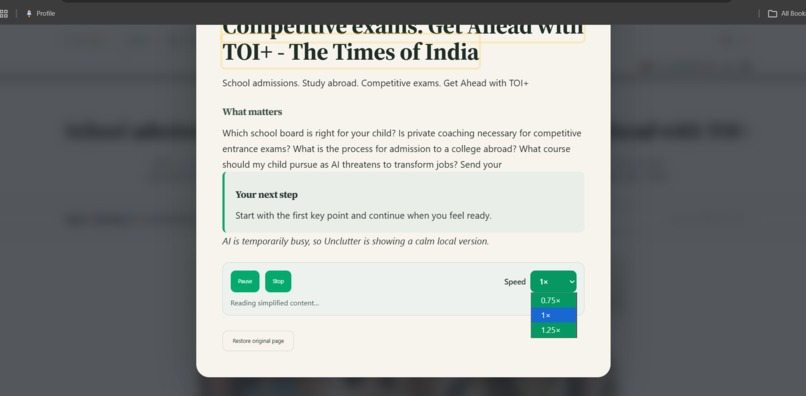
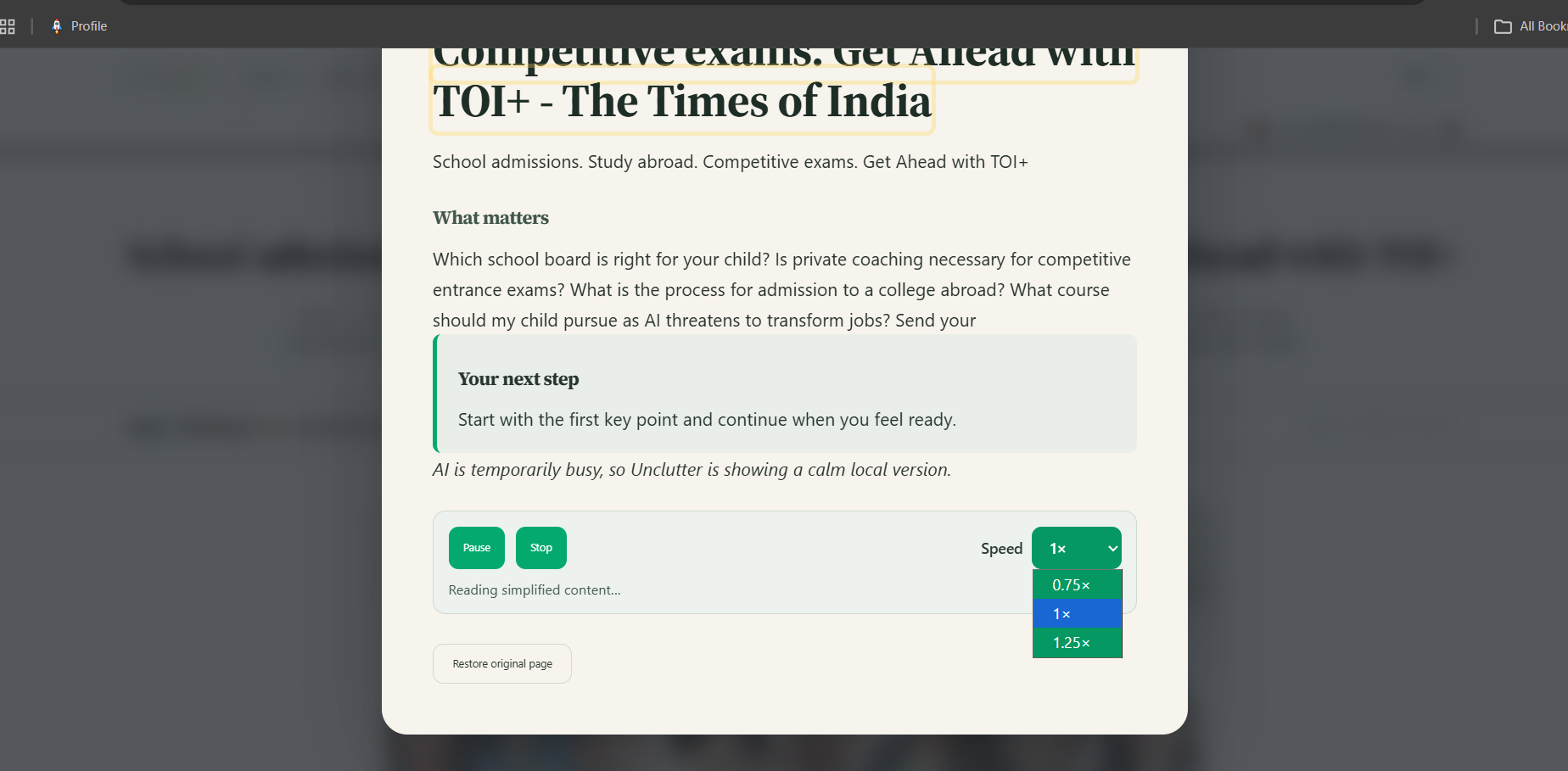
This image shows the "play "button and related options
-
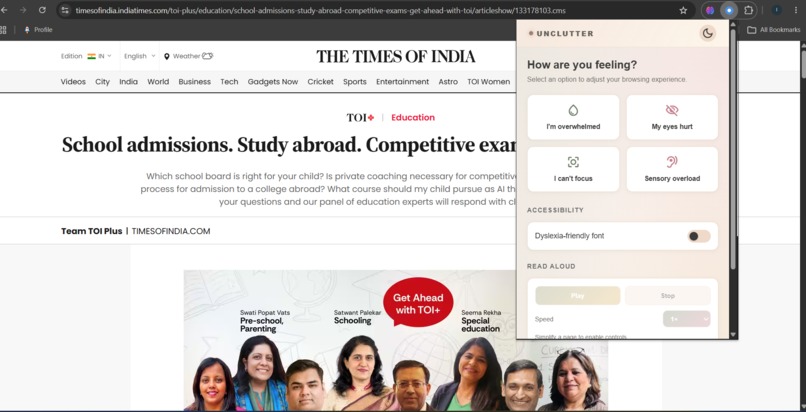
pop up, when it's in light mode

Inspiration
Exam season, deadline pressure, and general burnout already push students' cognitive bandwidth to the edge — and then the internet itself makes it worse. Every webpage adds its own tax on top: autoplay ads, sidebars, newsletter popups, dense walls of text, and animations firing for no reason.
Existing tools like reader mode or ad blockers help a little, but they're static — they strip the same things regardless of how the person actually feels in that moment. We wanted something that responded to the user's state, not just the page's structure: tell it you're overwhelmed, and it reshapes the page around that.
What it does
Unclutter is a Chrome extension with four one-click "wellness modes," each targeting a different kind of overload:
- I'm overwhelmed , strips ads, sidebars, popups, and animations; surfaces the next clear action
- My eyes hurt , reduces visual intensity, switches in a dyslexia-friendly font, and opens live dim/warmth sliders for the page
- I can't focus , vanishes everything except the main content, highlighting the next step
- Sensory overload , pauses autoplay media and cuts visual noise broadly On top of the four modes, it includes:
- AI-powered page simplification, This acts as pop up card where the AI summarised contents on the pop up
- Read-aloud, the AI-simplified content can be listened to instead of read
- Eye-comfort controls (screen dimming + warmth filter) that persist across whatever's on the page, including AI-generated content
- Light/dark themes, set the background according to the users interest
How we built it
Unclutter runs as a Manifest V3 Chrome extension with three moving parts:
- Popup UI (HTML/CSS/JS), the four mode buttons, accessibility toggles, and theme switcher.
- Content script, does the DOM work, filtering out nav/ads/sidebars,applying the visual transformations per mode, and rendering the eye-comfort panel.
- Background service worker — owns the AI pipeline. It receives extracted page text, sends it to the Gemini API with mode-aware prompting, and returns structured title, summary, key points, next step, calming note that gets rendered as the on-page "Calm Reading Mode" card. We split the work along that same seam: Ishta, owned the popup UI, accessibility interface, and theming; Shreya handled the other owned DOM detection also the Vercel-hosted backend, and the Gemini integration — including caching and a local fallback ("Basic Calm Mode") for when the API is unavailable, so the extension degrades gracefully instead of breaking.
Challenges we ran into
- Eye-comfort effects not reaching the AI-generated card. Our dimming/warmth overlays were separate
<div>s that could be visually covered by anything added to the page afterward We rebuilt it using a CSSfilterapplied todocument.bodyinstead, a filter affects everything in its subtree, so it can't be "beaten" by later-added content. - ""The gllich while switching from one state to another**, this caused a huge trouble and experienced, what troubleshooting actually means
Accomplishments that we're proud of
As a team of two people, we learnt what a good team work is and also, cleanly split by architectural layer, shipping a coherent single product rather than two half-finished halves
What we learned
How important the prompt design is, for a structured, parseable output takes real iteration, not a single clever prompt.
What's next for UNCLUTTER
- Support for user-created wellness modes
- More language and voice options
- Personalized reading preferences
- Improved content extraction for complex websites
- Optional wellness-pattern insights
- Additional accessibility controls
- Support for more browsers

Log in or sign up for Devpost to join the conversation.