-
-
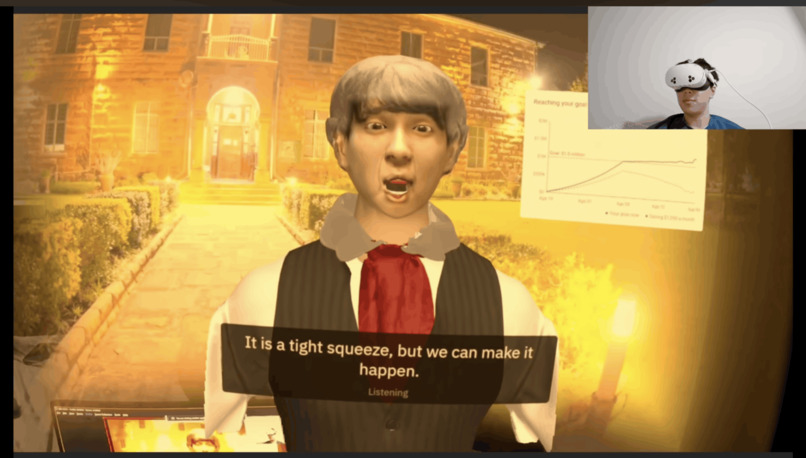
view in VR talking to your future self
-
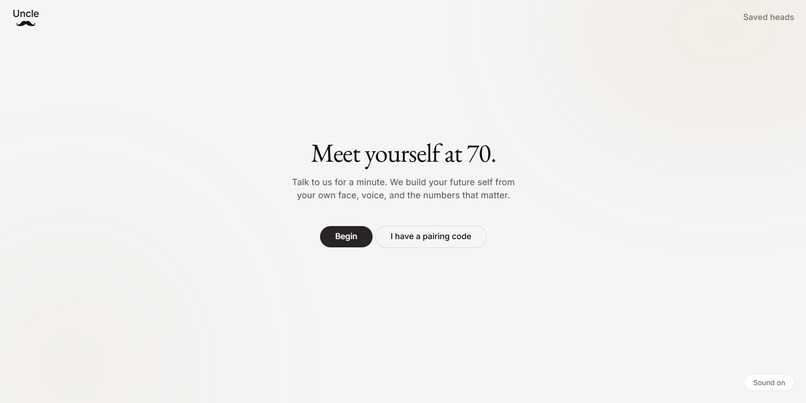
landing page
-
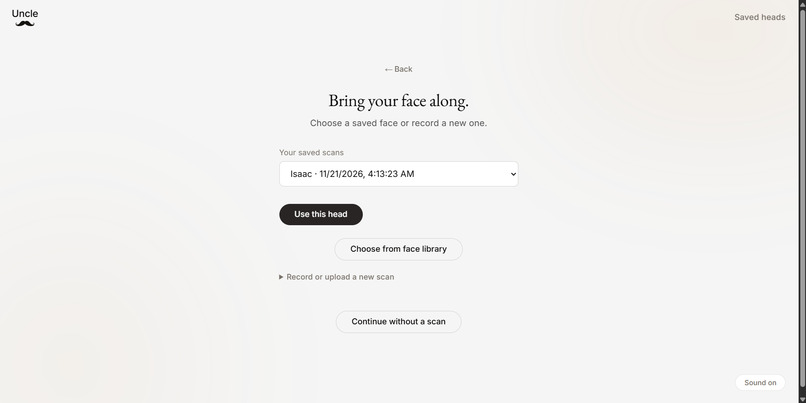
upload a face scan or select an existing one!
-
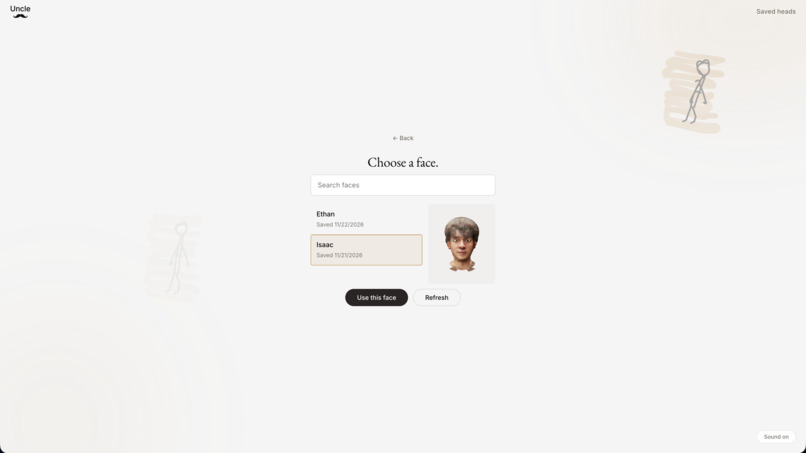
select from saved face
-
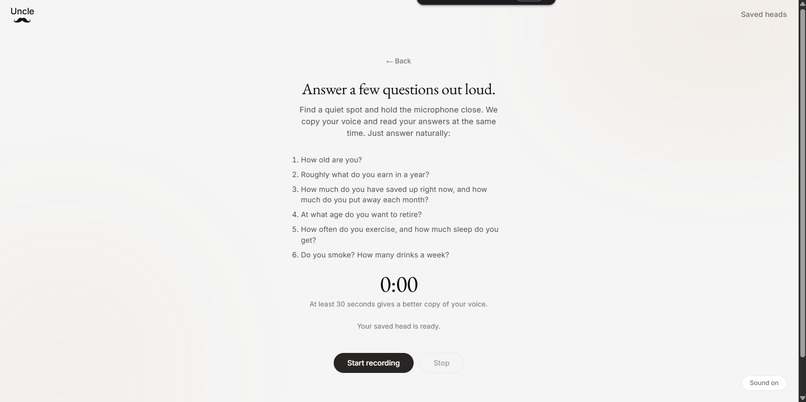
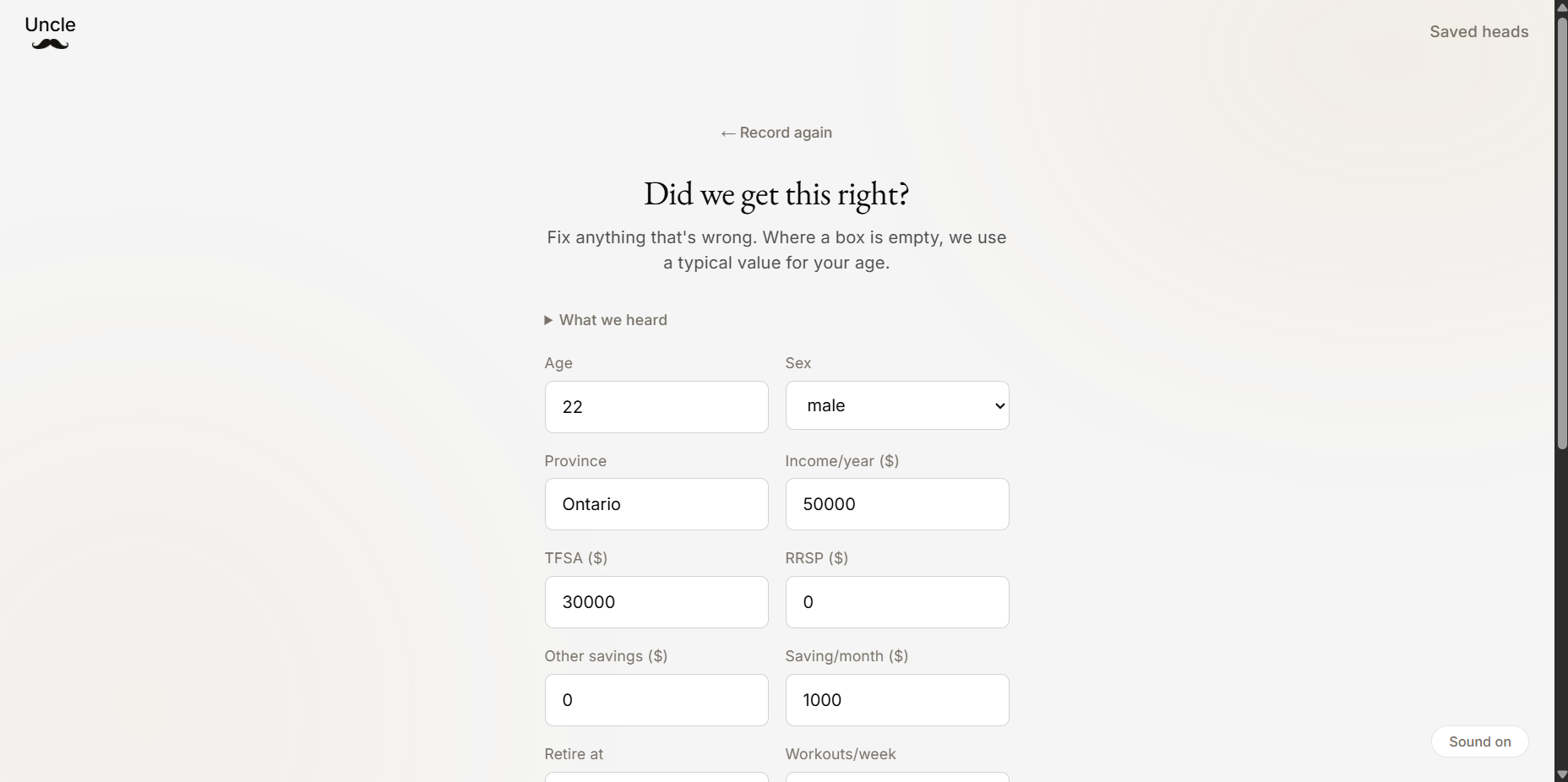
do a quick interview to get your voice transcribed
-
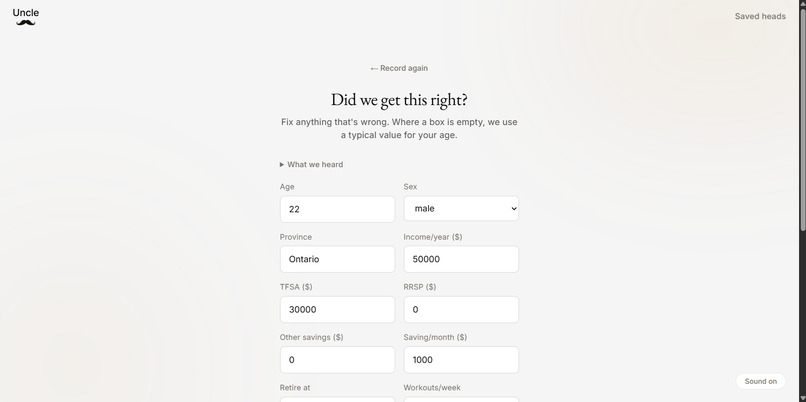
transcription results
-
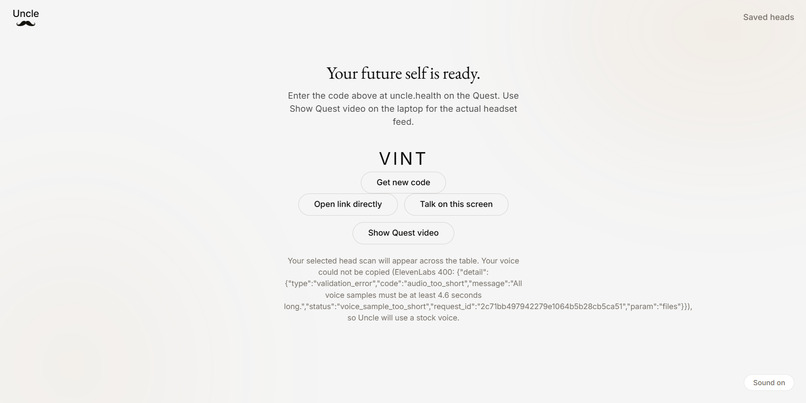
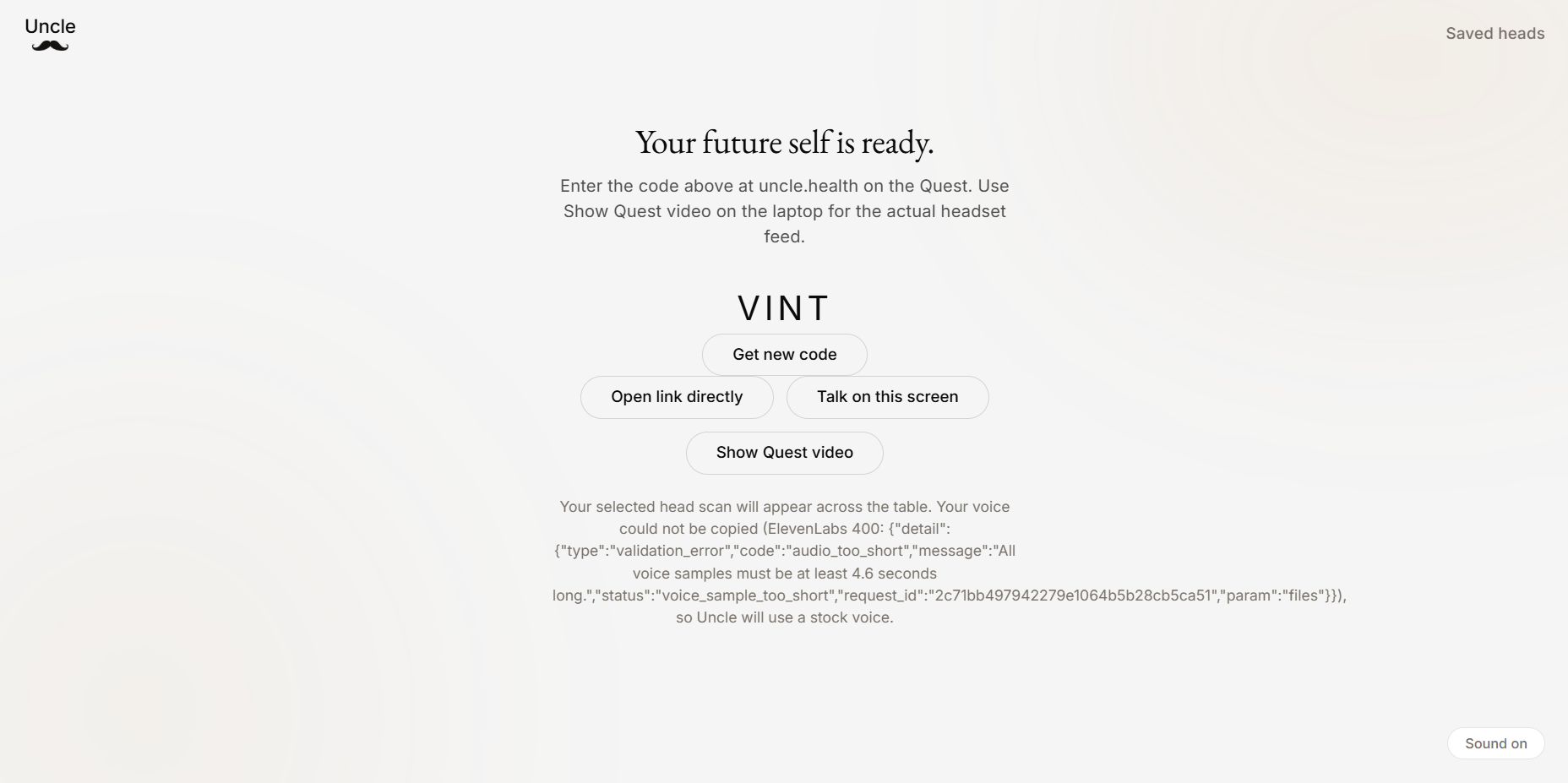
connect to VR via code or view on browser
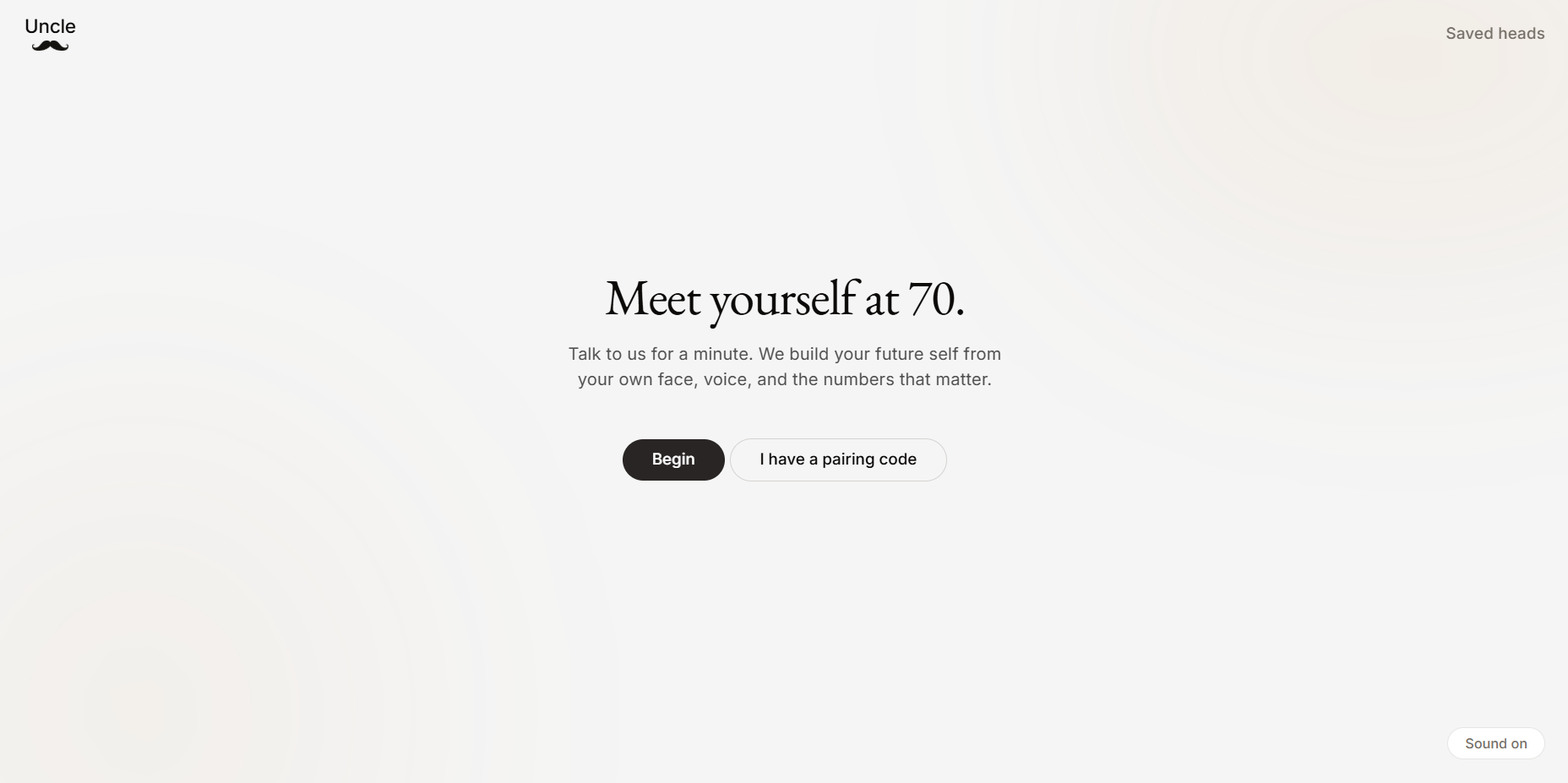
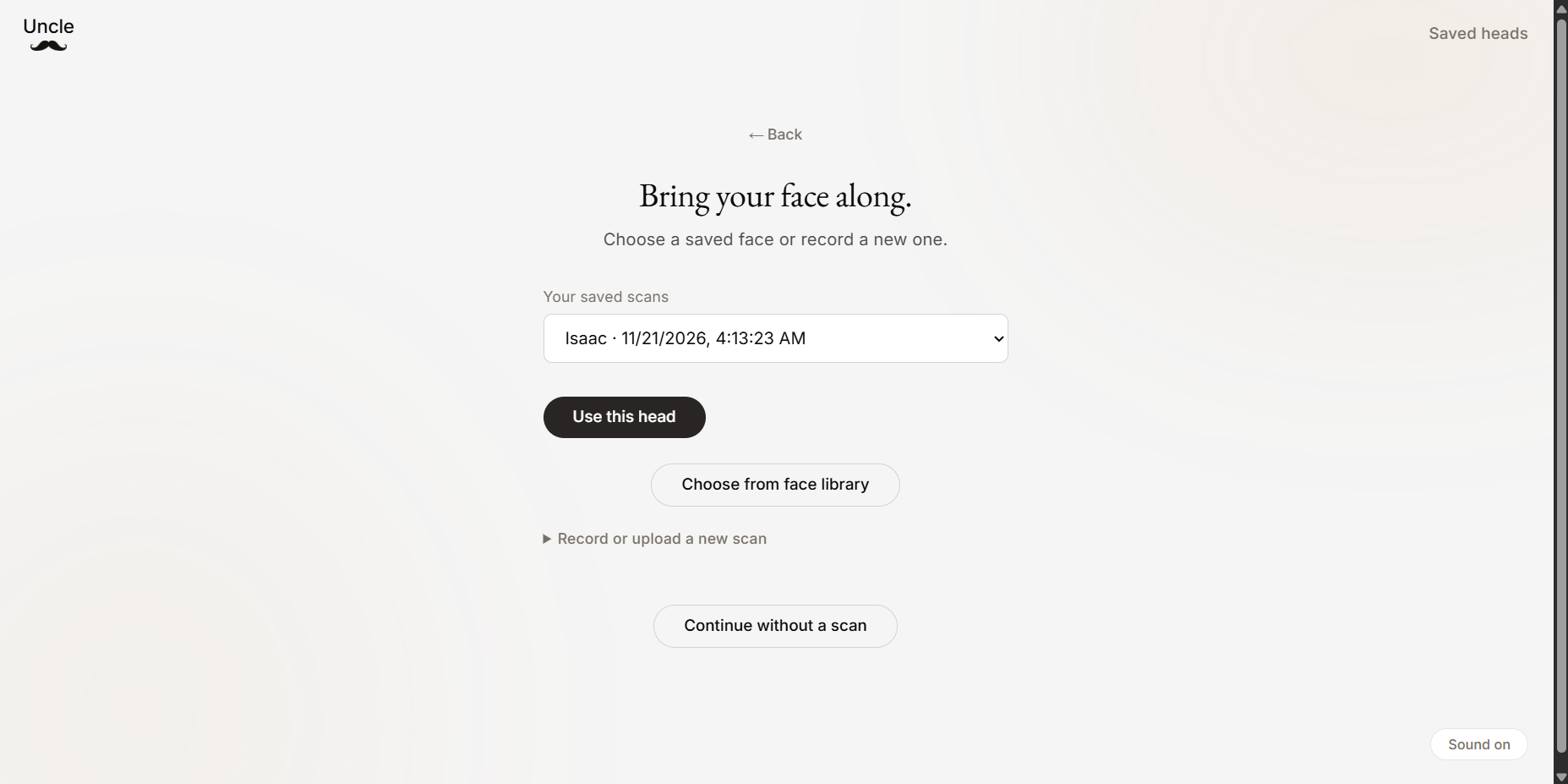
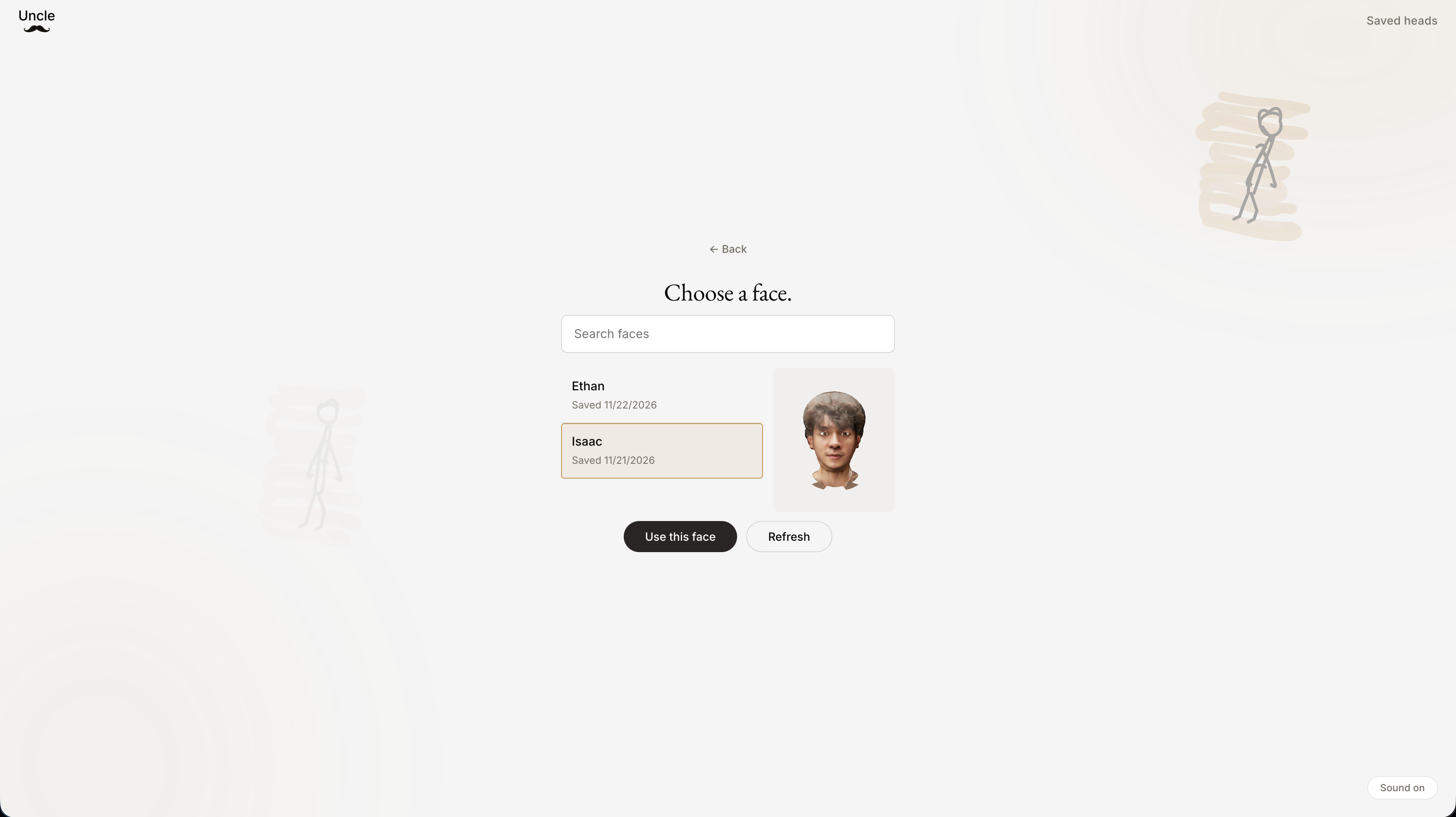
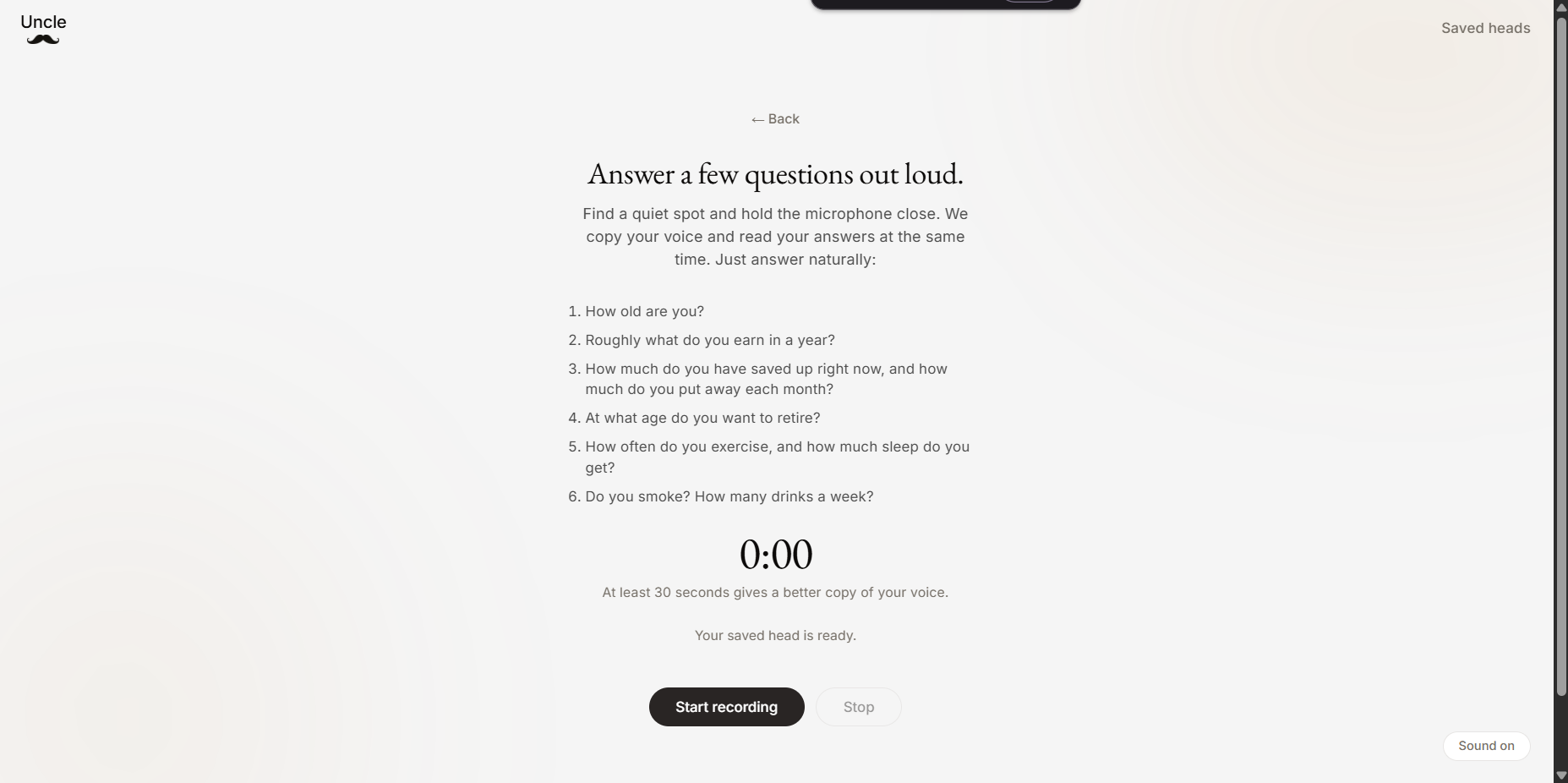
Uncle
Project overview
In 2024, researchers at the MIT Media Lab ran an experiment where people chatted with an AI version of themselves, decades older. After one short conversation with their future self, people felt less anxious about the future and more connected to the person they would become. Separate research on aged images, by Hershfield and colleagues in 2011, found that people shown an aged picture of themselves put more money into a retirement account than people shown their current face.
What if you could experience that for yourself? Uncle puts you across the table from yourself at 70. A 24-second video of your head becomes a 3D model, aged in skin, hair and shape, and it talks to you in mixed reality in an aged version of your own voice. Everything it tells you about your money and health coadmes from a Monte Carlo simulation we built, fed by current Canadian rates and limits.
AI writes the words, but it cannot write numbers. Our fine-tuned model writes placeholders that point into the simulation's facts, and code fills in the values. Ask your future self "what if I save $50 more a month?" or "what if I exercised twice a week?" and the answer comes from a fresh run of the simulation, with a chart floating beside the mirror. Every displayed value names its source.
Project links
- Demo video: https://www.youtube.com/watch?v=54cPOywvbCI
- Live app: https://uncle.health
- Source code: https://github.com/e-yang6/uncle
Track guide
| Part | Track |
|---|---|
| 1 | How Uncle works (the whole project, for every track) |
| 2 | The Canada Life Future Me Challenge |
| 3 | Best Health Hack by Sun Life |
| 4 | MLH Best Use of Vultr |
| 5 | MLH Best Use of Gemini API |
| 6 | MLH Best Use of Entire |
| 7 | MLH Best Domain Name from GoDaddy Registry |
| 8 | Organizers' Choice: Most Adventurous |
Uncle is entered in all of these tracks. Part 1 explains the whole app. Parts 2 to 8 go into the detail each track asks about.
Part 1: How Uncle works
The idea in one paragraph
Most of us treat our future selves like strangers. Uncle makes yours a person you can talk to. You put on a Meta Quest headset and sit across from yourself at 70: your own face, aged, with grey hair, speaking in an aged version of your own voice, in your own room through passthrough. You can ask it anything about your money and your health. Every number it says comes from a simulation we built, never from an AI guess.
What a person does, start to finish (about 4 to 5 minutes)
- Open https://uncle.health on a phone or laptop and press Begin. Enter a name.
- Add your face. Choose a saved face from the library, or film a slow head-turn video (about 24 seconds) or upload one. A head is built from the video in the background (97 seconds in our first full test).
- Answer ten short questions by tapping: age, sex, income, savings, how much you save a month, retirement age, exercise, sleep, smoking and drinking. Every sensitive question has "prefer not to say", and the simulation then uses a typical value.
- Record about 30 seconds of your voice. This is the sample that gets cloned.
- Check the "Did we get this right?" screen. It shows every value we have and lets you fix anything.
- Open the headset link, scan the QR code, or type the four-letter pairing code on the Quest. A laptop mirror opens so friends and judges can watch.
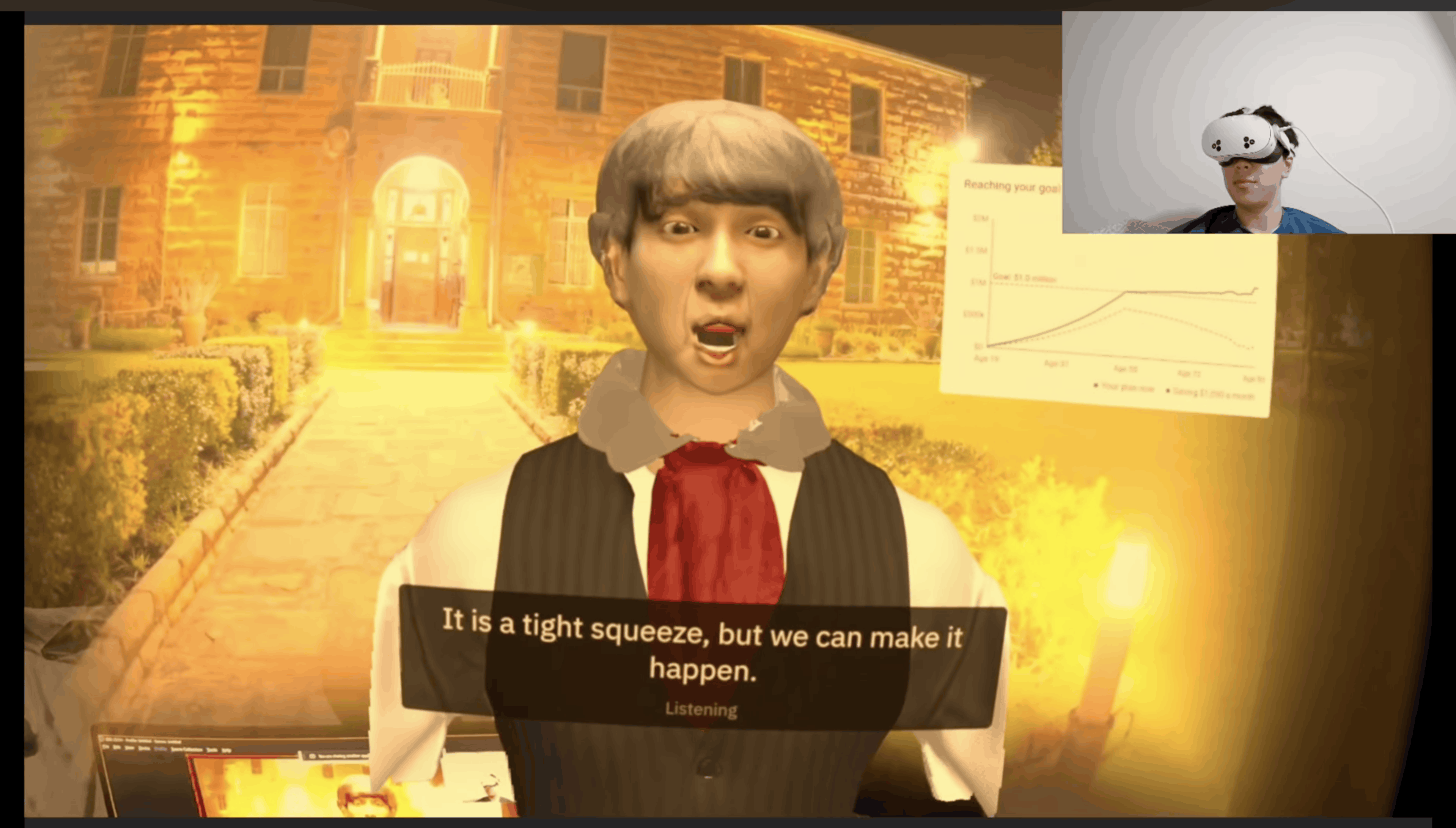
- Put on the headset. Your future self greets you by name and you talk with it, out loud. Ask "Was I okay with money?", "What would it take to have a million at 70?" or "What if I saved $50 more a month?" Chart panels float up beside the mirror and you can grab and move them. Your future self's clothes and backdrop reflect how your savings are projected to turn out.
The four parts that make it work
1. The head (a 3D head from a video). A head-turn video goes through a pipeline: frames are extracted, COLMAP recovers camera positions, MediaPipe finds 468 face landmarks, a head template is warped onto them, hair is fitted, and the video frames are projected onto the head as its skin. In the headset, one shader ages it (grey hair, older skin, a softer jaw), and the mouth opens in time with the audio.
2. The voice. ElevenLabs clones your voice from your recording and speaks the replies. Our own code then ages the voice (pitch, pace, wobble and tone). The headset listens through its mic, ElevenLabs transcribes it, and the first sentence of the reply is spoken before the whole reply is written.
3. The numbers (the simulation). A Monte Carlo engine simulates 5,000 possible lives from your age to 100. Each life draws stock and bond returns from history, applies Statistics Canada mortality, adjusts risk for your habits using published research, and applies current CPP, OAS, TFSA and RRSP rules read from Canada.ca. It reports 10th, 50th and 90th percentile ranges, so you see good and bad luck, not one guess. It runs in about 47 ms.
4. The words (the language model). Our fine-tuned model (Qwen2.5-3B, trained and served on Vultr GPUs) writes what the future self says, but it can only write placeholders such as {savings_70.median}. Our code checks that every placeholder exists in the simulation's facts, then fills in the real value, rounded the way people talk. A reply containing a raw number is rejected and rewritten, and then falls back to a template sentence. So an invented number cannot reach you. Gemini turns your interview into simulation inputs, picks the right calculation for money questions, and takes over if the model is slow or down.
How the pieces connect
Phone or laptop (onboarding) goes to the app server on Vultr (Node, behind Caddy for HTTPS). The server runs the simulation (facts and charts) and asks the fine-tuned model on a Vultr GPU for the words, as placeholders. Fill-and-check puts the real numbers in. ElevenLabs speaks the reply in your cloned voice, and our aging filter ages it. Audio and chart messages travel over one WebSocket to the Quest headset page (three.js and WebXR), which plays the audio, moves the mouth, and draws the head, outfit, backdrop and charts.
By the numbers
- 5,000 lives simulated in about 47 ms.
- A head built from video in 97.1 seconds (first full run, on a Mac).
- 200 test conversations: no invented numbers after fill-and-check.
- Money questions: Gemini picks the right calculation in our tests so far.
- Simulation checked against 12 hand-calculated profiles, all within 5%.
Saved heads
The saved-head library is deployed at /heads.html. You can search scans by name, reopen one with live voice, download its GLB, or upload a finished head with the team's upload key. Existing head files are discovered automatically. SQLite stores the catalog alongside the GLBs on the app server's disk, so ordinary deploys keep them. This is single-server storage, so backups must include the full builds directory. Scans are accessible to anyone with the app link.
Video upload and the head-builder worker are deployed. A private persistent queue sends videos to the head builder, reports its stages, and adds successful heads to the library. Isaac tested a real head-turn video through the worker against a local server: it was built in 96 seconds, saved, and loaded in the headset with the mouth moving. Ethan's later live scan reached the Mac worker, was built and uploaded to the live library, and was checked on uncle.health. The run exposed a resolution-dependent landmark check that was subsequently fixed; a clean unattended live run remains to be verified.
Built with
Meta Quest 3S (WebXR with passthrough), three.js, Node.js, a WebSocket voice channel, SQLite, Caddy, Vultr Cloud Compute and Cloud GPUs (2 x A16), vLLM, Qwen2.5-3B with LoRA, Gemini 3.5 Flash Lite, ElevenLabs (speech to text, voice cloning, text to speech), COLMAP, MediaPipe, Statistics Canada life tables, Canada.ca rates and limits, and Claude Code agents coordinated through Entire.
Part 2: The Canada Life Future Me Challenge
Uncle for the Canada Life track
Canada Life asks for a digital solution that helps Gen Z take meaningful action on their financial future and turns uncertainty into confidence. Uncle puts you across the table from yourself at 70, in your own face and aged voice, and lets you ask what a different choice would do to that future. Every number comes from a Monte Carlo simulation of 5,000 possible lives, shown as a range rather than a single guess. A bad-luck outcome sits next to the typical one, so the future stops being a black box.
Uncle covers each lever Canada Life names:
- Visualization: your aged head in mixed reality, plus floating charts for savings by age, a goal line, whether your money lasts to 90, milestones and a life timeline. Your future self's outfit and backdrop reflect how your savings are projected to turn out.
- Motivation: a warm future self who talks about the options saving gave them, following Canada Life's finding that Gen Z responds to agency, not fear.
- Behavioural nudges: the simulation ranks the one change that matters most for each person, and you can ask what any change would do, such as saving $50 more a month.
- Education: you can ask money questions out loud, such as what monthly saving reaches a million by 70. The simulation computes the answer and the future self explains it.
Why we built it
Canada Life's research links uncertainty about the future to lower long-term saving. Gen Z workers are withdrawing from their RRSPs 12% more often than millennials did at the same age, and 42% more than Gen X. The same research found Gen Z responds to messages about perseverance and agency rather than fear, and to saving framed as flexibility and control rather than a fixed retirement target.
Uncle is built around those findings. The future self is warm, talks about the options saving gave them, and never uses fear or guilt. When you ask "what if", you get your own numbers back and see them drawn in front of you.
How Uncle meets the Canada Life criteria
| Canada Life criterion | What Uncle does |
|---|---|
| Helps Gen Z take meaningful action | Uncle names the one change with the biggest impact for each person and shows its numbers |
| Motivation | A future self in your own face and aged voice, who speaks warmly about agency, not fear |
| Visualization | Your aged 3D head in mixed reality, floating chart panels showing savings over time, goal lines and before-and-after comparisons, plus 10th, 50th and 90th percentile ranges for savings, income, life expectancy and healthy years |
| Behavioural nudges | The simulation ranks the one change that matters most for each person, and a what-if question shows the difference in numbers and a chart |
| Turns uncertainty into confidence | Monte Carlo ranges show what you still have even in bad-luck futures (the 10th percentile), not just the median |
| Explains assumptions and limits | Every number names its data source and fetch date, "not financial advice" is on screen, answers are ranges rather than single numbers, and limits are stated honestly |
One session from scan to action
Jordan is 22, earns $45,000 a year, saves $75 a month, exercises once a week, and sleeps about six hours a night. All numbers below come from the simulation run on her profile.
A teammate films a 24-second video of Jordan slowly turning her head. While the 3D head builds, we ask her a few friendly questions: age, roughly what she earns and saves, her habits. Gemini extracts the fields, and a confirm screen shows what we heard so she can fix anything misheard.
She puts on the headset. Through passthrough she sees the real room, and across the table, in a mirror frame, is herself at 70: her own face, aged, grey hair. It greets her by name in an older version of her own voice.
She asks, "Was I okay with money?" Her future self answers warmly, using only placeholders our code fills from the simulation: "Looking back, I had about $0 put away by seventy, saving $50 more a month is what would have made the difference." A floating chart appears beside the mirror showing her savings over time. That $0 median is real: in 5,000 simulated lives with her current habits, the median savings at 70 is $0 (10th percentile $0, 90th percentile $117,926). Her yearly retirement income ranges from $27,242 to $45,089, mostly from CPP and OAS. The chance her money lasts to 90 is 2%.
She asks, "What if I saved $50 more a month?" The simulation reruns in under a second. Median savings at 70 jumps to $65,818, and the chance her money lasts to 90 rises to 9%. A chart floats up showing the comparison. She can grab and reposition these panels with her hands.
Uncle then names the single change that matters most for her, saving $50 more a month, and shows the numbers behind it.
How the simulation turns uncertainty into ranges
The Monte Carlo engine simulates 5,000 possible lives from the user's current age to 100. Each life draws random stock and bond returns (resampled from the Credit Suisse Global Investment Returns Yearbook 2023), applies mortality from Statistics Canada life tables (Table 13-10-0114-01, 2020-2022), and adjusts risk by four habits using published relative risks: smoking (Jha et al., NEJM 2013, RR 2.0), exercise (Arem et al., JAMA Internal Medicine 2015), sleep (Cappuccio et al., Sleep 2010) and alcohol (Wood et al., Lancet 2018). Financial rules use current CPP (1,507.65amonthatmost),OAS(762.50 a month at most), TFSA ($7,000 a year) and RRSP (18% of income, $36,390 at most) from Canada.ca, fetched at startup with source URLs and dates.
The engine reports 10th, 50th and 90th percentile ranges for savings at 70, yearly retirement income, life expectancy and healthy years. It also ranks which single change matters most by rerunning with each input nudged. The runs are seeded, so asking the same question twice gives the same answer and a what-if shows only the effect of the change, not luck. 5,000 lives complete in about 47 ms on a laptop. Unit tests cover schema shape, life expectancy bounds by sex, habit effects, savings growth and performance. A 12-profile validation script (sim/validate-calculator.js) checks CPP and OAS income, contribution limits, life expectancy ranges and savings growth against hand-calculated values using official Canadian rules. All 12 profiles pass within 5%.
Challenges we ran into
Making the simulation fast enough for live what-if answers. The engine runs 5,000 lives in about 47 ms, so a what-if answer is computed in well under a second. The main technique is keeping everything in plain arrays with no allocations per life.
Ensuring no invented numbers while keeping the conversation natural. The placeholder system means the model never writes a number. But getting a model to write placeholders consistently, in the right place, without sounding robotic, took a careful system prompt and a fine-tune. Our fine-tuned model scored 200/200 clean replies on a 200-conversation grounding test, and 100% correct after fill-and-check. Gemini, used as the fallback, needed more rewrites to stay clean.
Balancing financial accuracy with a 36-hour hackathon. We kept taxes approximate (a flat effective rate, no provincial brackets, no capital-gains distinction) and did not model housing, children or job changes. The app says so on screen.
What we learned
Ranges communicate uncertainty better than single numbers. We chose to show "between $0 and 117,926"insteadof"58,000" because it is more honest about how uncertain a 50-year projection is.
The placeholder system made swapping models trivial. Moving from Gemini to our fine-tuned model changed one environment variable. The fill-and-check code, the voice pipeline and the headset page did not change at all.
Canada Life's research says Gen Z responds better to "here's what you can still do" than "here's what will happen to you". We wrote the future self's prompt around that: warm, focused on options, never on fear.
Limits and next steps
Uncle is a prototype built in 36 hours. It is not financial or medical advice.
- Taxes are approximate: a flat effective rate, no provincial brackets, no dividend or capital-gains distinction.
- No housing, children or job changes are modelled. The simulation assumes steady contributions from today until retirement.
- Results are population averages from published research, not personalized assessments.
- Four habits only (smoking, exercise, sleep, alcohol). Diet, mental health and genetics are not modelled.
- What-if changes are asked by voice.
A production version would add tax brackets, housing and life events, more habits, and a connection to the user's actual bank for the action step.
Part 3: Best Health Hack by Sun Life
Uncle for the Sun Life track
Young people can't feel the long-term cost of sleeping five hours, skipping exercise or smoking. Uncle makes it visible. Your habits shape how old your future self looks and what it says about your healthy years, and you can ask "what if I exercised twice a week?" and get the difference from the simulation. The numbers use published relative-risk research (Jha 2013, Arem 2015, Cappuccio 2010, Wood 2018) on top of Statistics Canada life tables. Uncle never states a death age, only ranges, and it ranks the single habit change that matters most. It is built for Gen Z, who have the most years ahead for a change to compound.
The official Sun Life challenge asks teams to build a creative technical solution to a real health problem, and to show who it helps and what impact it could have.
Why we built it
Four modifiable habits, smoking, exercise, sleep and alcohol, drive a large share of the difference between a long healthy life and a shorter one. Smoking alone doubles the yearly risk of death (Jha et al., NEJM 2013). Sleeping less than six hours raises mortality risk by up to 1.3x (Cappuccio et al., Sleep 2010). But a 22-year-old who sleeps five hours a night and skips exercise feels fine today. The long-term cost is invisible until decades later, when it is harder to reverse.
Uncle makes that cost visible now. In mixed reality, you see your own aged face, older or younger depending on your habits, and hear your future self describe the health path those habits lead to. The simulation shows how many healthy years you can expect and which single habit change matters most, all from published research, not guesses.
Who it helps and the impact
Uncle is for Gen Z (ages 18 to 35), who have the most years of compounding health benefit ahead of them. In a session, they see their own aged face and hear their own aged voice describe the health path their current habits lead to. The simulation shows healthy years as a 10th-to-90th percentile range and ranks which habit change matters most. For a typical profile (22 years old, exercises once a week, sleeps six hours), the simulation shows 59 to 86 healthy years (median 77). Asking what two more exercise sessions a week would do shifts the median upward.
How Uncle meets the Sun Life criteria
| Sun Life criterion | What Uncle does |
|---|---|
| Creative technical solution | A 3D aged head in mixed reality, driven by a health and money simulation, that you can question about four habits |
| A real health problem | Young people's daily habits (exercise, sleep, smoking, alcohol) shape decades of health outcomes they cannot see today |
| Shows who it helps | Gen Z (18 to 35), who have the most years of compounding health benefit ahead |
| Shows the impact | The simulation shows the difference in healthy years and life expectancy for each habit change, with ranges from published relative-risk research |
How habits change the future
The simulation uses Statistics Canada's 2020-2022 life tables (Table 13-10-0114-01) as the baseline mortality for each age and sex. Four habits adjust the yearly risk of death through published relative risk multipliers:
- Smoking: relative risk 2.0 (Jha et al., "21st-Century Hazards of Smoking," NEJM 2013).
- Exercise: relative risk from 1.0 (no exercise) down to 0.80 (5 or more sessions a week) (Arem et al., JAMA Internal Medicine 2015).
- Sleep: a U-shaped curve, best at 7 to 8 hours, where too little or too much raises risk up to 1.3x (Cappuccio et al., Sleep 2010).
- Alcohol: relative risk from 1.0 (none) up to 1.45 (28 or more drinks a week) (Wood et al., Lancet 2018).
Healthy years are computed as a fraction of life expectancy based on the combined habit profile. The simulation computes an apparent age at 70 that shifts with the health path: a smoker who does not exercise gets a higher apparent age, while a healthy person gets a lower one. The shift comes from the difference between the user's simulated life expectancy and the population baseline. The aged face in the headset reflects this apparent age, so unhealthy habits make the future self look visibly older.
Challenges we ran into
Making health feel personal without being preachy. The future self never says "you will die at 74." It says "people with my habits tend to live to between {life_expectancy.low} and {life_expectancy.high}." This framing took several rounds of prompt tuning.
Combining four independent risk factors correctly. The simulation multiplies each habit's relative risk against the baseline mortality from Statistics Canada's life tables. The multiplicative model is standard in epidemiology, but getting each habit right required reading each cited paper and implementing its dose-response curve, not just a single risk value.
The U-shaped sleep curve. Too little sleep raises mortality risk, but so does too much. The Cappuccio et al. meta-analysis puts the minimum risk at 7 to 8 hours, rising on both sides, so sleeping 10 hours is not better than sleeping 7.
What we learned
Showing ranges (for example "between 77 and 86 healthy years") is more honest than a single number, so health outcomes are always shown as ranges.
Combining health and money in one simulation lets one conversation cover both, and lets the same face and outfit reflect both.
Limits and next steps
Uncle is a prototype. It is not medical advice.
- Results are population averages from large meta-analyses, not personalized medical assessments. Individual risk depends on genetics, diet, mental health and many other factors that are not modelled.
- Four habits only: smoking, exercise, sleep and alcohol. Diet is the most obvious omission.
- The relative risks come from studies of large populations and may not apply to every individual.
- Healthy years are estimated as a fraction of life expectancy based on the habit profile, not from a separate disability model.
- The face's apparent age is set from your habits at the start of the session. It does not change live when you ask a what-if question.
A production version would add more habits (diet, stress), use disability-adjusted life year models, and connect to wearable data for real habit tracking.
Part 4: MLH Best Use of Vultr
Uncle for the Vultr track
Vultr hosts the whole backend of Uncle. A Vultr Cloud GPU trained and serves our own fine-tuned language model, the one that writes the future self's words. A Vultr Cloud Compute instance runs the app server behind Caddy, which gives the Meta Quest the HTTPS that WebXR requires.
In short: we trained a model on Vultr (about 36 minutes, 1,400 examples), started serving it on one GPU, found it too slow against Gemini, and moved to two GPUs, which made it 1.8x faster. The live app at https://uncle.health runs on Vultr.
How Uncle uses Vultr
| Vultr product | What runs on it | Why it matters |
|---|---|---|
| Cloud GPU, 2 x A16 (Chicago) | Fine-tuning Qwen2.5-3B with LoRA on 1,400 examples for 2 epochs (168 steps, about 36 minutes). Code: voice/finetune/train.py and gen-data.mjs | The model learns to write placeholders like {savings_70.median} instead of numbers, in an older-self voice |
| Cloud GPU, 2 x A16 | Serving the model with vLLM, tensor parallel across both cards | A reply takes 1.29 s on two cards against 2.33 s on one (BUILD.md log, Sat 19:40) |
| Cloud GPU | The model endpoint, firewalled so only the app server's address can reach it | Our model runs on hardware we control |
| Cloud Compute | The app server (Node, systemd) behind Caddy. Live at https://uncle.health/health | The Quest only runs WebXR over HTTPS |
From one GPU to two
We started with a single A16. Timed on the machine itself, a 59-token reply took 2.32 s (about 25 tokens a second). Through the app, the reply took 1.8 to 2 s to write. For a voice conversation that matters.
Vultr's account cap ruled out the bigger A100 (about 1,750amonth),sowemovedtoaplanwithtwoA16cards(688 a month) and ran the model tensor-parallel across both. The same 59-token reply took 1.29 s, which is 1.8x faster. This was measured with the public Qwen2.5-3B as a stand-in, 6 timed requests per setup, no load.
With streaming, each sentence is checked and spoken while the next one is still being written, so the fine-tune's slightly longer generation time is hidden by the pipeline.
How the fine-tuned model is used
The fine-tuned model writes the future self's replies. It never writes a number. It writes placeholders, and our fill-and-check code replaces them with values from the simulation before the voice speaks. Questions that need a fresh calculation, such as what monthly saving reaches a goal, go through Gemini's tool path, still through placeholders. If the model is slow or down, a circuit breaker falls back to Gemini so the person always gets an answer.
Why we fine-tuned instead of just prompting
The no-invented-numbers guarantee comes from the placeholders and the checker, which work with any model. The fine-tune lets that run on our own hardware, in character. We ran 200 test conversations through our own checker, with the same questions for both models.
| Measure | Fine-tune v3 (Qwen2.5-3B, 2 x A16) | Gemini (3.5 Flash Lite) |
|---|---|---|
| Clean replies (200 test conversations) | 200/200 before the wording rule | 198/200, needed more rewrites |
| Time to write a whole reply | 970 ms median on 2 x A16 | Faster, but it's an external API |
| Correct numbers after fill-and-check | 100% | 100% |
The fine-tune matched or beat Gemini on grounding and runs on our own hardware. A wording rule rejects replies that misuse lifetime totals (say "73 years ahead" when 73 is total life expectancy); the fine-tune handled this better. Rejected replies are rewritten once, then answered from a template. Gemini is the fallback when the model is slow or down.
Challenges we ran into
One GPU was too slow. See "From one GPU to two" above. Two cards cut a reply from 2.33 s to 1.29 s.
The model server was unreachable. After the model went live, voice delay jumped from 1.8 s median to 4.7 s (10 spoken questions on the live site). Every request waited out the model's timeout, then asked Gemini. The GPU machine's firewall was blocking port 8000. Opening it for the app server's address alone fixed it (37 ms from the app server). We also added a circuit breaker so a model failure costs one slow reply instead of every reply: after one failure the model is skipped for 60 s, with a 2 s timeout.
Streaming. On the live app, streaming cut the time to the first ready sentence from 1.77 to 1.96 s down to 0.73 to 1.61 s. It cut the median from end of speech to first audio from 2,777 ms to 2,265 ms (10 questions per run, one laptop, the single-card setup). Our 1.2 s target is not met.
An account cap shaped the hardware. Vultr refused the A100 with "maximum monthly fee limit", from the website and its command-line tool alike. Two A16 cards at $688 a month were the largest plan under the cap, and enough for a 3B model.
Training data took three tries. v1 had 1,240 plain-text examples and was 171 of 200 clean. v2 regressed to 83% because converted data introduced number words and nested JSON. v3 used the app's own prompt format and 1,400 examples (48% with a placeholder, 289 multi-turn, 803 with a speech sample), with a stricter judge that dropped about 3 in 4 first drafts for inventing life facts.
Limits and next steps
- End-to-end voice delay through the app with the two-card setup has not been measured. The 2,265 ms figure is from the single-card setup.
- The comparison is one run of 200 mostly short, fact-style questions, from one laptop through a tunnel. "Clean" means no invented numbers, not warmth.
- The model server and the app server are single machines. Gemini is the only failover.
- Face aging does not run on Vultr. It is a shader in the headset, and heads are built from video on a separate machine.
Part 5: MLH Best Use of Gemini API
Uncle for the Gemini track
Gemini supports three functions around our fine-tuned model.
- Interview to simulation inputs (structured output). A one-minute interview becomes the fields the Monte Carlo engine needs: age, income, savings and habits.
- Money questions (function calling). When someone asks something like "what would it take to have a million at 70?", Gemini picks one of eight tools and our simulation does the math. A second Gemini call then writes the answer through placeholders.
- Fallback voice. If the fine-tuned model is slow or down, Gemini writes replies in the same placeholder format, so the conversation never stops.
Like the fine-tune, Gemini is never allowed to say a number. The same checker and fill-and-check code apply to both.
How Uncle uses Gemini
| Gemini use | What it does | Proof |
|---|---|---|
| Structured output, interview | Turns the spoken or tapped interview into the simulation's fields in one call (voice/interview.js, voice/extract-eval.mjs) | Gemini 3.5 Flash Lite extracts fields in about 1.2 s. Tested on 20 scripted interviews (written by us, not real recordings): most stated fields read correctly, with a few values filled that the speaker had not stated. The prompt was tuned on the same 20, so treat this as a smoke test, not a real accuracy number |
| Function calling, money questions | Picks one of 8 tools, then writes the answer through placeholders (server/ask.js) | Tested on 27 questions: picked the right tool and passed the checker each time. Latency under 1.5 s total (two Gemini calls plus compute) |
| Fallback voice | Writes replies in the same placeholder format when the fine-tune is unavailable (voice/chat.js) | Needed more rewrites than the fine-tune to stay clean. After fill-and-check, all replies have correct numbers |
Challenges we ran into
Choosing the right Gemini model for each job. For interview extraction we compared Gemini 3.5 Flash and 3.5 Flash Lite. Flash Lite was significantly faster with the same answers, which matters when the person is standing in front of us. For the future self's voice we needed low latency per sentence, and Flash Lite was fast enough to keep the spoken loop responsive.
Getting Gemini to write placeholders instead of numbers. Gemini uses the same placeholder system as our fine-tune, but needed more prompt engineering to stay clean. Our checker rejects any reply containing a digit or a number word. The fine-tune was trained on this format and handles it more naturally; Gemini requires stricter prompting and more rewrites.
Gemini copying saving rates into balances. A test on 20 scripted interviews found Gemini copying a saving rate (for example $200 a month) into an account balance in 4 of them, which would hand the simulation money the person never mentioned. We added a rule to the prompt and the copying stopped in two reruns. One yearly saving was still read as a TFSA balance.
Limits and next steps
- Interview accuracy on 20 real spoken practice recordings is not yet measured. The structured output schema constrains the fields, but accents, background noise and partial answers have not been tested.
- Gemini is an external API, so the tool path and the fallback depend on its availability. If Gemini is down, replies fall back to 10 pre-recorded lines without personalized numbers.
- The 3 s timeout on the Gemini call means a slow response produces a noticeable pause.
Part 6: MLH Best Use of Entire
Uncle for the Entire track
Three people built Uncle in 36 hours by each directing their own Claude Code agent, one per person, on separate folders of the same repo. Entire is how that stayed coherent.
Sessions captured every agent run, so a teammate could resume after a sleep shift. Entire now holds 100 checkpoints on main, and the newest checkpoint is the commit it was taken at. Graph indexed the codebase (123 files, 694 symbols), so agents searched instead of reading files blindly. Brain distilled decisions into durable facts (7 extracted from sessions plus 2 authored), such as the rejected equal-retirement-income "fix", so later agents did not redo closed investigations. Trails tracked feature work against branches (3 trails: the fine-tune, the Monte Carlo simulation and the grounding test).
How Uncle uses Entire
| Entire capability | What we did | Check it with |
|---|---|---|
| Sessions | Every agent session is captured automatically, covering the build from skeleton to fine-tuned model to the headset's clothes, backdrops and neck. 100 checkpoints on main | entire checkpoint list, entire session list |
| Search | Agents look up past work with entire search instead of re-reading files. For example, a search for "placeholder system" returns the commit that added the fake facts sheet and the placeholder fill-and-check system (151 lines added across 5 files) | entire search |
| Graph | 123 files and 694 symbols indexed | entire graph |
| Brain | Key decisions distilled from sessions and authored as durable facts: the placeholder guarantee, the grounding test results, the rejected equal-income fix. 7 distilled facts plus 2 authored | entire brain recall |
| Trails | 3 trails linked to branches (fine-tune model, Monte Carlo sim, grounding test) | entire trail list |
| Token use | About 165 million tokens across the latest 50 of 69 committed checkpoints (about 162.6 million cache reads, 2.2 million cache writes, 0.57 million output tokens, 959 API calls). Nearly all of it is replayed context, which is why we leaned on search and checkpoints to avoid re-investigating decisions | entire tokens profile |
Challenges we ran into
Coordinating three agents on the same repo at the same time. Each person owns separate folders (sim/, voice/, head/, xr/), but the parts connect through shared contracts (CONTRACTS.md). When one agent changed how the simulation outputs its facts sheet, the voice agent had to update how it reads those values. A pinned GitHub issue (our message board) and Entire's shared session context helped, but the real coordination came from the contracts file and strict folder ownership.
Keeping agents in their lanes. Each agent is told which folders it owns and which it must not edit. Without that, two agents editing the same file would create merge conflicts. Entire's session capture lets a human review what each agent did and resume where it left off.
Brain surfacing real decisions. After distilling, Brain extracted facts like the rejected equal-retirement-income fix (the equality was a valid consequence of deterministic target spending, not a bug) directly from the session transcripts. These facts persist across sessions so future agents do not re-investigate closed decisions.
Limits and next steps
- Token savings from Graph search against blind file reads were not measured. The token profile above reports total usage, not a comparison, so we do not claim a saving.
- Brain coverage is partial: only 7 facts were extracted from our sessions. A longer project would build a richer knowledge base.
- The pinned GitHub issue was the main coordination tool. Entire's session capture, search and Brain supplemented it.
Part 7: MLH Best Domain Name from GoDaddy Registry
Uncle for the GoDaddy Registry track
Uncle lives at https://uncle.health. The name says what the product is: a friendly older relative who tells you the truth about your future, and .health puts the health half of the project, which is half of our simulation, in the address itself.
The domain does real work in the product, not just in the pitch. The Meta Quest browser only runs WebXR over HTTPS, and uncle.health is the address the headset opens. Caddy provisions its certificate automatically. Because it is short, a person can type it, and the Ready screen adds a four-letter pairing code so a visitor can open their exact session in the headset without typing a long link. Every page lives under it: the saved-head library (uncle.health/heads.html), the health check (uncle.health/health) and the headset app (uncle.health/xr/).
uncle.health is deployed with HTTPS. The registrar and registration screenshot have not been verified.
Limits
We have one domain pointed at one server. There is no separate staging domain.
Part 8: Organizers' Choice: Most Adventurous
PLEASE WATCH THIS VIDEO
https://www.youtube.com/watch?v=cbSqGIkR86I&feature=youtu.be https://www.youtube.com/watch?v=cbSqGIkR86I&feature=youtu.be https://www.youtube.com/watch?v=cbSqGIkR86I&feature=youtu.be
Uncle for Most Adventurous
Uncle is a stack of things that are each hard on their own, built so they work together in one four-minute experience: a head built from a phone video, a voice cloned and aged by our own code, mixed reality on a Meta Quest, a Monte Carlo simulation of 5,000 lives, and a language model we fine-tuned so it cannot say an invented number.
https://www.youtube.com/watch?v=cbSqGIkR86I&feature=youtu.be
WATCH THIS ^^^
What we attempted
- Your own head from a 24-second video. A head-turn video becomes a 3D head with a mouth that moves. The first full run took 97.1 seconds from video to saved head on a Mac: COLMAP placed 200 of 200 frames, and held-out landmark error was a median 1.59 px. The head is then aged in the headset (grey hair, older skin, a softer jaw) from one apparent age, with no rebuild.
- Your own voice, aged by our code. ElevenLabs clones the voice from the interview, and our own filter ages it: pitch, pace, wobble and tone. The filter takes 55 to 69 ms on a laptop.
- Mixed reality in the Quest. Through passthrough you see the real room and, across the table, yourself at 70, with the mouth driven by the audio as it plays, gaze that follows you, and chart panels you can grab and move. Isaac's test on the live link passed in the headset: the saved head, a greeting by name in the aged voice, a mic conversation and a moving mouth. Real garments (a T-shirt, a flannel shirt, a prom suit and a Victorian vest, all credited below) and photographic backdrops change with your projected savings.
- A simulation that sets the ground truth. 5,000 simulated lives in about 47 ms, using Statistics Canada life tables, published habit risks and current CPP, OAS, TFSA and RRSP figures from Canada.ca, checked against 12 hand-calculated profiles within 5%.
- A model that cannot invent a number. The future self writes placeholders and code fills in the values. We trained our own model on Vultr GPUs, and 200 test conversations produced zero invented numbers after fill-and-check.
- Answers to real money questions. Ask what monthly saving reaches a million by 70 and Gemini picks a calculation, the simulation computes it, and a goal line is drawn in the headset. On 27 test questions Gemini picked the right tool every time.
- Casting for judges. The Quest's view can be mirrored to a laptop, and a read-only mirror page reproduces the head and replies for onlookers.
https://www.youtube.com/watch?v=cbSqGIkR86I&feature=youtu.be
WATCH THIS ^^^
What did not go as planned
- Voice delay is longer than we wanted. The median from end of speech to first audio was 2,265 ms on the live app (single-GPU setup), against our 1.2 s target.
- Face aging uses the same shader on every head, tuned by eye on one head, and the whole headset experience has been checked in the Quest only in parts.
https://www.youtube.com/watch?v=cbSqGIkR86I&feature=youtu.be


