-
-
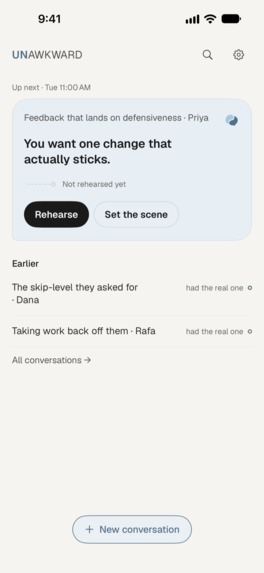
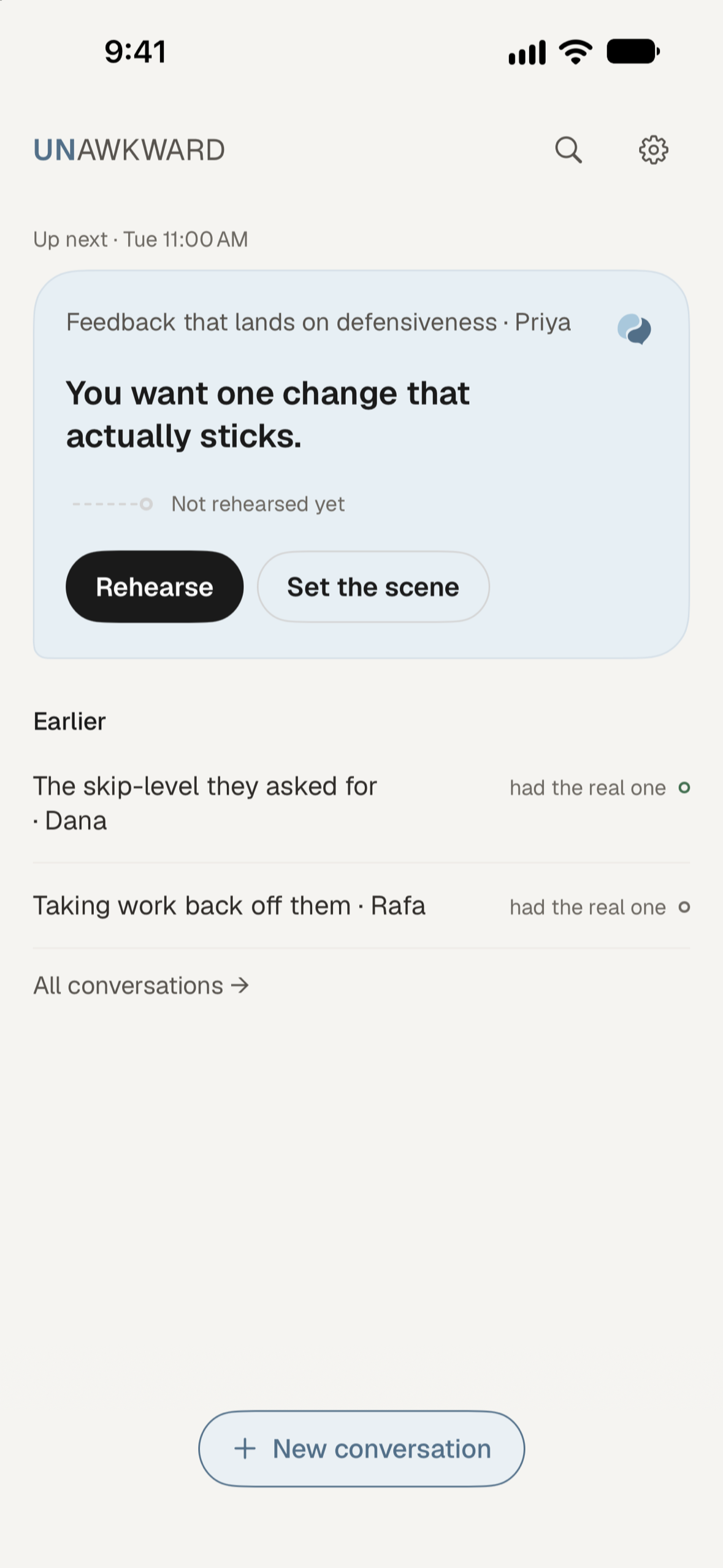
Keep your next conversation in view, set your goal, and practise before the real meeting.
-
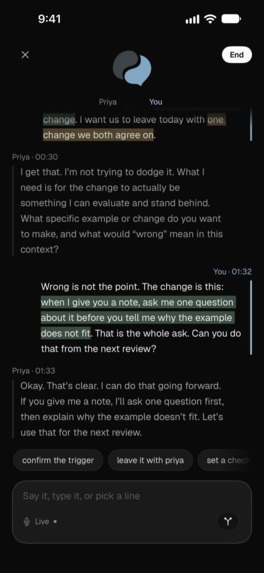
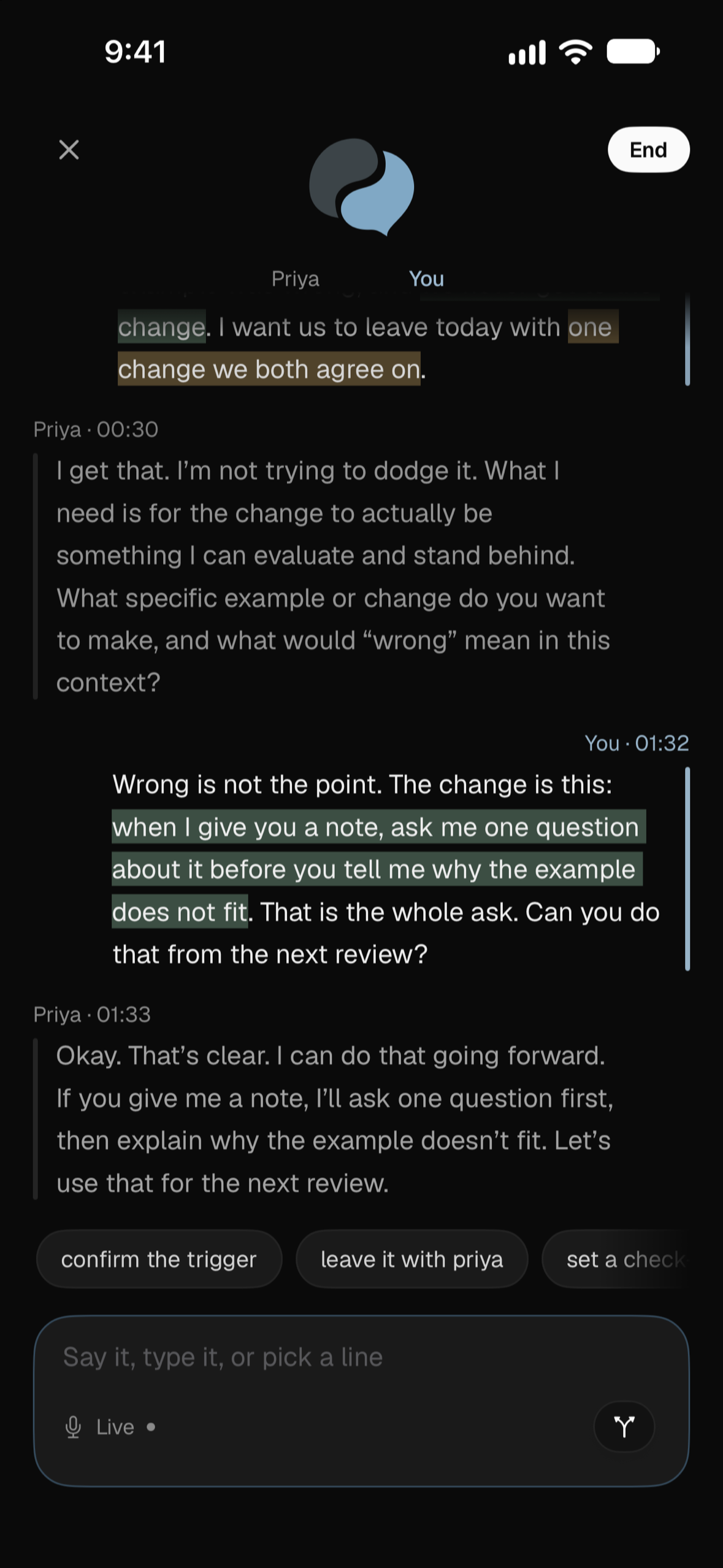
Speak, type or choose a reply. Practise with the other person and see which phrases land.
-
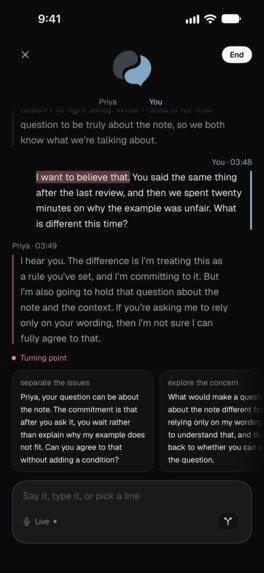
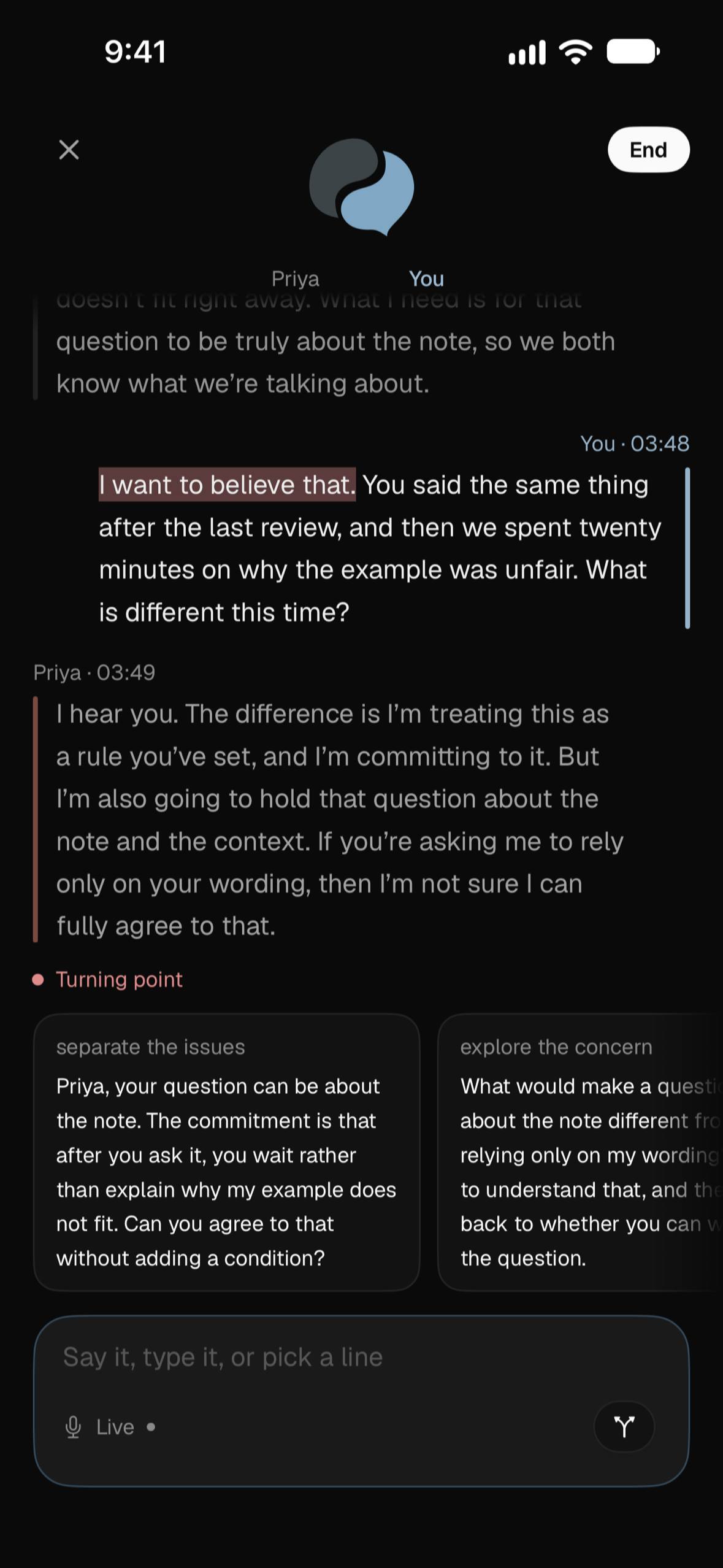
A difficult moment is a chance to try another approach. Explore different ways to respond.
-
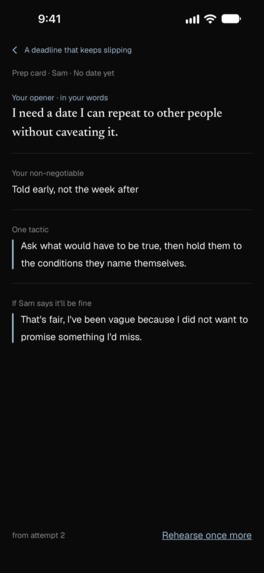
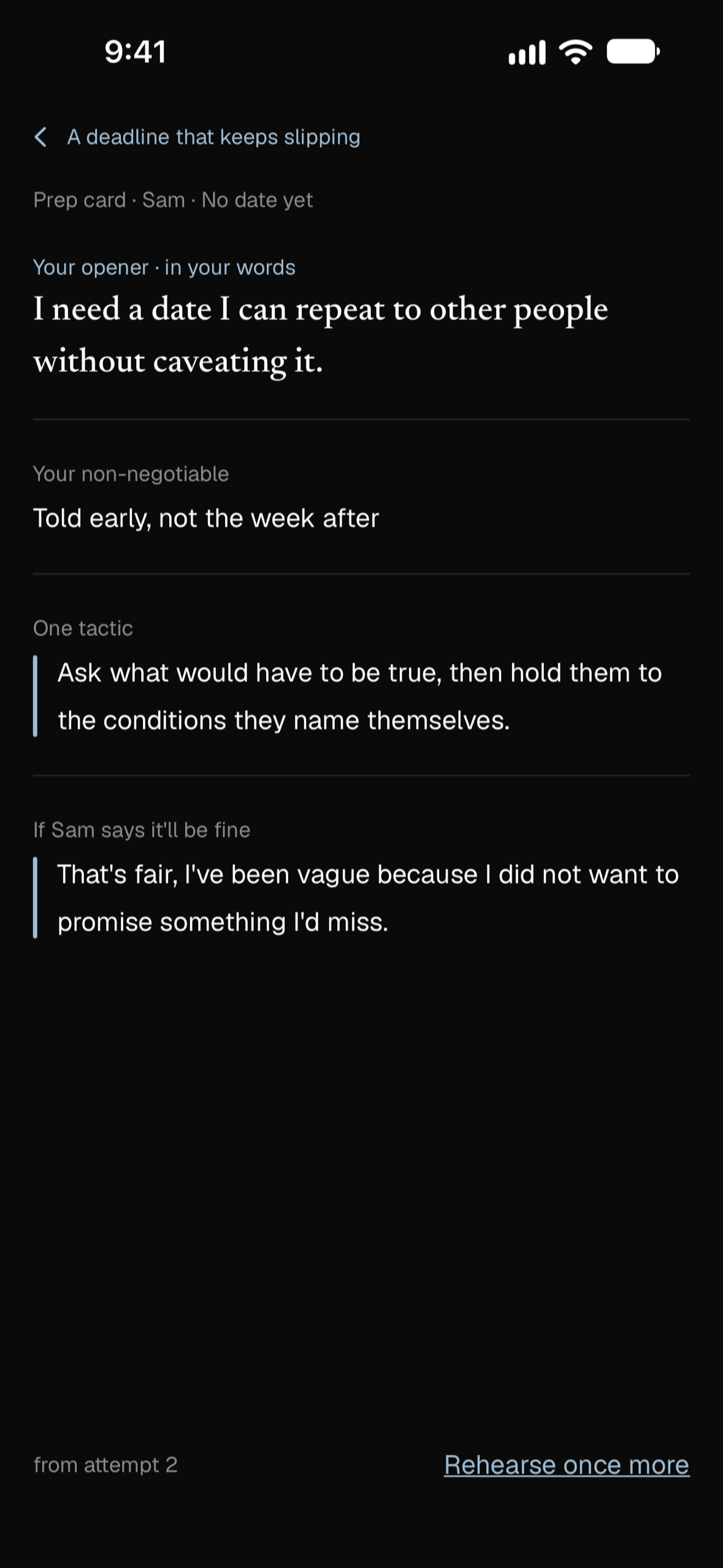
Sample prep card: take your opening words, a clear boundary and a practical reminder into the real conversation.
-
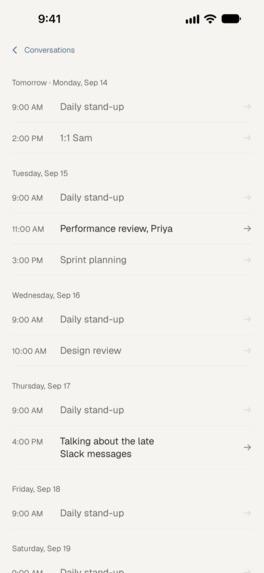
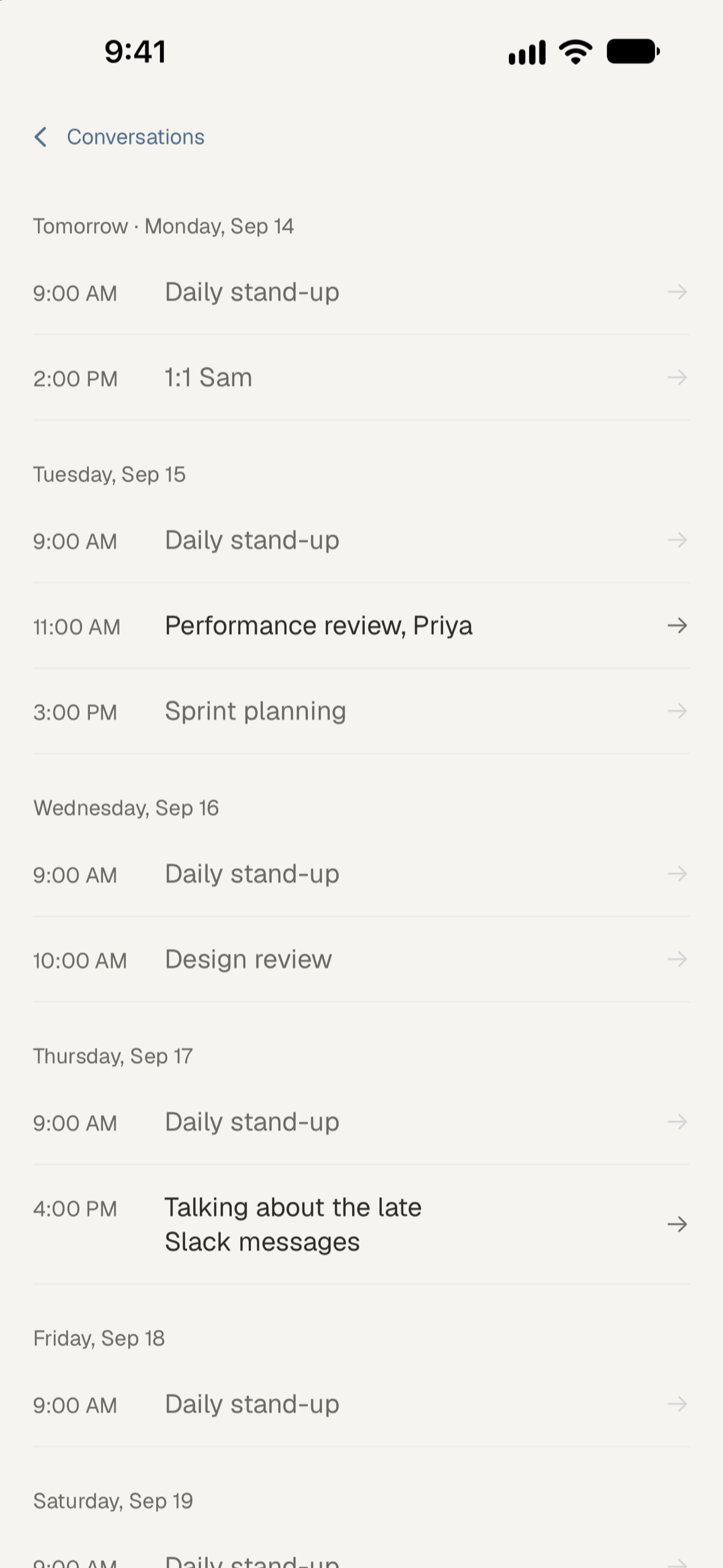
Find an upcoming meeting in your calendar and give yourself time to practise before it happens.
-
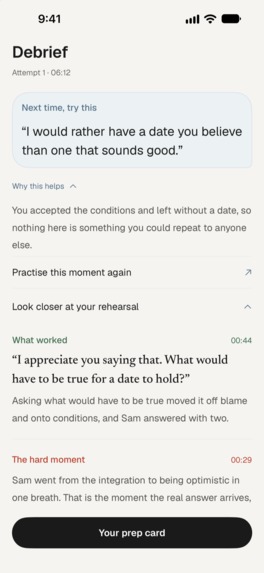
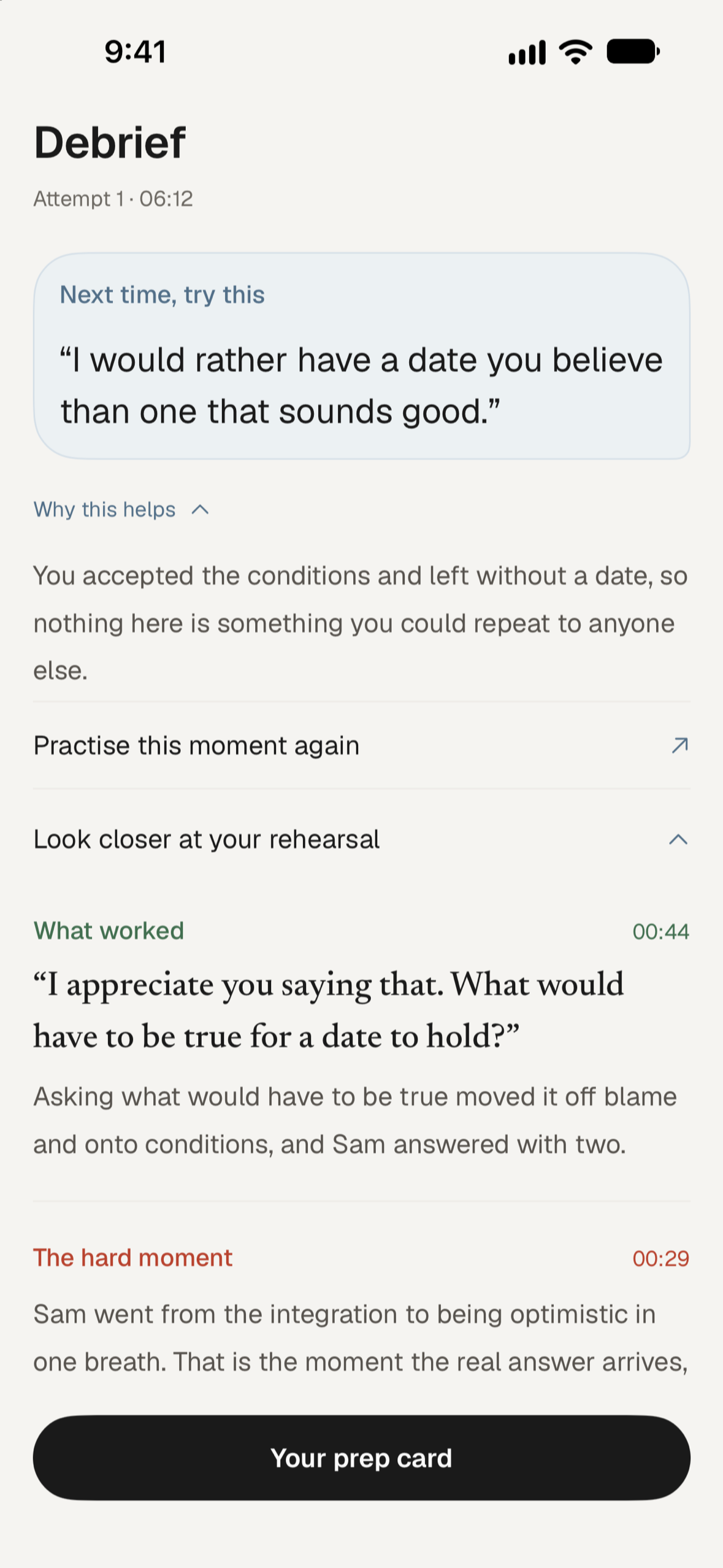
Sample debrief: see what worked, understand where things got difficult, and find a better way to say it.
-
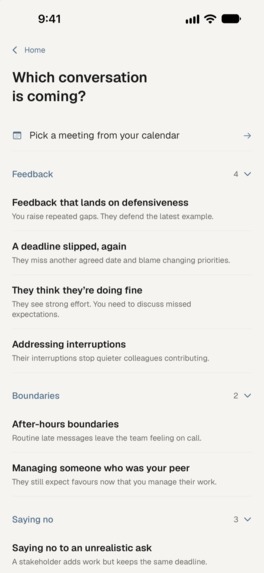
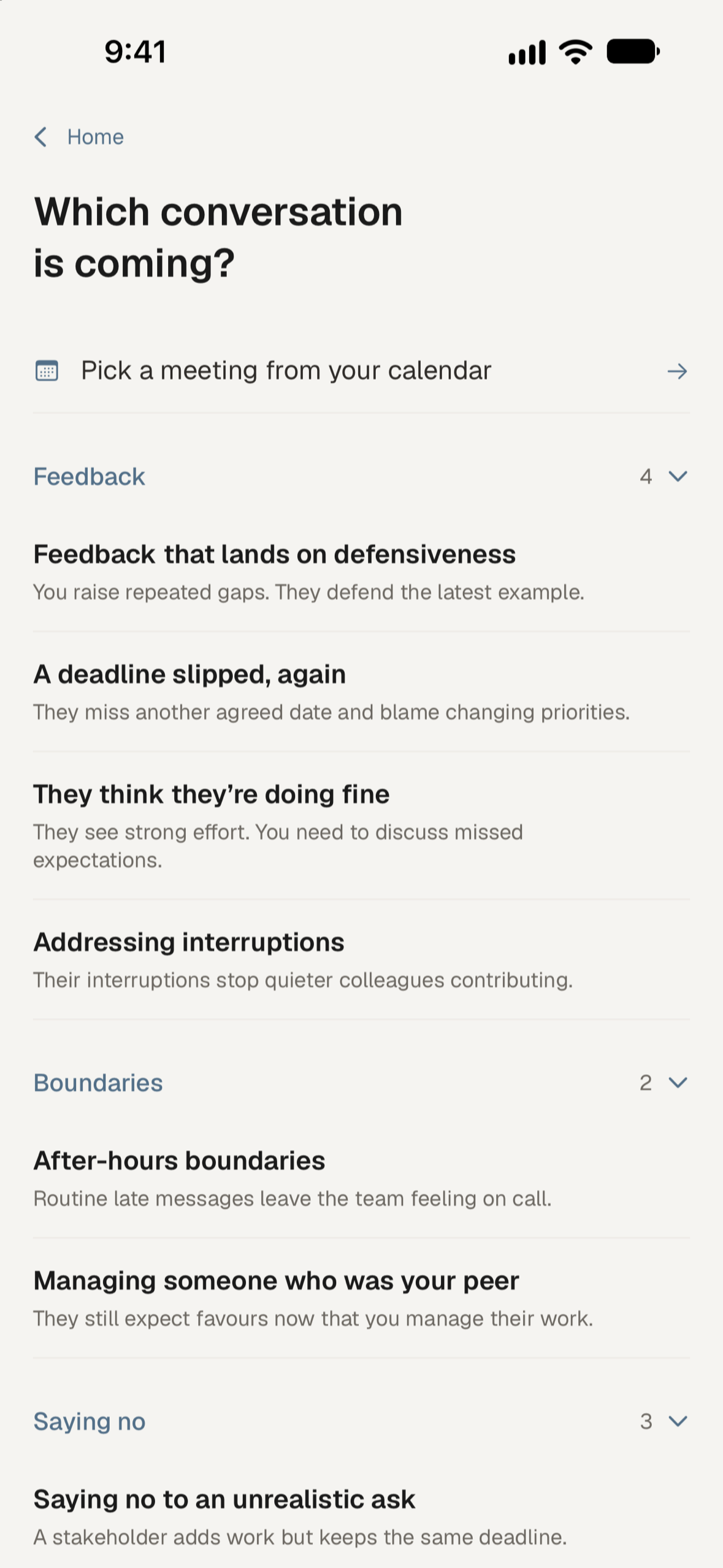
Start with a situation you recognise: difficult feedback, missed deadlines, setting boundaries or saying no.
-

App icon

Inspiration
I wasn't sure I was going to enter Shipaton this year. Then I read Leadership Heather's brief about helping new managers practise difficult conversations, and it felt very familiar.
I'd recently taken on a team at my day job. Suddenly my calendar had different kinds of meetings in it, and I was expected to know how to have them. I remember feeling like everyone else had been given a manual I'd missed.
I'd also had an idea in the back of my mind from watching Nathan Fielder's The Rehearsal. The sets and the budget are ridiculous, but getting to practise a difficult conversation before having it seemed like something that could help. Heather's brief gave me a reason to finally build it, and a clear idea of who I wanted to build it for.
I wanted somewhere to stumble through the words, hear how they sounded, and have another go. That's where Unawkward started.
What it does
You tell Unawkward about a conversation you're putting off, or choose a situation from the library: giving difficult feedback, setting a boundary, saying no to your boss.
Then you practise it out loud. The AI plays the other person, with their own concerns and reasons to push back. You can also use text if you're somewhere you can't talk.
Afterwards, the app gives you feedback based on the conversation, including quotes from your transcript and a suggested sentence to try. You can have another go, starting from a turning point when one was identified, and compare the two attempts.
Before and after, it asks how prepared you feel. There's no right answer, and a second attempt doesn't have to feel better. It's a chance to notice what helped and what you still want to work on.
You can save a prep card with words to take into the meeting. Once you've had the real conversation, there's also a check-in about how it went.
How I built it
I built the iPhone app in SwiftUI, with a Python backend using FastAPI and RevenueCat for subscriptions.
There are no Unawkward accounts to create. Saved rehearsals live on your device and can sync through your private iCloud database. The app sends content to AI services to run the conversation and produce coaching, but my backend doesn't store the rehearsal content. These conversations can be personal, and I wanted that decision to be part of how the app works from the start.
For voice, the phone connects directly to OpenAI Realtime or Gemini Live. Supporting both took extra work, but it gives me a way to switch providers without asking people to update the app.
I also tried different models for different parts of the experience. Responding in a conversation, spotting a turning point and writing useful feedback turned out to need different things. Some of my initial choices changed once I tested them on actual rehearsals. A quick reply isn't much help if it invents details about the situation.
Challenges I ran into
Getting the other person to push back naturally was harder than I expected. Models are often very eager to help. In a rehearsal, that can mean a colleague agrees with you almost immediately, before you've had a chance to practise the difficult part.
I worked on giving each character something they want and a reason they might change their mind. I'm still testing this. Sometimes the model gives in too easily, but having a clear position helps make the conversation worth having.
The conversation screen took a lot of attempts too. When you're speaking, you need very little on screen. When you're reading a reply or choosing what to say, you need more. Making room for both on a phone, without filling it with controls, took more redesigns than I expected.
And I had to be careful with quotes. If the app shows something as your words, it needs to match your transcript. If you picked a suggested line, the app shouldn't treat that as a sentence you came up with yourself. That distinction matters when the whole point is to give feedback on your own practice.
Accomplishments that I'm proud of
I'm proud that it became an app people can use. I built it on my own, and there's a lot between an idea that makes sense in your head and a conversation you can have on your phone.
The part I care most about is the suggested sentence after a rehearsal. When you're unsure how to handle a conversation, being told to be clearer or more confident leaves you with a lot of work to do. Having some words to try gives you a place to start.
I'm also glad I kept the experience free of account setup. You can open it and start practising without filling in a profile first.
What I learned
I spent a lot of time learning how to test something that can sound convincing while getting the important part wrong. A character can be polite and fluent but give in too easily. Feedback can sound thoughtful but have very little to do with what you said.
Checking that a quote matches the transcript helps catch one kind of mistake. It doesn't tell me whether the advice is useful. I still need to read the conversation and ask whether the suggested line would help with that particular situation.
Building this also made me more willing to remove things I'd spent time on. I dropped the account system and reworked the voice approach. Each time, it helped to come back to the conversation someone was trying to practise.
What's next
I want to keep testing the voice experience with different accents and the pauses and interruptions that happen in ordinary speech. The transcript matters because the feedback depends on it.
I'd also like to explore replaying individual parts of a rehearsal, so you can hear how you said something as well as read it.
Mostly, I want to hear from managers using it: which situations they need help with, where the other person feels believable, and where the practice still feels too far from the real thing. That will help me decide what to work on next.
Built With
- claude
- fastapi
- gemini
- openai
- revenuecat
- rive
- swiftui

Log in or sign up for Devpost to join the conversation.