Problem Statement
Developed for Computer Science 325 (Human Computer Interaction)
The current process of selecting classes for an upcoming semester goes as follows: Decide what requirements you need to meet that semester, consult the course offerings for that semester (usually in the form of a single long list), use the SPIRE shopping cart and course search to select individual classes, manually compare times and sections for compatibility, then, once the cart is full, generate a schedule. Maybe you are satisfied, maybe there are tweaks you need to do, in which case, the bulk of this process is iterated over.
Obviously, this process is very flawed. First of all, it is very difficult to get the full picture of your class options when scrolling through a single long list. The process of moving a single class into your shopping cart can take as many as a dozen clicks, 4 or more pages, and multiple field entries. Manually comparing times, locations, and sections can be extremely difficult since the information is spread over separate pages and conflicts are hard to pick out without generating a schedule. The schedule builder does help in this process, but it is only useful after you have searched for, found and selected classes for your cart. Even then, it requires many clicks to generate and view a built schedule, which makes doing so feel like a time commitment when it should be an instant convenience. Overall, the process is time intensive, unnecessarily complicated, restrictive, and limits the discoverability and transparency of information.
We have all had similar experiences with this process: Once we go through the trouble of finding a set of classes that actually fit our schedule and don’t conflict, we are highly unlikely to go in again and tweak and adjust it since the process is so laboursome. Perhaps there were classes earlier or later in the day we would prefer more, but we did not want to spend more time searching back and forth between class sections to find it. Perhaps there is a class being offered in one of our favorite subject areas but we never saw it since it was buried in the class offerings list. Solutions to the issues could help us all.
We believe this problem needs solving since one of the biggest contributing factors to your experience on any campus are the classes you decide to take. If students do not know the options they have, or are discouraged from exploring different options due to the fact that the current system is so user unfriendly, then this interface is limiting the positive experience potential of the majority of the student body. An interface that allows for experimentation, discovery, and convenient use could drastically increase the potential reward for many students on campus, including us.
Features
One of our tasks listed in Milestone 1 was the ability to generate potential schedules with very little time and information investment for the purposes of visualizing and understanding a high level overview of the available options. A feature that would be used to perform this task is a “Shuffle” or “Randomize” button. After the user has selected a handful of classes and added them to their cart, they can select this option to generate a new schedule variation of randomized class sections that differ from the previous iteration. This selection could be made repeatedly in order to rapidly generate new schedules with no additional user input. This feature would satisfy the task since it is a simple and fast way to generate many options. It can be used with very little information and new options are only a single click away (or potentially a couple to avoid accidental loss of progress), allowing for rapid iteration. Another task from Milestone 1 was the ability for the user to have granular control over the arrangement of their schedule in order to fully optimize their time and efficiency within the given constraints. A feature that would facilitate this task would be the ability for the user to select a schedule element they would like to relocate to a different time or day and upon doing so, be presented with all valid options for that change. For example, if there was a class that the user would like to move to a different day, the user could select the class and the interface would highlight all the other valid days that entry could be moved to without conflict. The system would cross reference the availability of the given class, and its various sections in order to present the user with all the potential options and ensure there are no conflicts. This feature would facilitate this task since the user can easily experiment with different arrangements of a given set of classes in order to maximize their time efficiency and easily see all potential solutions to their needs. This allows for granular control without a complicated or time consuming process of cross referencing and iteration. The final task from Milestone 1 was the ability to easily substitute one class in a generated schedule for another, like in the case of dropping a class. A feature that would enable the completion of this task is the ability to instantly see all the conflict free substitution options that can be made between the user's current schedule and their shopping cart. The user could select the desired class, and the system would cross reference the day and time to find any valid candidate classes or sections to fill the given spot in the schedule. The interface would present these options in a list that the user could easily browse and select from. This feature would enable the completion of this task since any of the scheduled classes could be interchanged quickly and easily without requiring the user to rework their existing schedule. This would mean the user would only have to spend a minimal amount of time in the substitution of any given schedule elemen
Low Fidelity Prototypes
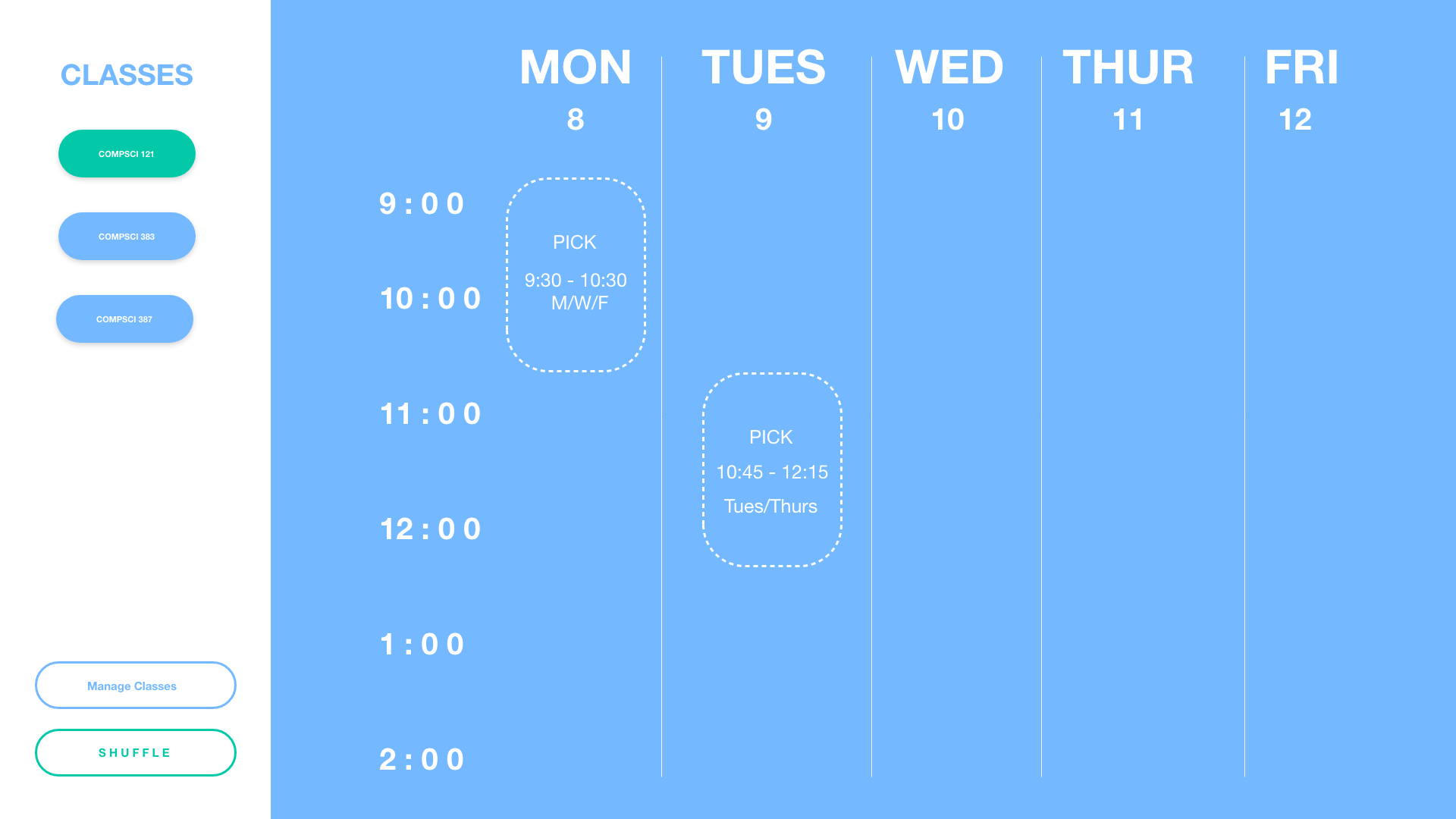
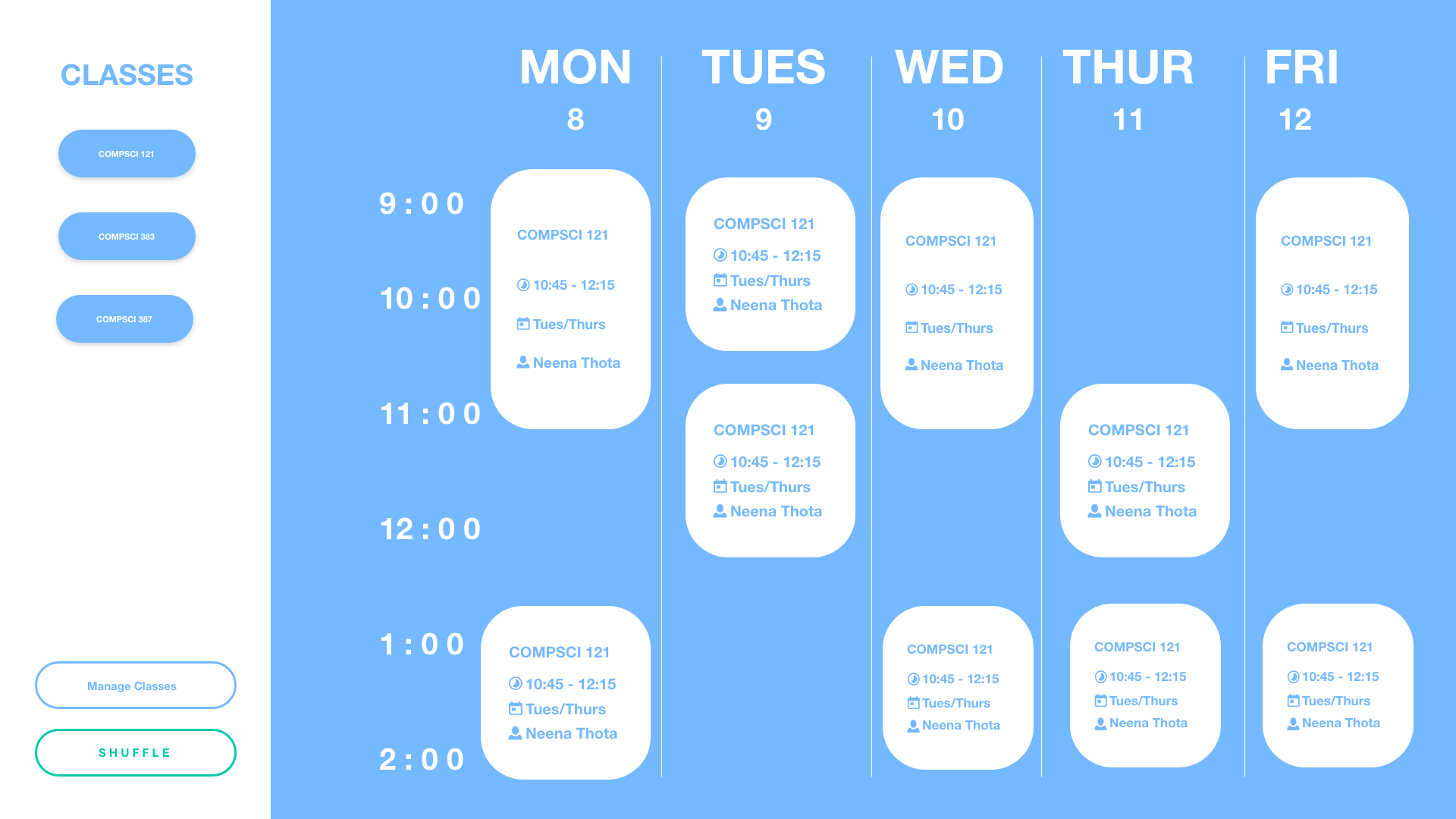
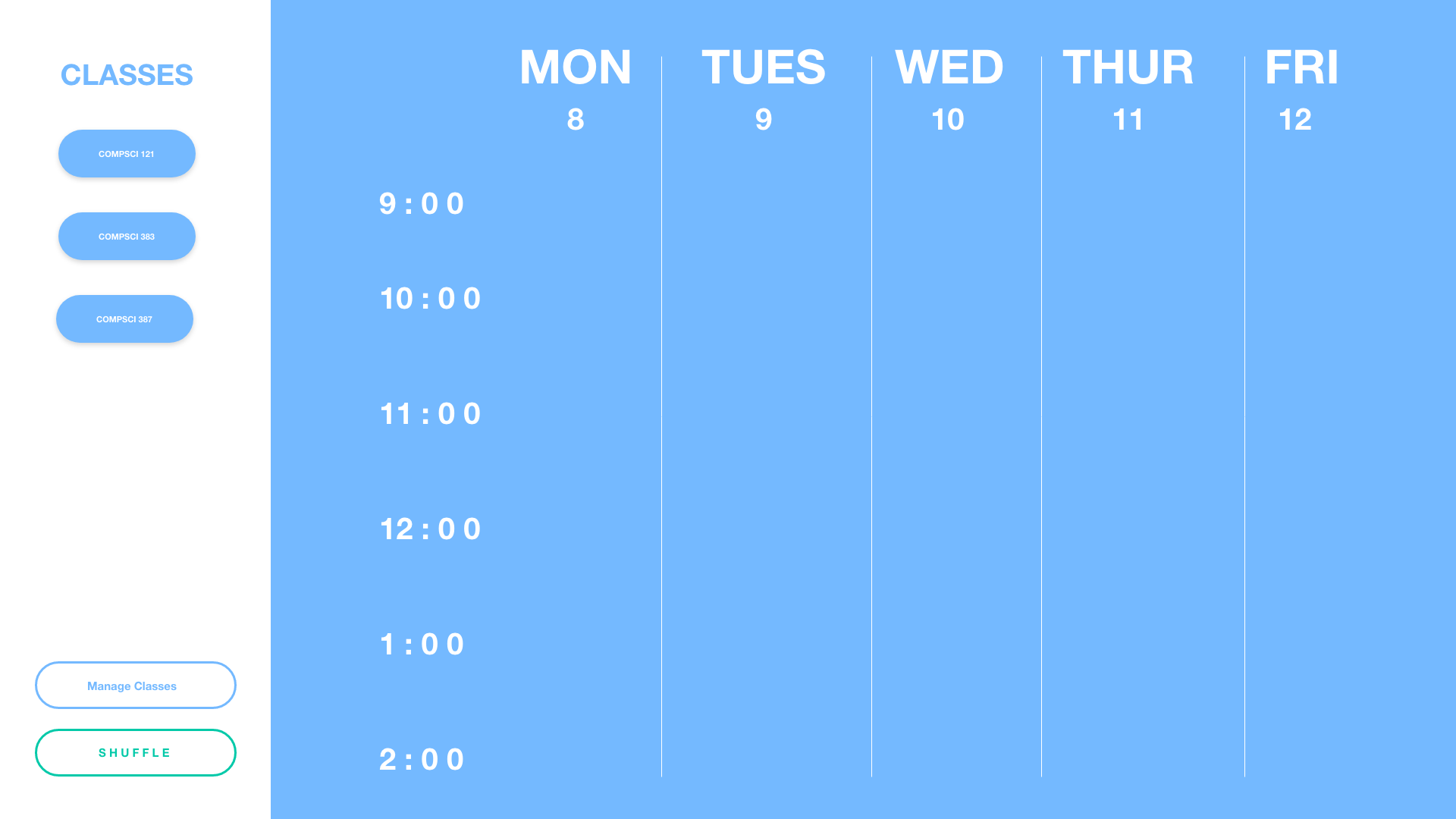
Random Schedule Iterations
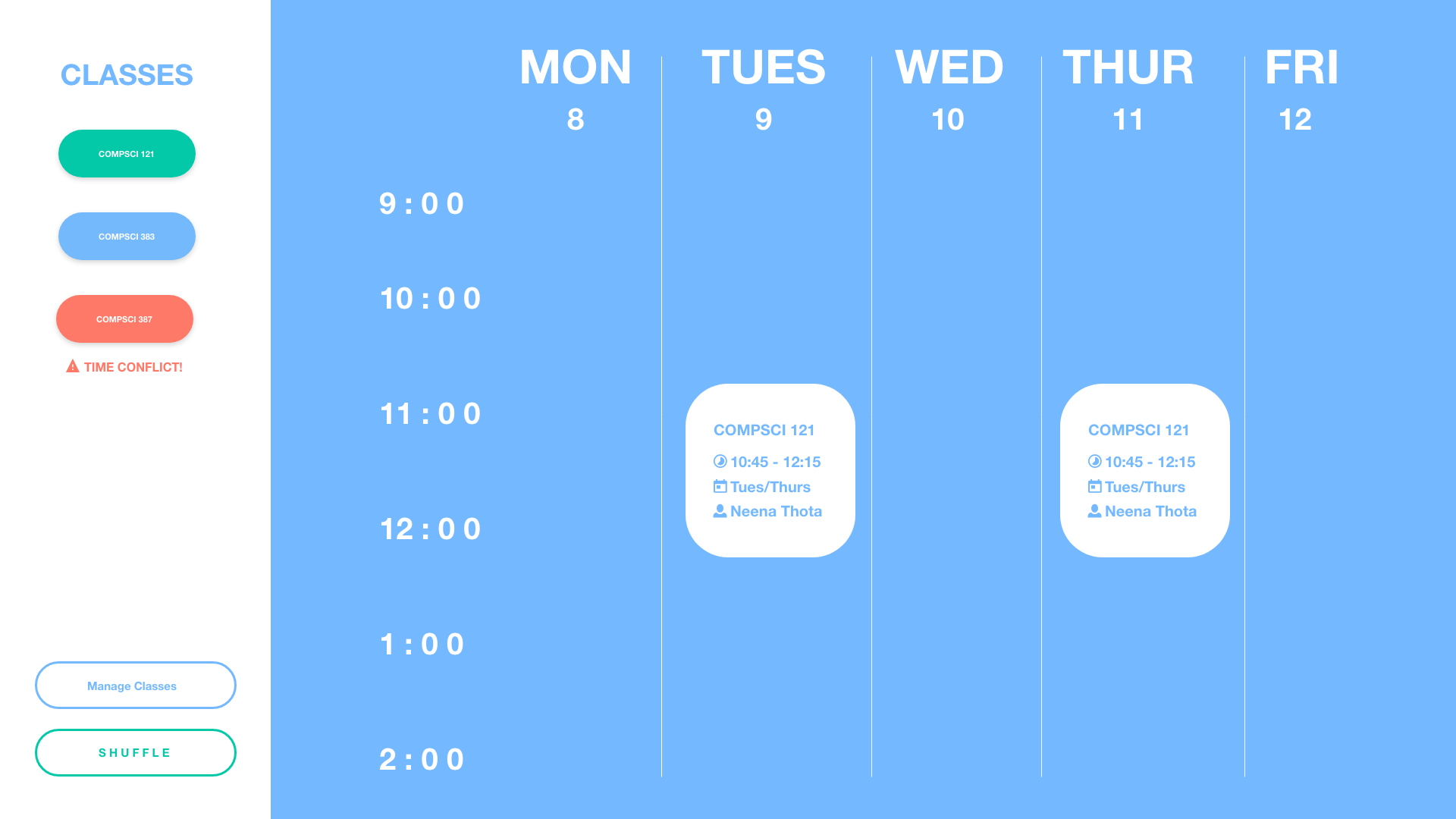
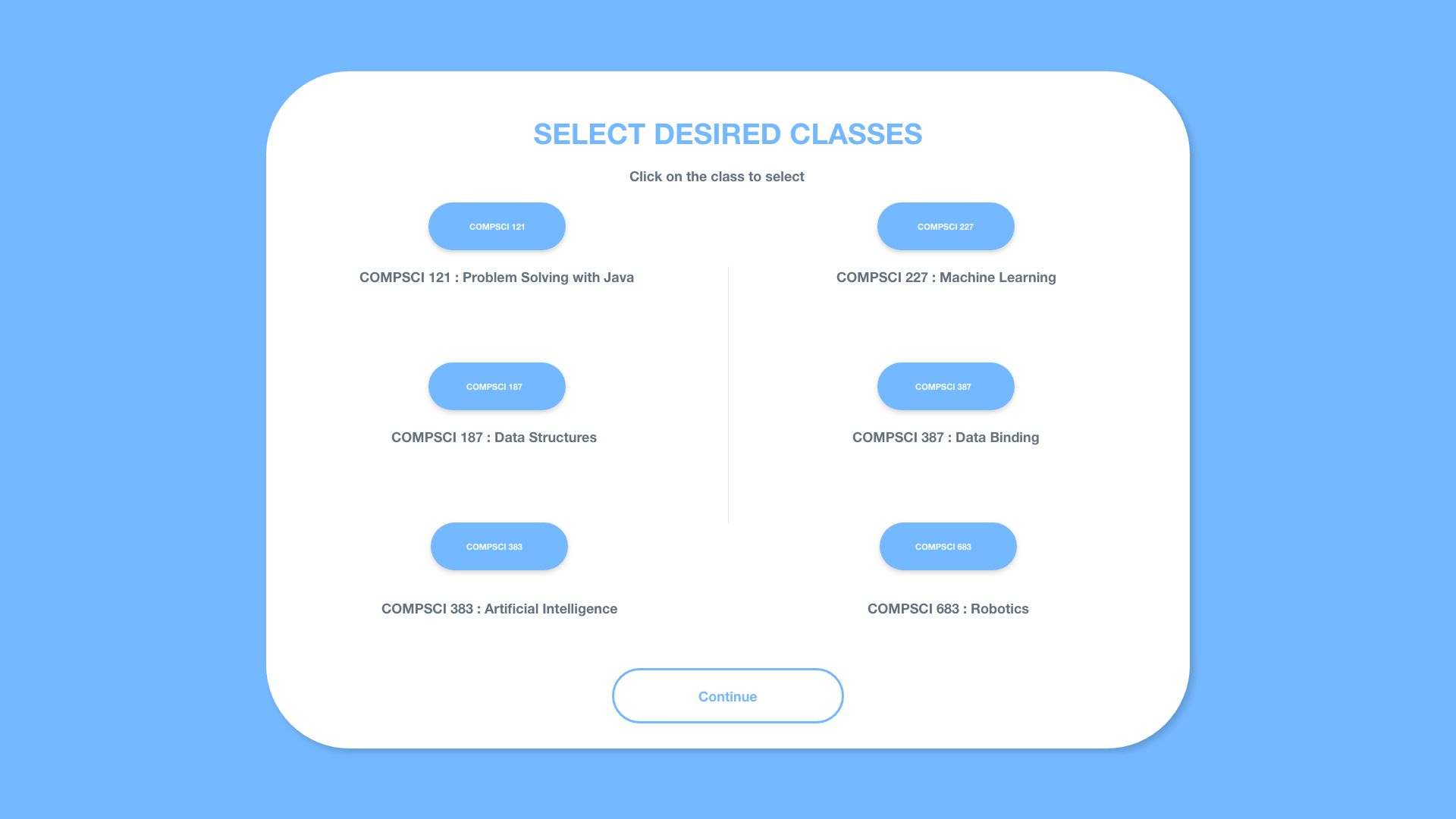
On this screen: The user can choose up to 4 classes from their shopping cart and click on the randomize button. The software then chooses suitable sections taking place at different time phases for all the chosen classes thereby outputting a perfectly time balanced schedule for the user.
Modify Scheduled Arrangement
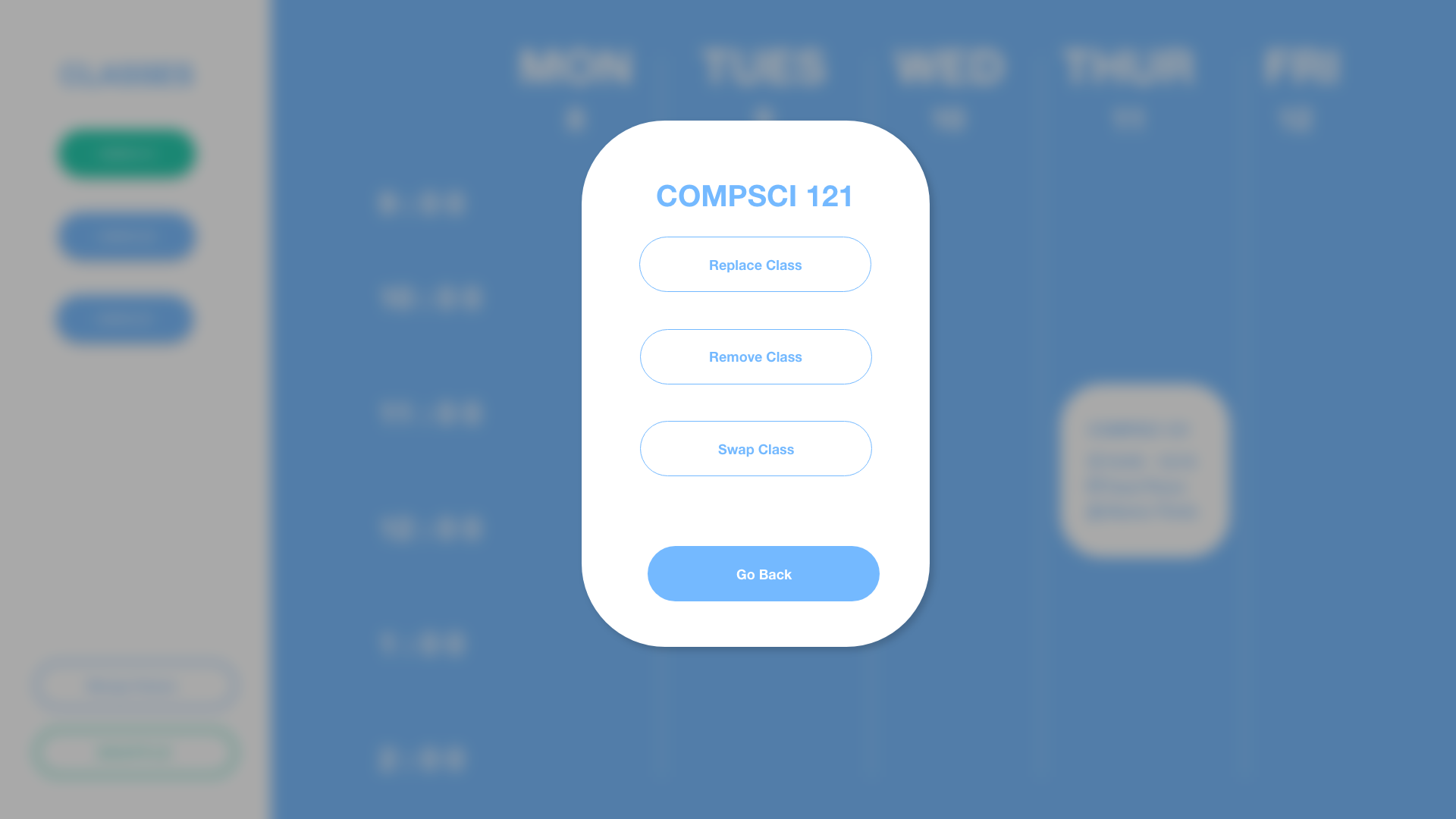
Interface layout to modify a student’s class schedule. They’ll have the three main functionality located such as: show time class available and what day, view classes that are conflicting, and rearrange classes. If you were to interact with the interface, for example, hovering your cursor Over “view classes that are conflicting”, would have this pop up, that shows you for easier selection. As well as “show time class available and what day”, will show you the classes and all their time slots, and which classes can be taken without conflicting your schedule for ease of use.
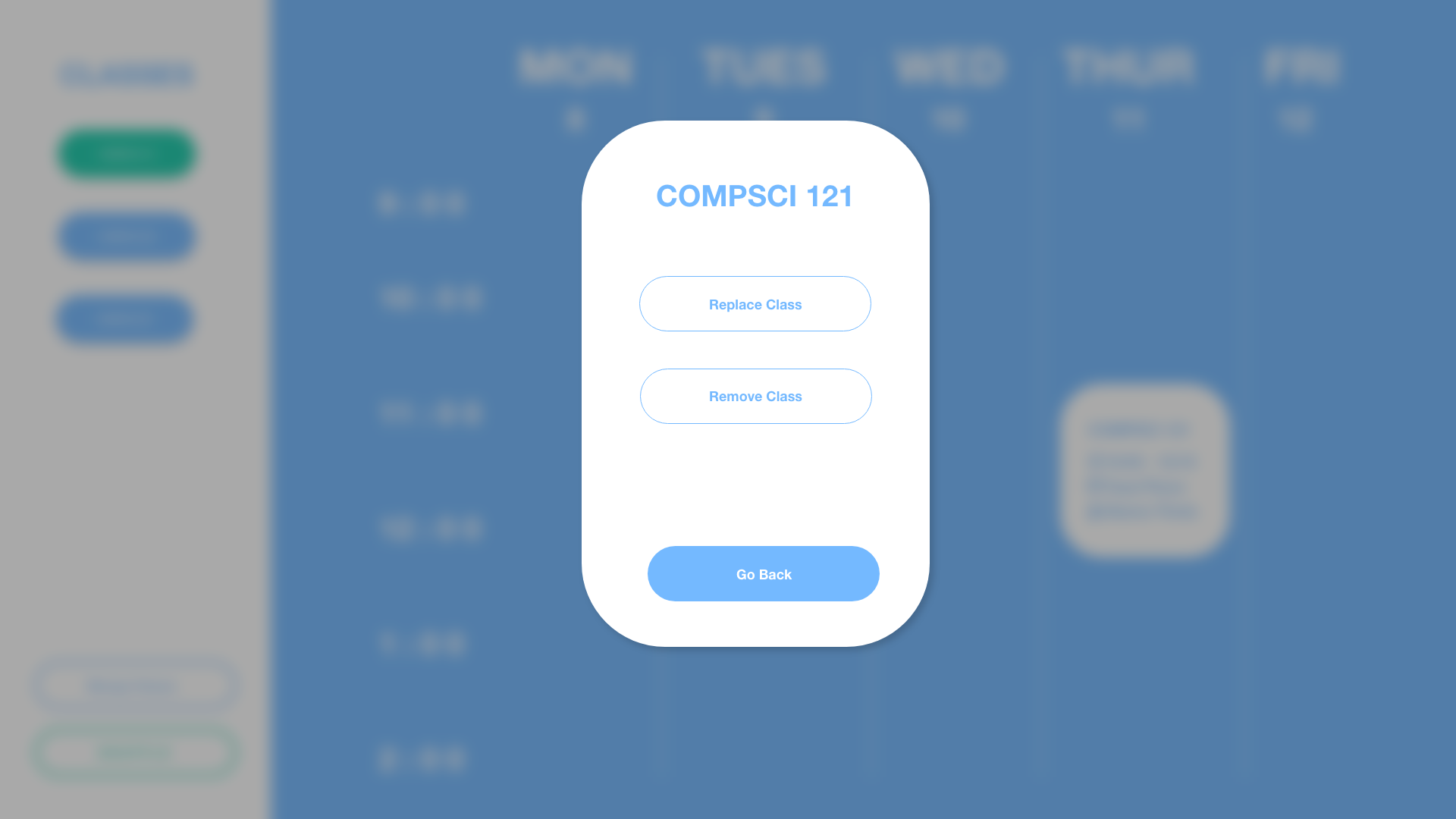
Class Substitution
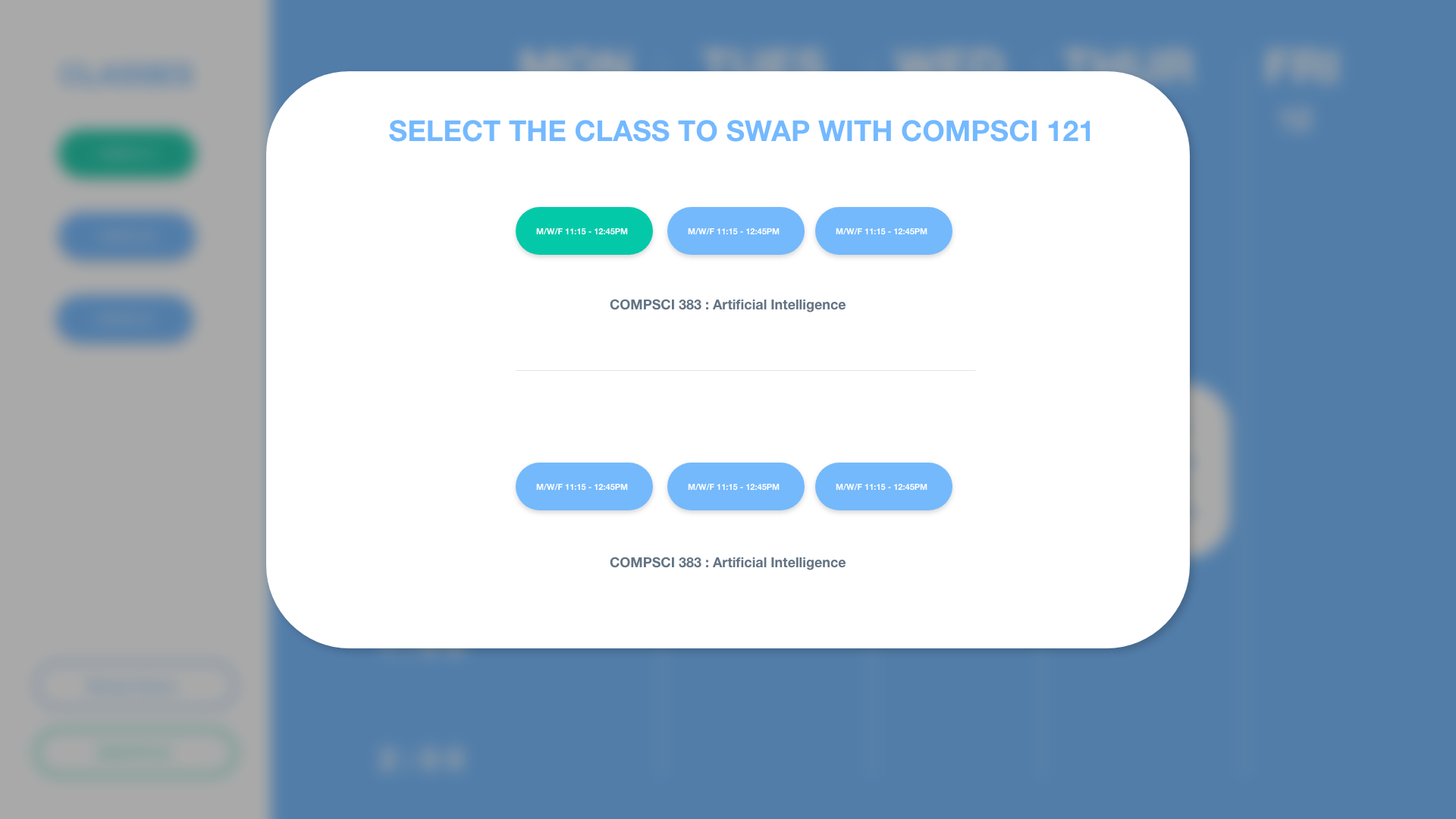
On this page, the user can see the classes he currently has in his cart and in his schedule.The user chooses a class from his schedule which he wants to swap out.On the right side of the screen , the user can choose from the options provided to him to swap in one of the classes from his cart which is at the same time as the class he/she is swapping out.This helps in making sure there is no time conflict.
Questions
What tools did you use to make your prototype?
We made our prototype first on paper to get a better idea of the layout. Thereafter, we used various tools and plug-ins on Figma and Adobe XD to create our low-fi prototype and bring our software to life.
What interactions and tasks are supported/depicted?
The user will be able to select classes and have the ability to create many schedules. They’ll be able to by having the ability to randomize their schedule by selecting courses they would like to take and have multiple schedules they can use as a reference or potentially use without time conflicts. The user will also have the ability to see what classes that are in conflict if they want to manually change it, and be able to see which classes they can swap/take without time conflicts via the highlighting feature. Rearrangement of classes would also be hassle free as there is the ability to rearrange classes via cursor. Another interaction the user would be able to do is be able to add classes to shopping carts and see their availability, similar to our last feature, but it’s created to ensure nothing goes wrong.
What did you learn about your project/direction through the creation of the low-fidelity prototype?
After the whole process of paper prototyping and then developing our prototypes on FIgma using different tools and plugins - we learnt that we would have to incorporate a couple important features in milestone 3 which we did not think about initially - these include : giving user the ability to choose the number of maximum credits they want to take up the upcoming semester. Also, We would like to incorporate a feature in our software which creates random perfectly timed schedules for the user based on classes the user still has to take as part of their major requirements and for which of those they have met the prerequisites for. After we incorporate these two important features - this schedule building application can be successfully used as a helpful plug-in for SPIRE all together.
Built With
- adobexd
- figma

Log in or sign up for Devpost to join the conversation.