-
-
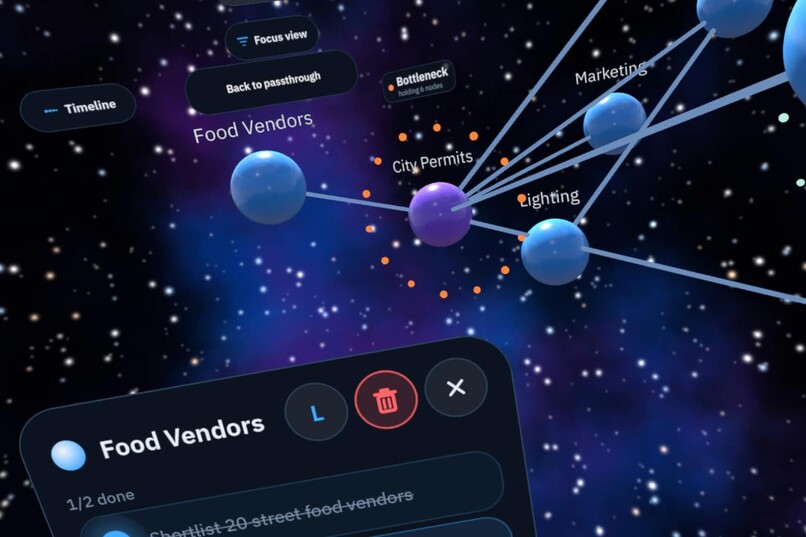
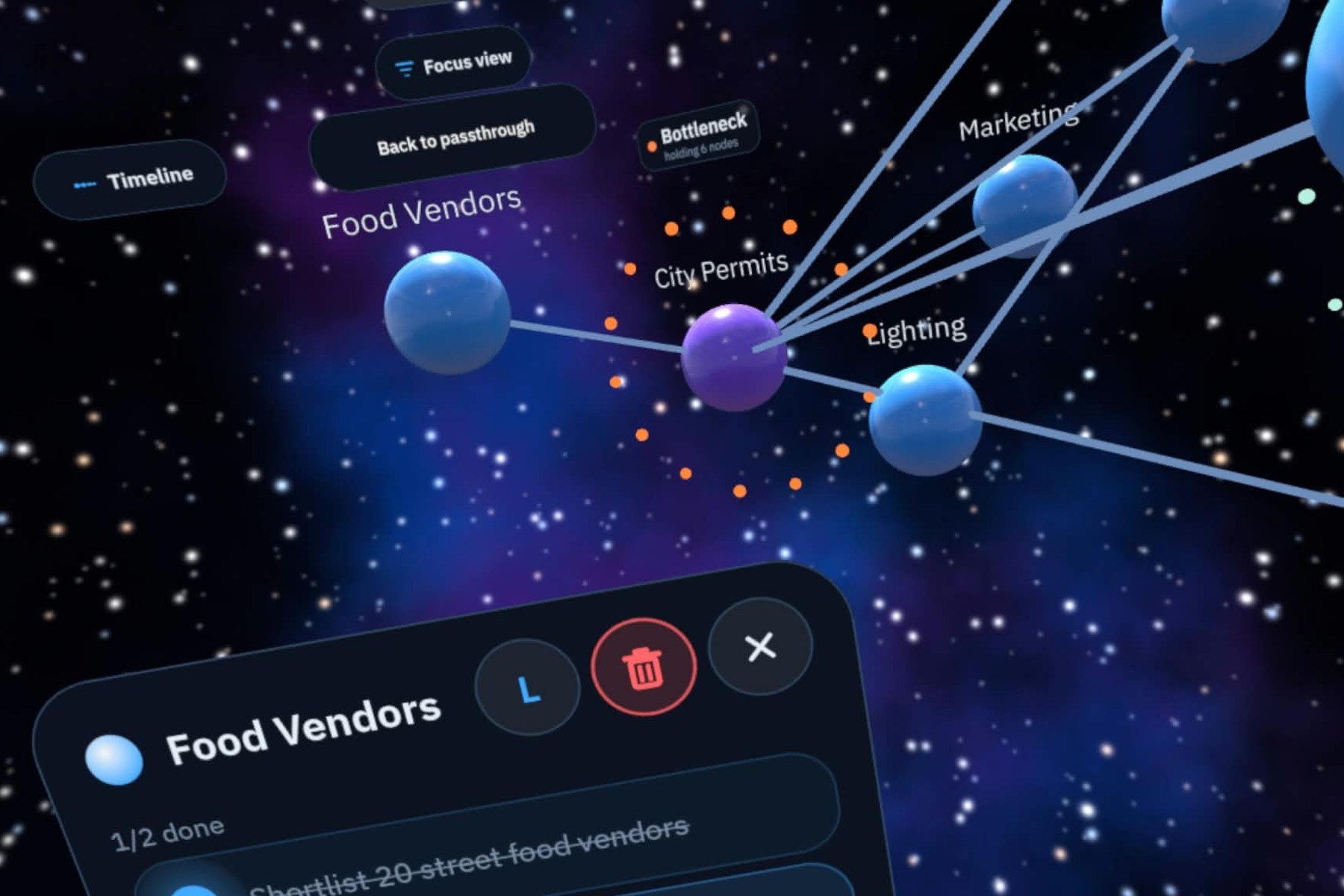
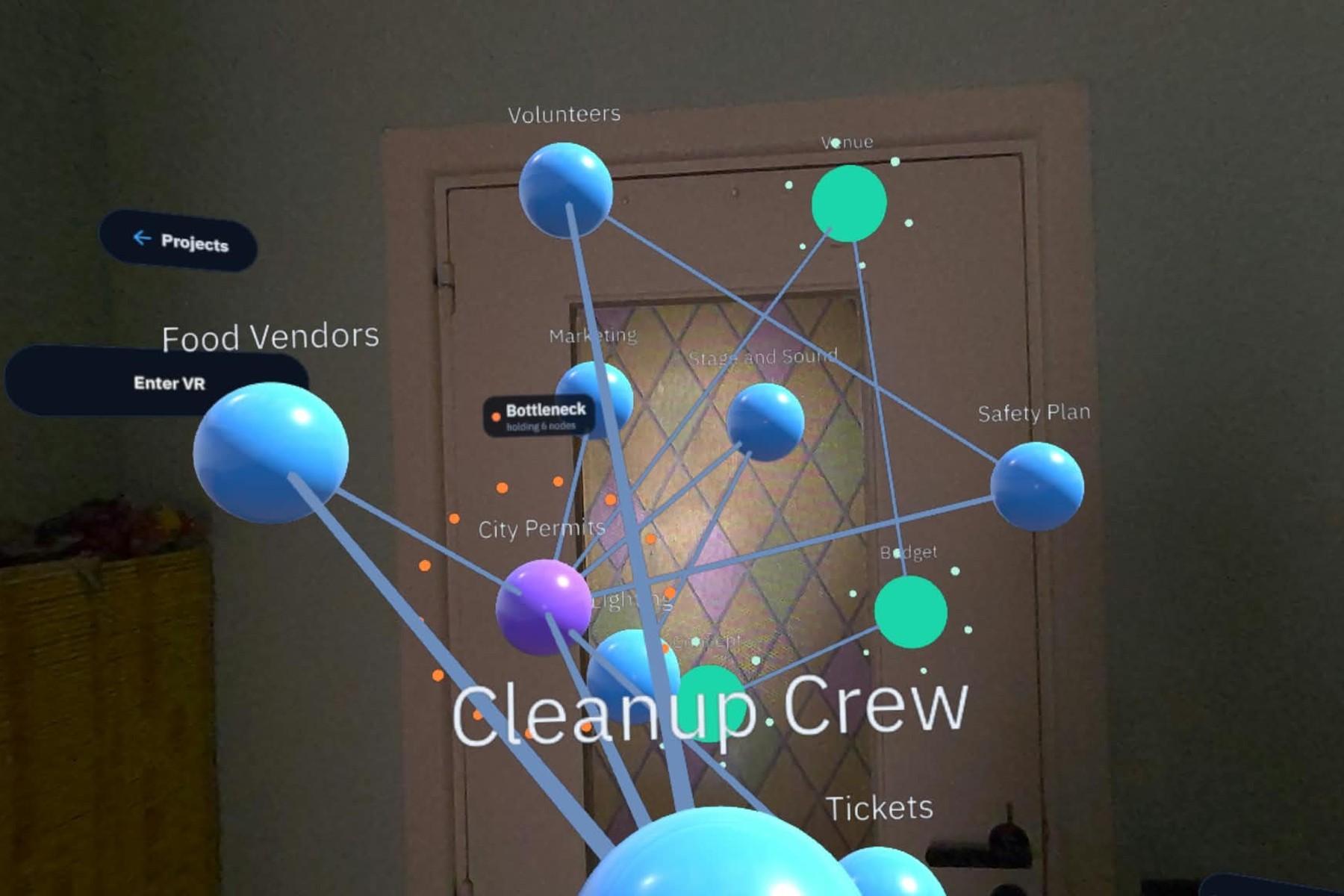
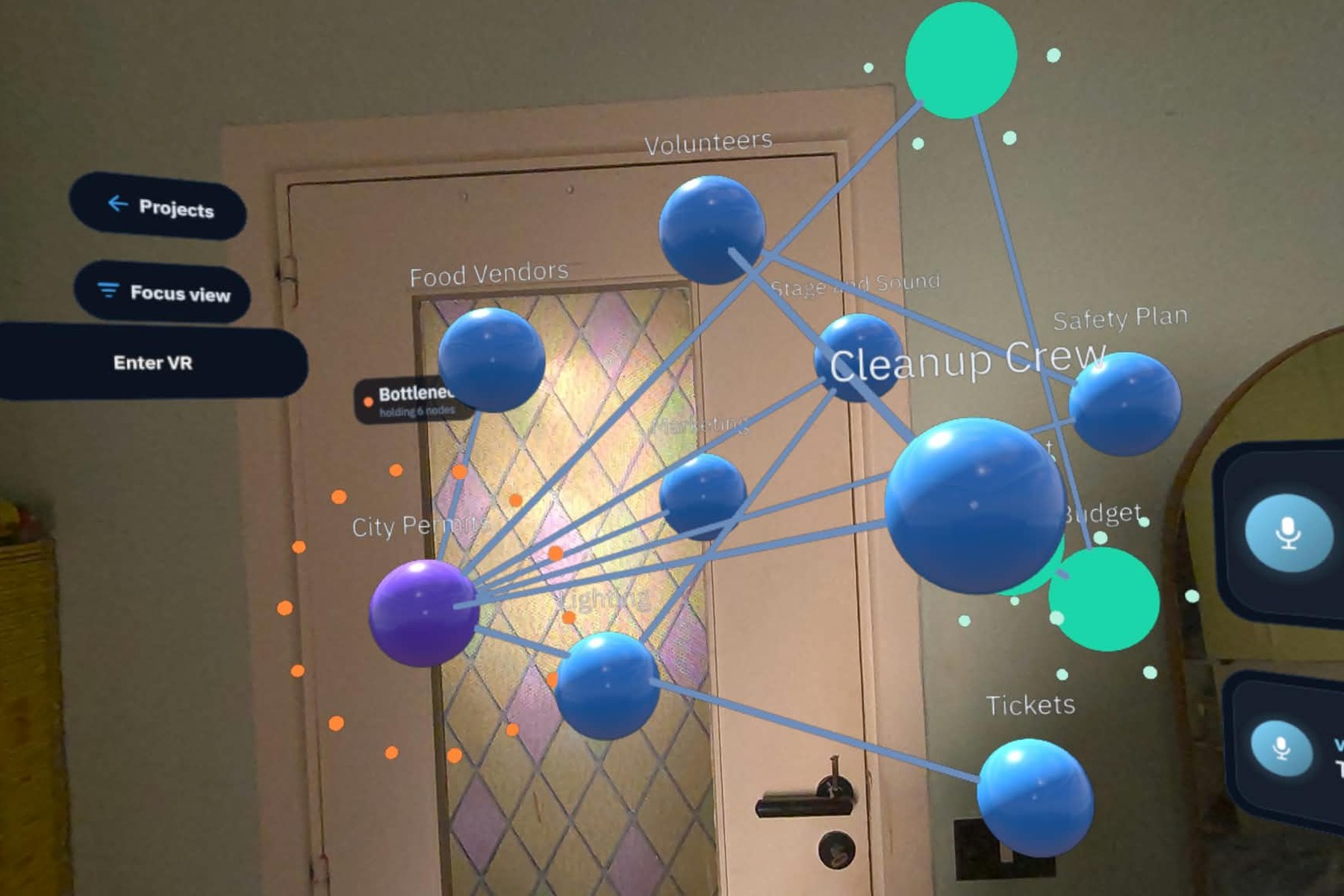
Your project as objects in space. Timeline and Focus view are within reach, with a node’s card open in the same scene.
-
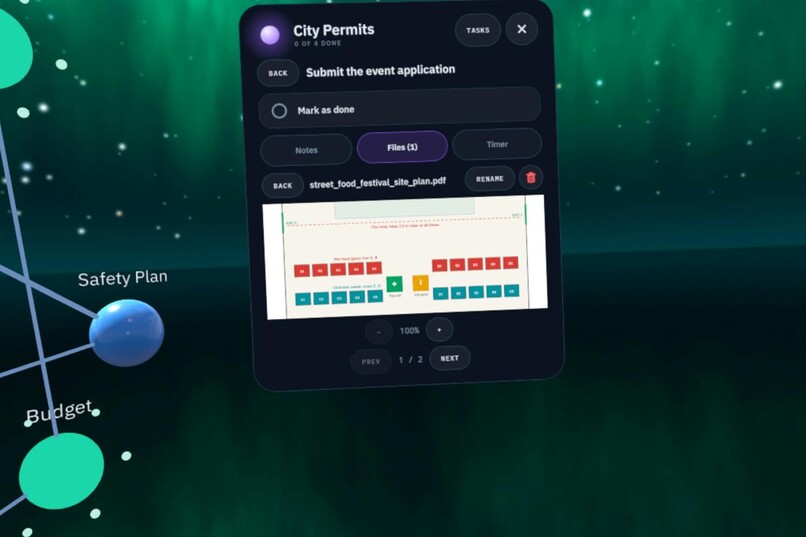
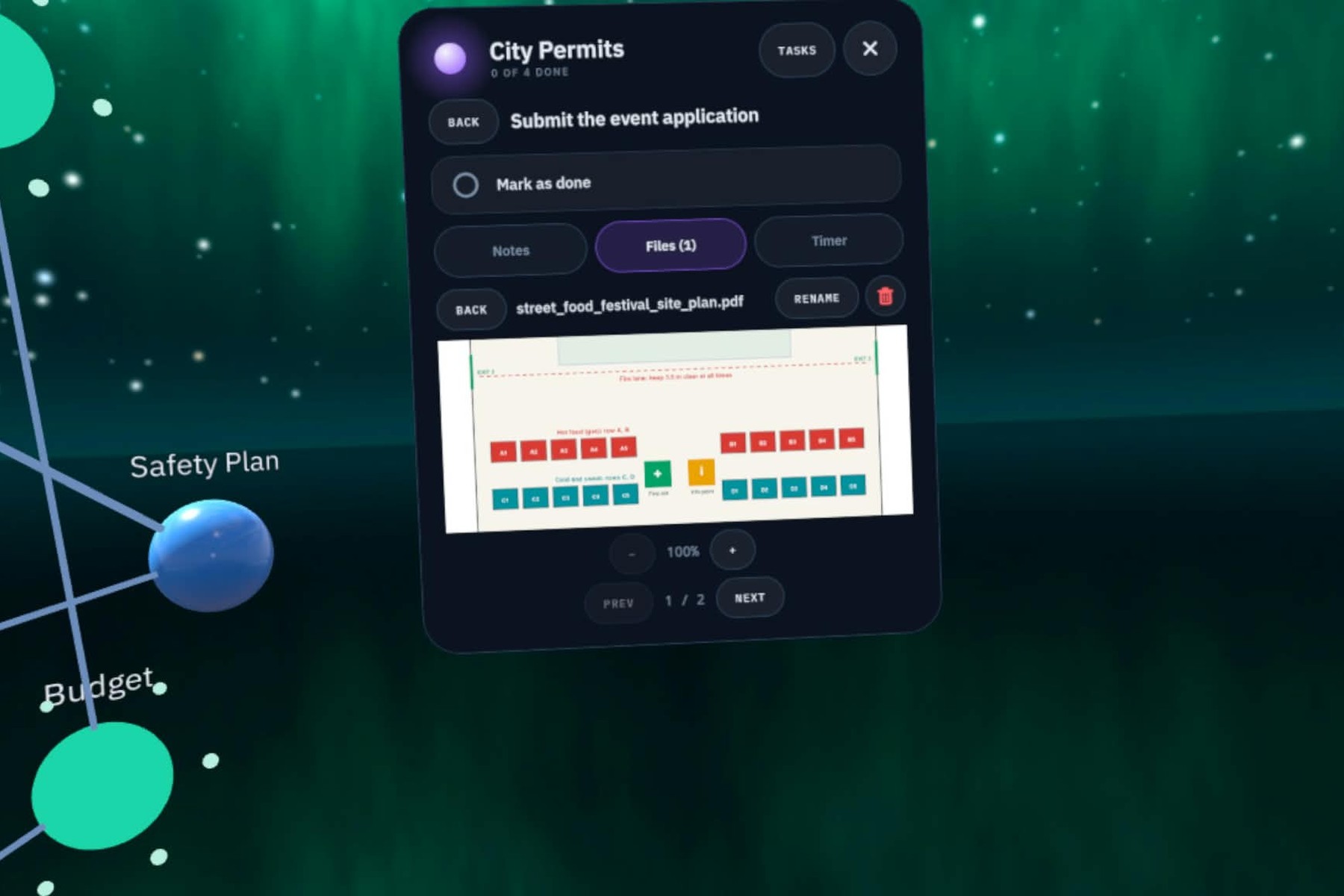
PDFs open in the scene with zoom and page controls.
-
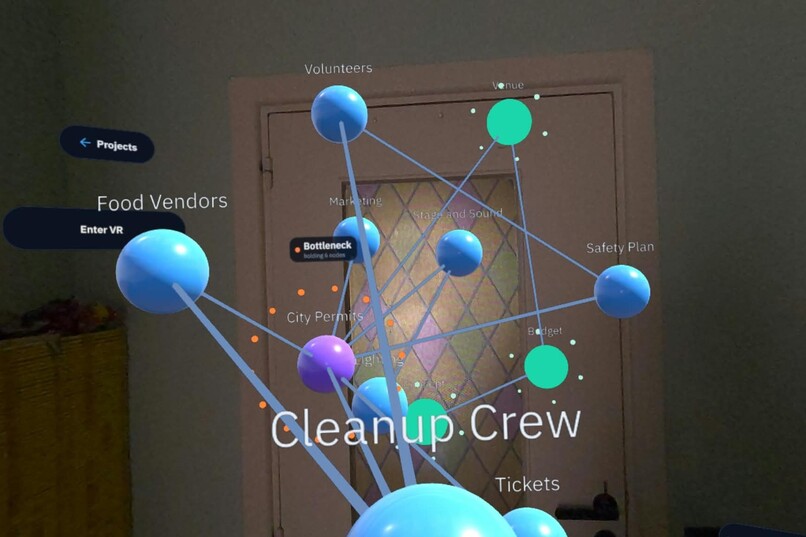
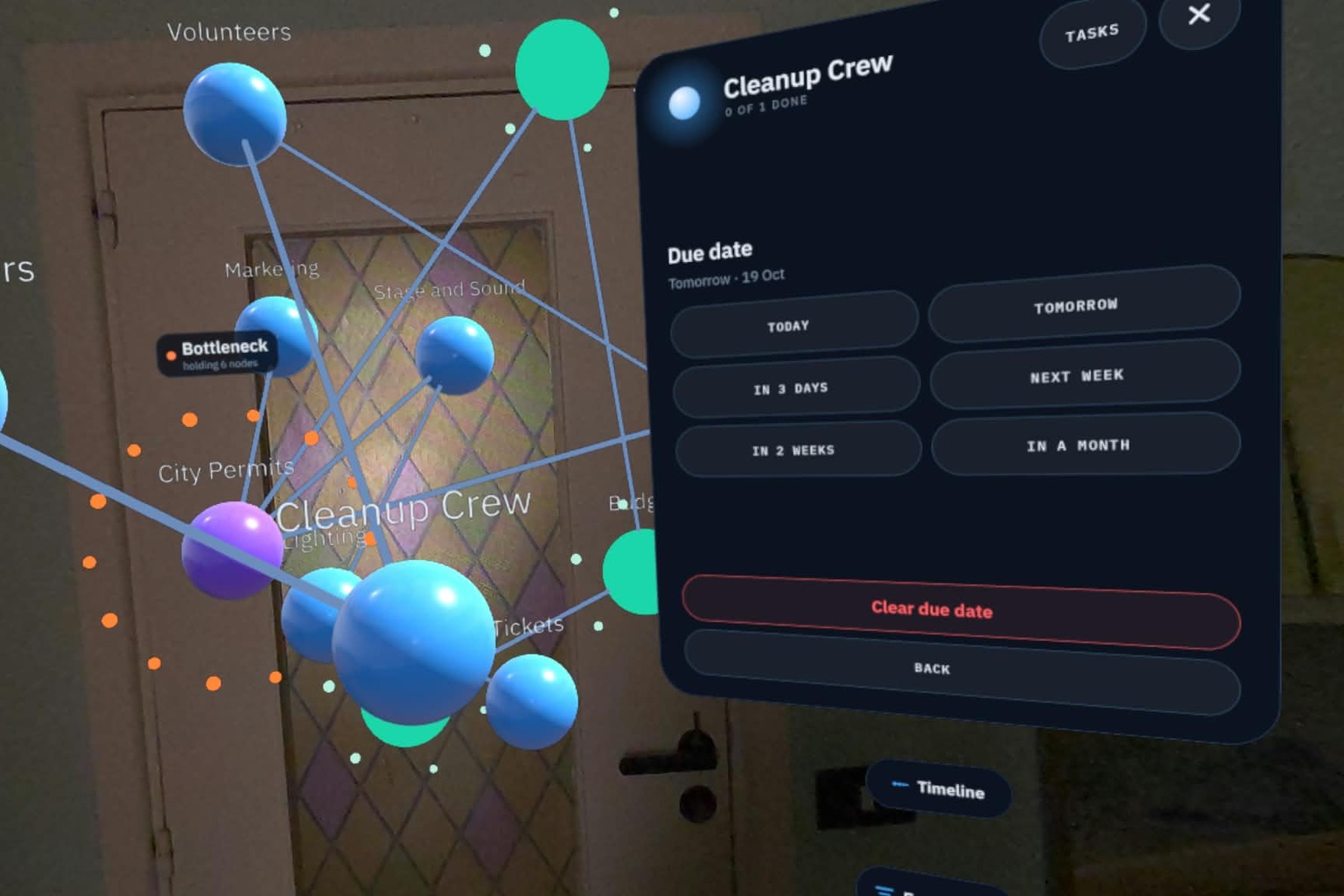
Depth carries information: Cleanup Crew is due tomorrow, so it comes toward you.
-
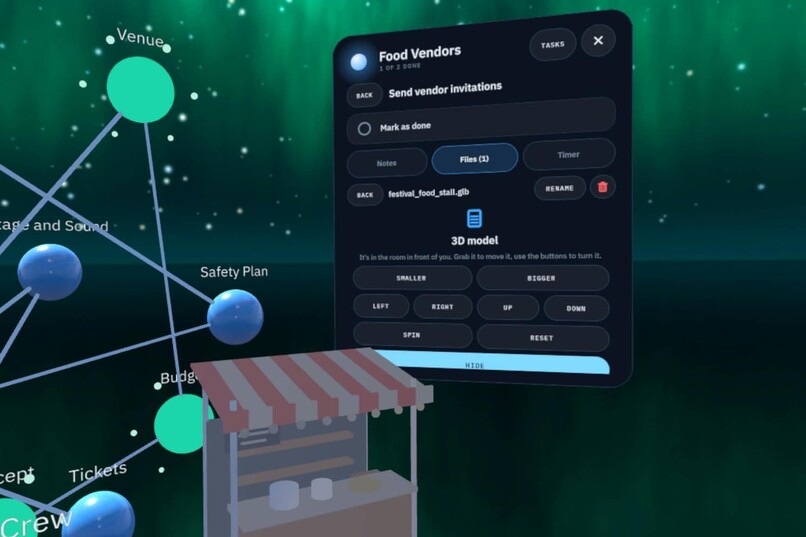
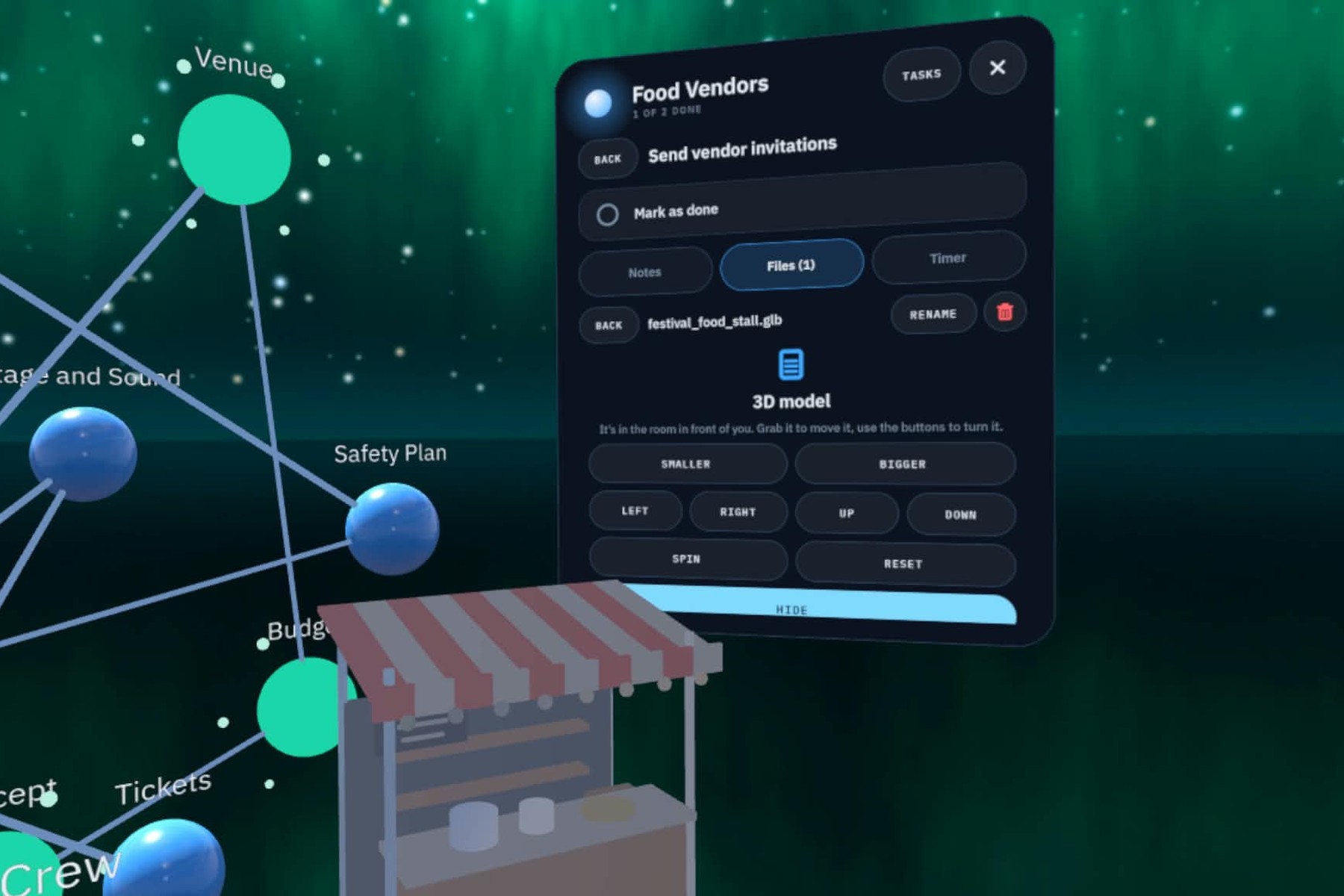
A .glb model in the scene: grab it, resize it, turn it, spin it, reset it.
-
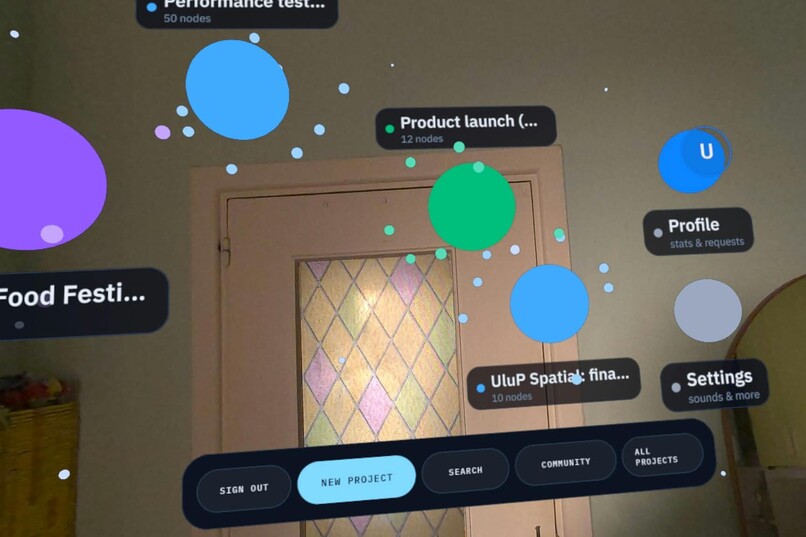
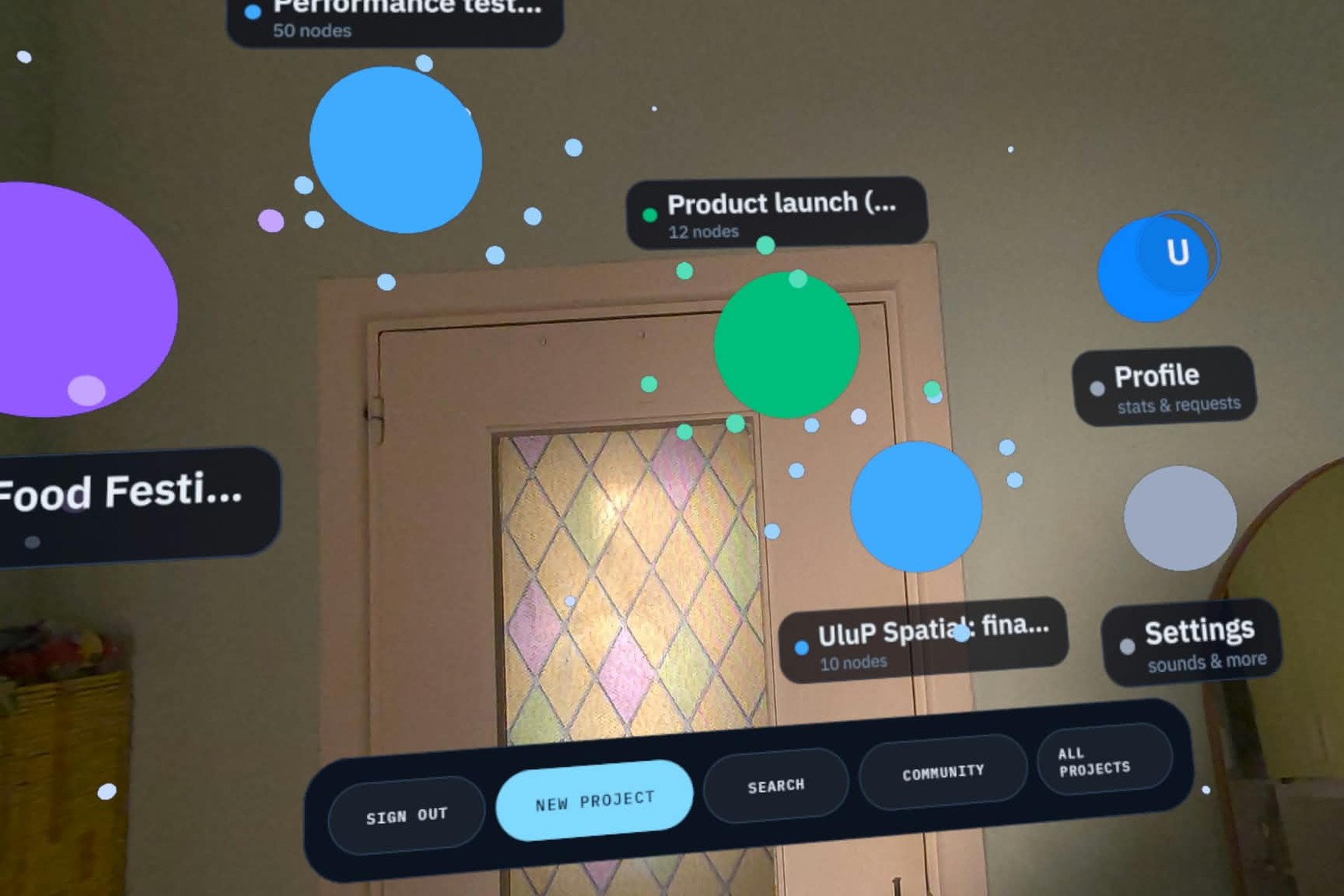
Your projects float around you. Search, community templates and all projects are one pinch away.
-
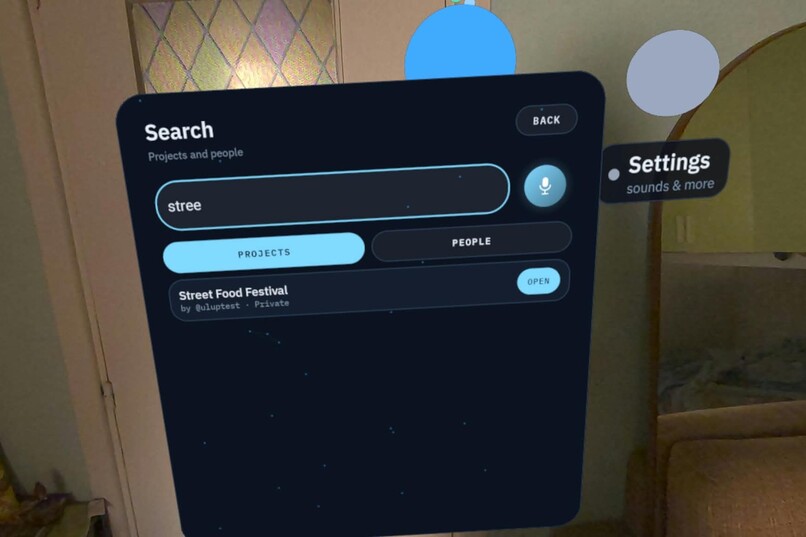
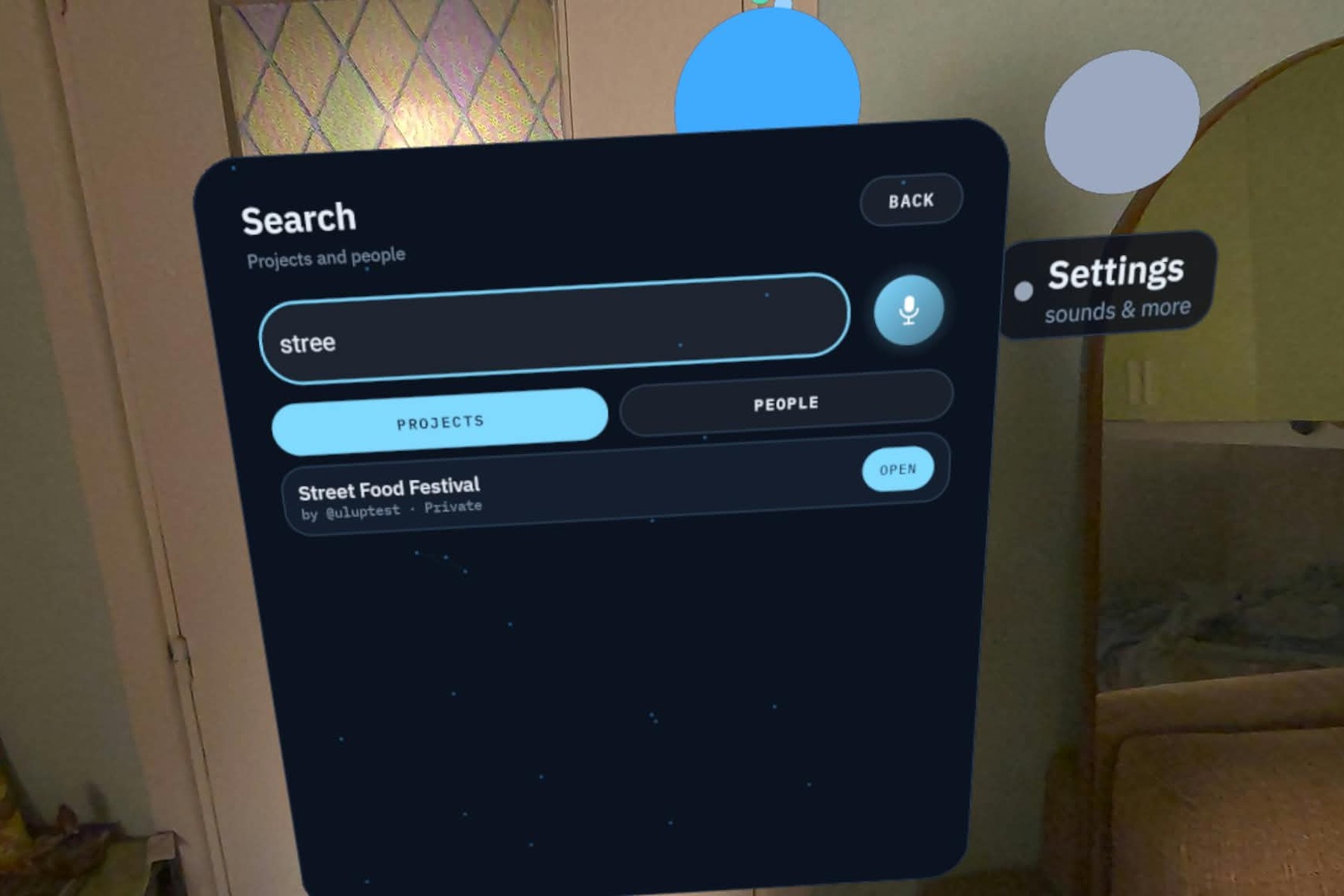
Search projects and people, by hand or by voice.
-
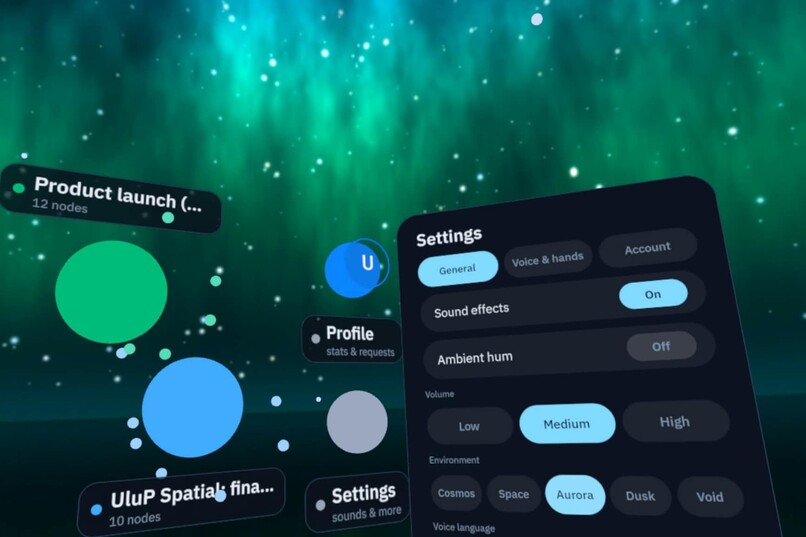
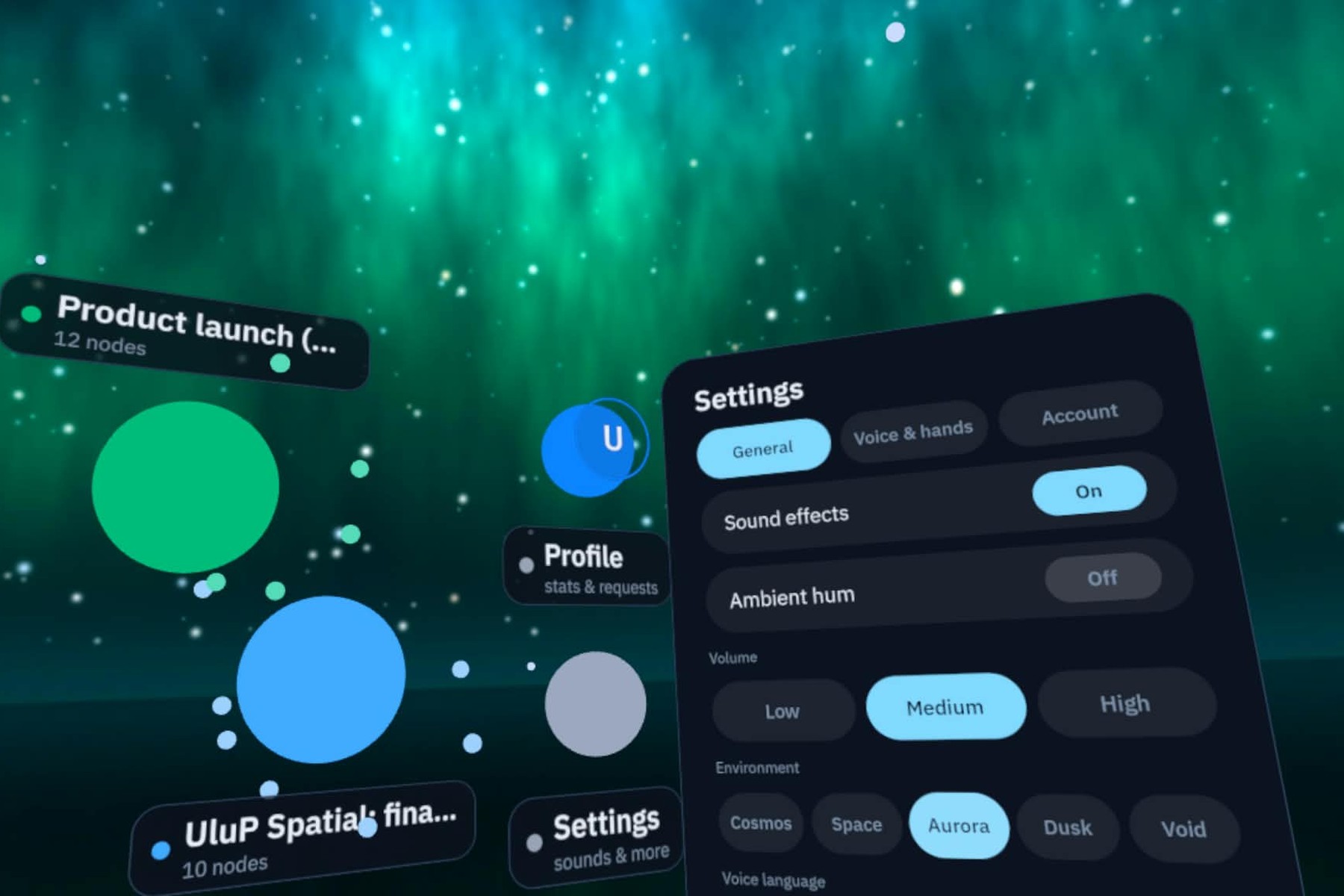
Sound, volume, VR backdrops (Cosmos, Space, Aurora, Dusk, Void) and voice language.
-
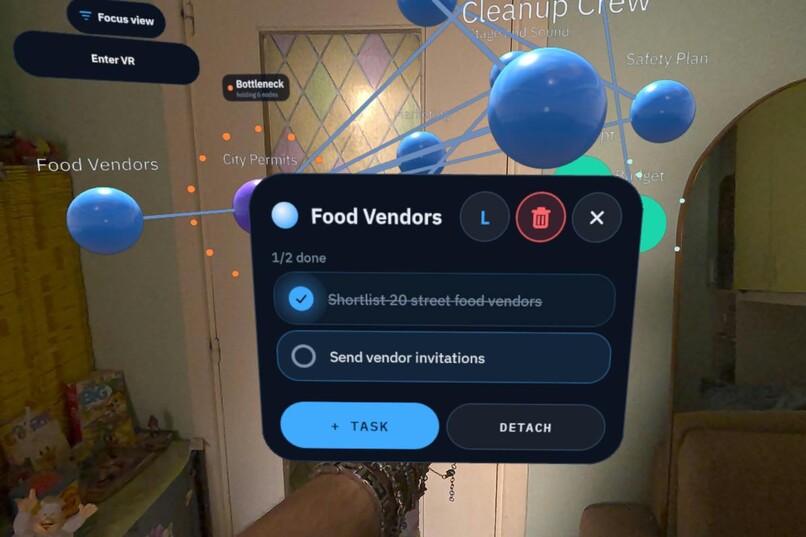
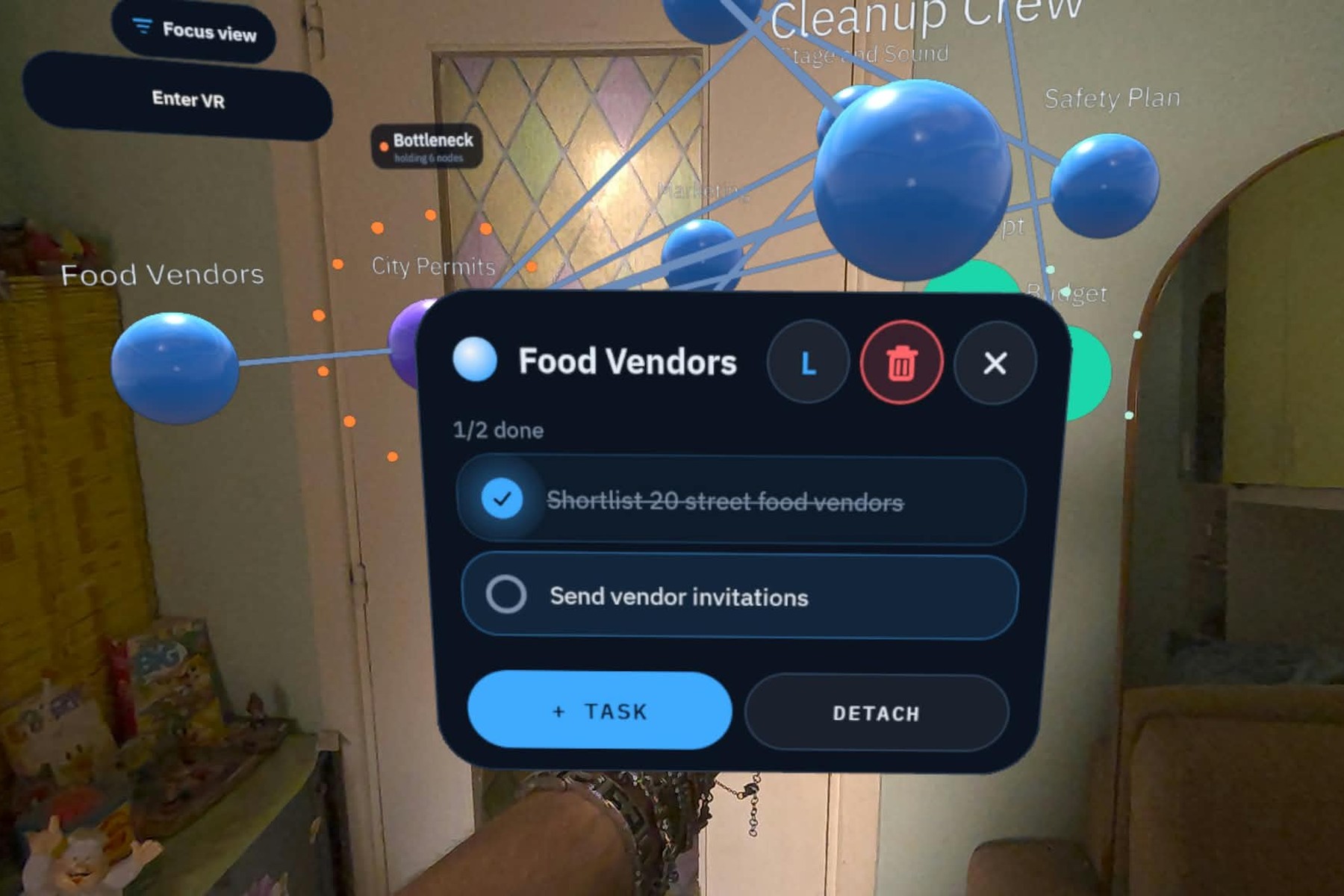
Tap a node for a quick card with its tasks. Tick them off, add one, or open a task in full.
-
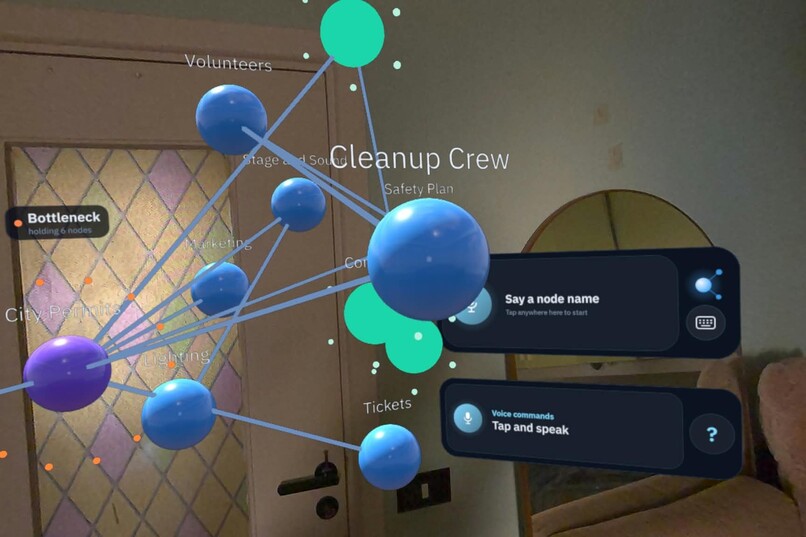
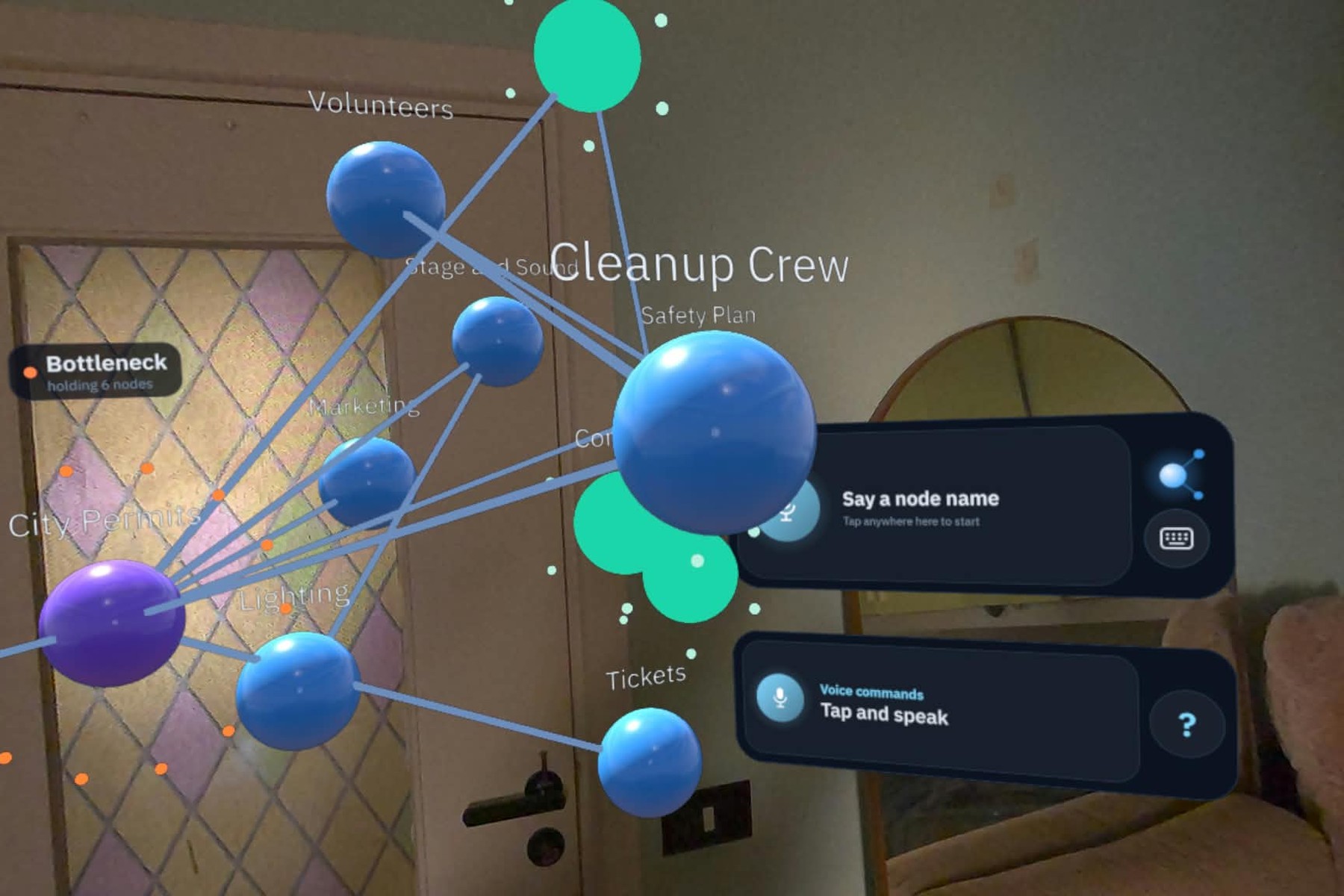
Prefer typing? A keyboard sits next to the microphone.
-
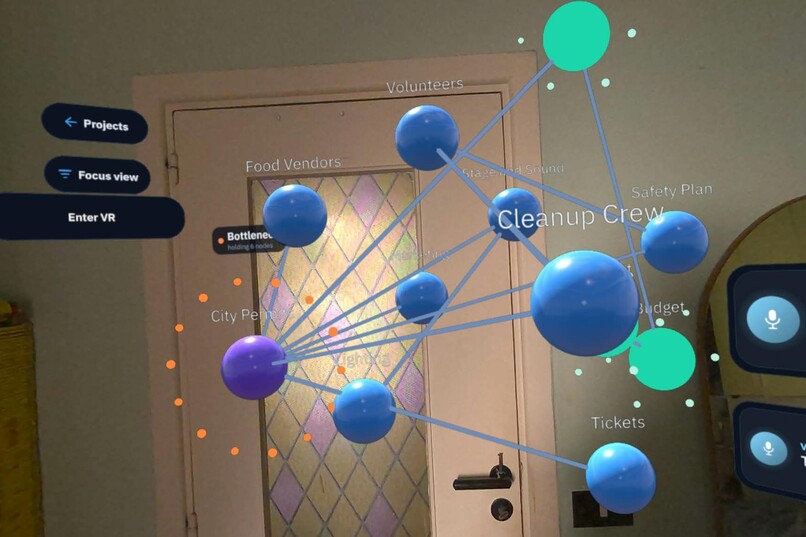
Check the tasks on your nodes and make them light up, connect two nodes by fusing them with your hands, or delete a node or a task.
-
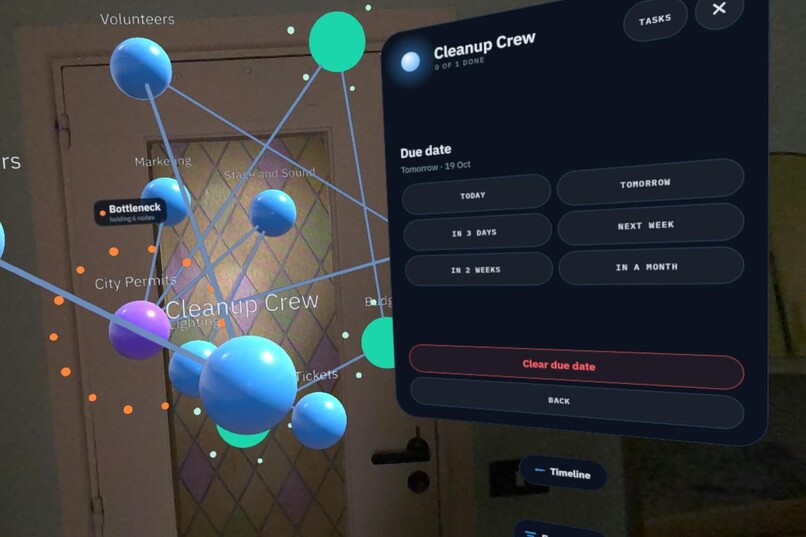
Set a due date from inside the headset. Nodes with a date line up in Timeline.
-
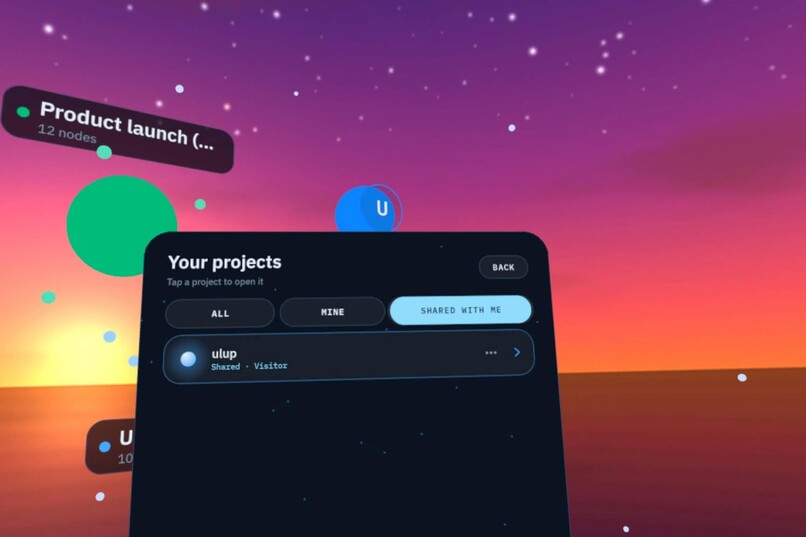
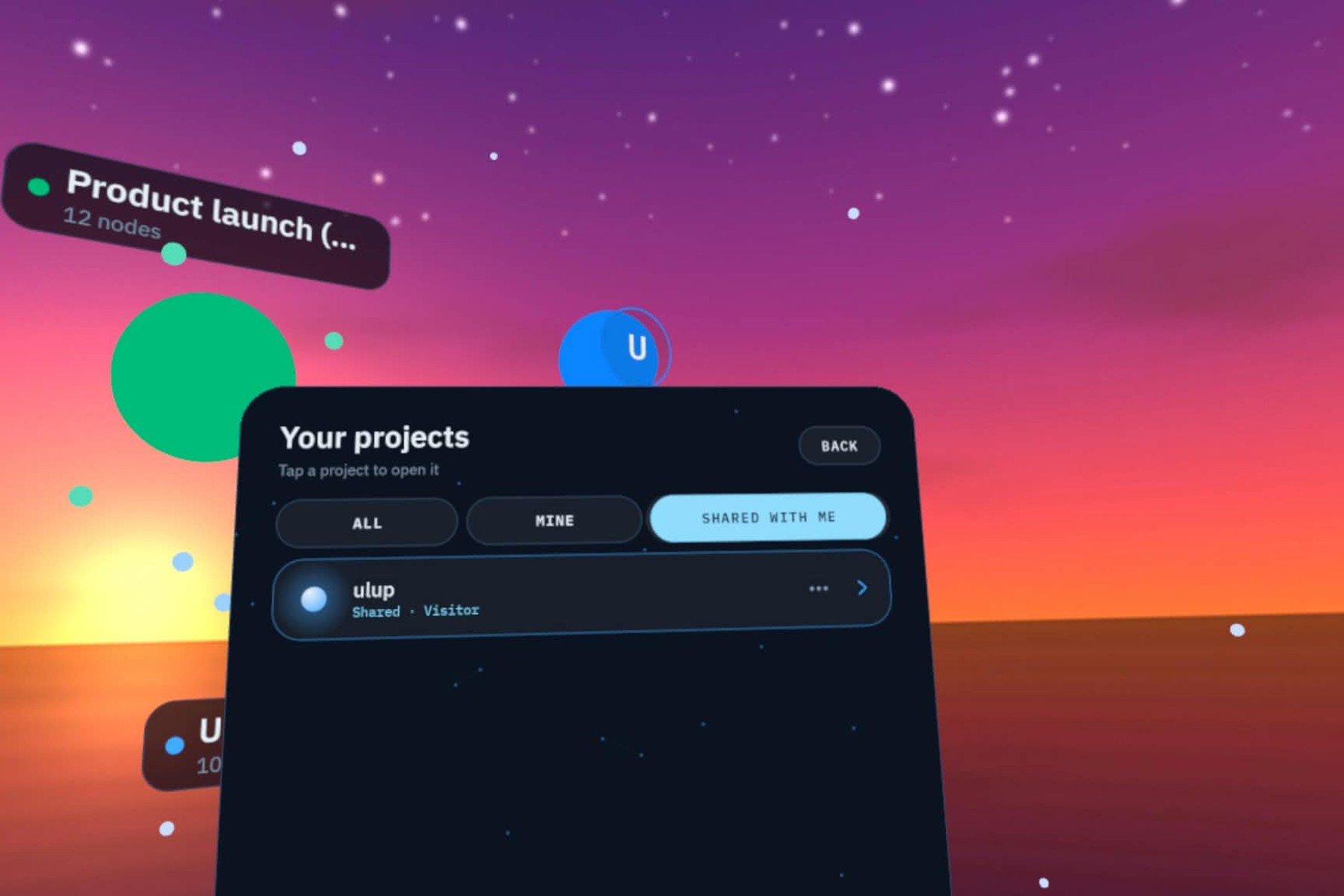
Your projects and the ones shared with you, with your role on each.
-
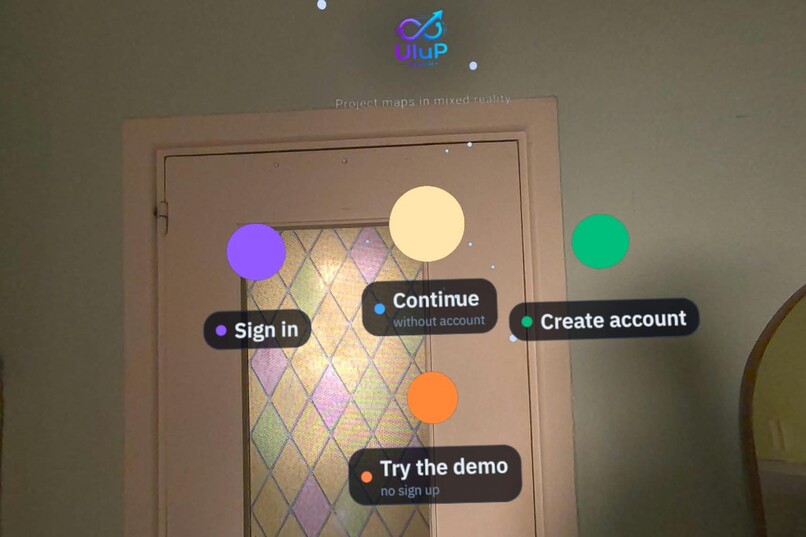
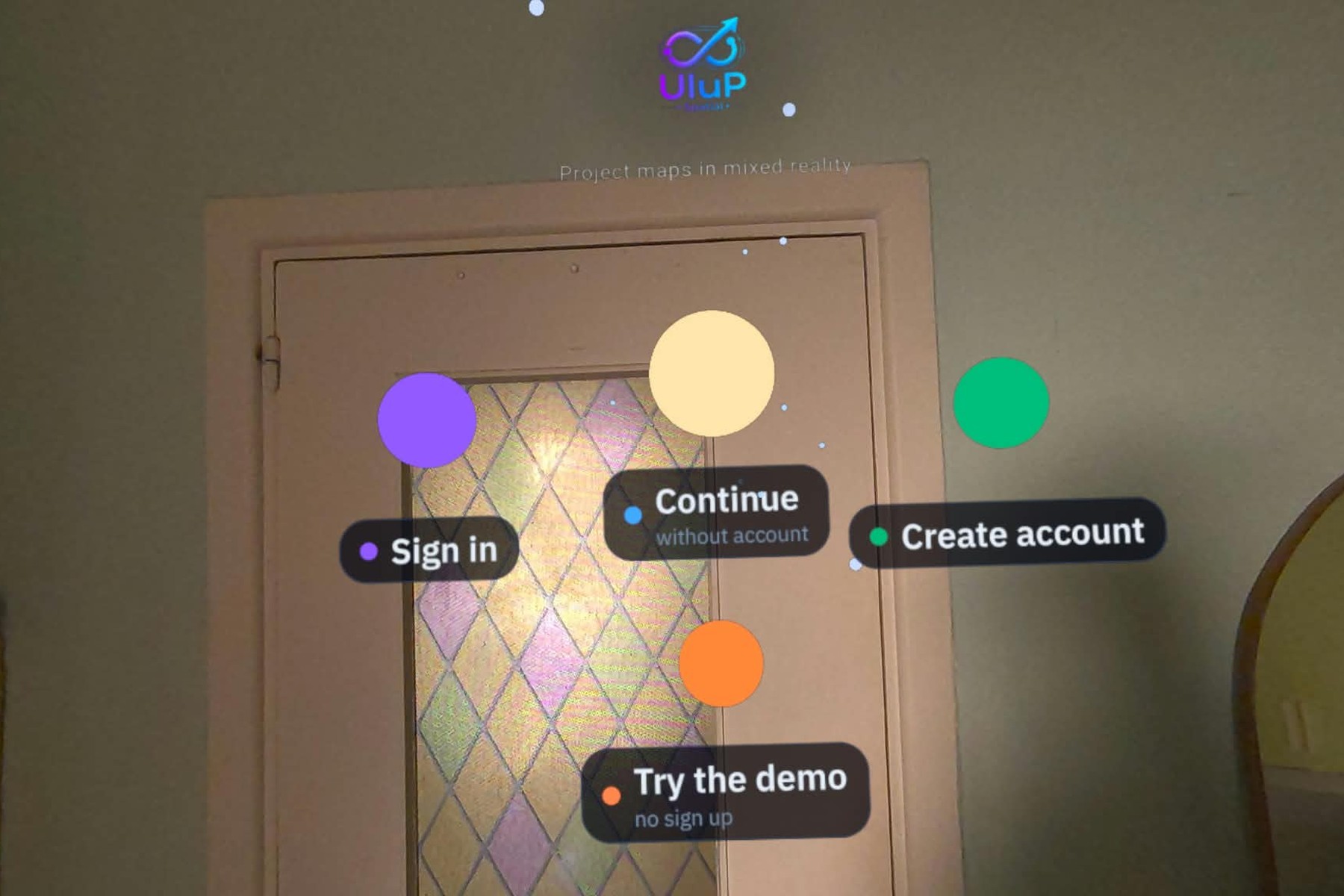
Sign in, create an account, continue without one, or try the demo with no sign-up.
-
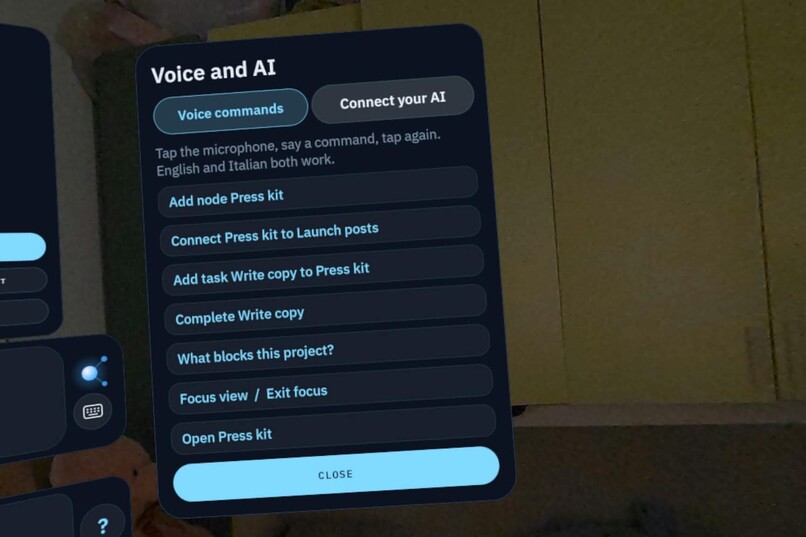
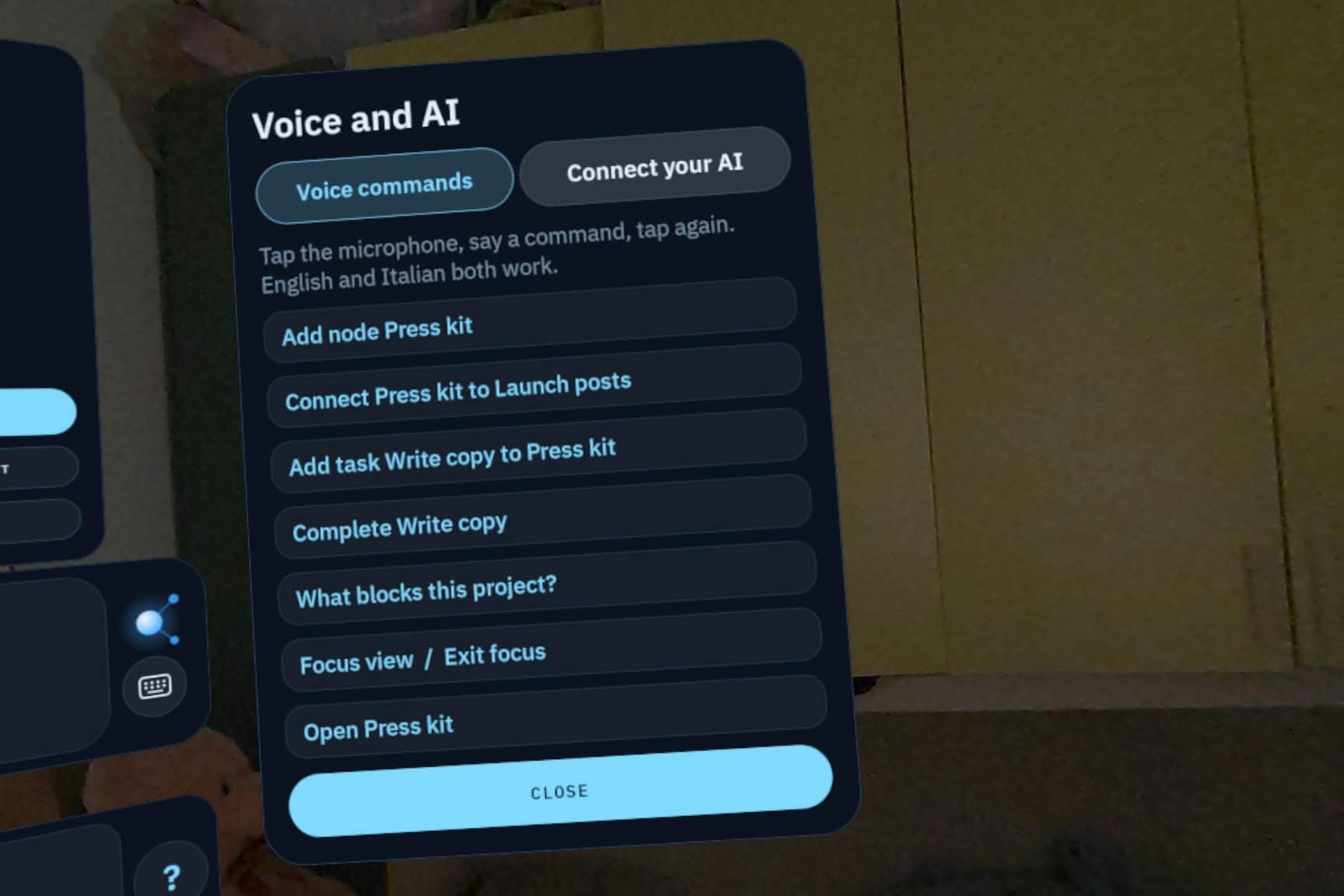
Voice commands run on the device itself, in English and Italian, with no connection needed.
-
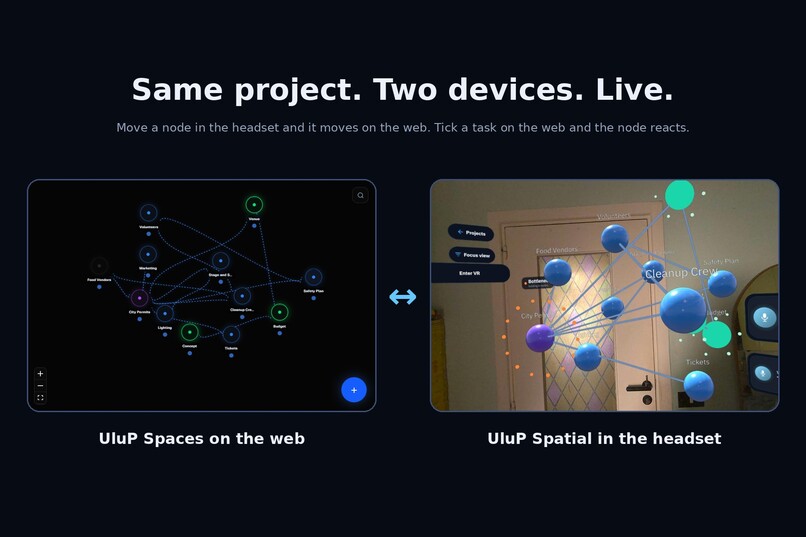
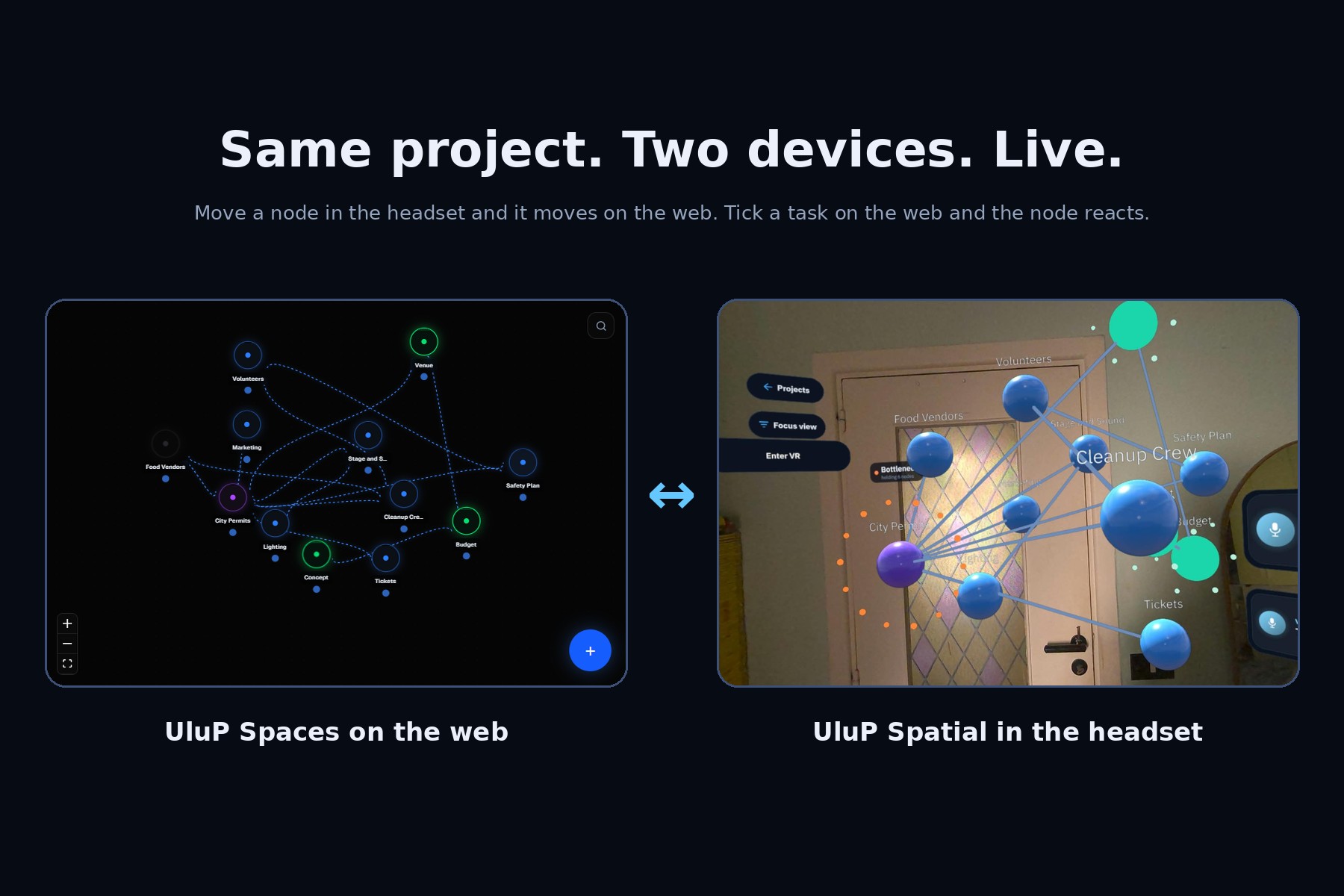
Same project, two devices. Move a node in the headset and it moves on the web; tick a task on the web and the node reacts live in VR.
Inspiration
Ideas rarely fit on a flat monitor. UluP Spaces turns projects into visual maps of connected nodes, and I wanted to step inside that map. UluP Spatial puts your whole project around you in mixed reality: nodes are spheres you grab, move and connect with your bare hands.
What it does
- Grab, move and link nodes with hand tracking; positions sync in real time to the same backend as UluP Spaces
- Pin a node to your real room: the headset scans your space, you drop a node on a real surface like the door, and it stays there in passthrough. Switch to full VR and it rejoins the other nodes; switch back with a hand gesture and it returns to the door. Pinned spots are saved relative to your room scan
- An AI assistant, Ulupy: connect your own MCP-capable AI and it creates nodes and tasks that appear live in your headset, each labelled "Ulupy"
- Create nodes by voice: speak, watch the live transcript, pick a color, and a beam of light marks the new node. Speech recognition runs fully offline on the headset (English and Italian), so voice works even without a connection
- Attach files to tasks: PDFs with zoom and page controls, and .glb 3D models you place, resize and spin in your room
- Set due dates from inside the headset, with a 3D Timeline that lines nodes up by date and a Focus view that uses depth to show what's blocking a project
- Work in passthrough mixed reality or a full immersive backdrop (Cosmos, Aurora, Space, Dusk, Void)
- Start from community templates or a blank page, private by default; guest mode in one tap, and "Create account" upgrades the guest session in place so no project is lost
- Hands-first panels with large targets, hover feedback and upright orientation that follows you when you recenter, seated or standing
- Works offline where it counts: voice runs entirely on the headset; sync, accounts and the AI connection need internet
- Room pinning needs a scanned room: run Space Setup on your Quest first (Settings > Physical space), then drop a node on the door in passthrough.
How I built it
I first shipped a WebXR version (v1.0.0, published on the Meta Horizon Store), then rebuilt it natively in Kotlin with the Meta Spatial SDK for the competition: ECS systems for grab, collisions, connections and spawn effects, Compose-based panels, the Mixed Reality Utility Kit for room scanning and pinning, Vosk for offline speech, Supabase for auth and data, and the UluP Spaces MCP server so your own AI can act inside the headset.
Challenges
Moving from WebXR to a native engine meant relearning input, panels and the scene model. I hit a Gradle/Kotlin build crisis and rebuilt the project from the official template. Opaque panels were needed to keep the hand pointer visible. Giving passthrough a real purpose meant tying each node to two places, one in your room and one in the VR universe, and switching between them cleanly. Making an empty project feel good in the first minute took its own fixes.
What's new in the competition window
UluP Spatial existed before as a WebXR prototype; everything native listed above, including room pinning, was built after September 24, 2026.
What's next
Pinning to more surfaces (windows, walls, tables) and an unpin button, light mode, user-uploaded backdrops, day markers on the Timeline, pinned windows you can glance at without turning your head, and a public store launch planned after the competition (from the end of the year).
Built With
- android
- hand-tracking
- jetpack-compose
- kotlin
- mcp
- meta-quest
- meta-spatial-sdk
- postgresql
- supabase
- vosk

Log in or sign up for Devpost to join the conversation.