-
-
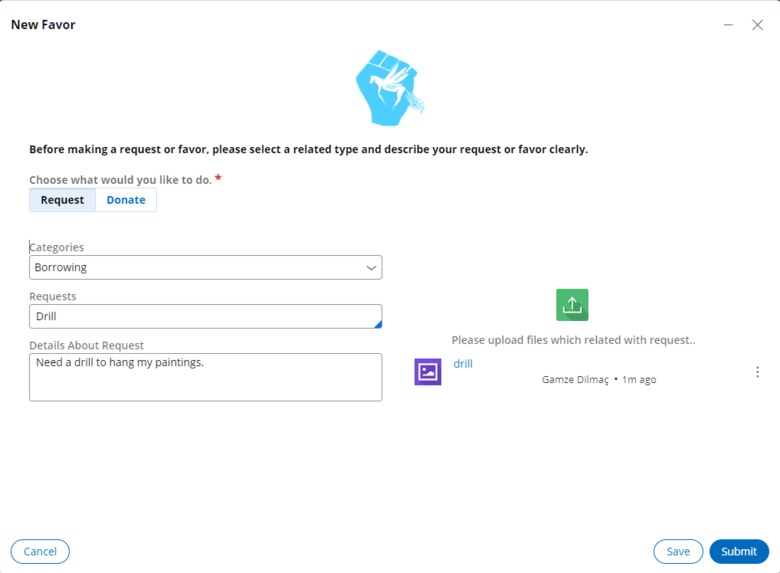
Creation of New Favor
-
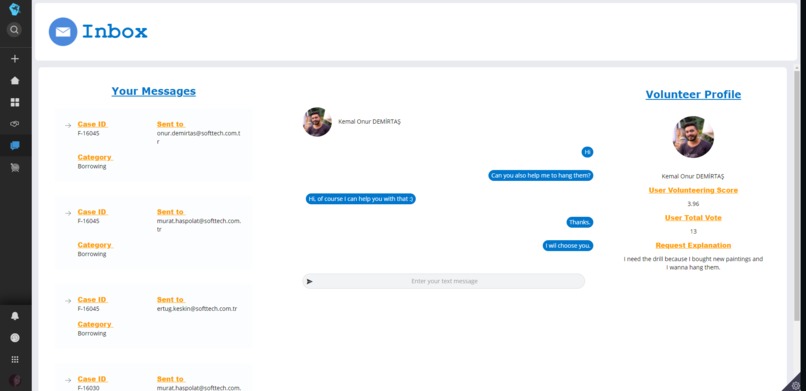
Inbox
-
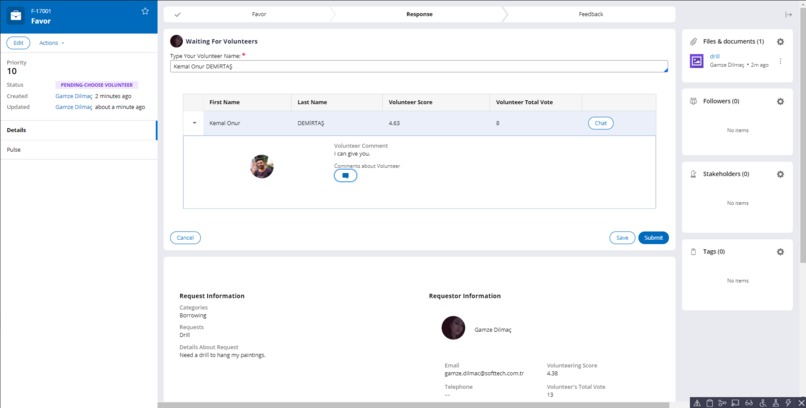
Choosing Volunteer
-
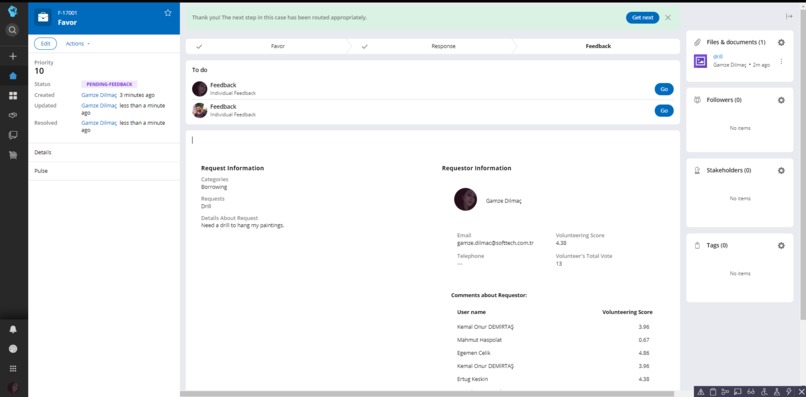
Feedback stage
-
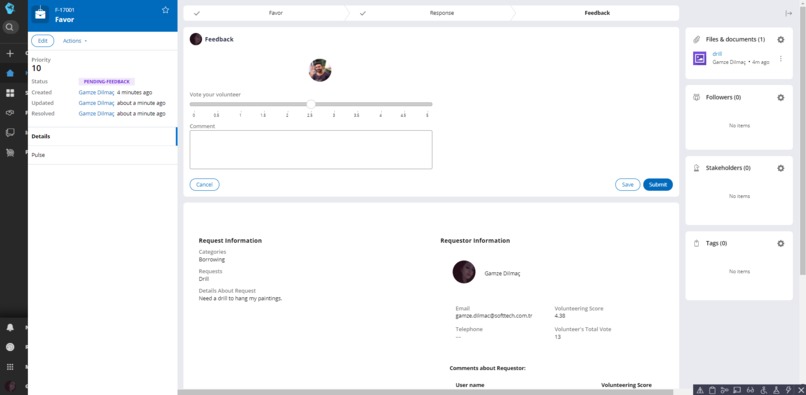
Feedback Screen
-
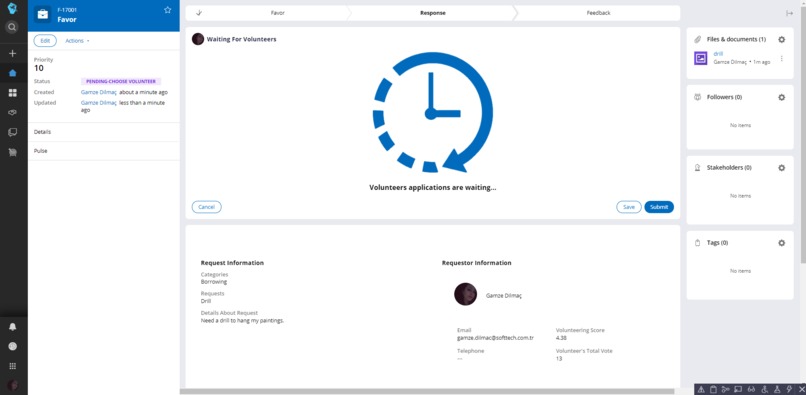
Waiting Screen
-
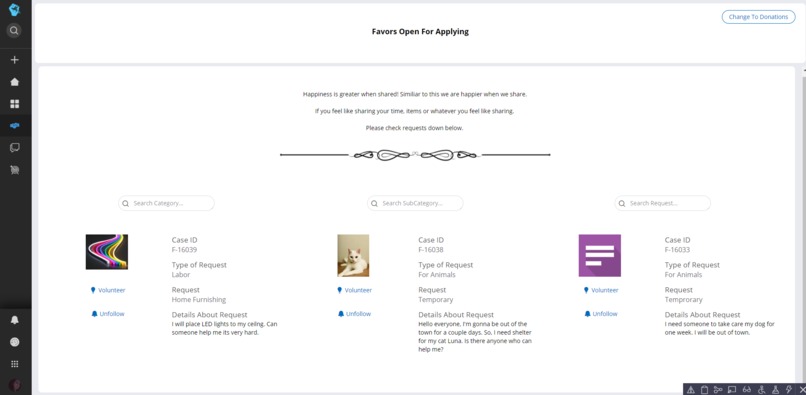
Open Favors
-
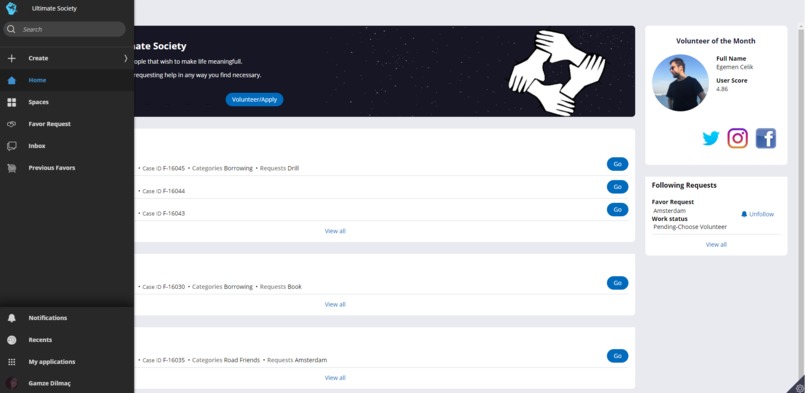
Menu
-
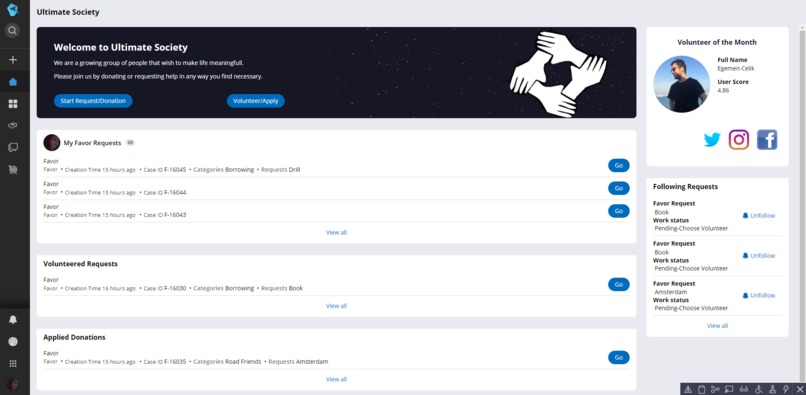
Home Page
-
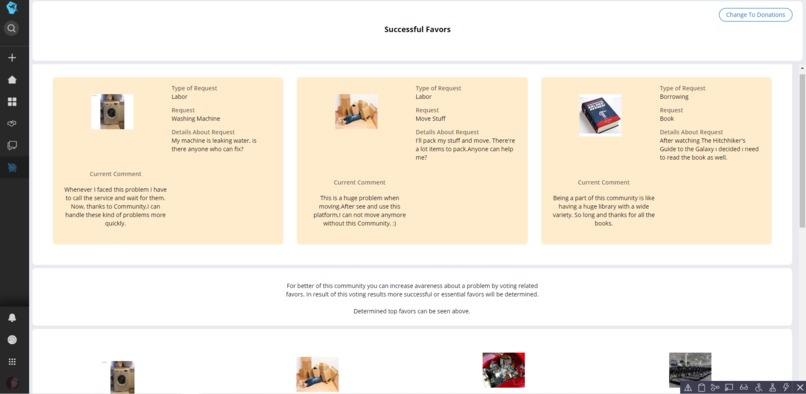
Previous Favors
-
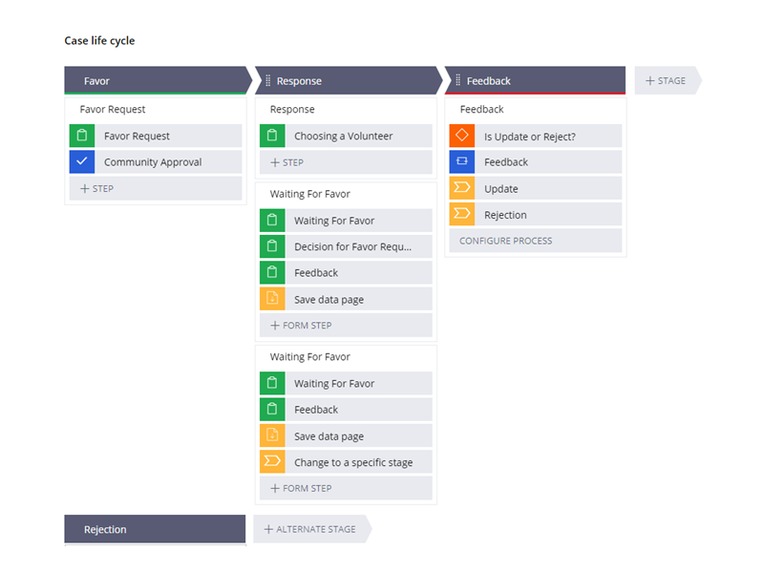
case life cycle
Inspiration
With coming of digital age and the pandemic caused the interactions between people became more insincere and less frequent. So, we wanted to create a platform for people to have something in common, something that connect one to another through an item, word, action, or anything that u can imagine. The best way of achieving such feat for us was possible by sharing. Sharing a book, a tool, a skill maybe even time. A sincere sharing is possible through understanding someone’s need and justifying that need with our own standards. Process of understanding enables two people to emphasize with each other. And each time a person goes through that process it is more likely that that person will feel like part of this community and get better at understanding people around. We believe that these interactions will massively affect the community in the long run. Other than its benefits on community it will also be quite helpful for the person participating in this event of sharing. Getting better at understanding other people will make the person not afraid of communicating with people in their community and make them feel more safer in that environment.
What it does
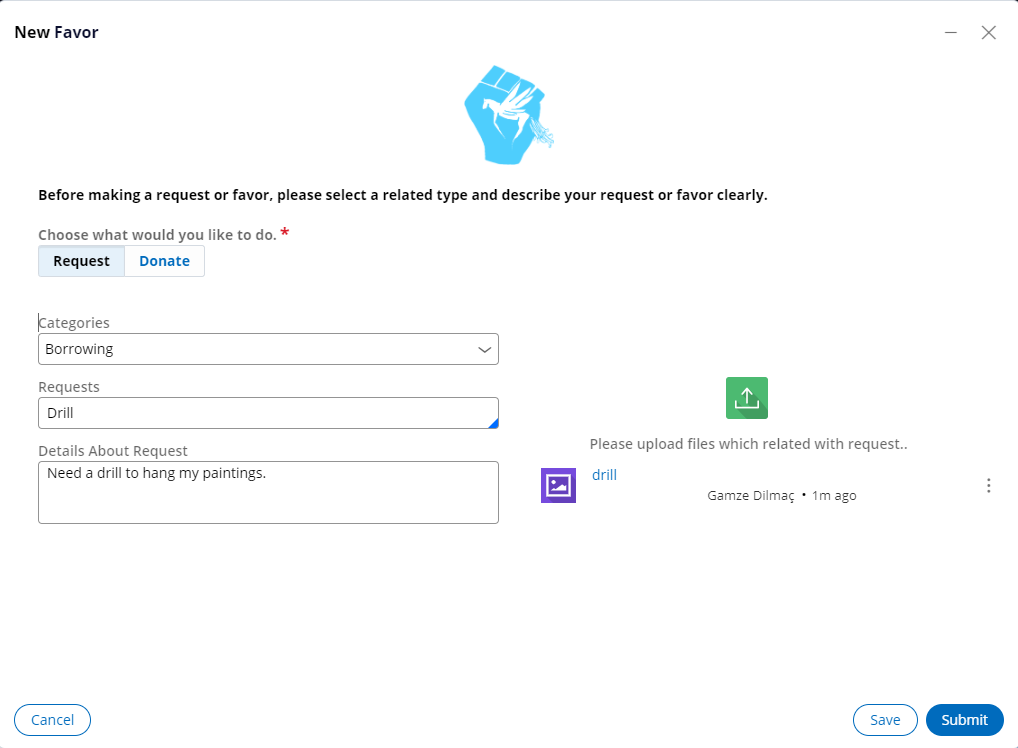
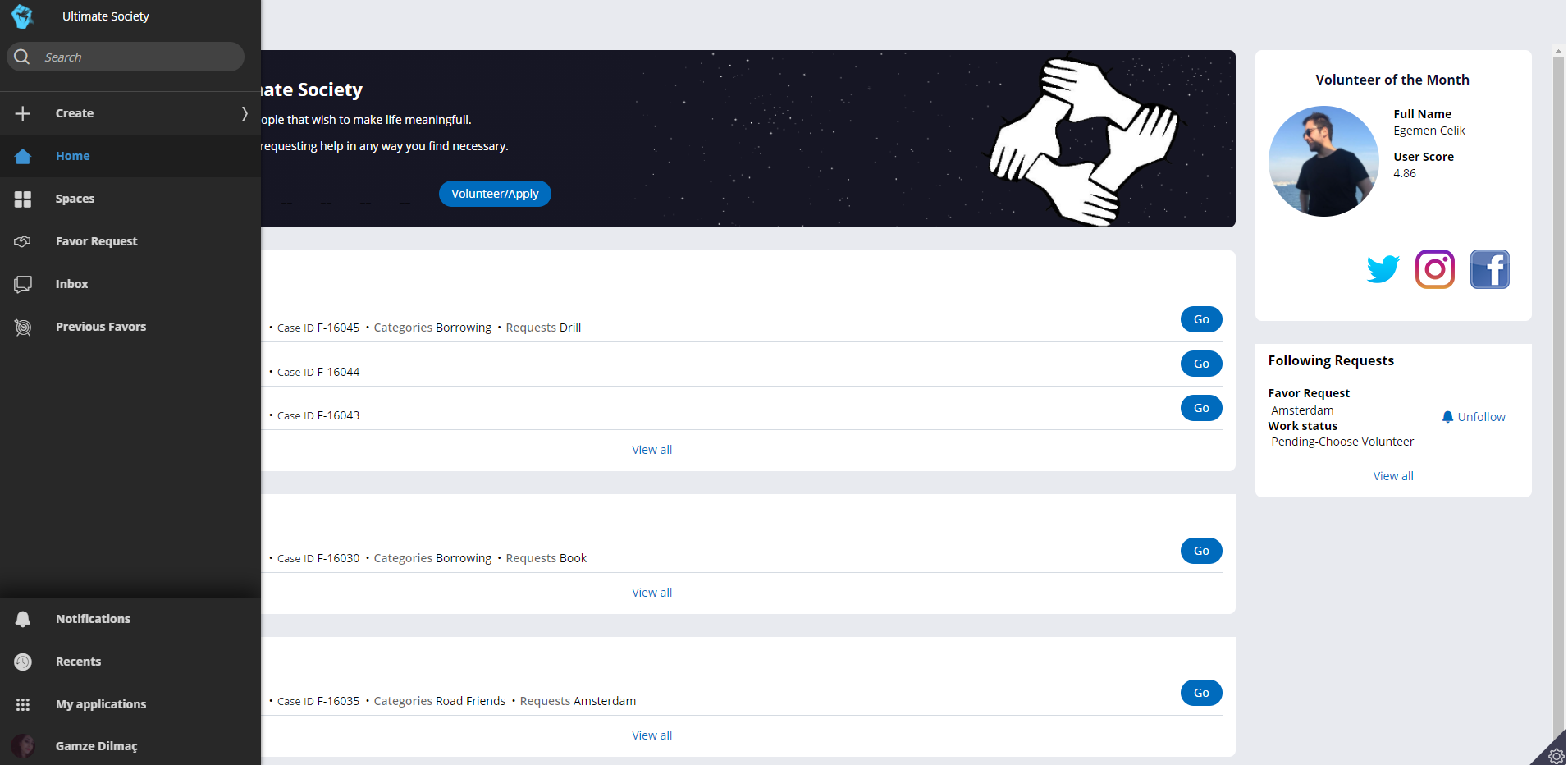
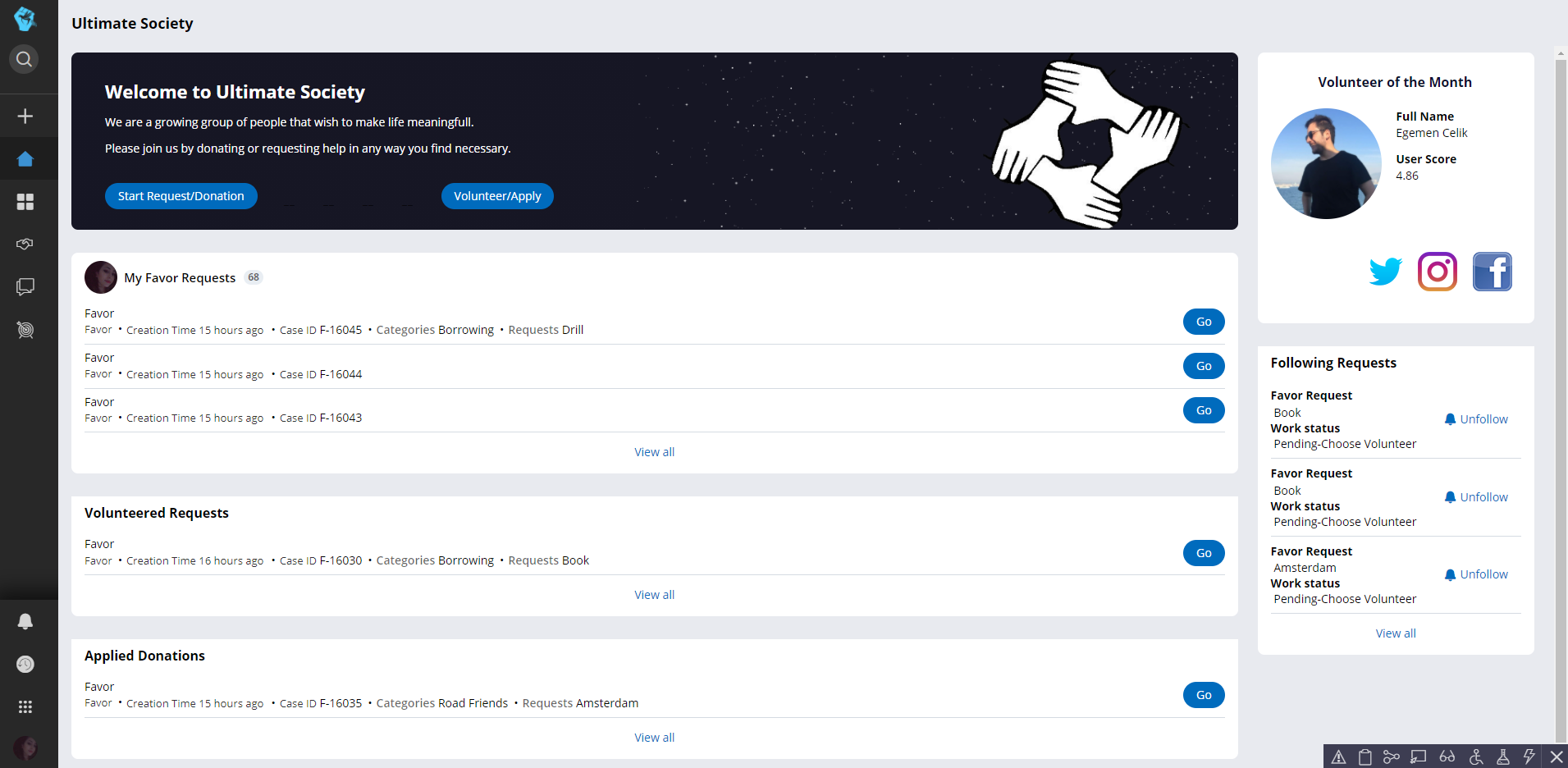
Starting from the welcome screen the user can easily start a new favor request/donation or can review favors, open for volunteering/applying by buttons. The user can select request or donation. After selecting the relevant category, the request types in that category are listed. User can enter any request manually if it’s not in the list.
After the requests are typed, User can write a detailed description and upload a photo related to favor. After submission, you can see information about the case and your profile. You can also view the comments made for you and the commenter's information when you click on the Comments. From there, the request goes into a pool which is consisted of high-rated people from the community. Here, the appropriateness of the request and whether the Community is abused or not is checked on the basis of the request explanation.
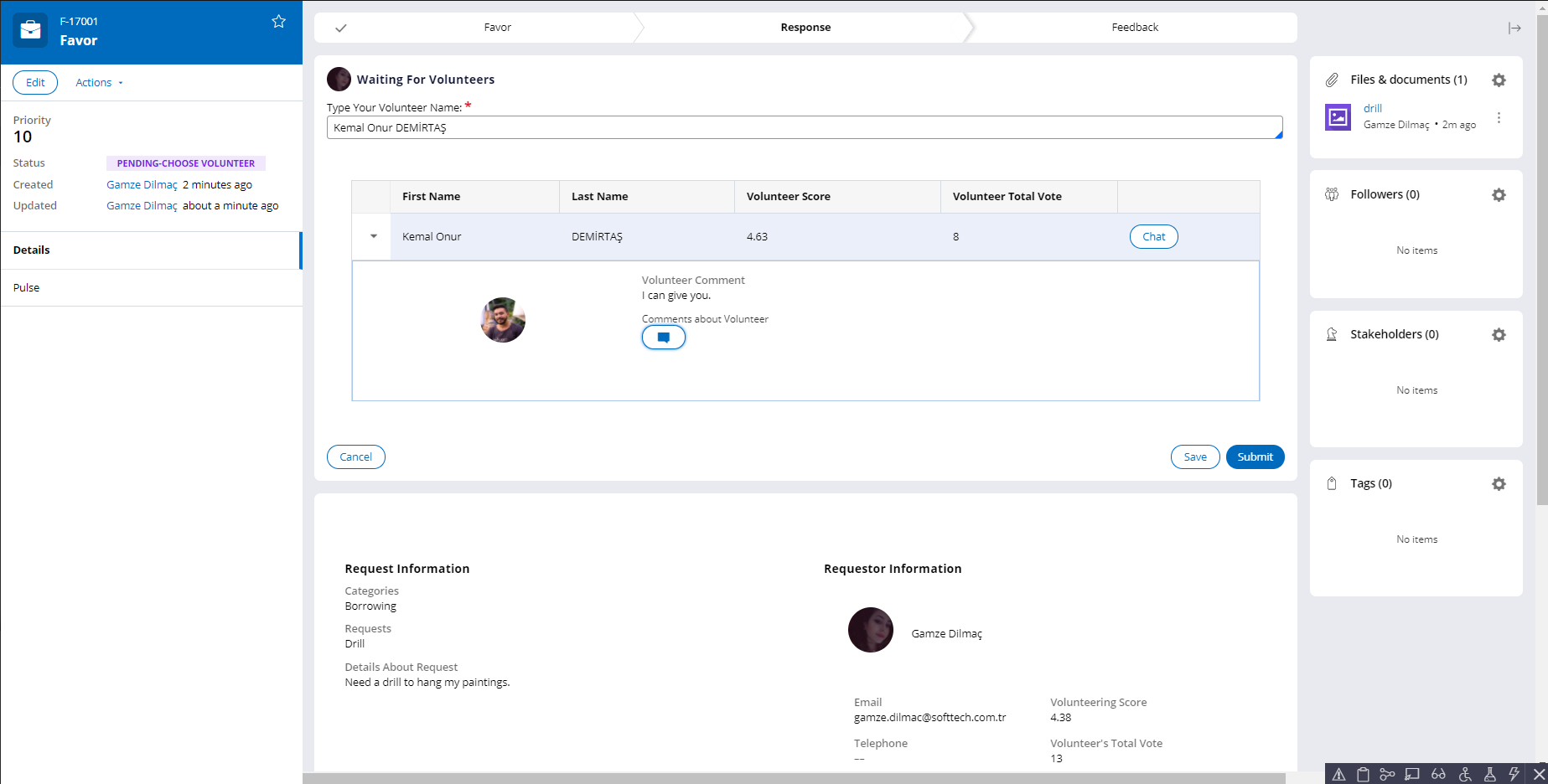
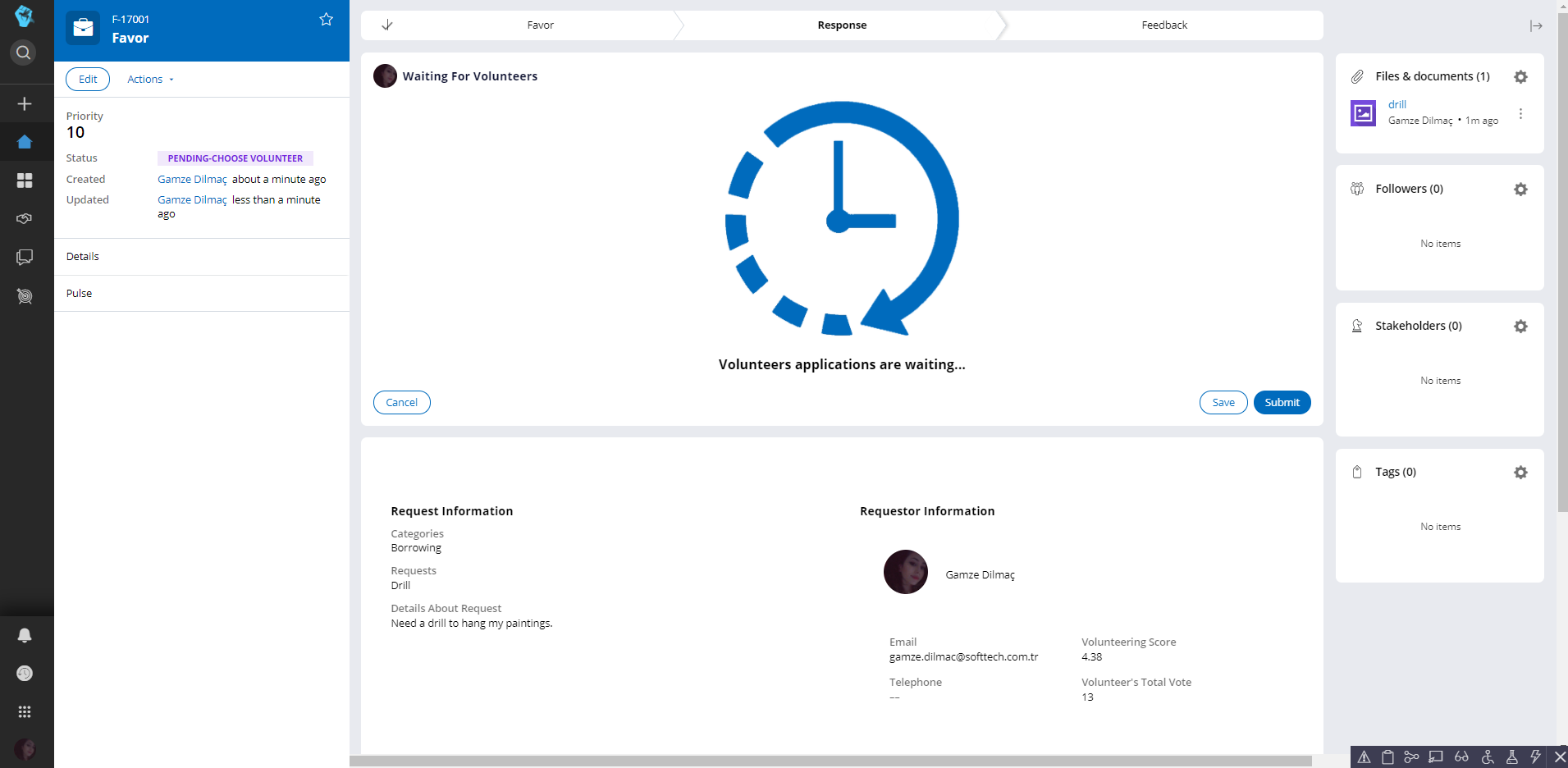
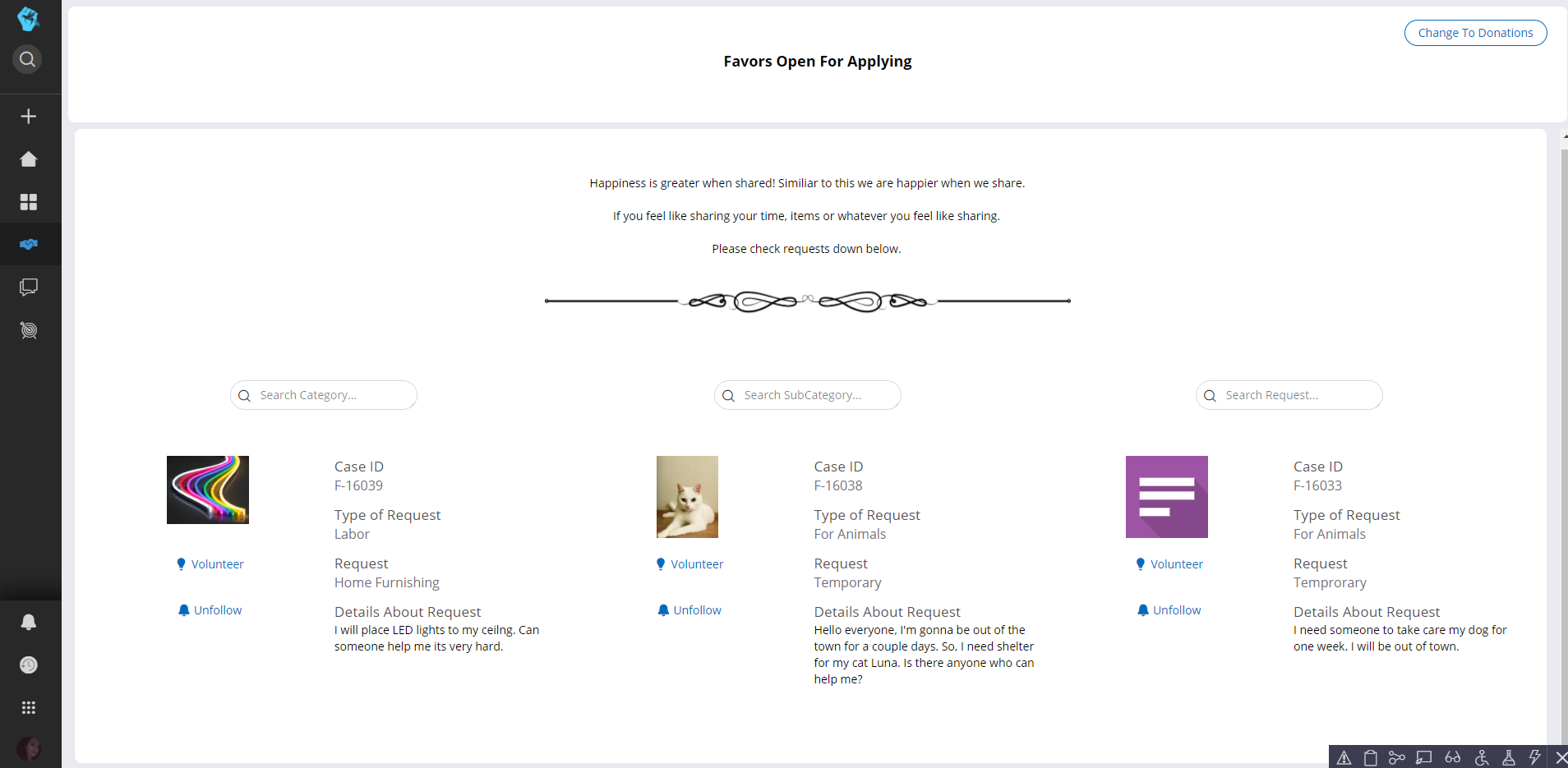
On the Volunteer Wait screen, Requestor waits for the volunteer. And volunteers can apply through favors screen. İn favors screen users can view, be a volunteer and follow all open requests. Also they can change screen for viewing open donations. And they can search them with category, sub-category and type of request. When user wants to be a volunteer, he writes his message and submits it. After applications. The favor creator can view the volunteers' information, by this way creator collects some knowledge about the volunteers, then start chatting. Users can also view their messages from their inbox. After favor creator talks with the volunteers, decides which one will do the favor. Favor creator then will be directed to step where they will wait for favor to be done. When favor is done, case goes to the Feedback stage if not user is directed to Volunteer Wait Screen after giving a one-way feedback.
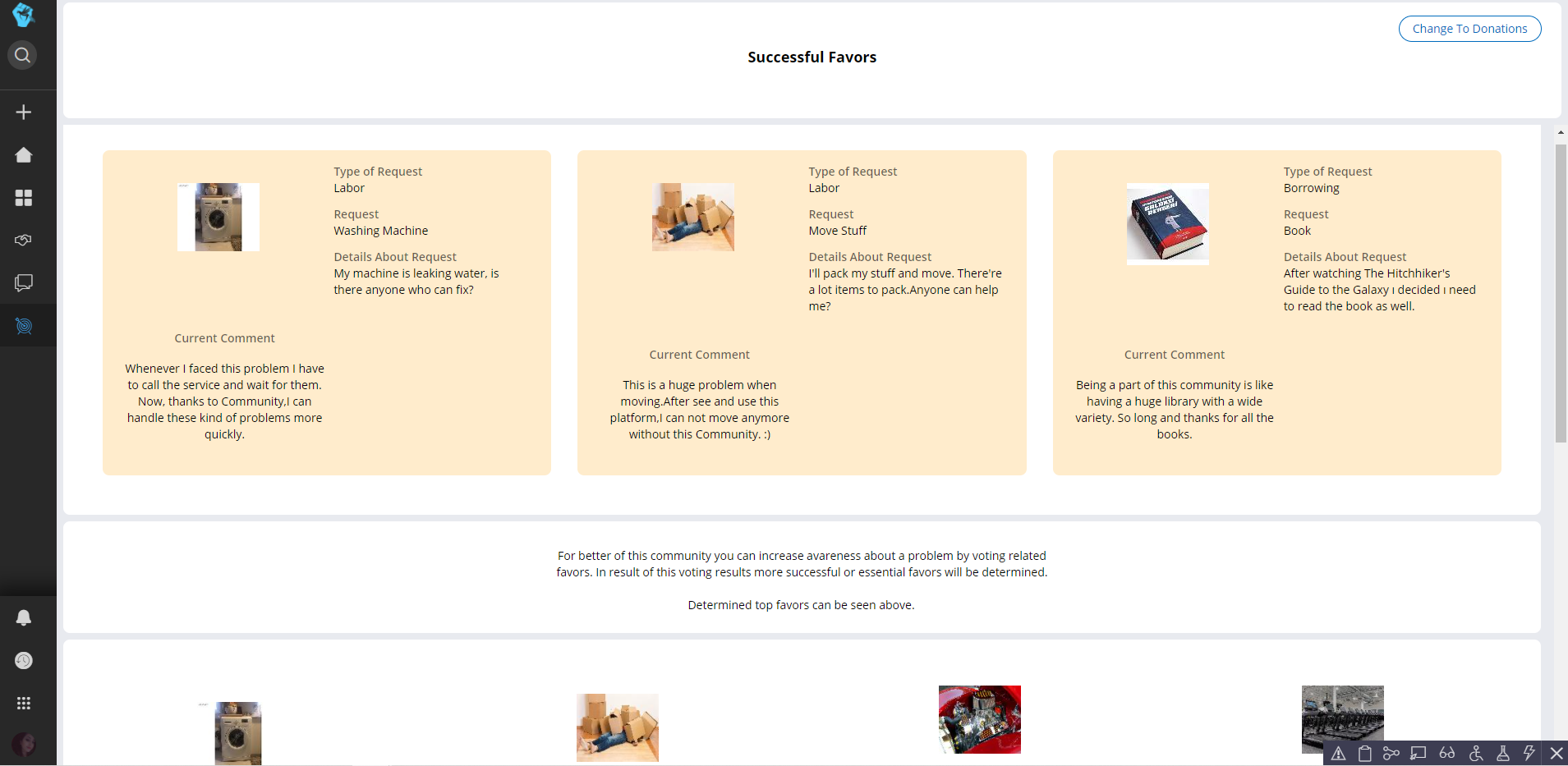
From the navigation menu the user can access Previous Favors window. The purpose of this window is to detect more useful or preferred favors and announcing this favor to all users that are present. An evaluate button that allows the user to score and add his own comment to this favor. Mostly depending on the voting of the users, the chosen favors are presented at the top of the screen with the most recent comment that they received.
How we built it
We aimed to make an app that makes it easier for people to find someone to help or someone that they can get help from. For achieving such request, we designed an interface as natural as possible. Since Pega’s out-of-box interface was satisfying this need we focused on designing ultimate society by using already existing components.
Our next focus was the home page that will welcome the user. In this page we used data pages to call favors that user is involved or following. We used the same with our volunteer of the month section. Then we designed our favors and previous favors page again used data pages to call completed or pending favors depending on the page.
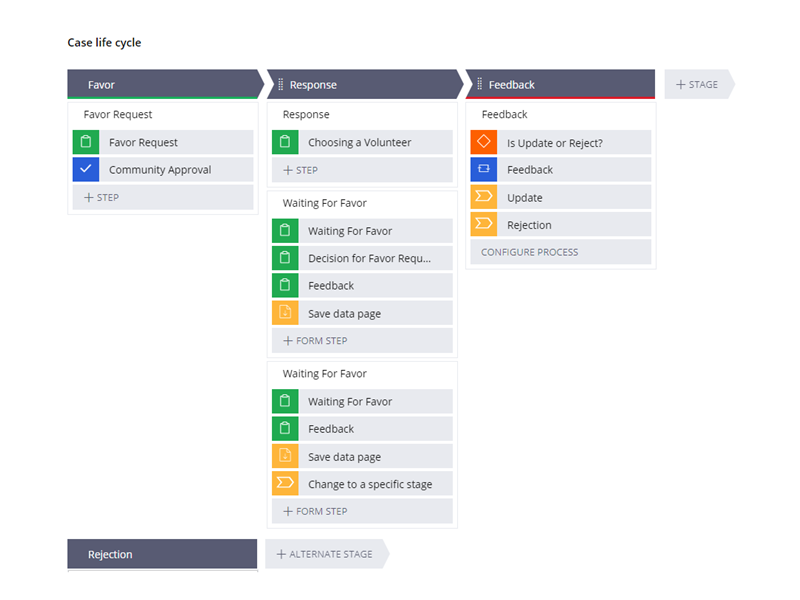
For our case we designed a single case type that behaves differently according to user’s choice about favor type. This case type has 3 stages each with their purpose. Favor stage includes the form presented to creator of the favor and an approval shape. Response stage consists of a single form that is presented to favor creator and 2 multi-step-form which are used according to favor type. This multi-step forms include waiting and one-way feedback steps.
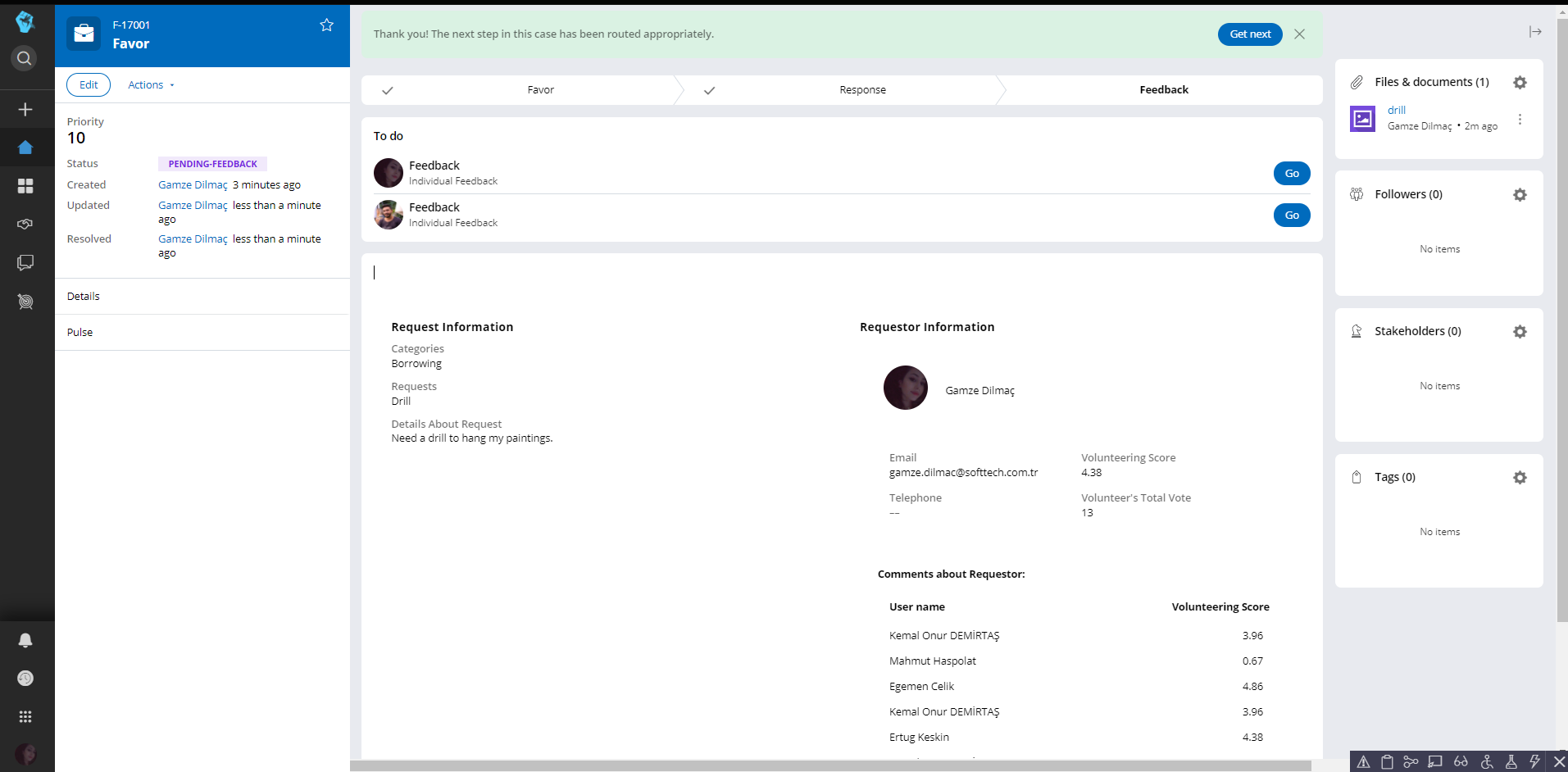
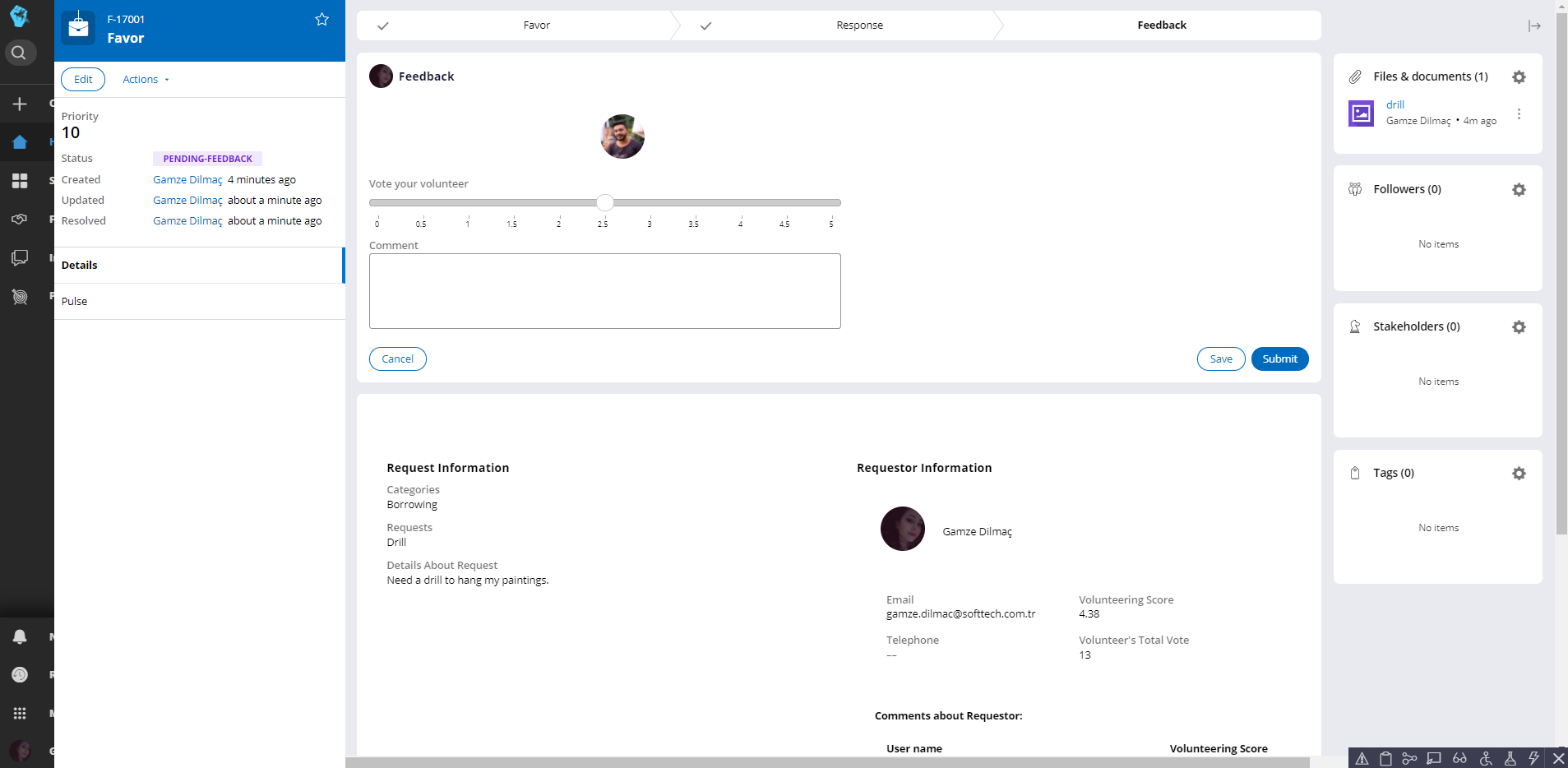
Lastly feedback stage starts with a decision shape for deciding whether case is ended or sent to accepting volunteer step depending on the interaction between favor creator and chosen volunteer. After there is a split for each step that is creating 2 parallel feedback steps for both parties. After the feedback steps are over, taken user inputs are saved via savable data pages.

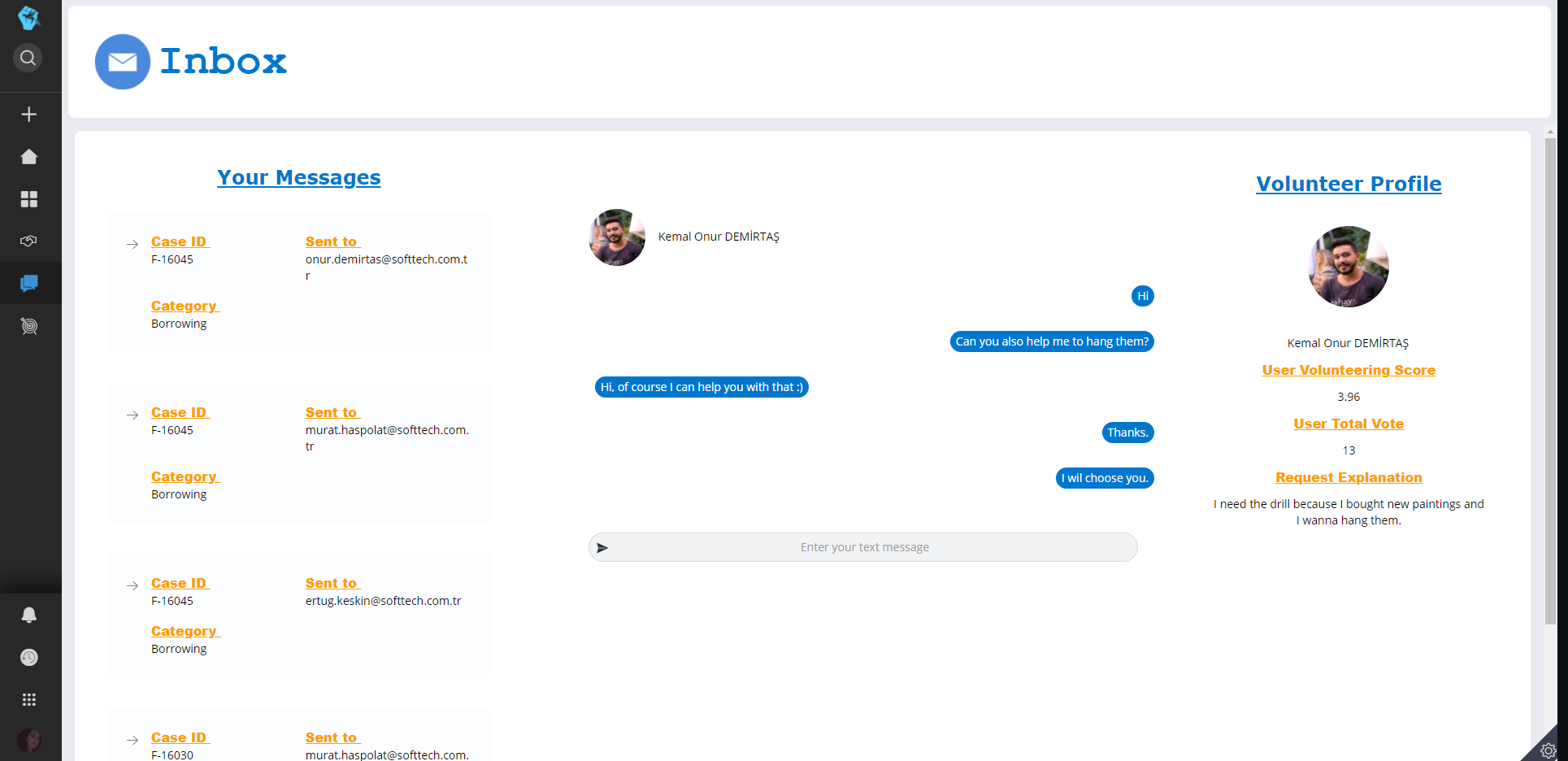
You can chat your volunteers on the Volunteer Wait Screen and you can also chat from your inbox.

When you click on the inbox tab, your conversations in the cases are displayed. The lines show who you are messaging with in which case. You can continue to message with the person you want by clicking the relevant line.

When you click on the conversation, you can view the profile information of the volunteer and the comment made to your request.
Challenges we ran into
We wanted to create a platform for users to easily communicate. But we had to design this platform without using pulse since it didn’t satisfy our need like generating a live chat between 2 users. So we implemented a custom solution. The hardest part of this implementation was the design part.Same messaging screen would go to more than one person to make this happen,we will worked a lot for the design of the structure.Also we want the screen will look like as a chat so we also paid attention to the design of the UI too.
Accomplishments that we're proud of
-We generated our own chat environment from ground up. It will grant you the ability chatting in real time. Whenever someone writes to you a message, you’ll get a notification from them. Then, to see your messages you can open your inbox and reply to them.
-We followed by guardrails when we create our application. We have %95 compliance score.
What we learned
-Changes that came with cosmos and Pega 8.5.2
-How capable data pages are and how to handle more complex process with them.
-How to design actions to interact with the case without opening it.
What's next for Ultimate Society
-More detailed and type specific journeys for each favor. (Like online payments methods, package delivery service and more)
-Improving chat environment. Adding group chat functions etc.


Log in or sign up for Devpost to join the conversation.