-
-
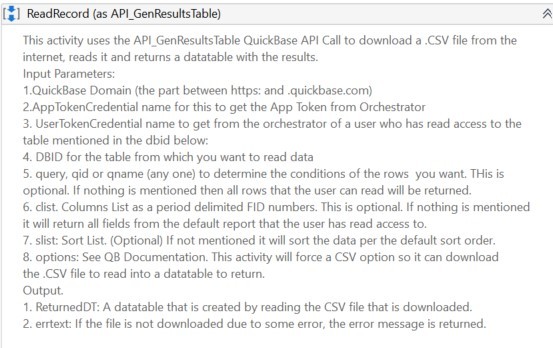
Read Record as API_GenResultsTable
-
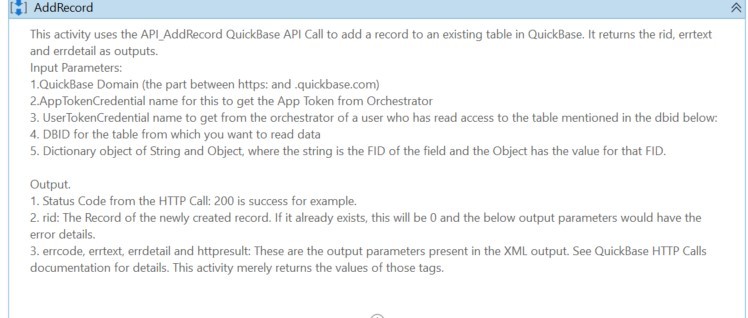
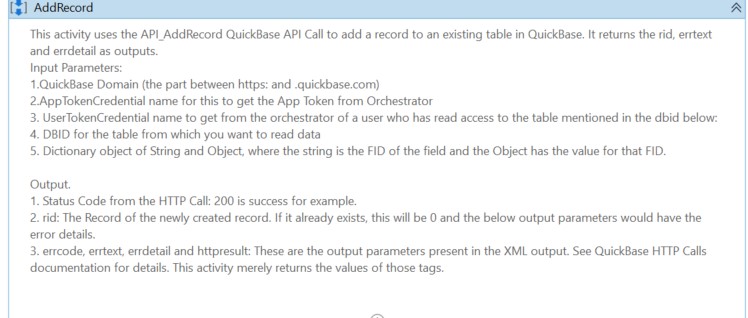
Add Record
-
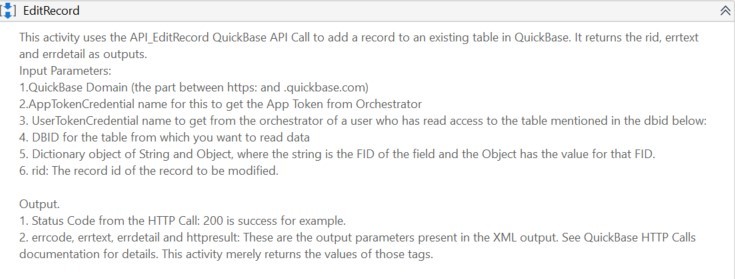
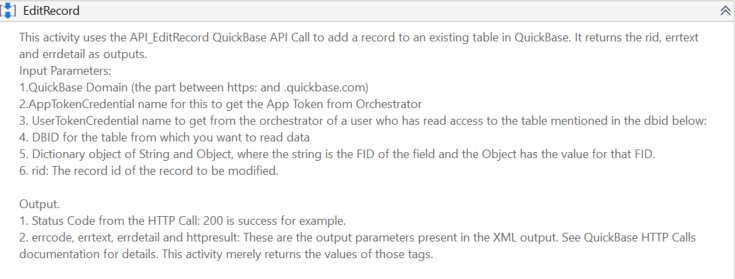
Edit Record
Why did I develop this SDK?
As a part of developing a CRM application in QuickBase, there was a need to develop some Robotic Process Automations that have to run unattended that would logon to different sites, pull the data, and insert it into the QuickBase CRM App. Since these RPA processes were being built in UiPath, I was looking for ready to use reusable components on the UiPath market place to interact with QuickBase. There were none. So I developed it myself. Now I am able to use this UiPath SDK for QuickBase in several other QuickBase apps. This is called SVA.QuickBase.Activities and is available for free download on UiPath Marketplace as well.
What does it allow you to do?
It allows the UiPath bot developer to download this from UiPath Market place and start using it right away to add records, edit records, query existing records from any QuickBase table, given the domain, DBID of the table, fids of the fields, user tokens, app tokens and so on.
How did I build it?
It is built with UiPath studio. I used the community edition of the UiPath studio that is free and along-side my builder program account at QuickBase. I created a few sample tables, with some fields, created an apptoken and user token. I also took advantage of the QuickBase HTTP API calls and made those calls within UiPath with its HTTP Activity. Filled the HTTP activity's properties such as Header, Body, etc.
Some challenges I faced
- I had to decide if I want to create separate methods for each table which might make it easy to send just the name-value pairs for fid and values OR write one single activity for adding data to any table, which means more coding for the activity. Then looking at it from the user's perspective, I decided to make it generic for any table, even at the expense of a little more effort if that is going to make it easy for the users.
- There are certain tasks in QuickBase such as attaching files that I couldn't get my head around about how to do the encode-64 thingy. So I couldn't write an activity that would attach the file programmatically. But hey, this is UiPath. It can perform programmatic tasks as well as user interface tasks. So I decided to write an activity in UiPath that will take the basic parameters needed to attach a file and perform it using the QuickBase User interface instead of the API Calls.
Accomplishments that I'm proud of
- These include the fact that I brought the two best technologies/paradigms together increasing the possibilities of what can be done with computers. While QuickBase can help you build web applications to track just about anything, with a powerful low code platform as a service, UiPath is the leading RPA technology that can perform tasks that human beings need to do interacting with other applications. Bringing these two together is something I am so proud of.
- After I developed this SDK, I was able to use it repeatedly in 4 – 5 other bot projects without having to redevelop anything from scratch.
- I published it on UiPath Market place in June 2020 and already 79 other UiPath developers have downloaded it as of Nov 2020.
- The credentials that are used throughout this SDK are stored securely in UiPath Orchestrator or on the local machine as Windows Credentials. Care has been taken to make sure these are handled extremely securely throughout the SDK by following UiPath's best practices for credentials.
- I am making this available for free download on the UiPath marketplace as a way of giving back to the large Quickbase and UiPath communities where members help each other with ideas without any expectations in return.
What I learned:
I learned all about Reusable components in UiPath, along with more QuickBase HTTP API calls, etc. But above all, I learned how to pursue your objective, even if it is not too clear in the beginning. I also learned that there are different ways of accomplishing something, so never give up. One example, I wanted to return the results of a QuickBase query as a datatable in UiPath. After several trials, I ended up using the CSV format option that downloads a csv file, then read it in UiPath and return the contents as a datatable.
What's next for UiPath SDK for QuickBase
So far the SDK has 3 CRUD operations, 4 UI based operations. I plan to seek feedback and add more functionalities to the SDK.
Built With
- uipath


Log in or sign up for Devpost to join the conversation.