-
-

logo
-
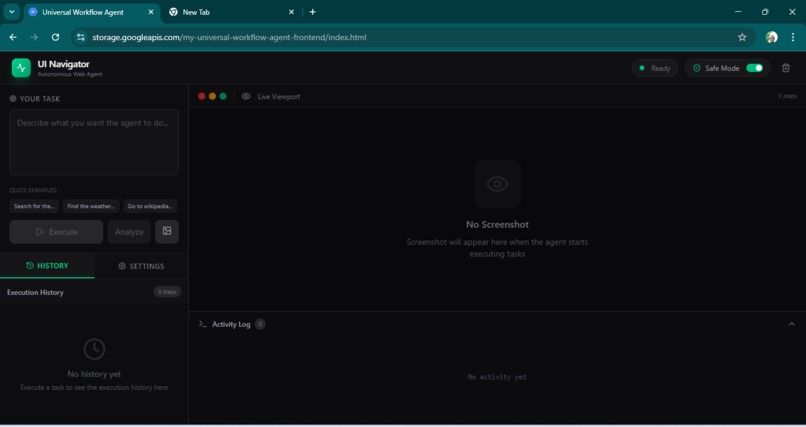
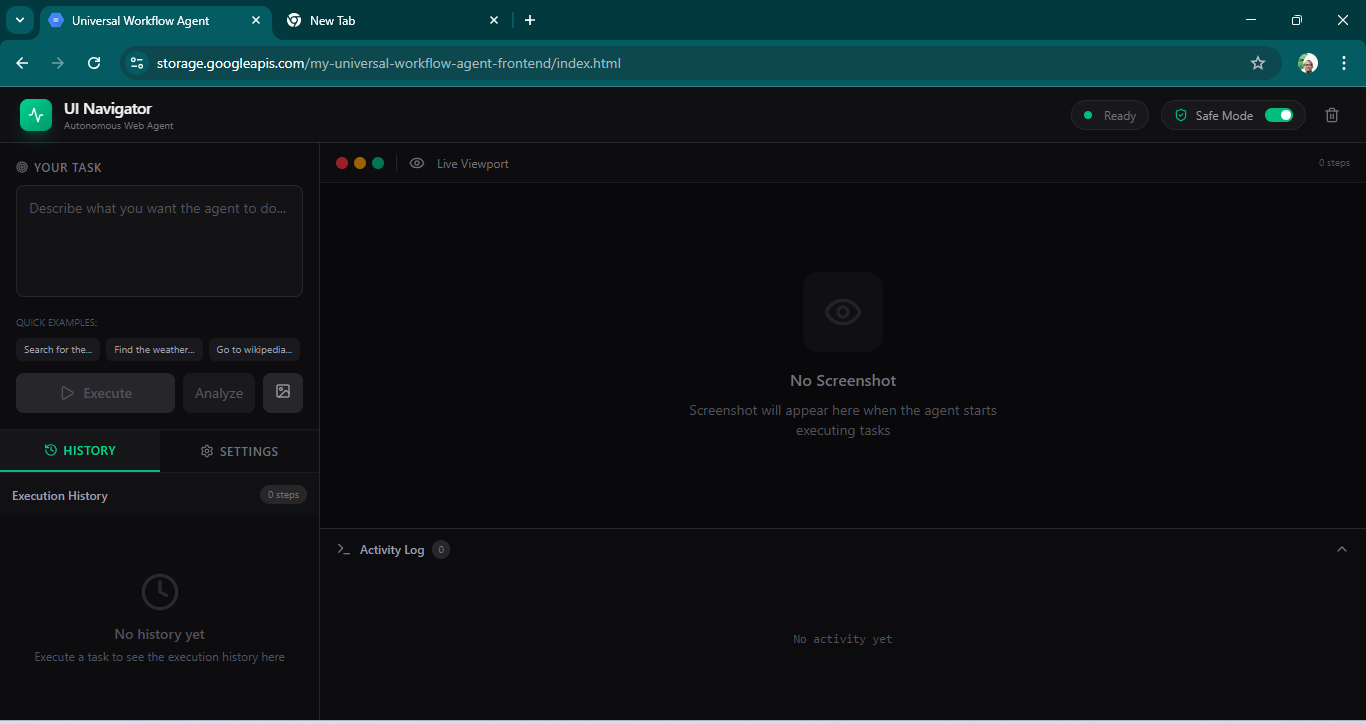
Agent screen
-
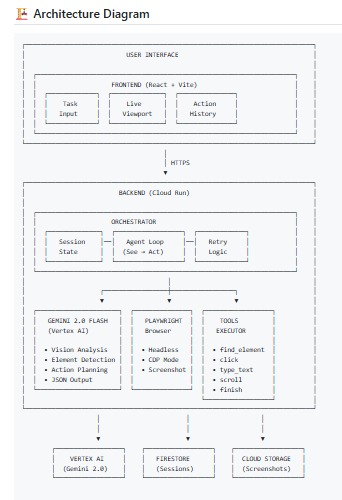
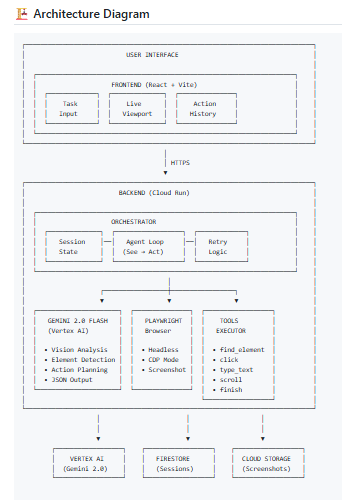
architecture-diagram

Inspiration
Every time I tried to automate web tasks, I'd spend hours fighting with CSS selectors and XPath that would break the next day when the website changed. It was frustrating!
Then I discovered Gemini 2.0 Flash with its powerful multimodal vision capabilities. I thought: What if AI could just "see" the page like a human does?
Instead of parsing DOM structures, we could now have AI analyze screenshots and understand visual elements - just like how humans navigate websites. The vision was born: create an agent that could complete web tasks by "seeing" rather than "parsing."
What it does
UI Navigator is a Visual UI Understanding & Interaction Agent - it becomes your hands on screen. The agent:
- Sees: Takes screenshots of any webpage and analyzes them with Gemini 2.0 Flash
- Understands: Identifies buttons, text fields, links, and other UI elements visually
- Acts: Executes browser actions (click, type, scroll, navigate) autonomously
- Completes: Runs multi-step workflows until the task is finished
Example Tasks
- "Search for the president of Kenya" → Opens Google → Types query → Shows results
- "Find weather in Nairobi" → Navigates to weather site → Reports conditions
- "Go to Wikipedia and find info about AI" → Opens Wikipedia → Navigates to AI page
Key Difference: No DOM access needed. The agent works purely through vision - making it work on ANY website regardless of framework.
How we built it
Architecture
┌─────────────────────────────────────────────────────────────┐
│ Frontend (React + Vite + Tailwind)                        │
│ - Task input, live viewport, action history                │
└────────────────────────────┬────────────────────────────────┘
                            │ HTTPS
                            ▼
┌─────────────────────────────────────────────────────────────┐
│ Backend (Express + Node.js on Cloud Run)                    │
│ - Orchestrator: Agent workflow loop                         │
│ - Gemini Integration: Vision analysis                       │
│ - Playwright: Browser automation                           │
└────────────────────────────┬────────────────────────────────┘
                            │
        ┌───────────────────┼───────────────────┐
        ▼                   ▼                   ▼
   Vertex AI          Firestore          Cloud Storage
   (Gemini)           (Sessions)         (Screenshots)
Tech Stack (Challenge Requirements)
- Gemini 2.0 Flash: Multimodal vision to interpret screenshots (✓ Mandatory)
- Google GenAI SDK:
@google-cloud/vertexaiintegration (✓ Mandatory) - Google Cloud: Vertex AI, Cloud Run, Cloud Storage, Firestore (✓ Mandatory)
Key Code: Gemini Integration
const generativeModel = vertexAI.preview.getGenerativeModel({
    model: 'gemini-2.0-flash',
    systemInstruction: {
        role: 'system',
        parts: [{ text: systemInstruction }],
    },
});
The system instruction tells Gemini to output JSON with executable actions (click, type, scroll, etc.)
Challenges we ran into
Challenge 1: Vision-Based Element Finding
Problem: How do we find elements without DOM access? Solution: Use Gemini to "see" the page and identify elements visually using bounding boxes.
Challenge 2: Screenshot Pipeline
Problem: Screenshots needed efficient transmission to Gemini Solution: JPEG compression (quality 80), base64 encoding, proper data URI prefixes
Challenge 3: Multi-Tab Handling
Problem: Agent was opening new tabs instead of using existing one
Solution: Force single-tab usage with new_tab: false parameter
Challenge 4: Verification Logic
Problem: Verification was too strict, blocking successful workflows Solution: Made verification lenient - trust the agent when it believes task is complete
Challenge 5: Search Task Performance
Problem: Agent wasn't thoroughly searching for answers Solution: Added explicit instructions to scroll through ALL results
Challenge 6: Cloud Run Deployment
Problem: Playwright in containers can be tricky Solution: Proper Dockerfile dependencies, source-based deployment, 2Gi memory allocation
Accomplishments that we're proud of
✅ Production-Ready Deployment: Backend running on Cloud Run, frontend on Cloud Storage
✅ All Mandatory Requirements Met: Gemini 2.0 Flash, Google GenAI SDK, Multimodal Vision, Executable Actions
✅ Universal Compatibility: Works on ANY website - no DOM parsing needed
✅ Automated Deployment: One-command deployment via deploy.sh script
✅ Real Multimodal Agent: End-to-end vision-based automation loop
✅ Session Persistence: Firestore for history and recovery
What we learned
Vision > DOM: For general web automation, vision-based approaches are more robust than DOM parsing since they work regardless of how the page is built.
Prompt Engineering Matters: Small changes to system prompts significantly affect agent behavior. Adding explicit instructions for search tasks improved success rate dramatically.
Cloud Run Works for Browser Automation: Despite initial concerns, Playwright with Chromium works in Cloud Run containers when proper dependencies are installed.
Normalized Coordinates: Using normalized [0,1] coordinates instead of absolute pixels makes automation work across different viewport sizes.
Error Recovery: Building retry logic and error categorization helps the agent recover from failures gracefully.
What's next for UI Navigator
Enhanced Element Detection: Use bounding boxes with higher precision for better click accuracy
Multi-Modal Input: Accept voice commands in addition to text
Smarter Recovery: Better error handling with automatic retry and fallback strategies
User Authentication: Add user login for personalized sessions and saved preferences
Screenshots to Cloud Storage: For very long sessions, offload screenshots to GCS instead of memory
Mobile Support: Extend to mobile app automation using similar vision-based approach
Built for the #GeminiLiveAgentChallenge - "Your AI Hands on Screen"
Built With
- database
- docker
- express.js
- firestore
- gcloud
- genai
- javascript/typescript
- lucide
- node.js
- playwright
- tailwind
- vite


Log in or sign up for Devpost to join the conversation.