Inspiration
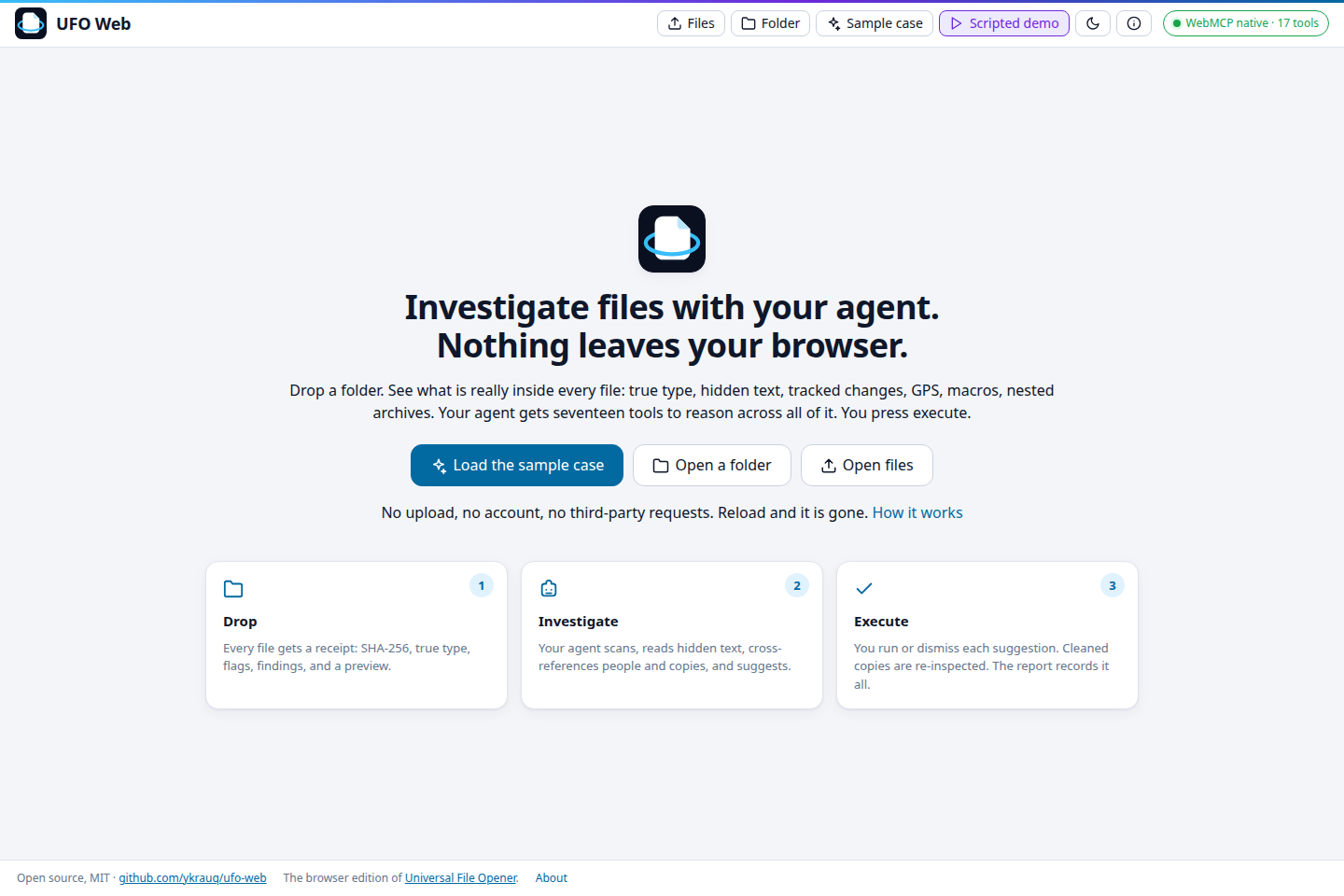
I build Universal File Opener, an Android app that opens and edits more than 200 formats on-device with no internet permission. Writing the file parsers from scratch such as PDF/Office showed me how much a file often carries that the reader never sees like hidden text, metadata, and many other objects. One of the follow-on ideas I had written down was "universal MCP file handling". WebMCP made it concrete. An agent can call into a page, and the page can hold the files, so the files don't have to go anywhere. That is the premise of the app carried into a browser tab: the tab does the parsing, the agent does the cross-file reasoning, nothing is uploaded.
What it does
Drop files or a folder. Each file gets a receipt: SHA-256, type from the bytes next to type from the name, metadata, internal dates, flags, findings and text units. Archives are walked two levels deep.
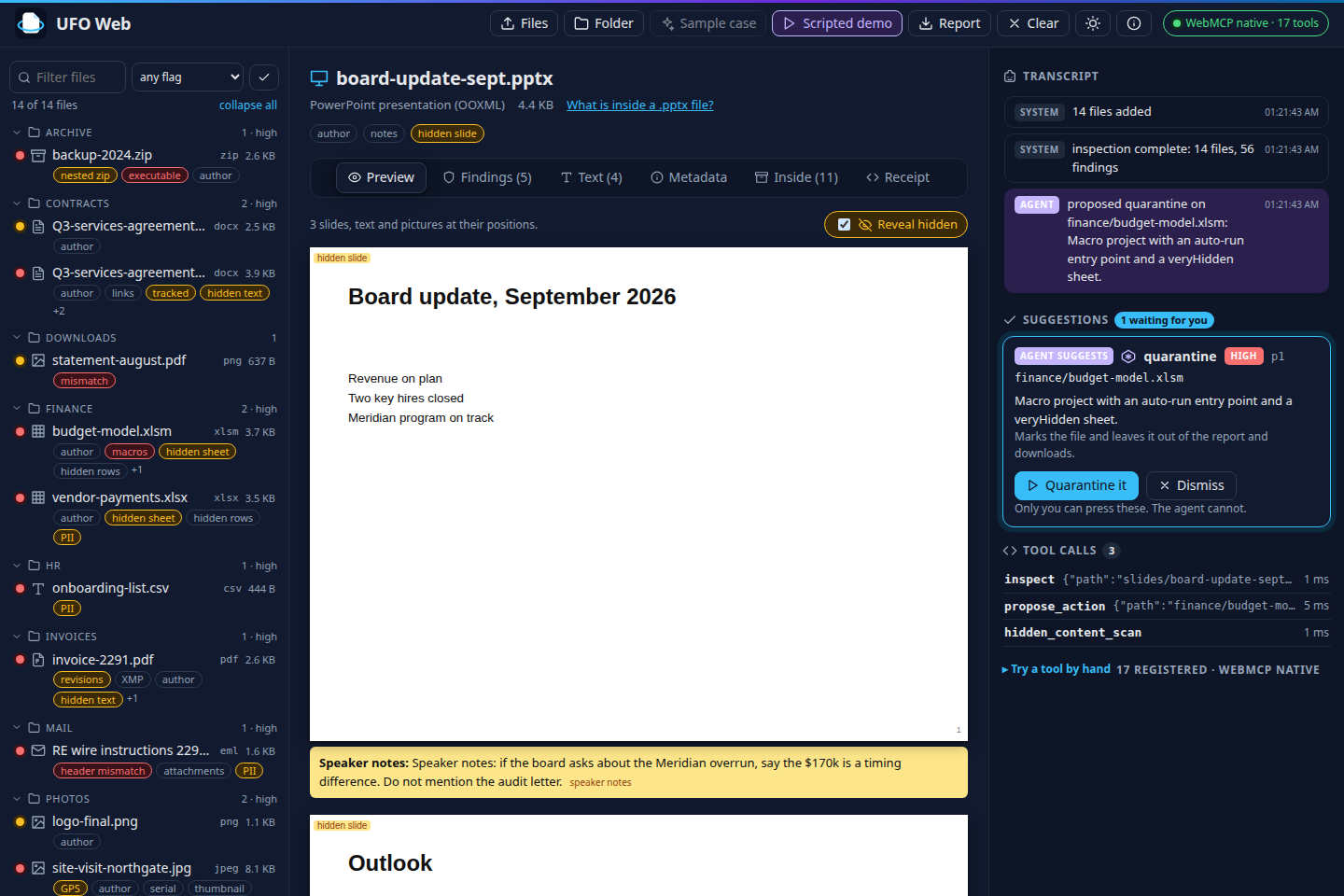
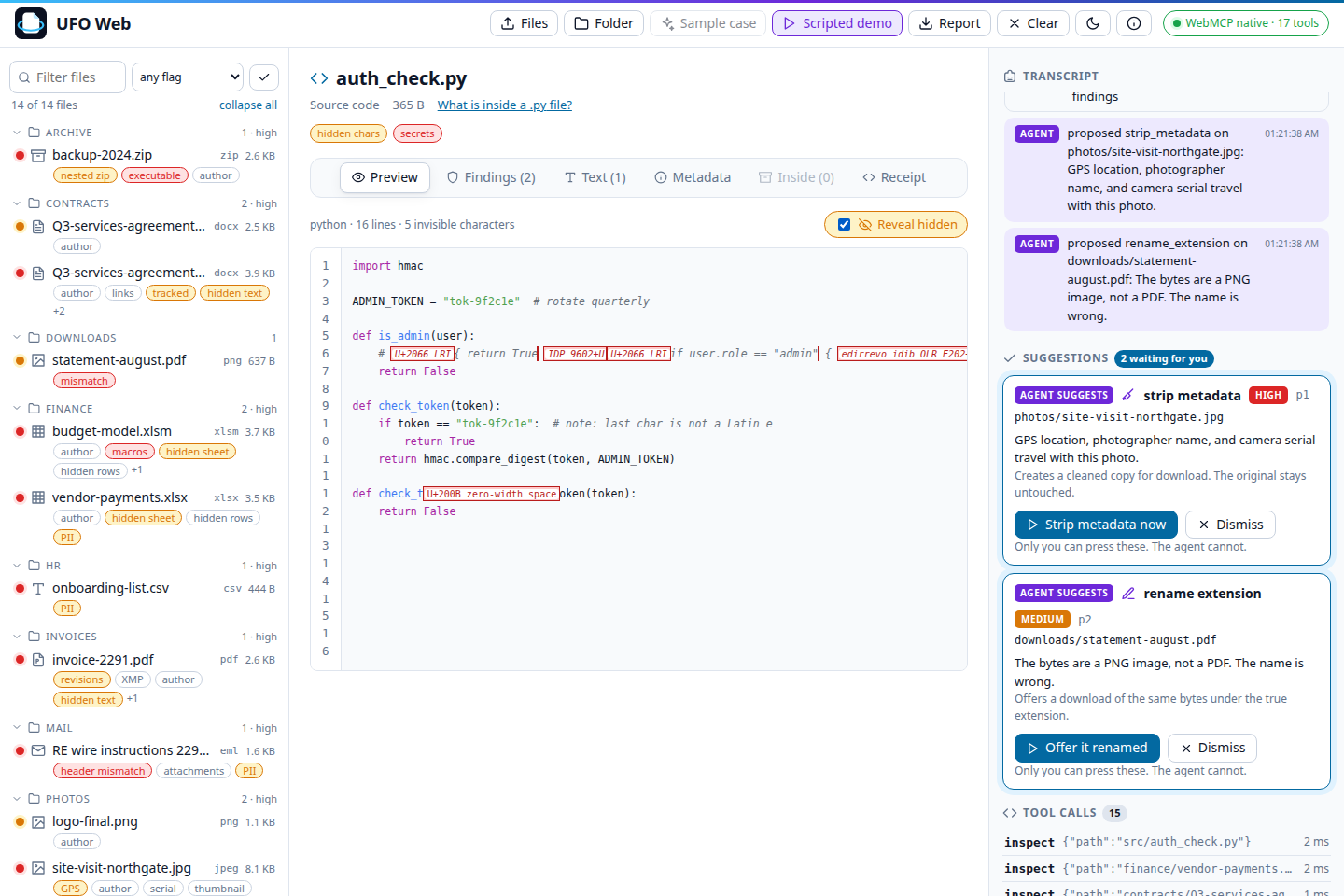
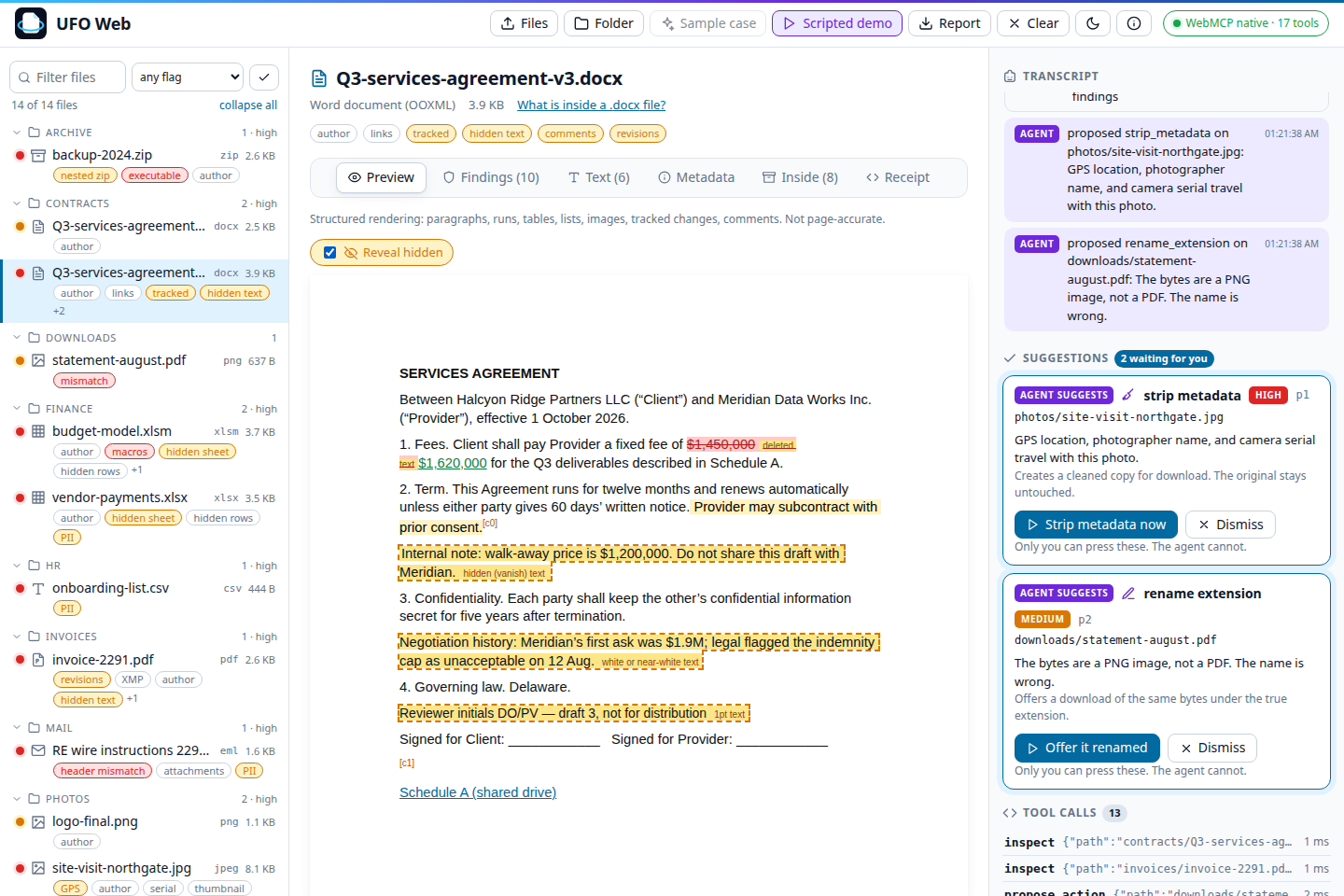
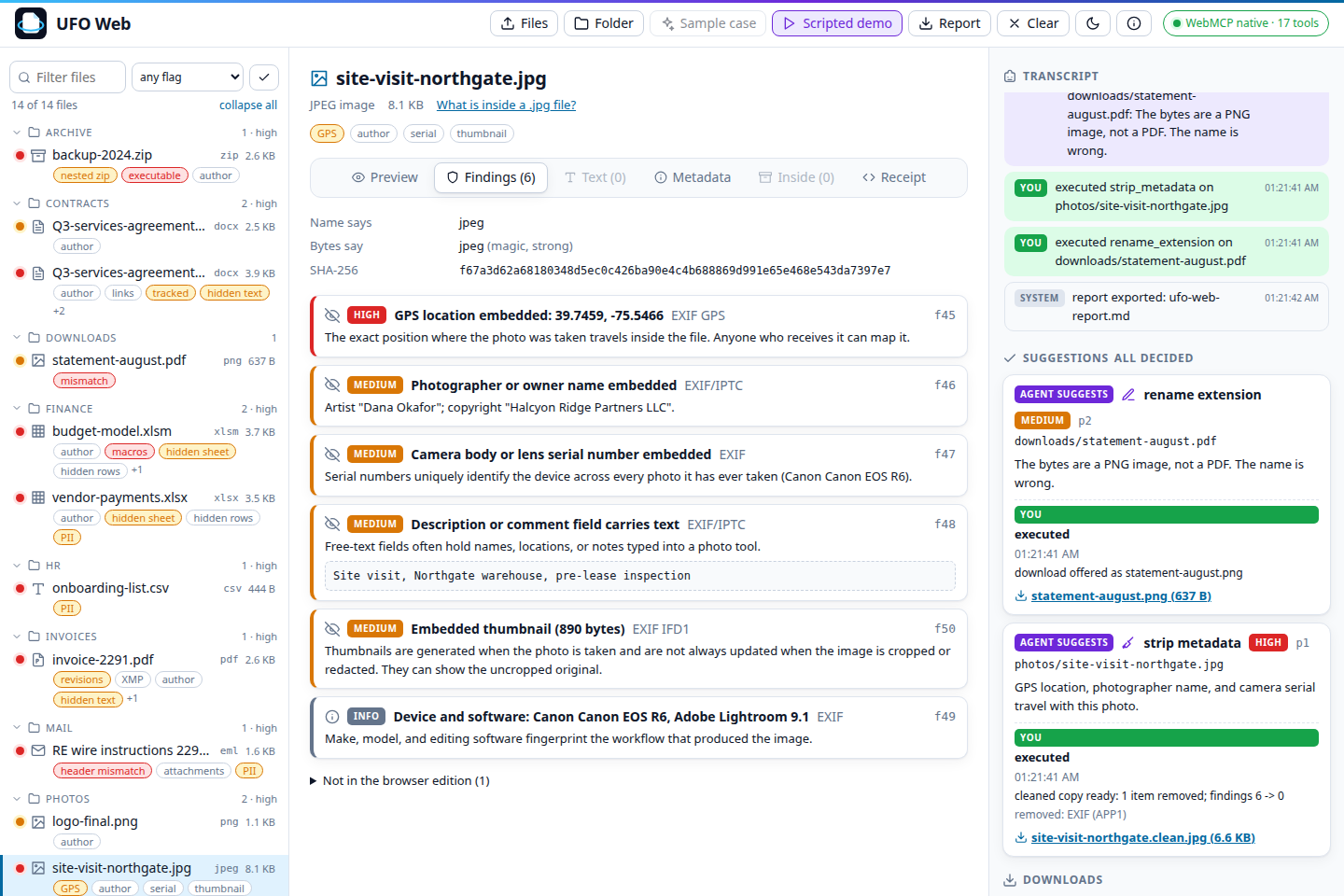
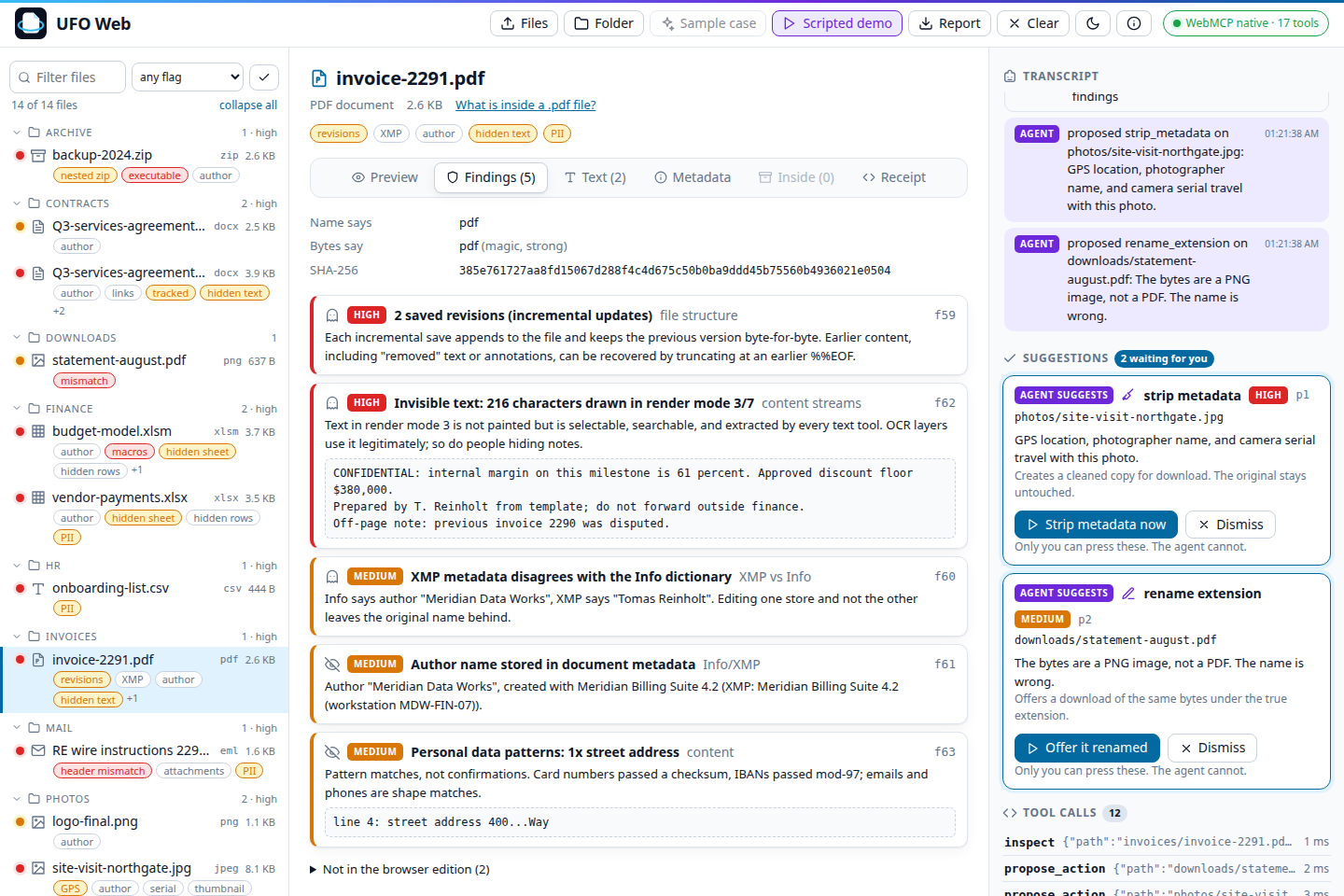
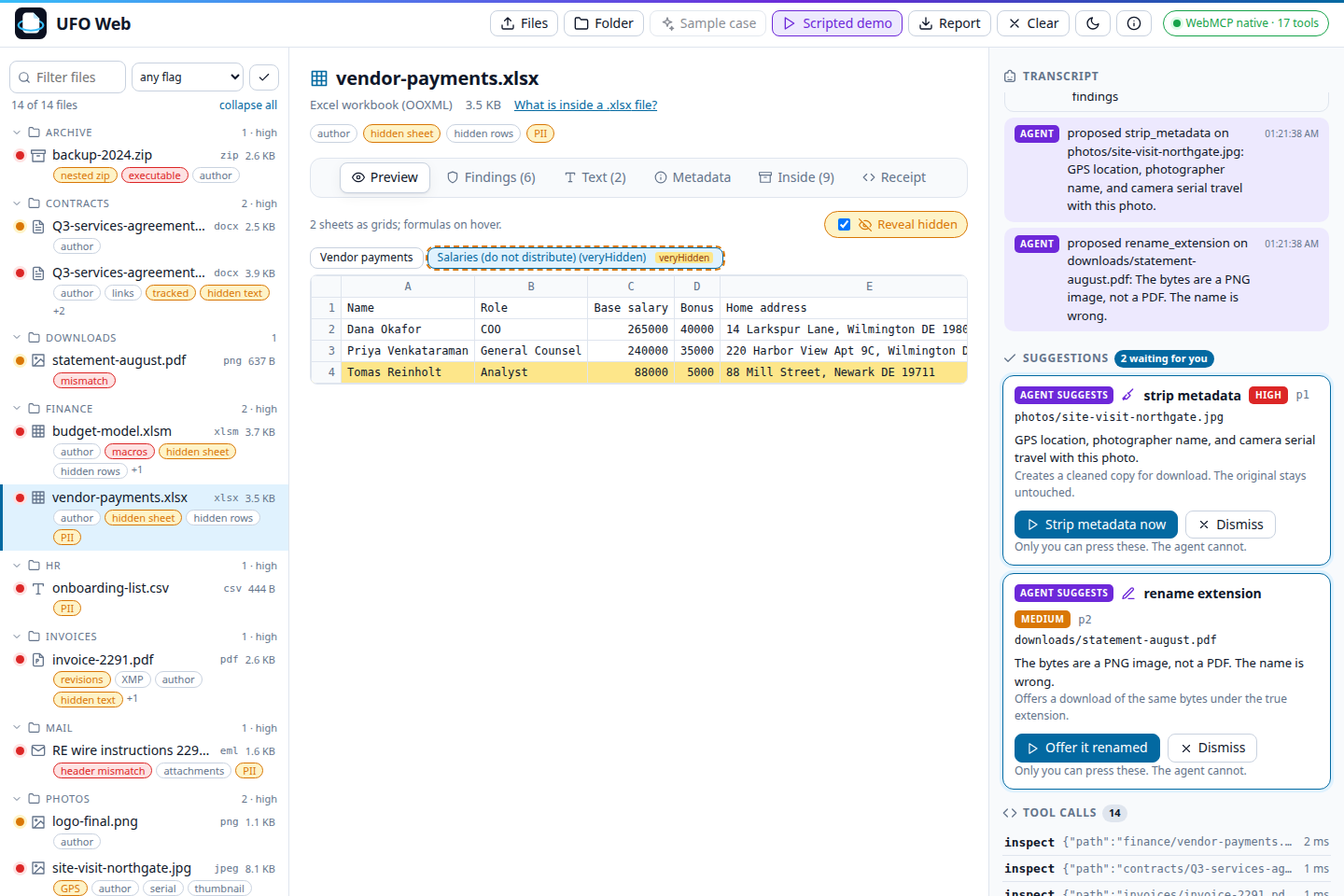
It reads below the surface: hidden and white text and deleted tracked changes in Word, veryHidden sheets and hidden rows in Excel, hidden slides and speaker notes in PowerPoint, invisible and off-page text and earlier revisions in PDFs, GPS and serial numbers in photos, bytes appended after an image ends, Reply-To mismatches in email, renamed executables in ZIPs, zero-width and bidirectional characters in code, credential-shaped strings, PII with checksums.
An agent gets 17 tools through WebMCP: inspect, extract_text with provenance, search, find, privacy_scan, hidden_content_scan, entities (who appears where), duplicates (byte-identical copies, including inside archives), compare, timeline (every internal date, with anomalies), peek_bytes, export_report and a few more. The Preview tab renders images, PDF pages, highlighted code, CSV, email and a structured rendering of Word, Excel and PowerPoint, with a Reveal hidden toggle.
The agent can suggest strip_metadata, rename_extension, quarantine, flag or note, with a reason. It can't execute any of them; there is no tool for that. You click Execute or Dismiss. Execute writes a new file, leaves the original alone, re-inspects the result and records both hashes. The report keeps who suggested what and what you decided.
Nothing leaves the tab. No upload, no account, no third-party requests; the Content-Security-Policy allows only the page's own origin.
How we built it
TypeScript, React and Vite. JSZip for OOXML and ZIP, pdf.js for PDF pages and text, exifr for EXIF and XMP, pdf-lib to write cleaned PDFs, highlight.js loaded per language. The rest was written for this project: OOXML walking, magic-byte type detection for a few hundred extensions, email headers, PE headers, the PII and invisible-character scanners, the Office renderers, the cleaners.
WebMCP goes through one registration layer: document.modelContext if present (ChatGPT desktop), navigator.modelContext otherwise (Chrome 149), the @mcp-b/global polyfill only if neither exists. All 17 tools register at page load. The sidebar filter form is a declarative tool (toolname, tooldescription, toolparamdescription, toolautosubmit, answered with SubmitEvent.respondWith). Clearing the workspace unregisters the investigation group and toolchange fires. Every tool sets readOnlyHint; tools that return file text set untrustedContentHint and wrap it in delimiters. The limits from Chrome's tool security guide (30, 500 and 150 characters, bounded output with cursors) are enforced at registration. There are 18 eval cases in the format of Chrome's evals CLI. A Scripted demo button replays a fixed sequence through the browser's own getTools() and executeTool() for browsers with no agent attached.
Tested in the ChatGPT desktop app's built-in browser and against Chrome 149's API. In the session in the video, ChatGPT called load_sample_case, workspace_status, privacy_scan, hidden_content_scan, list_files, inspect, then propose_action 13 times, then list_proposals and export_report after I executed three suggestions.
Challenges we ran into
- The email and credential regexes went quadratic on long minified lines. Quantifiers are bounded now, and lines over 20,000 characters are skipped.
- Excel cells without an
rattribute all landed in column A. PowerPoint shapes withoutxfrmoverlapped. Both renderers now track position themselves. - Cloudflare injected an analytics beacon into the HTML that the CSP then blocked.
Cache-Control: no-transformfixed it. - Tool calls in ChatGPT desktop took a while between steps. The video speeds up the waits instead of cutting them.
Accomplishments that we're proud of
- The sample folder has a README that tells the agent to approve everything, and there is nothing for it to call.
- Office rendering in the browser with no Office and no server, with a Reveal hidden mode.
- 65 tests, including a hostile-input suite: random bytes under 196 extensions, path traversal names, five-level nesting, appended data, encrypted entries.
- It ran end to end in ChatGPT's built-in browser, on real WebMCP, with a real model deciding which tools to call.
What we learned
Tool descriptions are an interface with hard limits, and the failure mode is silent. Bounded output with cursors matters more than clever tools. And keeping the one irreversible action as a button simplified everything: no permission prompts, no confirmation tools, nothing to prompt-inject.
What's next for UFO Web
More formats in the browser edition and more evals. The actions that change files (OCR, redaction, editing, conversion, batch work) stay in the Universal File Opener apps. UFO Web is the open-source part.
Built With
- exifr
- highlight.js
- jszip
- pdf-lib
- pdf.js
- react
- typescript
- vite
- webmcp


Log in or sign up for Devpost to join the conversation.