Inspiration
Every one of us has been stuck in tutorial hell. You watch a 6-hour coding course, nod along, feel like you get it, then open an empty file and have no idea where to start. Watching feels like learning, but you never write the code yourself. We wanted a tutorial that stops and makes you prove you got it, right when the concept is fresh. We also wanted that practice to point somewhere real: the skills people are hiring for in Calgary, and the people around you who can help you learn them.
What it does
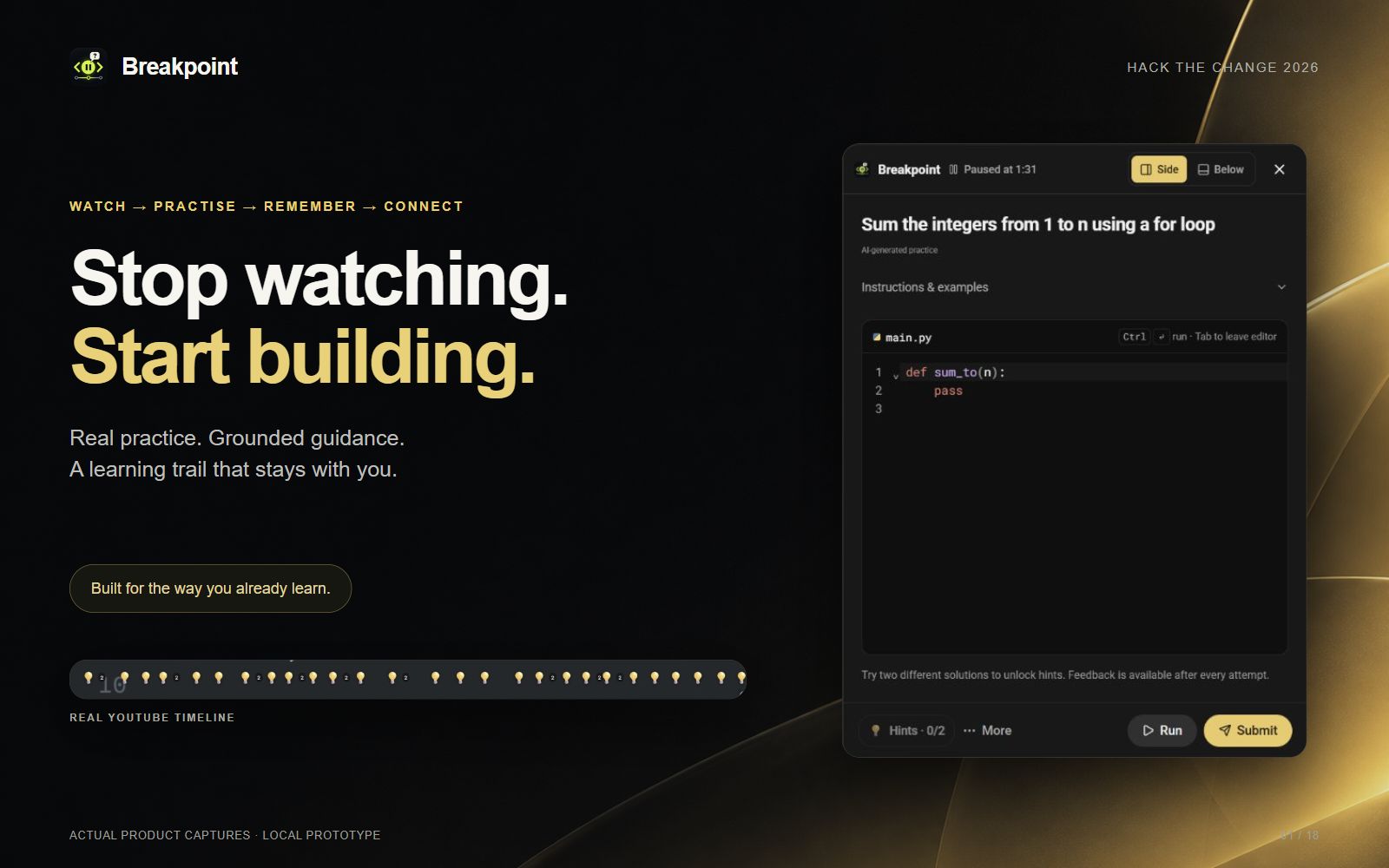
Breakpoint is a Chrome extension that turns any YouTube coding tutorial into hands-on practice.
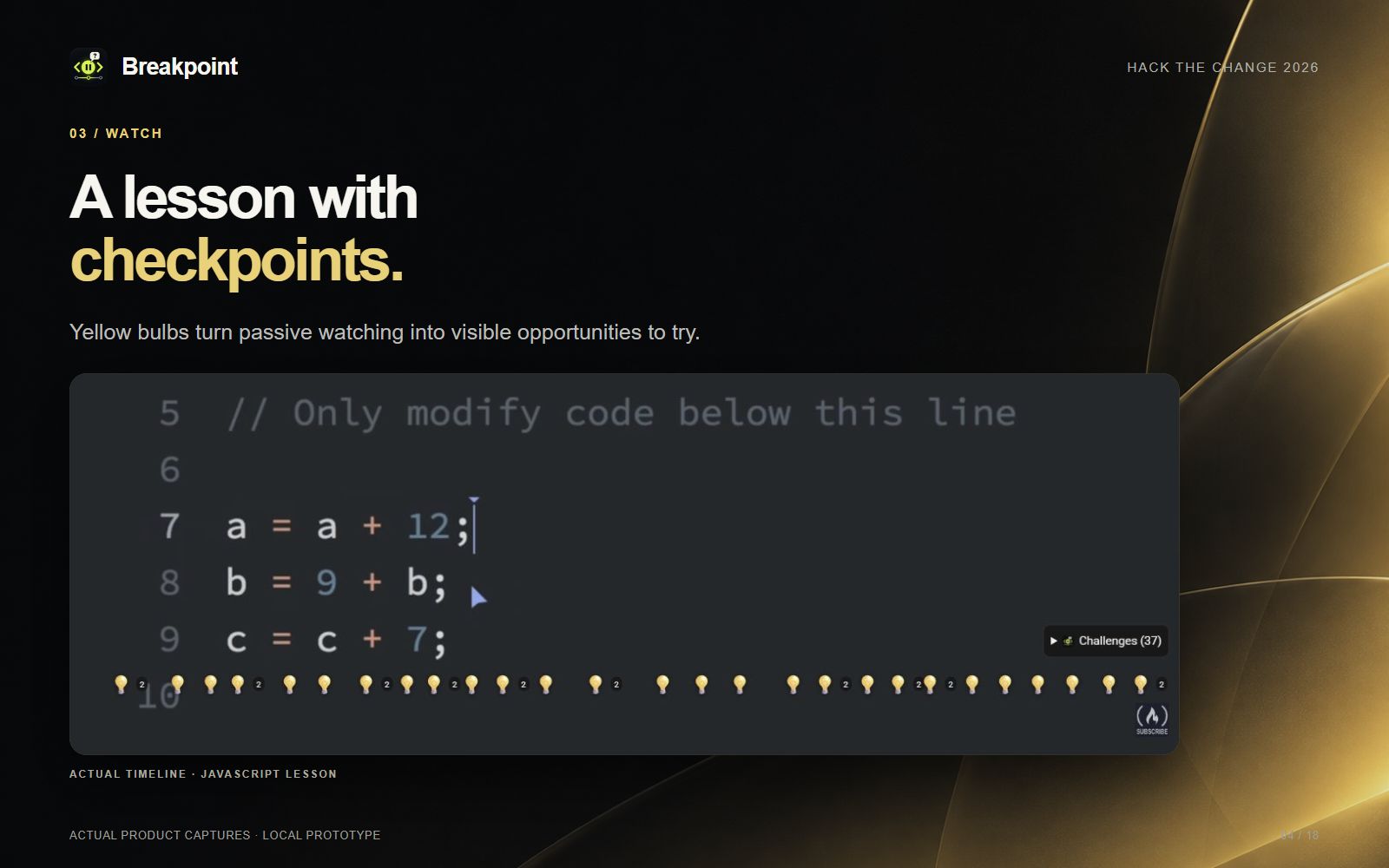
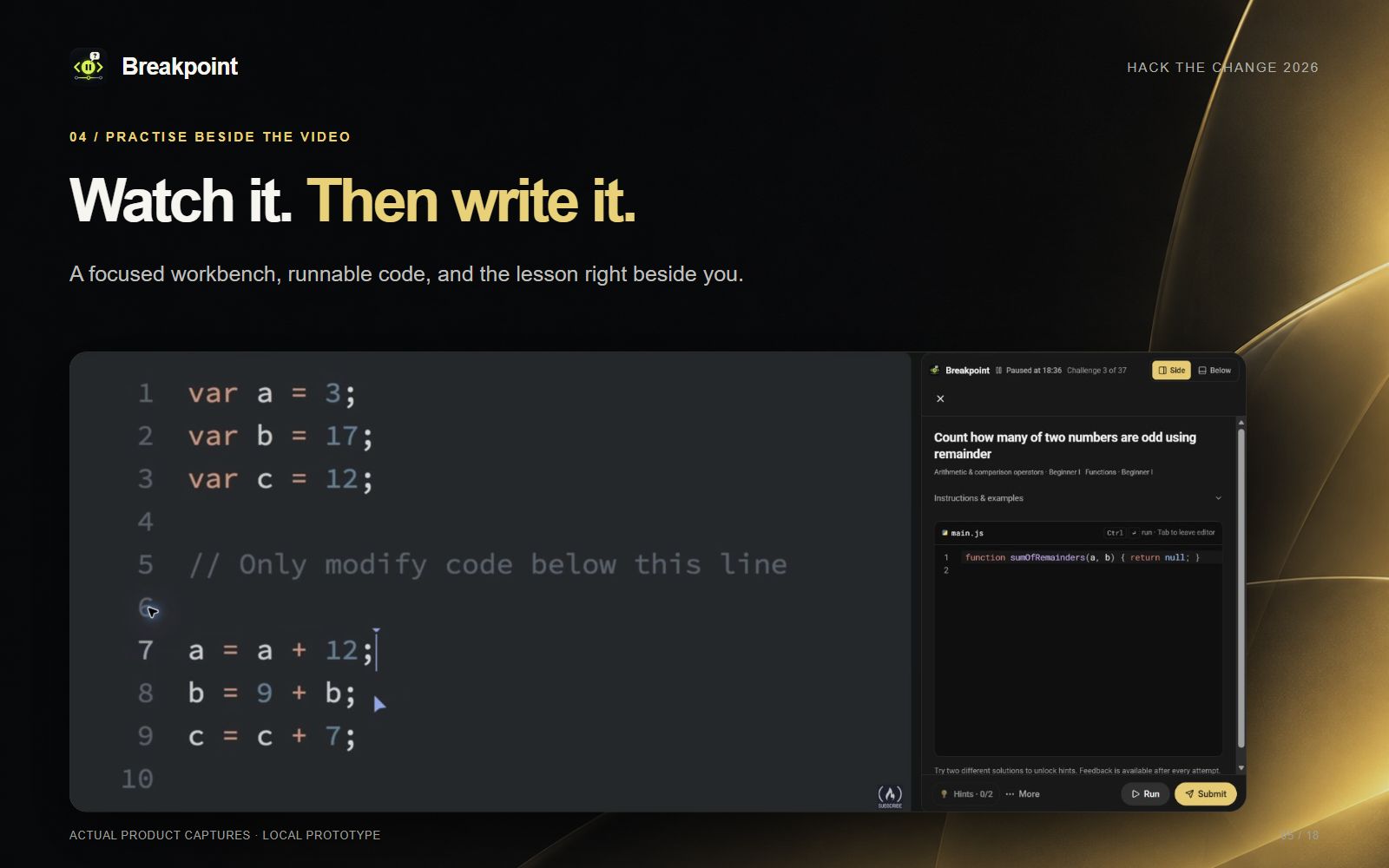
- Pauses at the right moments. It reads the video's captions, figures out what was just taught, and drops 💡 markers on the seek bar. When you reach one, the video pauses and a coding challenge or concept question opens beside the video.
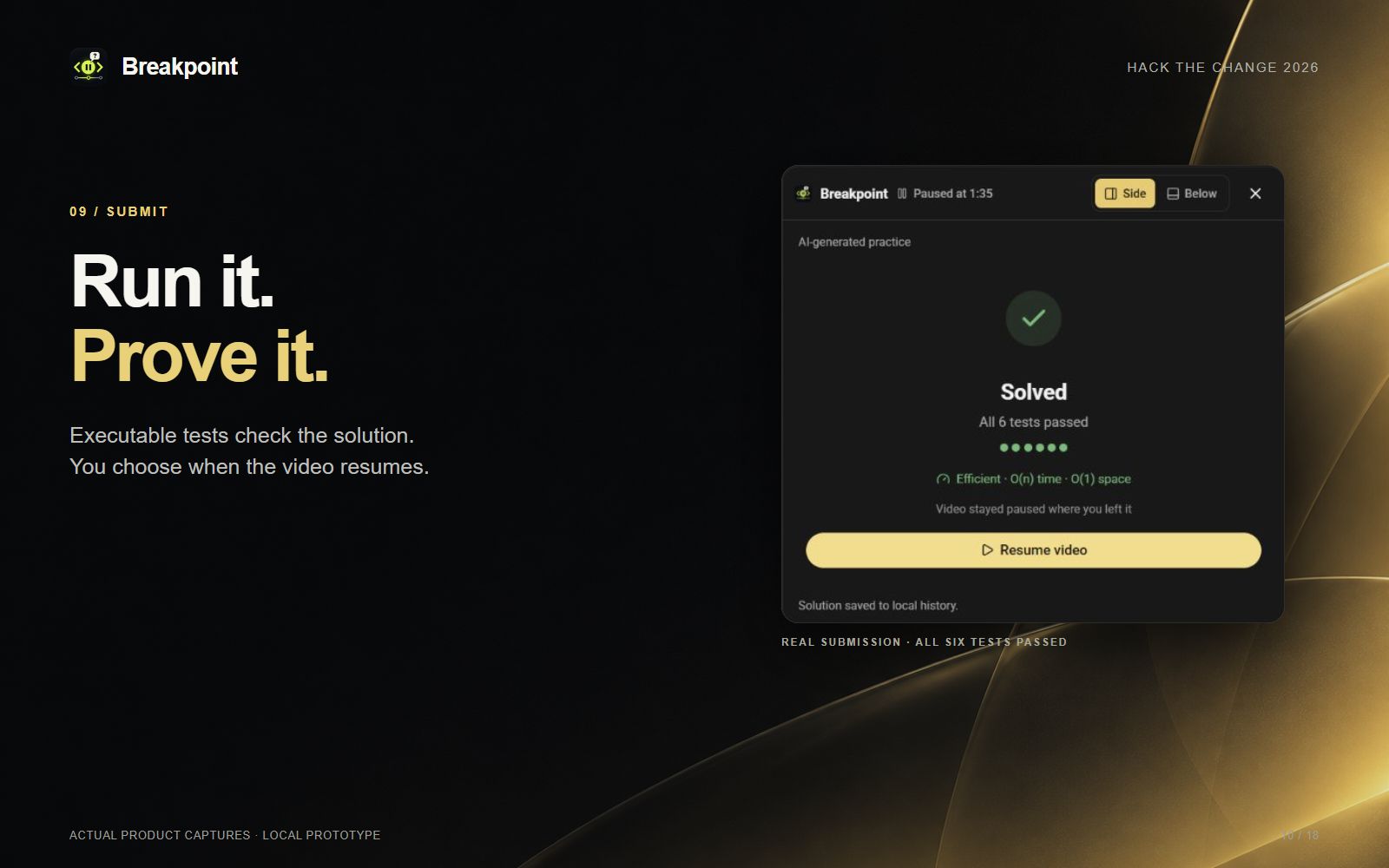
- Real code, really graded. You write code in an in-browser editor. Breakpoint runs it against test cases in a sandbox for 10 languages: Python, JavaScript, TypeScript, Java, C, C++, C#, Go, Rust and SQL.
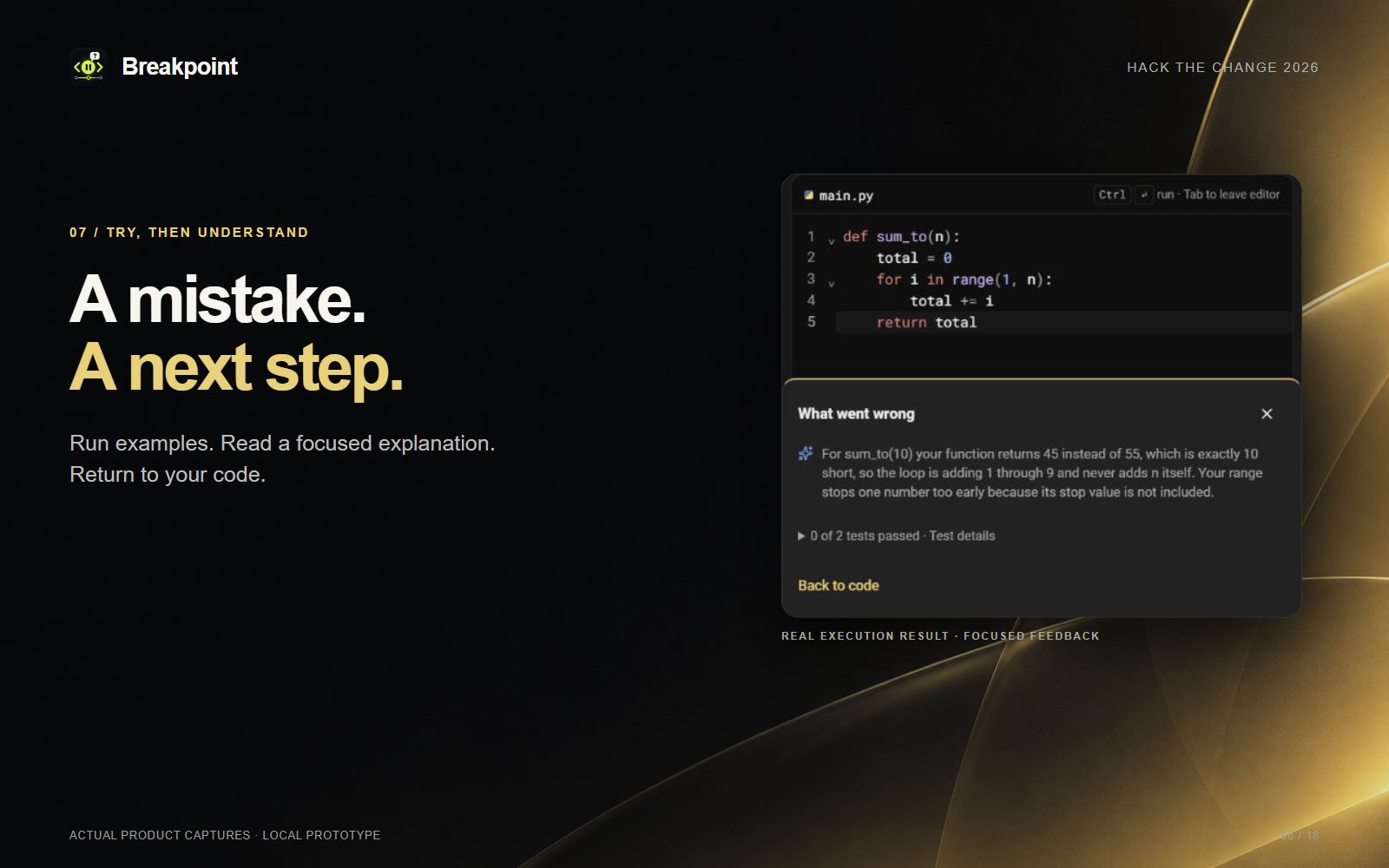
- Feedback that teaches. A wrong answer doesn't just say "fail". It explains what went wrong and which misconception caused it. Concept questions get coaching too.
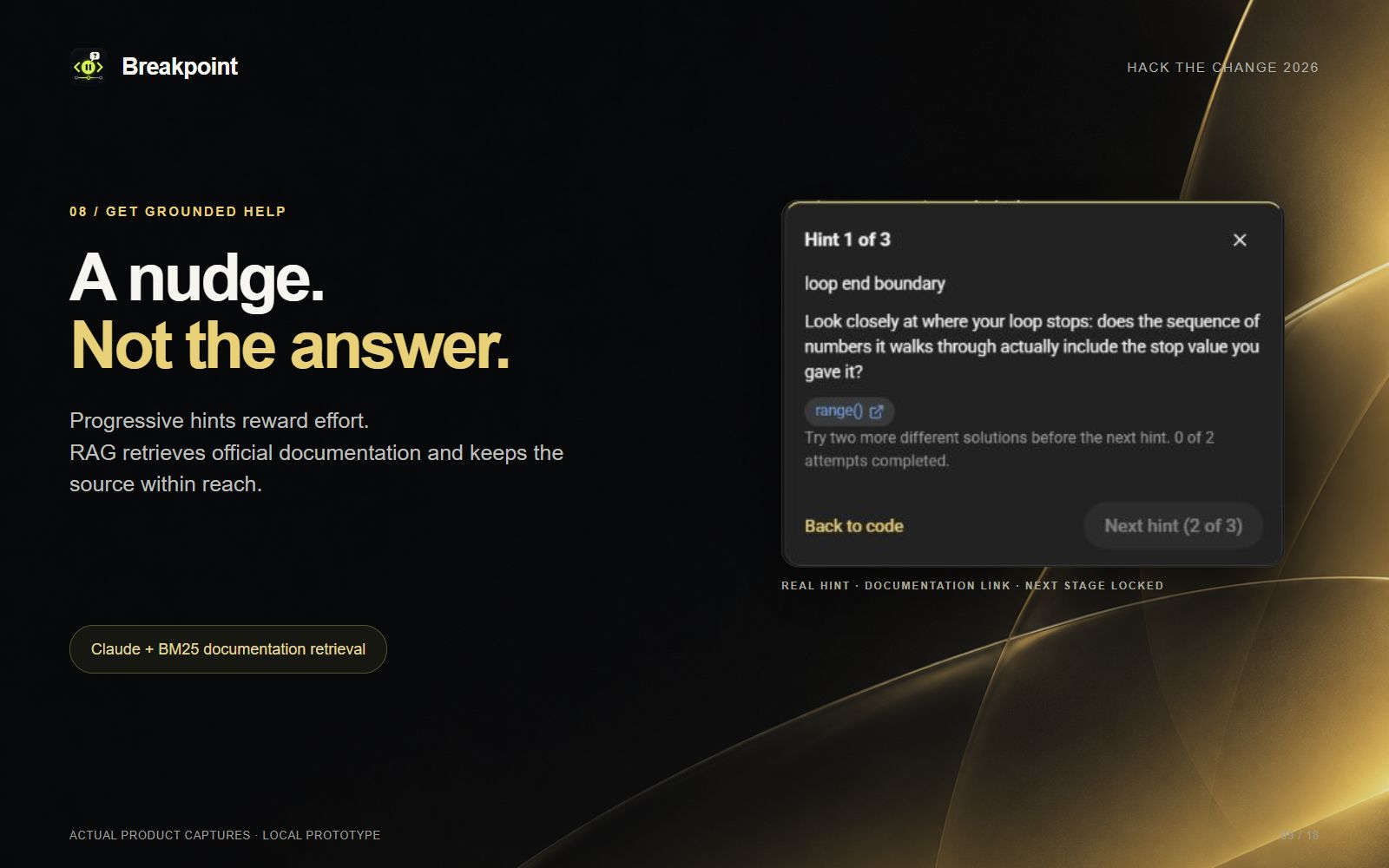
- Hints you have to earn, grounded in real docs. Up to 3 graduated hints per challenge (a nudge, then the right tool, then a step-by-step outline). Each one unlocks only after two genuine new attempts. Every hint is retrieved from official language documentation and links to the source, so you learn where to look, not just the answer.
- Efficiency review. Pass a challenge and it checks your solution's time complexity, then shows you a faster approach if one exists.
- Test me, anywhere. Pause at any moment and generate a bonus exercise from what the video has covered so far.
- Skills that stick. Solving earns XP and levels per skill. A recall score tracks what you're starting to forget, and one-question refreshers bring it back.
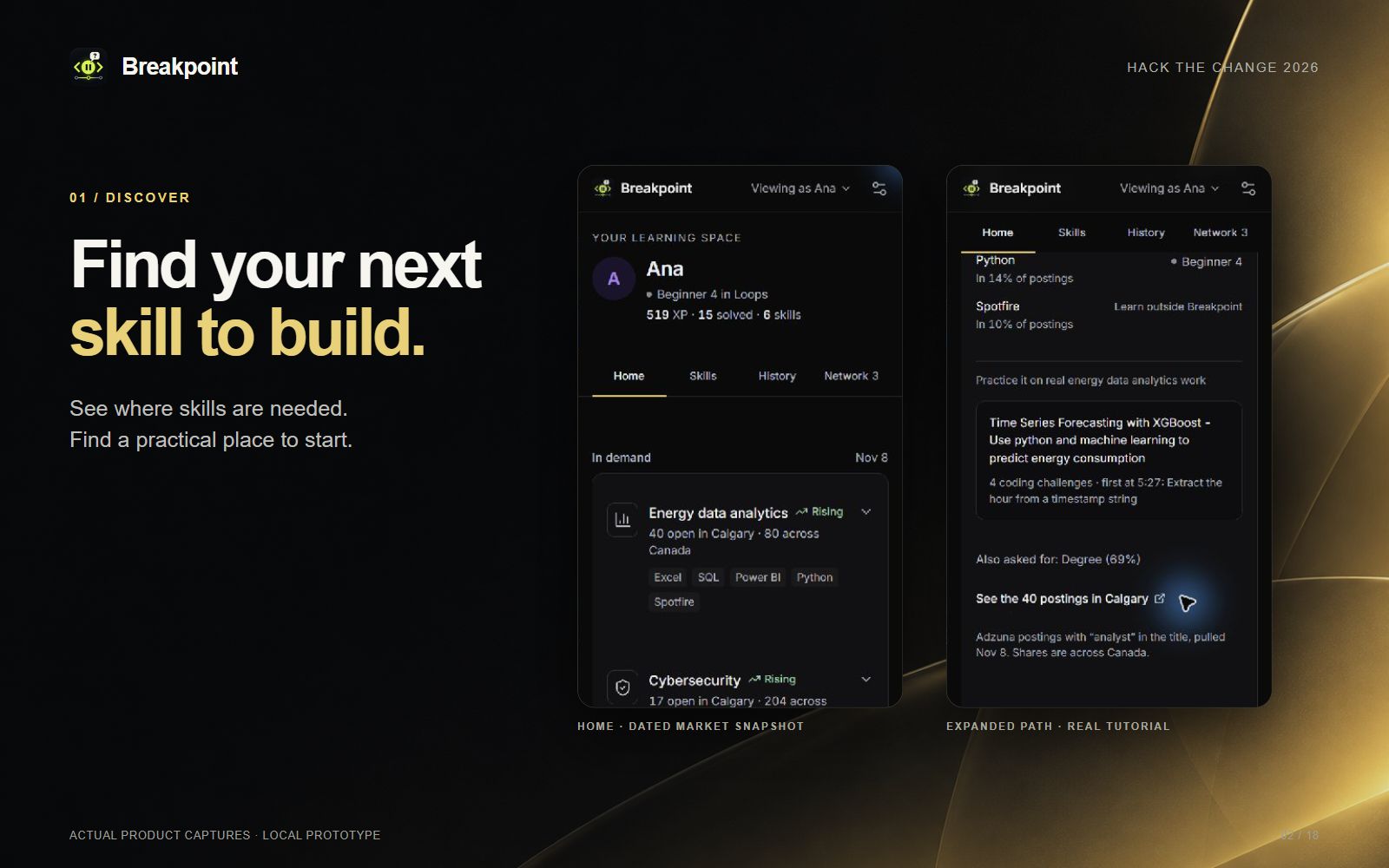
- Career-aware. The popup shows in-demand fields from live Calgary job postings (Adzuna), the skills they ask for, and tutorials to get there.
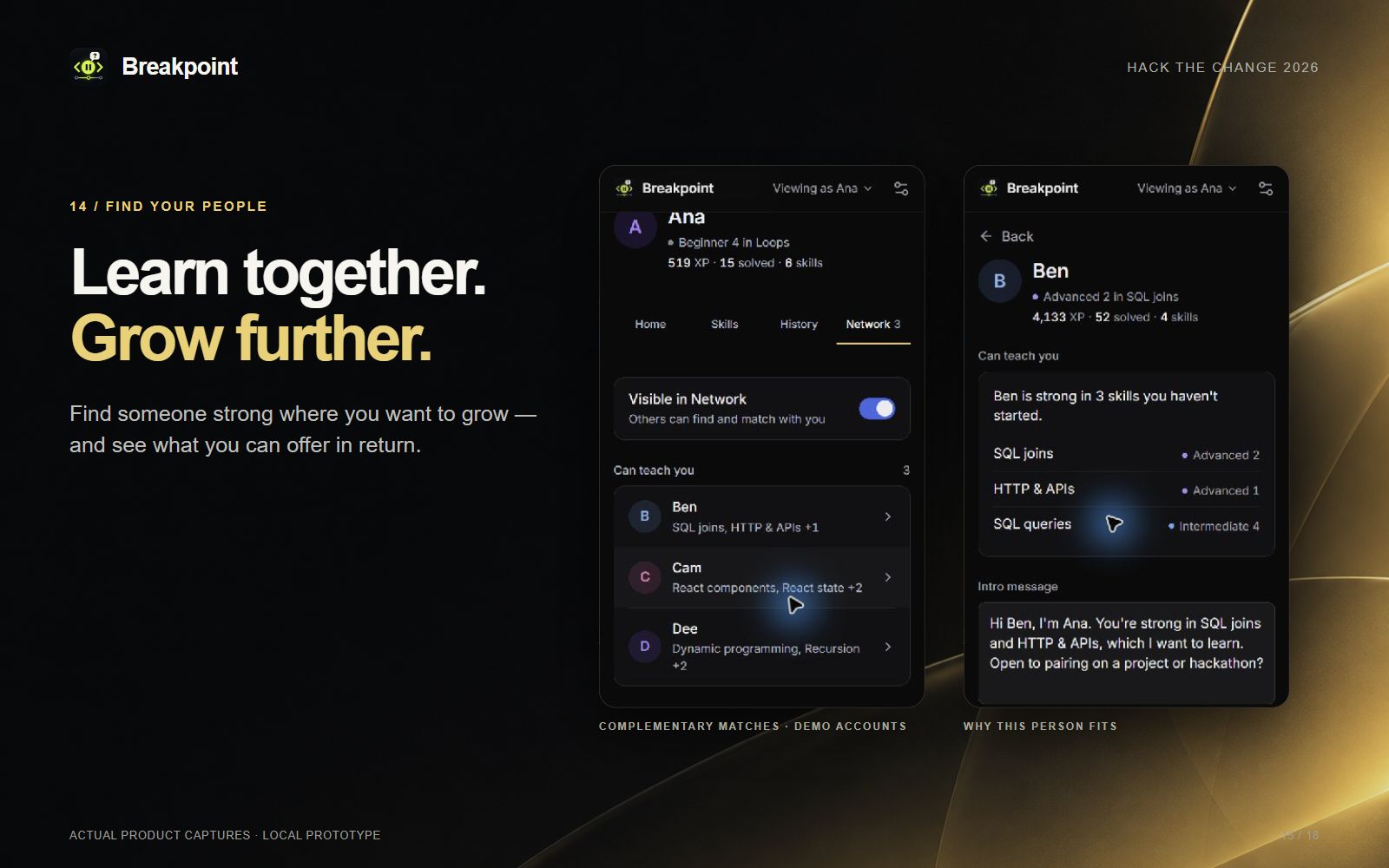
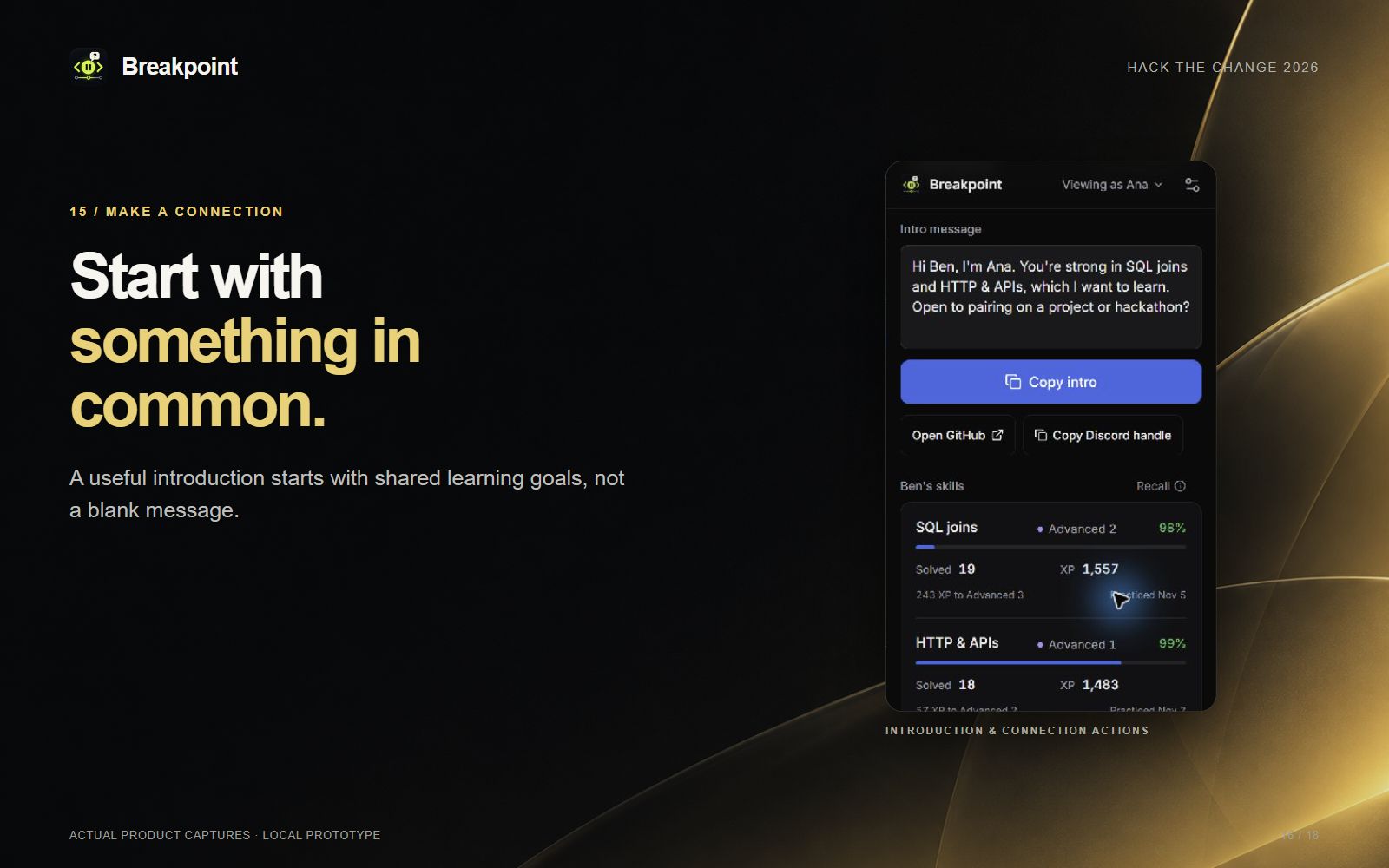
- Learn with people. The Network tab matches you with peers: build partners with complementary skills, people who can teach you what you lack, and people learning the same thing. One tap copies a ready-made intro.
- Private by default. Your submitted solutions are saved only in your browser, and you can revisit, export or delete them.
How we built it
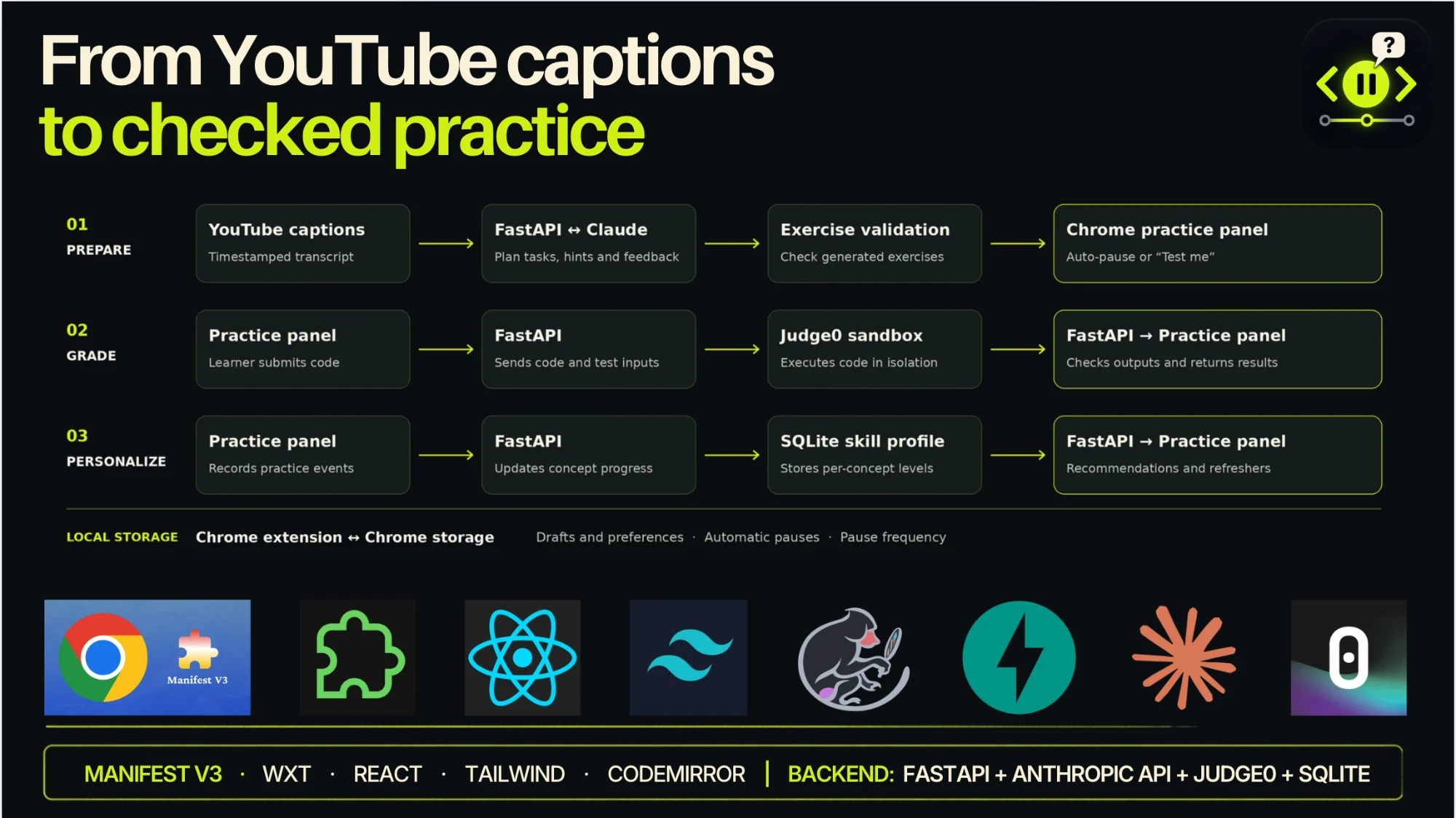
- Extension: WXT (Manifest V3), React 19, TypeScript, Tailwind CSS v4, CodeMirror 6 for the editor, Motion for animation, Zod for validating every API response.
- Backend: Python + FastAPI on localhost, SQLite for skill profiles and XP events.
- AI: The Claude API (Anthropic) does five jobs:
- classifies whether a video teaches code,
- plans where to pause from the captions,
- writes and self-verifies exercises,
- explains mistakes and writes hints,
- reviews efficiency.
- RAG for hints: A BM25 retriever searches 104 summarized chunks of official documentation (Python, JavaScript, Java, C++, SQL) using the exercise, the learner's code and the failing test. Claude writes the hint grounded only in those chunks. A guard blocks any reply that leaks the solution and falls back to a deterministic doc-based hint.
- Grading: Judge0 runs submissions in a sandbox. Every AI-generated exercise is checked against a reference solution and a known-wrong solution before a learner ever sees it.
- Data: Adzuna job postings (Calgary-first), the Stack Overflow 2025 Developer Survey and the WEF Future of Jobs 2025 for in-demand skills.
- Team process: 5 of us split the work into lanes (planner, feedback/grading, extension runtime, profile/matching, UI). We froze shared JSON contracts with fixtures on day one so everyone could build in parallel, and coordinated on a GitHub issue "message board".
- Testing: ~575 backend tests (pytest), 118 unit tests (Vitest) and ~170 end-to-end browser tests (Playwright) that load the real built extension.
Challenges we ran into
- YouTube is a moving target. Its single-page navigation, ads and layout changes meant our panel and timeline markers had to re-anchor reliably without breaking playback.
- Pausing at the right moment. Captions are messy, so mapping "what was just taught" to a timestamp and to the right difficulty took many iterations.
- Trusting AI-generated exercises. Early generated tests were sometimes wrong. We added a verification step (reference solution must pass, wrong solution must fail) so learners never get a broken challenge.
- Hints that help without spoiling. LLMs love to just give the answer. Grounding hints in retrieved docs and guarding against solution leaks took several rounds.
- Grading 10 languages with one consistent result format.
- Five people, one codebase, one night. Merge conflicts and duplicated commits across lanes. Our CI also went down mid-hackathon because of a billing issue, so we verified every merge with full local test runs.
Accomplishments that we're proud of
- It works end to end on real YouTube videos: pause, code, get graded, get feedback, earn XP, resume.
- AI-generated exercises are verified before they're shown, not just generated.
- Hints are grounded in official documentation via RAG and can never hand you the answer.
- Hints that reward effort instead of replacing it.
- Connecting practice to real local job data and to real people who can help.
- A large automated test suite that loads the actual extension in a browser.
What we learned
- Active recall beats passive watching, and the hard part is timing the interruption so it helps instead of annoying.
- LLM output needs guardrails: strict schemas, retrieval grounding, verification and honest "not available" states.
- Freezing contracts early is what let 5 people build in parallel without stepping on each other.
- Accessibility (keyboard flow, contrast, reduced motion) is much easier built in from the start than bolted on.
What's next for UDC1ME - SuperPowers - Breakpoint
- Publish to the Chrome Web Store with a hosted backend.
- Real accounts and opt-in matching, so the Network connects actual learners in Calgary.
- Expand the RAG doc corpus to every supported language and popular frameworks.
- More platforms (Udemy, Coursera).
- Partner with local bootcamps, libraries and employers to map tutorials to the exact skills they hire for.
- Spaced-repetition scheduling across all your past videos.
AI use disclosure
We used AI coding assistants (Claude Code and Codex) to help write and test code. In the product, the Claude API classifies videos, plans pause points, generates and verifies exercises, explains mistakes, writes RAG-grounded hints and reviews efficiency. All grading of code is deterministic, through test cases run in Judge0.
Built With
- adzuna
- anthropic
- bm25
- chrome
- claude
- codemirror
- fastapi
- judge0
- playwright
- python
- rag
- react
- sqlite
- tailwindcss
- typescript
- vitest
- wxt