-

Logo
-
-
-

Inspiration
As current UCSC students who always struggle when finding classes on enrollment day with struggling with finding the professors ratings and their background. We wanted to make an extension that allows students to easily get a quick summary of the professor and his teaching methods.
What it does
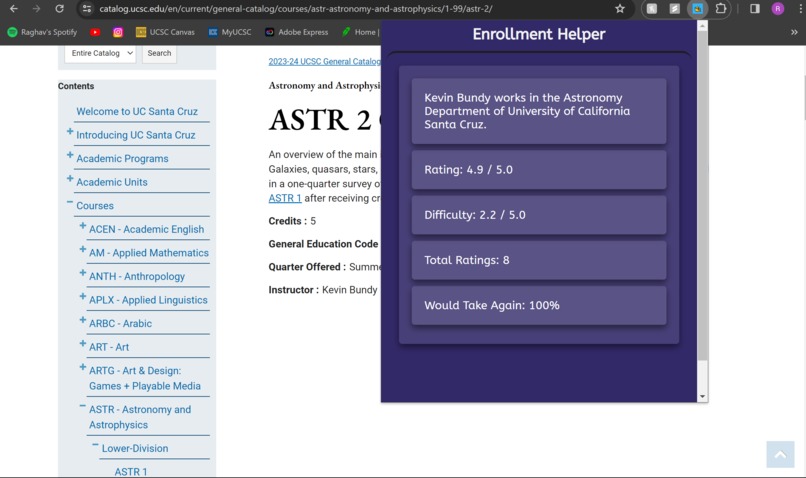
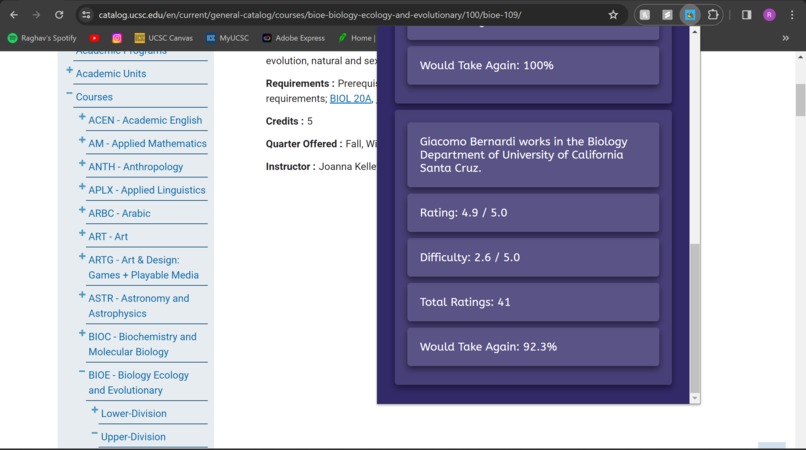
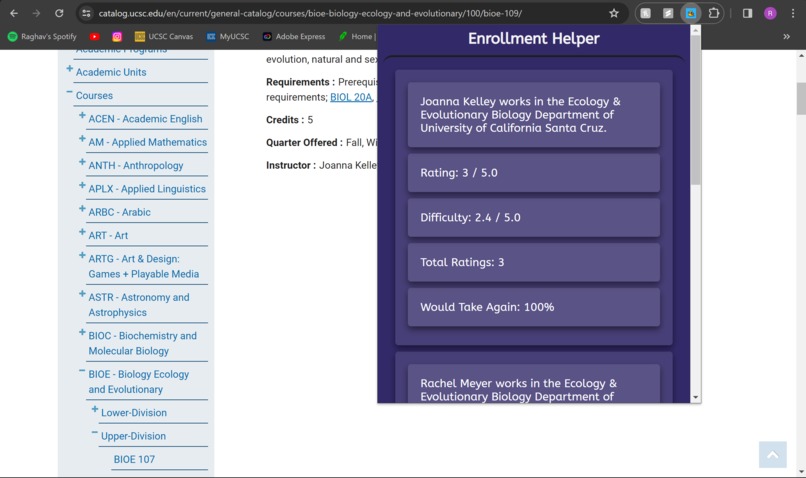
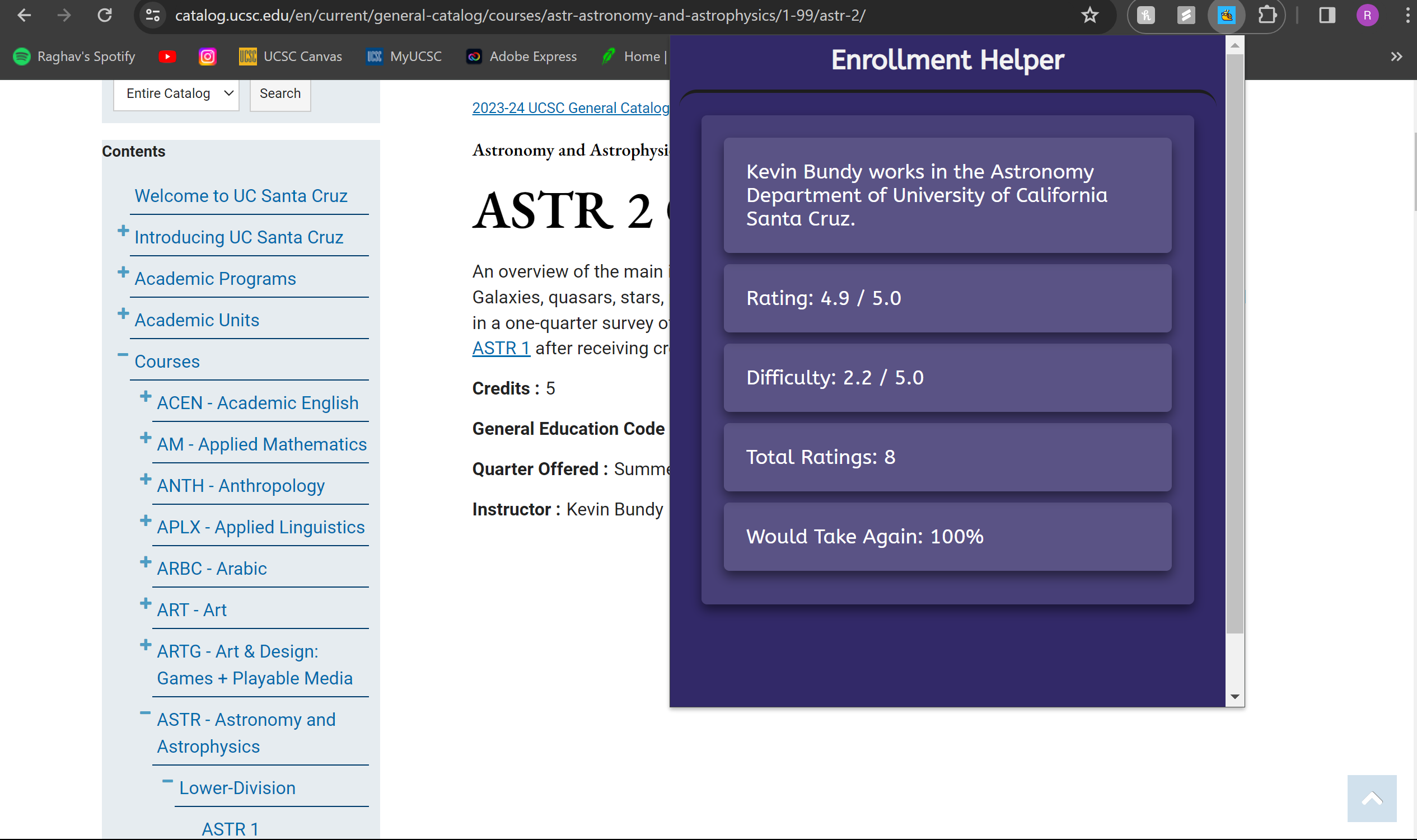
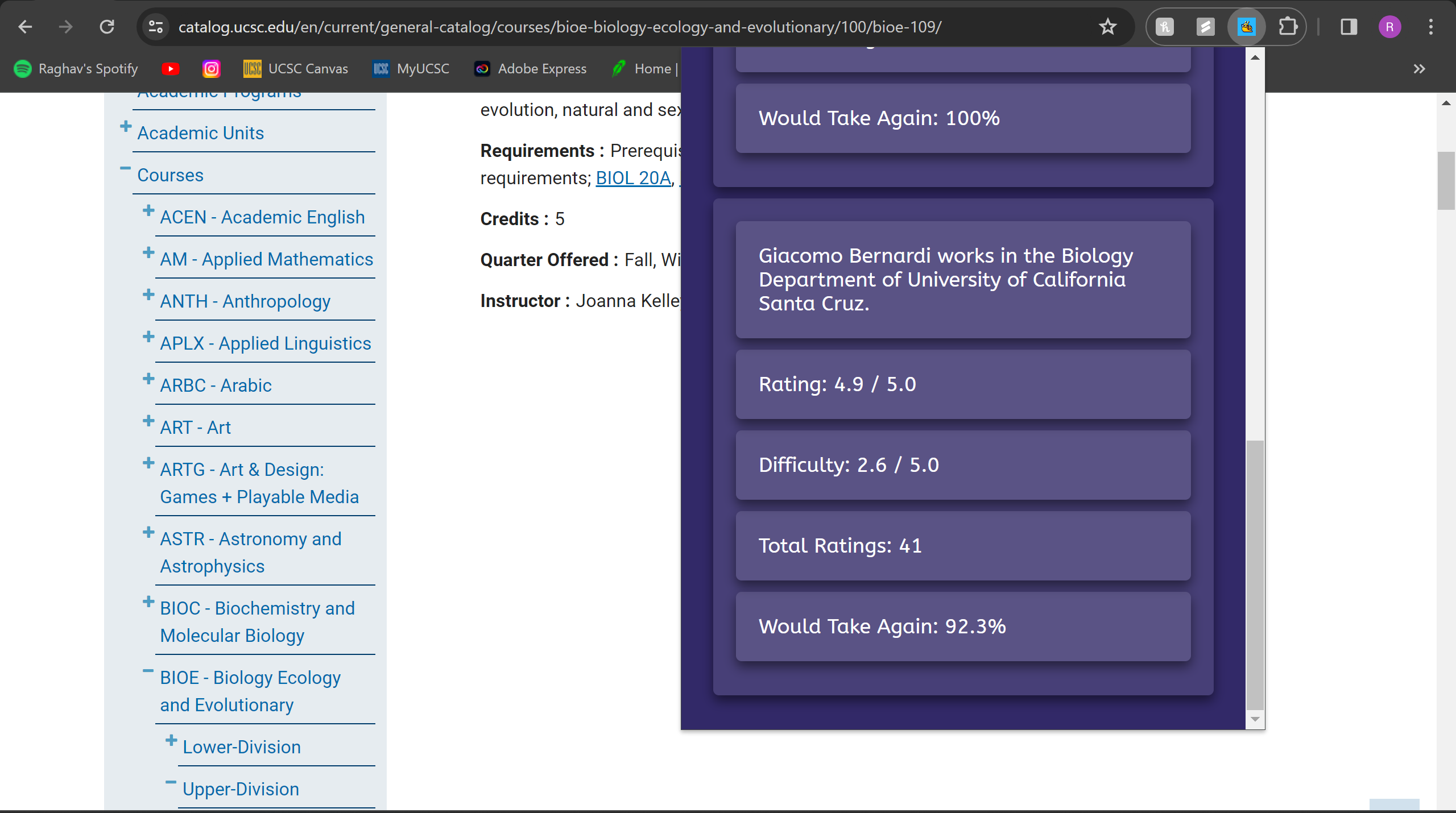
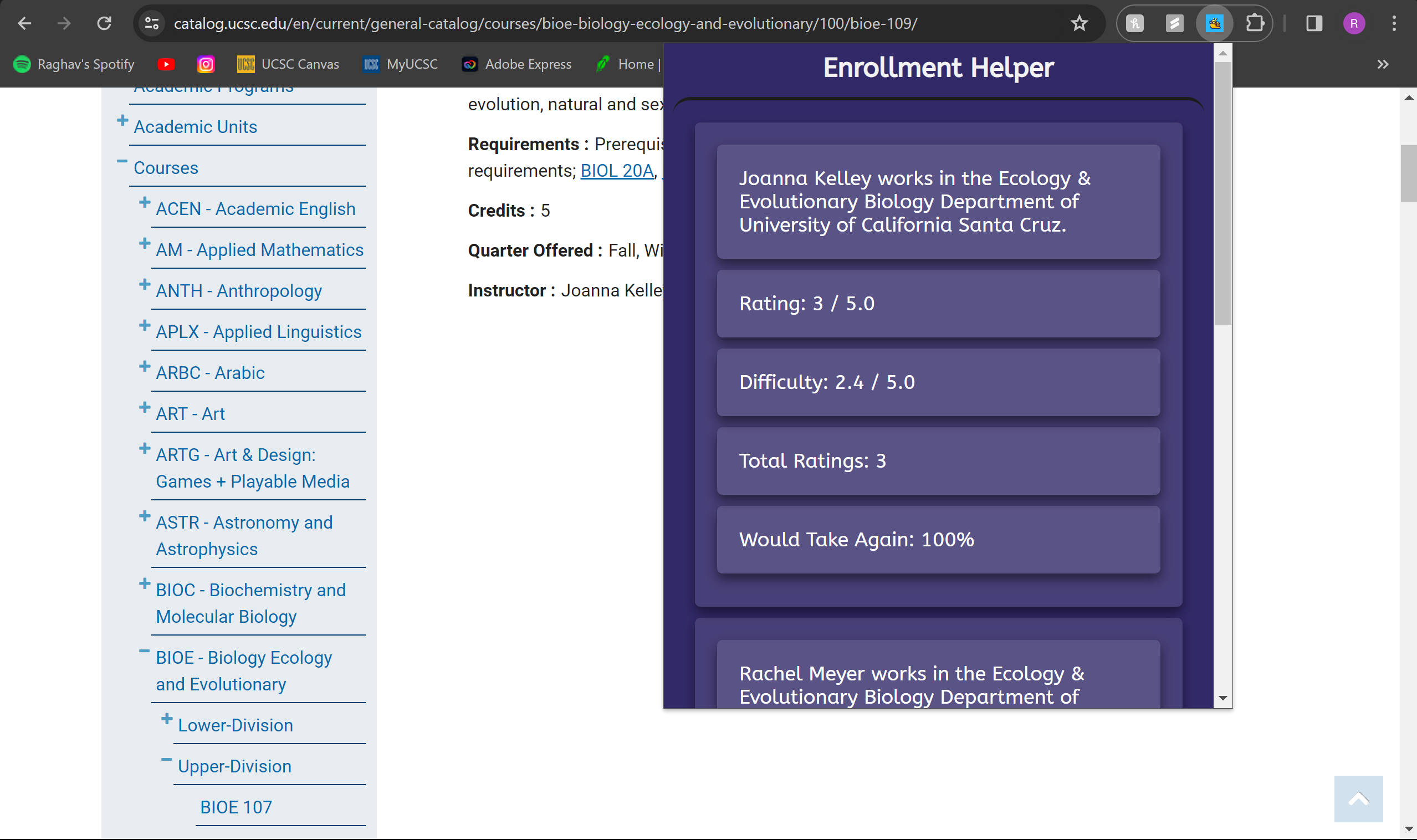
The extension allows students to easily look at UCSC instructors name, department, school name, average rating, difficulty rating, total ratings, percentage of people who would take a class with the teacher again. The students would have to be in the school's catalog website.
How we built it
In the development of the "Enrollment Helper" Chrome extension, we integrated a front-end and back-end to enhance the academic experience of UCSC students. By leveraging the RateMyProfessor API, we facilitated real-time access to professor evaluations, streamlining the course selection process with an intuitive UI/UX. The extension dynamically displays aggregated data through web scraping techniques, interfacing with a local server to fetch and parse relevant academic metrics through the UCSC Catalog.
We ran into many challenges. Mainly 2 that took us hours to fix. The first one was connecting all of our test scripts and UI/UX to our local server. Developing the "Enrollment Helper" Chrome extension posed a unique challenge in bridging the gap between the front-end presentation and back-end data handling, particularly when interfacing with our local server. Initial hurdles in establishing a seamless connection were overcome by implementing cross-origin resource sharing (CORS) policies, which allowed our front-end scripts, running within the Chrome extension's secure context, to request and receive data from our locally hosted server. By making asynchronous JavaScript calls and the fetch API, we were able to web scrape and relay professor ratings from RateMyProfessor API to the extension's UI. Chrome didn't support running backend python script, so that is why we had to host our own local server in order for the extension to work.
- We had trouble transferring output from our backend scripts to the popup.html file. The scripts were printing in the console, but we had trouble figuring out how to pass this data to our javascript files in our program. After hours of documentation we found a way for the data to appear on our chrome extension. ## Accomplishments that we're proud of Coming into this hackathon, we had basic knowledge on application development. Making a chrome extension with flask and hosting a local server was something we learned on the fly. We worked around the problems we faced and were able to complete the project. ## What we learned We honed our skills in different areas. We navigated API integration, mastering web scraping and various JavaScript functions for effective data handling. Diving into Chrome's APIs, we learned to manage background processes and storage, while also tackling CORS. Our front-end development was refined as we crafted a user-friendly interface. Debugging with Chrome Developer Tools and using web standards were some skills we picked up on. This project not only advanced our technical expertise but also sharpened our problem-solving abilities and collaborative skills. ## What's next for UCSC Enrollment Helper We have a lot of plans for whats next in UCSC Enrollment Helper. We plan to have this extension available on MyUCSC enrollment page itself. We also want to get in touch with other colleges to implement this extension function as well for their own colleges. Maybe even expanding our own extension to the general schools.
Built With
- chrome
- cors
- flask
- host
- javascript
- json
- localhost
- python
- ratemyproffesor
- visual-studio
- webscraping


Log in or sign up for Devpost to join the conversation.