-
-
-
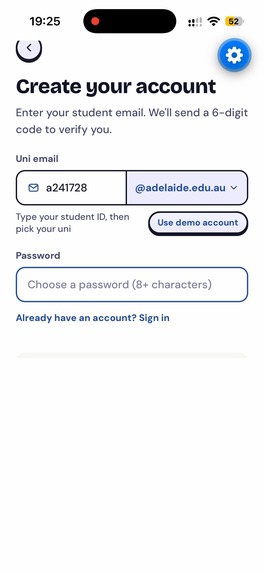
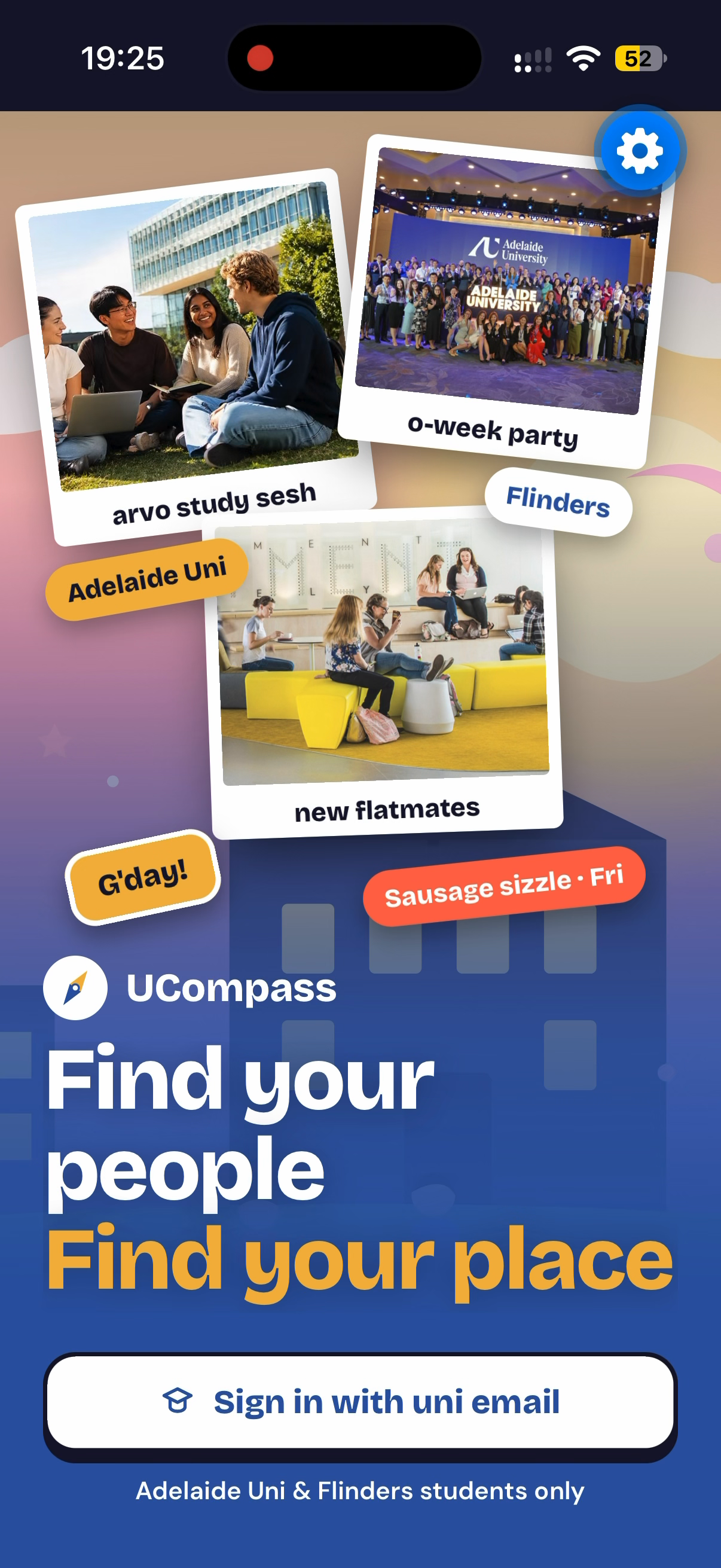
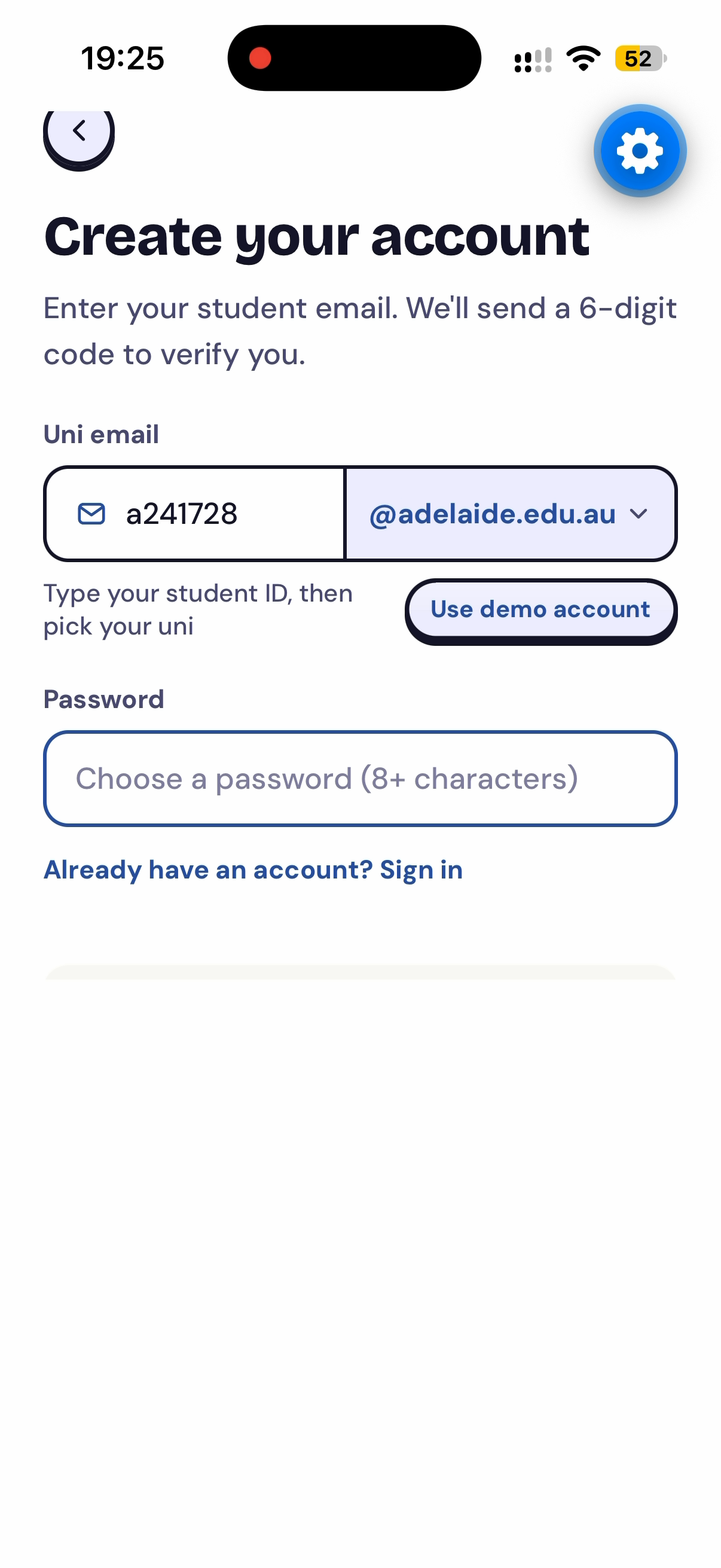
Create Account by using Uni email only
-
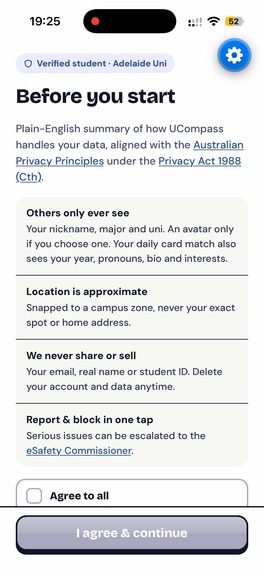
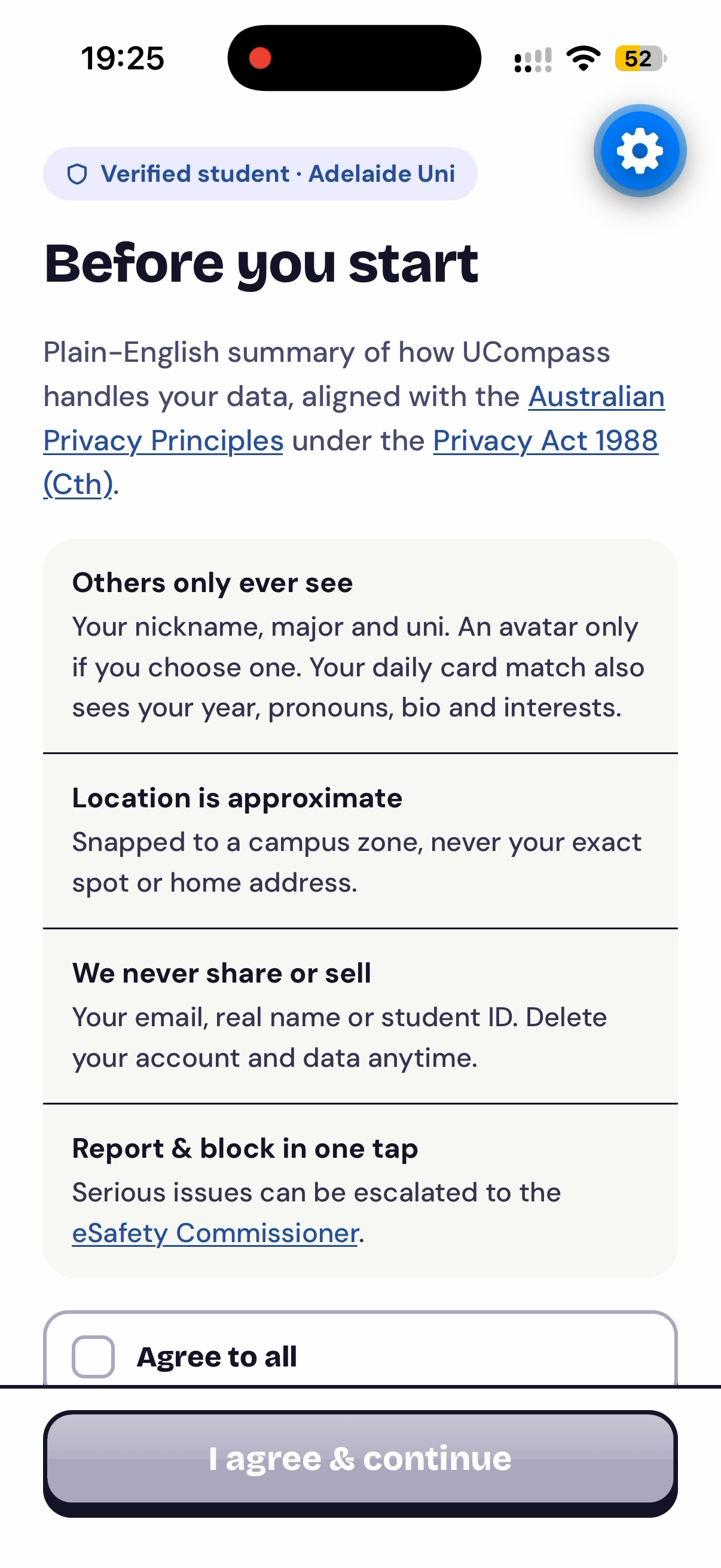
Consent
-
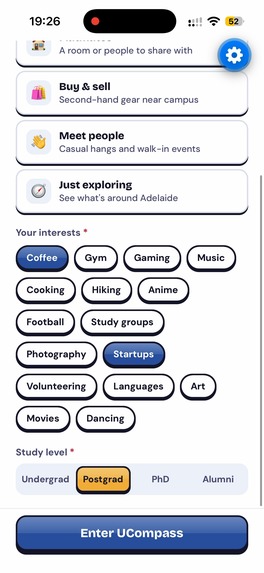
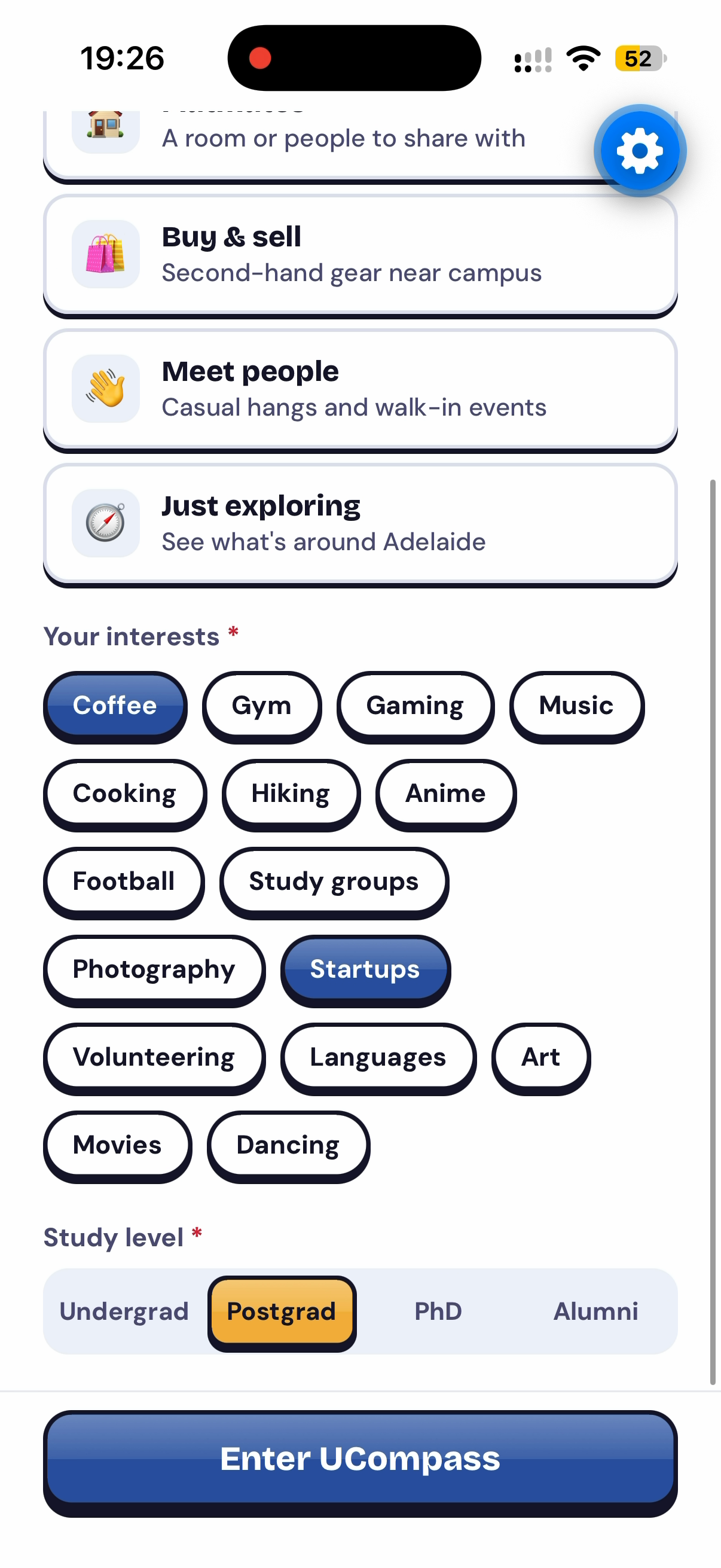
Setting Profile
-
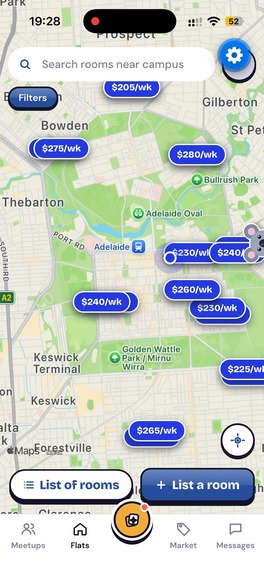
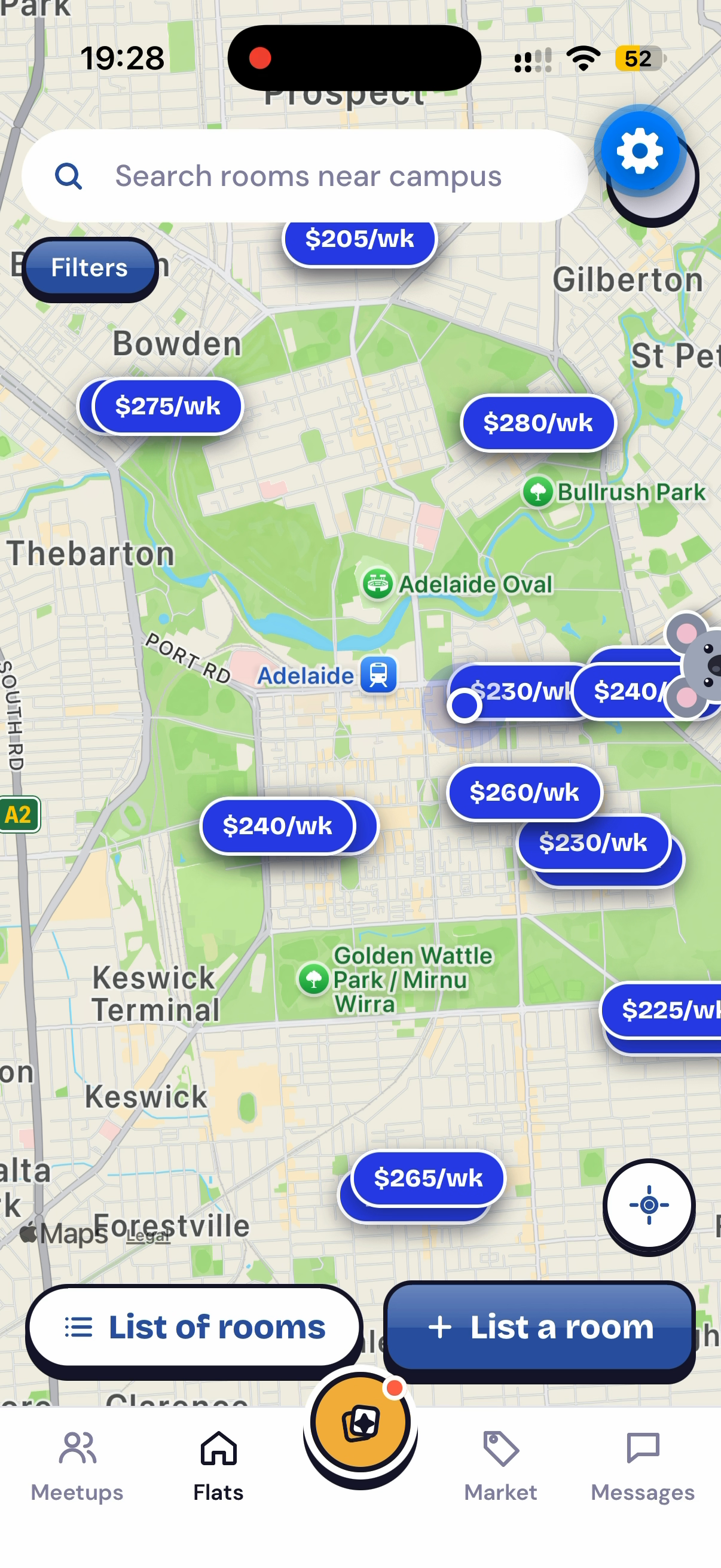
Viewing listed flate
-
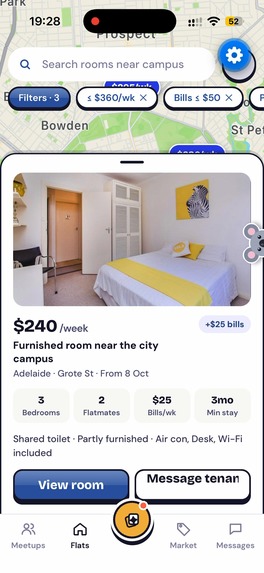
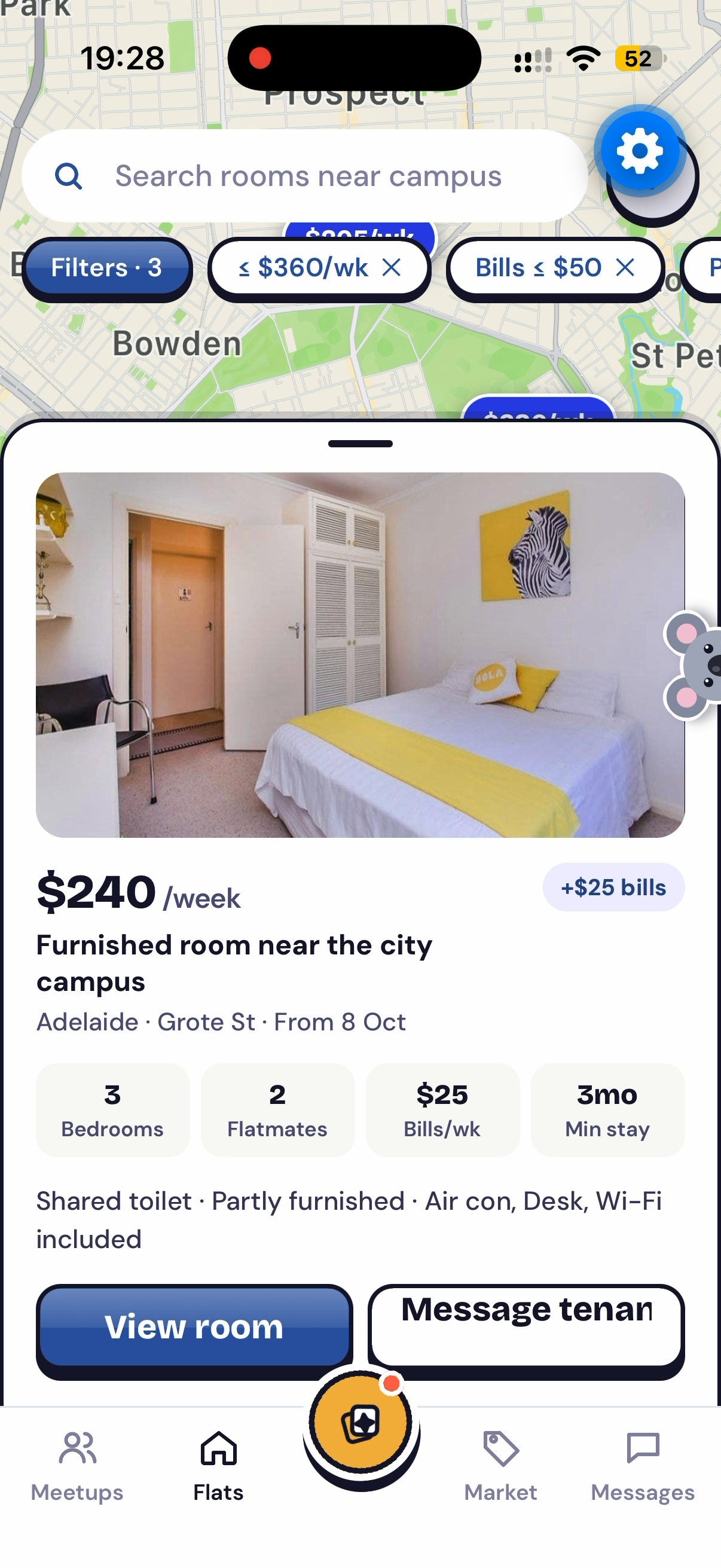
Details of listed flate
-
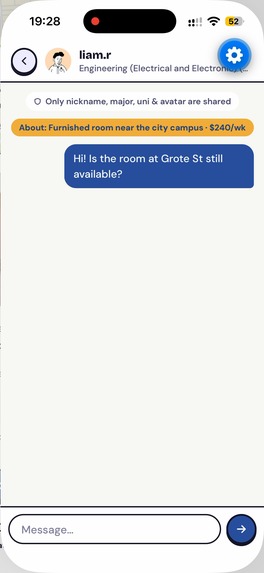
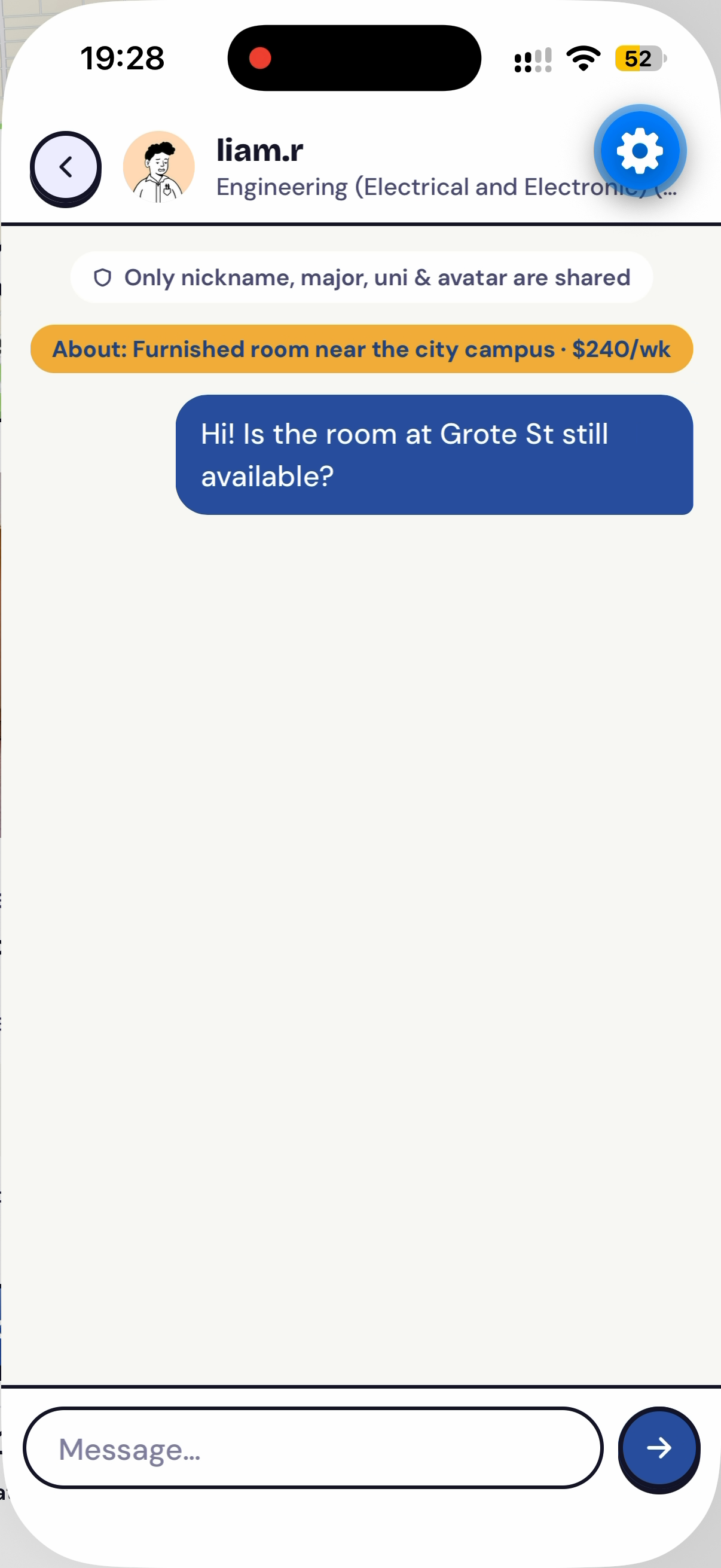
Sending message to flate's owner
-
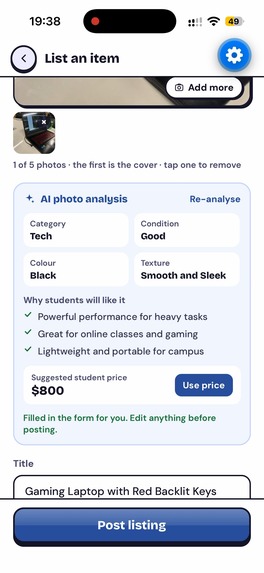
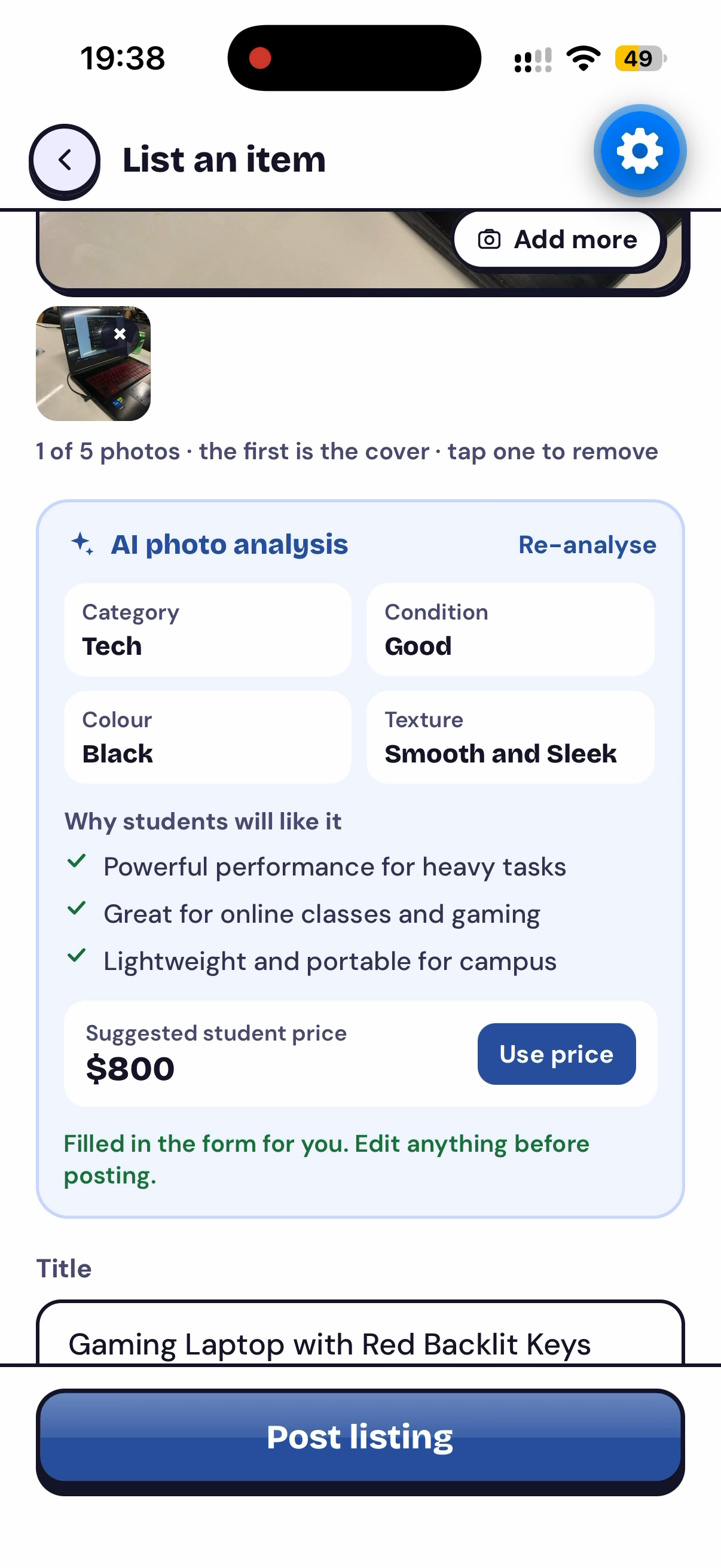
Filling in sales post by just taking a photo using AI
-
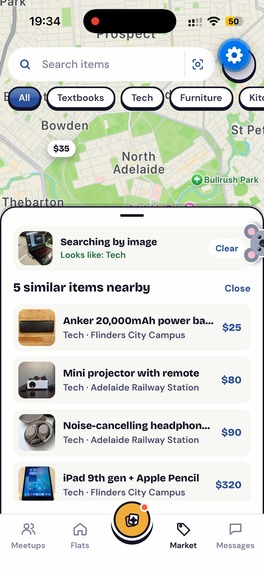
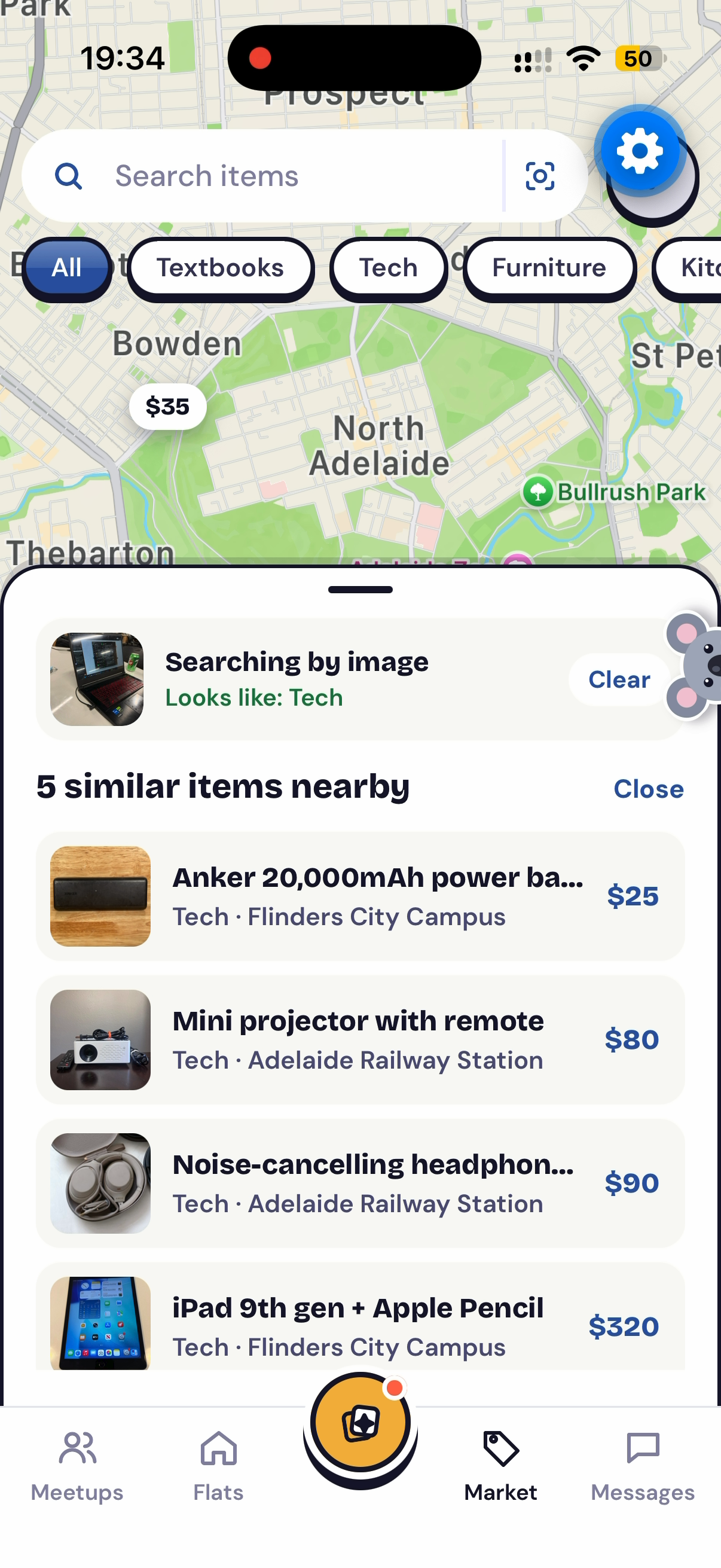
Searching product by just taking a photo using AI
-
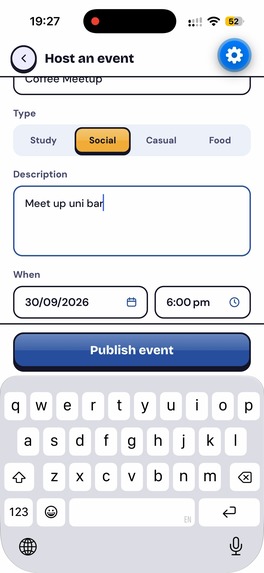
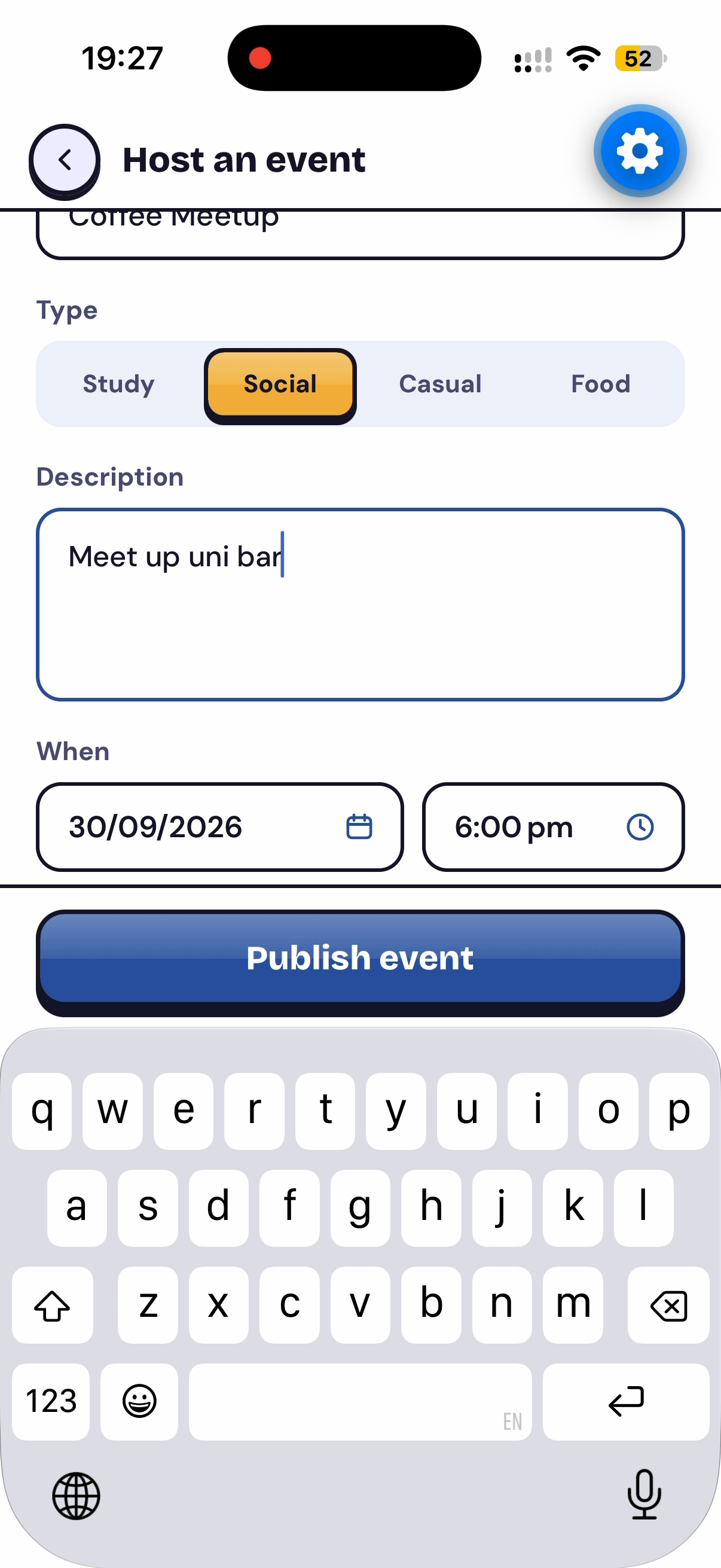
Hosting a meetup
-
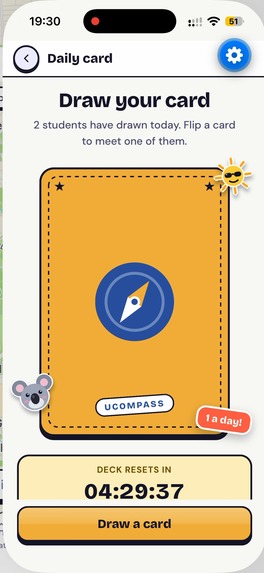
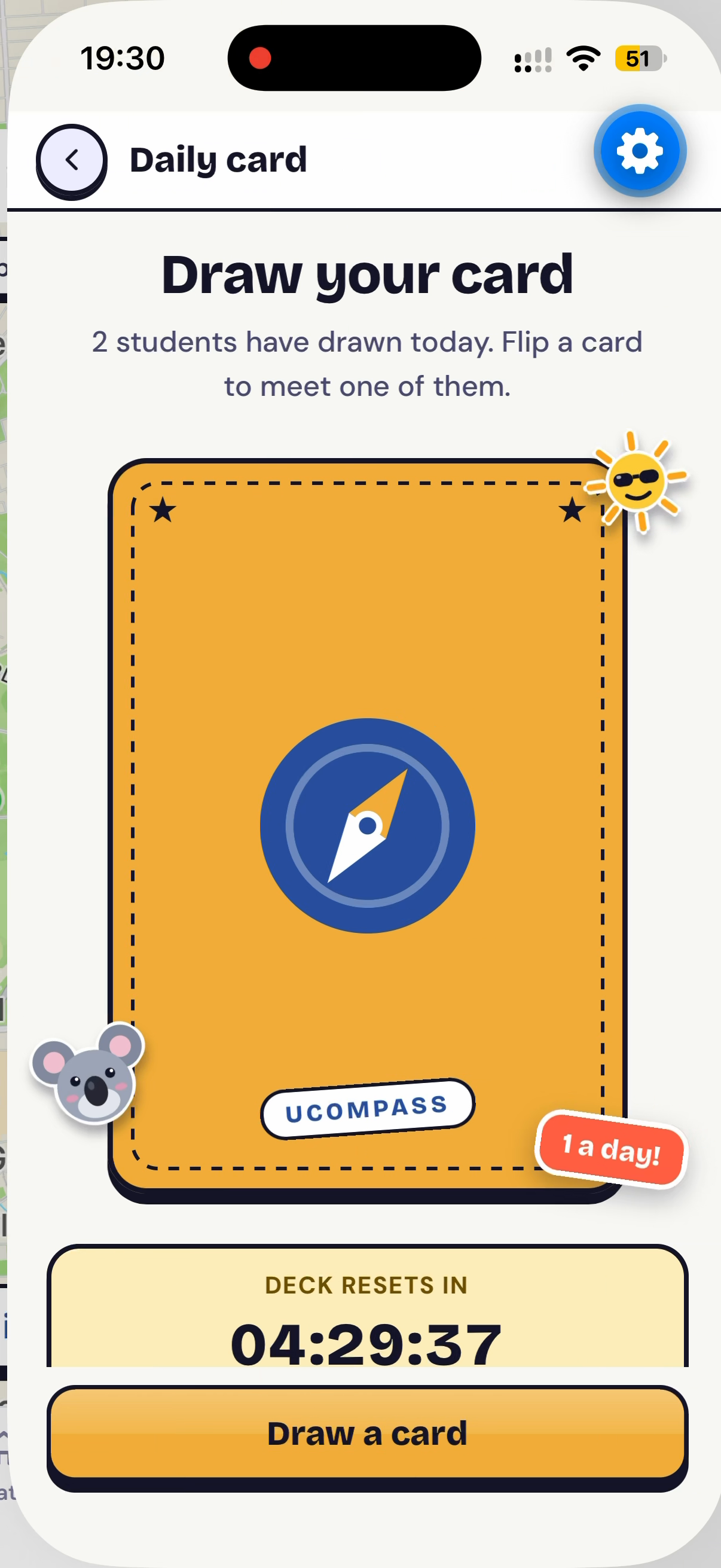
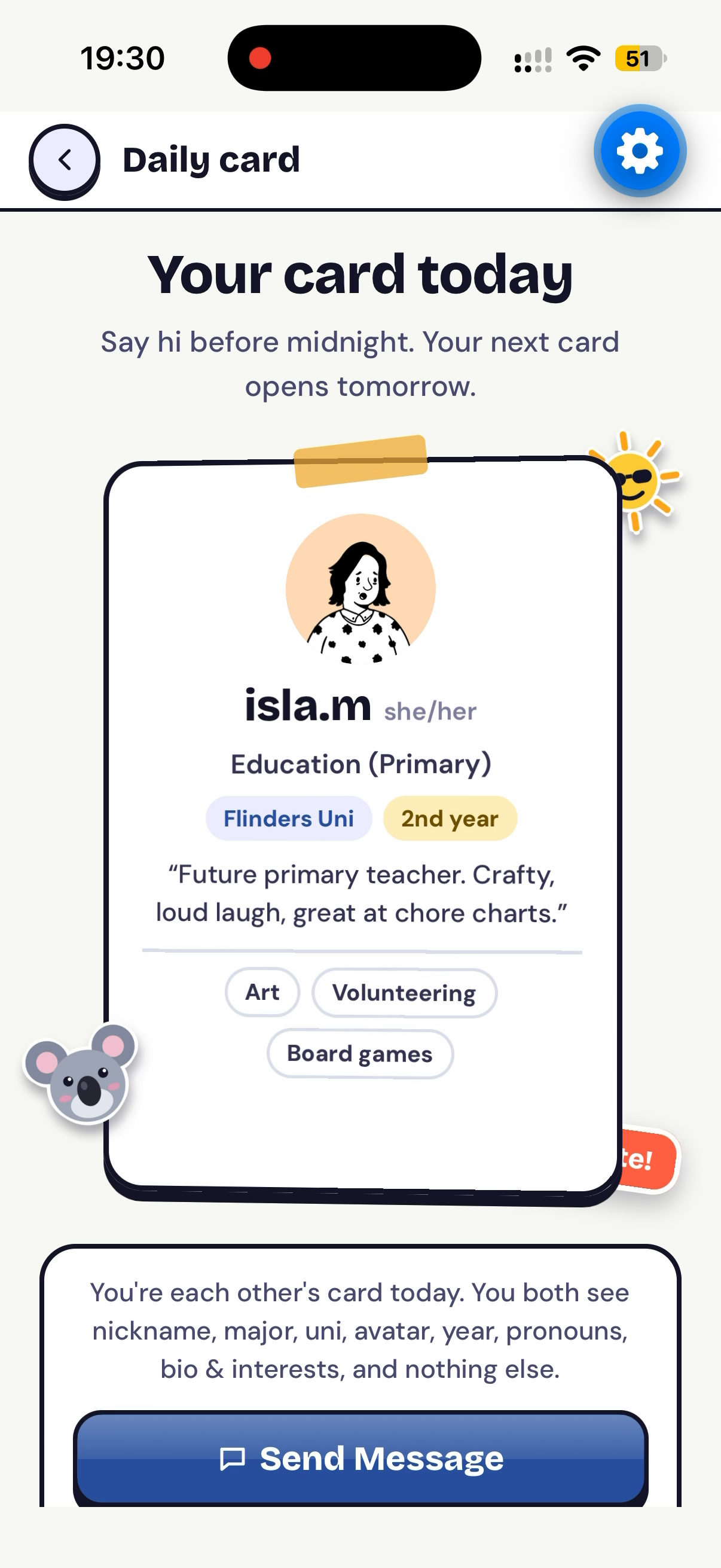
Drawing a card to match with other student
-
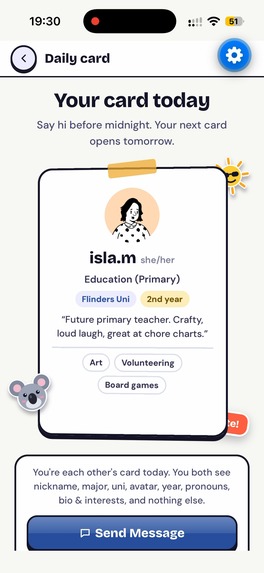
Messaging to matched student
-
Architecture
Inspiration
As university students, we noticed that the things we need most, like finding a place to live and buying second-hand items, are split across many different platforms. We also felt that buying from a fellow student would feel safer than buying from a complete stranger, because their identity is verified through the university.
Events for students are also scattered across the university's Instagram accounts, Discord servers, and other channels, and most of them are hosted by clubs. We wanted a space where any individual student could host their own meetup.
We also wanted to give students a reason to open the app once a day, and a chance to get to know each other. That's why we added the Daily Random Draw, which randomly matches students so they can start a conversation with someone new.
Above all, we wanted to strengthen the connection between current students and alumni, and help students feel a stronger sense of attachment to their university.
We built UCompass around a map because distance matters for everything we wanted to support: flatmates want to live near campus, second-hand items are picked up in person, and meetups are easier to join when they're close by. Seeing fellow students from the same university around you on the map also makes the community feel real, not just a list of names.
What it does
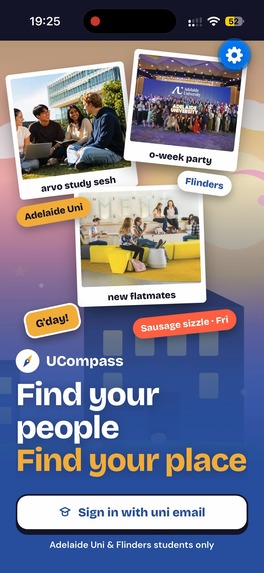
UCompass is a map-based app exclusively for university students. Only students with a verified Adelaide University or Flinders University email can sign up, and alumni can join too, so every user is part of the university community.
On the map, users can see their current location along with pins for:
- Flatmates: Find flatmates based on the actual location of the flat. Each pin shows the weekly rent, and users can message the person who posted the flat.
- Second-hand market: Buy and sell items with fellow students. Each pin shows the trade location, and buyers can message the seller directly.
- Meetups: Any student can host their own meetup, pinned at the meetup location. Other students can join with a single tap on the Join button.
To protect privacy, flat pins are placed within a 1 km radius of the real address rather than at the exact spot. Second-hand market and meetup pins use the exact location, so students know exactly where to meet.
- Daily Random Draw: Students can press "Draw" once a day and get randomly matched with another student who also drew. Once matched, they can message each other. Each Draw session renews at midnight. If a student misses the day's draw, they have to wait 48 hours before they can draw again.
- AI auto-fill: When a student uploads a photo of a flat or an item, AI analyses the photo and automatically fills in its features in the post.
- AI image search: In the second-hand market, students can search with a photo. AI finds and matches similar items from the existing listings.
- Personalised suggestions: Based on each student's interests, major, and university in their profile, UCompass suggests relevant meetups and second-hand items.
How we built it
We built UCompass as a cross-platform mobile app with Expo, React Native and TypeScript, using React Native Maps for the map experience.
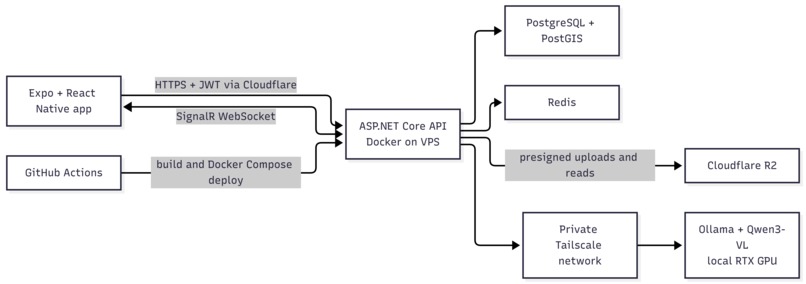
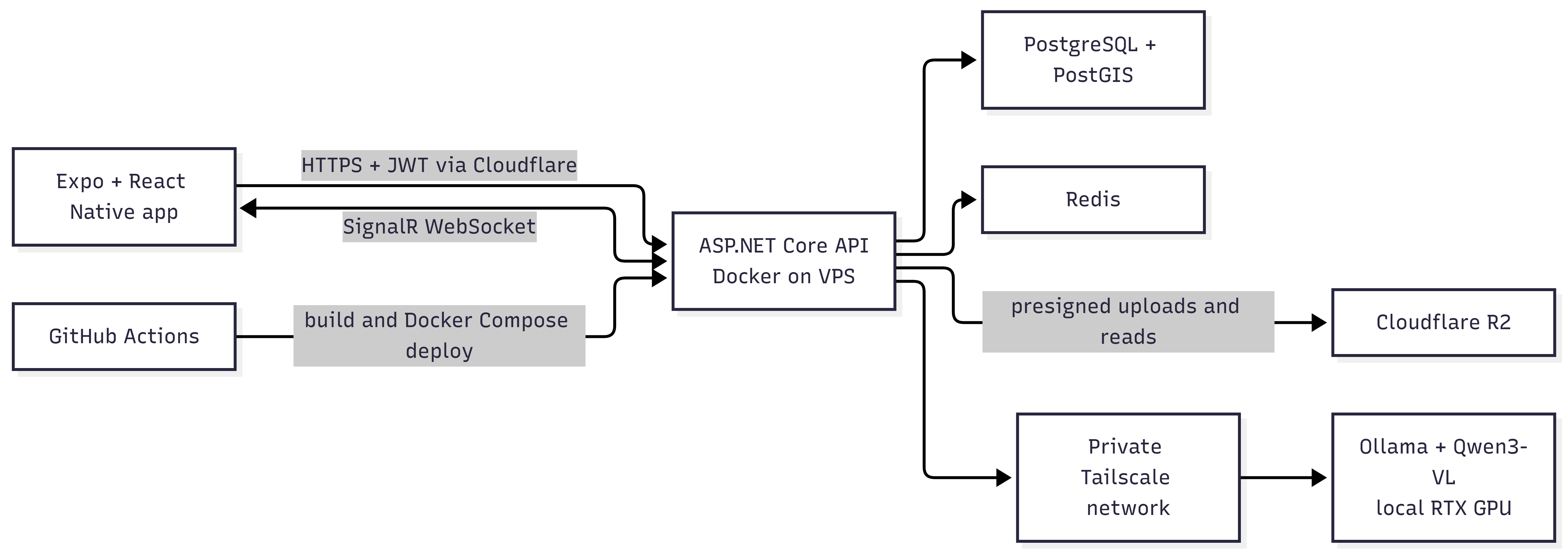
The backend is an ASP.NET Core API (C#). PostgreSQL with PostGIS stores relational and location data, and Redis handles caching and email verification codes. Real-time features such as chat, typing indicators, read status and meetup updates run on SignalR WebSockets. Sessions use JWT, stored securely on the device with Expo SecureStore.
For AI, we built a local-first vision pipeline. Qwen3-VL (8B) runs with Ollama on a local RTX GPU machine, and our API reaches it through a private Tailscale network, so the model is never exposed publicly.
Deployment is automated with GitHub Actions and Docker Compose.
Architecture
The production API runs on a VPS behind Cloudflare. PostgreSQL and Redis use persistent Docker volumes. Listing and avatar images go directly between the mobile client and Cloudflare R2 through presigned URLs, keeping large uploads away from the API process.
Technology stack
| Layer | Technology | Role |
|---|---|---|
| Mobile | Expo 57, React Native 0.86, React 19, TypeScript | Cross-platform application |
| Navigation and UI | Expo Router, React Native Maps, Reanimated, Gesture Handler | Typed routes, maps, sheets and interactions |
| Mobile security | Expo SecureStore | Stores the JWT session on device |
| API | ASP.NET Core 10, C# | REST API, authentication, validation and business rules |
| Data | PostgreSQL 17, PostGIS, EF Core 10 | Relational and geospatial data |
| Realtime and cache | SignalR, Redis 7 | Chat, typing, read state, meetup updates and verification codes |
| Object storage | Cloudflare R2 (S3-compatible API) | Avatars and listing photos |
| Local AI | Ollama, qwen3-vl:8b-instruct | Vision analysis and structured listing suggestions |
| Private AI networking | Tailscale | Connects the VPS API to the local inference machine without exposing Ollama publicly |
| Local development | Docker Compose, Mailpit, Swagger/OpenAPI | Reproducible services, captured email and API exploration |
| Delivery | GitHub Actions, self-hosted runner, Docker Compose | Builds, deploys and checks the production API |
AI features
| Feature | Model output | How UCompass uses it |
|---|---|---|
| Sell from a photo | Title, category, condition, colours, texture, suggested price, description and benefits | Pre-fills an editable marketplace draft |
| List a room from a photo | Title, style, colours, furnishing, visible features, description and benefits | Pre-fills an editable flat listing draft |
| Search the market by photo | Category, a short label and keywords | Filters unsold items and ranks matching listing text |
Challenges we ran into
We had many ideas for features, so deciding what to include and what to leave out within 33 hours was one of our biggest challenges. TBU
Accomplishments that we're proud of
- Building a working MVP within 33 hours, bringing flatmates, second-hand trading, and meetups, which are usually scattered across different platforms, together in one app.
- Getting our AI features working: auto-filling post details from photos and finding similar items through image search.
- Designing location privacy differently for each feature, balancing safety and usefulness: flats within a 1 km radius, exact locations for market pickups and meetups.
- Creating a trusted space where only verified university students and alumni can join.
What we learned
- How to prioritise features and decide what to build within 33 hours.
- How to balance privacy and usefulness when working with real locations.
- How to design an app around a theme (map) so that it feels essential, not just added on.
What's next for UCompass
- Stronger alumni connections: A space where current students can ask alumni for advice on careers and university life, and check internships and job postings shared by alumni, all in one place.
- Club event integration: Bring club events onto the map as well, so students no longer have to check Instagram, Discord, and other channels separately.
- Trust and safety: Ratings and reviews after a trade, plus reporting and blocking, to make trading with fellow students even safer.
- Save for later: Let students save flats, items, and events they're interested in.
Built With
- .net
- cloudflare
- ollama
- postgresql
- qwen
- react-native
- redis
- s3
- signalr
- tailscale
- typescript

Log in or sign up for Devpost to join the conversation.