-
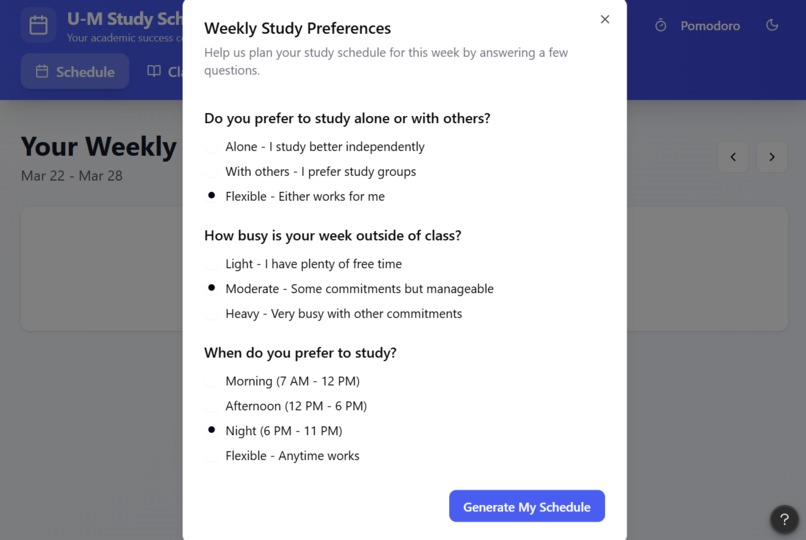
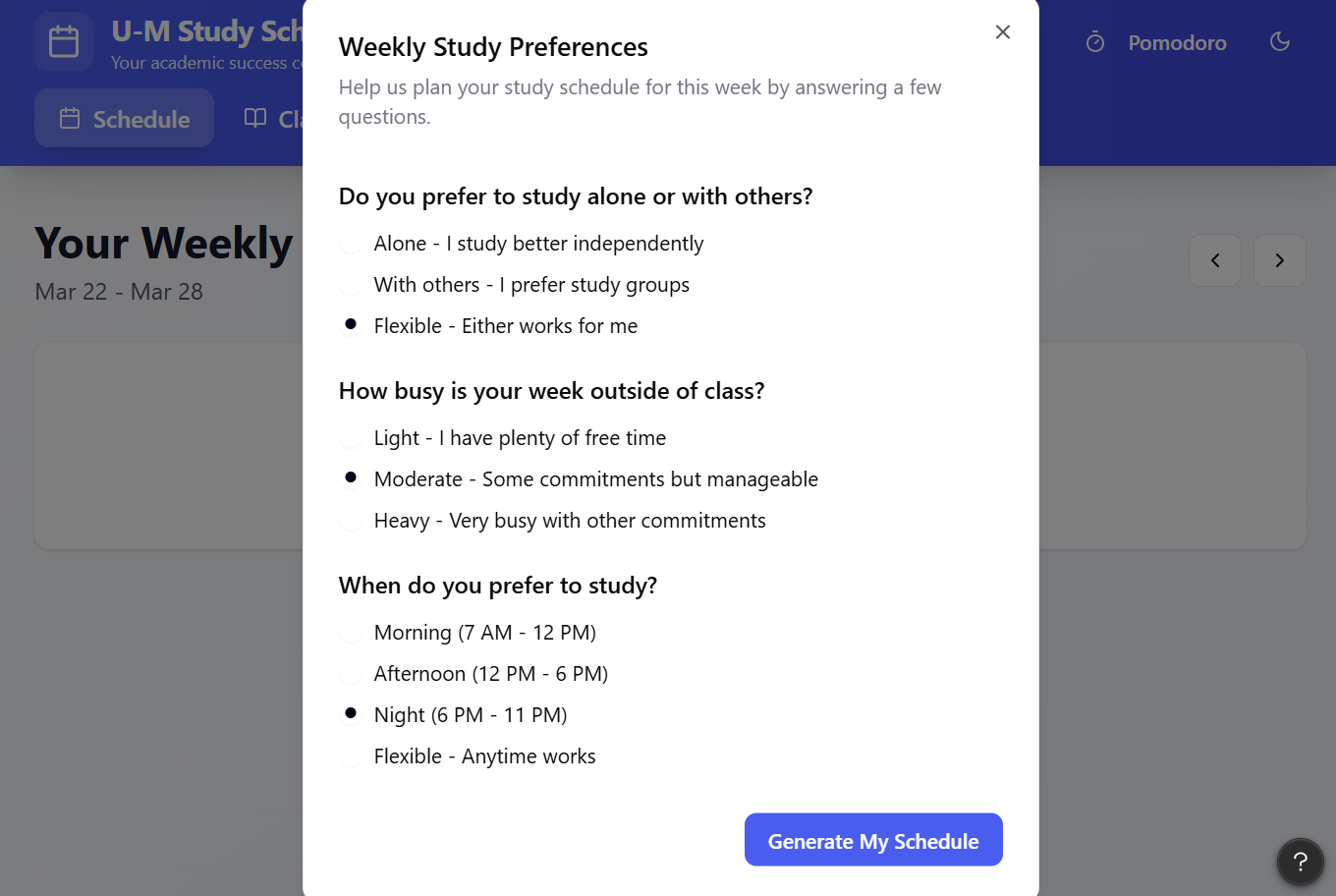
Student questionnaire upon opening the app to determine preferences for study session throughout the week.
-
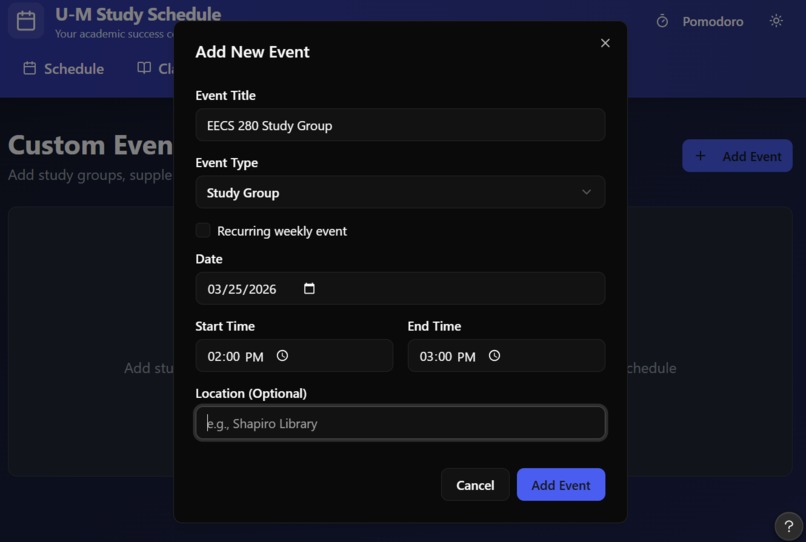
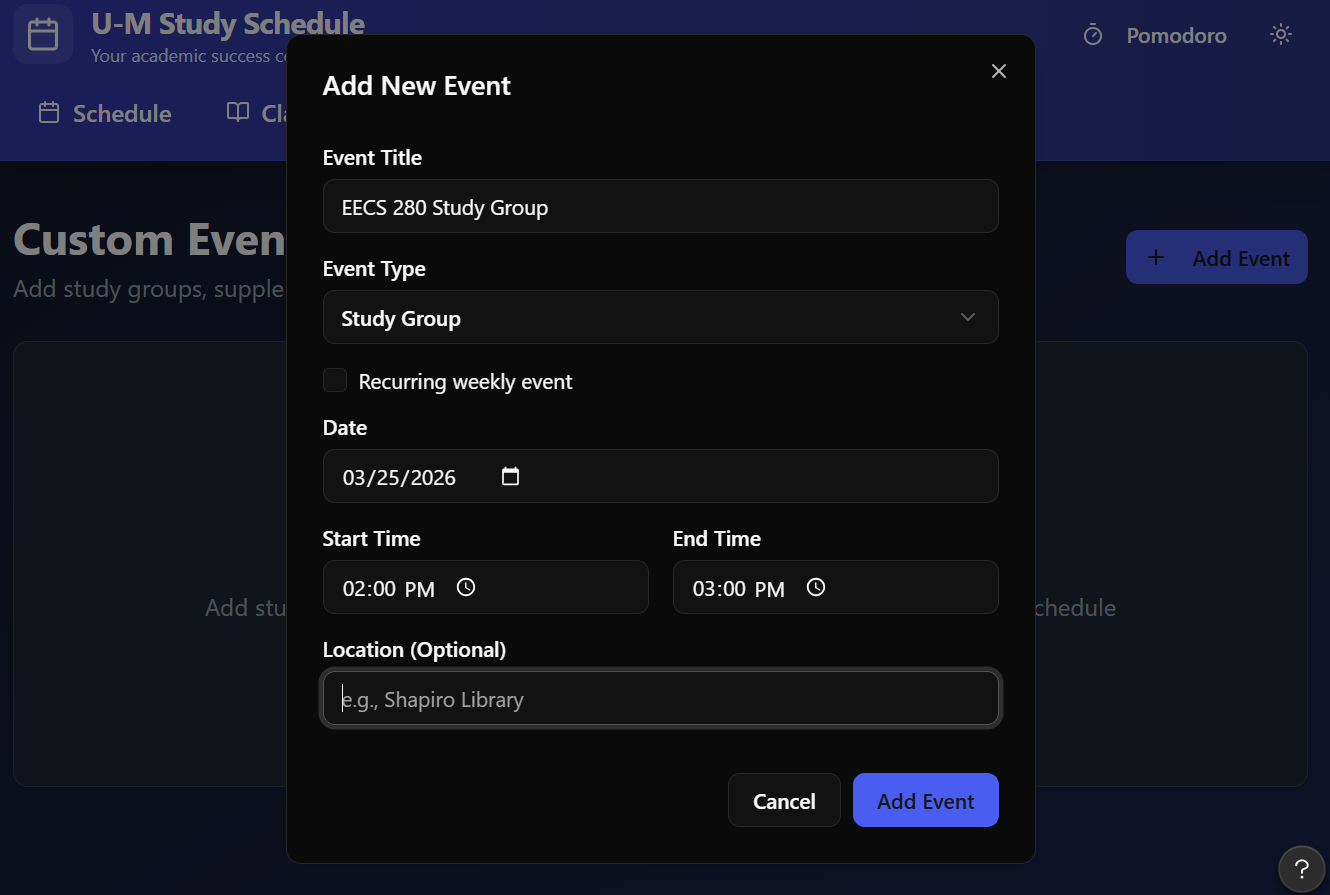
Adding events into your schedule is easy! (includes example locations on campus)
-
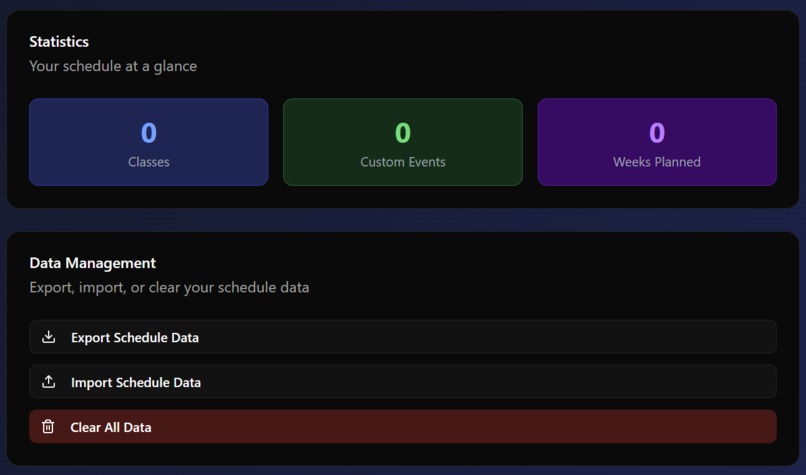
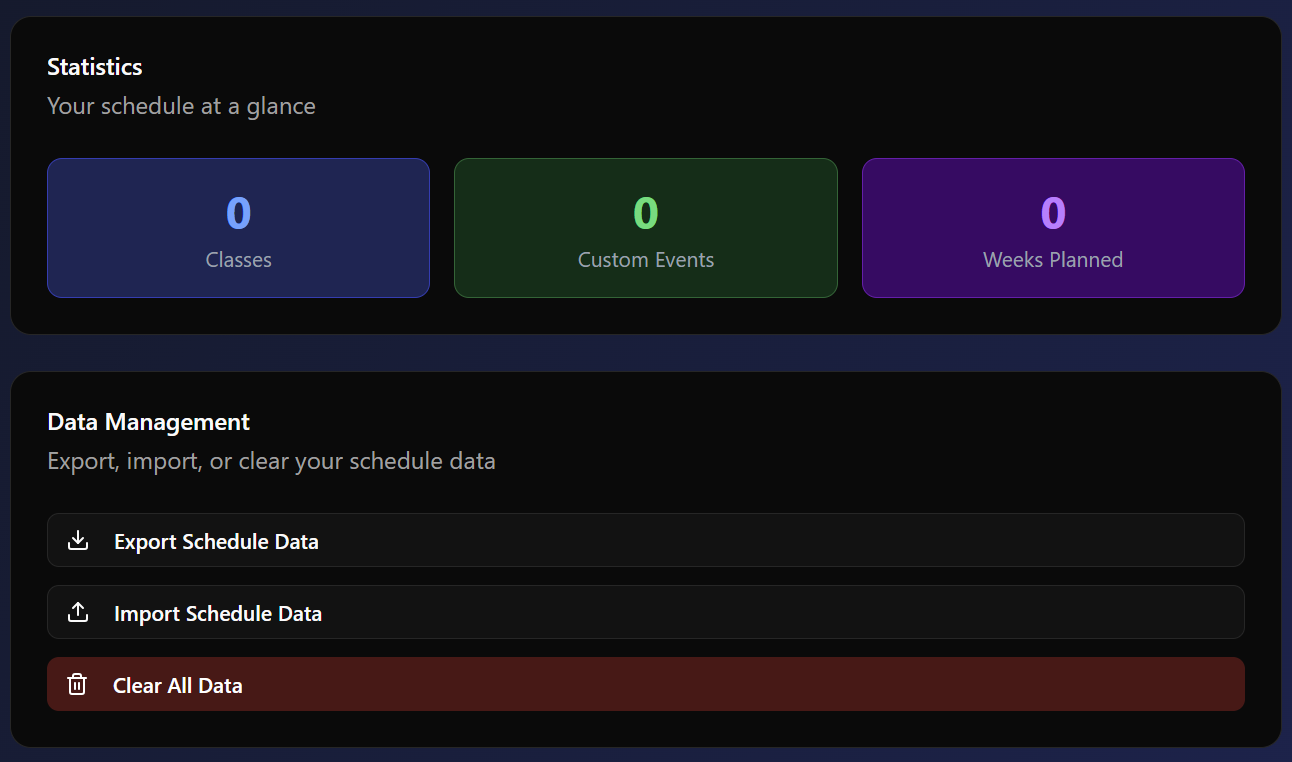
Settings - import/export/clear data. Also, our app has dark mode capability!
-
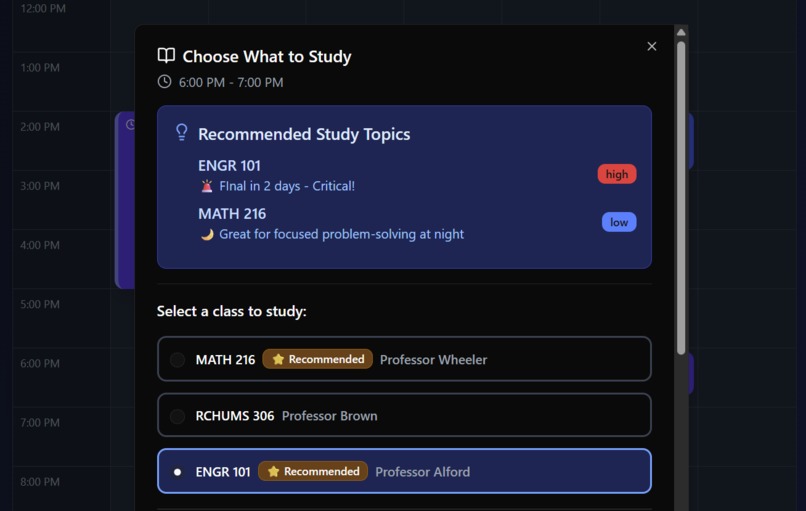
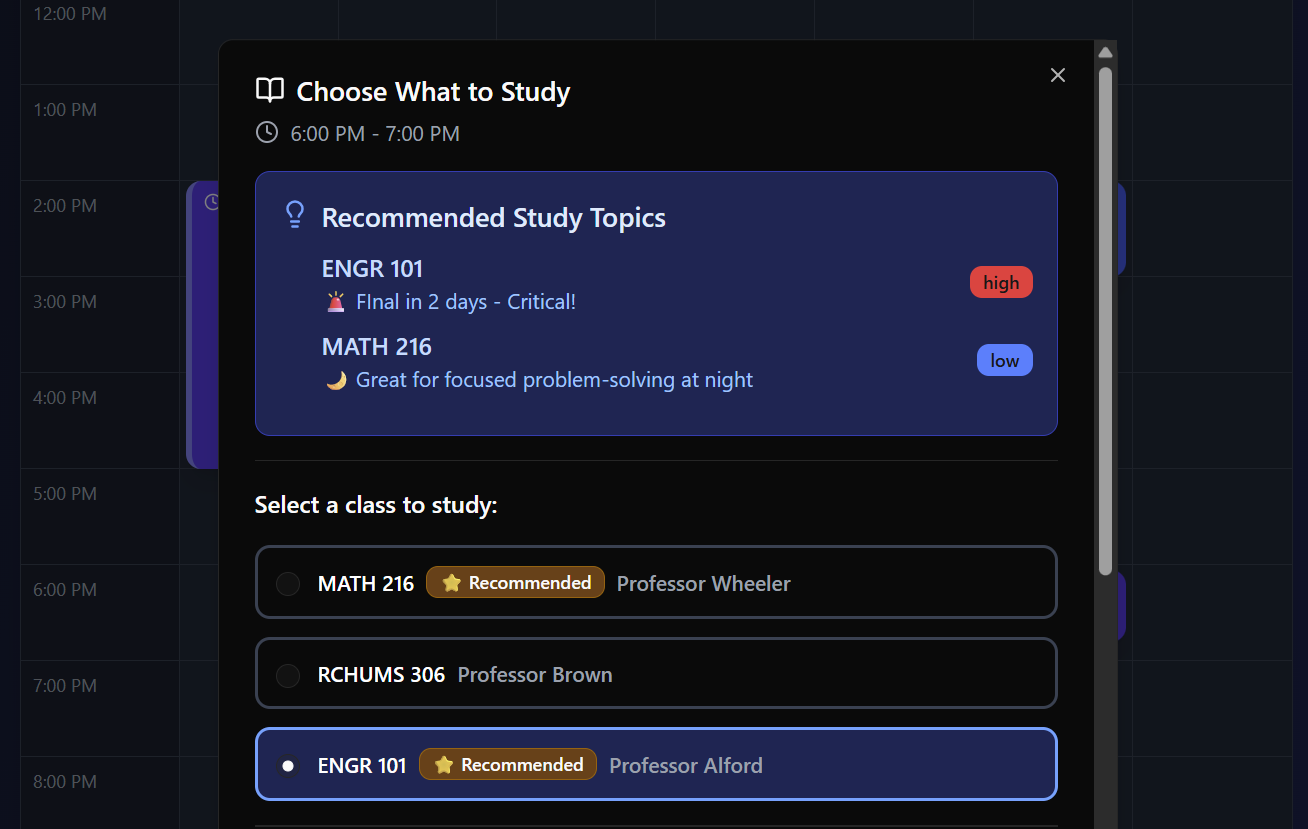
Popup after clicking on a study block - shows recommended classes based on upcoming exams and class difficulty.
-
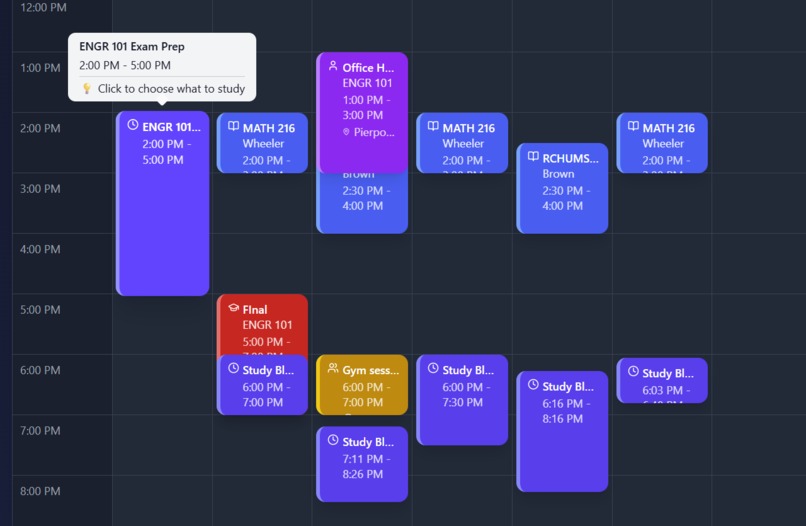
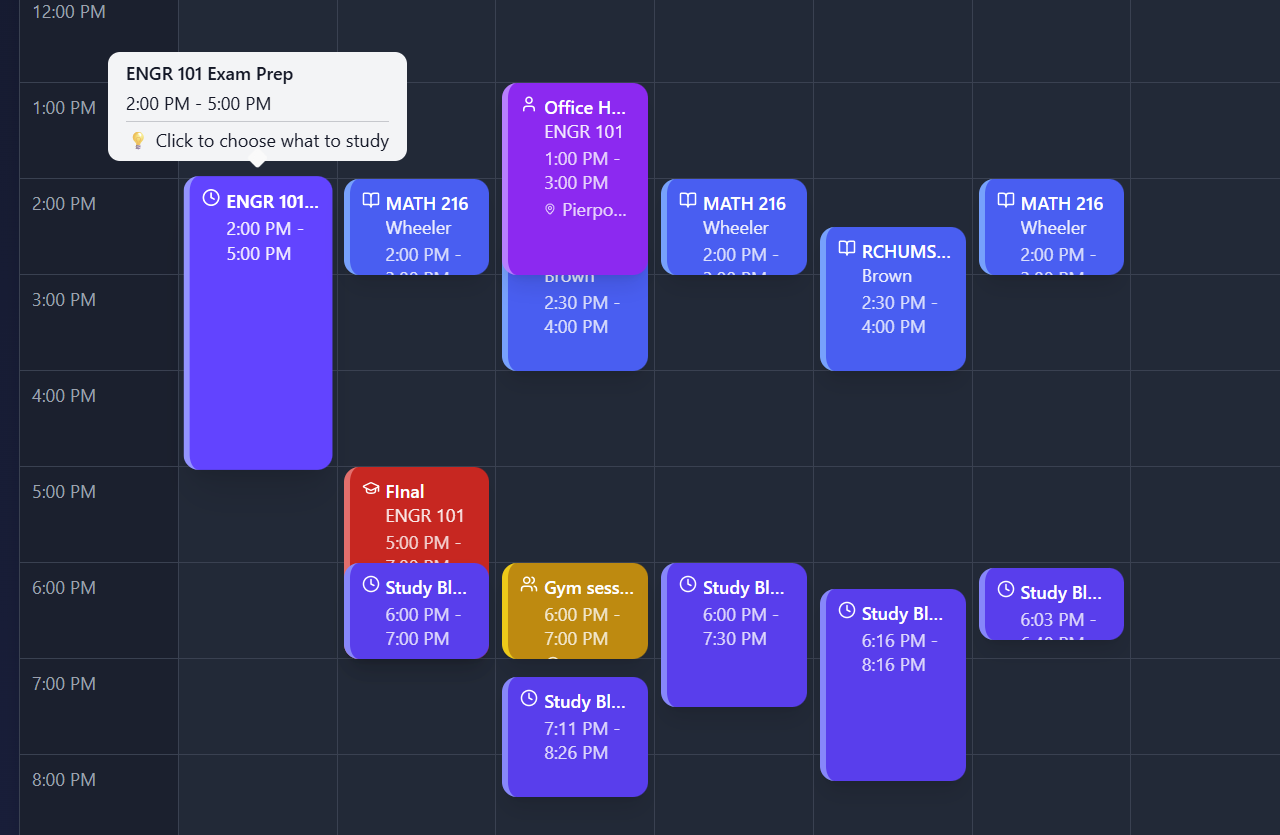
View of the weekly schedule - overlapped classes/events can be hovered over to view them.
-
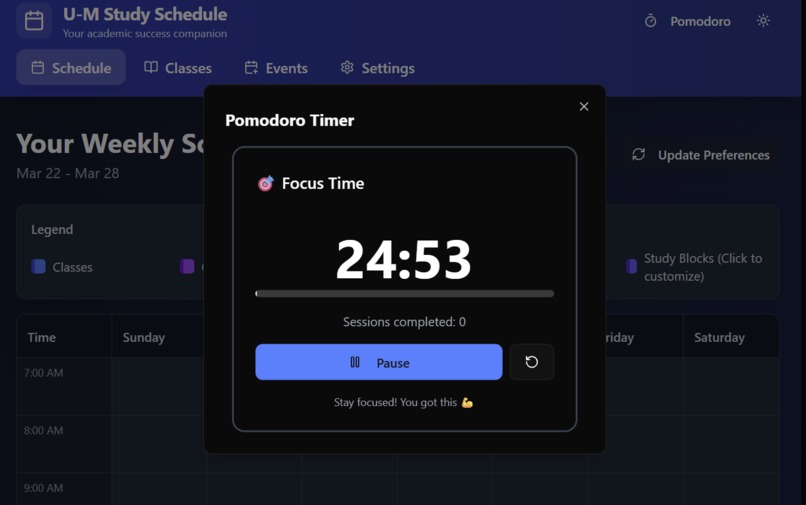
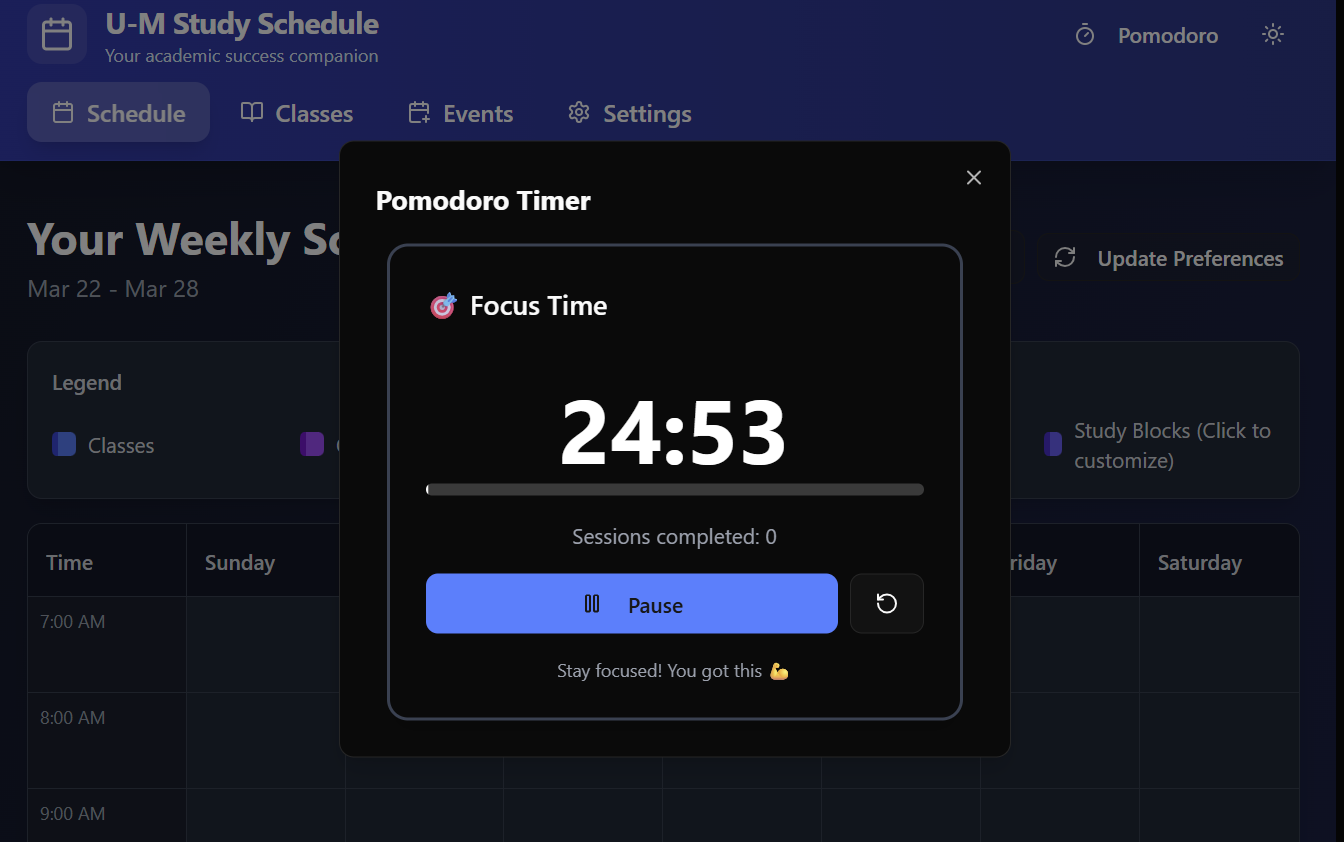
In-app pomodoro timer, with uplifiting messages built in.
Inspiration
Our inspiration for this project is pomodoro study apps. We wondered what it would be like to combine pomodoro functionality with a smart schedule builder that could plan out when to study in a busy day.
What it does
Our app takes in manual inputs about a user's classes, exams, events, and office hours, combined with the user's preferences for study times, study amounts, and favorite study methods. With these inputs, the class makes a week-long schedule, complete with areas of time to study, with reccomendations on WHAT to study based on upcoming exams, or the need for spaced repetition with certain subjects.
How we built it
We built this app using the Make feature of Figma.com, and changing the code ourselves to better fit our goals when neccessary.
Challenges we ran into
When designing the app using Figma, the first project we started wouldn't revert to an earlier version, so we had to completely restart our app. Also, on the free trial we only have so many prompts we can use in a day, so out group had to be strategic when designing, building, and testing our app.
Accomplishments that we're proud of
We're proud of the user preferences questionnaire that can be updated to produce a different study schedule. We're also proud of the "recommended subjects" feature, which recommends students to study for classes with upcoming exams. We are also proud of the app having the capability to build schedules based off of imported .ics files (or universal calendar files), to remove the need for manual imput. If a student has a google calendar they'd like to input into U-M Study Schedule, they can export their data directly into the app.
What we learned
We learned that debugging when faced with a large amount of code can lead to more errors, if debugging is not done with attention to detail. We also learned that going to an earlier version of the code is more difficult than coding with a clear goal in mind from the start.
What's next for U-M Study Schedule: Your Academic Success Companion
What's next? We would like to implement a "study group finder", that matches students in real-time to other users of the app who are studying the same subject as you, to help users study with more people.
Built With
- figma
- html
- javascript

Log in or sign up for Devpost to join the conversation.