-
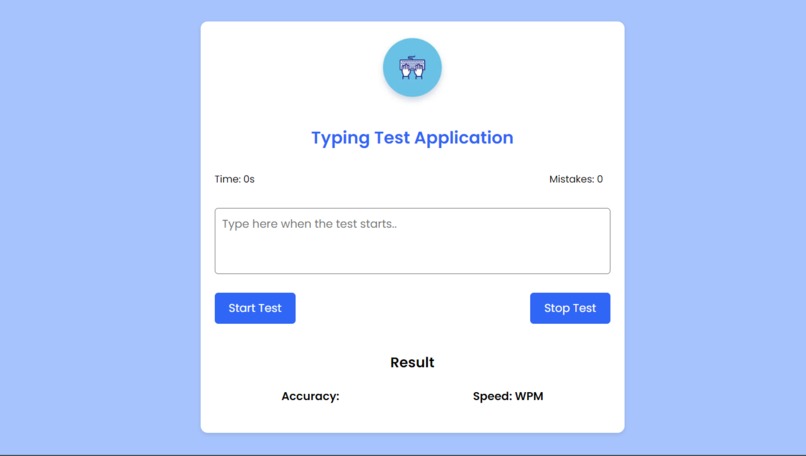
Typing Test App @neeraj542

Typing-Test-JS-App
Short description or tagline for your project.

Table of Contents
Project Description
Provide a brief overview of your project, explaining what it does and why it's useful.
Features
List the key features and functionalities of your project.
Demo
Include a link to a live demo or provide instructions on how to access a demo version of your project.
Installation
Follow these steps to install and run the project on your local system:
- Clone the repository:
   git clone https://github.com/your-username/your-repository.git

2. Navigate to the project directory:

    ```bash
    cd your-repository

3. Install the dependencies:

    ```bash
    npm install

4. Start the project:

    ```bash
    npm start

5. Open your web browser and visit http://localhost:3000 to access the application.

# Usage
Explain how to use your project. Provide examples, code snippets, or screenshots if necessary.

# Contributing
Contributions are welcome! If you find any issues or have suggestions for improvements, please feel free to open an issue or submit a pull request.

# License
This project is licensed under the MIT License.

# Contact
Provide your contact information or any relevant links (e.g., personal website, email, social media) for users to reach out to you with questions, feedback, or inquiries.

Feel free to customize this template to fit the specific needs of your project. Add more sections if necessary, such as a "Technologies Used" section or a "Roadmap" section for future plans.

Remember to update the content with accurate and relevant information about your project. A well-written README file can help users understand your project, use it effectively, and contribute to its development.


Log in or sign up for Devpost to join the conversation.