Inspiration
The inspiration for this typing speed trainer came from a desire to improve the foundational skill of accurate, fast typing, which is crucial for coding, writing, and daily computer use. After experimenting with various typing test websites and noting their repetitive nature, I wanted to create something simple, visually engaging, and customizable, where users could not only practice but also easily adapt and enhance their skills over time.
What it does
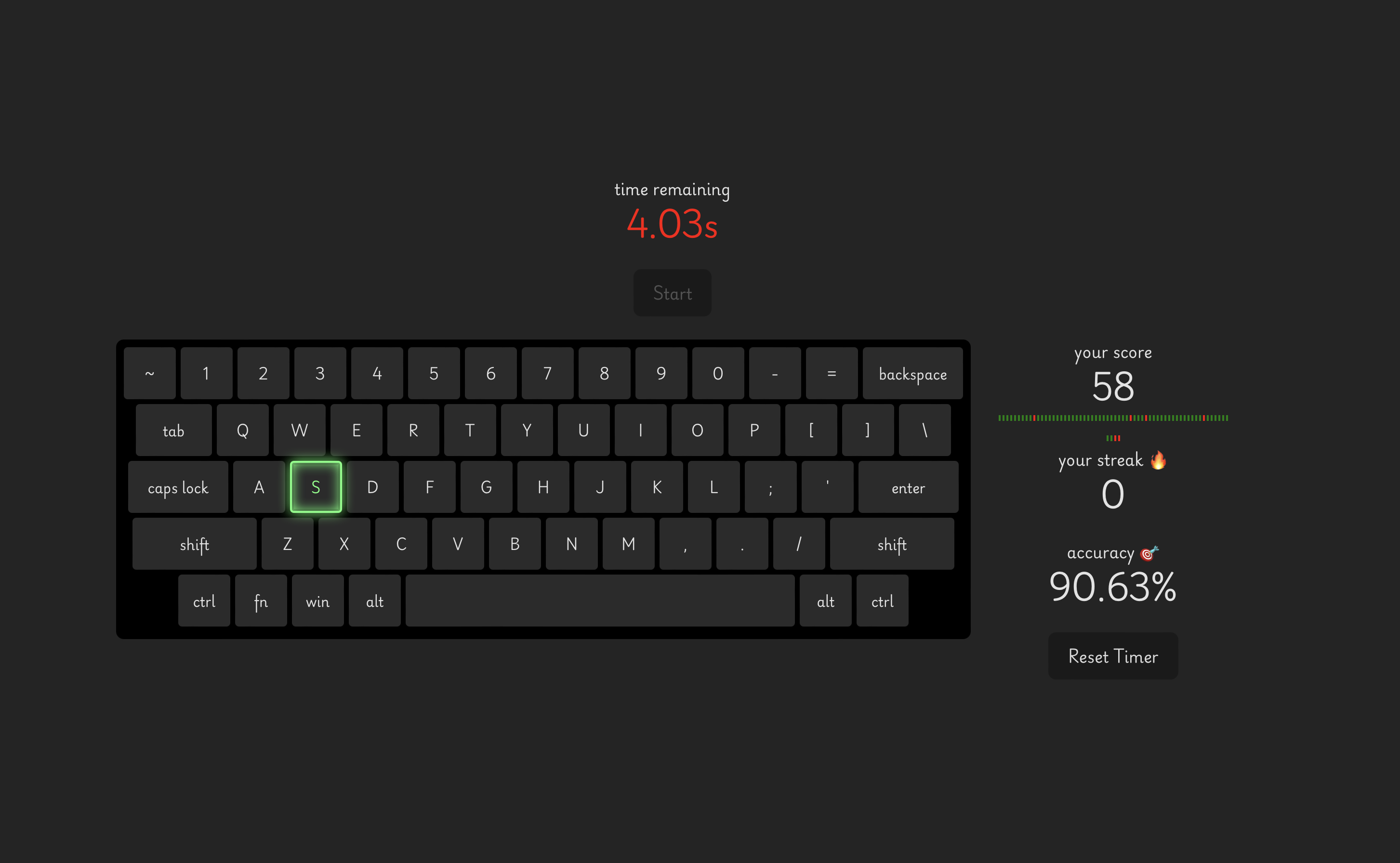
Typing Speed Trainer presents you with random keys to press within a fixed 60-second window. Each correct keystroke increases your score and builds a streak, while incorrect attempts reset that streak. At the end of the timer, the app displays your total score, accuracy, and a timeline reflecting your recent attempts. This real-time feedback helps you identify areas for improvement and track your progress as you sharpen your typing abilities.
How I built it
I built the Typing Speed Trainer using React with Typescript for a responsive and interactive user interface. The keyboard layout and key states are managed in a separate module, enabling easy customization of enabled keys and layout changes. A combination of React Hooks and requestAnimationFrame helped me create a smooth countdown timer and responsive event handling. The integration of Amazon Q streamlined my development process by suggesting code snippets, patterns, and refactoring ideas, allowing me to focus on game logic and user experience.
Challenges I ran into
One of the main challenges was ensuring that the timer remained accurate and smooth. Using requestAnimationFrame for updating the countdown timer introduced a learning curve, but it ultimately provided more reliable and performant updates than traditional setInterval or setTimeout. Additionally, managing UI states—especially highlighting the currently active key and showing visual feedback for correct and incorrect attempts—required thoughtful event handling and styling to ensure the user experience was both intuitive and engaging.
Accomplishments that I'm proud of
I'm proud of delivering a minimal yet effective typing game that cleanly separates data (keyboard layout, enabled keys) from logic (scoring, timing, event handling) and user interface elements. By leveraging AI assistance through Amazon Q, I significantly reduced setup time and improved code quality. The result is a clean, maintainable codebase that makes it easy to add new features and improvements down the road.
What I learned
This project taught me the value of combining automated coding tools with human creativity. I also gained a deeper understanding of React state management, timing functions, and providing meaningful visual feedback in a fast-paced interaction scenario.
What's next for Typing Speed Trainer
There’s plenty of room to grow. Potential improvements include:
Multiple Difficulty Levels: Introduce varying time limits, faster prompts, or more complex key sets. Customizable Key Sets: Allow users to select which keys to practice or train on home row only. Progress Tracking & Leaderboards: Persist scores locally or online, enabling users to track improvement and compete with others. Enhanced Feedback: Add charts, or detailed analytics to help users understand patterns in their typing accuracy. With these enhancements in mind, the Typing Speed Trainer can evolve into a versatile platform for building crucial keyboarding skills.


Log in or sign up for Devpost to join the conversation.