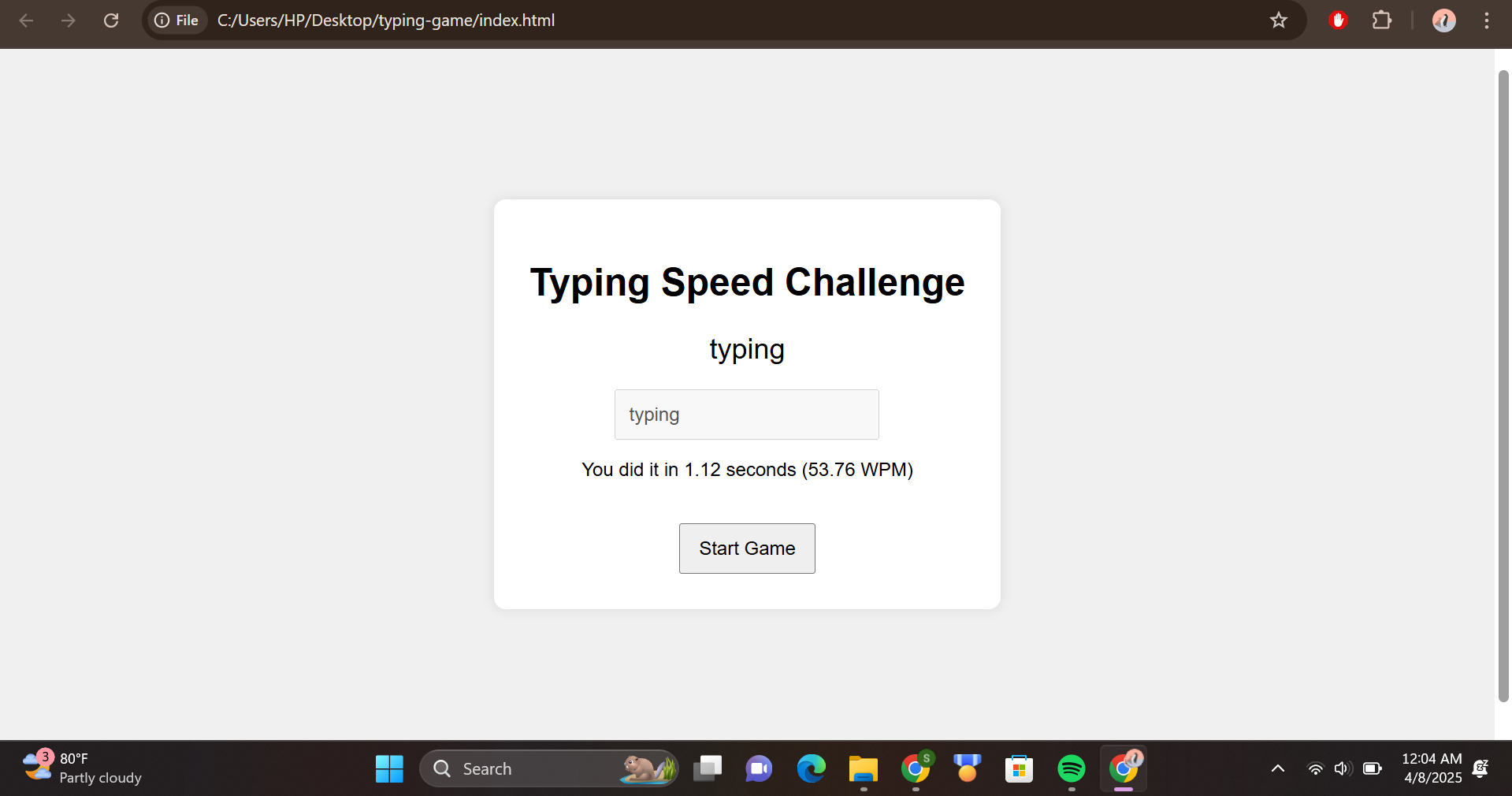
✨ Typing Speed Challenge
💡 Inspiration
I’ve always found typing games fun and a great way to improve focus and speed. I wanted to create a simple, lightweight game that anyone could play in a browser without needing to sign up or install anything. This project was inspired by online speed typing tests and my curiosity about how those timers and WPM counters actually work under the hood.
🛠️ How I Built It
The project was built using only HTML, CSS, and JavaScript, making it easy to run locally or host on the web. I started by designing the layout with HTML, added styles for a clean user interface with CSS, and then used JavaScript to:
- Generate random words
- Start the timer when the user begins typing
- Detect when the typed word matches the target
- Calculate the time taken and words per minute (WPM)
🚧 Challenges I Faced
One challenge was making sure the timer started at exactly the right time—only when the user began typing. I also had to make sure the input was case-sensitive and responsive to user behavior. Keeping the UI simple but readable on all screen sizes was another small design hurdle.
📚 What I Learned
Through this project, I learned how to:
- Use JavaScript to manipulate the DOM in real time
- Track user input and calculate elapsed time
- Apply basic logic to create interactive games
- Keep code modular and readable
This hackathon helped me understand how even small projects can be powerful learning experiences!

Log in or sign up for Devpost to join the conversation.