Inspiration
My inspiration for this site are two other type speed testing websites, MonkeyType and CoffeeTyper. Both of these websites incorporate a sleek, modern UI like mine, but I chose to go a different route when it comes to displaying letters.
What it does
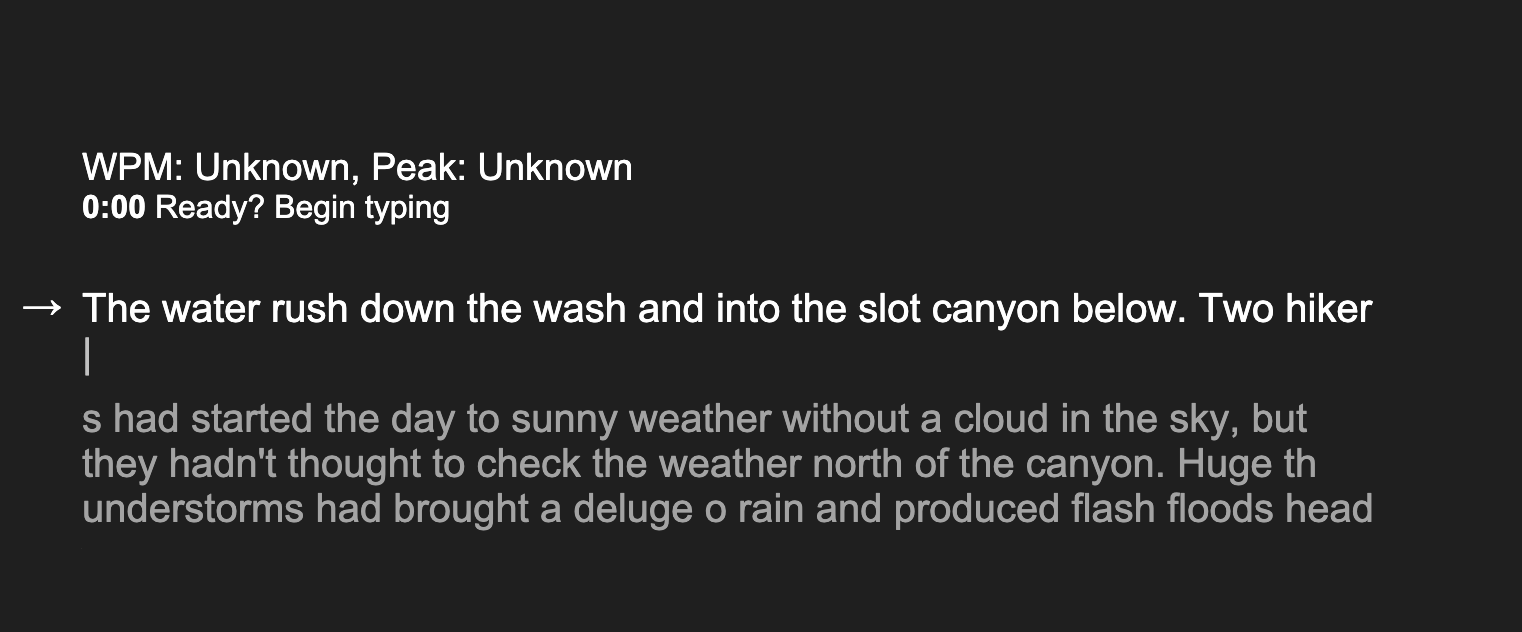
My website acts like your usual type speed tester with a live WPM count and a peak one. Different than most, mine shows you EXACTLY what you have typed to fit what you're supposed to type, so you can actually see when you mess up and with which characters you did, rather than just one of the correct letters turning red. This gives your eye a chance to catch things before your brain, making the test more realistic.
How we built it
I built this site with Svelte, SvelteKit and TypeScript. Using Svelte's builtin animation system, it was easy to make the layout smooth and fluid.
Challenges we ran into
One challenge I ran into was getting text passages for the site. At first I was thinking of using code from github, but then I realized that it wouldn't be fair to have people type code as a test since usually they operate with autocomplete.
Accomplishments that we're proud of
The animations are quite nice, I'm proud of how smooth it is.
What we learned
Through this project, I learned that making these typing websites isn't as hard as I thought, but you really do have to get into the nitty gritty of the HTML. Each letter needs to be accounted for position wise, so you need to give it its own element, its own path in the code, etc.
What's next for TypeMatch
Next up for typematch is definitely a competitive version. I'm hoping to make it so websites like typer.io and typeracer aren't used since their UI is old and difficult to type on and their typing interface is truly hinders typing speed.
Built With
- svelte
- sveltekit
- typescript
- vercel


Log in or sign up for Devpost to join the conversation.