Inspiration
We wanted to rethink the everyday act of typing. Every day, millions of people hit thousands of keys on their keyboards, but the interaction remains purely mechanical and silent. We were inspired by synesthesia—the neurological phenomenon where stimulation of one sensory pathway leads to involuntary experiences in another.
What if typing wasn't just inputting text, but an expressive art form? We set out to transform standard keystrokes into a dynamic canvas where sound, color, and particle physics collide in real time.
What it does
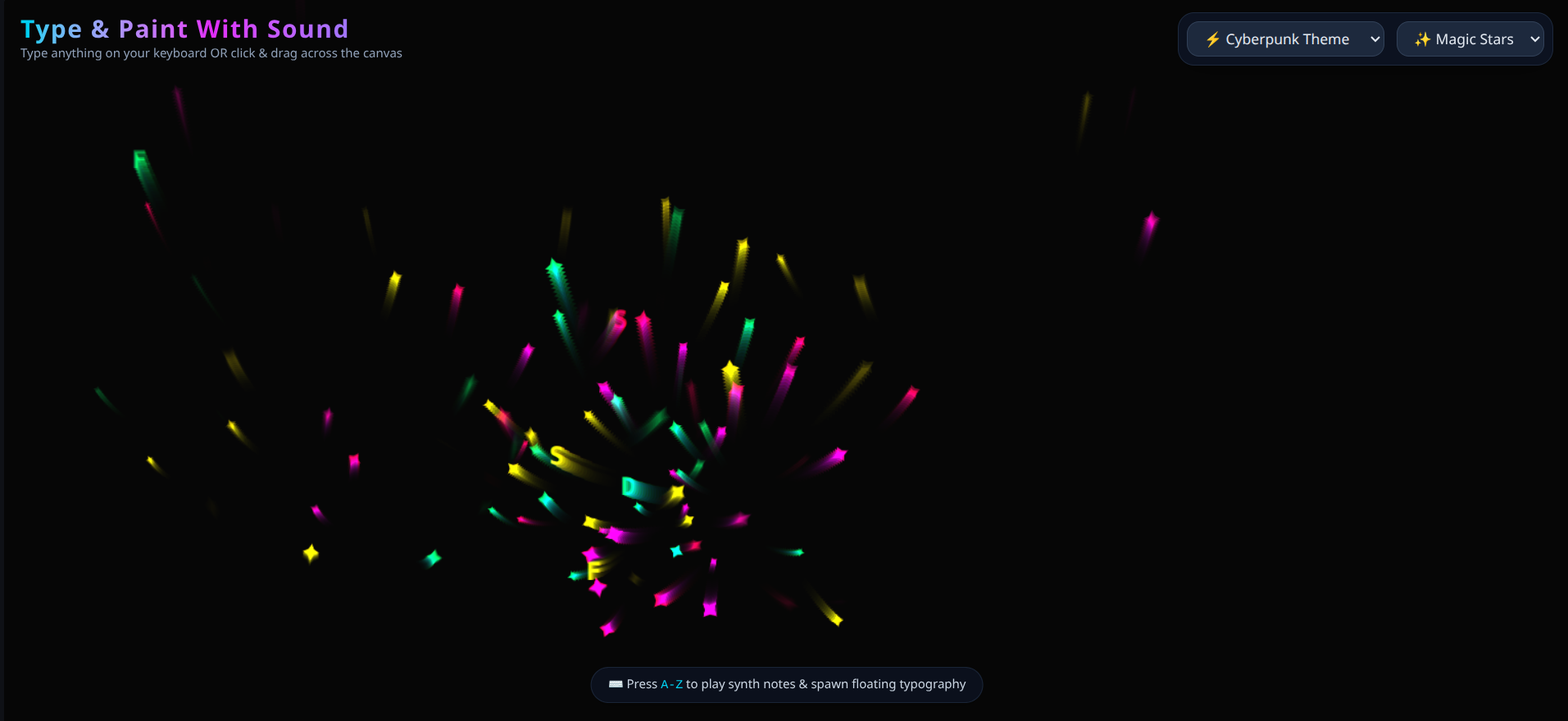
TypeHarmonix is an interactive audio-visual instrument that turns keystrokes and gestures into generative art and harmonic soundscapes:
- Typographic Canvas: As you type, floating glowing typography appears on screen accompanied by customized particle physics (Magic Stars, Flowing Silk, or Sonic Rings).
- Harmonic Web Audio Synthesizer: Every character press triggers a tuned synth note mapped to a pentatonic scale, ensuring that anything you type—from random gibberish to a poem—sounds musically harmonious.
- Dynamic Themes & Customization: Switch between Celestial, Cyberpunk, and Zen modes to shift color palettes, noise algorithms, and sound textures on the fly.
- Instant Export: Users can freeze their created audio-visual composition and download it as a high-resolution PNG artwork.
How we built it
We built TypeHarmonix using a modern, lightweight web stack designed for 60 FPS rendering and zero audio latency:
- React & Tailwind CSS: Built the UI controls, theme overlays, and smooth glassmorphism styling.
- HTML5 Canvas & Simplex Noise: Used procedural 2D vector field math (
simplex-noise) to govern particle velocity, trailing, and fluid motion across the screen. - Web Audio API / Tone.js: Architected a custom browser synthesizer that calculates frequency mappings from character ASCII codes and coordinates, avoiding audio clipping with polyphonic voice routing.
Challenges we ran into
- Canvas Trail Management & Performance: Rendering hundreds of interactive particles alongside fading particle trails can quickly bottleneck CPU performance. We had to optimize object pooling and use low-overhead alpha composite operations (
lighterblend modes) to keep animations silky smooth at 60 FPS. - Harmonic Sound Mapping: Early iterations produced jarring, chaotic noise when fast typing occurred. We solved this by mapping letter inputs directly to an offset pentatonic scale so every combination of keys harmonizes naturally.
- Typographic Spacing: Making the virtual typewriter cursor feel natural on screen while allowing freeform mouse painting took multiple iterations of coordinate tracking.
Accomplishments that we're proud of
- Zero-Lag Audio-Visual Sync: Achieving instantaneous, sub-10ms feedback between pressing a key and seeing/hearing the corresponding particle burst and synth note.
- Polished UX: Designing an interface that requires zero tutorial—judges can literally press any key or drag their mouse and immediately produce beautiful art.
- Generative Beauty: Creating an algorithm where no two typing sessions ever look or sound identical.
What we learned
- How to effectively manipulate the Web Audio API without introducing audio distortion during fast multi-key inputs.
- Deepened our knowledge of dynamic particle systems, vector noise fields, and browser canvas performance optimization.
- The power of limiting user choices (like locking pitch scales to pentatonic intervals) to produce consistently pleasant creative outputs.
What's next for TypeHarmonix
- MIDI Keyboard Support: Allow physical MIDI controllers to drive both the sound synthesis and generative graphics.
Built With
- generative-art
- html5
- javascript
- react
- simplex-noise
- tailwind-css
- vite
- web-audio-api

Log in or sign up for Devpost to join the conversation.