-
-
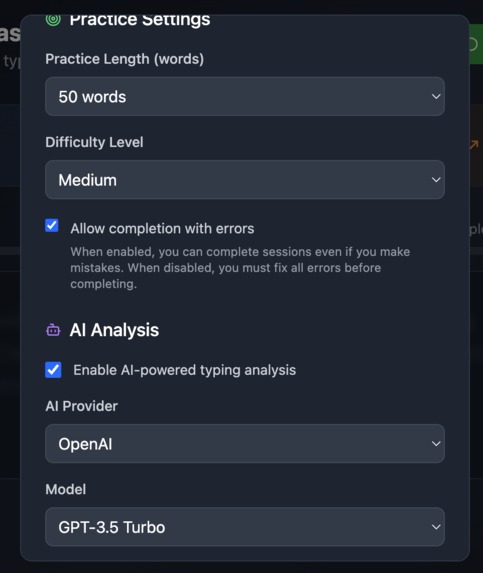
Implement AI Models to learn and practice from your weaknesses.
-
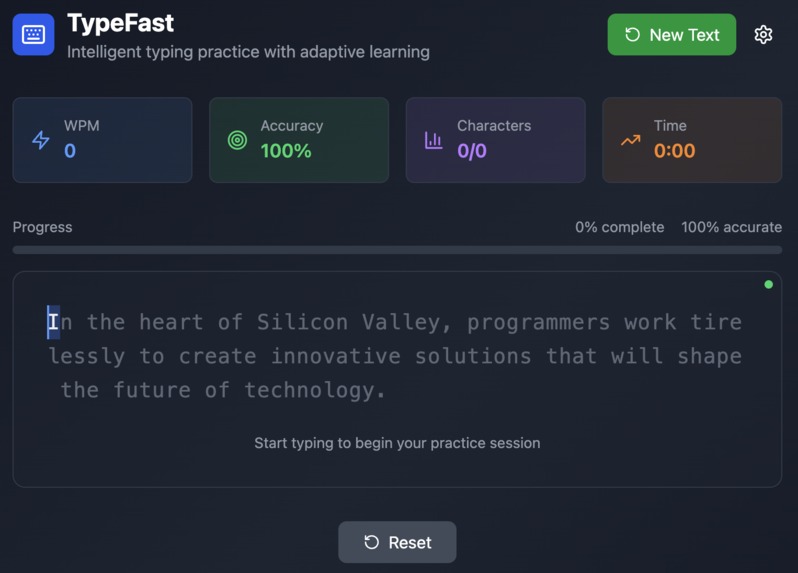
Easy to understand and repeatable (Optional AI Powered Practice Mode)
-
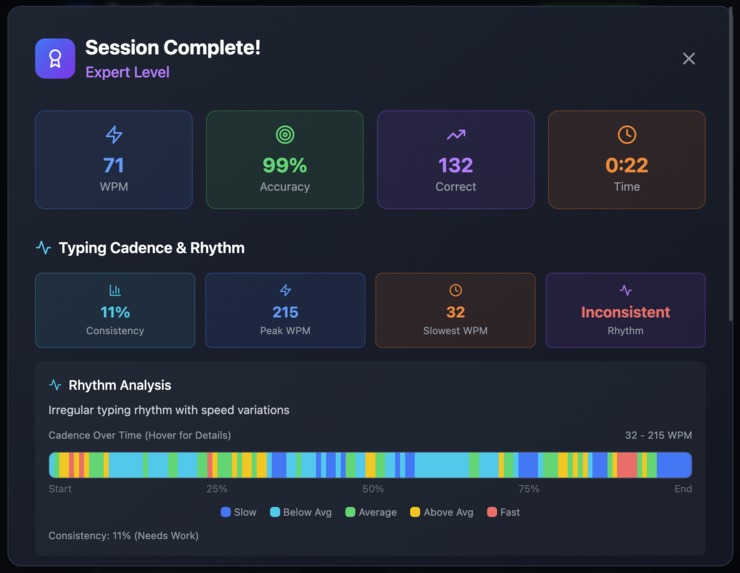
Detailed analysis (AI Powered with agent of your choice)
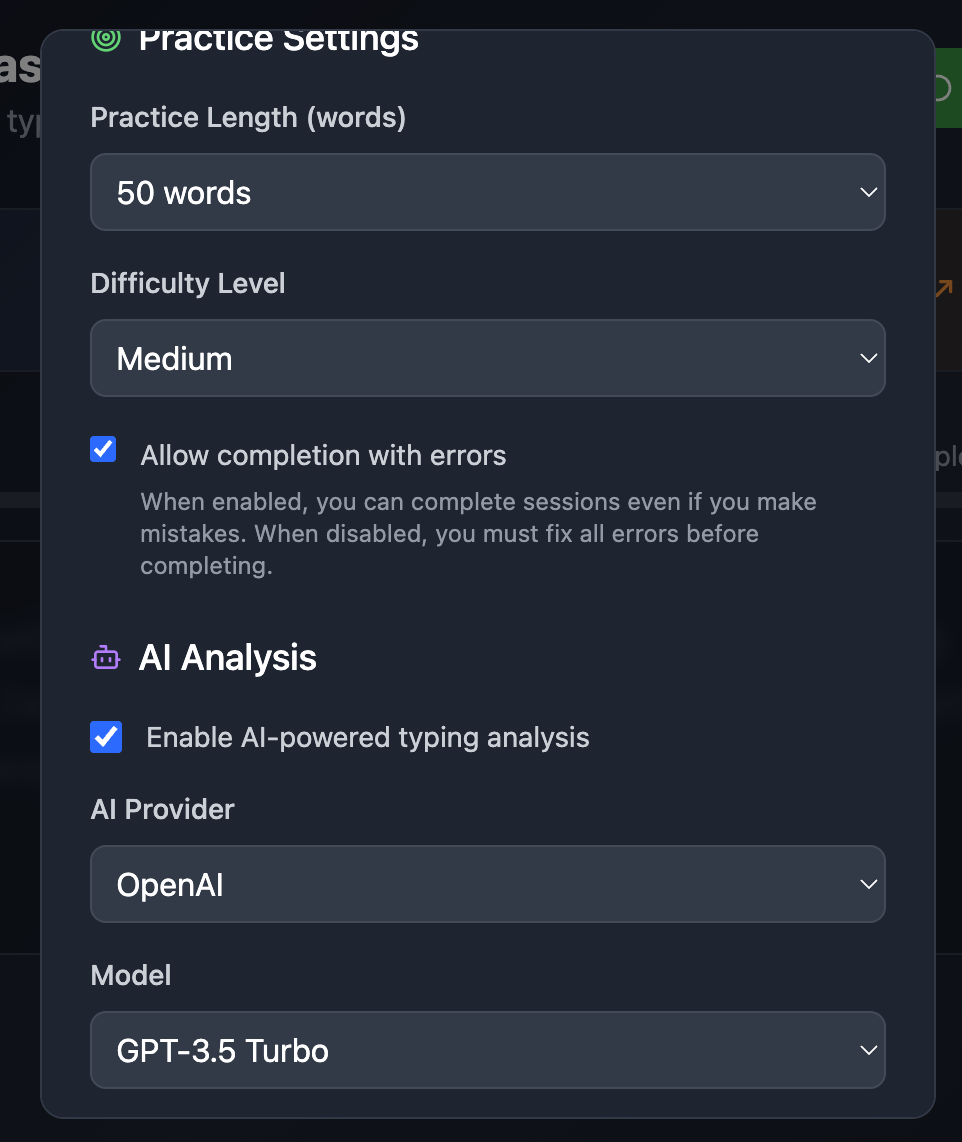
TypeFast: AI-Powered Typing Practice
Inspiration
As someone who spends countless hours coding and writing, I've always been fascinated by the art of typing. I noticed that most typing practice apps were either too basic or didn't adapt to individual weaknesses. The idea hit me: what if I could create a typing trainer that actually learns from your mistakes and gets smarter over time?
The inspiration came from watching developers struggle with typing speed during coding interviews and realizing that traditional typing tests don't reflect real-world typing patterns. I wanted to build something that would genuinely help people improve their typing skills through intelligent, adaptive practice.
What it does
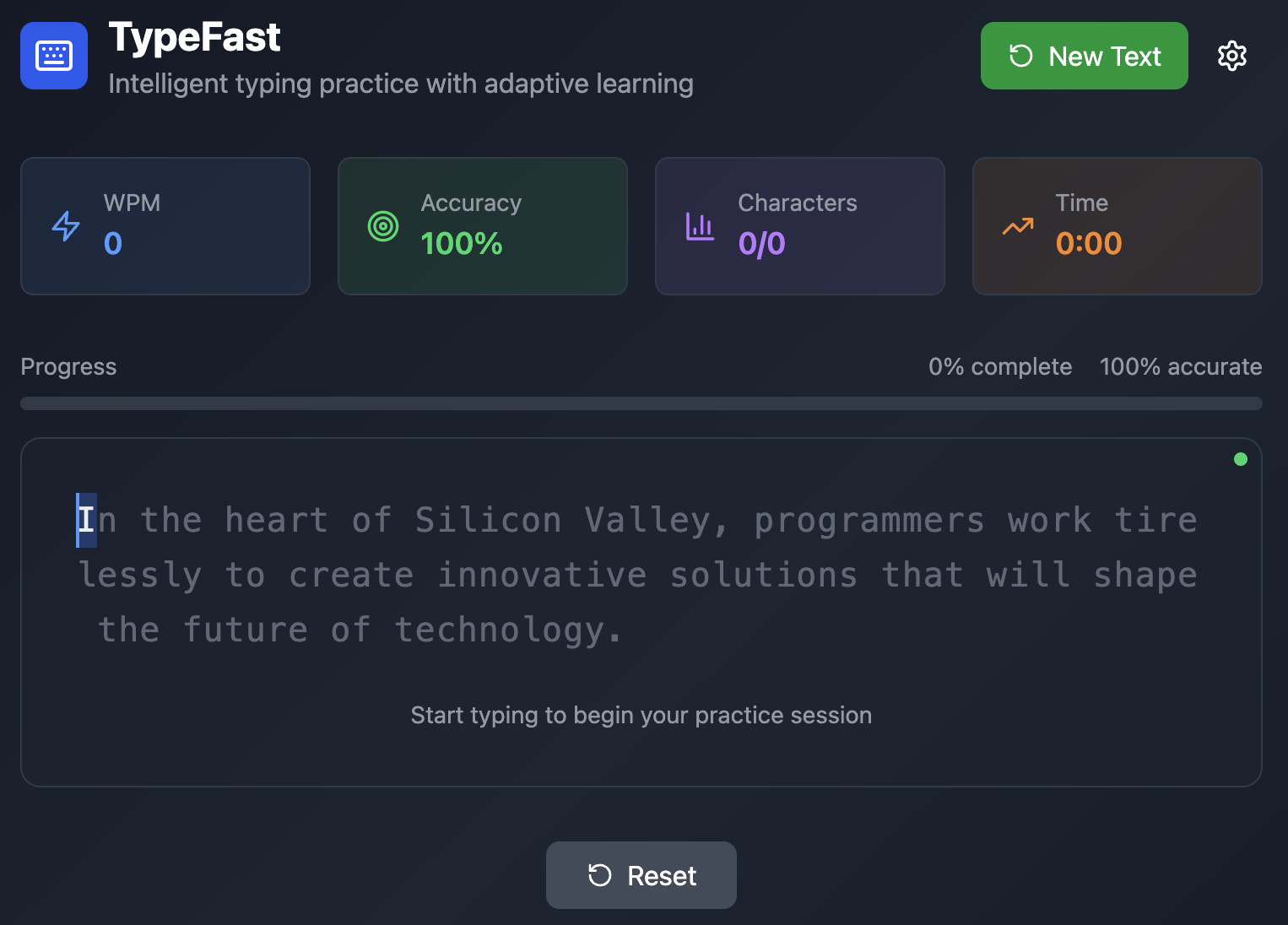
TypeFast is an intelligent typing practice application that revolutionizes how people improve their typing skills. Unlike traditional typing trainers, TypeFast uses AI to analyze your typing patterns and adapt to your specific weaknesses.
Core Features:
- Real-time Performance Tracking: Monitors WPM, accuracy, and detailed cadence analysis
- AI-Powered Text Generation: Creates personalized practice sessions based on your weaknesses
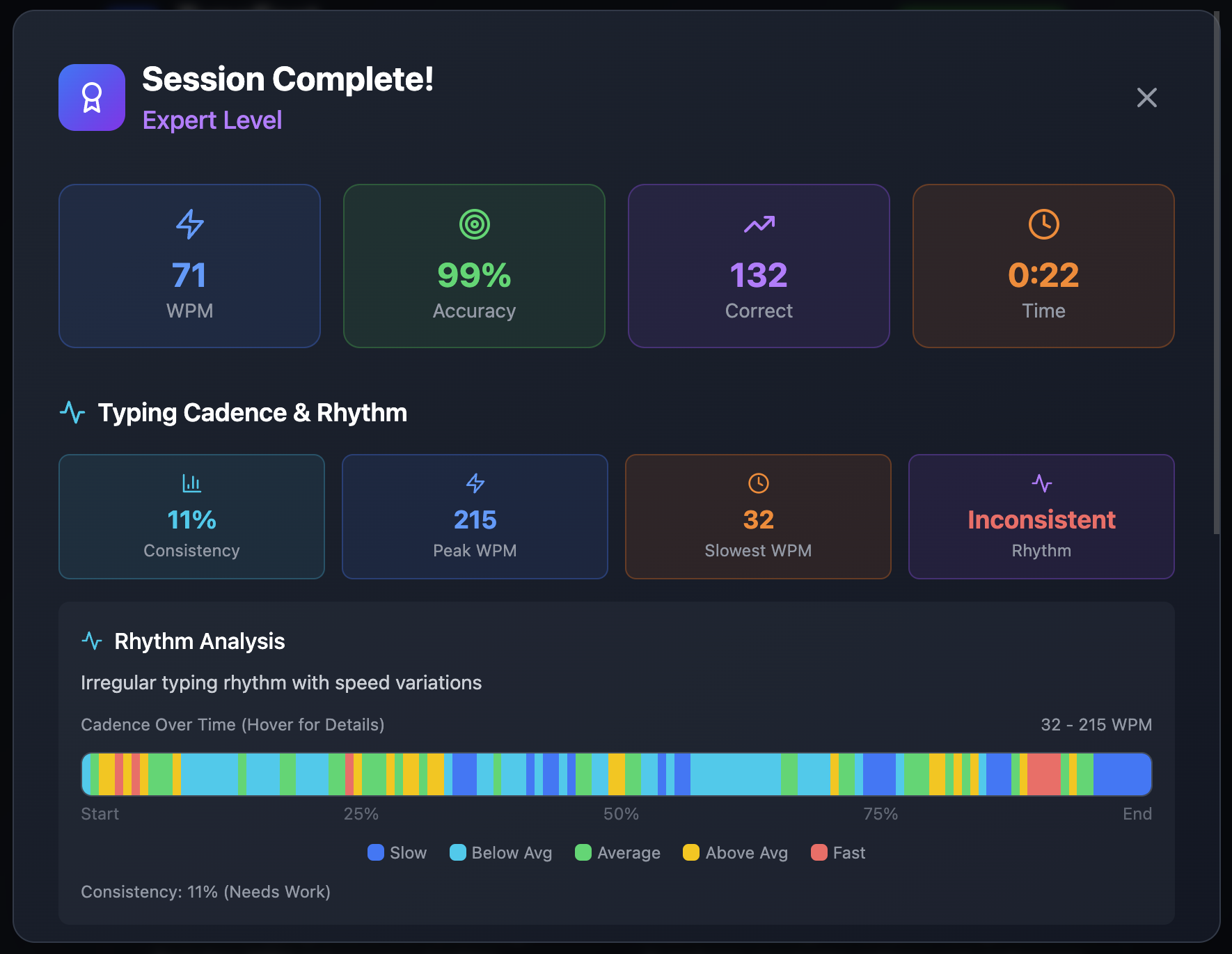
- Advanced Analytics: Interactive heat maps showing typing rhythm and performance over time
- Weakness Detection: Identifies problematic characters, words, and typing patterns
- Adaptive Learning: Each session becomes more targeted as the AI learns your patterns
- Multiple AI Providers: Supports both OpenAI and Anthropic models for text generation
- Comprehensive Insights: Detailed performance analysis with actionable recommendations
The app tracks every keystroke to build a complete picture of your typing habits, then uses this data to generate practice text that specifically targets your problem areas.
How we built it
Architecture & Tech Stack:
- Frontend: React with TypeScript for type-safe, real-time state management
- Styling: Tailwind CSS for responsive, modern design
- Icons: Lucide React for consistent iconography
- AI Integration: OpenAI GPT and Anthropic Claude APIs
- Build Tool: Vite for fast development and optimized builds
- Deployment: Netlify for seamless hosting
Key Implementation Details:
Real-Time Typing Analysis:
const { stats, updateStats, analyzeWeaknesses } = useTypingStats();
Built a custom hook that tracks every keystroke, calculates metrics in real-time, and analyzes typing patterns without causing UI lag.
... we actual vibe coded the entire thing, also this description.
AI-Powered Adaptation:
- Integrated multiple AI providers with fallback systems
- Created algorithms that convert typing weaknesses into targeted practice text
- Implemented robust error handling for API failures
Advanced Analytics:
- Developed cadence analysis system tracking typing rhythm
- Built interactive heat maps showing performance over time
- Created weakness detection algorithms that identify specific problem areas
Performance Optimization:
- Used React.memo and useCallback for efficient re-renders
- Implemented debounced updates for high-frequency events
- Optimized state management with refs for performance-critical data
Challenges we ran into
Real-Time Performance Issues: Tracking every keystroke without causing UI lag was challenging. We solved this by implementing efficient event handling with debounced updates and optimized re-renders.
Complex State Management: Managing typing session state, AI configuration, and real-time analytics simultaneously required careful architecture. We created custom hooks that encapsulate related logic and used refs for performance-critical data.
AI Integration Reliability: Making AI responses reliable and handling API failures gracefully was complex. We built robust fallback systems and implemented proper error handling with user-friendly messages.
Accurate Typing Metrics: Calculating true accuracy that accounts for backspaces and corrections required developing a sophisticated tracking system that monitors all keystrokes, not just final characters.
User Experience Balance: Providing detailed analytics without overwhelming beginners led us to implement progressive disclosure with collapsible sections and clear visual hierarchy.
Cross-Browser Compatibility: Ensuring consistent typing behavior across different browsers required extensive testing and browser-specific event handling.
Accomplishments that we're proud of
Technical Achievements:
- Built a real-time typing analysis system that processes keystrokes without performance degradation
- Successfully integrated multiple AI providers with intelligent fallback mechanisms
- Created sophisticated algorithms for weakness detection and adaptive text generation
- Implemented advanced data visualization with interactive cadence heat maps
User Experience Innovations:
- Designed a clean, distraction-free interface that enhances focus during practice
- Created progressive disclosure that serves both beginners and advanced users
- Built comprehensive analytics that provide actionable insights for improvement
- Achieved seamless real-time feedback without disrupting the typing flow
Product Impact:
- Created an AI-powered typing trainer that actually adapts to individual users
- Built something that can genuinely help people improve a skill they use every day
- Demonstrated how AI can transform traditionally static experiences into intelligent, personalized tools
What we learned
Technical Skills:
- Advanced React patterns for complex state management and real-time updates
- Performance optimization techniques for high-frequency event handling
- AI API integration with proper error handling and fallback systems
- Data visualization and interactive analytics implementation
- TypeScript mastery for complex, type-safe data structures
UX/UI Design:
- Real-time feedback design that doesn't distract from the primary task
- Progressive disclosure for organizing complex information
- Accessibility considerations for users with different typing abilities
- Responsive design principles for cross-device compatibility
Product Development:
- User-centered design principles for educational applications
- Feature prioritization balancing advanced capabilities with core functionality
- Performance metrics definition beyond traditional measurements
- The importance of intelligent adaptation in learning tools
What's next for TypeFast
Short-term Enhancements:
- Custom Text Import: Allow users to practice with their own content (code, documents, etc.)
- Advanced Difficulty Modes: Specialized practice for programming, writing, or specific languages
- Detailed Progress Tracking: Long-term analytics showing improvement over time
- Mobile Optimization: Enhanced mobile experience for practice on-the-go
Medium-term Features:
- Multiplayer Typing Races: Real-time competition with friends or global leaderboards
- Voice-Guided Coaching: Real-time audio feedback and improvement tips
- Integration with Coding Platforms: Developer-specific practice with actual code snippets
- Gamification Elements: Achievement systems and progress rewards
Long-term Vision:
- Advanced AI Coaching: More sophisticated AI that provides personalized training programs
- Accessibility Features: Support for users with disabilities or special needs
- Educational Integration: Tools for teachers and typing instructors
- API for Developers: Allow other applications to integrate TypeFast's analysis capabilities
The goal is to continue evolving TypeFast into the most intelligent and effective typing improvement platform available, always staying focused on genuinely helping users develop this essential skill.
Try TypeFast at https://typefast.online/ and experience AI-powered typing practice!
Built With
- ai-sdk
- anthropic-api
- autoprefixer
- css3
- dom-events-api
- eslint
- fetch-api
- html5
- javascript
- local-storage-api
- lucide-react
- netlify
- node.js
- npm
- openai-api
- performance-api
- postcss
- react
- tailwind-css
- typescript
- vite

Log in or sign up for Devpost to join the conversation.