-
-
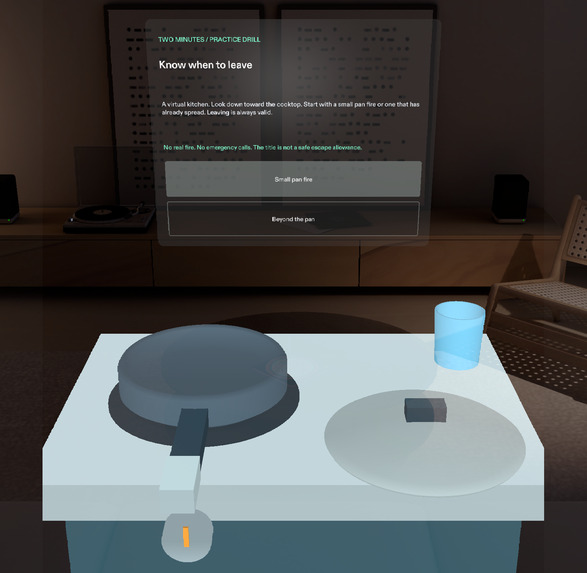
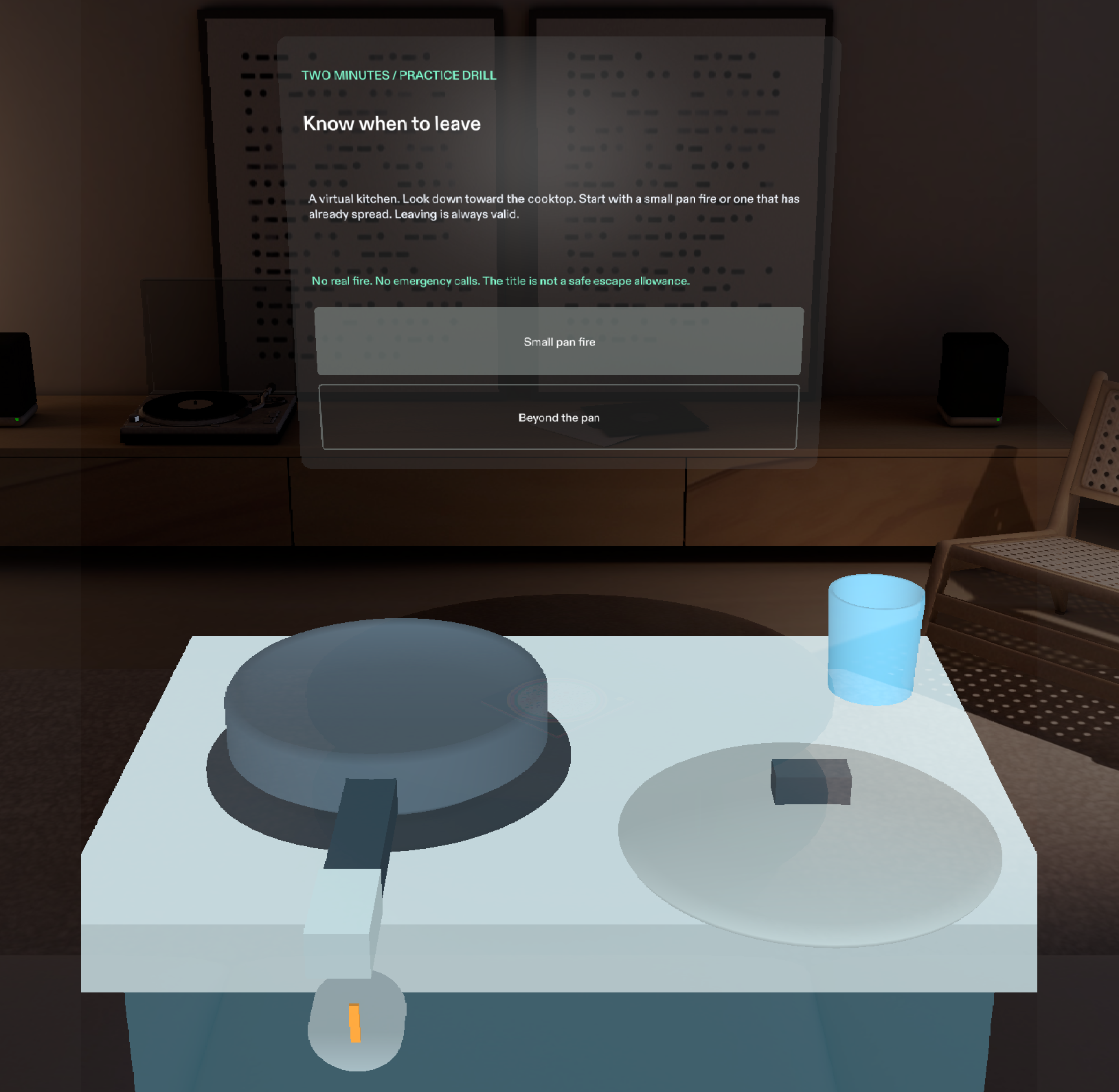
Choose a small pan fire or a fire beyond the pan. Actual Lens Studio Preview; the kitchen and exit are virtual.
-
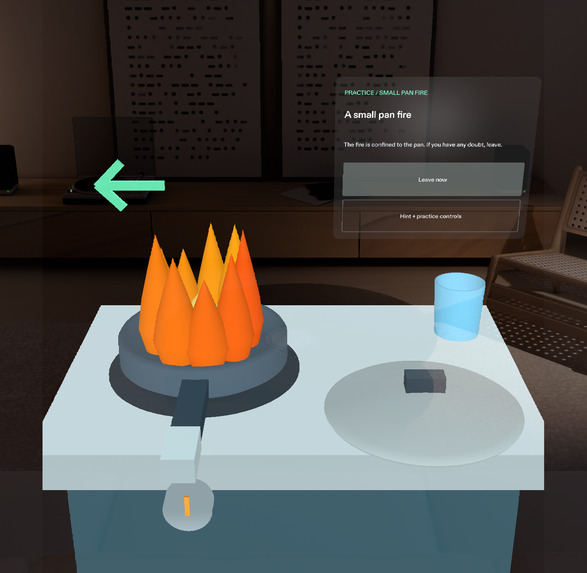
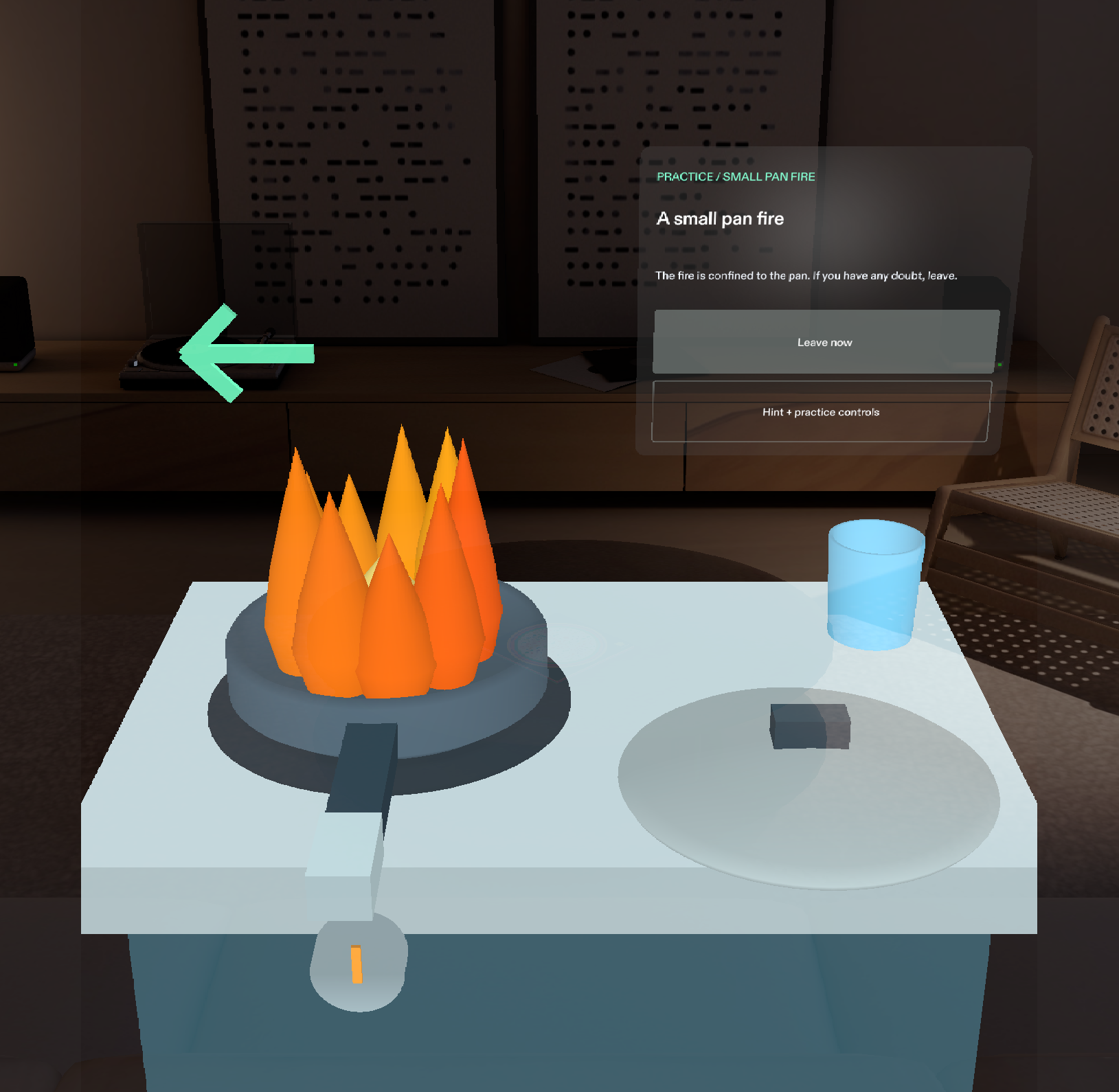
Small-pan practice: separate lid and front burner controls, plus Leave now. The learner can leave at any point.
-
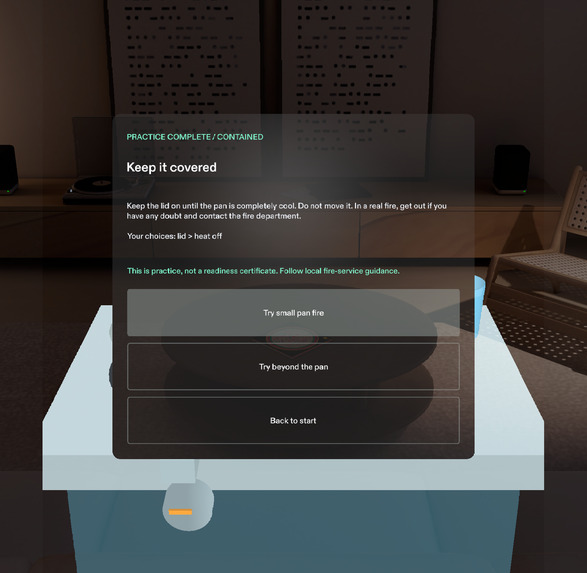
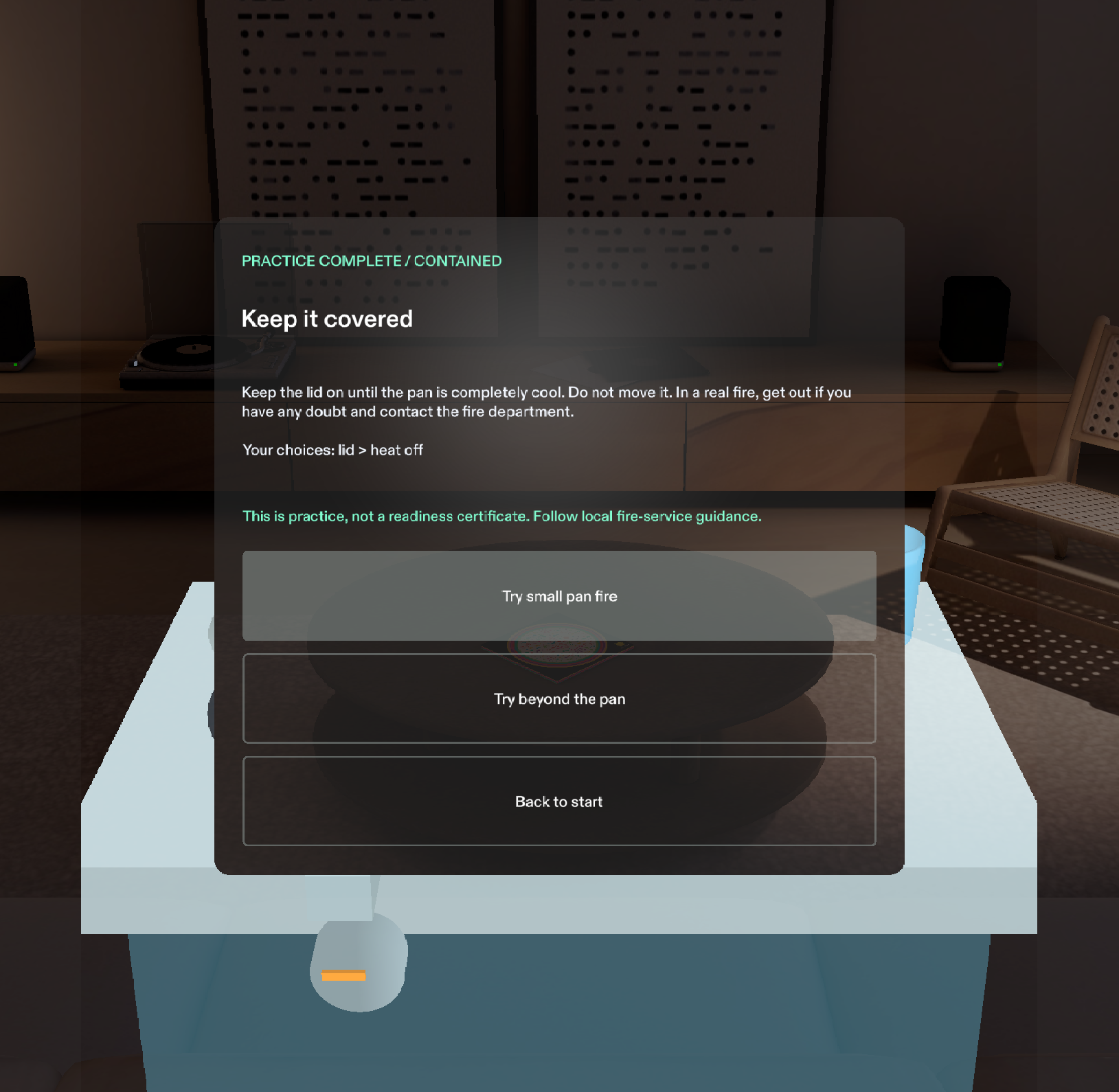
Containment ends with a keep-covered-until-cool reminder. It does not force a correctly contained fire to spread.
-
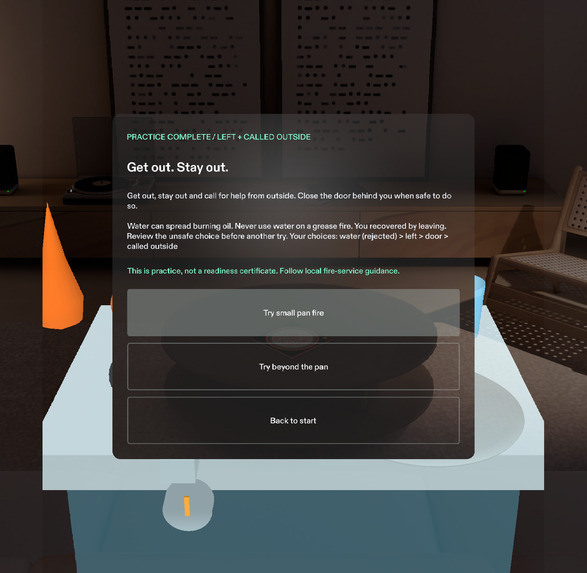
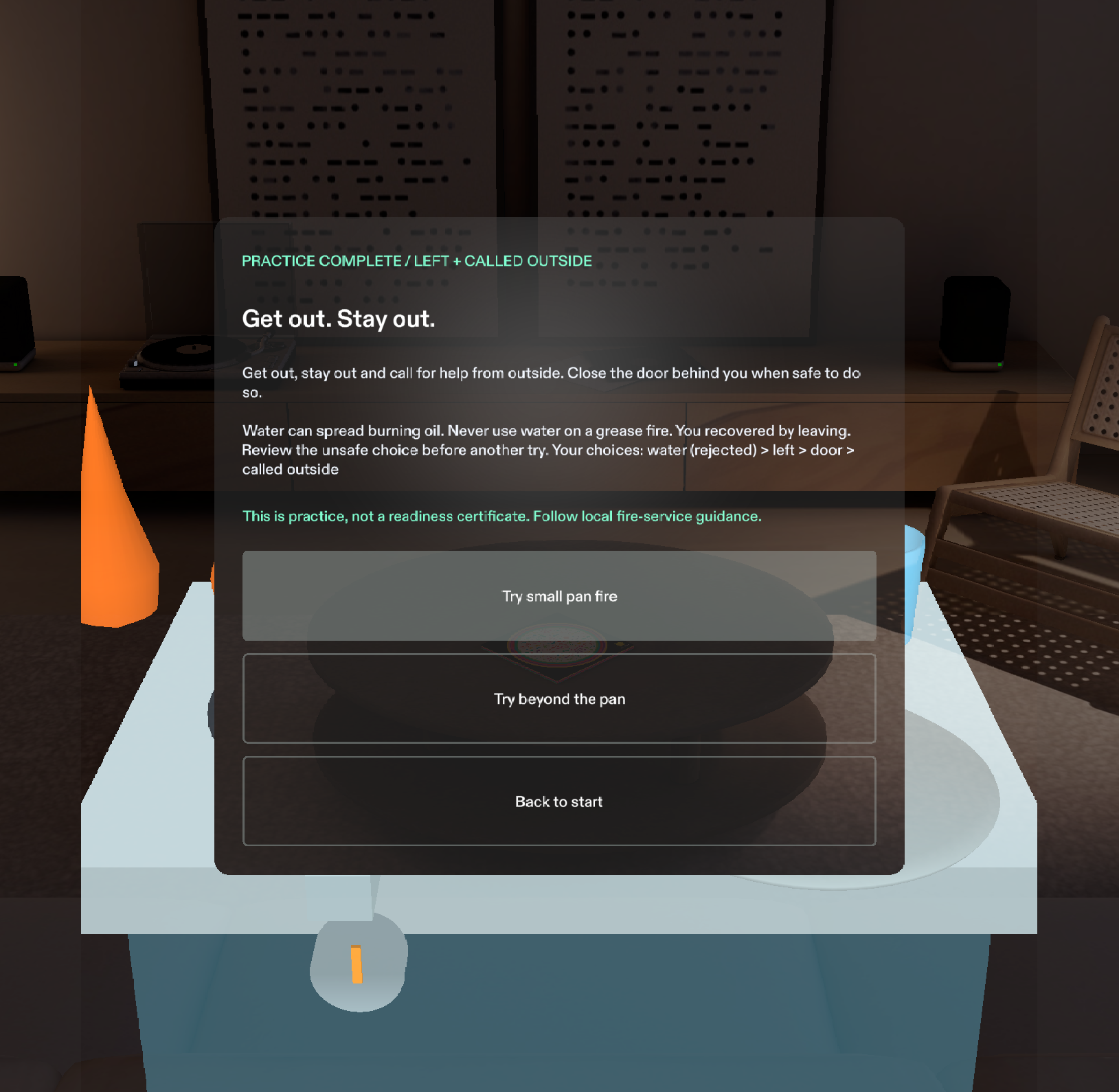
The water-choice debrief explains burning oil and records the learner's mistake and recovery by leaving.
The problem
A fire-safety rule is easier to remember on a page than to apply when a pan catches fire. The learner has to recognize the situation, find the relevant objects and decide whether to act or leave. A demonstration that always rewards putting the fire out misses the most important decision.
Two Minutes focuses on that decision. It is a short SPECS practice drill with two authored starting conditions and an exit that remains available throughout.
What it does
The Lens places a virtual cooktop, pan, lid, front burner control and marked exit in the learner's space. The objects have separate positions. The learner can grab the lid, select the burner, turn toward the exit and review the result.
In the first scenario, the fire is confined to the pan. The illustrated containment branch accepts a lid plus safely switching off the heat. It ends with a reminder to keep the pan covered until completely cool. Successful containment does not trigger a forced spread. Leaving immediately is also valid.
In the second scenario, the fire has already spread beyond the pan. Reaching for the lid or burner cannot solve it. The learner leaves, can close the door when safe and makes a clearly simulated call for help from outside.
Selecting the virtual water glass demonstrates an unsafe choice for a grease fire. It produces a restrained consequence and an evacuation path. The exit stays available. The debrief explains why water was unsafe and records the learner's mistake and recovery.
The pan cannot be carried. There is no speed leaderboard or safe-time countdown. "Two Minutes" names the practice session, not a promised escape allowance.
Why SPECS
The drill puts the choices in space and leaves the learner's hands available. The lid belongs beside the pan, the burner is on the front of the cooktop and the exit is in a different direction. The learner looks toward an action rather than moving between a phone and the scene.
The prototype uses a virtual kitchen and an explicitly authored exit. It runs in Lens Studio's preview without glasses. It does not identify real kitchen objects or calculate a route through a real building.
How it was built
Planning used the Devpost Learn plan-lens skill and its spatial design brief. The native build uses CLAD, Lens Studio 5.23.2 and the Lens Studio MCP.
SIK handles targeting, pinching and lid manipulation. UIKit supplies the panels and buttons. MeshBuilder creates the articulated cooktop, pan, lid, burner, flames and door beneath named scene anchors. Five local sound cues mark the drill and its actions.
One state machine owns every decision. Native interaction code sends it actions, then sends the resulting state to passive views and geometry. The same rules drive both the physical-style prop interactions and the optional UIKit controls.
The project starts with Snap's standard SPECS Base Template and includes its official SIK and UIKit packages. Their licenses and the build provenance are retained in the repository. The drill's state, scene modules, interaction flows and tests were built during the hackathon.
What was checked
Twenty-three portable tests passed. The suite includes bounded checks across 33,476 choice prefixes: leaving remains possible, water cannot earn a containment result and late events cannot change a finished outcome.
Seven native LEAF cases passed in preview. They cover both immediate-exit branches, SIK lid dragging, containment, the accessible lid action, water recovery, rejected containment attempts after spread, reset and synthetic IK targeting. Separate PreviewInteractTool runs checked the visible controls and actual debrief text. Moving the preview camera into the authored exit region also triggered evacuation.
What changed during development
The early design was too focused on extinguishing the fire. Splitting it into two starting conditions made the decision to leave explicit. It also removed the need to force a fire to spread after a correct containment sequence.
Preview checks exposed problems that compilation did not: a clipped front burner control, a hidden panel that still intercepted input and a debrief that could describe containment as evacuation. Recording also caught a duplicate lid-end event. A state guard prevents a completed lid action from being recorded twice, and the native test checks that count. The fixes were checked through native interactions and fresh captures. The cooktop moved 20 cm farther away so the lid and front control fit together in view.
The main lesson was to keep decision logic, input targeting and visual evidence separate. A passing state test cannot establish that the learner can reach the right control or read the resulting feedback.
Next steps
A fire educator should review the script, which draws on CPSC cooking-fire guidance, NFPA educational messages and USFA escape-plan guidance. Fresh users should try both scenarios without coaching and explain their decisions. Physical glasses are needed to assess real hand tracking, visibility and comfort. No participant study has established teaching effectiveness.
Built With
- clad
- lens-studio
- meshbuilder
- spectacles-interaction-kit
- spectacles-ui-kit
- typescript

