Inspiration
Developers burn time hopping between browser, code tree, and editor to fix tiny UI issues.
Changing a color or padding means searching for the right component and losing flow.
We asked: what if you could edit your UI by clicking on it?
Tweak turns your running React app into an editable surface: point at what you want, describe the change, and let the helper apply the code update.
What It Does
Tweak is a visual editor for live React apps.
An in-page SolidJS overlay plus a local helper daemon (CLI) map DOM → source code, then generate and apply edits through an LLM.
How It Works
- Press Alt + F to enter selection mode
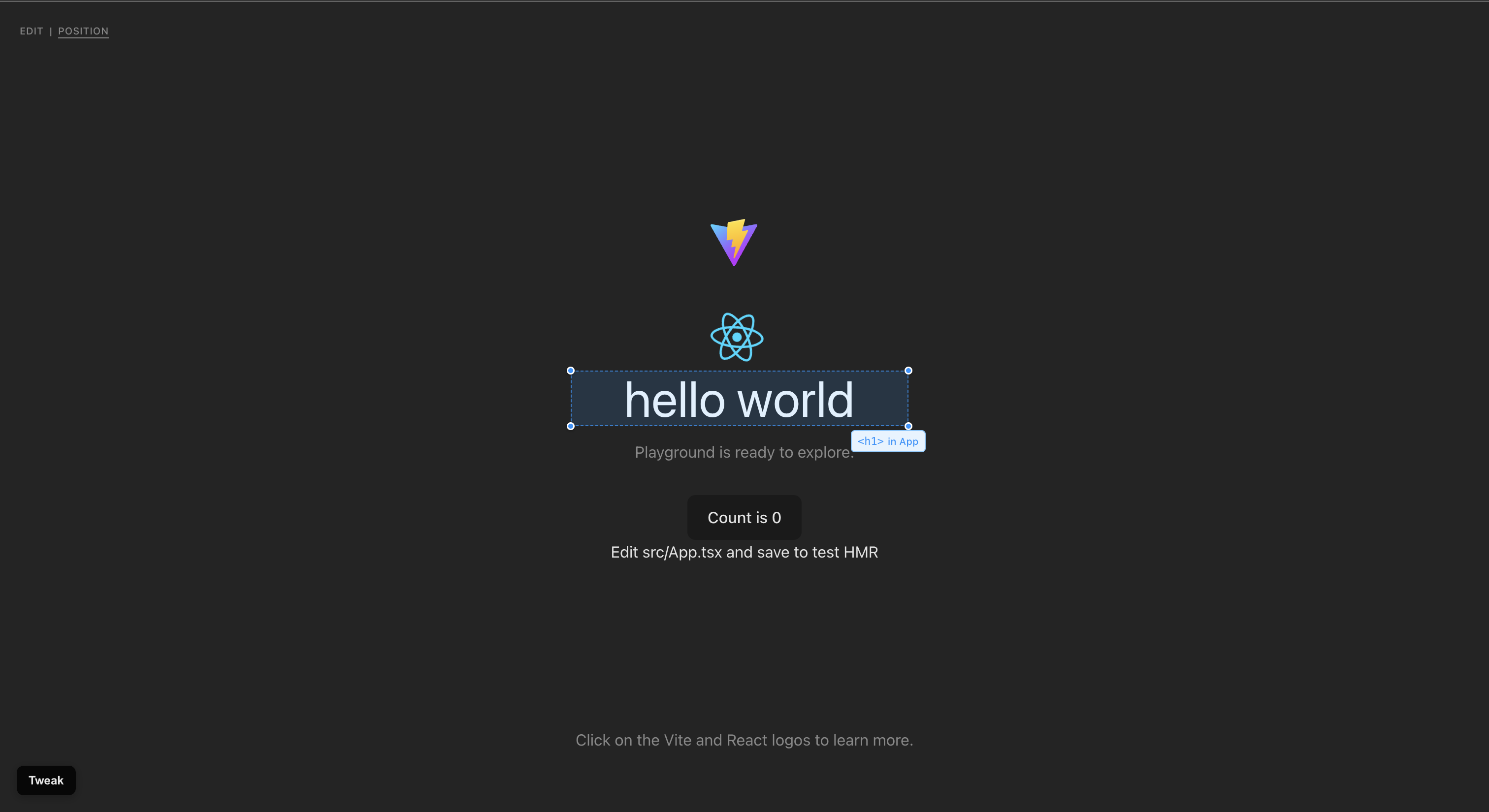
- Hover to see component labels (via React Fiber)
- Click or drag-select any element (or use Position Mode to nudge with arrow keys)
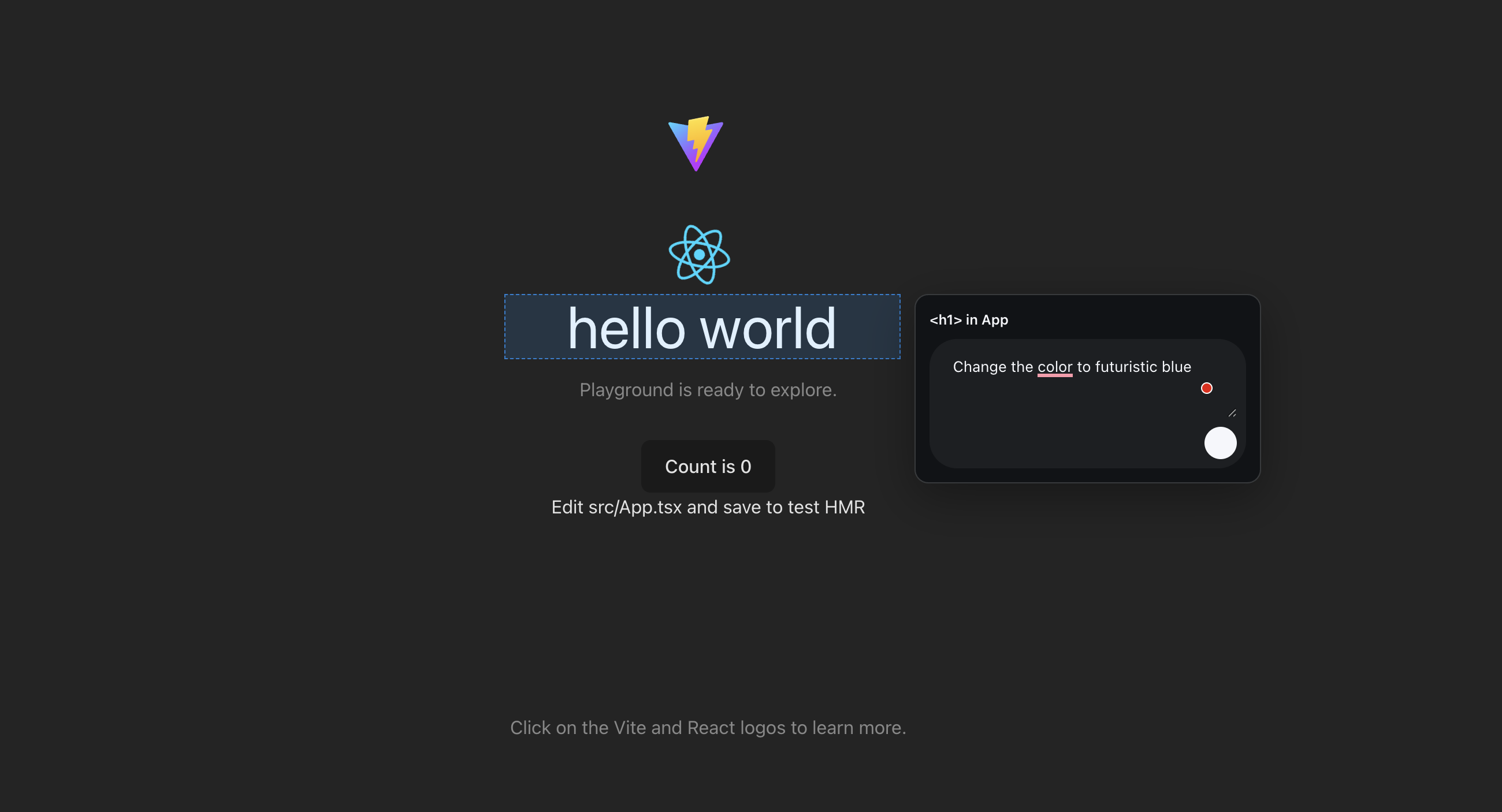
- Type or speak the desired change
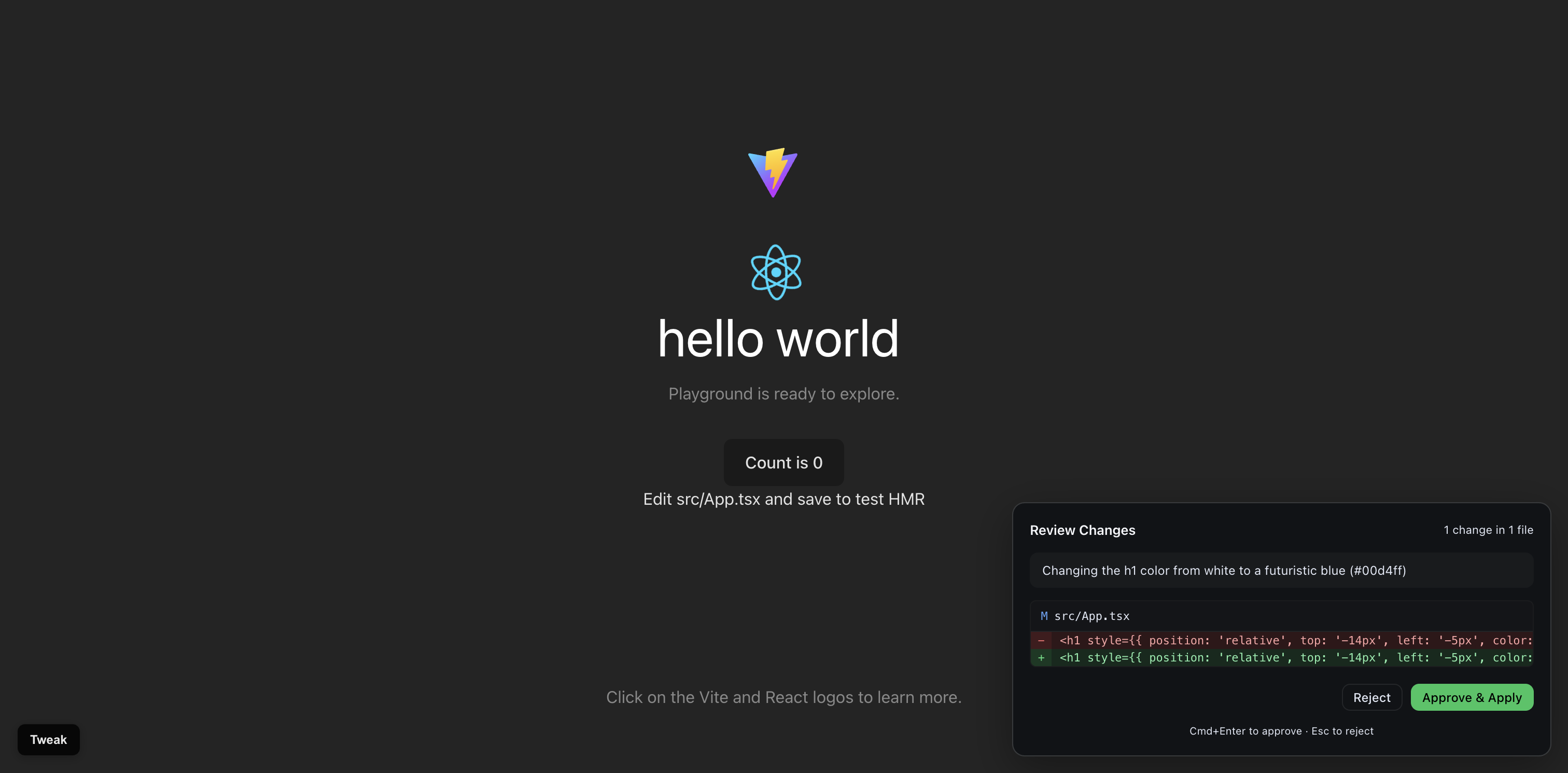
- Review the generated diff in the approval panel, then Approve & Apply to write the source file (checkpointed)
Key Features
- CLI workspace auto-discovery (
git,.tweak.json) and helper daemon on port 4567 - Visual element selection with drag box and hover labels
- Position Mode with keyboard nudging and generated CSS change prompts
- Voice input via Web Speech API
- DOM → source mapping through React Fiber (Bippy)
- SolidJS overlay for low overhead and 60fps hover/drag interactions
- Approval and apply pipeline with checkpoints and rollback on failure
- Keyboard-first shortcuts for toggling, mode switch, and submitting changes
How We Built It
Architecture
- Overlay: SolidJS renderer injected into the page via a high z-index portal; captured events prevent app interference
- Source Mapping: React Fiber traversal (Bippy) to derive component names, file/line info, and UI labels
- Helper Daemon: Express + WebSocket server that queues tasks, streams progress, runs LLM generation (OpenRouter), checkpoints files, and applies search/replace patches with validation
- Voice: Web Speech API with dictation toggle and UI feedback
- Position Mode: Generates precise CSS movement prompts from drag/nudge deltas
Stack
React app under test
SolidJS overlay
TypeScript
Vite
Bippy
Express
WebSocket
OpenRouter LLM
Challenges
- Robust Fiber traversal across React versions and bundlers
- Normalizing dev-server and bundler paths to real workspace files
- Running Solid safely inside a React-rendered page
- Keeping hover/drag responsive while capturing events
- Producing reliable, minimal search/replace patches from LLM output
Accomplishments
- In-browser, zero-context-switch editing of live React UI
- Stable Fiber-to-source mapping with labels and selection outlines
- Voice-driven and keyboard-driven change submission
- Position Mode that converts drag/nudge interactions into CSS-style prompts
- Checkpointed apply pipeline with safe rollback on error
What We Learned
- Fiber internals are powerful but fragile — normalization is essential
- UX details (mouse settle times, outlines, animations) make a devtool feel native
- Voice input significantly lowers friction for “describe the change” workflows
- Cross-framework overlays require strict isolation (Solid for the overlay, React for the app)
What’s Next
- Undo/redo timeline and a richer diff viewer
- Broader framework support (Next.js server components, Vue, Svelte, Angular, Web Components)
- Collaborative workflows (shared comments, proposals, review flows)
Vision
Editing UI should feel as immediate as designing in Figma.
Tweak bridges that gap: select, describe, approve — and your code updates without leaving the page.
Built With
- api
- bippy-(react-fiber-mapping)
- claude
- express.js
- openrouter-llm
- react-app-under-test
- solidjs-overlay
- speech
- typescript
- vite
- web
- websocket


Log in or sign up for Devpost to join the conversation.