
💡 Inspiration
"Everybody has a plan until they get punched in the mouth." — Mike Tyson
My day gets punched at 10:40. The meeting ran long, deep work never started, and my planner is showing me a wall of red.
Every planner I tried was brilliant at 8am, when the plan is perfect, and useless by 10:40, when it's already broken. Worse, they keep score: overdue, behind, 3 tasks missed. That's a bet on willpower, and it loses hardest for the people with the least of it to spare, the same people these apps say they're for.
So I built the opposite: a planner for the day you actually get. When you run late, the day makes room. It never counts what you missed.
Present: a day that bends, and never scolds.
📱 What it does
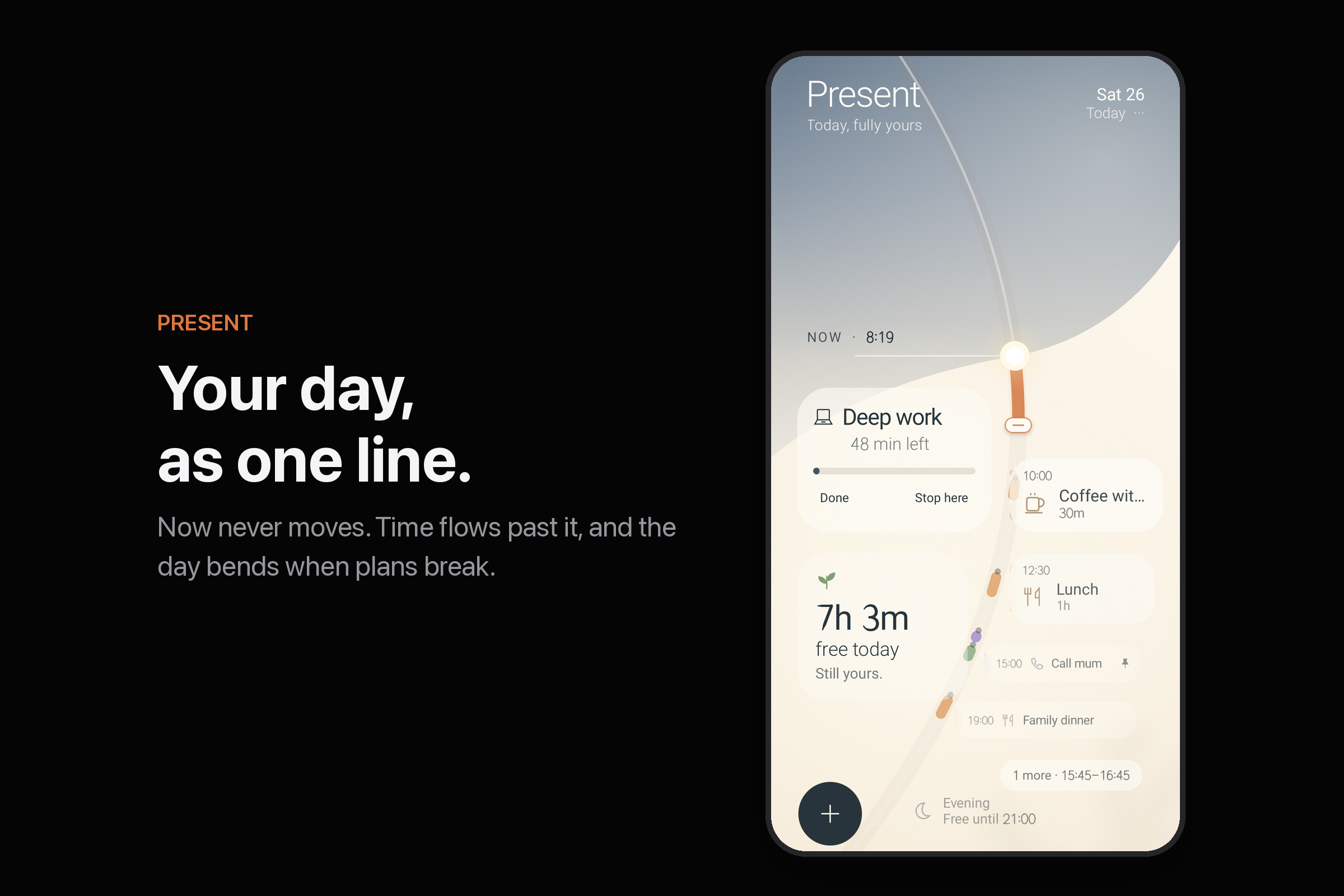
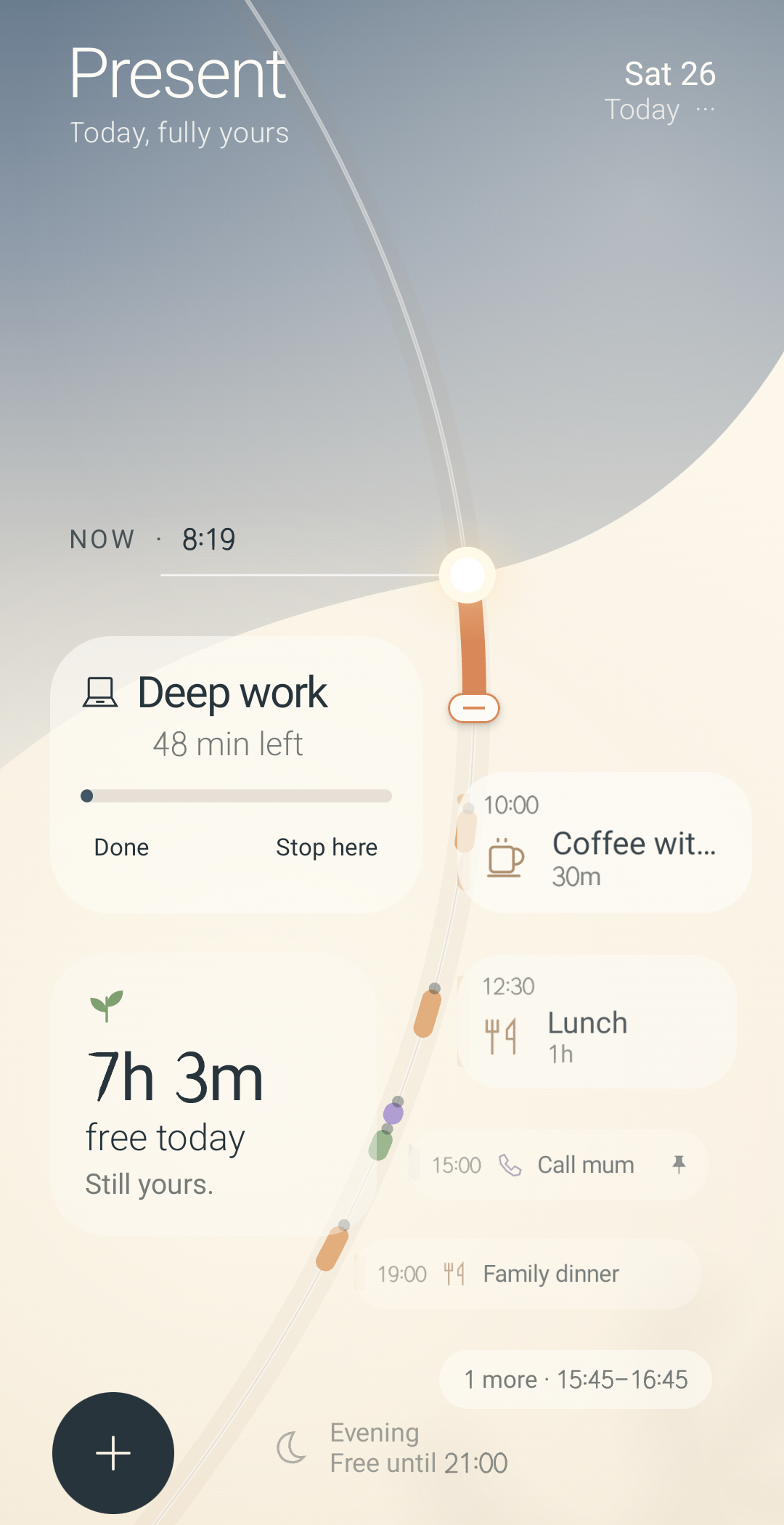
Your day is one line. Now is a glowing bead that never moves, and time flows past it. The past cools above; the future waits below, smaller the further away it is.
There are no buttons. Where you put something is what it means:
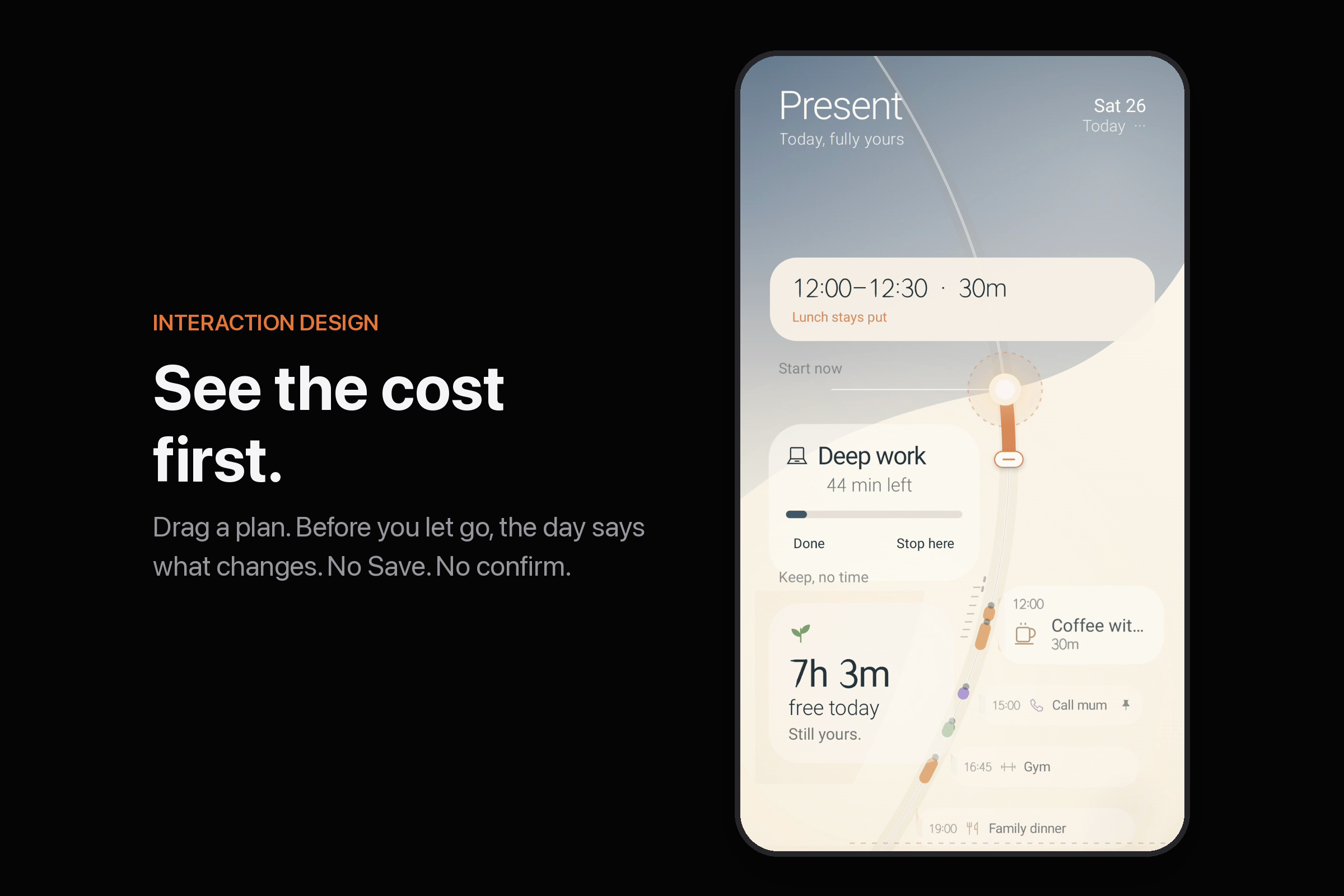
- 🔍 The Lens. Drag any plan and, before you let go, the day tells you the cost: "Lunch moves to 13:45." Letting go is the answer. Undo sits right beside it.
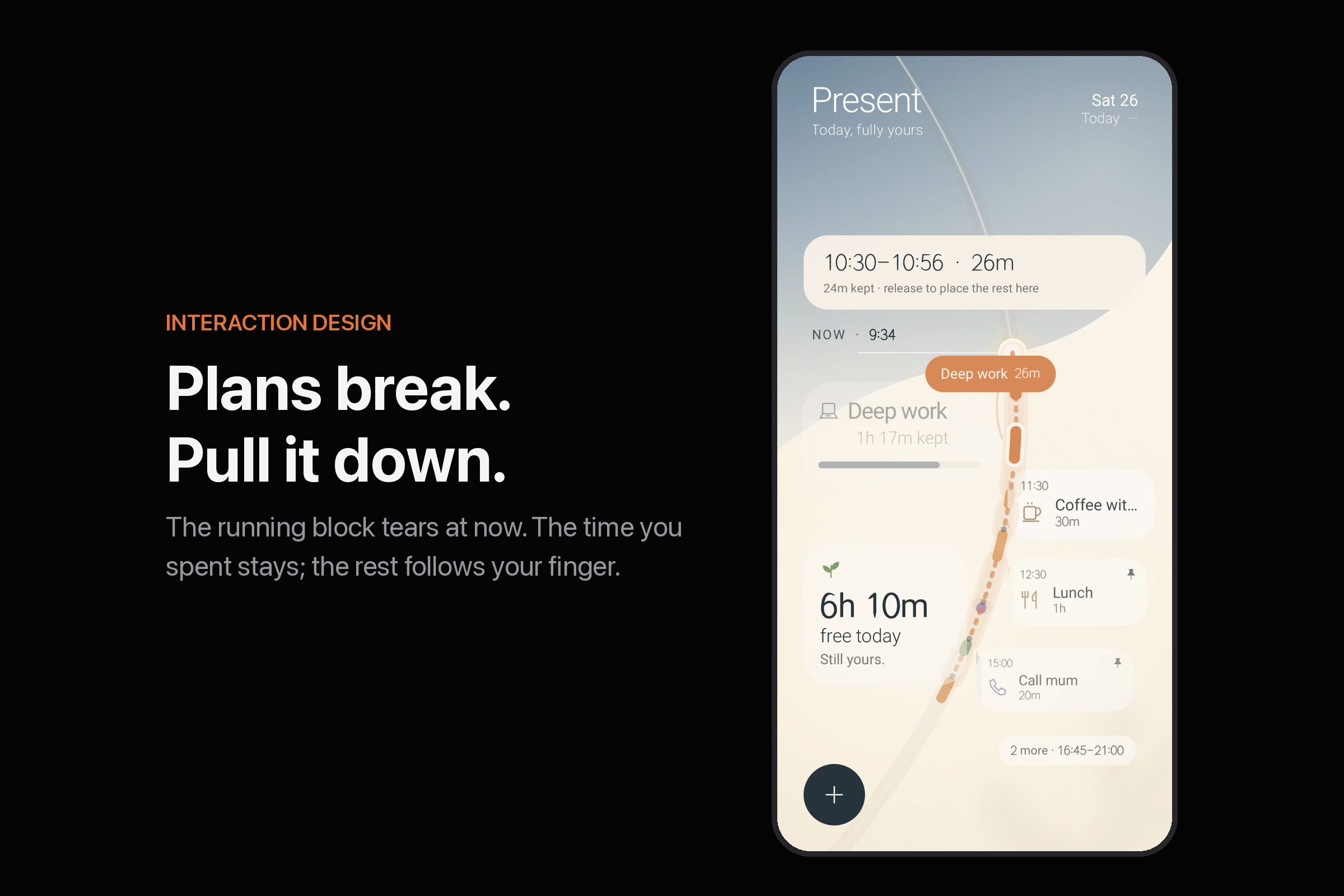
- ✂️ The Tear. Took a punch? Pull the running block down. It tears at now: the time you spent stays, and the rest follows your finger to a new spot. Nobody asks "how long did you spend?"
- ⬆️ Done. Push it up through now, and its light gathers into the bead.
- 📥 The Shelf. Pull a plan off to the left: kept, with no time. Still yours, not late.
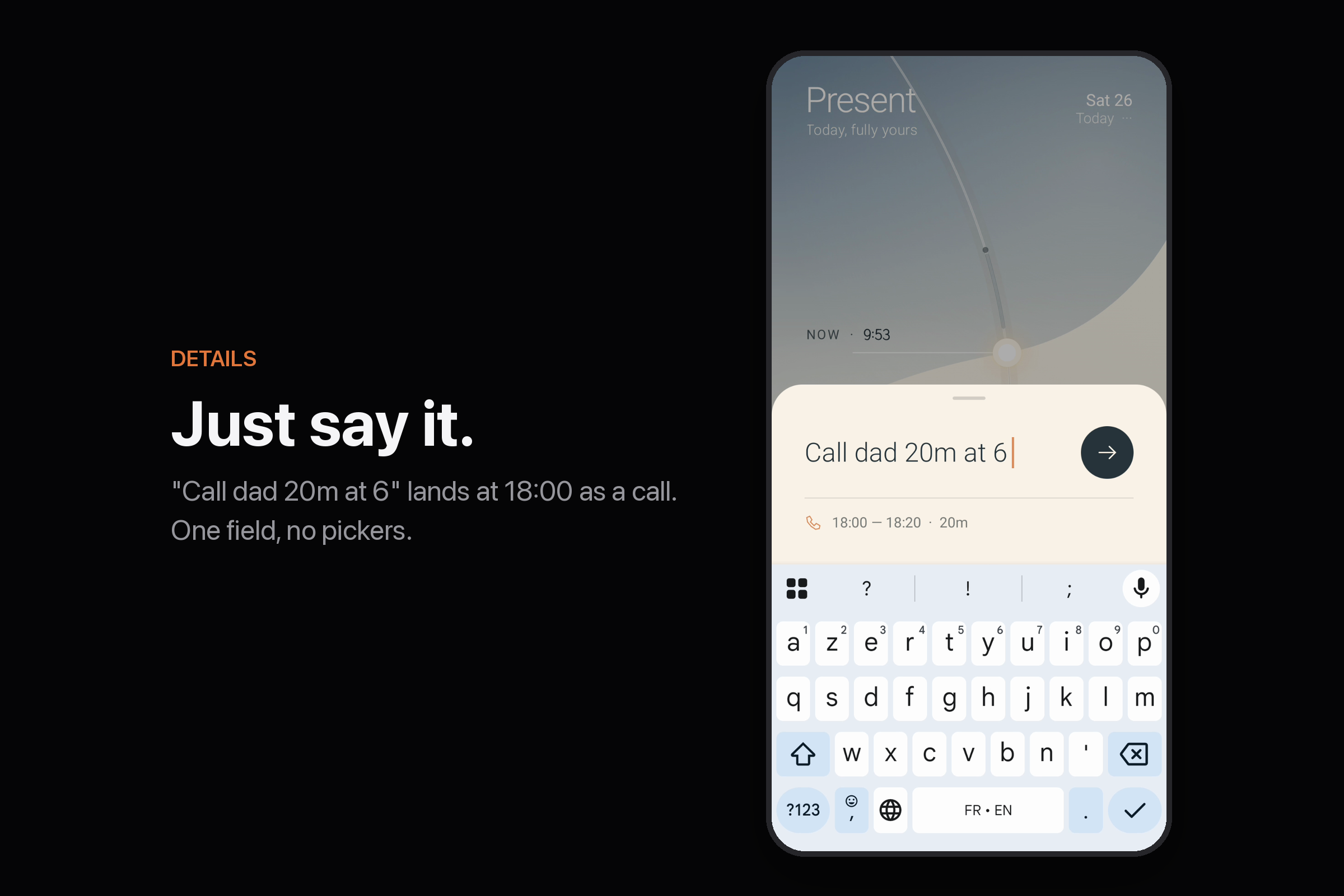
- ✍️ Names that read themselves. Type "Call mum 20m at 6" and it lands at 18:00 as a call. "Gym 1h mon wed fri" comes back every week. One field, no pickers.
- 🫶 Still going? When something runs long, it asks one question: Still going, or Done. No red. No tally. Ever.
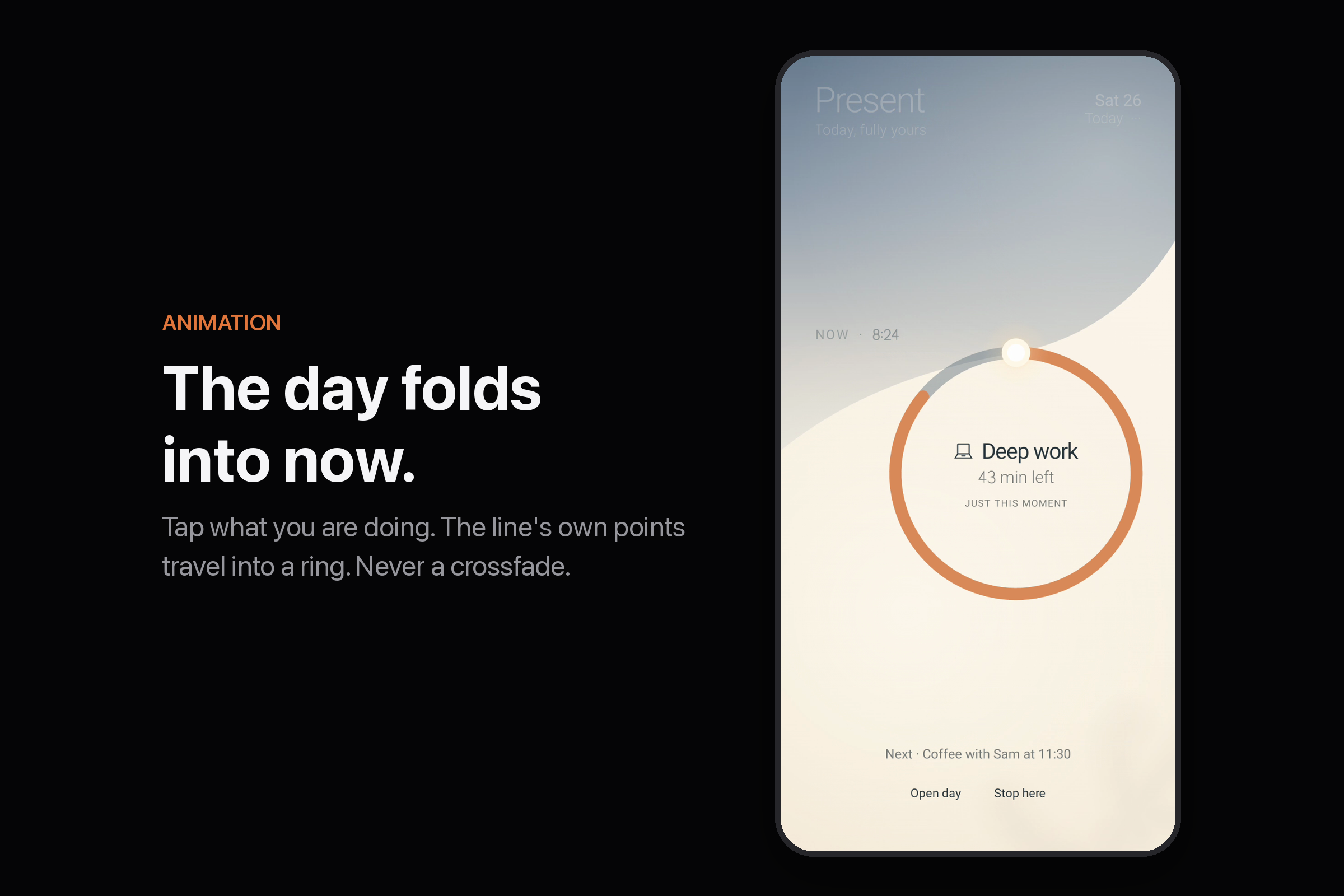
- 🌀 The Ring. Tap what you're doing and the line folds into a circle around this moment.
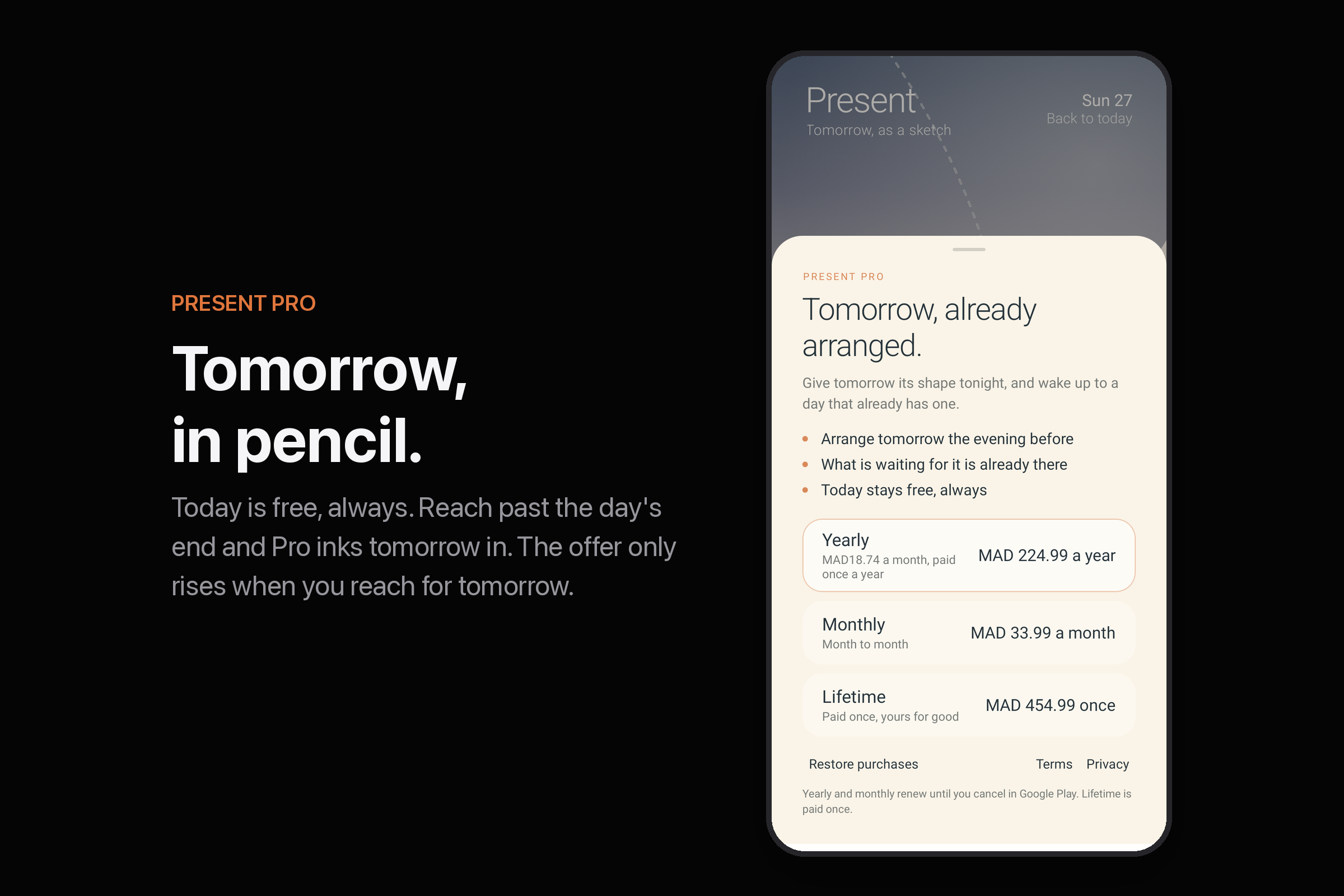
- ✏️ Tomorrow in pencil. Today is free, always. Reach past the day's end and tomorrow appears in pencil. Present Pro (via RevenueCat: monthly, yearly or lifetime) inks it in.
No account. No ads. No tracking.
🔨 How I built it
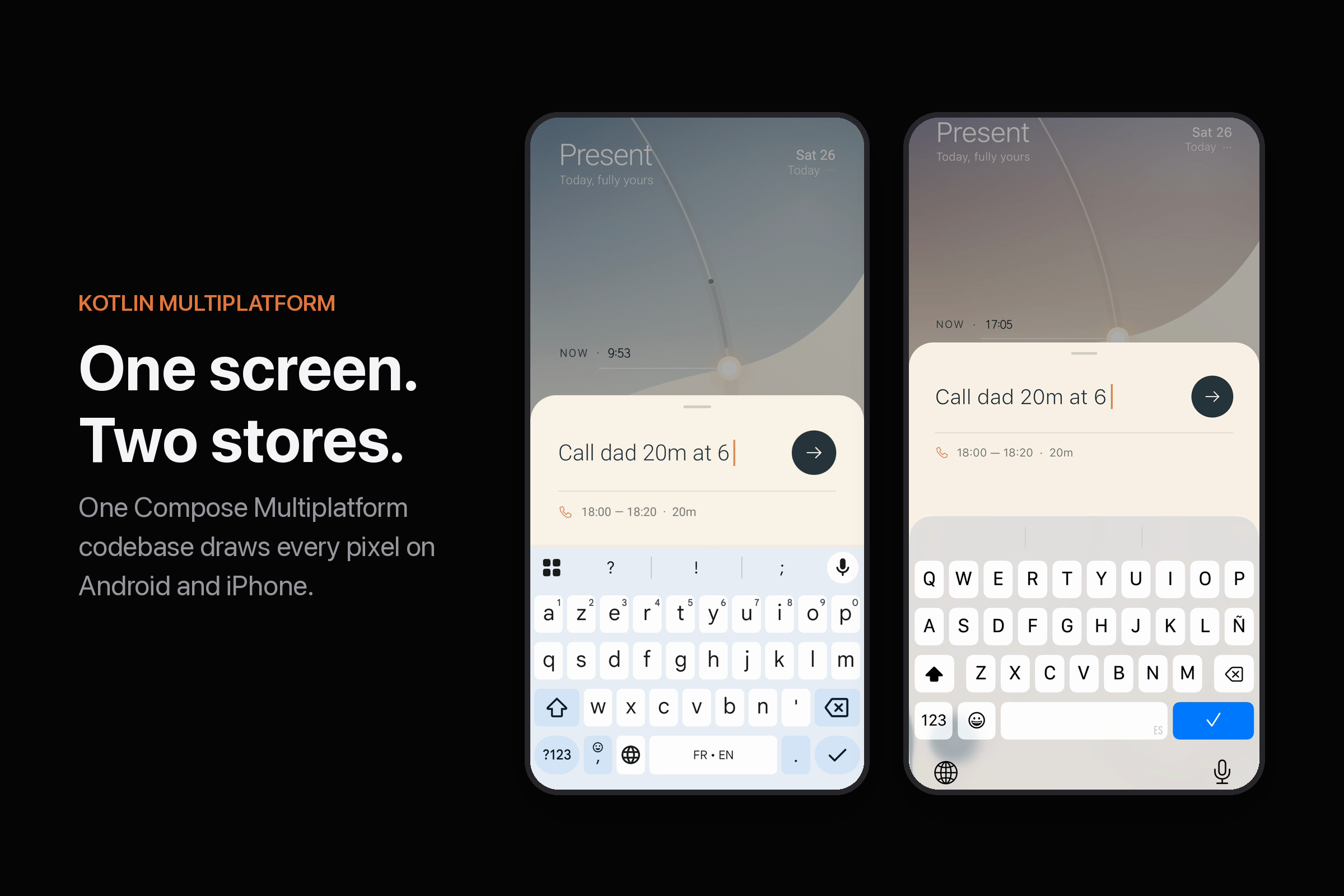
Kotlin Multiplatform and Compose Multiplatform: one screen, written once, for iPhone and Android. 97% of the code is shared, and not just the logic. The drawing, the gestures, the springs, the haptics and the paywall are shared too.
dayCore: pure Kotlin, zero dependencies. All the time math, the scheduling rules and what each gesture means, covered by 97 tests.shared: the whole Compose screen, drawn on Canvas.- The shells: 16 lines of Android, 26 lines of SwiftUI.
Yes, there's math. (I surprised myself too.) 🤓
$$ y(\Delta) = y_{\text{now}} + H \cdot \frac{\ln(1 + \Delta/90)}{\ln(1 + \Delta_{\text{end}}/90)} $$
In plain words: the next hour gets room, the evening gets squeezed, and your whole day fits on one screen without scrolling. It runs both ways, so wherever your finger lands maps back to a real minute. That's what makes the day touchable.
My brain hurt so your thumb doesn't have to.
Every number is drawn with the day's own line, so a 9 turns into a 0 stroke by stroke. Anything your hand moves is a spring that keeps your finger's speed. RevenueCat lives behind one billing module, and the UI only ever asks it one question: can this person arrange tomorrow?
Two weeks, 63 commits, live on the App Store and Google Play.
🥵 Challenges I ran into
- Two detectors, one finger. My tap and drag detectors fought over the same touch, and at one point nothing on the day could be moved. The fix was one hand-written gesture loop that decides for itself.
- My app lied about the past. Finishing a 5pm task at 4:30 quietly rewrote it as 4:00–4:30. Tidy, and untrue. Now what happened stays where it happened.
- The curve crushed my evening. The same curve that gives the next hour room piled the evening's labels on top of each other. Now they stack away from now and never snap back.
- Teaching an app with no buttons. No tutorial, no carousel. The day draws itself, and a few first steps wait on the shelf. Each one ticks itself off when you make its gesture.
- A paywall that doesn't break the spell. A modal would be the one foreign object in the app. So tomorrow is drawn in pencil, and buying inks it in.
- A test key that crashes production. RevenueCat's Test Store key works in debug and crashes a release build. Ask me how I know. Release builds now refuse it.
✨ Accomplishments I'm proud of
- Not one Save, Apply or Confirm button in the whole app.
- Nothing in red. Anywhere. Not in the app, not in the store listing, not in the paywall.
- The Tear. A gesture I couldn't find in any other app, and the moment the idea clicked for me.
- The same frame on two phones, down to the pouring digits.
📝 What I learned
- Every button I removed made the app easier. A day with places is learned by touching it.
- Honesty is a design material. Never rewriting the past, never asking how long you took. Small things, and together they're why the app feels kind.
- Put meaning where you can test it. The hardest UX decisions became the best-tested code.
- KMP can share the hard part, not only the models and the networking.
🚀 What's next for Present
- 📅 Calendar anchors. Your meetings become fixed points the day bends around. Read-only, forever.
- 🔔 One gentle nudge when something runs long, with the same two answers.
- ⏱️ Learned durations. If "Emails" always takes 40 minutes, the day will know, without telling you off.
- 🗓️ The week, drawn with the same line.
Everybody has a plan. Present is for what happens next. 🥊
Built With
- android
- android-studio
- app-store-connect
- compose-multiplatform
- github-actions
- google-play-console
- gradle
- ios
- jetpack-compose
- kotlin
- kotlin-coroutines
- kotlin-multiplatform
- purchases-kmp
- revenuecat
- skia
- swift
- testflight
- xcode

Log in or sign up for Devpost to join the conversation.