-
-
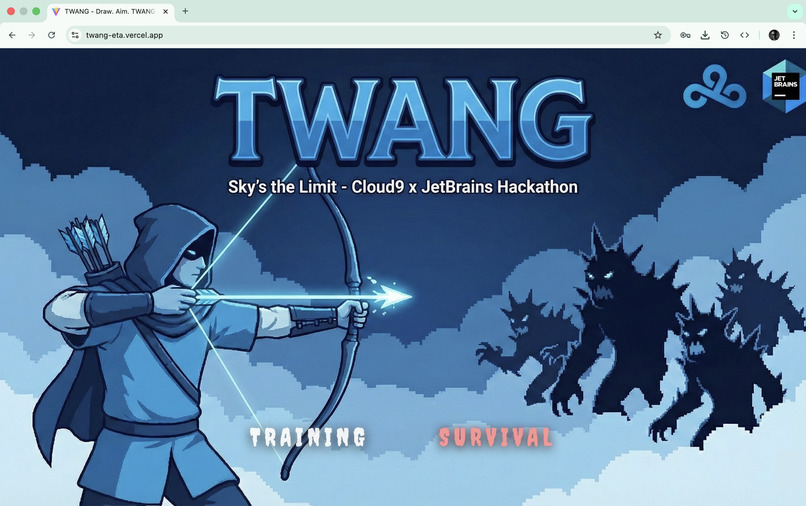
loading screen
-
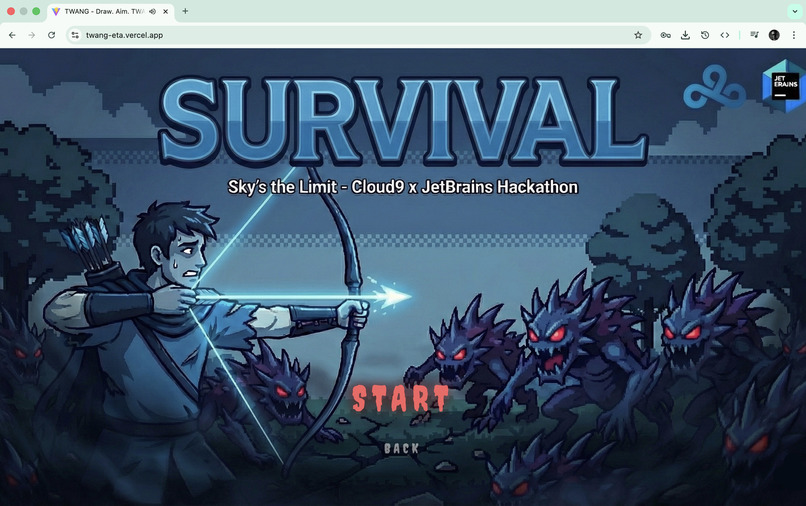
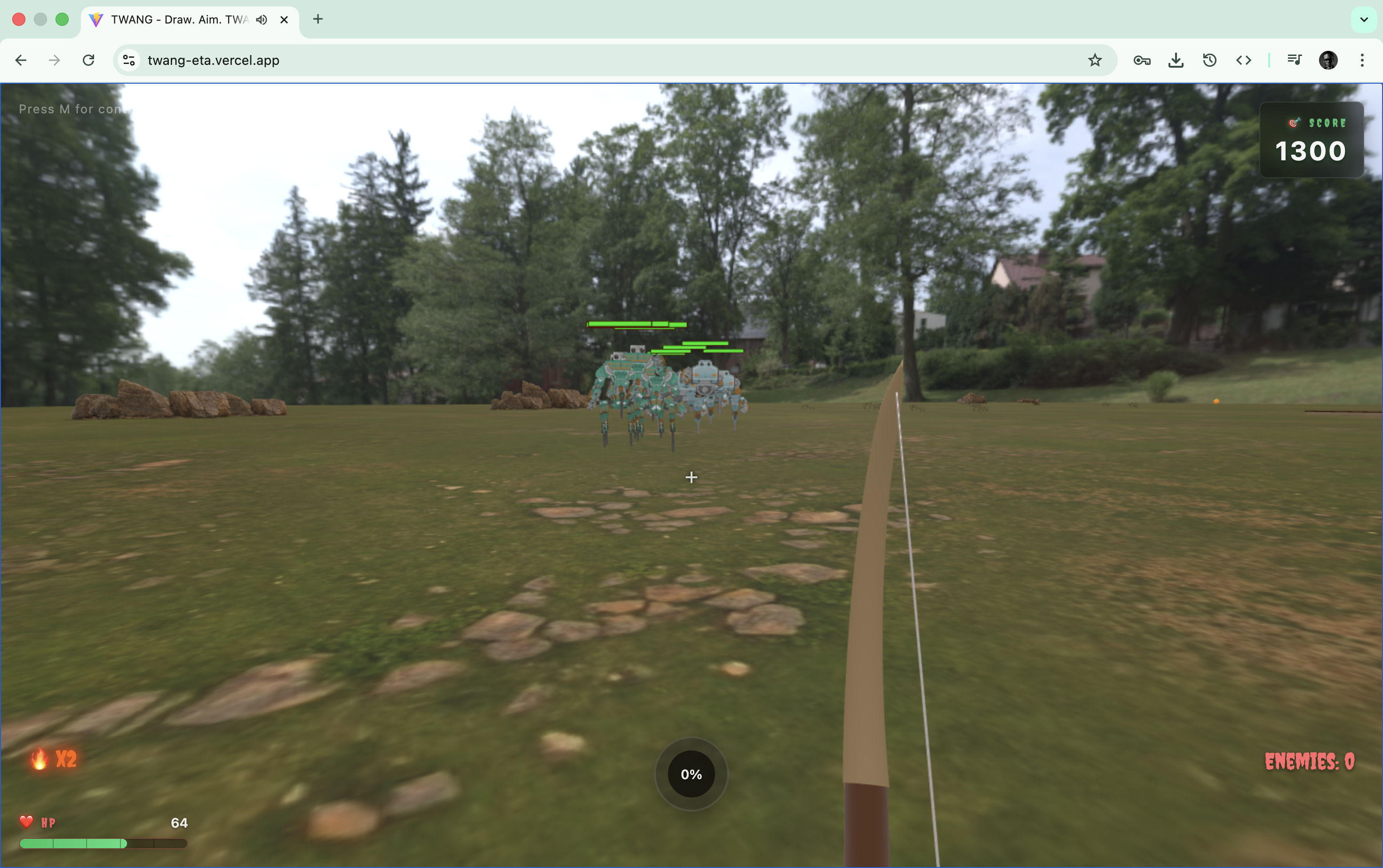
survival
-
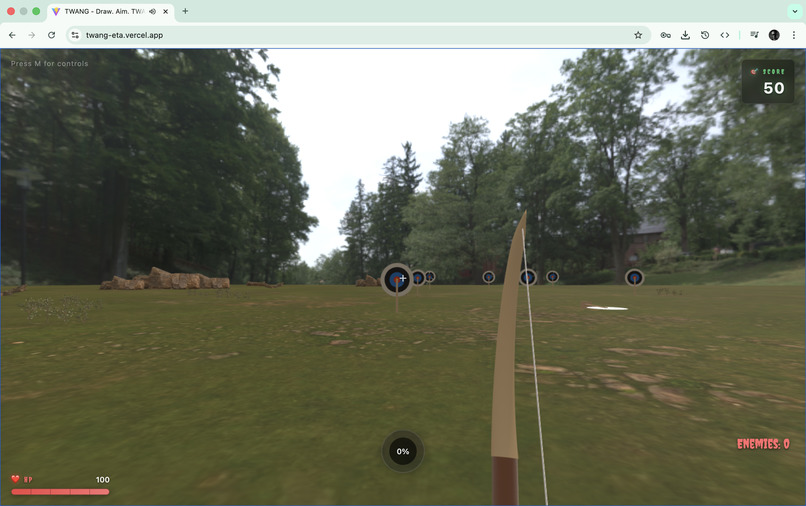
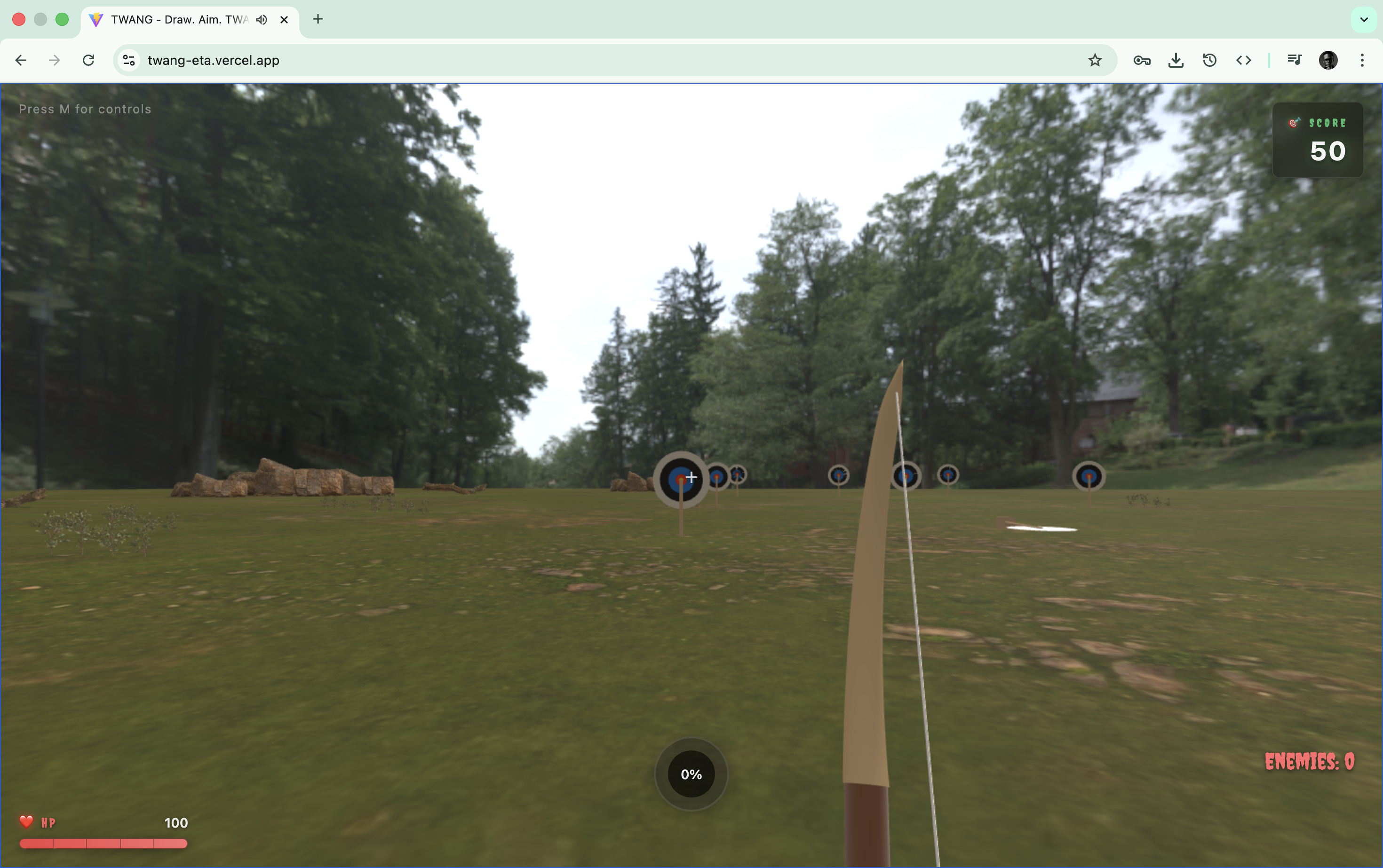
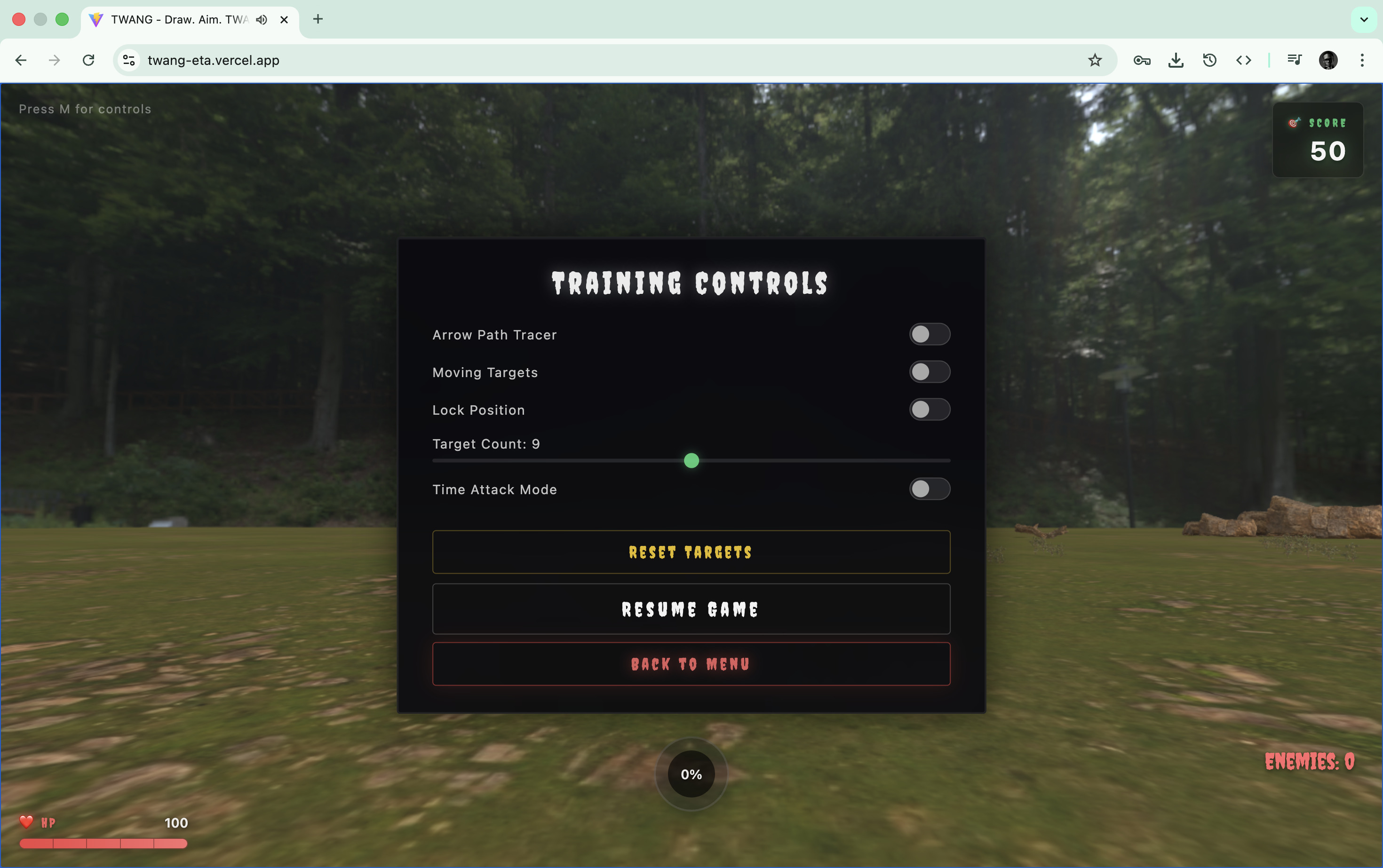
training mode
-
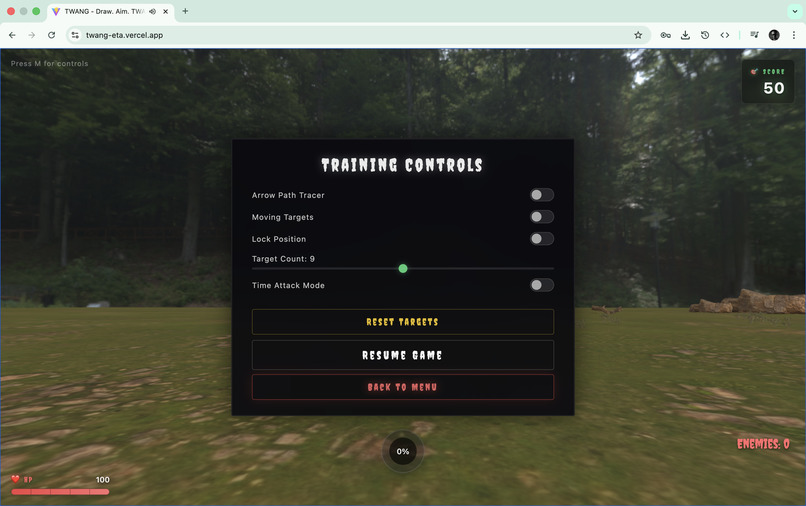
hud
-
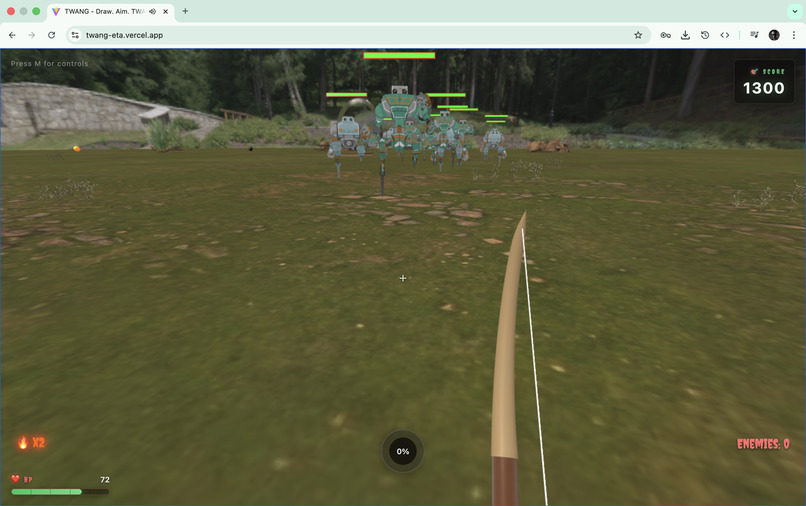
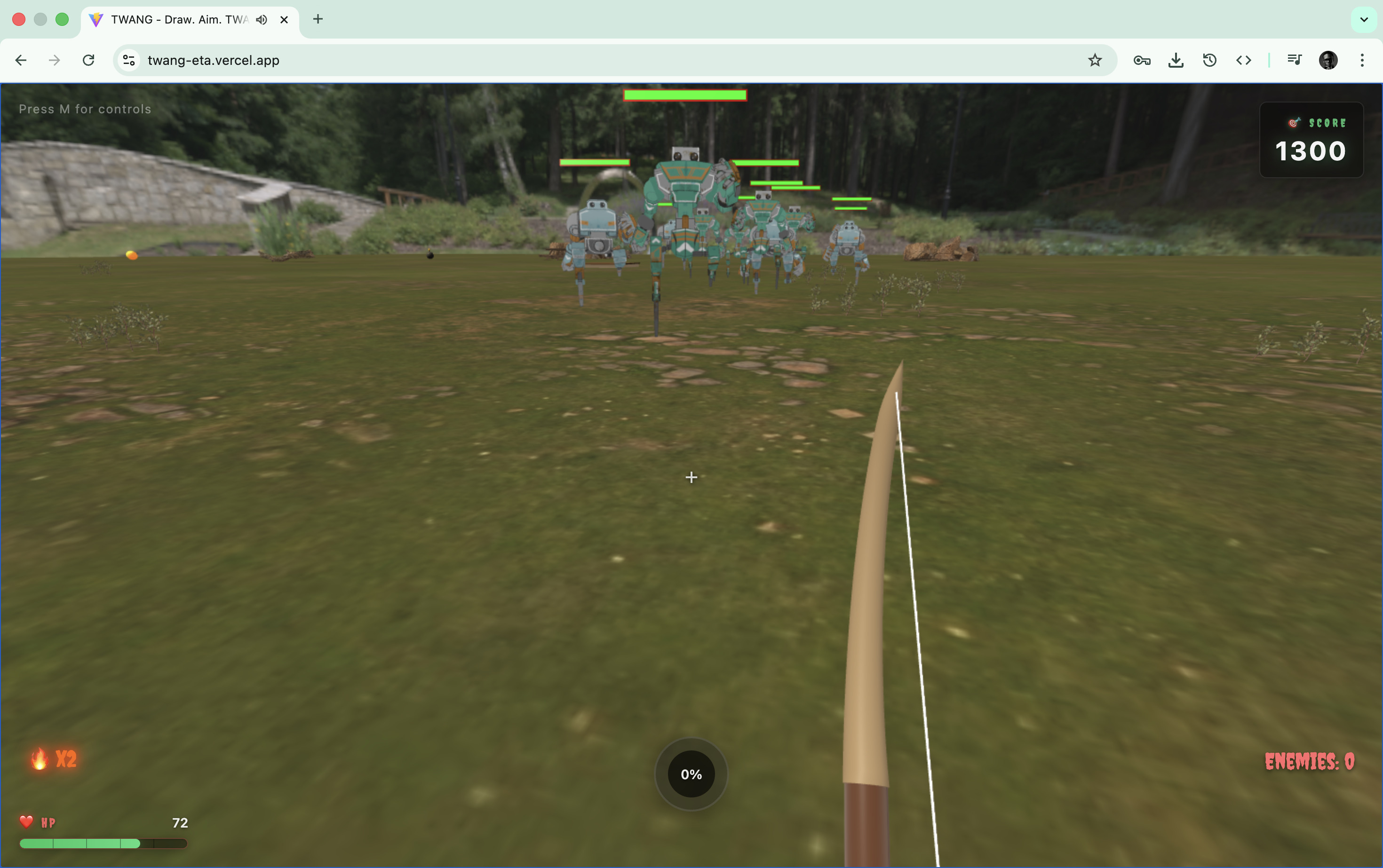
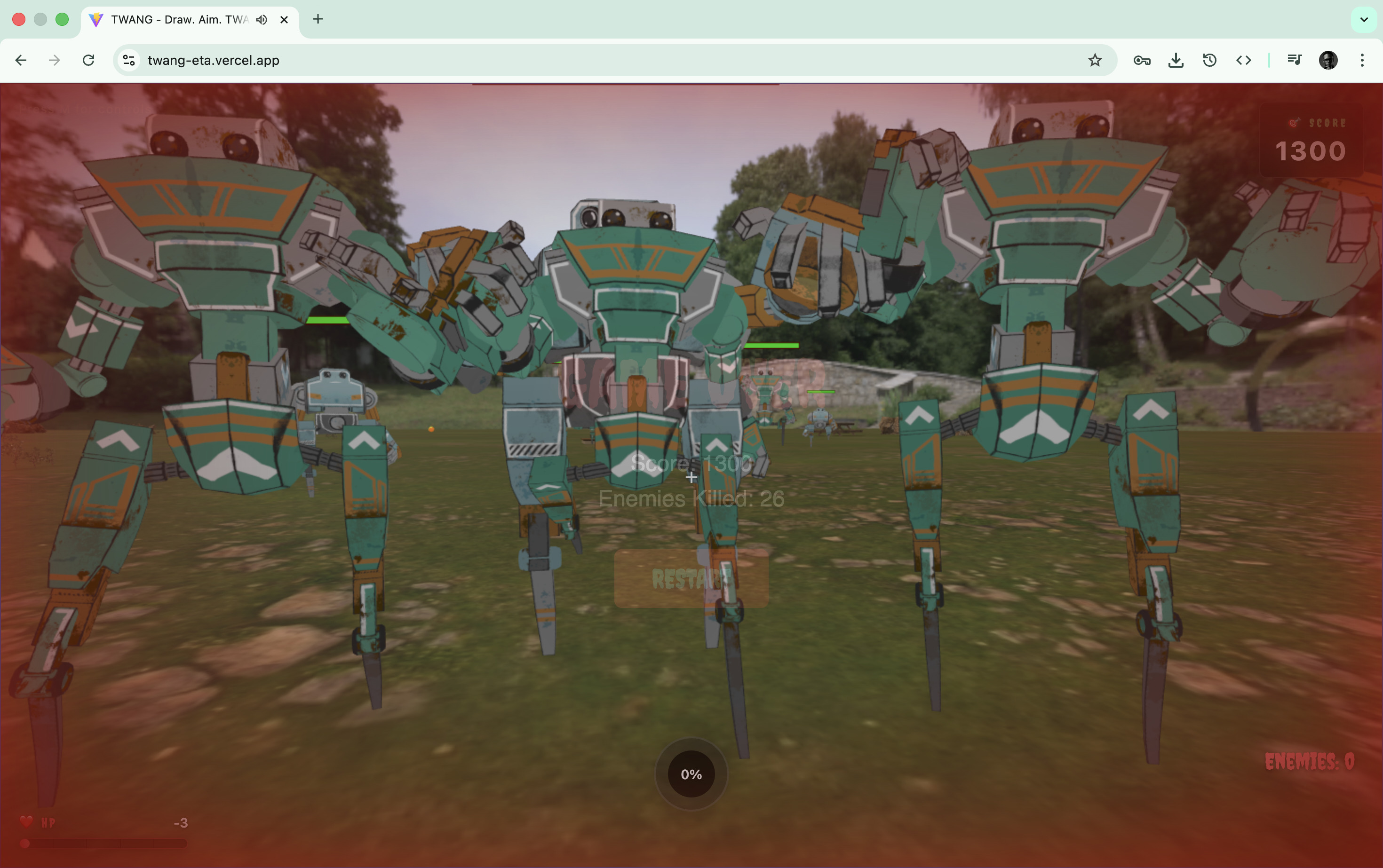
mech enemies
-
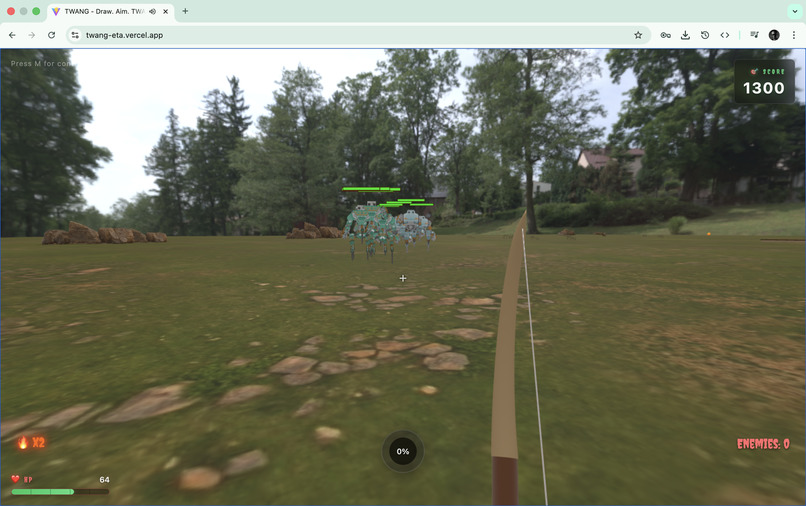
more mech enemies
-
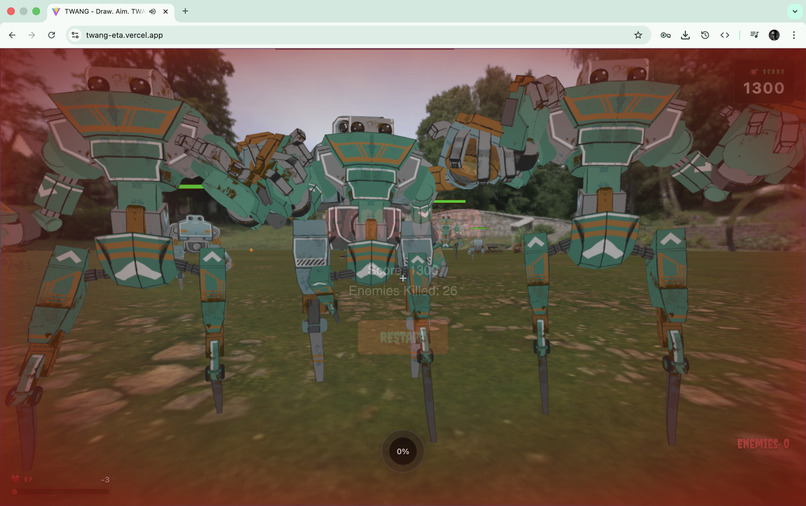
getting clobbered
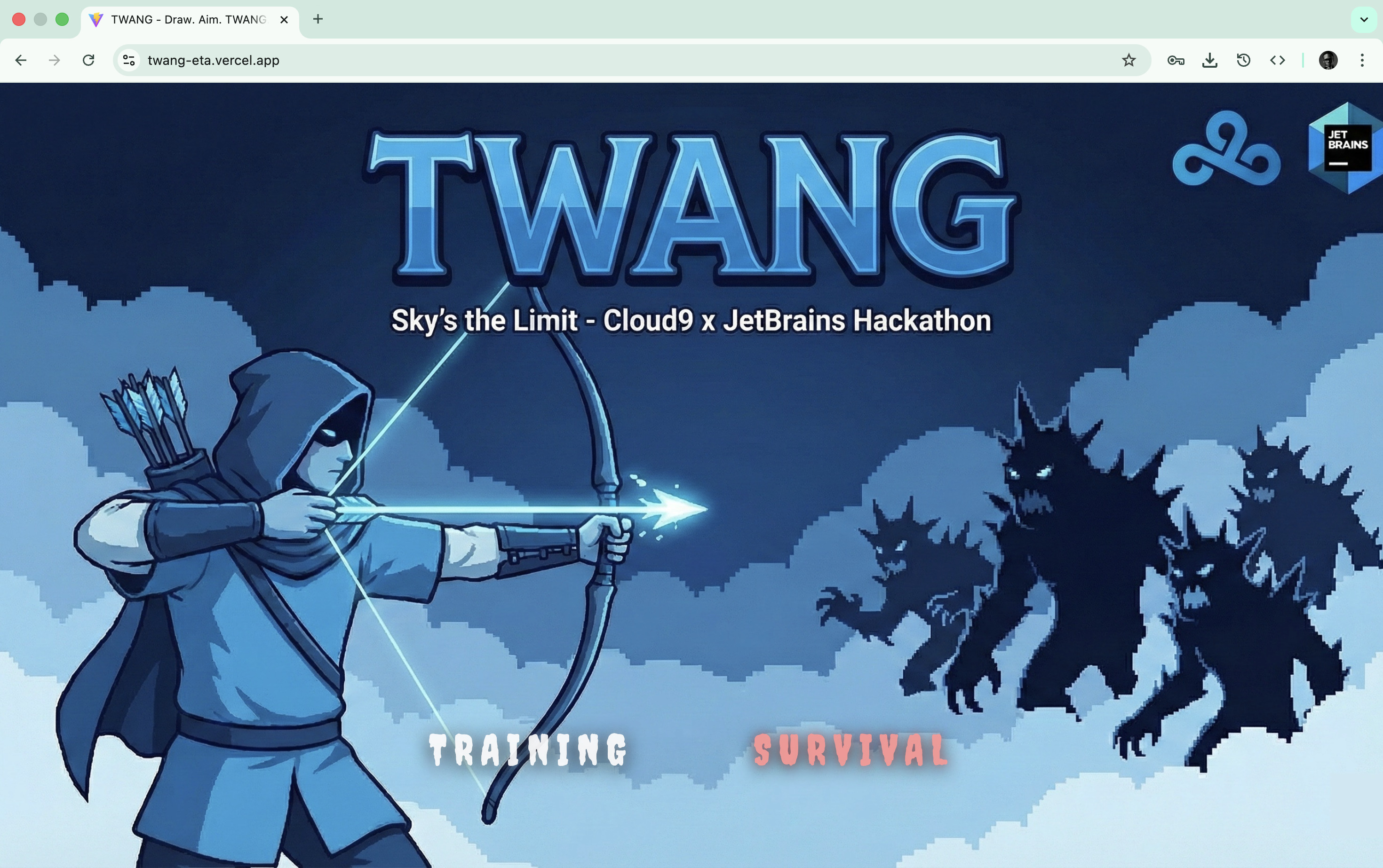
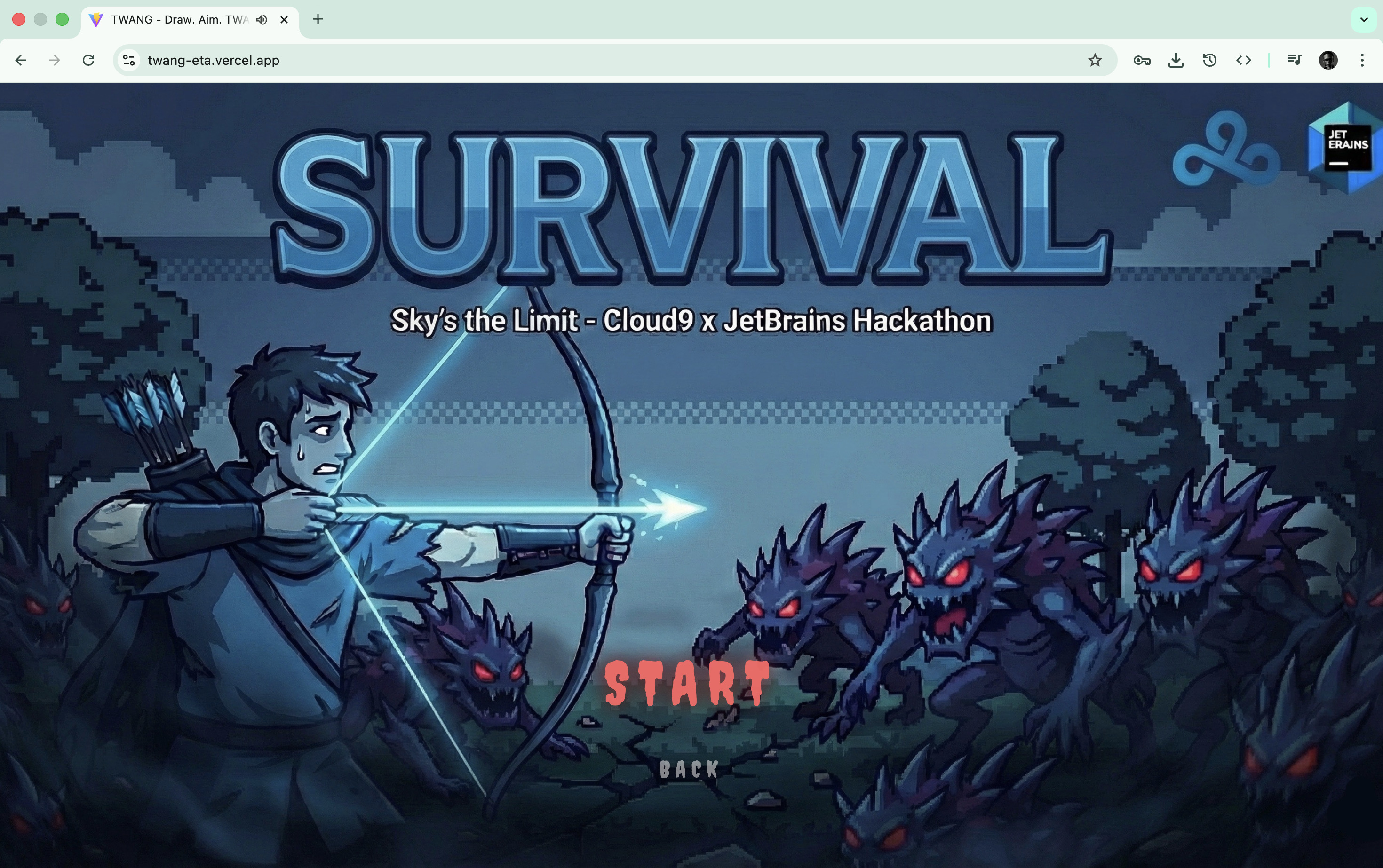
TWANG
Draw. Aim. TWANG.
A browser-based first-person 3D archery game built for the Cloud9 x JetBrains Hackathon — designed to be fast, competitive, and playable anywhere.
Inspiration
We wanted to build something that captures the pure thrill of esports competition but in a pick-up-and-play format perfect for event booth activations. Archery is intuitive — everyone understands the satisfaction of a perfect shot. But translating that into a browser game that loads fast, runs smooth on any hardware, and delivers that addictive "one more round" gameplay? That's the challenge we accepted.
The goal was simple: create a game fans can walk up to at a LCS or VCT event booth, immediately understand, compete on, and walk away saying "that was awesome." No downloads. No installs. Just open a browser and feel the TWANG.
What It Does
TWANG is a first-person 3D archery game with two distinct modes designed for different engagement scenarios:
Training Mode
Perfect your aim with configurable archery ranges:
- Multiple target lanes at varied distances
- Moving target support for skill progression
- Arrow tracer visualization for learning trajectories
- Player lock options for focused aim practice
Survival Mode (Competitive/Event)
The event booth showstopper — face waves of incoming mechanical enemies:
- Progressive wave difficulty with 4 mech types
- Power-up system (Flaming Arrows, Explosive Arrows)
- Score-based competition for leaderboard rankings
- Designed for quick sessions with instant gratification
Core Gameplay
| Feature | Description |
|---|---|
| Bow Mechanics | Hold-to-charge power system with realistic draw physics |
| Physics Simulation | Gravity-affected arrow trajectories with drag coefficients |
| Hit Detection | Ray-mesh intersection + proximity fallback for reliable hits |
| Zone Scoring | Bullseye (100), Inner (75), Middle (50), Outer (25), Edge (10) |
| Power-Ups | Flaming arrows (1-shot kill), Explosive arrows (AoE damage) |
How We Built It
The JetBrains + Junie Workflow
TWANG was developed entirely in JetBrains WebStorm with Junie AI Coding Agent as a core part of our development workflow. Here's how Junie accelerated our build:
| Development Phase | How Junie Helped |
|---|---|
| Project Scaffolding | Generated the initial Vite + TypeScript + Babylon.js configuration with proper tsconfig and build settings |
| Boilerplate Reduction | Created class skeletons for all game systems (PlayerController, EnemyManager, PowerUpManager) with proper TypeScript interfaces |
| Physics Implementation | Helped derive the Euler integration formulas for arrow trajectory simulation with gravity and drag |
| Debug Iteration | Rapid debugging cycles — describe the bug, Junie suggests fixes, test immediately in WebStorm's integrated terminal |
| Refactoring | Extracted repeated patterns (hit detection, animation management) into clean, reusable methods |
| Documentation | Generated JSDoc comments and this very DEVPOST write-up |
The JetBrains IDE + Junie combination was particularly powerful for 3D game development because:
- Instant Type Feedback: WebStorm's TypeScript integration caught Babylon.js API misuse before runtime
- Junie Context Awareness: When asking Junie to implement features, it understood the existing codebase structure and followed established patterns
- Live Reload Workflow: Vite HMR + WebStorm's terminal meant changes were visible in-browser within milliseconds of Junie generating code
- Refactor Confidence: Junie could safely rename, extract, and restructure code while WebStorm ensured all references updated correctly
Technology Stack
| Layer | Technology | Version | Purpose |
|---|---|---|---|
| IDE | JetBrains WebStorm | 2024.3 | Development environment |
| AI Assistant | Junie | - | AI-powered coding acceleration |
| Language | TypeScript | 5.9.3 | Type-safe game logic |
| 3D Engine | Babylon.js | 8.42.0 | WebGL rendering, physics, animations |
| Build Tool | Vite | 7.2.4 | Fast HMR, optimized production builds |
| Audio | Web Audio API | Native | Zero-latency sound effects |
| Assets | glTF 2.0 | - | Efficient 3D model loading |
Architecture Overview
+------------------------------------------------------------------+
|                         Game Loop (60fps)                        |
+-------------+-------------+-------------+-------------+----------+
|   Player    |     Bow     |    Arrow    |    Enemy    | Power-Up |
| Controller  |  Controller |  Controller |   Manager   |  Manager |
+-------------+-------------+-------------+-------------+----------+
|                       Scene Manager                              |
|     (Environment, Lighting, HDR Skybox, Ground Materials)        |
+------------------------------------------------------------------+
|                      Babylon.js Engine                           |
|            (WebGL 2.0 Renderer, Physics, Animation)              |
+------------------------------------------------------------------+
|                      Asset Preloader                             |
|          (Progressive loading, browser caching, tips)            |
+------------------------------------------------------------------+
Physics Implementation
Arrow flight uses Euler integration with real-time gravity and drag:
// Each frame:
arrow.velocity.y -= gravity * deltaTime;           // Gravity
arrow.velocity.scaleInPlace(1 - drag * deltaTime); // Air resistance
arrow.rootMesh.position.addInPlace(velocity.scale(deltaTime));
arrow.rootMesh.lookAt(position.add(velocity.normalize())); // Orient to velocity
Hit Detection System
We implemented a dual-layer hit detection system to handle the infamous thin-mesh problem:
Primary: Ray-Mesh Intersection
- Cast a 2-unit ray from arrow position along velocity vector
- Uses Babylon.js built-in
ray.intersectsMesh()for pixel-perfect accuracy
Fallback: Proximity Detection
- Distance-based check for edge cases
- Catches glancing hits that ray might miss
// Ray casting for accurate hits
const ray = new Ray(arrow.position, arrow.velocity.normalize(), 2);
for (const mesh of scene.getMeshesByTags('target')) {
    const pick = ray.intersectsMesh(mesh);
    if (pick.hit) {
        // Calculate score from hit point distance to center
    }
}
Enemy AI System
Four mech types with distinct stats, all using simple but effective steering behavior:
| Mech | Health | Speed | Damage | Size | Shots to Kill |
|---|---|---|---|---|---|
| Leela | 25 HP | 8 | 5 | 0.4x | 1 |
| Stan | 50 HP | 7 | 8 | 0.5x | 2 |
| Mike | 75 HP | 6 | 12 | 0.6x | 3 |
| George | 100 HP | 5 | 15 | 0.7x | 4 |
AI updates every frame:
- Calculate direction to player
- Rotate wrapper node (separate from animation skeleton)
- Move toward player at mech-specific speed
- Switch to melee attack when in range
Challenges We Ran Into
Building a 3D game that runs entirely in the browser sounds easy until you actually try it. Here's what bit us:
1. The Thin Mesh Hit Detection Problem
Problem: Arrows flying at 80+ units/second would phase right through flat target meshes — they'd move past the collision boundary between frames.
Solution: Replaced simple bounding-box checks with raycasting along the velocity vector. The ray extends 2 units ahead, catching intersections even at high speeds. Added proximity fallback for glancing shots.
// Before: Arrow at frame N is at position A, frame N+1 it's past the target
// After: Ray from A in direction V catches the intersection
const ray = new Ray(position, velocity.normalize(), 2);
Junie's Role: When we described the "arrows going through targets" bug, Junie immediately identified it as a classic tunneling problem and suggested the ray-casting approach with code examples.
2. Animation Overwriting Rotation
Problem: Babylon.js skeletal animations were fighting with our AI rotation code. Mechs would face random directions mid-chase.
Solution: Created a wrapper TransformNode architecture:
- Wrapper node handles position and Y-rotation (AI controlled)
- Model root parents to wrapper (animations play on skeleton, not affecting wrapper rotation)
enemy_wrapper (AI controls rotation)
  +-- model_root (scale + animation skeleton)
       +-- meshes...
Junie's Role: This was a tricky architectural problem. Junie helped us understand Babylon.js's transform hierarchy and suggested the wrapper pattern after we explained the symptoms.
3. Audio Latency with HTMLAudioElement
Problem: Using new Audio(src).play() introduced 50-150ms latency — unacceptable for a fast-paced archery game where arrow release needs to feel instant.
Solution: Migrated to Web Audio API with preloaded buffers:
// Pre-decode all sound effects on init
const buffer = await audioContext.decodeAudioData(arrayBuffer);
buffers.set('release', buffer);

// Instant playback via buffer source
const source = audioContext.createBufferSource();
source.buffer = buffers.get('release');
source.connect(gainNode);
source.start(0); // Zero latency!
4. 3D Model Loading Times
Problem: Babylon.js core + loaders is ~2MB minimized. Mech models are another 5-10MB. Initial load was brutal.
Solution: Multi-pronged approach:
| Strategy | Implementation |
|---|---|
| Code Splitting | Vite manualChunks separates Babylon into own chunk |
| Progressive Loading | Common assets load on page load, mode assets on demand |
| Asset Caching | Set<string> tracks loaded URLs, prevents double-fetching |
| Loading Tips | Rotate gameplay tips to mask perceived wait time |
// vite.config.ts
manualChunks: {
    babylon: ['@babylonjs/core', '@babylonjs/loaders', '@babylonjs/materials'],
}
Junie's Role: Junie generated the entire AssetPreloader class with progress callbacks, caching logic, and the tip rotation system after we described what we needed.
5. Memory Leaks from Lodged Arrows and Dead Enemies
Problem: Arrows sticking in targets and dead enemies accumulating caused frame drops over long sessions.
Solution:
- Lodged arrows auto-dispose after 10 seconds
- Dead enemies dispose 3 seconds after death animation
- Particle systems from explosions self-destruct after 1 second
6. First-Person Camera Inertia
Problem: Default Babylon.js FreeCamera has built-in inertia that felt sluggish and "floaty" for a precision archery game.
Solution: Cleared default inputs and implemented custom mouse look with zero inertia:
camera.inputs.clear(); // Remove defaults
camera.inertia = 0;    // No lag
// Custom mousemove handler with direct rotation updates
Accomplishments We're Proud Of
Sub-3-Second Load Time to Playable
After asset preloading optimizations, Training mode is ready to shoot in under 3 seconds on decent hardware. Survival takes ~5s due to mech models.
Pixel-Perfect Hit Detection
The ray-mesh intersection system means arrows hit exactly where they should. No "I totally hit that!" frustrations.
Zero-Latency Audio
Web Audio API implementation means the arrow release sound plays the instant you click — crucial for that satisfying feedback loop.
Smooth 60fps with 10+ Enemies
Optimized per-frame updates and mesh reuse keeps the game buttery even during intense wave fights.
Event-Ready UX
Big buttons, clear feedback, immediate engagement — designed for the booth environment where players have 30 seconds to "get it."
Rapid Development with Junie
What would normally take days of boilerplate writing and debugging was compressed into hours. Junie handled the repetitive scaffolding while we focused on game feel and polish.
What We Learned
| Area | Learning |
|---|---|
| 3D in Browser | WebGL 2.0 is capable but every KB counts. Asset optimization is non-negotiable. |
| Physics | Euler integration works fine for arrows — no need for full physics engine |
| Audio | Web Audio API > HTMLAudioElement for games. Buffers are your friend. |
| Animation | Separate transform hierarchy for AI-controlled rotation vs skeletal animation |
| UX | Loading screens with tips greatly improve perceived performance |
| AI-Assisted Dev | Junie excels at boilerplate, patterns, and debugging — lets you focus on the creative work |
TypeScript + Babylon.js Tips for Game Dev:
- Use
Tags.AddTagsTo()for efficient collision group queries - PreloadProgress callbacks make great loading UX
onBeforeRenderObservableis the standard update loop entry point- Manual parent/child transforms > physics constraints for arcade games
JetBrains + Junie Tips:
- Give Junie context about your existing architecture before asking for new features
- Use WebStorm's TypeScript integration to validate Junie-generated Babylon.js code immediately
- Iterate in small chunks — describe one problem, get one solution, test, repeat
- Let Junie handle the boilerplate so you can focus on game feel
What's Next for TWANG
Short Term (Post-Hackathon)
- [ ] Leaderboard integration for competitive booth sessions
- [ ] Difficulty presets (Casual, Normal, Hardcore)
- [ ] Mobile touch controls (virtual joystick + tap-to-shoot)
Medium Term
- [ ] Multiplayer mode (same screen split-screen or network)
- [ ] More enemy types (flying drones, boss mechs)
- [ ] Custom arena builder for event organizers
Long Term Vision
- [ ] VR support via WebXR (already have first-person foundation!)
- [ ] Cloud9 branded skins and cosmetics
- [ ] Tournament mode with bracket integration
Perfect for Event Activations
TWANG is built specifically for the LCS/VCT Event Booth use case:
| Requirement | How TWANG Delivers |
|---|---|
| Fast Load | <5s to gameplay, no downloads |
| Easy to Learn | Point + click = shoot. Universal. |
| Quick Sessions | Waves take 1-2 minutes. Perfect booth turnover. |
| Competitive | Score-based. Natural leaderboard fit. |
| Spectator-Friendly | First-person view is engaging to watch |
| Hardware Agnostic | Any modern browser. Any OS. Any device. |
Draw. Aim. TWANG.

Log in or sign up for Devpost to join the conversation.