-
-
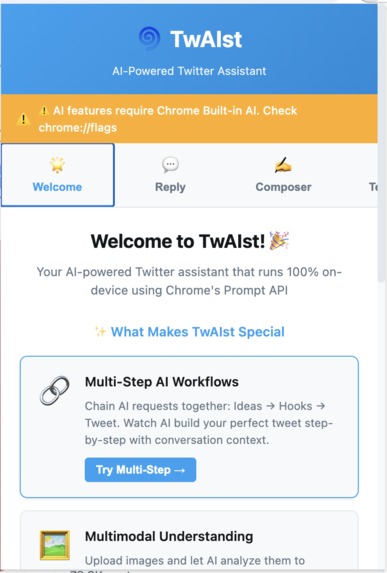
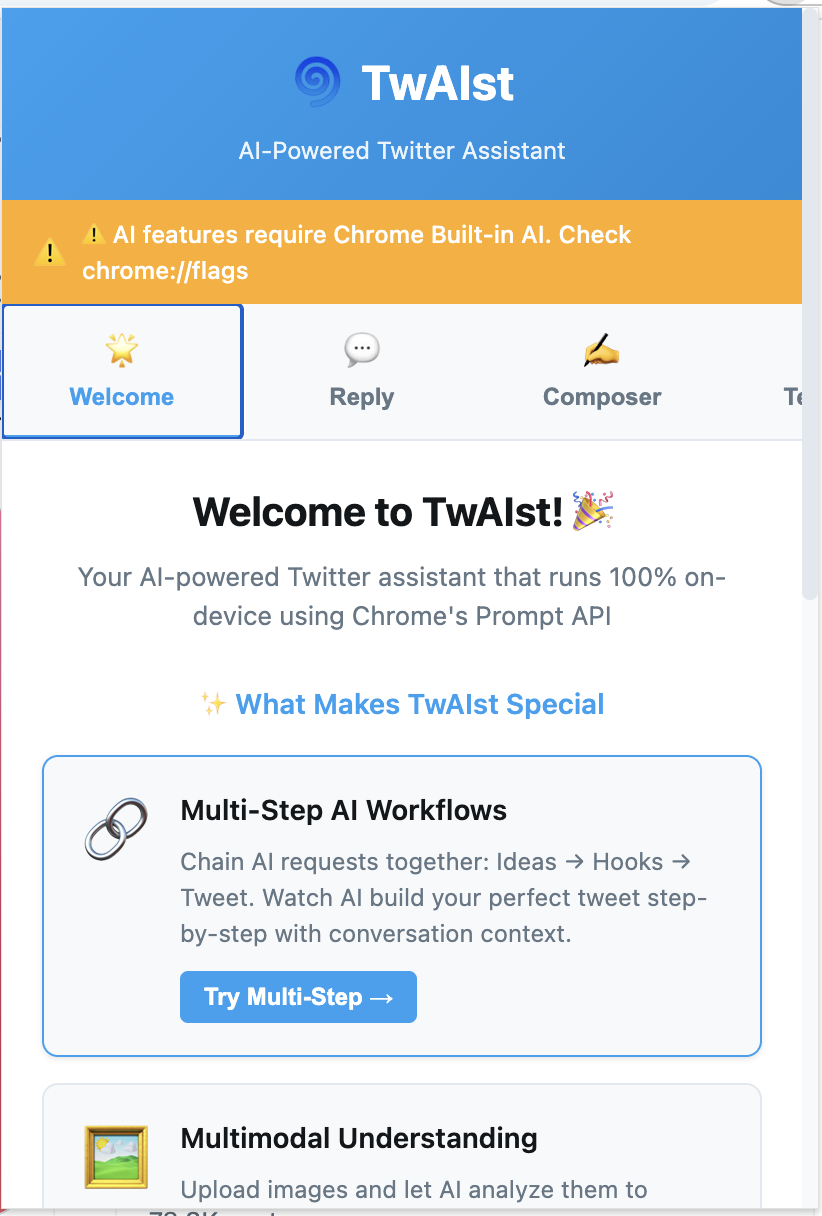
Privacy-first AI for Twitter. All processing happens on your device
-
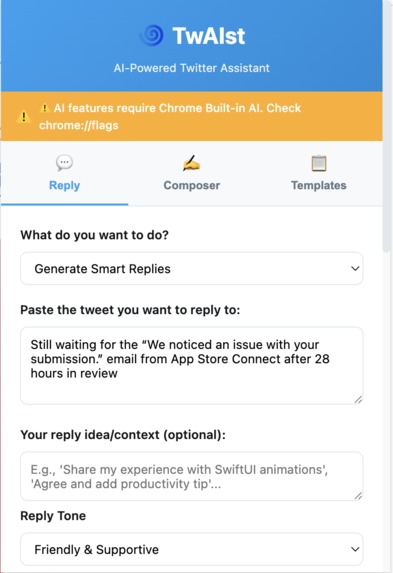
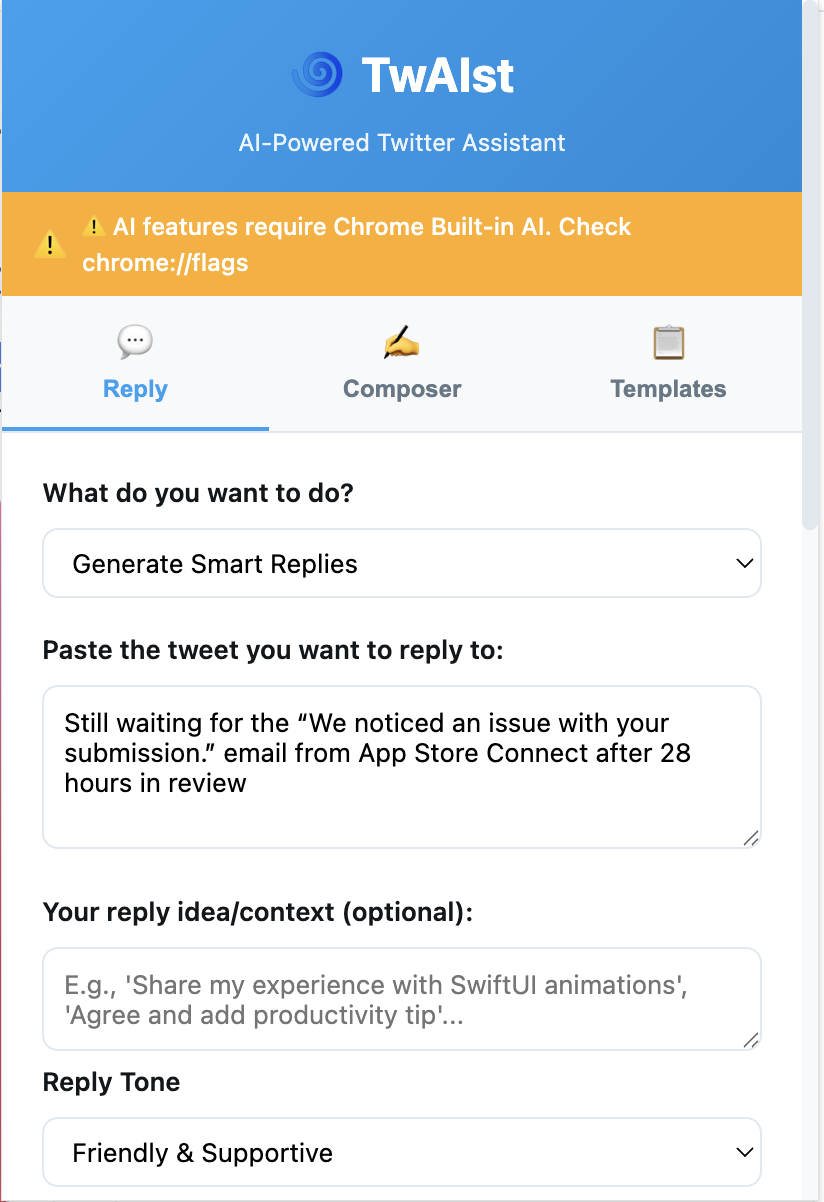
Smart replies that match the conversation tone
-
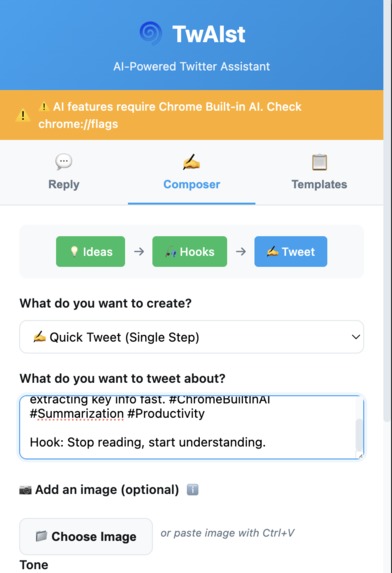
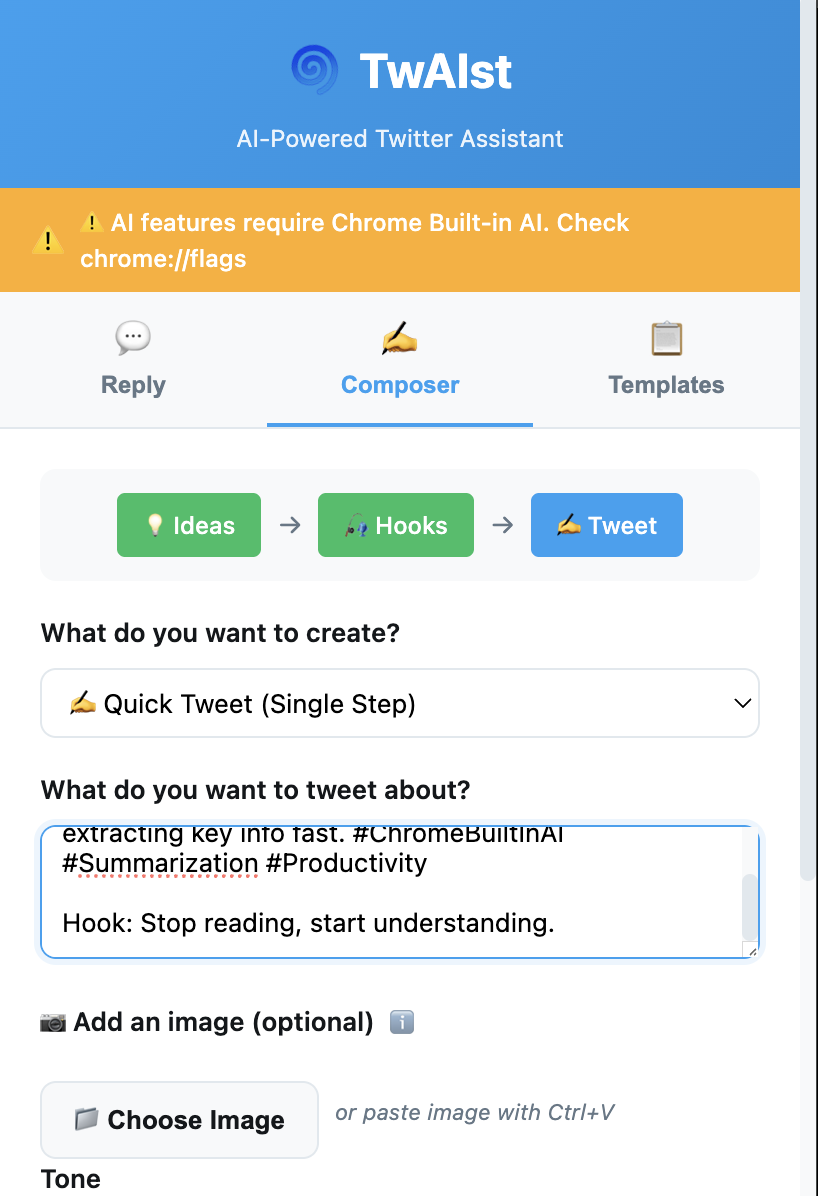
One idea. Multiple tweet variations. Your choice.
-
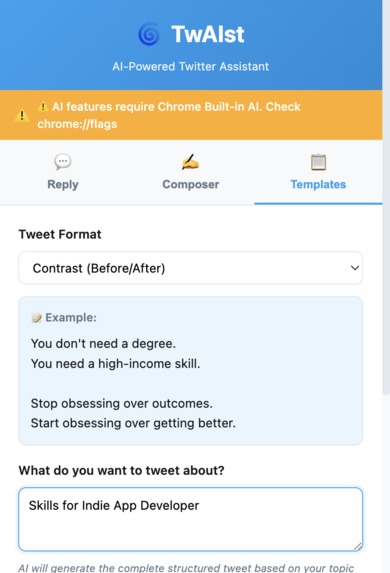
Pre-built templates powered by AI. Tweet smarter, not harder.
-
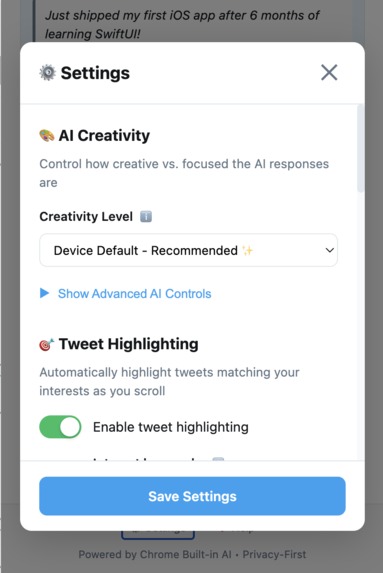
Make it yours. Customize tone and Tweet Highlighting
Inspiration
this started from personal frustration. i spend way too much time scrolling X feed, staring at empty tweet boxes, trying to craft the "perfect" reply.
while researching effective tweet formats, i discovered Stijn Noorman's (@stijnnoorman) excellent breakdown of viral tweet structures (https://www.youtube.com/watch?v=ccGtI_DJQnQ). his framework became the foundation for TwAIst's template generator.
What it does
TwAIst is a Chrome Extension that helps you create better Twitter/X content using AI - 100% privately on your device.
Multi-Step Tweet Composer:
- generates ideas for any topic
- creates attention-grabbing hooks
- composes full tweets using your chosen hook
- supports 5 different tones (casual, witty, storytelling, educational, motivational)
Smart Reply Generator:
- paste any tweet, get contextual replies in 6 different tones
- upload images and AI analyzes them to generate image-aware replies
- refine replies iteratively until they're perfect
- tones: friendly, humorous, personal story, thought-provoking, add insight, quick help
Template Generator:
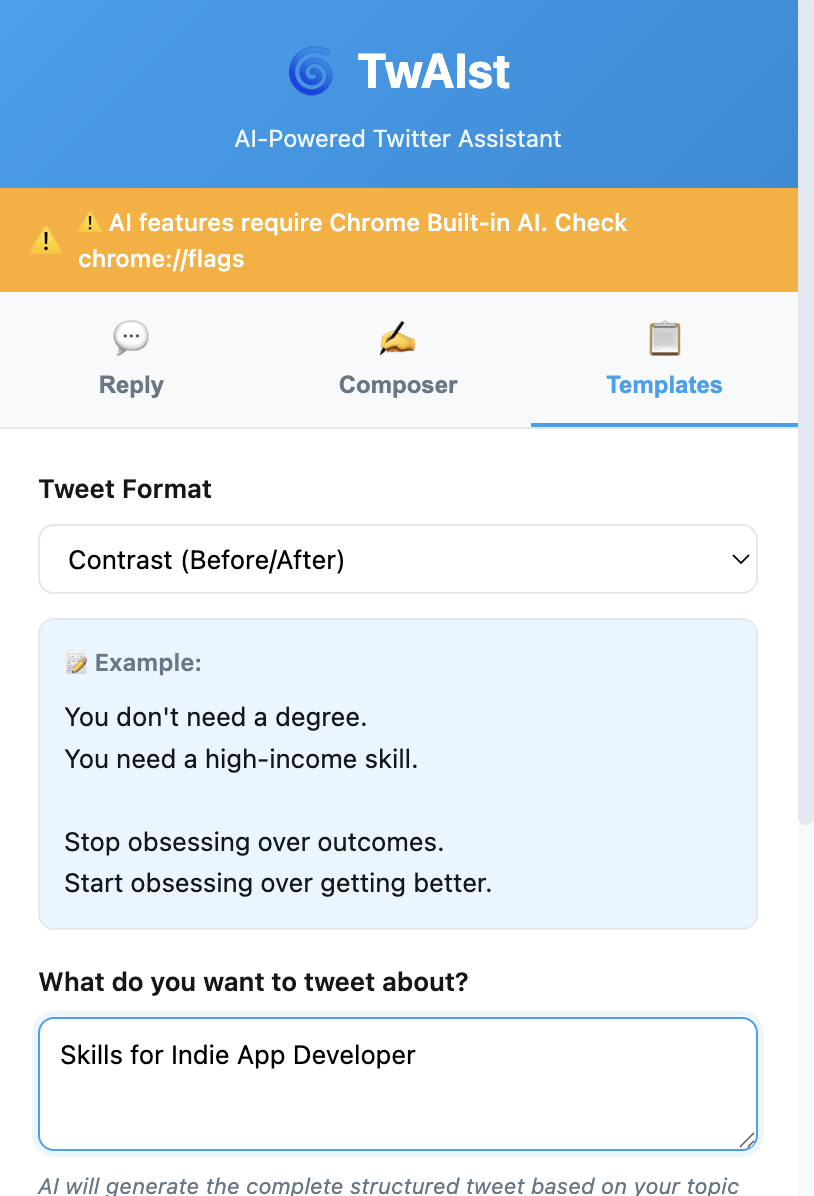
- 6 proven tweet formats that go viral
- contrast (before/after), transformation story, unpopular opinion, choose your hard, hook+list+question, struggle→solution
- AI adapts each template to your specific topic
Advanced Features:
- multimodal: upload images, AI understands them for contextual content
- conversation context: multi-step workflow remembers previous choices
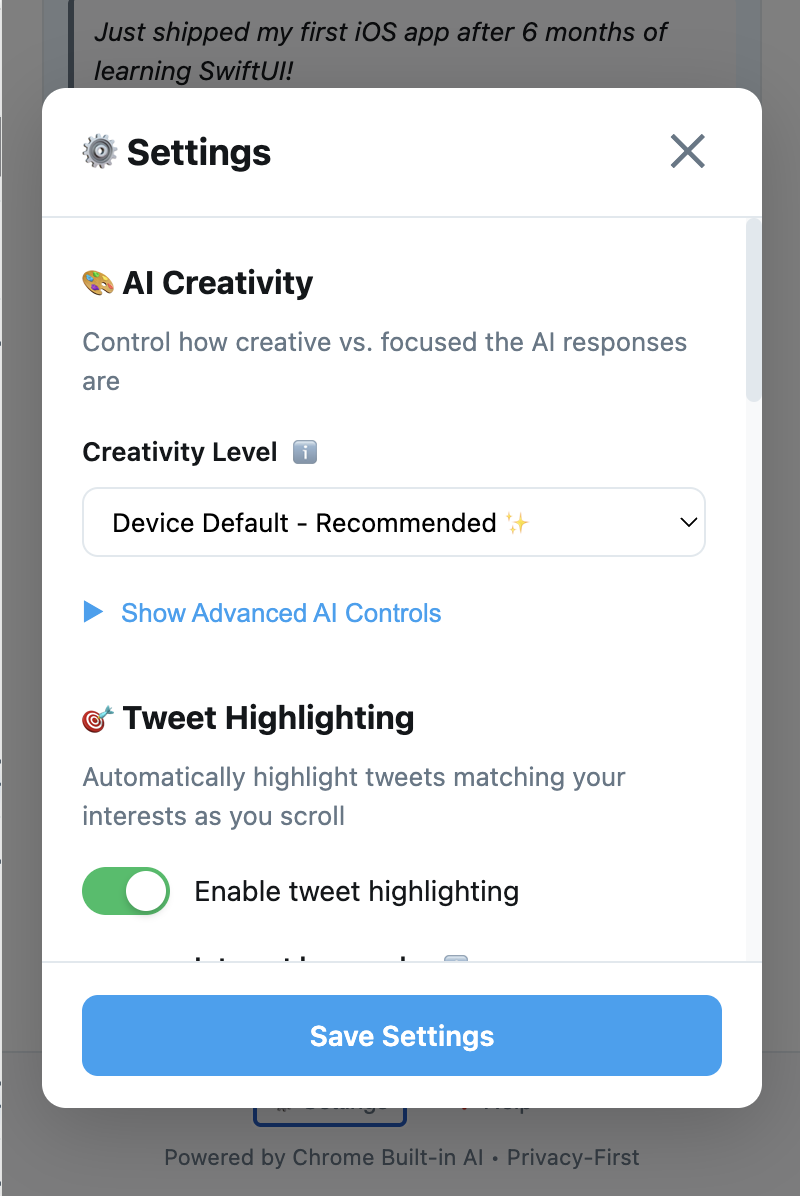
- AI parameter tuning: adjust temperature (0.0-1.0) and top-K (1-100) for creativity control
- device-optimal defaults: loads hardware-specific AI parameters automatically
- work-in-progress saving: auto-saves your drafts locally
- refine anything: iteratively improve any generated content
all processing happens on-device with Gemini Nano. no external API calls, no data collection, no internet required once the model is downloaded.
How we built it
Architecture: modular from day one. each feature lives in its own module (composer, reply-generator, template-generator, image-handler) coordinated by a main popup.js orchestrator.
AI Manager Pattern:
created utils/ai-manager.js as a central wrapper for all Chrome AI API interactions. handles session creation, lifecycle management, AbortSignals for cancellation, and cleanup. single source of truth for all AI operations.
Multi-Step Workflow:
the killer feature uses conversation context via initialPrompts:
// Step 1: Generate ideas
const ideas = await generateIdeas("Chrome extensions");

// Step 2: User picks idea, generate hooks WITH CONTEXT
const contextHistory = [
  { role: 'system', content: 'Previous idea: "AI makes extensions powerful"' },
  { role: 'user', content: 'Generate hooks for this idea' }
];

const { session } = await aiManager.initPromptWithContext({
  conversationHistory: contextHistory
});

// AI "remembers" the previous idea!
const hooks = await session.prompt('Generate 5 hooks');
each step builds on the last. feels like collaborating with AI, not just one-shot generation.
Multimodal Implementation: images are read as Blobs and passed directly to the Prompt API:
const response = await session.prompt([{
  role: 'user',
  content: [
    { type: 'text', value: 'Describe this image for a tweet' },
    { type: 'image', value: imageBlob }
  ]
}]);
takes 5-10 seconds for image analysis - added loading indicators with time estimates so users don't think it froze.
Prompt Engineering: Added explicit AVOID lists to sound in natural tone.
systemPrompt: 'Reply naturally like texting a friend.
AVOID: "totally", "this is so true", "I agree", "haha okay", "bold move".
Jump straight to reaction. Lowercase OK. Fragments OK. Be specific not vague.'
Tech Stack:
- vanilla JavaScript (ES6+ modules)
- Chrome Extensions Manifest V3
- Chrome Prompt API with Gemini Nano
- Chrome Storage API for preferences
- modular CSS with CSS variables
- no frameworks, no build tools, just clean code
Development Tools:
built with Claude Code (Anthropic's AI-powered development tool) Claude Code helped with architecture decisions, implementing conversation context, debugging session lifecycle issues, and prompt engineering
meta moment: using AI to build an AI tool that helps create AI-generated content significantly accelerated development and helped navigate the Prompt API documentation
Development Process:
- built composer first (simplest use case)
- added reply generator (more complex - needs context understanding)
- added templates (taught me about structured outputs)
- added multimodal support (hardest part)
- worked on prompt engineering to make outputs sound human
- created Welcome screen for better onboarding
Challenges we ran into
User Activation Requirement: Chrome requires a user click before creating AI sessions. kept getting errors trying to pre-create sessions on page load. solution: always create sessions INSIDE click handlers, never on initialization.
Making AI Sound Human: first outputs screamed "I WAS WRITTEN BY AI!" - think "Haha, okay so..." and "Bold move!" everywhere. tried longer prompts (worse), asked for "casual tone" (still formal), finally discovered explicit AVOID lists work perfectly. telling AI what NOT to do is crucial.
Image Processing Speed: analyzing images takes 5-10 seconds. users thought it was broken. tried:
- spinner only - confusing
- spinner + "Analyzing..." - better but still unclear
- spinner + "Analyzing image... (this may take 5-10 seconds)" - finally worked!
lesson: set expectations explicitly. don't make users guess.
Accomplishments that we're proud of
Multi-Step AI Workflow: chaining Ideas → Hooks → Tweet with conversation context feels genuinely innovative. haven't seen other extensions do this. shows deep understanding of the Prompt API's capabilities beyond simple one-shot generation.
Multimodal Integration: getting image + text understanding working smoothly was genuinely hard. but it works! upload a screenshot of code, AI generates a relevant tweet about it. upload a product demo, AI writes marketing copy. this is the future of content creation.
Natural Voice Output: Worked on prompts to sound the generated response in natural voice.
100% Privacy-First: not a single external API call. not one byte of user data leaves their machine. all AI processing happens on-device. this isn't just a feature - it's a fundamental architecture choice that makes the UX better (instant responses, unlimited usage, works offline).
Production-Ready Polish: not just a proof-of-concept. has error handling, loading states, auto-save, session management, AbortSignal support, welcome screen, settings with device-optimal defaults. feels like a real product, not a hackathon hack.
What we learned
The Prompt API is More Powerful Than Expected: going in, i thought "it's just text generation." wrong. reading image works beautifully. conversation context works. parameter tuning actually changes personality. it's legitimately production-ready for real applications.
Prompt Engineering is 80% of the Work: spent more time crafting system prompts than writing JavaScript. and that's fine - getting AI to sound human IS the hard part. learned that:
- negative prompts (AVOID lists) are crucial
- AI needs explicit permission to break grammar rules
- temperature/top-K dramatically change output personality
Privacy-First is Better UX: on-device AI isn't just about privacy - it unlocks better experiences:
- no loading states waiting for API roundtrips
- no rate limits
- works offline
- instant responses
- unlimited usage
this is the future. external APIs for AI will feel slow and limited.
What's next for TwAIst – AI Twitter Assistant
Short-term:
- thread unroller: paste thread URL, get intelligent summary
- sentiment analysis: analyze tweets to suggest optimal reply tone
- custom tone training: analyze user's past tweets to create personalized tone
- A/B testing: generate multiple variations, predict which will perform better
- scheduling suggestions: AI recommends best time to post based on content type
When APIs Stabilize:
- Translation API integration: auto-translate tweets to/from multiple languages while preserving tone
- Summarizer API: better thread summarization and condensing long-form content
- Rewriter API: more nuanced style transformations and tone adjustments
Long-term Vision:
- voice input: Speech Recognition API + Prompt API for hands-free tweeting
- analytics dashboard: track which AI-generated tweets perform best, learn from data
- content calendar: AI suggests topics based on trends and your posting history
- engagement predictor: score tweets before posting, suggest improvements
- Video content analysis: upload product demos, tutorials, or clips and generate contextual tweets/threads
Dream Feature: fully conversational workflow. talk to TwAIst like a creative partner:
Community Features:
- share custom tones and templates
- import/export system prompts
- crowdsourced "what made this tweet go viral" analysis
- collaborative prompt engineering
Platform Expansion: if Chrome's AI APIs come to mobile, bring TwAIst there. imagine generating perfect replies on your phone, completely offline. that's the dream.
Built With
- chrome
- claude
- css3
- extension
- html5
- javascript

Log in or sign up for Devpost to join the conversation.