
Tutti — Cook in Concert
Timers beep. Tutti sings.
Inspiration
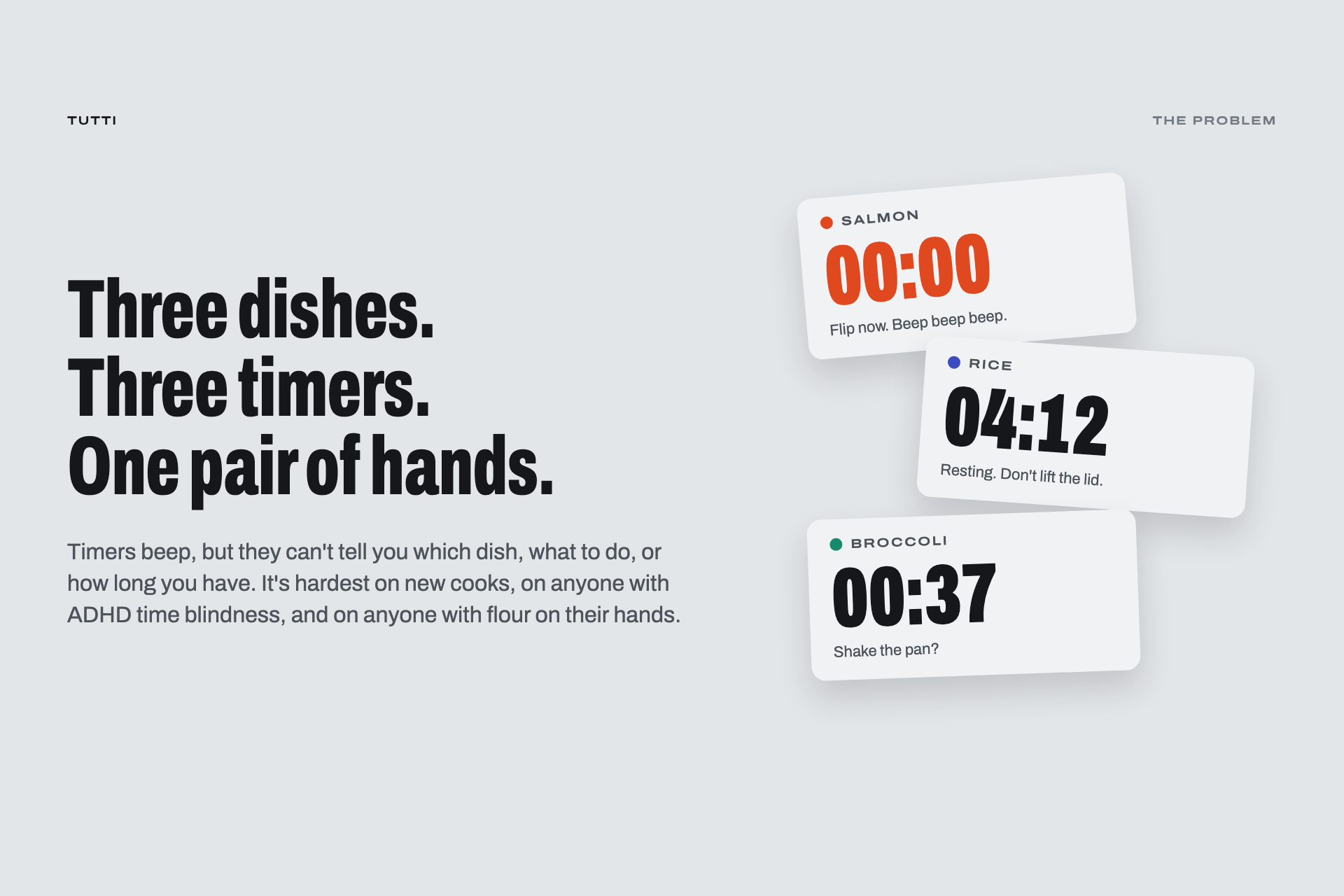
Cooking one dish means following a recipe. Cooking three at once is more like conducting an orchestra. The salmon needs flipping, the rice needs to rest, and the broccoli is starting to char—each with its own timing.
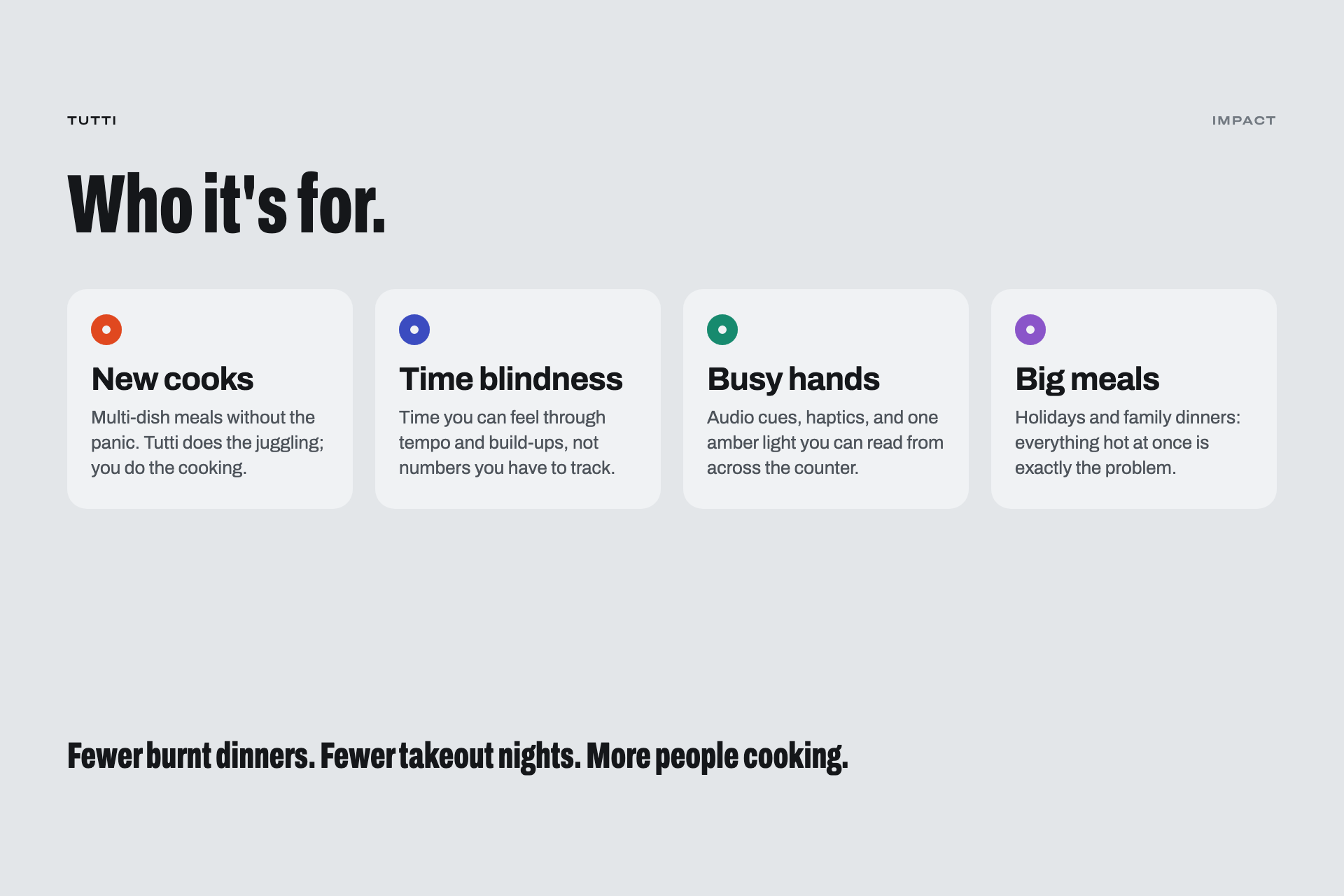
Kitchen timers beep, but they don’t tell you which dish needs attention, what to do next, or how everything fits together. That can be especially challenging for new cooks, people with ADHD time blindness, and anyone with flour on their hands.
Shipaton challenged us to combine two categories that depend on each other. We chose Food × Music because preparing a multi-dish dinner already feels like performing a score: different parts enter at different times, the work sets the tempo, and everything needs to finish together.
In music, that moment has a name: tutti, Italian for “all together.”
What It Does
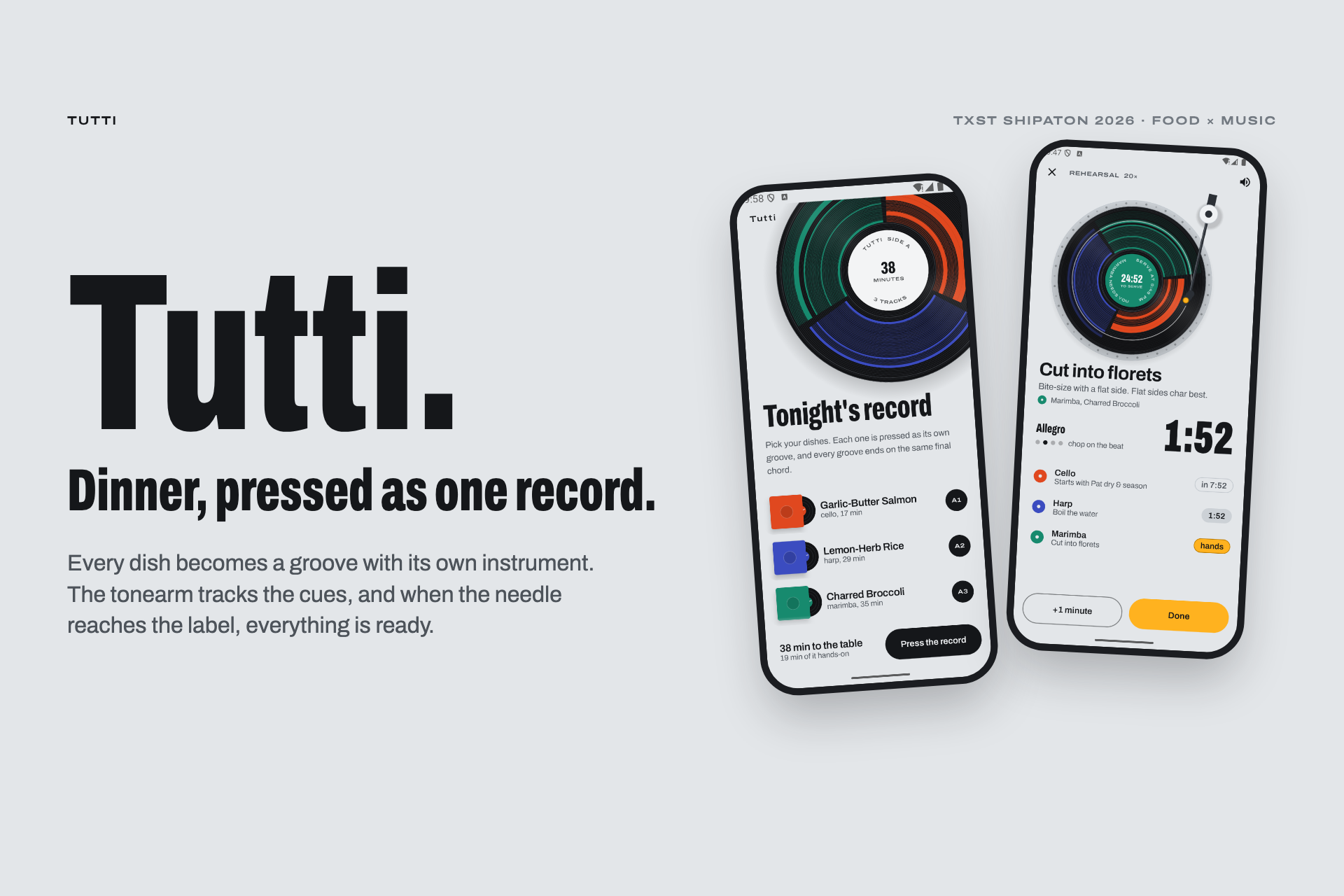
Tutti turns dinner into a piece of music—and the music tells you when to act.
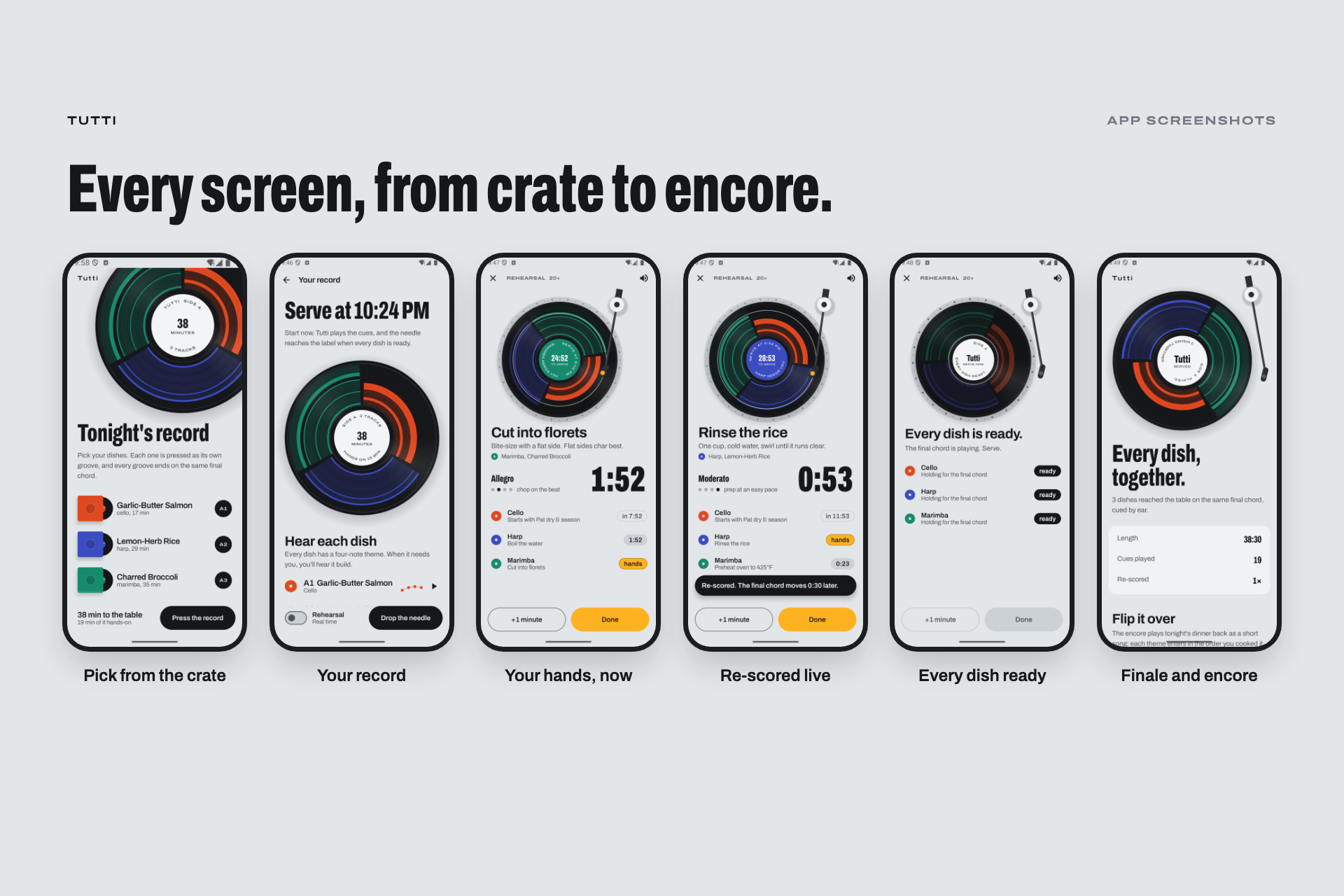
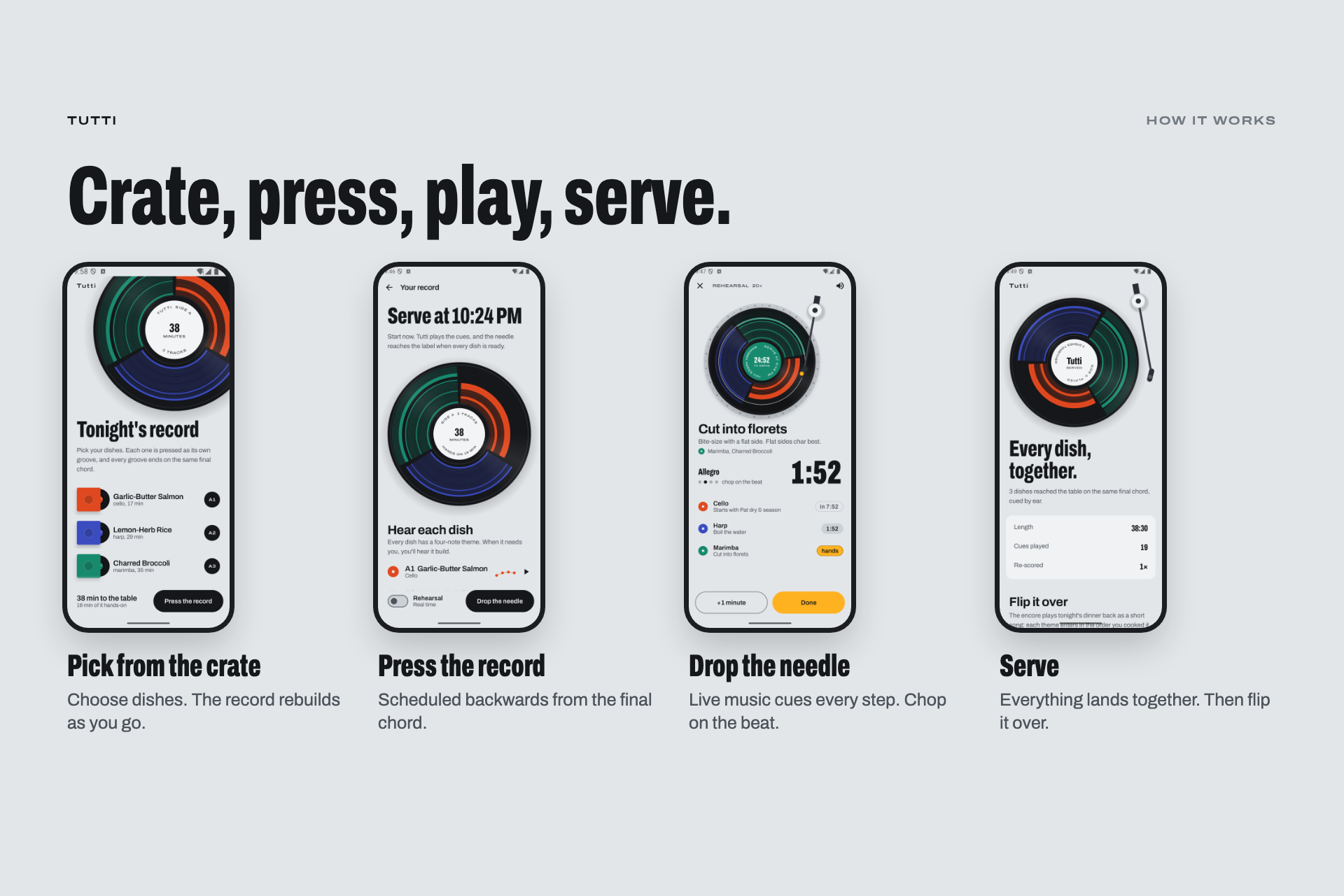
1. Pick Your Dishes
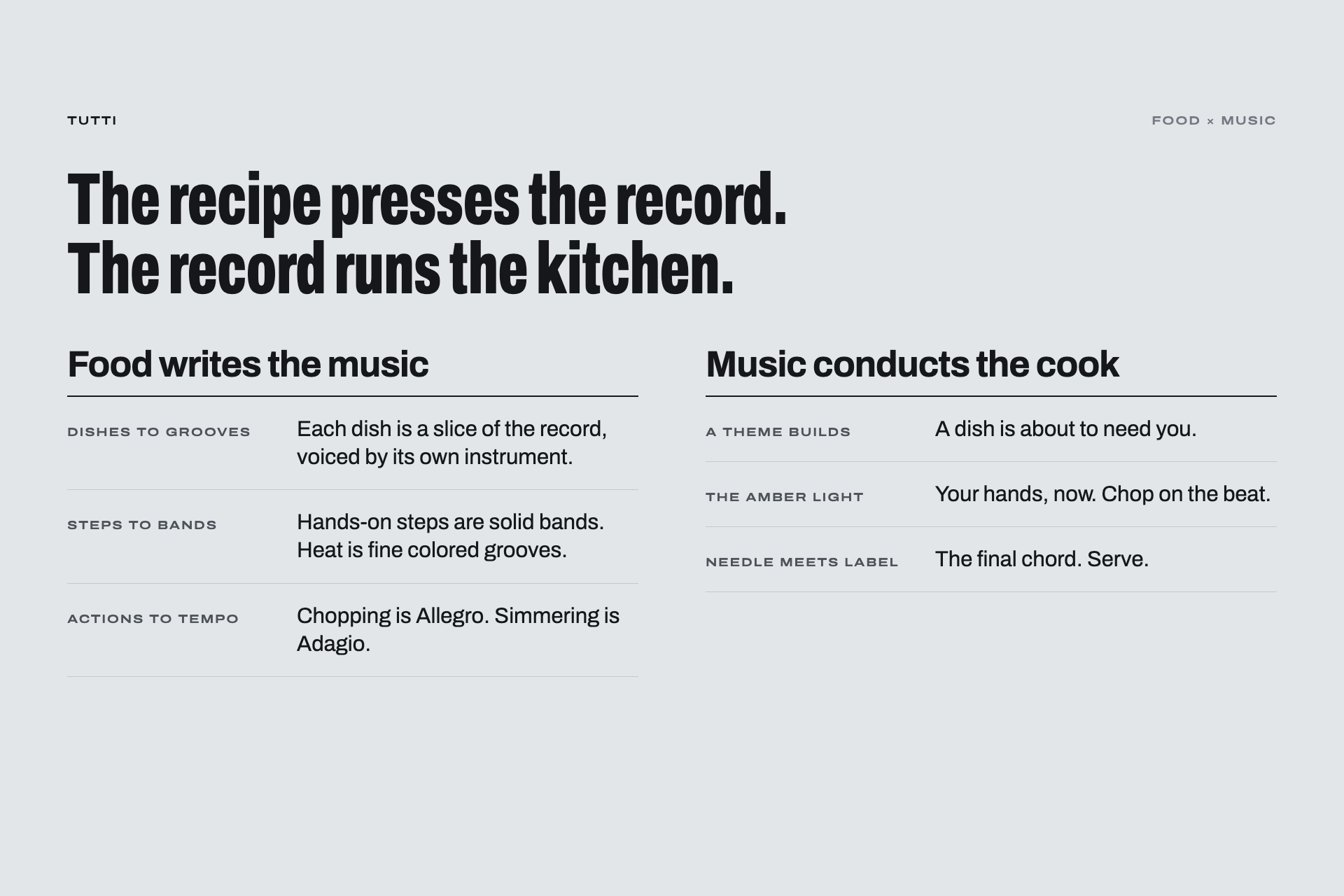
Choose your dishes from the crate. Each gets its own instrument and a short, four-note musical signature called a leitmotif.
| Dish | Instrument |
|---|---|
| Salmon | Cello |
| Rice | Harp |
| Broccoli | Marimba |
| Caesar salad | Flute |
| Mug cake | Celesta |
2. Press the Record
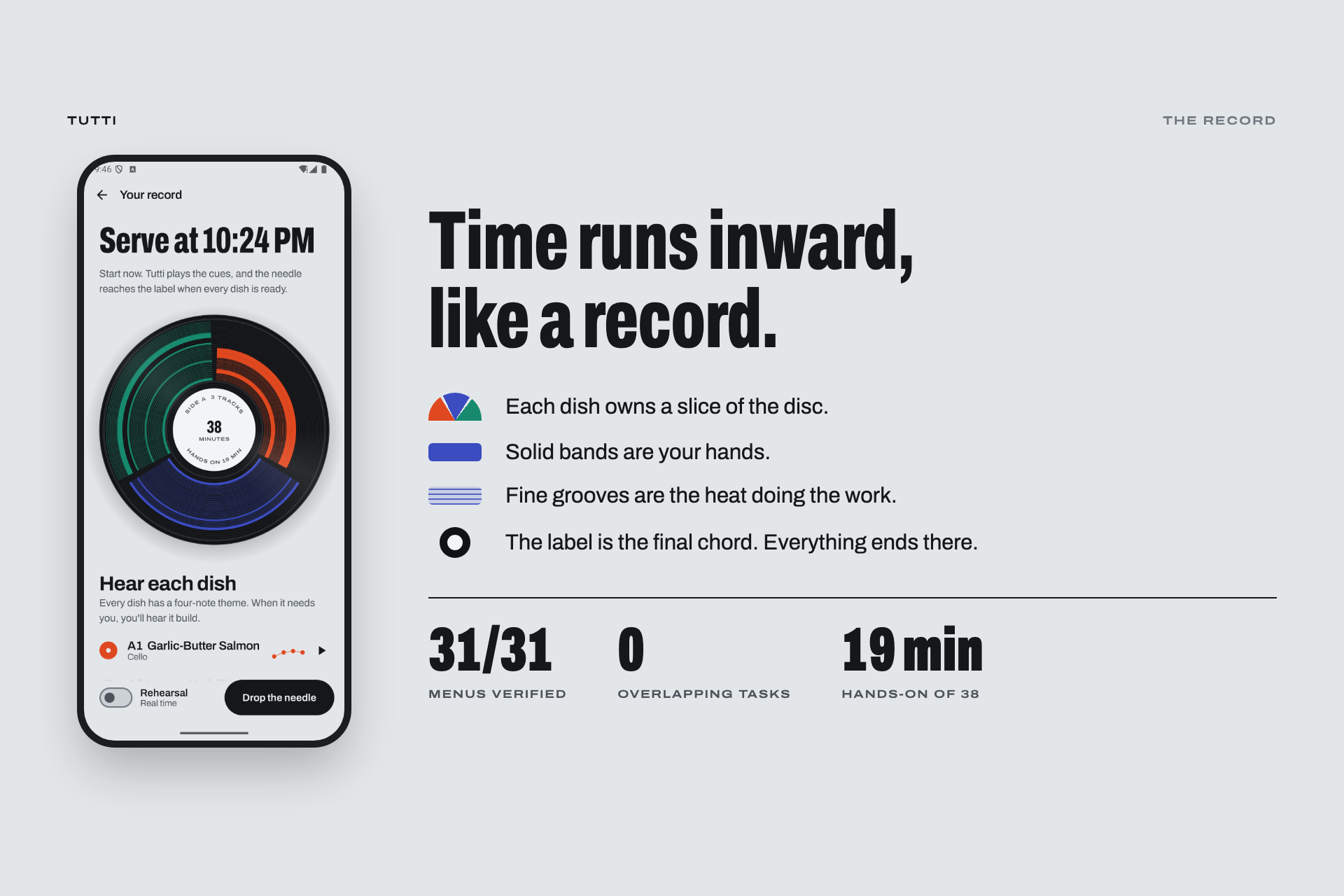
A scheduler works backwards from the serving time and draws your cooking plan as a vinyl record.
Each dish occupies a slice of the disc, with time moving from the outer rim toward the center label. Solid bands represent hands-on work; fine grooves represent passive cooking.
3. Drop the Needle
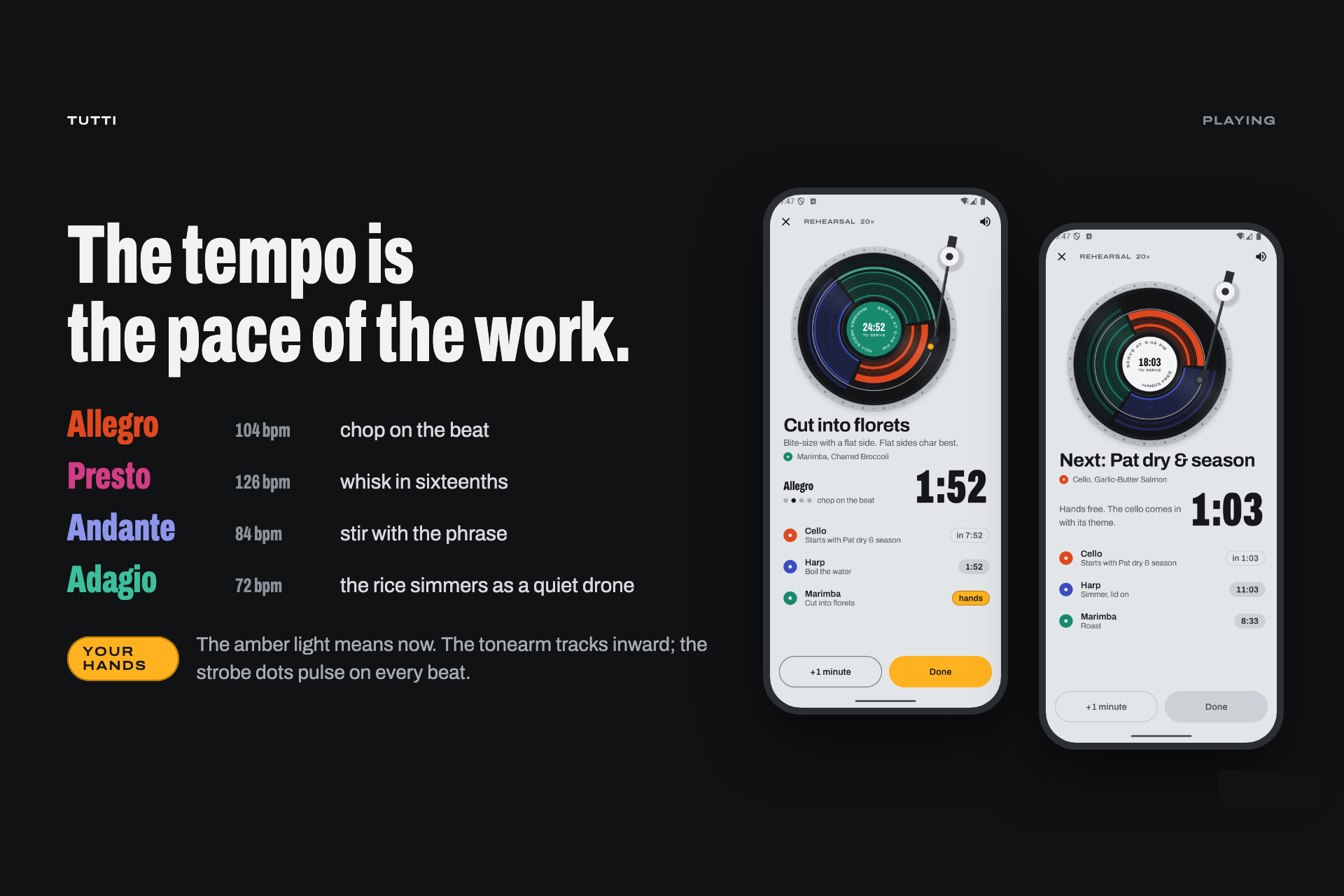
A live, generative arrangement follows each dish as it cooks:
- Hands-on steps play a rhythm you can work to: chopping at Allegro—104 BPM—and whisking at Presto—126 BPM.
- Passive cooking becomes a quiet drone.
- Upcoming tasks are announced by the dish’s musical signature, gradually fading in and building.
- Action cues combine a bell, a phone vibration, and an amber light.
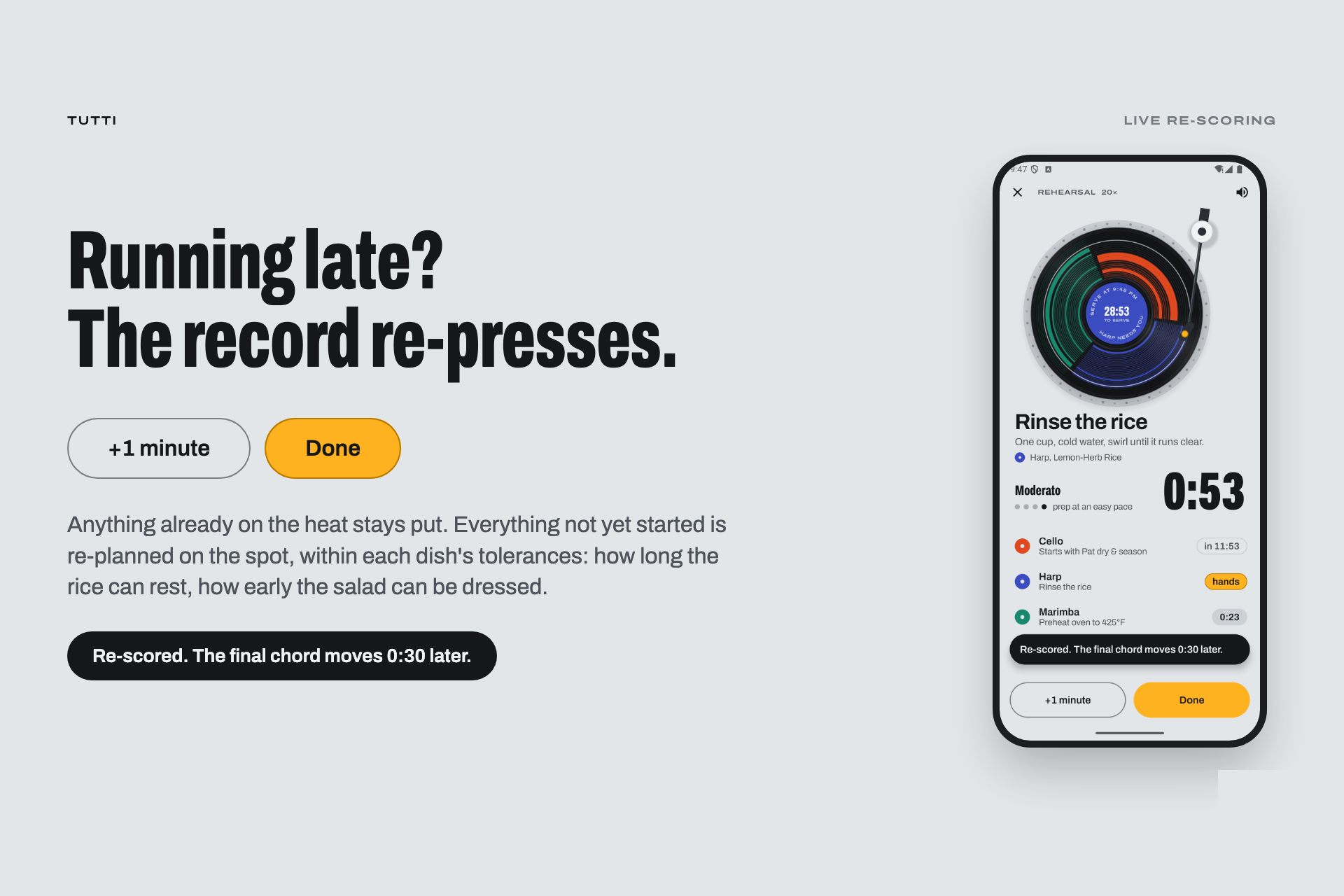
4. Re-score Live
Tap Done or +1 minute, and Tutti replans every step that hasn’t started yet. It tells you whether the original serving time still holds or needs to move.
5. Serve on the Chord
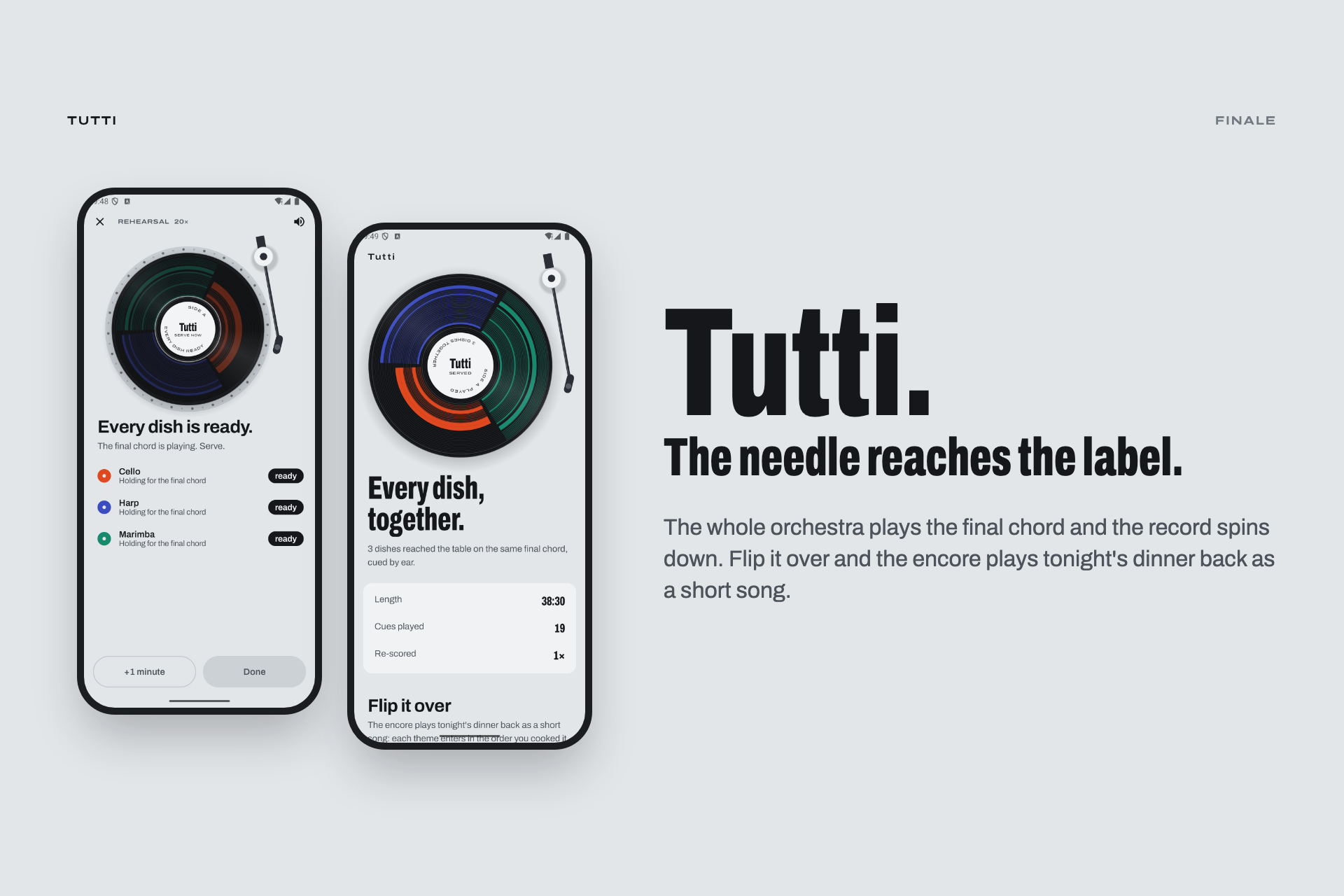
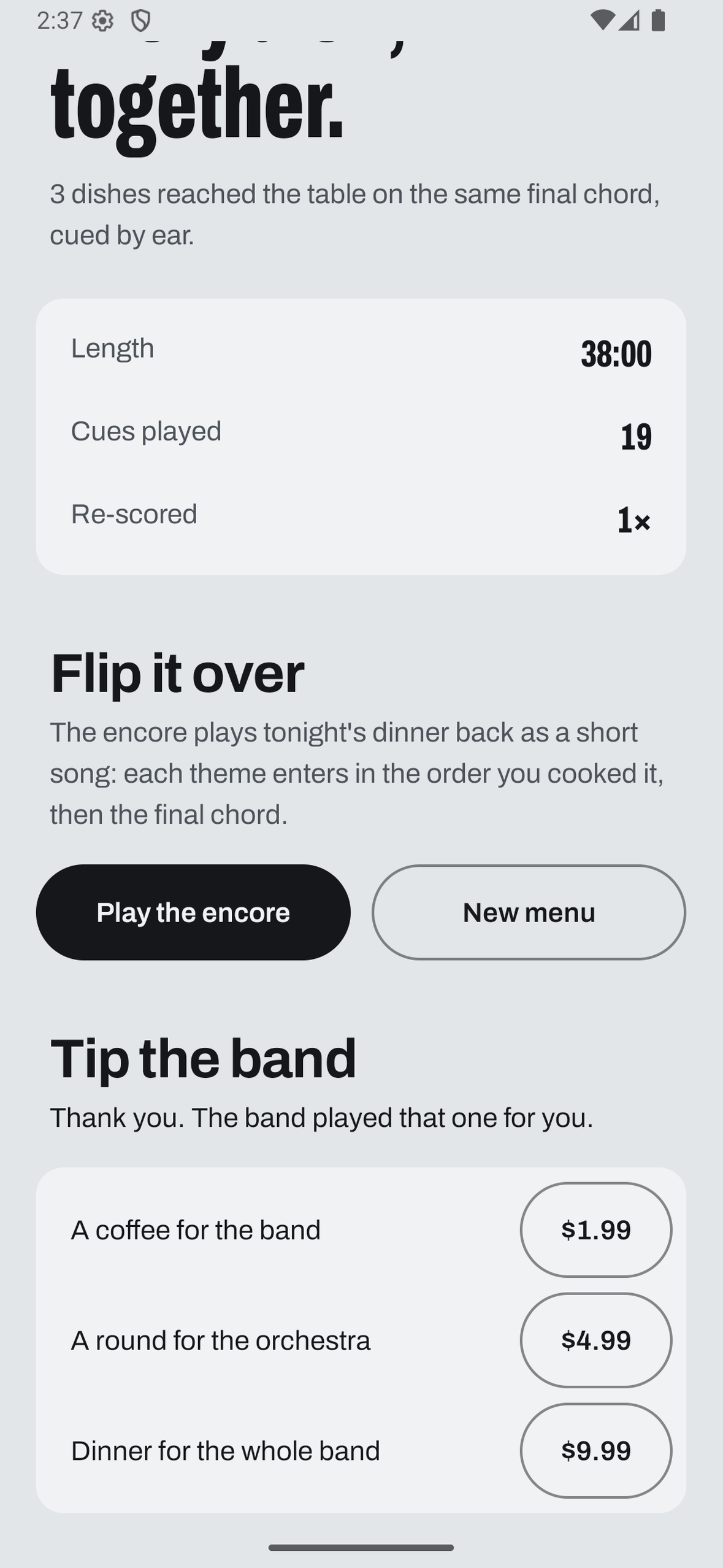
When the needle reaches the label, the whole orchestra plays together, marking the planned moment to serve. An encore then plays your dinner back as a short song.
6. Tip the Band
Tutti is free, with no locked recipes or instruments. After dinner, the Finale screen offers an optional tip through RevenueCat. Each tip receives a final chord from the whole orchestra.
Hearing the harp come in gives you a cue without having to read three separate countdowns.
How We Built It
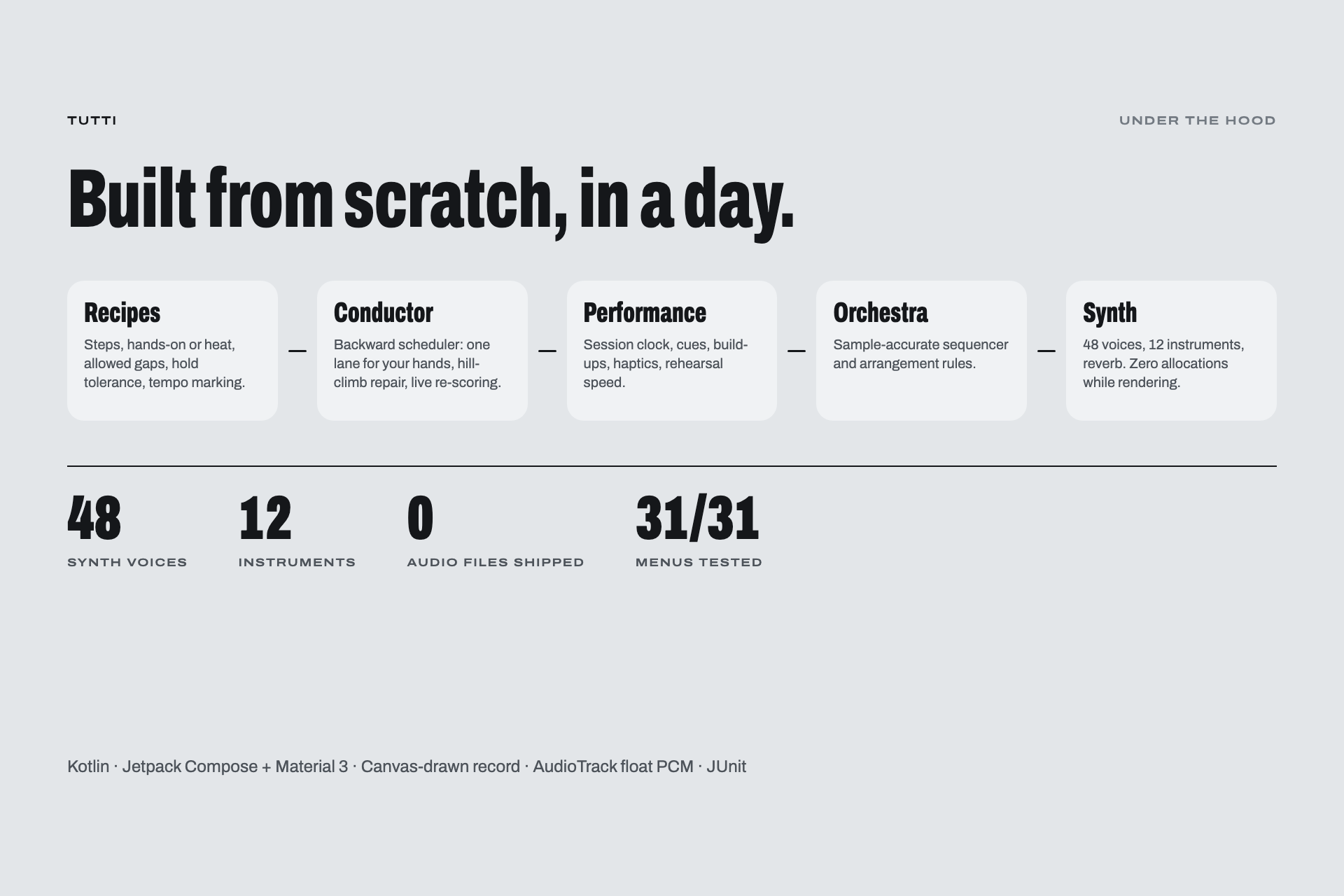
Tutti is a native Android app built with Kotlin and Jetpack Compose, in approximately 3,400 lines of code.
It ships with zero audio files. Every sound is synthesized live on the phone.
Scheduler — Conductor.kt
The scheduler works backwards from the final chord and treats the cook’s hands as one shared resource.
- Prevents overlapping hands-on tasks.
- Leaves a 30-second breather between tasks whenever possible.
- Places steps with the tightest timing windows first, using earliest-deadline-first scheduling in reverse with one step of lookahead.
- Uses a hill-climbing optimization pass to reduce waiting within each dish’s allowed hold time.
- Replans during cooking while keeping started steps fixed and preventing tasks from being scheduled before the current moment.
Synthesizer — Synth.kt
We built a 48-voice polyphonic synthesizer from scratch. It renders floating-point PCM audio one sample at a time and includes 12 sound patches:
- A filtered-saw cello.
- A plucked harp.
- A marimba with an inharmonic partial.
- An FM bell.
- Pads and drums.
A trimmed version of Freeverb adds room ambience. Voices use preallocated primitive arrays, so the audio render loop never allocates memory.
Orchestra — Orchestra.kt
A sample-accurate sixteenth-note sequencer runs on an URGENT_AUDIO thread and feeds AudioTrack at 48 kHz.
At a tempo of b beats per minute, the number of samples per sixteenth note is:
Δ = (60 × fₛ) ÷ (4 × b)
Here, fₛ = 48,000 samples per second. At 104 BPM, each sixteenth note lasts approximately 6,923 samples.
Tempo changes happen on bar lines. The UI reports each dish’s cooking state, while the audio thread makes the musical decisions.
Tip Jar — RevenueCat
Tips are consumable products in a RevenueCat offering, loaded through the Android SDK and sorted by price.
We wanted the full cooking experience to remain free, so the optional tip appears only after dinner is served. RevenueCat’s Test Store lets us test the purchase flow without a Play Console account. Builds without a configured key simply omit the tip jar.
User Interface — Compose + Material 3
The interface takes the form of a turntable:
- An aluminum plinth and black vinyl record.
- Dish colors used on labels and grooves.
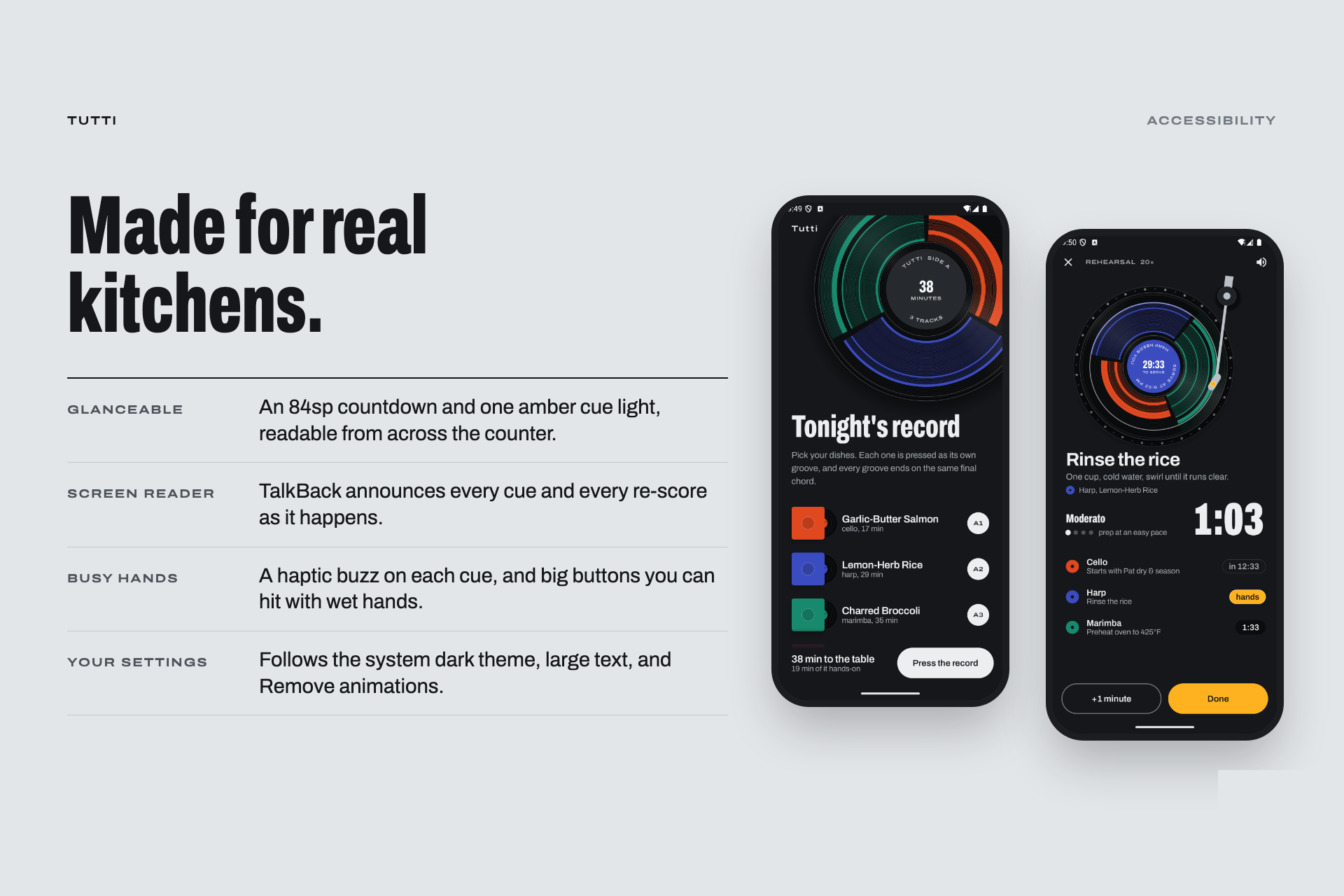
- One amber cue light.
- A record and tonearm drawn with
Canvas, animated using the audio engine’s beat clock.
The app supports dark theme, large text, the system’s Remove animations setting, and TalkBack, which announces cooking cues and schedule changes.
Challenges We Ran Into
Coordinating Every Menu
Five dishes create 31 possible nonempty menu combinations: 2⁵ − 1.
Our unit tests cover every combination, checking that hands-on tasks never overlap, required gaps and hold tolerances are respected, and live rescheduling remains valid. These tests caught two real bugs.
Keeping Audio and Visuals in Sync
Our emulator environment lacked a working audio device, and its audio output ran slower than real time. This caused demo recordings to drift out of sync with the screen.
We moved the music’s timing onto the wall clock and checked that count-in clicks landed within 0.1 seconds of the corresponding screen change.
Working Without Xcode
The development machine had no iOS tooling, so we built Tutti entirely as a native Android app.
Making the App Feel Like an Instrument
Our first interface resembled a paper concert programme, but it didn’t capture the experience we wanted.
Partway through development, we redesigned it as a turntable. A design review identified eight issues, and we fixed all eight before recording the demo.
What We Learned
- One pair of hands is a meaningful scheduling constraint. Working backwards from the serving time made the problem manageable.
- Real-time audio requires careful engineering. The render loop must avoid memory allocation, and audio output cannot always be assumed to track real time.
- Sound can guide interaction when hands are busy. A musical signature that builds before a cue helps users anticipate the next task without looking at a screen.
- Exhaustive testing is valuable when the input space is small. Testing all 31 menus helped us find and fix scheduling errors.
What’s Next
- Voice controls: Say “done” instead of tapping.
- Recipe imports: Bring in recipes from a link.
- Smart oven integration: Let connected ovens report their own cooking cues.
- Duets: Two cooks, two task lanes, one record.
- Wrist cues: Bring the cue light to a smartwatch.
Built With
- android
- android-studio
- audiotrack
- canvas
- digital-signal-processing
- google-font
- gradle
- jetpack-compose
- junit
- kotlin
- material-design-3

Log in or sign up for Devpost to join the conversation.